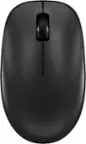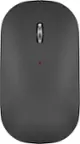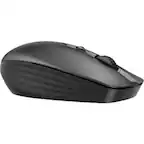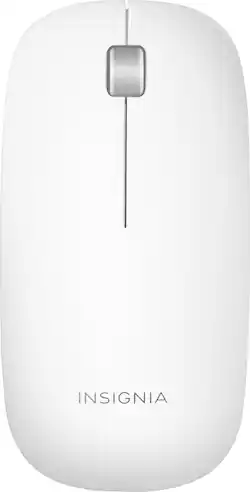
Insignia™ - Bluetooth Laser Mouse - Gray/White
- Key Specs
- Number of Buttons (Total): 3
- General
- Brand: Insignia™
- Model Number: NS-PNM72B-WH
- Product Name: Bluetooth Laser Mouse
- Color: Gray/White
- System Requirements: Microsoft Windows 7, Apple MacOS X 10.4 or later, Microsoft Windows Vista, Windows 8, Windows 8.1, Windows 10 (The software that a product must have for it to be able to integrate with another product.)
- Features
- Mouse Type: Standard
- Performance
- Mouse Operation: Button(s)
- Tracking Method: Laser (There are several types of computer mice, optical and laser being among the most common. Optical mice detect less detail and provide more precise and accurate movement. Laser mice detect more detail and can be used on a wider variety of surfaces, but are more sensitive to small movements.)
- Number of Buttons (Total): 3
- Connectivity
- Wireless Connectivity: Bluetooth (The manner in which a device sends data to another device over a short distance without the use of wires or cables.)
- Operating System Compatibility: Windows, Mac
- Power
- Mouse Power Source: Battery-powered
- Rechargeable Battery (Mouse): false
- Battery Size: AAA (The battery size required for operation.)
- Number of Batteries Required: 2
- Batteries Included: true (Indicates whether the product comes with the required batteries for its operation.)
- Dimensions
- Product Height: 0.9 inches (The out of box height of the item. Height is measured as the vertical distance from the bottom of the item to the top as it would be primarily used or placed.)
- Product Width: 2.2 inches (The out of box width of the item. Width is measured as the horizontal distance from one side of the item to the other as it would be primarily used or placed.)
- Other
- UPC: 600603207600
Make the most of your computing with this Insignia slim wireless mouse, which features an ultra-slender silhouette without skimping on function. Bluetooth connectivity on this mouse eliminates the tangle of cables, and three-button function gives you complete control. This Insignia slim wireless mouse works with both Apple and Windows computers for versatility.
- Laser technology: This mouse uses a laser to detect movement with accuracy across a variety of surface types, including glass.
- Wirelessly connects to your computer with Bluetooth: This mouse connects to your computer without using wires or taking up a USB port.
- 3 buttons: Provide access to frequently used commands and functions for powerful control.
- Compatible with most Windows and Mac computers: Works across a wide array of computers.
- Laser technology: This mouse uses a laser to detect movement with accuracy across a variety of surface types, including glass.
- Wirelessly connects to your computer with Bluetooth: This mouse connects to your computer without using wires or taking up a USB port.
- 3 buttons: Provide access to frequently used commands and functions for powerful control.
- Compatible with most Windows and Mac computers: Works across a wide array of computers.
Whats Included
- 2 AAA batteries
- Insignia ultra slim
- 2 AAA batteries
- Insignia ultra slim
Q: What is the scroll wheel made of? Is there any rubber on this mouse?
A: The scroll wheel is made of rubber, and its the only part made of rubber.
A: This mouse is compatible with Mac computers. On your Mac computer you need to: 1. Open System Preferences in the dock. 2 Click the Bluetooth icon . 3 Click + in the lower-left corner. Your computer searches for your mouse. 4 Double-click Ultra Slim Wireless Mouse. Note: If your computer has never connected to a Bluetooth device, click Set Up New Device to pair your mouse to your computer. When pairing is complete, the LED indicator lights turn off.
Q: Will this mouse work with MacBookAir with M1 chip and Big Sur OS update? Please be specific .
A: Absolutely. I have the same Make and Model. Works perfectly fine!
Q: Does this mouse work with the new Apple MacBook Air with the M1 chip?
A: This mouse works for most Mac computers.
Q: 1. Does this work without a USB port? 2. Is the button clicking silent?
A: Yes it does not need USB ports
Q: Will this work with ipad pro?
A: Yes, it does!
A: You should be able to use both.