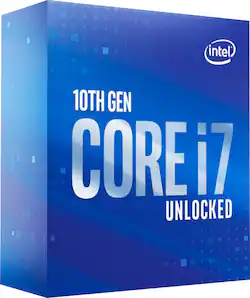
Intel - Core i7-10700K 10th Generation 8-Core - 16-Thread - 3.8 GHz (5.1 GHz Turbo) Socket LGA1200 Unlocked Desktop Processor - Grey/Black/Gold
- Key Specs
- Processor Socket: Socket LGA 1200 (Type of pin configuration that connects a CPU to a computer’s motherboard.)
- PCI Express Version: PCI Express 3.0
- CPU Base Clock Frequency: 3.8 gigahertz (Actual central processing unit (CPU) speed may vary by device configuration and design. The average rate at which the processor is able to execute tasks under normal operating conditions as asserted by the manufacturer.)
- CPU Boost Clock Frequency: 5.1 gigahertz (Actual central processing unit (CPU) speed may vary by device configuration and design. The maximum rate at which the processor is able to execute tasks, typically only used for a short period of time as needed. This rate may temporarily boost the processor's performance, but may result in overheating, shutdown, or damage to equipment if sustained.)
- Number of CPU Cores: 8-core (A core, or "brain" of a CPU, allows it to receive and execute instructions. Each core can work independently or together to perform parallel operations.)
- Number of CPU Threads: 16 (Generally, the more threads, the faster and more responsive the operating system.)
- Unlocked Processor: true
- Memory Type Supported: DDR4
- L3 Cache: 16 megabytes (Cache memory, also called CPU memory, is random-access memory (RAM) that a computer microprocessor can access more quickly than it can access regular RAM. This memory is typically integrated directly with the CPU chip or placed on a separate chip that has a separate bus interconnect with the CPU.)
- Processor Base Power: 95 watts
- Integrated Graphics: true (Device has a built-in graphics processing unit.)
- Integrated Graphics Processor: Intel UHD Graphics 630 (This is responsible for displaying image content and decoding/encoding video content in programs and games.)
- Processor Generation/Series: 10th Generation
- General
- Product Name: Core i7-10700K 10th Generation 8-Core - 16-Thread - 3.8 GHz (5.1 GHz Turbo) Socket LGA1200 Unlocked Desktop Processor
- Brand: Intel
- Processor Model Number: 10700K
- Processor Collection: Core i7
- Processor Generation/Series: 10th Generation
- Model Number: BX8070110700K
- Year of Release: 2020
- Color: Grey/Black/Gold
- Color Category: Multi
- Compatibility
- Processor Socket: Socket LGA 1200 (Type of pin configuration that connects a CPU to a computer’s motherboard.)
- PCI Express Configuration: PCIe Gen 3 x16, PCIe Gen 3 x8, PCIe Gen 3 x4
- PCI Express Lanes (Total): 16
- PCI Express Version: PCI Express 3.0
- Processor Instruction Set: 64-bit
- Performance
- CPU Base Clock Frequency: 3.8 gigahertz (Actual central processing unit (CPU) speed may vary by device configuration and design. The average rate at which the processor is able to execute tasks under normal operating conditions as asserted by the manufacturer.)
- CPU Boost Clock Frequency: 5.1 gigahertz (Actual central processing unit (CPU) speed may vary by device configuration and design. The maximum rate at which the processor is able to execute tasks, typically only used for a short period of time as needed. This rate may temporarily boost the processor's performance, but may result in overheating, shutdown, or damage to equipment if sustained.)
- Number of CPU Cores: 8-core (A core, or "brain" of a CPU, allows it to receive and execute instructions. Each core can work independently or together to perform parallel operations.)
- Number of CPU Threads: 16 (Generally, the more threads, the faster and more responsive the operating system.)
- Unlocked Processor: true
- Hard Drive Accelerator: Intel Optane (A module integrated (or added) into a PC to improve performance speed. By acting as a high-speed cache, an accelerator speeds up access times to the hard drive, which results in faster web browsing, improved gaming experience, and overall more responsiveness.)
- Memory
- Maximum Memory Supported: 128 gigabytes
- Memory Type Supported: DDR4
- Number of Memory Channels Supported: 2
- Cache Level: L3 (The cache stores data that the CPU needs to access quickly in order to complete tasks. Each level is ranked according to priority of access; Level 1 (L1) cache stores data that the CPU needs to access first. L1 cache is also the fastest but holds the least amount of data, with each following level decreasing in speed but increasing in capacity.)
- L3 Cache: 16 megabytes (Cache memory, also called CPU memory, is random-access memory (RAM) that a computer microprocessor can access more quickly than it can access regular RAM. This memory is typically integrated directly with the CPU chip or placed on a separate chip that has a separate bus interconnect with the CPU.)
- Features
- Processor Type: Desktop
- RAID Support: None (A Redundant Array of Independent Disks (RAID) includes a collection of separate disks that your computer recognizes as one disk unit. Each configuration offers a different level of mirroring, striping and read/write speeds.)
- Power
- Processor Base Power: 95 watts
- Graphics
- Integrated Graphics: true (Device has a built-in graphics processing unit.)
- Integrated Graphics Processor: Intel UHD Graphics 630 (This is responsible for displaying image content and decoding/encoding video content in programs and games.)
- GPU Base Clock Frequency: 0.35 gigahertz (The minimum rate at which the graphics controller is guaranteed to operate.)
- GPU Boost Clock Frequency: 1.1 gigahertz (The maximum ideal rate at which the graphics controller is able to operate, typically only for a short period of time.)
- Number of GPU Cores: 192
- Warranty
- Manufacturer's Warranty - Parts: 3 years
- Manufacturer's Warranty - Labor: 3 years
- Other
- UPC: 735858447614
Build a powerful PC with this 10th Gen Intel Core i7 desktop processor. The eight cores and Hyper-Threading technology support advanced multitasking, while the base clock speeds of up to 3.1GHz deliver speedy responses. This unlocked Intel Core i7 desktop processor features Intel Turbo Boost Max to handle complex content creation tools.
- Intel Core i7-10700K processor: With 3.8GHz processor speed which gives you efficient use of the processor, high processing throughput and improved performance.
- 16MB integrated cache: Provides fast access to heavily used data and instructions.
- Intel Turbo Boost Technology: Dynamically increases the processor's frequency as needed by taking advantage of thermal and power headroom to give you a burst of speed when you need it, and increased energy efficiency when you don't.
Whats Included
- Core i7-10700K 10th Generation 8-Core - 16-Thread - 3.8 GHz (5.1 GHz Turbo) Socket LGA1200 Unlocked Desktop Processor
- User documentation
Q: Is this processor better for gaming or i5 10600K ?
A: The i7 10700k isn't much of an upgrade from the i5 10600k even in OC. If you have a game that hits multi core harder then it may be marginally better. If it were my decision I'd save the $100 and get the i5 and put the extra saved money toward a GPU upgrade. https://cpu.userbenchmark.com/Compare/Intel-Core-i7-10700K-vs-Intel-Core-i5-10600K/4070vs4072
Q: Could I put this in a new Mac Mini? 2020?
A: Definitely not. First of all, the mac mini has a coffee lake processor, which uses the LGA 1151 socket, whereas this CPU uses the LGA 1200 socket. That's not to mention the heat dissipation that the 10700k needs that the mac mini definitely doesn't provide as the mac mini uses a laptop CPU while this CPU is a 125 W TDP monster in comparison.
A: Short answer, no an intel 10th gen cpu is not compatible with your pc. The socket on the motherboard is not the same. You would need to upgrade the motherboard also. Unfortunately Dell is typically not a machine that can be upgraded easily.
Q: the motherboard that came with my computer is a B360M xtreme from asrock will this cpu work ?
A: No your motherboard doesn't support socket 1200 processors only 1151 you need to upgrade to a compatible board or stay with 1151 processors
A: Hi, the Intel Core i7-10700K processor is a desktop processor and will not work in the HP Spectre laptop. Most laptops have the processor soldered to the motherboard so you will not be able to upgrade the processor on your laptop. Thank you for choosing Intel.
A: The Z390 Motherboard that you currently own, supports the LGA 1151 Socket. The Intel Core 17-10700K Processor will have to be installed on a new Motherboard for Socket 1200. Take a look at the New MSI Z490 Motherboards at Best Buy. They offer LED Lighting and USB Type-C Support. For the Case, as long as yours will support the new LGA 1200 Motherboard, you shouldn't have to swap it out. Also, I recommend you switching to DDR4 RAM, if you haven't already, which offers higher transfer rates. Corsair offers a wide range of quiet Power Supplys, and I would recommend, at least, an 850W Supply, since you are mounting an Intel Core i7 Processor in your rig. You will need the additional power to launch that beefy GPU that you will undoubtedly install as well. Last piece, think about picking up a Water Cooling Solution to keep everything super cool when running High End Games and Creator Softwares. The more power you draw, the quicker you can get things done on your PC, but you have to keep it all at a good temp..below the 70° Celsius mark at full load. All parts can be purchased at your local Best Buy Store. Good luck on your build.
A: Short answer is no. Long answer with enough time and money to throw at it sure. Just replace the motherboard, Power supply, ram, Ssd and hard drives. Don’t forget you’ll need a graphics card that has become unobtainium. Throw all that in your dell case and your pc will be completely modernized. In all seriousness though no nothing will help the old dell it’s time to get a full upgrade.
Q: Is this suitable for an iMac 22” ?
A: If you're asking if this would make a good upgrade to an existing system, I would say no. All in one systems are not usually upgradeable. Apple products even less so. That is one reason they are usually so trouble free. If you are looking to buy a new system, wait until you can afford the more expensive system then buy it.




















