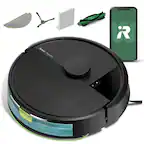
iRobot - Roomba 205 DustCompactor Vacuum - Auto-Compacts Debris Within Robot, No Emptying for 60 Days, Bagless, Intense Suction - Black
More Buying Options
Related Item

Specifications
- Cleaning Path Width5.8 inchesVacuum TypeRoboticBin Capacity0 gallonsProduct Weight7.88 poundsCompatible Floor TypeAll floorsBaglessYes
- Key Specs
- Cleaning Path Width: 5.8 inches
- Vacuum Type: Robotic
- Bin Capacity: 0 gallons
- Product Weight: 7.88 pounds (The out of box weight of the item.)
- Compatible Floor Type: All floors
- Bagless: true
- Corded/Cordless: Cordless
- Filter Type: Standard
- Multi Surface: true
- Auto Docking and Recharging: true
- Room-by-Room Navigation: true
- General
- Brand: iRobot
- Model Number: U112020
- Product Name: Roomba 205 DustCompactor Vacuum - Auto-Compacts Debris Within Robot, No Emptying for 60 Days, Bagless, Intense Suction
- Color: Black
- Dimensions
- Product Height: 3.98 inches (The out of box height of the item. Height is measured as the vertical distance from the bottom of the item to the top as it would be primarily used or placed.)
- Product Length: 14.1 inches (The out of box length of the item. Length is measured as the longest dimension of the item.)
- Product Width: 14.09 inches (The out of box width of the item. Width is measured as the horizontal distance from one side of the item to the other as it would be primarily used or placed.)
- Features
- Connectivity Technology: Wi-Fi (The manner in which a device sends data to another device over a short distance.)
- Cliff Sensor: true
- Bagless: true
- Filter Type: Standard
- Voltage: 2.4 volts (Amount of power needed to support an electrical current.)
- Protective Bumpers: true
- Remote Control: false
- Self-Emptying: false (During docking these products can automatically empty the contents of the collection bin into a separate base collection bin which is capable of holding dirt and debris from more than one cleaning cycle.)
- Performance
- Programmable Cleaning Intervals: true
- Power
- Self-Charging: true
- Rechargeable Battery: true
- Charger Included: true
- Battery Chemistry: Lithium-ion
- Battery Capacity: 3000 milliampere hours (The amount of energy stored in the battery.)
- Compatibility
- App Compatible: true (The product can be connected to a program or software application on a mobile device, which then receives collected data from the product.)
- Warranty
- Warranty - Parts: 1 year limited
- Warranty - Labor: 1 year limited
- Other
- UPC: 885155046321
Only from Roomba, the Roomba 205 DustCompactor Vac Robot is fully-loaded with innovation that keeps cleaning simple. The perfect vacuuming robot for homes where space is at a premium, this sleek, action-packed robot has all the benefits of a separate self-emptying dock built right into the robot. With the industry's first-ever mechanical compactor, debris is lifted into the robot and continuously compacted for up to 2 months at a time so you can keep your hands out of messes. The 3-stage Vacuuming System combines 70X more* power-lifting suction, a rubber brush that grabs all kinds of debris from crumbs in the kitchen to sandy footprints in the entry, and a corner brush that reaches into tight spaces and pulls up dust-bunnies wherever they gather. Feel confident the clean will be completed as the battery lasts for over three hours. But when it gets low, your robot automatically heads for a recharging and then returns to finish the task where it left off. Continuous, hassle-free cleaning is made possible by ClearView LiDAR hidden inside the robot. This high-performance navigation system quickly maps your home, smoothly steers around obstacles, and maximizes floor-cleaning coverage wall-to-wall. To customize your clean, simply tap the Roomba Home App to opt for multiple vacuum passes in high-traffic areas, choose the level of suction, or even schedule a night cleaning.This Roomba raises the bar with first-of-its-kind onboard compacting. Roomba blends seamlessly into your home decor with sleek, beautiful finishes, leaving behind a brilliant clean. *As compared to Roomba 600 series robots
- Ditch the Dock: An industry first, only from Roomba, this robot continuously crushes debris right inside using a mechanical compacting process, so you don't have to empty it for up to 60 days.
- A Sleek Space-saver.: When space is at a premium, onboard compacting and debris management eliminates the need for a separate self-emptying station.
- Bagless.: Months of hands-free cleaning with the proprietary bagless DustCompactor that stores debris within the robot. No bags to replace, no mess to manage.
- Devours Dirt with 70x More Power-lifting Suction*.: 3-Stage Cleaning includes 70X more power-lifting suction*, a Multi-Surface Rubber brush, and 20% better edge and corner cleaning with an edge-sweeping brush to devour dirt and dust bunnies to leave floors barefoot clean.
- Super-smart mapping and navigation.: ClearView LiDAR sleekly hidden inside the robot quickly maps your home, avoids obstacles and cleans in neat rows, even in the dark.
- Level-up the suction.: Choose from 4 levels of intense, dirt-devouring suction to apply just the right power to the cleaning task at hand.
- Fully custom & targeted cleaning: Schedule and target rooms based on your daily routine, skip unused areas, spot clean a mess, or repeat vacuum passes.
- Easy-to-use Roomba Home App.: Simply tap to set a custom clean, get time estimates, check on the filter life, or create keep-out zones to avoid vacuuming specific areas.
- 3 easy ways to control.: Conveniently control your Roomba(R) robot by speaking to your preferred voice assistant-enabled* devices, tapping the app, or pressing buttons on the robot.
- Cleans strong. Cleans long.: Feel confident the clean will be completed as the battery lasts for over 3 hours. But when it gets low, your robot automatically heads for a recharging and then returns to finish the task where it left off.
- Ditch the Dock: An industry first, only from Roomba, this robot continuously crushes debris right inside using a mechanical compacting process, so you don't have to empty it for up to 60 days.
- A Sleek Space-saver.: When space is at a premium, onboard compacting and debris management eliminates the need for a separate self-emptying station.
- Bagless.: Months of hands-free cleaning with the proprietary bagless DustCompactor that stores debris within the robot. No bags to replace, no mess to manage.
- Devours Dirt with 70x More Power-lifting Suction*.: 3-Stage Cleaning includes 70X more power-lifting suction*, a Multi-Surface Rubber brush, and 20% better edge and corner cleaning with an edge-sweeping brush to devour dirt and dust bunnies to leave floors barefoot clean.
- Super-smart mapping and navigation.: ClearView LiDAR sleekly hidden inside the robot quickly maps your home, avoids obstacles and cleans in neat rows, even in the dark.
- Level-up the suction.: Choose from 4 levels of intense, dirt-devouring suction to apply just the right power to the cleaning task at hand.
- Fully custom & targeted cleaning: Schedule and target rooms based on your daily routine, skip unused areas, spot clean a mess, or repeat vacuum passes.
- Easy-to-use Roomba Home App.: Simply tap to set a custom clean, get time estimates, check on the filter life, or create keep-out zones to avoid vacuuming specific areas.
- 3 easy ways to control.: Conveniently control your Roomba(R) robot by speaking to your preferred voice assistant-enabled* devices, tapping the app, or pressing buttons on the robot.
- Cleans strong. Cleans long.: Feel confident the clean will be completed as the battery lasts for over 3 hours. But when it gets low, your robot automatically heads for a recharging and then returns to finish the task where it left off.
Whats Included
- 1 Roomba 205 DustCompactor Vac Robot
- 1 Charging dock
- 1 Extra Filter
- NA Line Cord
- 1 Roomba 205 DustCompactor Vac Robot
- 1 Charging dock
- 1 Extra Filter
- NA Line Cord
Disclaimers
- *As compared to Roomba 600 series robots
- *Works with Alexa, Siri, and Google Assistant-enabled devices. Alexa and all related logos are trademarks of http://Amazon.com or its affiliates. Google and Google Home are trademarks of Google LLC. Siri is a registered trademark of Apple Inc., registered in the U.S. and other countries and regions.
- *As compared to Roomba 600 series robots
- *Works with Alexa, Siri, and Google Assistant-enabled devices. Alexa and all related logos are trademarks of http://Amazon.com or its affiliates. Google and Google Home are trademarks of Google LLC. Siri is a registered trademark of Apple Inc., registered in the U.S. and other countries and regions.
Q: What is the bin capacity of this Roomba?
A: The Roomba 205 DustCompactor uses an onboard compacting system, eliminating the need for a traditional bin and holds debris for up to 60 days.
Q: Does this Roomba have a self-emptying dock?
A: No, this Roomba does not require a separate self-emptying dock. It has a built-in compactor that holds debris for up to 60 days.
Q: What type of cleaning system does this Roomba use?
A: It uses a 3-Stage Cleaning System with 70x more power-lifting suction, a Multi-Surface Rubber brush, and an edge-sweeping brush for corners and edges.
Q: How does the Roomba navigate around my home?
A: It uses ClearView LiDAR technology to map your home, navigate, and avoid obstacles, even in the dark.
Q: How long does the battery last on a single charge?
A: The battery lasts for over 3 hours on a single charge.
Q: Can I control this robot vacuum with an app?
A: Yes, you can control the Roomba 205 with the easy-to-use Roomba Home App.
Q: Is this Roomba compatible with voice assistants?
A: Yes, you can control the Roomba with your preferred voice assistant-enabled devices.
Q: Just sits there calibrating. Removed the battery to reset and no change.
A: We're sorry to hear about the difficulties you are experiencing. Please reach out to https://homesupport.irobot.com/s/contact-support-info, so we may properly diagnose your issue.
Compare similar products
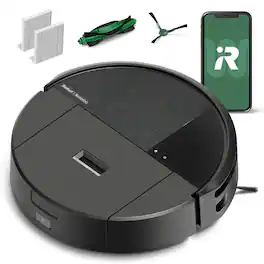
Only from Roomba, the Roomba 205 DustCompactor Vac Robot is fully-loaded with innovation that keeps cleaning simple. The perfect vacuuming robot for homes where space is at a premium, this sleek, action-packed robot has all the benefits of a separate self-emptying dock built right into the robot. With the industry's first-ever mechanical compactor, debris is lifted into the robot and continuously compacted for up to 2 months at a time so you can keep your hands out of messes. The 3-stage Vacuuming System combines 70X more* power-lifting suction, a rubber brush that grabs all kinds of debris from crumbs in the kitchen to sandy footprints in the entry, and a corner brush that reaches into tight spaces and pulls up dust-bunnies wherever they gather. Feel confident the clean will be completed as the battery lasts for over three hours. But when it gets low, your robot automatically heads for a recharging and then returns to finish the task where it left off. Continuous, hassle-free cleaning is made possible by ClearView LiDAR hidden inside the robot. This high-performance navigation system quickly maps your home, smoothly steers around obstacles, and maximizes floor-cleaning coverage wall-to-wall. To customize your clean, simply tap the Roomba Home App to opt for multiple vacuum passes in high-traffic areas, choose the level of suction, or even schedule a night cleaning.This Roomba raises the bar with first-of-its-kind onboard compacting. Roomba blends seamlessly into your home decor with sleek, beautiful finishes, leaving behind a brilliant clean. *As compared to Roomba 600 series robots
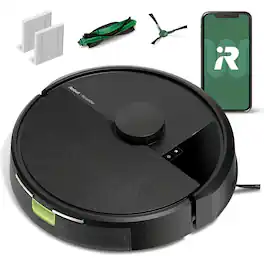
The Roomba 105 Vac Robot Vacuum is made for every kind of dry floor-cleaning task. The 3-stage cleaning system delivers high-performance cleaning by combining 70X more intense power-lifting suction*, an edge-sweeping brush that cleans 20% better*, and a multi-surface brush to pick up all kinds of dirt. ClearView LiDAR quickly maps your home for precise coverage. Tap the app, push the robot's buttons or ask your preferred voice assistant** for an on-demand clean.
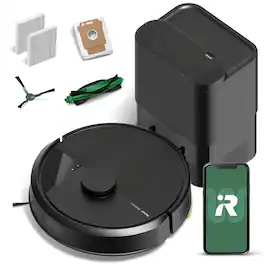
The Roomba 105 Vac Robot Vacuum + AutoEmpty Dock is made for every kind of dry floor-cleaning task. The self-emptying dock holds up to 75 days of debris in a bag you just lift out and toss away. The 3-stage cleaning system delivers high-performance cleaning by combining 70X more intense power-lifting suction*, an edge-sweeping brush that cleans 20% better*, and a multi-surface brush to pick up all kinds of dirt. ClearView LiDAR quickly maps your home for precise coverage. Tap the app, push the robot's buttons or ask your preferred voice assistant** for an on-demand clean.
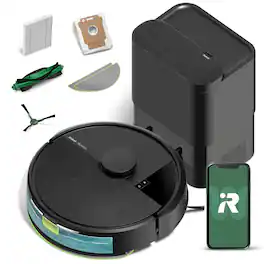
The Roomba 105 Combo Robot + AutoEmpty Dock is made for every kind of wet and dry floor-cleaning task. The self-emptying dock holds up to 75 days of debris in a bag you just lift out and toss away. The 4-stage cleaning system delivers high-performance cleaning by combining 70X more intense power-lifting suction*, an edge-sweeping brush that cleans 20% better*, a multi-surface brush to pick up all kinds of dirt, and a washable, re-usable microfiber pad to wipe away spills. ClearView LiDAR quickly maps your home for precise coverage. Choose from 3 cleaning options - mop, vacuum, or vacuum-and-mop at the same time. Using water or cleaning solution**, choose the perfect amount of liquid for the job, and set SmartScrub to 2X deeper scrubbing*** on high-traffic areas the way you would to erase the messes of the day. Tap the app, push the robot's buttons or ask your preferred voice assistant**** for an on-demand clean.
| Pros for iRobot - Roomba 205 DustCompactor Vacuum - Auto-Compacts Debris Within Robot, No Emptying for 60 Days, Bagless, Intense Suction - Black | |||
|---|---|---|---|
| Cleaning Performance, Suction Power, Noise Level, Navigation, Mapping | There were no pros for this product— | There were no pros for this product— | Cleaning Performance, Noise Level, Suction Power, Ease of Use, Setup |
| Cons for iRobot - Roomba 205 DustCompactor Vacuum - Auto-Compacts Debris Within Robot, No Emptying for 60 Days, Bagless, Intense Suction - Black | |||
| There were no cons for this product— | There were no cons for this product— | There were no cons for this product— | Navigation, Battery Life, Mapping |
Specs

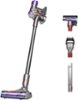
- Dyson - V11 Plus Cordless Vacuum - Nickel/Purple$449.99$629.99

Reviews
Customers are saying
Customers frequently mention the Roomba 205 DustCompactor Vacuum's excellent cleaning performance and effective navigation. Users appreciate the mostly accurate room mapping and strong suction power. The vacuum's quiet operation and functional dust compactor are also well-received. Furthermore, customers find the size convenient for docking and are satisfied with the dustbin capacity, easy setup, and long battery life.
Customer Images
The vast majority of our reviews come from verified purchases. Reviews from customers may include My Best Buy members, employees, and Tech Insider Network members (as tagged). Select reviewers may receive discounted products, promotional considerations or entries into drawings for honest, helpful reviews.
- Rated 5 out of 5 stars
How did we ever do without this?
Before getting this Roomba vacuum, I was aware of what it was but didn’t think it would work well in our house and would be more of a “toy” than a useful appliance. I was certainly wrong about that and have been thoroughly impressed by what it does and how well it works. This version is part of the newest series of Roombas that used LiDAR – the same technology as used by some self-driving cars – to accurately map your house and divide it up into separate rooms that can be cleaned on demand or by a schedule. This model is the 205 DustCompactor that vacuums but does not have mopping capabilities; there are other models that support mopping and other functionality. Some Roombas that support features like self-emptying dust bins come with a sizable home station. However, the 205 has a feature that compacts the collected dust so that frequent emptying is not required (the company claims up to 60 days worth!). As a result, the home base just has charging pads and a place to dock and is small and compact. After plugging it into a wall socket, you can place the Roomba so that the charging pads on the bottom are making contact with the base and it will confirm it by saying “Charging”. The Roomba does require an app to configure and control it. When installing, make sure that you get the variation that supports this model; older ones use a different app. There is also a QR code that you can scan to take you directly to the appropriate app on the Android or Apple store. Once installed, you can set up an account, then connect to the Roomba and configure a few things such as connecting it to your home WiFi. Once that is done, you’re ready to map a particular floor or section of your abode or other building. This is where the cleverness of this device really shows. To prep the area, all you have to do is to close the doors to any areas that you don’t want included, perhaps certain closets or bathrooms, and remove any loose items from the floor, especially cords and cables. Then, using the app, you just tell it to start mapping. As a retired software engineer who worked in the robotics industry, I have to say that I was really impressed with how it did this, going from room to room, scanning the dimensions, and even poking around in various corners. I mapped our 2nd floor with 4 bedrooms and a hall, which took it about 10 minutes or so. I was a bit concerned about the open stairway, and indeed the Roomba saw that as an opening and tried to go there, then sensed the edge and pulled back. After repositioning and trying again in a couple places, it gave up and went on into another room. When it’s finished, it returns to the dock and resumes charging, then lets you know when it has finished creating the map and it’s ready for editing. Our map was pretty accurate overall but the Roomba wasn’t able to determine the exact boundaries of each room. For example, it showed our central hall as an extension of one of the bedrooms. This wouldn’t be important if we were going to vacuum the entire floor each time, but it’s convenient to define the rooms so we could choose to vacuum a specific room or set of rooms. So some editing will generally be required. This is where I think that some improvements could be made. The editing had to be done on my smartphone screen, which was a problem due to the small size of the screen and the size of my finger. Adjustments to the layout have to be done by a combination of merging rooms together (easy) and positioning a divider to split a room into two rooms by dragging the endpoints of a line around (harder). I often found myself having to split off a piece of a room and then merging the split-off piece with an adjacent room. Nothing too difficult but not easy to get any precision. Once finished, you can assign meaningful names to each room. The next important editing step is to assign “Exclusion Zones”, if any. These are areas that have been mapped but where you just don’t want to robot to go. For example, I excluded the area under my computer desk, which has the usual “basket of snakes” of charging and data cables. Again, it’s hard to size and position the area on the screen but it can be done with some patience. When finished with the editing, you can save the map and give it a name such as “Second Floor”. The 205 has the capacity for saving up to three maps to cover multiple floors and other special cases. Once that’s all done, it’s ready to do some cleaning! How does it do at that? Again, very impressive. With the Roomba at a starting position (usually the dock), you can select a map (floor in most cases) from the app and then either have it vacuum everywhere or create a routine consisting of the room(s) that you want it to clean, and away it goes. Although there will always be some nooks and crannies that it just can’t get into – and it really tries hard to find a way in – it certainly does a nice job of the routine vacuuming that you are likely to need most of the time. One particular benefit that I hadn’t thought of before seeing it in action is that it went right under the beds and bounced around under there for a while to completely vacuum the carpets; that’s where a lot of dust used to accumulate since we only move things to get under there a few times a year (if that often). It is also very good at getting around things like the legs on the beds or chairs; once it bumps into them it will eventually circle right around them. If it runs low on its charge while cleaning, it will return to the home dock and recharge before continuing. I haven’t tried it yet but I think that it will clean our entire upstairs on a single charge. As it cleans, you can follow its progress in the app as it leaves a trail on a graphic of your map. When finished you’ll get a notification and it also stores the final track for later viewing. There are a number of cleaning options that I haven’t tried yet, including levels of cleaning (1-pass vs 2-pass), scheduling, and others. I also have not had it long enough to see how well the “compactor” feature works to reduce the frequency of having to empty the dust bin, but the company claims that it might hold up to 60 days worth depending on how often it is used. In conclusion, we started out thinking that this was more of a gimmick than a useful appliance but now think that it’s one of the most useful tech products that we’ve obtained in the last few years. We’ll definitely be keeping up on the vacuuming more than we were able to in the past. I highly recommend this product!
Posted by Doug G
- Rated 5 out of 5 stars
Powerful Suction, Great Dust Compactor
The Roomba 205 has strong suction with a flexible app and the Dust Compactor really works! Design The Roomba 205 has a large disc form factor with three wheel. Two are large and in the back, rolling forward and backward. The front wheel is small and turns in any direction. The dust compartment has the "Dust Compactor" mechanism. It's easy to open and empty, and because of the Dust Compactor, it should only need to be emptied every 60 days, or so. One great thing about this is the dock only needs to charge it, so the dock is nice and small. There are two buttons on top. One is Power and one is Home. Cleaning and Dust Compactor This robot vacuum can really clean! It really seems to pull out dust and dirt from rugs and off the floor very well. On the highest of four settings I'm very impressed with how much power it has. Not only that, but it pulled out enough that I could tell the Dust Compactor really works! There was a whole clump of dirt all packed against one side. The first time I opened Roomba 205 and saw the Dust Compactor I was very skeptical of it's usefulness. Now I'm convinced that its a great idea and really does what it's made to. It's easy to empty the compartment with the dust but not necessarily a clean process. It's not bad but I was glad I held it down in the trash can. I also like that it cleans methodically, back and fourth, to cover the area evenly (you can see it in the app). If you do two passes it does back and fourth one direction and then back and fourth perpendicularly to that, giving a nice gridwork of cleaning coverage. Sensors The Roomba 205 has LiDAR sensors that are used to map out rooms and navigate. This seems to work very well. It even did a great job of mapping out a room it couldn't get into because there was a drop off, a small step, to get into the room. If it can go under a chair or a table it will not show anything there and just work its way around the legs. A sofa, or other object it can't go under, will show up like walls. I should mention, it saw the step and never fell down it. It just cleaned along the edge and the rest of the room it was in safely. Obstacles The Roomba 205 handles most surfaces and obstacles well. It got stuck on dish towel that was on the floor, which I expected, but was curious how it would handle it. Removing the dish towel was no problem and it worked fine after that. That's the only thing it has gotten stuck on. One time the horizontally spinning corner brush popped off. It's easy to put back on. I guess maybe I didn't have it on securely to start with but I'm not too concerned about it. It's done a lot of vacuuming before it popped off. We have two rugs with ruffles or tassels on the ends and it has no problem going over those. Please see the pictures of those two rugs for an idea of what they're like. There's also a thick matt in front of the kitchen sink that has edges that are small ramps. The Roomba has no problem going up and over that either. I've been impressed at how it handles obstacles and different surfaces. Battery If the battery gets low while cleaning, it goes back to the base to charge. It will automatically complete the job after it charges. How mush square footage you can cover will be effected by the settings you choose. Two passes over everything or using a more powerful suction will drain the battery faster than a single pass or less suction. It's hard to rate if this is good or not but I think it does great and the fact that it will pause cleaning, charge, and then finish automatically is great. I set rooms with hard wood to one pass and rooms with area rugs to two passes. I use the strongest suction, because it just seemed like a good idea. Roomba Home App With the Roomba Home app, the first thing to do is have the Roomba 205 map out the house. You can name the mapping and you can sectioned off rooms or areas of the house and name those. The app lets you create more areas, like you could do a second and third floor for instance. You can also break up areas it scans into rooms. It will also let you add "Clean Zone", a small part of another area that you may want to clean by itself. For instance, I have a Entryway area that's about an 8' x 12' room. I made the place where the door matt is a "Clean Zone" so I can just clean that if it's dirty and the rest of the room is ok, or maybe one pass was good for the rest of the room and I just need to get the door mat a little more. You can also add "Keep Out Zones" for obvious reasons. There is also a history of previous cleaning jobs. When you open the app, you can swipe up and choose the history option. This will let you view them and zoom in. You can see exactly where it cleaned, when it started, and when it stopped. From the app it's also very easy to select the room, or rooms, that you want to clean. You can drag them up and down in the list once they're selected so you even control the order it will clean them in. As you select rooms and settings for the job it gives you an estimate for how long it will take to complete. Some options are Light, Normal, or Deep clean. You can also go into settings and change the suction from 1 to 4, and change the number of passes it makes from 1 to 2. You can set these and save it that way for each room, so in one job it can handle rooms differently. You can then start the jobs or schedule it for later. The scheduling options are good except for the fact that it's only done in 24 hour time. I'm hoping they add 12 hour time soon. You can also create different schedules, or "Automations" as they call them, and turn them on and off if needed. When you first get the Roomba 205, make sure you get the firmware updated or you could have problems with scheduling. Summary I think the Roomba 205 is a very powerful robot vacuum that does a great job cleaning. I think the Dust Compactor is a very well implemented feature that adds value to the Roomba 205 in that you should need to empty it very often. The app has lots of options and features. I'm looking forward to when the app offers scheduling using 12 hour time, but besides that, I'm impressed with the cleaning and the features of the Roomba 205.
Posted by hotice
- Rated 4 out of 5 stars
Good cleaning, poor obstacle avoidance
This robot vacuum I've found challenging to test, because it holds very little regard for stray wires hanging down or laying on the floor. If it encounters any wire on the floor, you can all but guarantee it will plow over it with reckless abandon. I suspect this is because it does not have LiDAR (advanced method for detecting objects), so it's limited to what it can see and interpret with what I believe to just be a pair of front-facing cameras. It can map a space quickly and accurately, and quickly finds its position in that space, so despite the poor small object avoidance, it can navigate around a room pretty well. The key feature here is its compactor. Living with 2 German Shepherds means I have a lot of dog hair, which clogs up a lot of vacuums, robots and uprights alike. But that's because hair takes up a lot of space, but can easily be squished. But, I'm not sure this robot really "compacts", as it does move the dust around so it's not restricting the movement of air, or blocking the dust bin opening. That, combined with a comparatively large dust bin, means it can do a bit more vacuuming between emptying's. So, I like its concept, the gimmick seems to work, but make sure you pick up wires and small things before you send this on its mission.
Posted by ILikeVideoGames