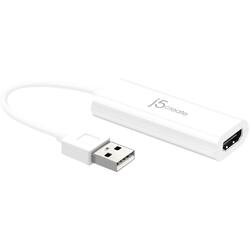
j5create - USB to HDMI Display Adapter - White
- Key Specs
- Connector Type (End 1): USB
- Connector Type (End 2): HDMI Type A
- General
- Product Name: USB to HDMI Display Adapter
- Brand: j5create
- Compatibility: Compatibile with Microsoft Windows XP / Vista / 7 / 8 / 8.1 / 10 (32/64 bits) operating system
- Model Number: JUA195
- Color: White
- Connectivity
- Cable Type: HDMI
- Product Type: Adapter
- Connector Type (End 1): USB
- Connector Type (End 2): HDMI Type A
- Other
- UPC: 847626001697
Add an external monitor to your setup with this j5create USB to HDMI display adaptor. The plug-and-play functionality makes connecting to a projector or second monitor easy, while the hot-swappable USB function enables the addition and removal of monitors without rebooting the PC. This j5create USB to HDMI display adaptor has three viewing modes for improved productivity, better presentations and the simple extension of your desktop across multiple displays.
- USB 2.0 to HDMI adapter: Promotes reliable signal transfer.
- Plug-and-play design: For simple setup.
- Hot-swappable USB: Enables you to add or remove monitors without rebooting your system.
Whats Included
- j5create External Video Adapter
Product Manuals
A: How much would it cost to repair Xbox hdmi port
A: Please disconnect the j5create device from your computer. Uninstall and reinstall the j5create drivers once more by visiting j5create.com, select "Support" > "Downloads/Drivers". Once installation is complete, go ahead and connect the j5create device to your computer with an HDMI cable attached to an external monitor/TV or projector. You should now see "Extend these display's" in your "Display Settings". ** If you require further assistance; please contact the Technical Support team by Live Chat or Email and they will be glad to further assist you. Thank you..
Q: I bought an HP monitor for my sons hp chromebook. Will this work? Compatible?
A: Unfortunately not, the JUA195 requires an installation of a driver and Chromebooks do not allow that. If the computer has a USB-C port that support "Dp Alt Mode" for video out. The JCC153G will work. Please refer to the manufacturer of your hardware for more information on your device.
Q: Do I have to have internet tó use these??
A: The JUA195 requires a driver and would need internet to download our software to your computer. Depending how you will be using the adapter. For example, if you would like to stream movies you would need internet but if you have a movie loaded to your computer, then no. ** If you require further assistance; please contact the j5create Technical Support team and we will be glad to further assist you.
Q: Are these suppose to get warm/hot when plugged into a laptop?
A: Yes, these devices can become wam/hot to the touch, but it should not exceed 135 °F/57 °C for more than 30 minutes.
A: No, it is Microsoft Windows 10/8.1/8/7, XP (32-bit or 64-bit) Compatible.
A: The USB to HDMI Display Adapter is a USB 2.0 Type-A Connector. This Adapter will require an installation of a driver for functionality. Drivers are available on j5create website under the "Support" tab. Thank you.
Q: Will this work on a All-in-One pc? I already have one monitor connected and i want a third monitor.
A: Yes, the USB to HDMI Display Adapter will work on a AIO computer with Windows 7 or later. This Adapter will require an available USB 2.0 port and an installation of a driver. Drivers are available on j5create website under the "Support" tab. Thank you.














