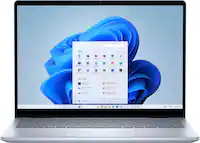
Lenovo - Chromebook Plus 14" OLED 2K Touchscreen Laptop with Gemini - MediaTek Kompanio Ultra 910 - 16GB Memory - 256GB UFS - Seashell
Lenovo - Chromebook Plus 14" OLED 2K Touchscreen Laptop with Gemini - MediaTek Kompanio Ultra 910 - 16GB Memory - 256GB UFS - Seashell
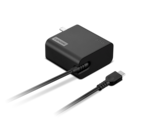
- Lenovo - 65W USB-C Wall Adapter - Black$39.99
More Buying Options
Related Item

Highlights
- Key Specs
- Screen Size: 14 inches (Size of the screen, measured diagonally from corner to corner.)
- Screen Resolution: 1920 x 1200 (WUXGA) (Screens come in a range of resolutions (measured in pixels, horizontal x vertical). The higher the resolution, the greater the picture quality.)
- Touch Screen: true (Touch-screen devices make navigating more intuitive. Using a touch-screen display, you can do things such as tap to select, hold and drag to move items, swipe to scroll, and pinch to zoom.)
- Refresh Rate: 60Hz (The number of frames per second the device can produce natively without enhancement. Higher rates help produce smooth, seamless pictures.)
- Brightness: 400 nits (A measure of the total light output.)
- Processor Model: MediaTek Kompanio Ultra Series (Your computer's processor is like its brain. Working in combination with system memory, the power of the processor determines the complexity of software you can run, how many programs you can have open at the same time, and how fast those programs will run. Most computers feature an AMD, Intel or Snapdragon processor.)
- Storage Type: UFS
- Total Storage Capacity: 256 gigabytes
- System Memory (RAM): 16 gigabytes (Random-access memory (RAM) is a computing device's short-term data storage, which allows active information to be accessed quickly. The size and type of RAM determines how efficiently the device can handle large amounts of information at one time. For example, gaming or video editing requires more RAM for optimal performance.)
- Graphics: ARM Immortalis-G925' (Often referred to as a "graphics processing unit" (GPU), this device is responsible for displaying image content and decoding/encoding video content in programs and games.)
- Display Connector(s): Display connection via USB port (The number and type of connectors used to connect to an external display.)
- Battery Life (up to): 17 hours (Battery life will vary depending on the product configuration, product model, applications loaded on the product, power management setting of the product and the product features used by the customer. As with all batteries, the maximum capacity of this battery will decrease with time and usage.)
- Battery Chemistry: Lithium-polymer
- 2-in-1 Design: false (A laptop and a tablet combined in one lightweight, portable device. Sometimes referred to as "convertible" or "hybrid" laptops, these devices deliver the processing power and keyboard of a laptop. When you're ready to play, either detach the screen or fold your 2-in-1 into tablet mode to comfortably watch movies, play games, read an e-book and more.)
- Backlit Keyboard: true (Integrated lights allow for visibility of the keys in low-light conditions.)
- General
- Brand: Lenovo
- Model Number: 83MY0000US
- Product Name: Chromebook Plus 14" OLED 2K Touchscreen Laptop with Gemini - MediaTek Kompanio Ultra 910 - 16GB Memory - 256GB UFS
- Color: Seashell
- Year of Release: 2025
- Display
- Display Type: OLED
- Screen Size: 14 inches (Size of the screen, measured diagonally from corner to corner.)
- Screen Resolution: 1920 x 1200 (WUXGA) (Screens come in a range of resolutions (measured in pixels, horizontal x vertical). The higher the resolution, the greater the picture quality.)
- Touch Screen: true (Touch-screen devices make navigating more intuitive. Using a touch-screen display, you can do things such as tap to select, hold and drag to move items, swipe to scroll, and pinch to zoom.)
- Refresh Rate: 60Hz (The number of frames per second the device can produce natively without enhancement. Higher rates help produce smooth, seamless pictures.)
- Brightness: 400 nits (A measure of the total light output.)
- Processor
- Processor Brand: MediaTek
- Processor Model: MediaTek Kompanio Ultra Series (Your computer's processor is like its brain. Working in combination with system memory, the power of the processor determines the complexity of software you can run, how many programs you can have open at the same time, and how fast those programs will run. Most computers feature an AMD, Intel or Snapdragon processor.)
- Processor Model Number: 910
- Processor Model Year of Release: 2025 (The year the processor model was initially available for sale or built into a computer.)
- CPU Boost Clock Frequency: 3.62 gigahertz (Actual central processing unit (CPU) speed may vary by device configuration and design. The maximum rate at which the processor is able to execute tasks, typically only used for a short period of time as needed. This rate may temporarily boost the processor's performance, but may result in overheating, shutdown, or damage to equipment if sustained.)
- Number of CPU Cores: 8-core (A core, or "brain" of a CPU, allows it to receive and execute instructions. Each core can work independently or together to perform parallel operations.)
- Number of CPU Threads: 8 (Generally, the more threads, the faster and more responsive the operating system.)
- CPU Cache Memory Level: L3
- L3 Cache: 12 megabytes (Cache memory, also called CPU memory, is random-access memory (RAM) that a computer microprocessor can access more quickly than it can access regular RAM. This memory is typically integrated directly with the CPU chip or placed on a separate chip that has a separate bus interconnect with the CPU.)
- Neural Processing Unit (NPU): true (Whether the product comes with an integrated neural processing unit (NPU) that performs computations for AI (artificial intelligence) functions to increase proficiency of the CPU and reduce power consumption.)
- Maximum NPU Performance: 50 trillions operations per second (The maximum neural processing unit (NPU) computations performed. NPUs increase proficiency of the CPU and reduce power consumption for AI (artificial intelligence) functions.)
- Storage
- Storage Type: UFS
- Total Storage Capacity: 256 gigabytes
- Memory
- System Memory (RAM): 16 gigabytes (Random-access memory (RAM) is a computing device's short-term data storage, which allows active information to be accessed quickly. The size and type of RAM determines how efficiently the device can handle large amounts of information at one time. For example, gaming or video editing requires more RAM for optimal performance.)
- Type of Memory (RAM): LPDDR5X (Each type of RAM delivers a different level of speed, bandwidth, energy efficiency and performance.)
- System Memory RAM Speed: 8533 megahertz (How fast the information-storing hardware operates. The faster the RAM, the faster memory can be transferred to other system components. Ultimately, faster RAM improves operational efficiency.)
- Number Of Memory Slots: 0
- Graphics
- Graphics Type: Integrated (Dedicated graphics uses a separate graphics card for processing video images. Because it does not use memory from the system's RAM, there is no extra burden on the CPU and graphics are processed more efficiently. Integrated graphics shares system RAM to process video images.)
- GPU Brand: ARM
- Graphics: ARM Immortalis-G925' (Often referred to as a "graphics processing unit" (GPU), this device is responsible for displaying image content and decoding/encoding video content in programs and games.)
- Compatibility
- Operating System: Chrome OS (The operating system manages all software and hardware, including files, memory and connected devices. Most importantly, it lets you interact with your device and your programs in a visual way; otherwise, you'd be typing computer code to get anything done.)
- Connectivity
- Display Connector(s): Display connection via USB port (The number and type of connectors used to connect to an external display.)
- Number of HDMI Outputs (Total): 0
- Number of DisplayPort Outputs (Total): 1
- DisplayPort Over USB-C: DisplayPort 1.4 (The version of DisplayPort that leverages the Alternate Mode Functional Extension of the USB-C interface. This connector allows for higher resolution, broader color space, multichannel audio support, and greater backwards compatibility with display adapters. Also known as DisplayPort Alt Mode.)
- USB Ports: 1 x USB-A 3.2, 2 x USB-C 3.2 (The number and type of USB ports the product has.)
- Number of USB Ports (Total): 3
- Headphone Jack: true (The device features an interface that allows for the connection of headphones.)
- Microphone Input: true (The device features an input for connecting an external microphone.)
- Wireless Connectivity: Wi-Fi, Bluetooth (The manner in which a device sends data to another device over a short distance without the use of wires or cables.)
- Wireless Standard: BE (The wireless networking protocol used by the device. Each iteration of the protocol is based on the 802.11 standard developed by the Institute of Electrical and Electronics Engineers (IEEE) Standards Association. Denoted by letters following 802.11 (802.11a, 802.11ac, etc.), each version, published in alphabetical order, encompasses all previous versions.)
- Wireless Networking Standard: Wi-Fi 7 (The wireless networking standard used by the device. Each iteration of the standard developed by the Wi-Fi Alliance corresponds to an existing IEEE 802.11 protocol; for example, standard 802.11ac (or AC) is termed Wi-Fi 5. Refers specifically to the standard the device is designed to use, but ultimately determines product interoperability and backward compatibility including previous versions.)
- Number Of Ethernet Ports: 0
- Power
- Power Supply Input: USB-C
- Power Supply Maximum Wattage: 65 watts
- Battery Life (up to): 17 hours (Battery life will vary depending on the product configuration, product model, applications loaded on the product, power management setting of the product and the product features used by the customer. As with all batteries, the maximum capacity of this battery will decrease with time and usage.)
- Battery Cells: 4-cell
- Battery Chemistry: Lithium-polymer
- Camera
- Front-Facing Camera: true
- Front Facing Camera Megapixels: 5 megapixels (The more megapixels, the more detail that the camera facing the user can capture.)
- Built-In Microphone: true
- Features
- 2-in-1 Design: false (A laptop and a tablet combined in one lightweight, portable device. Sometimes referred to as "convertible" or "hybrid" laptops, these devices deliver the processing power and keyboard of a laptop. When you're ready to play, either detach the screen or fold your 2-in-1 into tablet mode to comfortably watch movies, play games, read an e-book and more.)
- Backlit Keyboard: true (Integrated lights allow for visibility of the keys in low-light conditions.)
- Touchpad Type: Multi-touch
- Media Card Reader: false (A hardware device that allows for access to data on a memory card and enables the transfer of its files to a computer. These devices may have one or multiple slots for various types of memory cards, and may be integrated into the computer or available as an external device.)
- Customizable Case Lighting: false
- Audio Technology: High Definition (HD) Audio, Realtek ALC5682I codec
- Speaker Type: Stereo speakers, 2W x4, optimized with Waves MaxxAudio, Smart Amplifier (AMP)
- Chrome Features: Android apps, Google Assistant
- Windows AI: Not Applicable
- Security Features: Fingerprint reader, Privacy camera
- Cable Lock Slot: None
- Casing Material: Aluminum
- Dimensions
- Product Height: 0.62 inches (The out of box height of the item. Height is measured as the vertical distance from the bottom of the item to the top as it would be primarily used or placed.)
- Product Width: 8.63 inches (The out of box width of the item. Width is measured as the horizontal distance from one side of the item to the other as it would be primarily used or placed.)
- Product Depth: 12.37 inches (The out of box depth of the item. Depth is measured as the distance from the front of the item to the back as it would be primarily used or placed.)
- Product Weight: 2.75 pounds (The out of box weight of the item.)
- Certifications Listings & Approvals
- ENERGY STAR Certified: true (Devices carrying the ENERGY STAR service mark, such as computer products and peripherals, kitchen appliances, and other products, generally use 20% to 30% less energy than required by federal standards.)
- EPEAT Qualified: true (The Electronic Product Environmental Assessment Tool (EPEAT) was designed to provide an environmental assessment tool for purchasers. In order to qualify for EPEAT, a product must meet all 23 required criteria.)
- EPEAT Level: Gold (The Electronic Product Environmental Assessment Tool (EPEAT) was designed to provide an environmental assessment tool for purchasers. In order to qualify for EPEAT, a product must meet all 23 required criteria. Products are rated Bronze, Silver or Gold based on how many of 28 optional criteria they meet (below 50%, 50%, 75%).)
- Included
- Optical Drive Type: None (An optical disk drive (ODD) uses a laser light to read data from or write data to an optical disc. These discs include CDs, DVDs, and Blu-ray Discs. This allows you to play music or watch movies using prerecorded discs.)
- Numeric Keypad: false
- Warranty
- Warranty - Parts: 1 year
- Warranty - Labor: 1 year
- Other
- UPC: 198157168756
Big AI power. Simple to use. The MediaTek Kompanio Ultra’s 50 TOPS NPU boosts productivity and creativity with Smart Grouping, on-device image generation in the Gallery app, and more. The OLED display delivers crisp, vibrant visuals-perfect for photo editing and streaming-while quad Dolby Atmos speakers bring immersive audio. Thin, light, and built for self-starters, it lasts up to 17 hours.
- Runs ChromeOS: The fast, secure operating system from Google with built-in Google apps like Gmail, Gemini, Docs, Photos, YouTube, and more, so you can go from deadlines to downtime straight out of the box.
- Starts fast, won't slow you down: Chromebooks start up in under 10 seconds. And with up to 17 hours of battery life* and automatic updates, you can get things done without disruptions.
- Google makes it easy: Sign in with your Gmail account and bam – all of your Google Drive files, photos, and Chrome bookmarks and preferences are ready to go.
- Never had a virus**: Chromebooks have never had a virus so you can breathe easy knowing your security and privacy are covered with built-in protection and the Titan C2 security chip.***
- The apps you love: Popular apps for streaming, gaming, creating, and staying organized are all available on Google Play. Easily access Microsoft 365, Minecraft, Adobe Express, and more.
- Google AI Pro Plan, 12 Months: With the Google One AI Premium Plan, you get Gemini Advanced, 3TB of cloud storage, and Gemini in Gmail, Docs, and more - all on us when you purchase a Chromebook.
- True colors, true sound: Experience visual brilliance with our 14" OLED display. Boasting 1920 x 1200 resolution and 100% DCI-P3 coverage, it delivers stunning clarity, vibrant colors, and lifelike images. Indulge yourself with three-dimensional sound in music, movies, and TV on the first ever Chromebook Plus with Dolby Atmos.
- Fast, fluid, and future ready: Blaze through your day with unstoppable speed. Whether you’re editing photos, streaming, or on video calls, the MediaTek Kompanio Ultra processor and up to 16GB of memory keep things ultra-smooth.
- The Magic of Gemini meets 50TOPs NPU: Save time typing your notes by letting Chromebook convert handwritten text to digital. Simplify jargon-filled content into everyday language. Get your questions answered by Gemini*. Customize wallpapers and video call backgrounds. With 50 TOPS NPU, unleash your creativity in the Gallery app.
- One key for instant possibilities: Tap the Quick Insert key to enhance creativity in your content. Create custom high-resolution images, and get AI-generated writing support with Help me write. Add GIFs and emojis to emails, link a recent URL in a sheet, and quickly access your files - all without switching tabs or windows.
- Go anywhere. Do anything. Stay powered: Light, sleek, and built to move. At just 15.8mm thin and 1.26kg (touchscreen), this Chromebook is effortless to carry, whether you’re hustling to class, working on-the-go or editing photos at a café. And with up to 17 hours of battery life plus Rapid Charge, you get 80% power in just an hour—because who has time to wait? Stay powered, stay productive, stay ahead.
- Wireless network connectivity: High-speed wireless LAN built into the screen, so it connects to your network or hotspots on the most common Wi-Fi standards in both laptop and tablet modes.
- Built-in HD webcam with microphone: Makes it easy to video chat with family and friends or teleconference with colleagues over Skype or other popular applications.
Whats Included
- Laptop
- Charger
- User Guide
Product Manuals
Disclaimers
- *Battery life may vary based on device and upon usage and other conditions.
- **As of July 2024 there has been no evidence of any documented, successful virus attack on ChromeOS. Data based on ChromeOS monitoring of various national and internal databases.
- **All Chromebooks launched since January 2019 come with the Titan C or C2 security chip, except for the Lenovo 100e Chromebook 2nd Gen MediaTek and the Lenovo 300e Chromebook 2nd Gen MediaTek, which come with a different security chip.
- Actual battery life will vary and depends on many factors such as product configuration and usage, software use, wireless functionality, power management settings, and screen brightness. The maximum capacity of the battery will decrease with time and use.
A: Hi tony, The Chromebook Plus 14 does feature a touch-style fingerprint reader on the palm rest. Please feel free to reach out to us with any other questions!
A: I am not a Gamer, but for watching movies, editing video, and routine browser use, I don't notice any smearing or issues with this OLED screen powered by a strong GPU. And I've had it powering 3 monitors (two FHD and one 2k) at once, each monitor playing a different video. No problems. This Chromebook is FAST and at last, was configured with enough RAM to run fast.
A: Your mileage may vary based on many factors, mine has mostly hinged on screen brightness and how intensive the CPU is utilized. Per Lenovo: Battery life based on Google PowerQual V2 controlled web browsing tests on pre-production units running 135.16209.50.0 version. Actual battery life may vary based on factors like network conditions, location, settings, and usage.
Q: How far back does the display tilt?
A: Definitely not out flat--probably about 150 degrees
Q: If it says that it's not foldable why does it show it folding 360,, in video?
A: It's definitely not foldable!
A: I have a Penoval USI 2.0 stylus and it works just fine with the OLED touchscreen.
A: I've had mine for 3 weeks, and it is a terrific Chromebook. Yes, you can use external disc drives, SSD drives, SD Cards etc. by connecting them to the USB-C ports or using a USB hub that's connected to the Chromebook. I've enabled Crostini Linux, and installed several apps including Firefox-ESR, the full LibreOffice suite. GIMP photo editor, and some Linux utilities (file manager etc.) So far it works great given that this Chromebook has 16Gb RAM. (finally!) I also really like the low power consumption and thus fan-less design for quiet and low heat.
A: I bought this Chromebook, so I can answer my own question: Yes, the Crostini Linux container runs great given this is a Chromebook that (FINALLY!) is configured with 16Gb of RAM. I have yet to encounter a Linux app that does not run on an ARM processor (vs Intel) I use LibreOffice, Gimp photo editor, Dolphin file manager, and Firefox-ESR browser so far. All run very fast.
Compare similar products
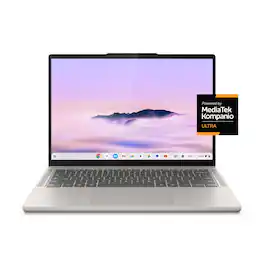
Big AI power. Simple to use. The MediaTek Kompanio Ultra’s 50 TOPS NPU boosts productivity and creativity with Smart Grouping, on-device image generation in the Gallery app, and more. The OLED display delivers crisp, vibrant visuals-perfect for photo editing and streaming-while quad Dolby Atmos speakers bring immersive audio. Thin, light, and built for self-starters, it lasts up to 17 hours.
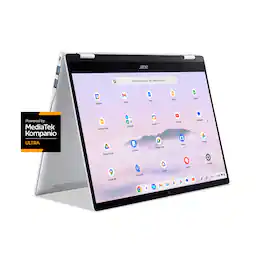
Effortless multitasking meets AI-powered productivity with the Acer Chromebook Plus Spin 514. Built on the superfast Arm architecture, it delivers speed, smooth graphics, and all-day power. This Chromebook Plus laptop with Google AI is a 2-in-1 convertible laptop, powered by a MediaTek Kompanio Ultra processor with a built-in NPU. Its lightweight design, at 3.0 pounds, features a 14” WUXGA 1920 x 1200 touchscreen, fast Wi-Fi 7 connectivity and long battery life with fast charging, ensuring all-day productivity on the move. Runs ChromeOS, with Google AI, the fast, secure operating system built by Google. Write like a pro, design unique backgrounds, and reimagine photos with generative AI.
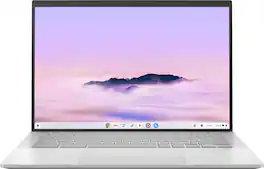
ASUS ExpertBook CX54 Chromebook Plus is expertly engineered to elevate your competitive edge, combining advanced power, speed, memory, and high-speed storage. The crisp touchscreen display and high-definition camera offer an optimal visual experience, while built-in video call controls enhance clarity, lighting, sound, and background blur. Powered by the latest Intel Core Ultra 5 processor and ChromeOS with Google AI, it delivers smart, seamless performance. With premium features like a fingerprint sensor for secure access and an all-metal chassis, it's the Chromebook that lets nothing hold you back.
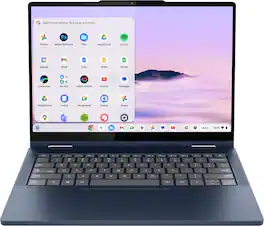
Do more, move faster, and create smarter with the Lenovo Chromebook Plus 2-in-1. Powered by Intel Core and built for life on the go, it’s a portable device made to flex with your day. Flip between laptop, tent, and tablet modes to create, present, or stream, and brainstorm ideas faster with Google AI built in.
| Pros for Lenovo - Chromebook Plus 14" OLED 2K Touchscreen Laptop with Gemini - MediaTek Kompanio Ultra 910 - 16GB Memory - 256GB UFS - Seashell | |||
|---|---|---|---|
| Battery Life, Processor Speed, Portability, Screen Quality, Overall Performance | Build Quality, Performance, Processor Speed, Battery Life, Portability | Build Quality, Processor Speed, Battery Life, Port Count, Screen Brightness | Performance, Ease of Use |
| Cons for Lenovo - Chromebook Plus 14" OLED 2K Touchscreen Laptop with Gemini - MediaTek Kompanio Ultra 910 - 16GB Memory - 256GB UFS - Seashell | |||
| There were no cons for this product— | Keyboard Backlight | There were no cons for this product— | There were no cons for this product— |
Specs
Reviews
Customers are saying
Customers enjoy the Chromebook Plus 14" for its impressive screen quality, long battery life, and fast processor speed. Many users appreciate its overall performance, finding it fast and responsive for their daily tasks. The laptop's portability and comfortable weight are also frequently praised, along with its quiet operation. With no significant drawbacks mentioned, this Chromebook appears to be a well-received device.
Customer Images
The vast majority of our reviews come from verified purchases. Reviews from customers may include My Best Buy members, employees, and Tech Insider Network members (as tagged). Select reviewers may receive discounted products, promotional considerations or entries into drawings for honest, helpful reviews.
- Rated 5 out of 5 stars
Fanless and Powerful Work Machine
Pros: I'm glad we finally have an ARM-based Chromebook Plus. The MediaTek processor on this Chromebook is completely fanless, silent and power efficient while being faster and more powerful than previous MediaTek processors. You can easily go an entire work day without charging, since the battery life lasts over 10 hours with moderate use. The unit has a backlit keyboard and a 14-inch touchscreen that is a bright 400-nits. Another perk is the 16 GB of RAM which allows you to run as many tabs as possible and comfortably run Android apps and some Linux apps side by side without taxing the system. There is a fingerprint reader for extra security, a camera privacy shutter, two USB-C ports, a headphone port, and a USB-A port. The speakers are decent upfiring speakers. Like most Chromebooks, boot-up is almost instant and since I mostly use web apps (Google Docs, Zoom, Meet, Microsoft Office 365, Discord, Google Keep, and WhatsApp), it makes a fast productivity and office machine. The web apps feel like regular apps since they open in their own separate window as PWAs. Cons: Some web apps like Zoom unfortunately have less features than their desktop counterparts (but still work well), such as annotation during share mode. Another downside is that it doesn't run Steam (which runs on some Intel-based Chromebook Plus machines), but this is mostly due to the ARM processor. At the end of the day, as long as you know ChromeOS' strengths (lightweight, secure and speedy) and limitations (no heavy apps or gaming), it makes for a great machine that I find myself using more often than my PC or Mac.
ProfessorB Posted
- Rated 5 out of 5 stars
Solid Chromebook
I bought the Lenovo Chromebook Plus because I went into Microsoft Windows 30-day purgatory for inaccurate identification when installing Microsoft Windows on my newly purchased Lenovo yoga aura edition laptop. I am way older than the Chromebook -school era. I have been using dos and windows for 40 years but was forced out of Windows by Microsoft for 30 days. I decided to buy the Chromebook plus as an interim solution and maybe a permanent solution if Microsoft did not allow me back into Windows. I really enjoy using the Chrome OS after Windows, it does take some time to get used to but I think it is worth it. I finally made it back into Windows so I may buy a Windows laptop, but for now I want to learn more about the Chrome OS. I love the ability to use tactile touch on the screen as well as using the integral keyboard. It has great security measures. I think everything is encrypted on the device and when it goes to and is stored off device. I understand that If someone were to take the hard drive off the device and install it on an identical Chromebook, the encryption would still remain and data would be secure. My Chromebook has pin, password, and fingerprint security. I like that.
AlanL Posted
- Rated 5 out of 5 stars
Fitbit inspire 3
Love the watch it has everything i was looking for and it fit nicely on my small writs. I would recommend this for everyone.
ConnieN Posted