Customer Ratings & Reviews






- Model:
- CX5403CMA-U516256
- SKU:
- 6609089
Rating by feature
- Battery Life
Rating 4.7 out of 5 stars
- Speed
Rating 4.9 out of 5 stars
- Display
Rating 4.8 out of 5 stars
Customers are saying
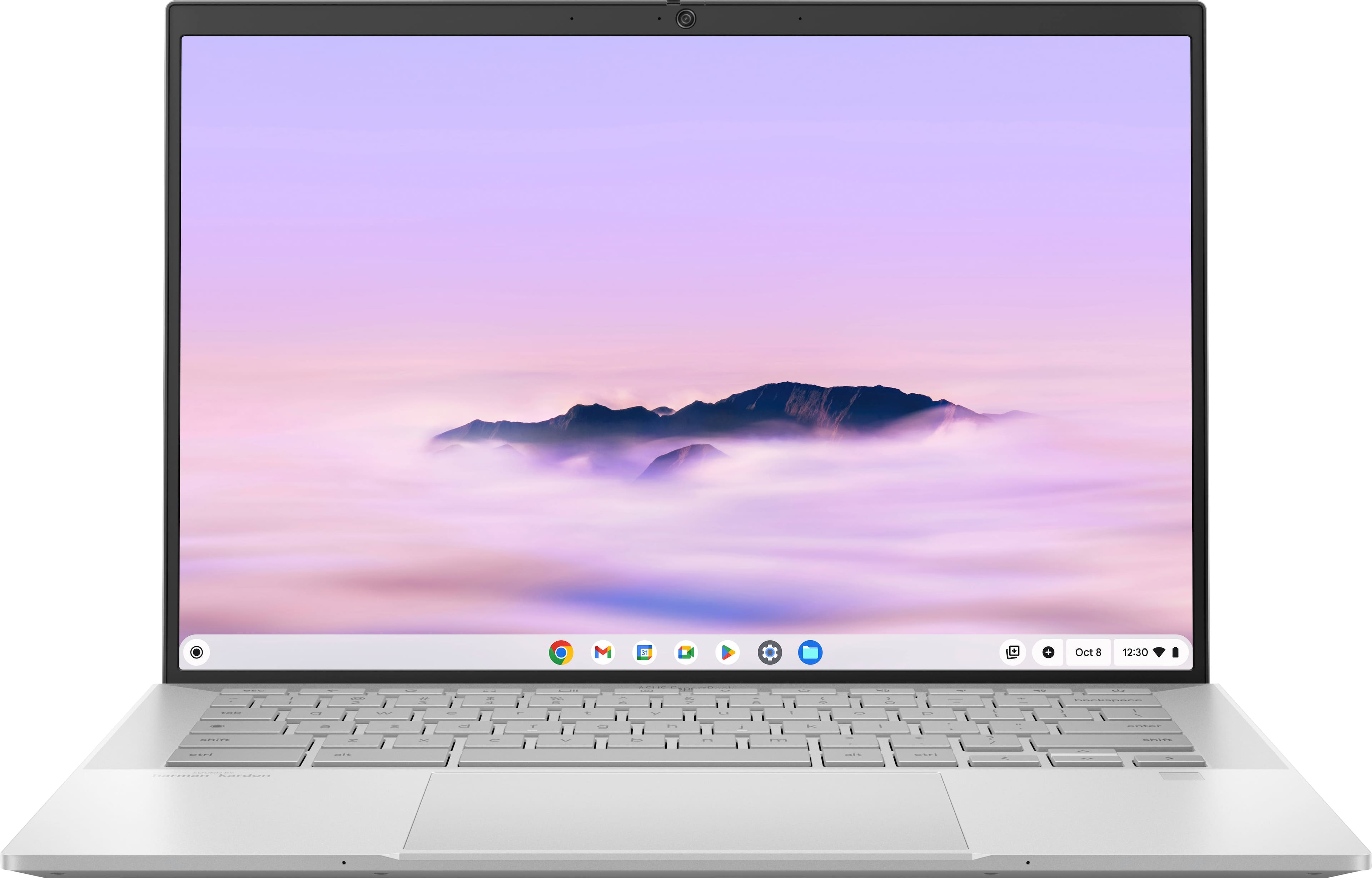
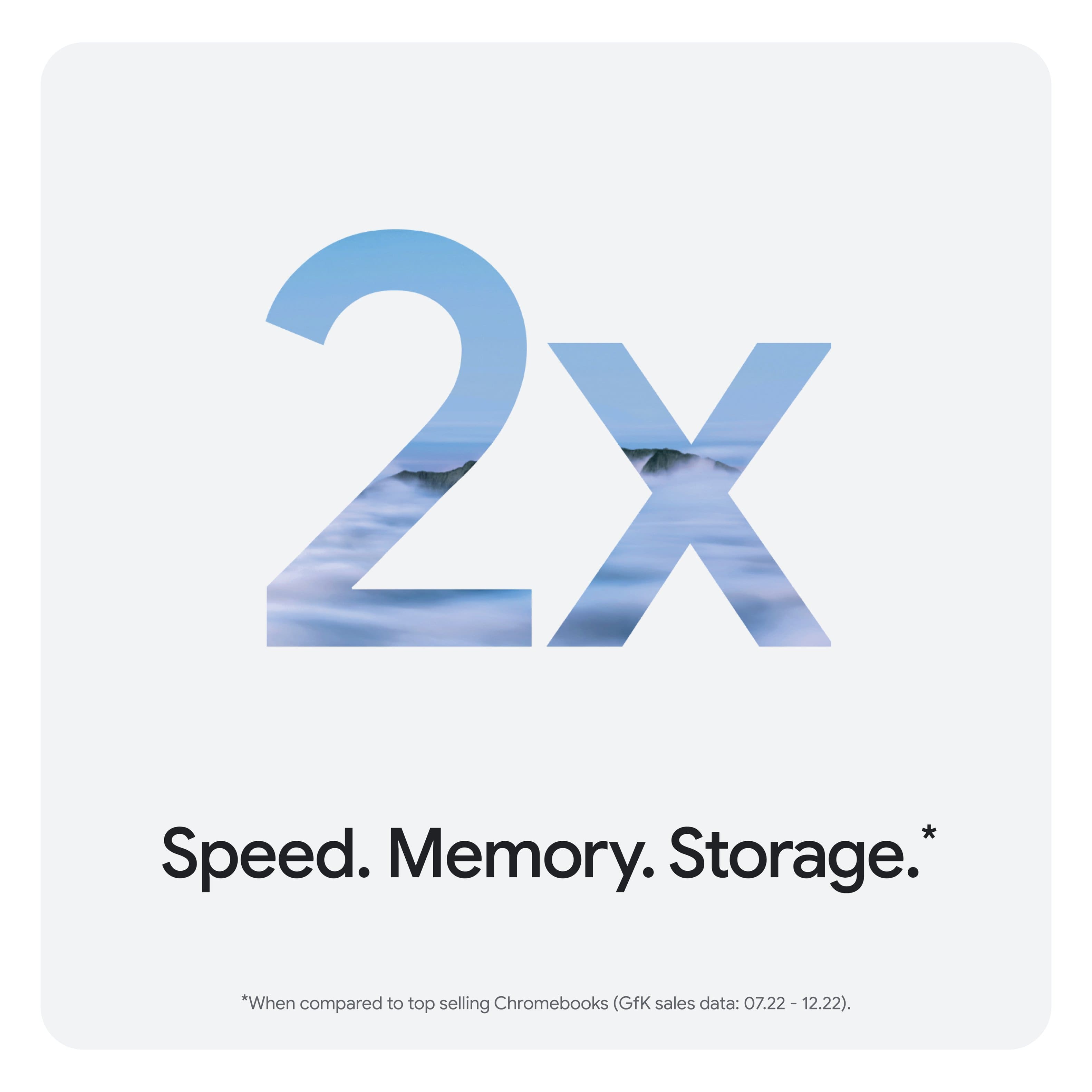
Customers highly value the ExpertBook CX54 Chromebook, particularly its superb build quality and powerful processor. The long battery life and ample port selection, including Thunderbolt 4, are also appreciated. Its bright screen, light weight, sufficient memory, and portability contribute to a positive user experience.
This summary was generated by AI based on customer reviews.
Great Chromebook!
||Posted . Owned for 2 weeks when reviewed.This reviewer received promo considerations or sweepstakes entry for writing a review.I bought this Chromebook as an upgrade from my Lenovo 300e, which is a HUGE upgrade. The fingerprint sensor is really convenient, the major upgrade in cpu, ram, and the display is life changing compared to what I hard before. It’s by far the highest performance laptop I’ve ever had. And thankfully with zip I was able to actually afford it as well.
I would recommend this to a friend- Pros mentioned:Battery life
Laptop
||Posted . Owned for 1 month when reviewed.This reviewer received promo considerations or sweepstakes entry for writing a review.It had good battery life and works really good it was a good deal
I would recommend this to a friend - Pros mentioned:Build quality
Great Machine
||Posted .This reviewer received promo considerations or sweepstakes entry for writing a review.Very satisfied with the performance. Build quality is superb. Screen is awesome I can do much of what I am expecting from a high end Chromebook.
I would recommend this to a friend - Pros mentioned:Battery life, Build quality, Port count

Power Meets Simplicity: The ASUS Expertbook CX54
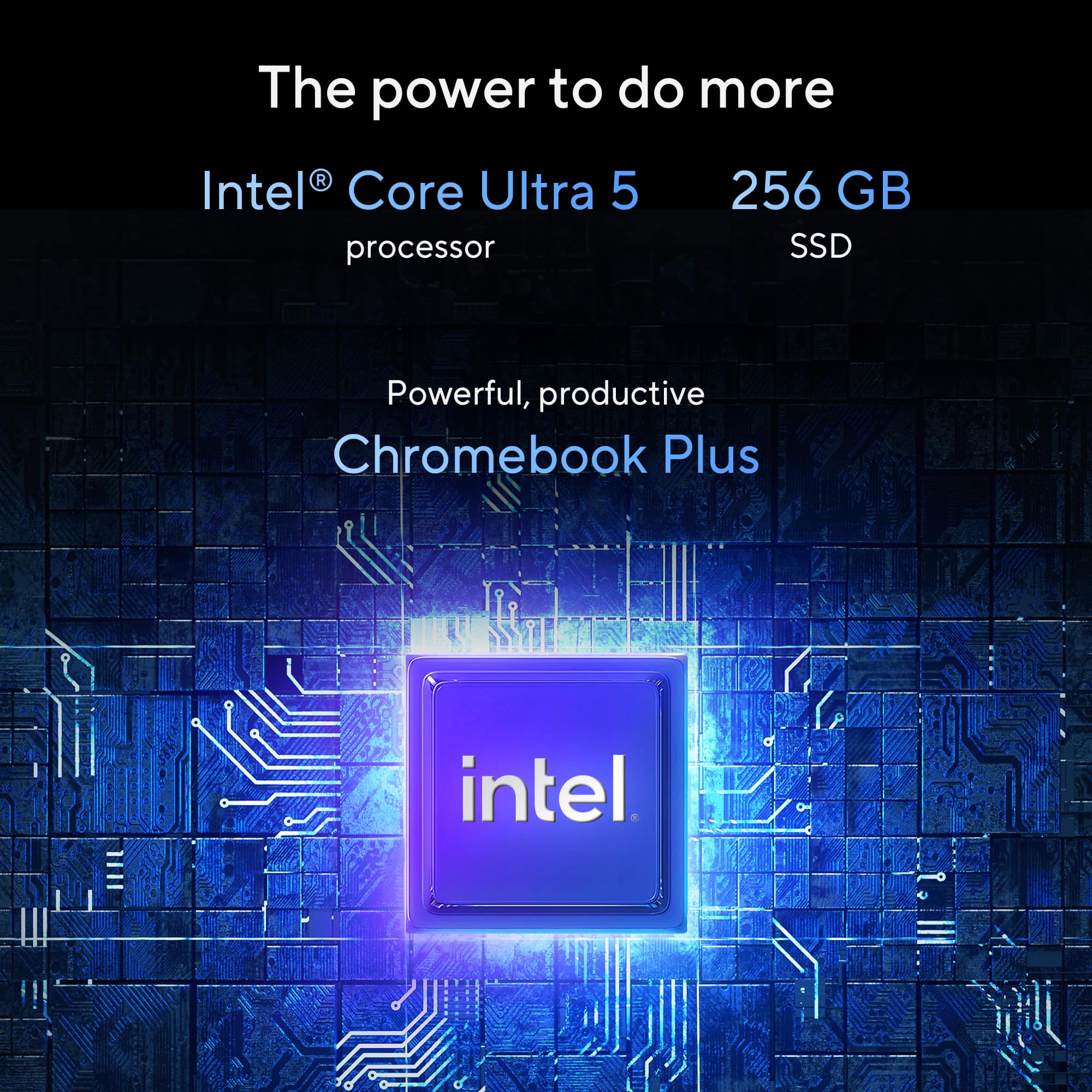
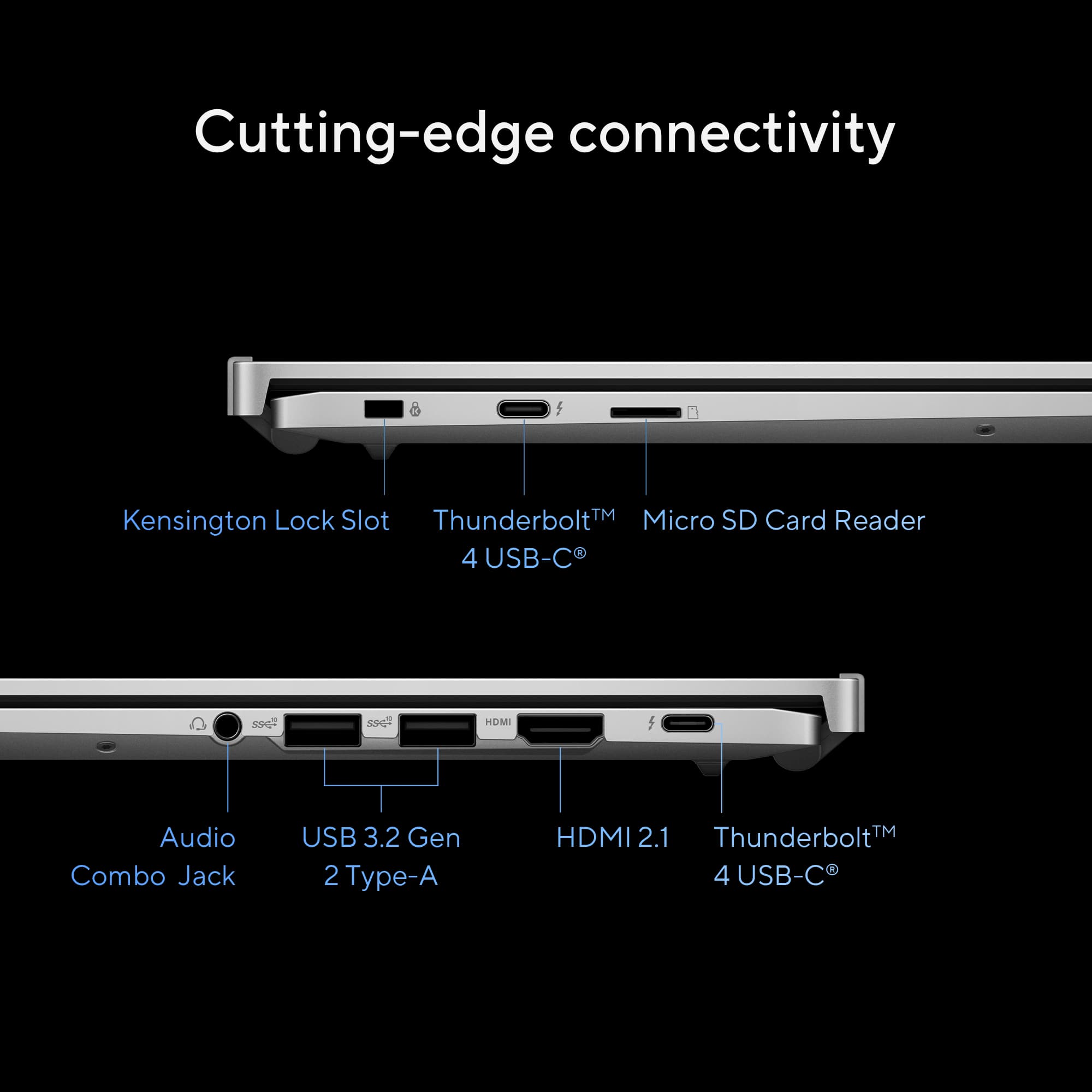
|Posted .This reviewer received promo considerations or sweepstakes entry for writing a review.I upgraded my daily laptop to the 2025 Asus Expertbook CX54 Chromebook Plus. After a week of use, here is my first hand impression. It's a great all-around machine with the simplicity of the Chrome OS but with premium hardware and specs for work, school, productivity, and entertainment. *Design & Build* The shiny aluminum silver chassis really stands out, and it just has a professional, premium looking build. The build is smooth and sturdy, and according to Asus it has military grade durability. Chassis and hinges feel solid and strong. It opens up to 180 degrees and has a touch screen that's responsive and receptive. It comes with a 45 Watt charger and the packaging is Eco friendly. *Specs* I'll list the specs that standout for its class: It's powered by and Intel Core Ultra 5 Series 1 Processor (14th Generation) with an NPU for AI, 16GB of Memory, 256 GB of Total Storage, and a 2K 2560x1600 resolution. What's impressive is it's powered by blazing fast LPDDR5X memory at 6400 megahertz. There are 2 Thunderbolt 4 display connectors and 4 USB inputs (2 USB-A, 2 USB-C). There's an HDMI 2.1, MicroSD slot, and a headphone/audio jack. The wireless standard is AX 6e which has a theoretical speed of about 10 GB so even though it's not Wifi 7 it's more than adequate considering most of us top out at about 1 Gig speeds. The CPU system is air-cooled and does a great job of keeping the heat off. I never felt this laptop heat up so it benefits from the 45 Watt CPU and the air cooling is sufficient. There's an 8MP Webcam which is great for video/conference/meeting calls. The battery life is about 10 hours which is great for a 2K display and an Intel Core Ultra Processor. The keyboard is also backlit. *Webcam* There's an 8MP HD Webcam that looks great in low-light, you can also grab high-res photos with the Full 8MP mode. AI will help you blur the background when necessary. Microphone sounded good and work meeting was smooth and clear. *Sound* There's Harmon Kardon tuned speakers which are more than adequate to listen to music or watch a movie. I would recommend headphones because if you're using the external speakers they lack bass and don't get as loud as I typically like to hear. They will absolutely get you through a meeting if you need them. *Performance* The ASUS Expertbook flies with the 8-core Intel Core Ultra 5. It doesn't matter if I have 25 tabs open or 5 different apps running, I didn't notice any significant slowdowns or lag. Heavier tasks such as photo editing were smooth too. The display is top of the line for Chromebooks at 2560x1600, 500 nits and visuals looked smooth. A 16:10 aspect ratio and 100% DCI-P3 coverage is great for designers/creatives. The keyboard is responsive with about 1.5 mm of travel. There's not wobble or flex at all with the display and hinges, among the most sturdy builds I've seen. There's an integrated AI NPU that helps with AI tasks. The memory is soldered but it's more than enough and fantastic for heavy multitasking. Running multiple apps and lots of tabs it didn't miss a beat. I tried out one of my favorite games, Minecraft, and this machine handled it with ease, very impressive. The battery estimate of 10 hours is very accurate. If you're using it indoors you most likely won't be at 100% brightness so with normal use you will get right around 10 hours. Chrome OS is efficient coupled with the Intel CPU optimizations. *Pros* * Extremely fast processor and Memory for Chromebook * Stays Cool * Touch Screen * Beautiful Design * Blazes through games, No lag * Tons of ports * 120 Hz Display, 2560 x 1600 Resolution, 500 Nits * Secure: Fingerprint Sensor, Kensington Lock, Webcam privacy shutter *Suggestions/Needs Improvement* * Keyboard and tracking pad are good for Chromebooks but there's room to be a little better * Sound by Harmon Kardon, but lacks bass and high volume * Wish the USB-A port was on the left side (for a mouse) The ASUS Expert CX54 Chromebook Plus is the near perfect portable laptop. And I won't limit this one to just the chromebook category, I believe this Chromebook Plus can compete directly with Ultrabooks. It's an exceptional laptop for work, productivity, creativity, play, and entertainment. It's easy to carry, has a beautiful touch screen, and absolutely flies through any productivity task. This machine was well thought out and it shows. Highly Recommended!
I would recommend this to a friend - Pros mentioned:Build quality, Port count, Processor speed
This Changed My Mind on Chromebooks!
|Posted .This reviewer received promo considerations or sweepstakes entry for writing a review.I was never the biggest fan of Chromebooks. They were always slow and lacked modern ports. The Asus Expertbook CX54 has been the only one I would use myself. It's a good-looking device. It feels better than most Chromebooks. You get a decent CPU, a good screen, and a good selection of ports. The CPU is an Intel Core Ultra 5 Series 1, which is fine for this device. You even get Intel graphics. This is great so you get decent performance without the battery drain. It doesn't come with the new Intel graphics, which is fine. This is not that kind of device. The CPU will breeze through basic tasks such as checking emails, browsing the web, and streaming content. The 16GB of RAM is more than enough to cover the average experience. The best part is the screen. It looks amazing for a Chromebook. You get a 2k resolution (2560 x 1600) with 120Hz which is crazy for this device. That is up there with some of the gaming laptop LED screens. Amazingly, ASUS put a good screen on the device. The colors looked good and were very vibrant. The screen even gets bright as well. So, good job on ASUS for doing so. The keyboard reminded me of one of their gaming laptop-style keyboard. It felt good to me. There was more travel and a click with each press. Which I very much enjoyed because you know you are clicking the keys with each press. You get the standard layout of ports. You get Thunderbolt 4 ports on both sides. Yes, that is correct, you get Thunderbolt 4 (x2) on both sides. This is good for charging the device. You can pick a side based on whether you are left or right-handed. You get an HDMI 2.1 port. Cons are the mini SD card reader. Why not just put a standard SD card reader? The battery doesn't last as long as advertised. For your average use, depending on what it is. Look at maybe 6-8 hours. It still has Chrome OS which is limited to certain functions and applications. It's a Google device... Google Gemini Feature is new to me. All the AI talk that is going on is far beyond my understanding. It is neat seeing what all it can do. But honestly, I need more time to make up my mind on this. As far as Productivity, if you are a user of the Google Chrome applications. This will be great. You can also connect your phone as a HUB to the device. This is with an Android phone, allowing you to check notifications and images. You also get access to some Android apps as well. You also get all the standard Google services that come with Chrome OS. One of the best features of the Chrome OS is its very low powered so the device is quiet. You will not hear any noise coming from the Chromebook. You can also have multiple accounts on the same device making this great for a family. This has always been one of the best features of Chrome OS. Overall, the experience was one that I was shocked because I was never a fan of Chromebooks. I will give credit when it is due. This is the one I would recommend for a everyday or light productivity user. Will it be my daily driver? No, but it may be yours. If you want a Chromebook this may be one of the better ones on the market.
I would recommend this to a friend - Pros mentioned:Battery life, Build quality, Port count
Perfect Blend of Performance and Portability
|Posted .This reviewer received promo considerations or sweepstakes entry for writing a review.If you're looking for a Chromebook that balances solid performance with great portability, the Asus Chromebook ExpertBook might just be the perfect fit. Right out of the box, it feels well-built—nothing flimsy here. What stands out: • Bright, clear screen – Whether you're scrolling through documents or watching videos, the display is vibrant and easy on the eyes. Better than others I own when viewing outside. And YES, this is a touchscreen. • Nice sound – With Sound delivered by harman/ kardon you get surprisingly good audio for a Chromebook, making casual entertainment enjoyable. • Perfect size for portability – Light enough to carry anywhere without feeling like a burden. • Fingerprint reader – A nice touch for quick and secure logins. • Lots of inputs – Having a variety of ports is super handy, so you're not stuck with adapters all the time. This laptop provides all the inputs you should need. • Good battery life – No need to constantly worry about charging throughout the day. • Solid build – Feels durable enough to handle everyday use without concern. The all-Aluminum body delivers a nice feel and looks nice as well. • Power – With the 8-core intel core Ultra 5 processor, it is snappy and has handled everything I have thrown at it so far. • Webcam – I only tested the camera quality so far, but it appears to be very good. I really appreciate the privacy shutter. • Google AI (Gemini) – Always nice to have the power of Google AI at the ready to help with daily tasks. My Experience: This is my first Chromebook. I wanted the ability to download apps from Google Play Store. It takes a little to get used to ChromeOS coming from Windows, but I am quite surprised how easy it was to adapt, and how well thought out the OS is. It is a hybrid between your Android phone experience and Windows. Nicely done. I found a couple of Classic Window apps that of course I cannot run on this, but there are web versions which I can use. Probably a better choice long term anyway. Overall, I am surprisingly impressed with this Asus ExpertBook. It's a Chromebook that does what it’s supposed to and does it well. Whether you're working, streaming, or just browsing, it’s a reliable pick that doesn’t disappoint. A great balance of function and convenience! A+
I would recommend this to a friend - Pros mentioned:Battery life, Build quality, Port count
Nice Chromebook with AI that actually works!
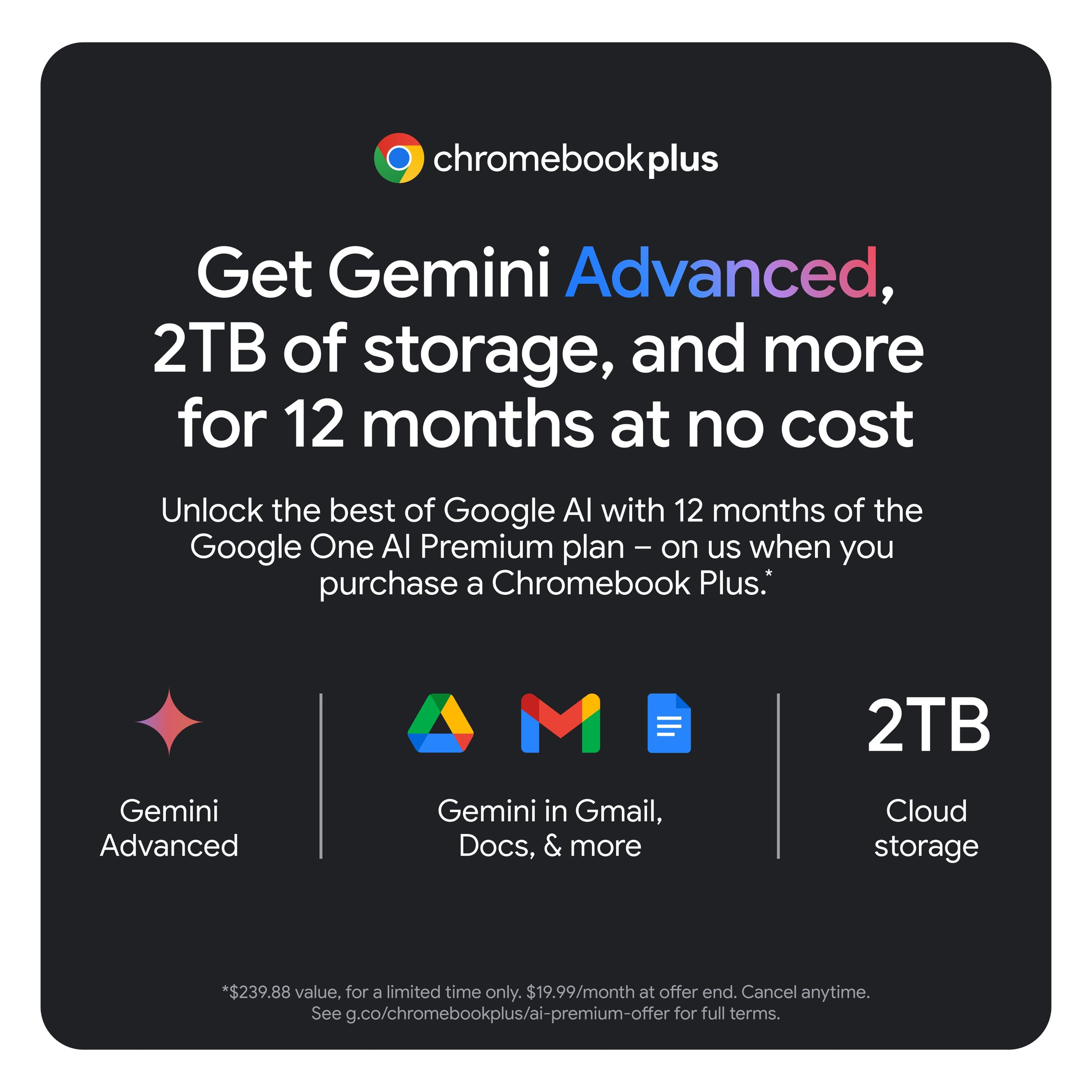
|Posted .This reviewer received promo considerations or sweepstakes entry for writing a review.I have had the opportunity to use different types of laptops with different types of operating systems, personally I use google services a lot and having an Asus Chromebook laptop is a very useful alternative and even more with the integration of the Gemini AI. In the box comes the laptop, the charger and some documentation. The design of this Chromebook is very striking, and in FogSilver color it looks great. It has two USB C Thunderbolt ports, two USB A ports, headphone and microphone jack, an HDMI port and a micro SD memory reader, it has a decent quality 1080p webcam. The laptop does not weigh much and is easy to carry, the display is touch and that is one of the features that I like the most because it avoids being using or depending on the mouse all the time. The colors of the 2K screen look pretty good, the sound is in a point of balance, it is sufficient and clear. Something that stands out is the battery life, with a full charge you can use it for several hours a day using high demand programs. The integration of Gemini AI seems to me a great success, it makes things much easier, both as in Gmail, Google Docs, etc.. And also with the purchase of this laptop is included 1 year free subscription to Google AI Premium with 2TB of cloud storage and Gemini Advance. As technology advances more and more AI is being integrated into our lives, Gemini is a very complete and friendly assistant, definitely something I have started to use constantly. This laptop has a 256GB SSD storage, a 16GB LPDDR5X RAM, an Intel Core Ultra 5 series 1 processor with a boost clock of up to 4.2 GHz, a fingerprint reader to unlock the laptop, WiFi 6 and bluetooth connection. This Asus Chromebook is a balanced device in terms of quality-price, ideal for work, school, home office, content creation, etc.. This laptop has a nice design, is made of durable metal (military grade), has an efficient and fast Intel processor, a 2k LED display that reproduces colors quite well, speakers that deliver good sound, and has the integration of Gemini AI that is a great help in multiple jobs. Undoubtedly it is a laptop for daily and extended use, the operating system is not exposed to virus attacks and that is a relief in these times. It has the necessary USB A and C ports in addition to SD memory reader, headphone jack and microphone, webcam… certainly a laptop that for its price and performance I can recommend.
I would recommend this to a friend - Pros mentioned:Battery life, Build quality, Processor speed
Great graphics, comfortable when typing.
|Posted .This reviewer received promo considerations or sweepstakes entry for writing a review.This Asus ExpertBook is such a great laptop. Serup was really easy and didnt take long. The graohics on this laptop are clear, the speed of the laptop is fast, and the overall design is thin and convenient for putting into my bag. There is no lag when typing or browsing the internet. This is a great laptop for personal or buisness use. I love how this laptop is lightweight and it also charges fast. The volume is clear as well. I have beeb using this laptop to study, to do my lesson planning for the kids, and so much more without issues. I can use it anywhere in my home or outside my home and there is never a glare on the screen. With it being thin, its comfortable to type on. Im able to utilize all my work plus my childrens homewchool work on this laptop. Overall, the Asus Expert book has been a great laptop for me so far for my personal needs and i would reccomend it as a good laptop thats comfortable for typing, great quality graphics, lightweight making it convenient to carry on the go, and a smooth running system without glitches.
I would recommend this to a friend - Pros mentioned:Battery life, Build quality, Processor speed
Great laptop. Great OS. Premium build.
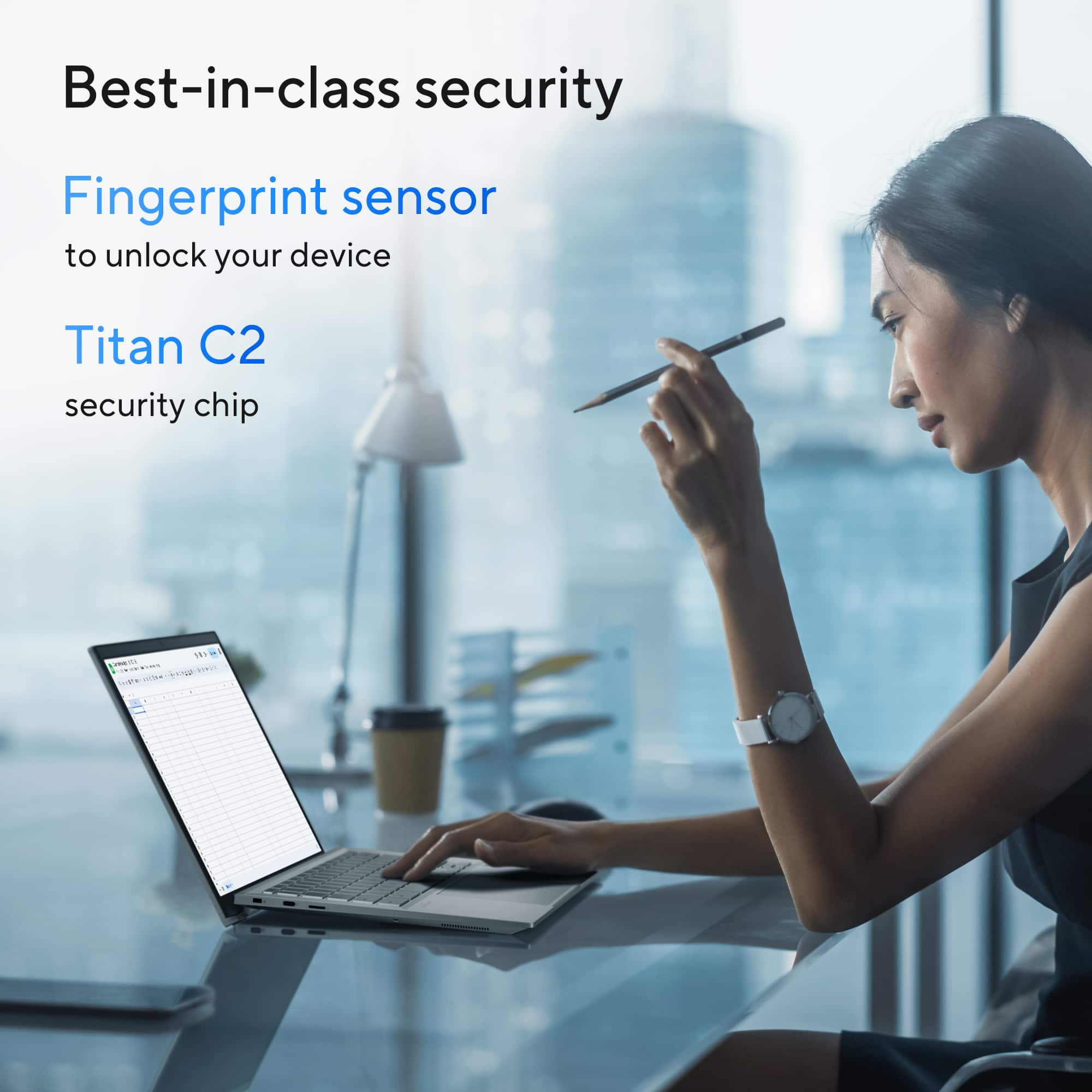
|Posted .This reviewer received promo considerations or sweepstakes entry for writing a review.This is a really nice looking computer from Asus. Slim 14”, premium build Aluminum chassis that is sturdy and light. According to Asus, it is classified as US MIL-STD 810H for military grade standards for durability. It has a magnificent screen that’s very bright and smooth. It is a 2K anti-glare display with 500 nits brightness. The colors are looking very real on it even in bright daylight. Even setting it at finer size, the screen is visual and good for longtime working. This Asus is running Google ChromeOS which is enough for most daily applications. The Operating System is still needing a lot of work to be completed. A user might get used to it fast enough. There are, to my liking, some issues with multiple choices that are given for one task. For example: It has multiple apps sources and it can run Linux… Still, it is less complicated than other available OSs. Back to the Asus Laptop. This is an ExpertBook from Asus, that’s why it has an Intel Core Ultra 5 (~4.2 GHz) with AI Boost NPU and 16GB RAM. This is a powerful selection for a Chromebook. I’d say: over equipped. This Asus ExpertBook CX54 has an excellent selection of ports. It comes ready for a full size HDMI, 2x USB-A, 2x USB-C Thunderbolt 4, Micro SD card reader, and the 3.5mm Audio Jack. Ready for all tasks. On the wireless side, it has the WiFi 6E (medium radio range) and a good Bluetooth. Keyboard layout is just amazing. One of those you would like to type on. Very fast!. It has a backlit keyboard with good travel that offers a comfortable typing experience. Below, it has a good size touchpad that is nice to touch and click. ChromeOS has a very nice set of touchpad shortcuts. This Asus ExpertBook has an average camera (8.0MP) with nice AI enhancements: Noise cancellation, Lighting, and background blurring. The quality, in general, is below average but good enough for video conferences and calls. The microphones are good at capturing your audio. Talking audio, this ExpertBook has a Harman/Kardon premium sound system. It is indeed very clear but not very loud. The speakers are also aiming downward… Battery life is ok. It can get me through my whole day on one charge. For some heavy Linux applications, I saw the battery estimated time changing fast. On average, I’d say it can give you ~8 hours of mixt use (Video, web, Office…). Away from hardware, Google included “exclusive” AI features like noise cancellation, Video call enhancement, and the Magic Eraser (in Photos). All with access to Gemini advanced. Gemini is a very advanced and friendly to use AI that can get most of your searching queries done with less effort. It can also help within your gmail and some other google products. Don’t forget about all the perks that come with this Asus Chromebook… What I really like about it: - Design: Solid build, nice keyboard, bright screen, and a comfy OS. - Battery life: Lasting very long before charging. - Connectivity: Good set of ports (HDMI, USBs, mSD). - Good price! For the CPU, RAM and Storage (especially compared with other Brands)... - High security. Chrome OS has no viruses! Add to it the Titan chip and the fingerprint. - The cloud storage and synchronization: Any Chromebook is the right one to take with you. What I don’t like very much: - The way the screen opens. Angular chassis with nubs on the back are not comfortable to use on lap. - Camera Quality. I believe it should match the package with higher resolution. - The camera privacy shutter is placed so it would move accidentally if you are opening the laptop (check photo). - ChromeOS in my setup could be a bit confusing with web apps and ChromeOS apps… I recommend this Asus ExpertBook if you are looking for a premium, MIL grade, laptop that is nice looking and powerful to run all your daily tasks without needing to be charged very often. Nice screen, good keyboard and comfortable OS. It makes the perfect addition to your Android phone (integration and connectivity between the devices).
I would recommend this to a friend - Pros mentioned:Build quality, Port count, Processor speed
The Cream of the Crop in Chromebook world
|Posted .This reviewer received promo considerations or sweepstakes entry for writing a review.I have mixed feelings when it comes to the ASUS "ExpertBook CX54". It is a beautiful machine, no doubt. It's build quality feels quite rugged and premium. I could be wrong, but it feels like the chassis is made of lightweight aluminum. If it is plastic, they did an excellent job of making it feel like metal.If anything, maybe just the bottom cover is made of plastic. It has 4 USB ports, 2 of which are USB C thunderbolt ports which can transfer data at high speed and charge the Chromebook. The screen is a beautiful 14' 16:10 aspect ratio IPS panel ( I believe) with an anti glare coating. It covers 100% of the DCI-P3 color gamut and is rated at 500 nits brightness. Colors and contrast are very good, and it get bright enough to use in most situations. The anti glare coating does have that typical matte texture and look to it, but I have absolutely no issues with it. It is great at preventing reflections, and keep your greasy fingerprints off the screen when you use your hands to touch the screen and navigate around the screen. As far as Chromebooks go, I have to say that this is the most powerful and power efficient chrome book I have ever owned. It comes equipped with the latest intel I5 Ultra with integrated intel graphics. It is a bit overkill for a Chromebook, but also you can rest assured that the processor will provide plenty of power for years to come. This particular machine also comes with 512gb of SSD storage and can be expanded with a micro SD card. This Chromebook comes packed with loads of power, more than your typical Chromebook. Where this machine runs into some problems is because of ChromeOS but this machine also shines because of Chrome OS. So it is a bit of a double edged sword. On one hand, Chrome OS is very lightweight and power efficient. It is also very secure. So it makes for an excellent work and everyday use machine. Especially for the kiddos. Chrome is very secure, especially with the google Titan M2 chip that comes equipped. Where this machine struggles is with its apps. The majority of the apps you will find in the play store are meant to be used on Android phones and tablets. So not every app is optimized to be used with this machine. I've run into some problems with some of the apps and games that I tried testing with it. Some of the apps did not respond to my wireless mouse, and I ended up using the touch screen to navigate my way around. Something that isn't quite practical for a machine of this size. Although the processor in this Chromebook can easily handle any of the games in the Google Play store. I also ran into some compatibility issues with some of the games and they would just crash after launching. The Chromebook also would not recognize two of the wireless controllers I tried, and although it worked with my Playstation 5 controller..I think Chrome decides to use the controllers built in speaker for audio lol. You can always dig around in menu's and change the audio output device but it's another minor headache you'll run into. I don't currently have a wireless xbox controller to test with this machine, So I can't say whether or not you'll be able to use that to play games on this Chromebook with one. I resorted to using a wireless mouse to play games on this machine, or just use the touchscreen. Google could sort out many of these issues with future software updates. Chrome OS tends to get updated often, so that is a plus. But for now, you'll have to keep in mind that Chrome OS is always evolving and Google will take away and add some features to it as time goes. In it's current state, Chrome OS feels a little incomplete. Personally I can't rely on it to be my one and only laptop for work and personal use. It's not all doom and gloom with this Chromebook though, I really do enjoy using it. Google's AI assistant Gemini is leaps and bounds ahead of the competition. Apparently Google Gemini can write code for you and create code for apps. I don't have the slightest clue about coding.. so your mileage may vary. But I am definitely going to dive in and see what this thing can do. If you are seriously considering buying this Chromebook and don't know what Google Gemini is capable of doing. I would take a look online and see what it is and offers. I think you will be impressed. To me, this is its greatest selling point. Google Gemini is so powerful and helpful, that it feels like you have a cheat code for everything in your hands. Just like Chrome OS, I believe Google Gemini will continue to evolve and get better as time goes on. And the hardware in this machine will keep you future proofed for years to come. I could ramble on about this machine all night, but I'll come to a close. Would I recommend this machine? I am going to say Yes, but with an asterisk! If you are a student, a teacher, or a working professional. I think you will love what Google's Ai software has to offer. The possibilities are endless. If you can do most of your work in the cloud, this machine is perfect for you. If you want are familiar with and want to use and take advantage of everything Google Gemini has to offer, this machine is for you. If you love Chrome OS and have to have a rugged, beautiful and future proofed hardware, this Chromebook is for you. If you just want a casual use machine for web browsing and casual android app use and gaming.. you might be disappointed with the compatibility issues you'll come across. You might be better off with an android tablet.
I would recommend this to a friend - Pros mentioned:Build quality, Port count, Processor speed
Excellent high powered Chromebook Plus
|Posted .This reviewer received promo considerations or sweepstakes entry for writing a review.This is an impressive Chromebook Plus that is powerful and sleekly built, with only a couple of drawbacks, the most notable being somewhat mediocre battery life. Overall build quality is excellent. The body is all aluminum, giving it a premium look and feel, while keeping it pretty light (1.3 kg). It’s also quite durable, earning a US MIL-STD 810H rating. The undercarriage has prominent rubberized feet that hopefully won’t come loose over time. The 14” display is big, bright, and vibrant -- 2560x1600 max resolution, 16:10 widescreen ratio, 500 nits max brightness. Although the display isn’t exactly matte, it does reduce glare pretty well. Viewing angles are excellent -- I don’t think there’s any color distortion at all, even at almost 0 degrees. There is USI stylus support, and my 3rd party USI 2.0 stylus worked without issue. Bezels are fairly minimal, especially at the sides. The way the lid opens, the bottom bezel is also less prominent, because it’s obscured by the top edge of the keyboard -- it’s an interesting design at the hinge where the rear edge of the lid bends around the rear edge of the keyboard, such that when the lid is opened, it causes the keyboard to angle upwards a little, which I suppose is somewhat ergonomic. The downside of this design is that the display can only open to 180 degrees -- this is not a 2-in-1 device that can convert to a tablet form. In addition, if you use the Chromebook on your lap, the rear edge of the lid will end up digging into your thighs a bit. The keyboard is very good, with perfectly spaced keys that have decent travel and tactile feel. The backlight is adequate, although sometimes it seems to dim a bit too quickly when idle. The touchpad is huge and feels great, and despite the size never seems to get in the way when typing. There’s a fingerprint sensor at the lower right which is accurate and responsive, adding an important layer of security. Speakers are ok as far as laptop speakers go. Sound is by Harman/Kardon, but it’s nothing special -- reasonable trebles, but pretty much zero bass. There’s an 8 MP webcam with a physical privacy shutter, always welcome. Video call images are supposed to be enhanced on Chromebook Plus devices compared to regular Chromebooks, but it’s tough to test that myself. There’s a good variety of ports: two USB-A 3.2, two USB-C 4.0 (supporting Thunderbolt, PD, and video out), one HDMI 2.1 (great to have), and one 3.5 headphone jack. There’s also a microSD card slot. Performance is great, thanks to the high-powered specs (Intel Core Ultra 5, 16 GB RAM, 256 GB SSD). I’m not the kind of user who has dozens and dozens of tabs open at the same time, but I certainly didn’t notice any problems with general usage like Google Docs/Sheets (and some really big Sheets fully opened immediately, compared to my older Chromebooks that might take a second or so to open fully). The gold standard Android game I use for performance is Asphalt Legends Unite, which worked very smoothly on all of the highest settings. ChromeOS updates are guaranteed until June 2034, so it’s pretty well future-proofed. Battery life is the main drawback I encountered. It’s claimed to be upwards of 10 hours, but the system is currently estimating about 6-7 hours on one charge. And when I was recently participating in a Google Meet webinar, I found that the battery went from 100% to 20% (when battery saver kicked in) after about 4.5 hours, with display brightness at about 80%. But to be fair, this isn’t that different from other high end Chromebooks I’ve used. Overall, this is a high quality powerhouse of a Chromebook that fills the shoes of my venerable Pixelbook, and easily rivals other premium Chromebooks like the HP Dragonfly. The price is very reasonable as well for something this powerful. Nice job, ASUS!
I would recommend this to a friend - Pros mentioned:Build quality, Port count
Great screen, decent speed, perfect for my teen
|Posted .This reviewer received promo considerations or sweepstakes entry for writing a review.Chromebooks have taken over the schools in my area and is the primary tool used for my kid’s education in middle school and high school. I must admit, I never knew much about Chromebooks until they brought them home from school and I wanted to make sure they were using them for their intended purpose. I’ve since grown to appreciate the simplicity of these devices and this one has a good feature set. First, I like the weight of it. It’s not too heavy, but it is a sturdy device that can be carried easily in a backpack or laptop bag. I appreciate that when I open the lid, the rear sort of elevates a bit and gives the keyboard a slight angle which is easier for typing. The touchscreen works great and is really responsive. Secondly, I like that it has an SSD drive. I think that seems to be more common these days, but I was happy to see it on this device. I do wish it had at least a 512gb drive, but I have plenty of thumb drives and portable hard drives if the need arises. It has two USB-C ports, which I believe are Thunderbolt so the speed should be very good when connecting peripherals. It only comes with 8gb of RAM so don’t expect to do heavy workflows, drafting or gaming that requires higher specs. For my intended use and for that of my kid’s, it works fine. My only complaint was the setup was a bit cumbersome, but I was able to get it up and running. I logged in with my gmail account and added my kid’s school accounts as well. The included fingerprint reader works great and keeps me from having to remember yet another login password. Overall, I think this laptop is a good value for all of the included features and I wouldn’t hesitate to purchase another if the need arises.
I would recommend this to a friend Not the best
||Posted .This reviewer received promo considerations or sweepstakes entry for writing a review.Okay computer with most of it’s performance coming from Chrome. Trackpad is funky. Would want till on sale.
No, I would not recommend this to a friendBrand response from ASUS Answers
Posted .Dear Tacoman,
Thank you for your comment.
We do understand the inconvenience this may have caused if you are experiencing a funky touchpad. To resolve this touchpad issue, check if this Chromebook has accessed to an established wireless router or Hotspot since poor and unstable connection will cause the touchpad to be unresponsive and system performance issue. Should you need further assistance with the product, please email me at [email protected] and I would be more than happy to help. Or, you are most welcome to call Product Support Hotline at: 1(888) 678-3688. Also, you can chat with an ASUS live support agent from the link: https://www.asus.com/us/support/article/1135/.
Thank you for choosing an ASUS product.
Regards,
Rodel
ASUS Customer Loyalty
- Pros mentioned:Build quality, Port count
Are Chromebooks nice now? Yeah
|Posted .This reviewer received promo considerations or sweepstakes entry for writing a review.This ASUS Expertbook CX54 is a very nice looking and surprisingly well loaded budget/student laptop. Chromebooks have come a very long way from when I had first bought one almost 8 years ago, I still remember them being cheap plastic and very under-powered. I will say that ASUS is my favorite brand that makes Chromebooks and ASUS is generally my preferred brand for Ultrabooks and ROG gaming, so I expected this laptop to do well overall. To start off the laptop looks sleek and stylish in this metallic silver-white color. The screen is a nice 14" 2K 120hz touch screen display, which is a very good resolution and refresh rate especially considering how many higher end laptops I've come across that default at 60hz and the touch screen is a just a great addition. The CX54 has 256Gb of SSD storage and 16Gb of RAM, which is on the middle end of specs, not great but not bad either it should be good for a majority of users. The CPU is an Intel Ultra 5 series and the GPU is Intel Graphics which is fairly good for a student laptop. I'm really liking the amount of ports the CX54 has, 1 x SD Card port, 2 USB-C ports, 1 x HDMI port, 2 x USB ports, and a 3.5mm audio port. Included in the box is the charger and instructions, the charger is a USB-C to wall plug, which is nice because its the common connector and that means you'll be able to charge with any USB-C cable no need to buy a whole new charger if this one gets damaged, broken, or lost. The UI is pretty self explanatory, its a Chromebook it's gonna use Google software, this means that setting up is fairly streamlined you'll sign up with your Google login and use all the Google apps for your productivity and entertainment, this also comes with 1 year access to Gemini, which is Google's Ai app. Overall the ASUS Expertbook CX54 is a perfect laptop for students or anyone wanting a simple work laptop, I'm actually typing this review on this laptop, and would absolutely recommend it if you're looking for the most bang for your buck device.
I would recommend this to a friend - Pros mentioned:Build quality, Screen brightness
Awesome, great quality! ...Bit of a niche product?
|Posted .This reviewer received promo considerations or sweepstakes entry for writing a review.This Asus CX54 ExpertBook is a top tier Chromebook overall, but it seems to be for a small niche group of users, due to it being so nice that the value of a normal Chromebook has largely gone away… To start, the case/build and keyboard of this Asus are top tier. I had zero issues typing this review on the built-in keyboard, it feels very similar to mid/higher tier ultrabooks. The build quality is stellar, like top tier all aluminum chassis, which means near zero flex. The screen is a bit too glossy for my liking, but the touchscreen is a nice addition, and it gets quite bright, PLUS it’s a 16:10 2560x1600 screen, which is quite high, and honestly a bit too high if you try to run it at native scaling. (I’m running it at “75%” according to ChromeOS settings, small but not tiny) The performance is great too, the Ultra 5 115U is an 8 core 10 thread part that easily chews through anything ChromeOS can throw at it, plenty of memory too for ChromeOS at 16GB. It has very basic integrated intel graphics, so you’re not going to be playing any higher end Android games at great FPS, but it's a Chromebook, so if you’re really wanting to game, I would look into the available game streaming services. (this system is plenty for streaming games, has a really good wifi card, looks to be an Intel 6E card from what I can find) Gemini has gotten better recently as an AI “assistant”, but it's best at summarizing email threads, and making silly pictures. Overall this Asus Expertbook is a high quality, very fancy ChromeOS device. I have a feeling the need for such a device has to be slim, as I can see it in a controlled business setting, but it’s too nice to give to a student in school, and has limitations for the average college student. The value isn’t the best, but if you’re in need of a premium Chromebook, this fits the bill! Otherwise, there are decent options for a better value out there!
No, I would not recommend this to a friend - Pros mentioned:Build quality, Processor speed
Chromebook that packs a punch
|Posted .This reviewer received promo considerations or sweepstakes entry for writing a review.Asus is no stranger in the Chromebook market, and in my opinion i think probably does it the best compared to some of its competitors. With beautiful picture quality and 2 TB of cloud storage and a price point to fit the bill, this becomes almost a must have. The Asus chassis is the first thing i noticed out of the box. Its solid aluminum chassis with its claim to stand up to more powerful impacts sounds and looks believable. The picture quality is very astonishing with very vibrant and true blacks that shine through with almost unbelievable clarity. I have also favored Chromebook for there quick speed and ease of access to my already existing Google accounts. The CX54 doubles that speed and makes multi-tasking during Google Meets calls a breeze. Im able to video chat and switch between tabs to upload different spread sheets and videos all with zero lag or downtime. The built in biometric scanner is a very nice security feature to have as well since there are some days i forget my laptop at work and now don't have to worry about unwanted access. In the way of Chromebooks this is definetly a more premium way to go, and with a free trial to Gemini pro it makes this laptop even more enticing.
I would recommend this to a friend - Pros mentioned:Build quality, Screen brightness
Top tier chromebook
|Posted .This reviewer received promo considerations or sweepstakes entry for writing a review.Chromebooks have come a long way, I remember when they first came out you were limited to just using the web browser and that was pretty much it and over time they have evolved and gotten really good. Is it the same as a pc not quite but what it does it does really well and I would argue that you get some perks from going with a Chromebook over a laptop. Let me start with this the Chromebook is fast opened up apps or tabs on webpage load extremely quickly and no lag. So far everything I have tried to run on it works extremely well even some light gaming like playing Roblox works really well. My opinion the star is the screen you get a very good looking screen and has great brightness something you would not get on a laptop and comparable price. The design of the body of Chromebook looks and feel very premium only thing I don’t like is the backlight on the keyboard. You either have to turn it off or turn the brightness when you have it at about halfway you can’t make out the letters on the keyboard. Overall I have enjoyed my time using this Chromebook and anyone that needs something for work or internet surfing and watching movies or YouTube this Chromebook is amazing.
I would recommend this to a friend - Pros mentioned:Build quality, Processor speed
Almost perfect - can't always see keyboard
||Posted .This reviewer received promo considerations or sweepstakes entry for writing a review.Solid Chromebook. Fast. Exactly what I was looking for - a high quality build Chromebook with good feel, screen, etc. I love everything about it except the light-colored keys on the keyboard with light colored characters with light lighting are EXTREMELY difficult or impoissible to see in many lighting conditions. Fortunately, I normally use a docking station and know how to touch type or I may have returned it. I hope ASUS improves the keyboard appearance.
I would recommend this to a friend - Pros mentioned:Build quality, Port count
You want the best chromebook ? This is it.
||Posted .This reviewer received promo considerations or sweepstakes entry for writing a review.Literally the best Chromebook you can get on this website (Jun. 25'). The only one available with 16gb of ram and even though ChromeOS is not demanding, having the extra headroom is nice for running more demanding applications/tabs in chrome. Has the best port selection that I've seen out of any other Chromebook available (HDMI 2.1, 2x Thunderbolt 4, 2x USB 3.2, micro SD, 3.5mm audio). The overall look and feel of this laptop is premium. The fingerprint sensor is awesome for quick login. Even runs Steam and can play a few games, though currently not many work outside of less demanding titles (hollow knight runs really well). It does have a 120hz 2k panel so cloud gaming is an option if you wanted to play more modern titles. Speaking of the panel, this one is 14" and has a 16:10 aspect ratio so it's a bit taller if you're used to a 16:9 display, but I find it nice to have the extra bit of height for scrolling through websites and PDFs. Having the ability to install Linux applications is nice and allows you to use apps like Visual Studio, VLC, Firefox, GIMP and so much more. The 256gb storage is more than sufficient enough for most needs, though if you did need more this is user upgrade-able. Webcam quality is decent enough for teams/zoom meetings. The only 2 notable cons I have found are the weak speakers and sometimes uncomfortable hinge design. The speakers sound okay, but wish they would have opted for front facing ones instead of down firing speakers as this would have made sound quality a lot better. Not a big deal as I usually have headphones or airpods connected. As others have mentioned the hinge design helps with better airflow and thermals, but comes at the expense of being sometimes unconformable while using on your lap. Now retail is $829.99 and at that price I would say save a little more and get a base model MacBook Air if you want the most performance per dollar (and better software compatibility), but for the sale price of $679.99 this is a great deal. With software and security updates guaranteed till June 2034 this laptop will last a while.
I would recommend this to a friend - Pros mentioned:Battery life, Build quality
Best Chromebook I have used
||Posted .This reviewer received promo considerations or sweepstakes entry for writing a review.Love this Chromebook. I had the 8 GB version for 6 months and liked it so much I got its big brother, this one, when I heard it was available. It has 16 GB RAM and 256 GB SSD that make it great for running Linux programs. The touchscreen on this too is an added bonus. As I use it to sketch things out. The keyboard feels great and has good travel. Keyboard lighting not great but can be dealt with. The display with the matte finish is a joy to use in any lighting condition. Battery life will get you 7-8 hours, which works for me. I could go on and on.I have had several Chromebooks through the years, and this is the best one yet.
I would recommend this to a friend