Lenovo - ThinkPad Universal USB-C Dock - Black
More Buying Options
Related Item

About This Item
- Key Specs
- Maximum Number of Displays Supported: 3
- Number of DisplayPort Outputs (Total): 2
- General
- Brand: Lenovo
- Model Number: 40AY0090US
- Product Name: ThinkPad Universal USB-C Dock
- Color: Black
- Display
- Maximum Number of Displays Supported: 3
- Ports
- Display Connector(s): 1 x HDMI, 2 x DisplayPort (The number and type of connectors used to connect to an external display.)
- Number of DisplayPort Outputs (Total): 2
- Number of HDMI Ports (Total): 1
- Number of VGA Ports: 0 (VGA (Video Graphics Adapter or Video Graphics Array) is a display standard that transmits via analog signals. This type of interface is typically used to connect a computer to a display device such as a monitor, projector, or TV.)
- USB Ports: 3 x USB-A 3.1, 2 x USB-A, 1 x USB-C (The number and type of USB ports the product has.)
- Power
- Powered: false
- Compatibility
- Brand Compatibility: Lenovo
- Model Compatibility: ThinkPad P14s Gen 2 20VX, 20VY,P15s Gen 2 20W6, 20W7,T14 Gen 2 20W0, 20W1,ThinkPad T14s Gen 1 20T0, 20T1, T14s Gen 2 20WM, 20WN,X1 Carbon Gen 8 20U9, 20UA
- Dimensions
- Product Height: 1.21 inches (The out of box height of the item. Height is measured as the vertical distance from the bottom of the item to the top as it would be primarily used or placed.)
- Product Length: 3.14 inches (The out of box length of the item. Length is measured as the longest dimension of the item.)
- Product Width: 6.73 inches (The out of box width of the item. Width is measured as the horizontal distance from one side of the item to the other as it would be primarily used or placed.)
- Product Weight: 0.74 ounces (The out of box weight of the item.)
- Warranty
- Warranty - Parts: 3 Year Warranty
- Warranty - Labor: 3 Year Warranty
- Other
- UPC: 195348191999
The smarter way to work, Introducing the ThinkPad Universal USB-C Dock. This advanced, universally compatible one-cable docking solution lets you work smarter, not harder. It comes with a vast array of ports, next-gen plug and play functionality, and rapid charging capabilities (up to 100W for most USB-C notebooks*). Smart enough to install critical firmware updates automatically, it’s ideal for any mixed-PC environment and home-based working, and gives you the freedom and power to do more.
- One Dock. No Limits: Ideal for both office-based and remote working - critical firmware updates are installed automatically and traditional IT tools
- One Cable. No Clutter: ThinkPad Universal USB-C Dock lets you savour blazing-fast data transfers, rapidly charge USB-C notebooks, and plug and play displays
- One Remote Workforce. No Problem: Whether end users are in the office, hot-desking, or working from home, IT managers can remotely and securely gather key information about the dock and its attached devices
A: That depends. I did not have good luck with triple 27" monitors, sometimes it would work, sometimes I would have distorted video. It might work with smaller monitors. I would buy a dock with more power for three monitors. I bought the StarTech dock for three monitors.
Q: Does it have Display ports?
A: Yes. This Lenovo ThinkPad Universal USB-c Docking Station, model number 40AY0090US, ships with 2x Display Port, 1x HDMI Port. There are also these additional ports on the dock: 1x Combo Audio Jack (3.5mm), Charging Port - DC-IN, USB Ports - 3x USB3.1, 2x USB2.0, 1x USB-C, 1x Gigabit Ethernet jack.
A: That will depend on whether your laptop can be charged via its USB-c port or if it uses a dedicated, non-USB-c port for charging the laptop. If a dedicated non-USB-c port is used on your laptop for charging, you will not be able to charge your laptop via the USB-c port. You will still need to use the dedicated charging port on your laptop.
Q: Is the Thinkpad docking station type 40AY compatible with an ACER laptop aspire 5 (A517-52-522A) ?
A: This Lenovo ThinkPad Universal USB-c Docking Station, model number 40AY0090US, is compatible with any brand laptop that has a USB-c port with video out capability. We recommend you check with your laptop manufacturer's web site for the specifications and capabilities of your specific model computer.
A: Hey there, You can do so after adjusting certain settings when connected to a Windows based machine. To learn about the process, please visit the following Microsoft web address: https://www.microsoft.com/en-us/windows/learning-center/how-to-use-external-monitor-with-laptop-closed | Please feel free to reach out to us with any other questions!
Q: Can I transfer data from one thumb drive to another with this
A: Hey patty, Yes, you can transfer data from drive to drive (the connected device) using this USB-C dock. Please feel free to reach out to us with any other questions!
Q: Will this work for Lenovo IdeaPad gaming-3 laptop and Dell Precision 5480. and both have c-usb
A: Hey zai, This will depend on if the configuration of the laptops feature USB-C ports that support USB Power Delivery, DisplayPort video output, and high-speed USB capabilities to maximize performance and functionality. Please feel free to reach out to us with any other questions!
Q: Will this work with two Lenovo display port monitors and an lg hdmi tv without distorting the LG tv?
A: Yes, it will not let me change the resolution on my LG TV. 2 monitors are showing 1920x1080, the tv is showing 800x600 and will not let me change it
Reviews
Top Mentions
- Overall Performance (7)
- Connectivity (6)
- Ease of Use (3)
Customer Images
The vast majority of our reviews come from verified purchases. Reviews from customers may include My Best Buy members, employees, and Tech Insider Network members (as tagged). Select reviewers may receive discounted products, promotional considerations or entries into drawings for honest, helpful reviews.
Compare similar products

The smarter way to work, Introducing the ThinkPad Universal USB-C Dock. This advanced, universally compatible one-cable docking solution lets you work smarter, not harder. It comes with a vast array of ports, next-gen plug and play functionality, and rapid charging capabilities (up to 100W for most USB-C notebooks*). Smart enough to install critical firmware updates automatically, it’s ideal for any mixed-PC environment and home-based working, and gives you the freedom and power to do more.
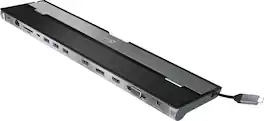
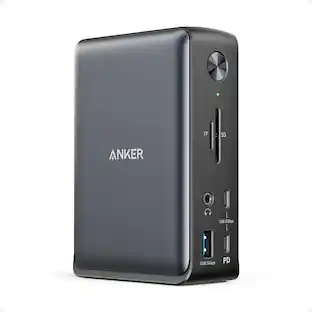
This triple display docking station turns your Mac or Windows laptop into a full workstation with a DisplayPort output, two HDMI outputs, and a VGA output, with resolution support up to 4K (3840 x 2160) on two displays and 1080p on the other one. You can also use your laptop screen for four displays in total, making it easy to access multiple applications at once. With 100W Power Delivery, three USB 3.0 ports, and a USB-C port, this docking station is perfect for your MacBook, Dell XPS, or other USB-C laptop requiring additional ports. This USB 3.0 docking station is also equipped with a RJ45 Gigabit Ethernet port, memory card reader/writer, and combo audio jack for maximum productivity. The elevated design assists with heat dissipation and, with its double-sided cable storage compartment, ensures an easy connection regardless of your USB-C port’s location. All 13 ports are combined into one slim docking station, so you’ll have all the connections you need to stay productive!

Enterprise-Grade Universal Thunderbolt 4 Docking Experience. ThinkPad Universal Thunderbolt 4 Dock delivers reliable and consistent industry leading video, data and power connectivity in a Windows based mixed-PC environment. The ThinkPad Universal Thunderbolt 4 is future-proof and fully loaded to take your productivity, efficiency and creativity to the peak.

Maximize productivity with your laptop by using this universal Lenovo ThinkPad hybrid USB-C dock. Three USB 3.1 ports enable high-speed data transfers with multiple devices, and the USB-C to USB-A adapter lets you connect to non-Lenovo or previous-generation Lenovo laptops. Connect up to two 4K monitors via the DisplayPort and HDMI outputs of this enterprise-class Lenovo ThinkPad hybrid USB-C dock.
| Pros for Lenovo - ThinkPad Universal USB-C Dock - Black | |||
|---|---|---|---|
| Overall Performance, Connectivity, Ease of Use | Overall Performance, Connectivity, Ease of use, USB-C, Ports | There were no pros for this product— | There were no pros for this product— |
| Cons for Lenovo - ThinkPad Universal USB-C Dock - Black | |||
| There were no cons for this product— | Compatibility, Power Supply | There were no cons for this product— | There were no cons for this product— |