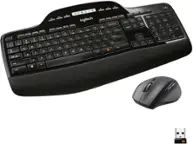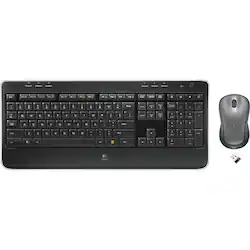
Logitech - MK520 Wireless Keyboard and Mouse Combo - Black
- Key Specs
- Number of Buttons (Total): 5
- General
- Product Name: MK520 Wireless Keyboard and Mouse Combo
- Brand: Logitech
- System Requirements: Windows XP, Vista or 7; Windows 8; Windows RT (The software that a product must have for it to be able to integrate with another product.)
- Model Number: 920-002553
- Features
- Mouse Type: Standard
- Performance
- Mouse Grip Style: Contoured, Palm grip (In comparison to many palm and claw grips, ergonomic grip mice are designed for a specific handedness and put the hand and wrist in a position to promote comfort. Customizable grips feature buttons/keys that can be configured to perform specific actions and may also have customizable calibration and sensitivity settings.)
- Handedness: Ambidextrous
- Tracking Method: Laser (There are several types of computer mice, optical and laser being among the most common. Optical mice detect less detail and provide more precise and accurate movement. Laser mice detect more detail and can be used on a wider variety of surfaces, but are more sensitive to small movements.)
- Number of Buttons (Total): 5
- Connectivity
- Wireless Connectivity: Radio Frequency (RF) (The manner in which a device sends data to another device over a short distance without the use of wires or cables.)
- Operating System Compatibility: Windows
- Power
- Mouse Power Source: Battery-powered
- On/Off Switch: true
- Rechargeable Battery (Mouse): false
- Battery Size: AA (The battery size required for operation.)
- Number of Batteries Required: 3
- Batteries Included: true (Indicates whether the product comes with the required batteries for its operation.)
- Dimensions
- Product Height: 2.88 inches (The out of box height of the item. Height is measured as the vertical distance from the bottom of the item to the top as it would be primarily used or placed.)
- Product Width: 18.9 inches (The out of box width of the item. Width is measured as the horizontal distance from one side of the item to the other as it would be primarily used or placed.)
- Product Weight: 89.30 grams (The out of box weight of the item.)
- Warranty
- Manufacturer's Warranty - Parts: 3 years limited
- Manufacturer's Warranty - Labor: 3 years limited
- Other
- UPC: 097855066718
This Logitech MK520 keyboard and mouse feature a wireless design for taking with you on the go. The Incurve keys and palm rest allow for comfortable use.
- Incurve keys: With a whisper-quiet design for convenience.
- Wireless laser mouse: With a contoured, ambidextrous design for fast navigation.
- Palm rest: Allows for comfortable use.
- 2.4GHz wireless technology: Reduces interference with minimal delays.
- PC compatible: For use with your existing computer.
Whats Included
- 3 AA alkaline batteries
- Logitech MK520 Wireless Keyboard and Mouse Combo
- Owner's manual
- Receiver extender cable
- Unifying receiver
Q: Can you buy a replacement mouse for the K520 combo
A: Yes. Logitech M310
Q: is there a caps lock indicator ?
A: my K520 keyboard has a small dot which lights up on the top left side of the raised portion of the "caps lock" key whenever it's active.
Q: Can this be used with Windows 10?
A: I didn't like Windows 10, and returned back to Windows 8.1, but the keyboard and mouse work excellent in both softwares.
Q: can I use this wireless keyboard with a laptop (windows 7)?
A: Yep - as long as you have an available USB port to plug the little receiver into it will work just fine. I use mine on a Win7 laptop every day.
Q: Are the keys lighted --> visible in a dark room?
A: No, the keys do not light up.
A: I run 3 of them on the same desk. (different computers) There are 7 on them within 20' and have never had any signal issues.
Q: What Model is the Mouse? Does the wheel spin freely?
A: The mouse is an M310. It does not have a switch to allow free spinning of the wheel. While the mouse wheel does not spin freely, you can press and release the mouse wheel, and then just move the mouse up or down to accomplish the same as if you could unlock the wheel. When done, just click the left mouse button to return the mouse to normal operation.















![esc ! i 1 tab caps lock shift F1 2 Q A aas E4 F3 F2 $ % # 4 5 3 E R W F S D X C Z FS A 6 T G V F6 & 7 Y H B 17 * 8 U J N logi HI FI0 P9 FB ) - ( - 9 0 o P I K L > < M I P + = { [ A : I : ? I alt cmd3 2 0 3 10% 1 F12 page home up backspace ins page I delete end down } ] / enter shift ctrl fn opt^= Q I * / clear 8 9 + 7 pg up home 5 6 4 , 4 2 3 enter 1 dn pg end = 0 del ins ctrl start opt alt cmd](https://pisces.bbystatic.com/image2/BestBuy_US/images/products/6571/6571662_sd.jpg;maxHeight=144;maxWidth=200?format=webp)





![The text on the image reads:
"OSC F1 F2 F5 F4 O F5 - F6 - F7 1. F8 4 F9 F10 F11 F12 1 2 3 logitech - - 1 2 # $ 4 % 5 . 6 & 7 . 8 1 9 I 0 - - block insert home page up num lock clear / . I tab Q W E R T Y U I O P { [ } ] I / delete end page down 7 home 8 A 9 P9 up + caps lock A S D F G H J K L : ; a enter 4 4 5 6 shift Z x C V N < ? shift 1 end 2 3 pg dn enter ctrl fn start alt opt alt crnd x alt cmd x fn ctrl alt opt 0 ins del 1 logitech."
The text seems to be a combination of keyboard shortcuts and instructions for using the Logitech keyboard, along with some additional information about the keyboard's features.](https://pisces.bbystatic.com/image2/BestBuy_US/images/products/5761/5761911_sd.jpg;maxHeight=144;maxWidth=200?format=webp)