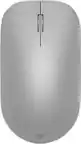
Logitech - MX Master 4 for Mac - Wireless Laser Ergonomic Mouse with Advanced Performance Haptic Feedback - Wireless - White Silver
Logitech - MX Master 4 for Mac - Wireless Laser Ergonomic Mouse with Advanced Performance Haptic Feedback - Wireless - White Silver
Color
White Silver- Logitech - MX Keys S for Mac Advanced Full-size Wireless Scissor Keyboard with Backlit keys for MacBook, iMac, iPad - Pale Gray$119.99The price was $129.99
More Buying Options

Specifications
- Lighting TypeNoneMaximum Sensitivity8000 dots per inchNumber of Buttons (Total)8Connection TypeWireless
- Key Specs
- Lighting Type: None
- Maximum Sensitivity: 8000 dots per inch (Mouse sensitivity is measured in dots per inch (DPI). The higher the DPI, the more sensitive the mouse is and may be more useful for high-density pixel screens. Lower DPI typically means more precision and accuracy in mouse movement.)
- Number of Buttons (Total): 8
- Connection Type: Wireless
- General
- Brand: Logitech
- Model Number: 910-007574
- Product Name: MX Master 4 for Mac - Wireless Laser Ergonomic Mouse with Advanced Performance Haptic Feedback
- Color: White Silver
- System Requirements: Via Bluetooth® Low Energy (BLE): Windows 11, or later, macOS 13 or later, ChromeOS, Linux, Android 12 or later, iPadOS 15 or later. Via Logi Bolt receiver: available USB port, Windows 11, or later,macOS 13 or later, ChromeOS, Linux (The software that a product must have for it to be able to integrate with another product.)
- Features
- Mouse Type: Standard
- Lighting Type: None
- Performance
- Mouse Operation: Button(s), Scroll wheel
- Mouse Grip Style: Ergonomic, Contoured, Palm grip (In comparison to many palm and claw grips, ergonomic grip mice are designed for a specific handedness and put the hand and wrist in a position to promote comfort. Customizable grips feature buttons/keys that can be configured to perform specific actions and may also have customizable calibration and sensitivity settings.)
- Handedness: Right-handed
- Tracking Method: Laser (There are several types of computer mice, optical and laser being among the most common. Optical mice detect less detail and provide more precise and accurate movement. Laser mice detect more detail and can be used on a wider variety of surfaces, but are more sensitive to small movements.)
- Maximum Sensitivity: 8000 dots per inch (Mouse sensitivity is measured in dots per inch (DPI). The higher the DPI, the more sensitive the mouse is and may be more useful for high-density pixel screens. Lower DPI typically means more precision and accuracy in mouse movement.)
- Minimum Sensitivity: 200 dots per inch (Mouse sensitivity is measured in dots per inch (DPI). The higher the DPI, the more sensitive the mouse is. Lower DPI typically means more precision and accuracy in mouse movement, but higher DPI may be useful for high-density pixel screens.)
- Number of Buttons (Total): 8
- Number of Thumb Buttons: 3
- Number of Programmable Buttons: 8
- Adjustable Weight: false
- Connectivity
- Connection Type: Wireless
- Wireless Connectivity: Radio Frequency (RF - 2.4 Ghz/Low Latency), Bluetooth (The manner in which a device sends data to another device over a short distance without the use of wires or cables.)
- Maximum Wireless Range: 33 feet
- Operating System Compatibility: Mac, Apple iPadOS
- Plug and Play Operation: true
- Number of Devices Connectable Simultaneously: 3
- Power
- Mouse Power Source: Battery-powered
- On/Off Switch: true
- Rechargeable Battery (Mouse): true
- Wireless Charging: false
- Charging Interface(s): USB-C (The connection for transmitting power to charge the device.)
- Battery Chemistry: Lithium
- Dimensions
- Product Height: 2 inches (The out of box height of the item. Height is measured as the vertical distance from the bottom of the item to the top as it would be primarily used or placed.)
- Product Length: 5.05 inches (The out of box length of the item. Length is measured as the longest dimension of the item.)
- Product Width: 3.48 inches (The out of box width of the item. Width is measured as the horizontal distance from one side of the item to the other as it would be primarily used or placed.)
- Product Weight: 150 grams (The out of box weight of the item.)
- Warranty
- Warranty - Parts: 1 year
- Warranty - Labor: None
- Other
- UPC: 097855205940
MX Master 4 for Mac Wireless Ergonomic Mouse with Advanced Performance Haptic Feedback
- Mastered for Mac: With matching Apple finishes, Logi Options+ functions for macOS, USB-C charging while you work (cable not included), MX Master 4 for Mac makes for a perfect fit with your Apple setup.¹
- Precision you can feel with the Haptic Sense Panel: Customizable haptic feedback on specific actions, shortcuts, notifications enhancing productivity on this wireless Bluetooth mouse.¹
- Effortlessly access favorite tools with Actions Ring on this MX Series mouse: A dynamic, customizable overlay adapts to each app, placing most used filters, adjustments, and shortcuts at your cursor.
- Ultra-fast scrolling: Scroll 1,000 lines per second and stop on a pixel with the MagSpeed scroll wheel—Logitech’s fastest, quietest, and most precise scrolling experience.
- Ergonomic mouse designed for comfort: MX Master 4 for Mac keeps you in flow with a natural tilt, intuitive buttons, and a thumb scroll wheel that reduces hand stress for fluid navigation.
- Quiet Clicks: Quiet Clicks on MX Master 4 for Mac reduce noise and distractions, offering a soft, satisfying feel with 90% less click noise—perfect for focused workflows.³
- MX + Adobe Creative Cloud: Get a complimentary 1-month Adobe Creative Cloud subscription with your purchase of MX Master 4 for Mac.
- Designed for a positive future: Plastic parts include recycled plastic - 54% Space Black; 48% White Silver; 100% recycled cobalt in the battery; Built to last with improved stain resistance.⁴
- 1-month of Adobe Creative Cloud on us (a value of $59.99)*: Pair two of the world’s top creative tools. Buy one MX Master 4 and claim your free 1-month Adobe Creative Cloud membership. *Value calculated based on Adobe Creative Cloud All Apps monthly value of $59.99 valid on Adobe.com on Sept 12, 2024. Terms & Conditions apply.¹ ² ³
Whats Included
- MX Master 4 wireless mouse
- Logi Bolt USB-C receiver
- User documentation
Disclaimers
- ¹ Requires Logi Options+ app, available for Windows and macOS at app.logi.com
- ² Compared to MX Master 3S
- ³ Compared to MX Master 3, MX Master 4 has 90% less Sound Power Level left and right click.
- ⁴ Excludes plastic in printed wiring assembly (PWA), receiver, wire, FFC cable, and packaging.
Q: Is this bundle compatible with iPad Pro 6th gen? Thanks.
A: This keyboard and mouse combo has a usb connection dongle, but also uses Bluetooth to connect, so it should be compatible with any device that can accept Bluetooth keyboard and mouse input. It worked with my iPad air.
A: Yes, the keyboard and mouse pair separately so you can pair just the keyboard and use a mouse from a different brand/type.
Q: Does this have a Caps Lock light/indicator?
A: There is no light to indicate caps lock, but there is an onscreen notification that appears near the bottom of the screen. I attached pics of what it looks like for caps lock on and caps lock off. I'm using Windows 10.
Q: Is this compatible with a Samsung Galaxy a8 tablet?
A: Hey there! The Pebble 2 Combo can be connected through Bluetooth to Android devices running Android 9.0 or later.
Q: is this compatible with iPad 10 generation?
A: Yes it is
A: Yes, the Logitech Pebble 2 Combo keyboard is compatible with the iPadOS 14 or later.
Q: Does it have only one dongle for both keyboard and mouse, or is there one for each?
A: One "dongle" is shared for both the keyboard and mouse.
Q: Does this work with a Samsung Galaxy Tab S6 lite, SM P610?
A: Yup! Im using it on my samsung tab s9 ultra and it works v well!
Compare similar products

MX Master 4 for Mac Wireless Ergonomic Mouse with Advanced Performance Haptic Feedback

Logitech MX Master 3S Bluetooth Edition – productivity and precision mouse. With Quiet Clicks and 8K DPI any-surface tracking for more feel and performance.


Desk life getting you down? Lift yourself up with Lift Vertical Ergonomic Mouse – a comfy and intuitive wireless mouse with quiet clicks crafted specially for small-to-medium hands. Available in right and left. Lift’s unique 57-degree angle elevates your wrist to give a feeling of relief — and sends a wave of comfort through the forearm and upper body. Scrolling feels second nature with SmartWheel, which easily shifts from precision to speed-scroll. Customize Lift ergo mouse using intuitive Logi Options+ Software.
| Pros for Logitech - MX Master 4 for Mac - Wireless Laser Ergonomic Mouse with Advanced Performance Haptic Feedback - Wireless - White Silver | |||
|---|---|---|---|
| There were no pros for this product— | Comfort | There were no pros for this product— | There were no pros for this product— |
Specs
Reviews
Customers are saying
Customers are satisfied with the MX Master 4 for Mac, highlighting its precise movements, decent ergonomics, and premium build quality. The customizable button functionality and flawless connectivity with Mac devices contribute to enhanced productivity. Users also appreciate the haptic feedback, long battery life, and MagSpeed scroll wheel. Additionally, the quiet click noise is a welcomed feature.
Customer Images
The vast majority of our reviews come from verified purchases. Reviews from customers may include My Best Buy members, employees, and Tech Insider Network members (as tagged). Select reviewers may receive discounted products, promotional considerations or entries into drawings for honest, helpful reviews.
- Rated 5 out of 5 stars
Worth Every Penny
The Logitech MX Master 4 delivers a noticeable jump in precision and comfort, especially with its new haptic feedback system that makes every action feel more controlled and intentional. The Actions Ring is a standout addition—it puts your most-used tools right under your thumb, which genuinely speeds up creative and productivity workflows. The MagSpeed scroll wheel remains one of the smoothest and most accurate available, and the ergonomic shape makes long work sessions much easier on the hand. Connectivity is strong and reliable, and the quieter clicks help keep your workspace calm without losing tactile feel. Build quality is solid, and the customization options in Logi Options+ make it easy to tailor the mouse to your exact workflow. Overall, it’s a premium mouse that justifies its price with performance, comfort, and smart features that make everyday tasks faster and more enjoyable.
Rocky Posted
- Rated 5 out of 5 stars
Well worth the money
I was a little skeptical about investing in this mouse, but all my friends highly recommended the previous models. I primarily used the Magic Mouse before this but I was finding some tasks more difficult without a scroll wheel. So I decided to jump in and I'm glad I did. It is larger than any mouse I've used in the past but it feels really nice and solid. I love how the buttons feel smooth and firm and less clicky than my 'gaming' mice do. I haven't taken full advantage of the haptic functions yet, but there are a lot of programs I use that have integrations for it. And bonus, the charging cable plugs in and it can still be used while charging!
Vastidious Posted
- Rated 5 out of 5 stars
Logitech MX Master 4 for Mac
Really good mouse with amazing productivity features. Grip is ergonomic and feels premium in hand. Buttons are super silent and infinite scroll is a bliss!!!
This review is from Logitech - MX Master 4 for Mac - Wireless Laser Ergonomic Mouse with Advanced Performance Haptic Feedback - Wireless - Space Black
AdvikK Posted