Main Content

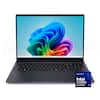
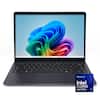
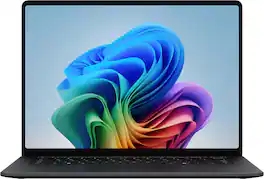
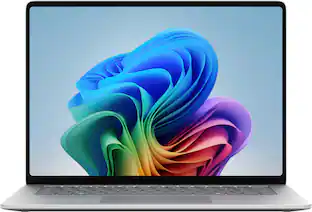
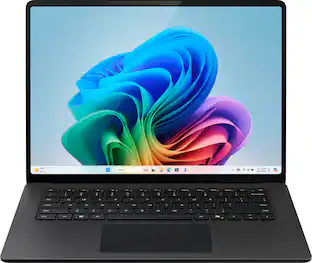
Microsoft - Surface Laptop - 15" 3K Touchscreen - Snapdragon X2 Elite (12 Core) 2026 - 16GB - 512GB Storage - Black

Model: EP2-60211
SKU: 6677265
Sold byBest Buy

Customers are saying

Customers commend the device for its impressive display quality and reliable battery life. Users also appreciate the processor's ability to handle multitasking smoothly without any lag. However, some individuals have expressed concerns regarding the stability of the magnetic charging port.

Generated by AI based on customer reviews.
See it in-store: Leesburg (8.3 miles away) 
is the closest store with a demo model on display.

Highlights

Features

  • Brilliant Display

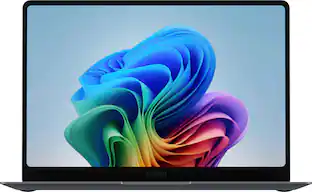
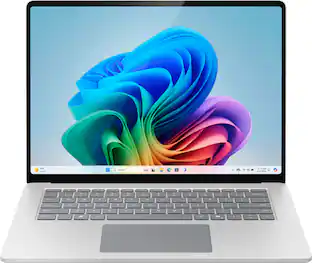
    Featuring 600 nits and 262 ppi clarity, this is the brightest display ever on a Surface Laptop. The expansive 15” [1] PixelSense touchscreen [2], with LCD [3] color profile brings your vivid content to life.

  • Power that lasts all day

    With 19 hours of battery life [3], the new Surface Laptop powers through your entire day, so you can create, work and stream from morning to night without reaching for a charger.​

  • Work at the speed of your ideas

    Built with the latest Qualcomm Snapdragon X2 Elite (12 Core) processors, Surface Laptop delivers fast, AI‑accelerated performance—making it the most powerful Surface laptop for everything from multitasking to demanding workloads.

  • Premium Performance

    Premium Performance PCs are built for all-day performance, so you can move from work to play with the speed, battery life, and flexibility to keep up without slowing down.

  • The ports you need

    Charge on-the-go, transfer data fast, or create the ultimate desktop set up with two USB-C/USB4 [4] ports.

  • Built-in AI Companion

    Work smarter, create freely, and communicate with confidence—Copilot [5] on Windows 11 is always there to help.​

  • Timeless colors to match your style

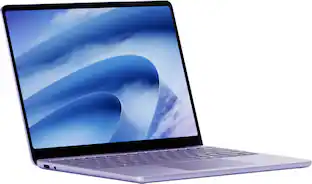
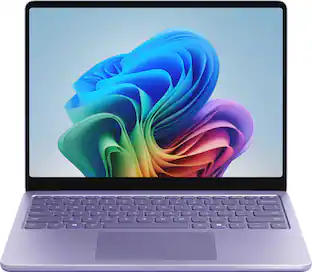
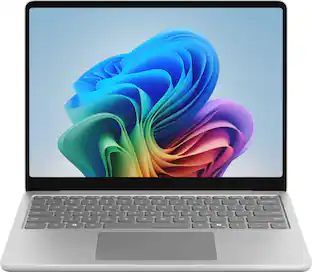
    Available in two rich colors, Black and Platinum [7] and created with a premium aluminum chassis made with 100% recycled aluminum alloy.

  • Two sizes, your choice

    Sleek 13.8" for seamless portability, or indulge in the expansive 15" with added power, and extended battery life [3].

Specifications

  • Screen Type
    PixelSense
    Screen Size
    15 inches
    Screen Resolution
    3270 x 2180
    Touch Screen
    Yes
    Refresh Rate
    120Hz
Sponsored

Reviews

Rating 4.8 out of 5 stars with 26 reviews

5 star rating. 20 reviews4 star rating. 6 reviews
100% would recommend to a friend
Customers are sayingCustomers commend the device for its impressive display quality and reliable battery life. Users also appreciate the processor's ability to handle multitasking smoothly without any lag. However, some individuals have expressed concerns regarding the stability of the magnetic charging port.
This summary was generated by AI based on customer reviews.
  • Display Quality (20)
  • Battery Life (10)
  • Processor Speed (4)
  • Charging Port (3)

Customer Images

The vast majority of our reviews come from verified purchases. Reviews from customers may include My Best Buy members, employees, and Tech Insider Network members (as tagged). Select reviewers may receive discounted products, promotional considerations or entries into drawings for honest, helpful reviews.

  • Rated 5 out of 5 stars

    Love this laptop

    Best quality, battery life is at a comfortable time

    Posted by JOSEN

  • Rated 5 out of 5 stars

    The Ultimate Laptop Worth Every Penny!

    As both a student and elementary school teacher, this laptop is perfect for my needs! The 15-inch 3K touchscreen is great for lesson planning, grading, and assignments. The Snapdragon X2 Elite processor and 16GB of RAM make multitasking easy, while the 512GB storage provides plenty of space for my files. It's sleek, fast, and practical for everyday use. I highly recommend it to teachers and students looking for a reliable laptop that can keep up with their busy schedules!

    Posted by ReCreates

  • Rated 5 out of 5 stars

    Big improvement over last year

    The Microsoft Surface Laptop 8 is my third Surface laptop, the first being the Studio followed by last year’s 7th generation 15 inch. It is important to know, design wise, this year’s surface is identical to last year’s, down to the weight of 3 pounds, 10.5 ounces. I continue to be impressed with the build quality. The aluminum body feels sturdy and well built and the keyboard deck is solid. The lid opens with one finger but there isn't any kind of knockout, just a slight overgap to grab on to. There are two USB-C ports on the left side, along with an USB-A and 3.5mm headphone/microphone jack. On the right side you have the Surface Connect which also supports I/O via a Microsoft dock along with a Micro SD card reader. I wish there was a USB-C on each side rather than both on one. The updated 3270x2180, (up from last year’s 2496x1664) 120Hz 15 inch touch screen display is bright and crisp. The increased pixel density helps text look great at small font sizes. Colors pop and are vivid and blacks are deep. The display has a highly reflective shine on it. In my office with a sunny window behind me, the display was very difficult to view. It is a touch screen and has 10 point touch which is responsive. It also includes pen support via Microsoft ink. I really like the 3:2 aspect ratio, the extra length of the screen is really nice when working on office documents and spreadsheets. As far as sound, there are no speaker grills, the sound just emanates from the keyboard (Omnisonic speakers?) and there is Dolby Atmos. The volume is loud enough and sounds clear. Like most laptops, bass is lacking and it can sound a bit tinny. The 1080p front facing camera worked as expected and included IR for Windows Hello. Video via Teams was crisp and clear. Colors seemed a bit warmer to me on the auto settings but you can adjust the white balance to make it photos and videos match your needs. The keyboard feels just like the Studio, the chiclet keys have a nice travel but feel a bit more spongy than last year. The keys backlit with three levels of brightness. The haptic touch pad is the best I’ve seen on a windows laptop and on par with the touchpad on my Macbook Pro. This version of laptop also has haptic feedback for more than just the click - for example, when your pointer hovers over the close window X the trackpad vibrates. This is not a feature on version 7. Microsoft rates the battery life on the 15 inch Surface at 22 hours for video and 15 hours for web browsing. These are great numbers if you’re buying a video player or tire from using your phone to surf the web. In real-world use I did manage to get about a day and a half (work days) out of the battery. The Surface charger for the 15 inch model comes in at 65 watts and supports quick charging. From power save mode to 80% took just about an hour and to full charge took about 100 minutes. I can say that while charging and using the Surface, it did get warm but not enough to burn. Finally, you have Wi-Fi 7 and Bluetooth 5.4 for future proofing. Unfortunately, I don't have compatible equipment for either yet. Performance By the numbers - Geekbench CPU single-core is 2,828, a 31.3% increase over V7’s 2,154. Multi-core is 13,998, a 57.8% increase over last year’s 8,871. GPU Scores V8 gets 21,938, a 15% increase over last year’s 18,996. For reference, my M1 Pro Macbook Pro (2021) gets 2,321 single, 10,761 multiple core and 39,701 GPU. Out of the gate, know that application support still might be an issue for you based on your needs. One thing I did notice was not hearing a fan. I tried as best I could to tax the system to get the fan running but with everyday office use, this machine is pretty much silent. With general office work and Microsoft Office 365 I had no issues. Several other programs I use worked fine as well. Unfortunately, Adobe users still know that not all Adobe products play well yet. Maybe I am just too old but I’m not impressed with the AI features. They are nice to have and I am sure they will just get better with age. Overall, I really like the build of the 15 inch Surface Laptop. The new Snapdragon chips are a great step forward but remain hampered by application support at the moment. I’m sure as these processors advance, support will increase faster. All the issues I’ve experienced so far are software related: My Adobe Creative Cloud isn't fully compatible with the ARM architecture yet. Hardware that requires a specific driver might not work or work completely. It seems pretty clear to me that the Surface lineup is aiming at Apple. With synthetic benchmarks close to or better than some MacBooks, it seems, to me at least, that the hardware aspect is there. I think that the new Snapdragon platform is a great move forward with the biggest setback still being application support, which if past is prologue, will continue to come around. I recommend this Surface Laptop 8 to anyone looking for a great laptop ready for the future.

    Posted by RonH

  • Rated 5 out of 5 stars

    Premium product that's fast and reliable.

    I'm a huge fan of the Surface lineup, and I have picked up a few of their devices now. This Surface laptop is the largest Surface device I've owned. The screen is large and very sharp. Color saturation is excellent. It's absolutely great for media consumption. I picked this device up to use for light graphic design (photo editing, light video editing, and simple CAD work) and media consumption. So far, it's excelling at both functions. I've had no issues with software compatibility, and I haven't noticed any lags or glitches. Everything just works smoothly and seamlessly. The device's frame feels very solid. I was surprised by just how heavy the laptop is given its thinness. The laptop is in no way heavy to the point of being cumbersome, but you do notice the weight. the laptop is dead silent during operation. There are no loud fan noises or other distracting mechanical noises. The keyboard is a delight to type on. The key travel and spacing is excellent. The trackpad is quite large. It's a good thing that the palm rejection is as good as it is on this laptop as I often found the edge of my hand resting against the trackpad. Sound quality is excellent, but I'll confess that I prefer to listen to audio over Bluetooth headphones. The built-in storage is fairly ample and should be able to accomodate a reasonable array of programs. My absolute favorite thing about this laptop? The micro-SD card slot. I am absolutely thrilled that this device has removal / expandable storage. Doing graphic design work, I'm constantly shuffling files around, and my storage needs are constantly expanding. I'm relieved that I can pop in an SD card for additional storage when I need to travel with a large library of image assets. I was a little dismayed to see that this device charges via the Surface Connect charger. I was hoping that Microsoft had transitioned to standard USB-C for this device's default charger. I have plenty of third party USB-C laptop chargers, but I don't have any spare Surface Connect chargers. This makes things a little tricky when traveling. Supposedly this device can charge over USB-C, but the chargers I tried only seemed to trickle charge it. I'm quite pleased with this laptop's appearance and performance. Once again, the Surface lineup has another winner.

    Posted by TechEnthusiast

  • Rated 5 out of 5 stars

    Beast of a laptop with long battery life

    The first thing that struck me with the laptop was the build quality. It felt hefty in a way that old electronics used to feel, and this is a compliment, not a slight. I wasn't sure if going with the bigger screen would end up being a mistake because of the portability loss, but I'm really glad I got the 15". The 3:2 style is different for me but the screen is absolutely stunning. When it's next to my tablet watching the same video, the colors are brighter and the lines are clearer. The battery life has never been less than a few days, it's an absolute beast. The keyboard does feel like it's placed a little higher on the laptop than I'm used to but I'm getting used to this format as I type on it more. The update process was pretty lengthy to fully complete, probably a little over an hour to download all updates, Microsoft stepped in and used my other PC's settings to make the process smoother although this is optional. The touchscreen is extremely snappy, as good or better than most tablets that I use. The touchpad is excellent as well as the backlit keyboard. (with dedicated backlight settings button. Great Feature.) It doesn't have the haptic clunk I've become used to with older laptop trackpads and it's a huge upgrade. A nice feature that I've never seen, or should I say, felt, before; the touchpad gives a little vibration when you hover over the X button to close out a screen. The dedicated Copilot button has become more useful than I expected it to, even sometimes just to take a random quiz on a grab bag of topics, even though it wants to tailor them to my interests based on my searches or computer usage. This feels like a feature that will become more helpful the more you use it. It's deeply ingrained in the system and works as designed. The recall function seems useful but I find that it's a little too invasive for my needs. I don't do anything important enough to require constant screen monitoring. The system moves swiftly through basic apps and internet browsing with little to no load time. I booted up Steam and put on a pretty weak intensity game in Slay the Spire 2. While it loaded it well, and played fine, I don't think I'll be swapping my gaming PC out for this use anytime soon as it was a little clunky at times. If I was flying and I needed to play something for a while, I think it could handle it, but just barely. The battery handled it better than expected. As I'm tinkering with the settings, Windows does offer power button settings for the keyboard power button. I find a physical button on the external of the body of the laptop is preferential but I don't mind this. It comes in and out of Sleep as fast as any system I've seen. Worth noting that it has two USB-C ports (not for powering, that's a specific cable and my one big gripe.) as well as a USB-A port which is actually perfect for me as all my wireless mice are USB-A still. There's a MicroSD card slot as well next to the Surface Connect (power) port, a feature only on the 15" version. I had to do an interview with Google Meet and it performed better than any other device I could do the chat on. The webcam is almost perfectly aligned with the top of the laptop and it's very clear to use for video calling. All in all, I wouldn't recommend this if you're trying to play a lot of games on it, but it will do in a pinch. What this laptop is suited for is quick on the go work with heavy focus on AI assistance.

    Posted by Samsing

Compare similar products

Microsoft - Surface Laptop - 15" 3K Touchscreen - Snapdragon X2 Elite (12 Core) 2026 - 16GB - 512GB Storage - Black
4.8(26)

The new Surface Laptop, 15" (8th Edition) — faster, smarter and more secure. Get the most out of your day with accelerated performance that unlocks Copilot experiences that transform the way you work and play. Experience visuals like never before on its stunning and modern razor-thin touchscreen display. An ultralight and stylish laptop with exceptionally long battery life [4], ultimate typing comfort, and a top-notch Surface Studio Camera.
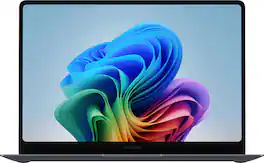
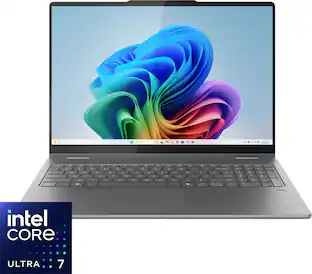
Samsung - Galaxy Book6 Pro - Copilot+ PC - 14" 3K AMOLED Touch Screen Laptop - Intel Core Ultra 7 - 16GB Memory -512GB SSD - Gray
4.6(64)

Power through your busiest days with Galaxy Book6 Pro. This PC is engineered for perfection and works together with your Galaxy devices as an unmatched force with features like Storage Share¹, Phone Link² and more. Perform your best with the latest Intel Core Ultra 7 Processor (PTL) with the latest ARC GPU that brings exceptional speed and responsiveness. Whatever you’re working on, the immersive 14” Dynamic AMOLED 2X touch display helps put your work in the best light. And, get more hands on with your projects thanks to its light design, seamless haptic touchpad and long lasting battery.
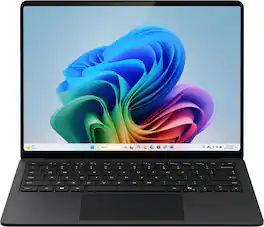
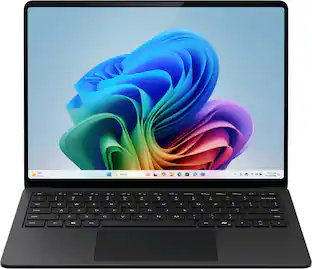
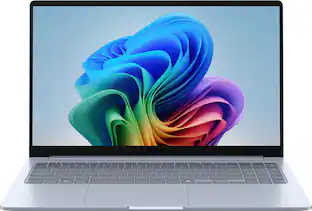
Microsoft - Surface Laptop - 13.8" 2K Touchscreen - Snapdragon X2 Plus (10 Core) 2026 - 16GB - 512GB Storage - Black
4.9(44)

Exceptionally powerful, ultrathin laptop — The new Surface Laptop, 13.8-inch (8th Edition) is not just faster—it’s more intuitive. Unlock your creativity and stay productive throughout the day with accelerated performance that powers a new AI era, enabling Copilot experiences deeply integrated with the Windows ecosystem. Enjoy all‑day battery life[3] to keep your ideas flowing, and immerse yourself in stunning visuals on its modern, razor‑thin touchscreen display.
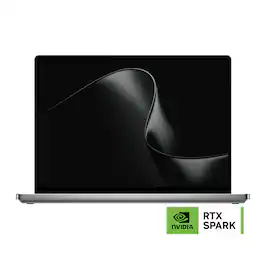
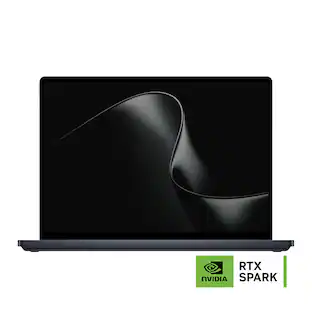
Microsoft - Surface Laptop Ultra - 15" 3K Touchscreen - NVIDIA RTX Spark N1X 18-Core (2026) - 24GB Memory - 512GB Storage - Platinum

Introducing Surface Laptop Ultra – Uncompromising craft meets raw power in the ultimate Windows laptop. Powered by the NVIDIA RTX Spark superchip, this device is built for world makers and creative pros who require cutting-edge AI performance, power, and portability – bringing decades of NVIDIA AI and graphics innovation to one slim device.

Pros for Microsoft - Surface Laptop - 15" 3K Touchscreen - Snapdragon X2 Elite (12 Core) 2026 - 16GB - 512GB Storage - Black
Battery Life, Processor Speed, Display QualityBuild Quality, Portability, Battery Life, Processor Speed, OLED QualityBuild Quality, Battery Life, Portability, Processor Speed, Keyboard ComfortThere were no pros for this product—
Cons for Microsoft - Surface Laptop - 15" 3K Touchscreen - Snapdragon X2 Elite (12 Core) 2026 - 16GB - 512GB Storage - Black
Charging PortThere were no cons for this product—ConnectivityThere were no cons for this product—

Specs

Questions & Answers

  • Hi, 3 questions please: 1> The M2,NVME -> is it 2280 or 2230? Do we have to remove the whole back plate to access it for upgrade? 2> How many partitions the M2.MVNe has? (Critical for me) 3> Is Windows RE (WinRE) enabled? (Critical for me) Thanks

    The SSD is removable and replaceable. You must remove the bottom feet and enclosure to access it. I couldn't verify the exact SSD size. The number of partitions can vary depending on the Windows installation. You can check the exact number under Disk Management.

    Answered by ReCreates
  • The heading for the ad says the screen is 3k, but The “What’s included statement under Features says the screen is 2k.

    Confirmed! It's a 3K touchscreen with a resolution of 3270 × 2180 and a 120Hz refresh rate. The 2K description appears to be a typo.

    Answered by ReCreates
  • Can a pen device be used with the Microsoft - Surface Laptop - 15" 3K Touchscreen - Snapdragon X2 Plus (10 Core) 2026 - 16GB - 512GB Storage - Platinum?

    yes!

    Answered by PAGEB
Ask a question
No content

Customers often buy these together

Sponsored