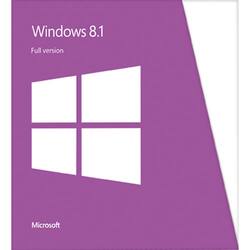
Microsoft - Windows 8.1 - Physical - English
- Key Specs
- Software Format: Physical (Physical software requires a disc, cartridge, etc. be inserted into the gaming console or computer to download and/or operate the software. Digital software allows for downloading and/or playing the software on the gaming console or computer without a physical disc, cartridge, etc. Physical (Download Code Only) software is purchased in physical form with a code that allows for downloading and/or playing the software on the gaming console or computer without a physical disc, cartridge, etc.)
- General
- Brand: Microsoft
- Model Number: WN7-00578
- Product Name: Windows 8.1
- Publisher: Microsoft
- Features
- Language(s): English
- Compatibility
- Software Format: Physical (Physical software requires a disc, cartridge, etc. be inserted into the gaming console or computer to download and/or operate the software. Digital software allows for downloading and/or playing the software on the gaming console or computer without a physical disc, cartridge, etc. Physical (Download Code Only) software is purchased in physical form with a code that allows for downloading and/or playing the software on the gaming console or computer without a physical disc, cartridge, etc.)
- Other
- UPC: 885370632897
It's the twenty-first century: multitasking is a way of life. Cell phones, laptops and tablets and their ever-expanding networks, apps and programs make it so we can almost always be doing at least two things at once. You send an e-mail while you're out to lunch. You call your clients while you're finishing up that presentation. You send your brother a birthday e-card while you're walking to your next appointment. Technology allows us to stay connected to the people and things we care about. It also creates a world where work and play are constantly overlapping — where creativity, productivity and recreation often go hand-in-hand. With that in mind, Windows 8.1 has been designed to bring you one operating system that can handle all of life's demands — no matter what it throws at you. Whether you're at work, at play or just looking for some inspiration, Windows 8.1 is there to deliver.
Windows 8.1 personalizes your experience so can work and play in a way that allows you to access what truly matters to you. Beginning at your Start screen, you see a new layout that features your favorite news, friends, social networks and apps. You can customize colors, backgrounds and tile sizes to make your device unique to you. You can even access your familiar Windows desktop with just one click, so all the features you love are never far away. All your old apps, files and settings easily transfer and run on Windows 8.1. Your productivity will reach new heights thanks to Windows 8.1's ability to work harmoniously with your devices, whether they are touch screen or mouse-and-keyboard. You can stay connected to important photos and files by accessing them on your phone, tablet or PC with SkyDrive. Just sign in to your Microsoft account and your desktop will appear with all your personal preferences and settings so you can keep working wherever you are. In addition to the enhanced built-in apps and features, you can also discover more of your favorite apps with access to the Windows Store, which puts Netflix, ESPN, Skype, Halo: Spartan Assault, and other features conveniently at your fingertips. The new Windows 8.1 also makes searching, browsing and sharing faster and safer than ever. Use your device's power more efficiently for quick start-ups and app-switching as you stay up to date with security features, including Windows Defender, Windows Firewall and Windows Update. Life won't wait, so why should you? Access what is important to you — your way — so you get the best of work and play with Windows 8.1.
Q: Does box have DVD or do you have to download?
A: Yes it does have a dvd, actually 2, one for 32, and the other for 64
Q: Can I upgrade to 8.1 from Windows XP or do I have to upgrade to Windows 8 first?
A: You can upgrade directly to 8.1 from windows xp. I purchased the software for 8.1 earlier this month and made the transition from windows xp. You may want to ensure you have the latest version of word, because the older 2002 version is not supported by 8.1
Q: is this a full version or ungrade?
A: Yes it's the full version.
Q: will windows 8.1 work for both 32 and 64 if purchase full version
A: Hello there, Yes, Windows 8.1 will work with both 32bit and 64bit encryptions and both are included. For more information on purchasing Windows 8.1, please visit : http://www.bestbuy.com/site/windows-8-1-windows/1805813.p?id=1219064868521&skuId=1805813 I hope this was helpful to you.
Q: Does Windows 8 come with Microsoft Word and Excel?
A: If you get Windows 8.1 Pro
Q: What is the difference between Windows 8 and Windows 8.1
A: Hello there, Windows 8.1 is our latest Windows Operating System and it works similar to Windows 8. The biggest difference between them is Windows 8.1 has a start button just like Windows XP and Windows 7. I think once you have taken some time to learn Windows 8.1, you will really like it. Here are some free tutorials to help you with additional questions you may have with Windows 8.1: http://windows.microsoft.com/en-US/windows/how-to I hope this was helpful to you.
A: Not necessarily. First of all, you can go to the Windows website and download a compatibility assistant program. That will tell you exactly which programs will work and which will not. However, you might have to reinstall all of your programs (I did).
Q: If I buy Windows 8.1, can I use it on my desktop and laptop?
A: Typically when you buy an OS its just for a single license. So unless you bought a special multi-user edition it will only be good for one computer. You could use it on one, then completely uninstall and use on another, but not simultaneously. The disc might let you install on both computers, but the license will not work on both and the functionality will be very limited on one, if at all.