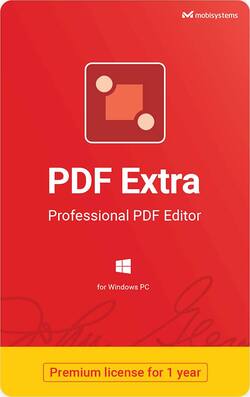
mobisystems - PDF Extra Premium - 1 year subscription, 1 Windows PC, 1 user | Professional Editor, Digital key - Edit, Fill & Sign - Windows
Model: PDF EXTRA
SKU: 6403944
This item is no longer available in new condition. See similar items below
- Key Specs
- Number of Users: 1
- Number of Devices: 1
- Number of Licenses: 1
- Operating System Compatibility: Windows
- Software Format: Digital (Physical software requires a disc, cartridge, etc. be inserted into the gaming console or computer to download and/or operate the software. Digital software allows for downloading and/or playing the software on the gaming console or computer without a physical disc, cartridge, etc. Physical (Download Code Only) software is purchased in physical form with a code that allows for downloading and/or playing the software on the gaming console or computer without a physical disc, cartridge, etc.)
- Subscription Period: 1 Year
- General
- Product Name: PDF Extra Premium - 1 year subscription, 1 Windows PC, 1 user | Professional Editor, Digital key - Edit, Fill & Sign
- Brand: mobisystems
- Publisher: mobisystems
- Model Number: PDF EXTRA
- Purchase Rights
- Number of Users: 1
- Number of Devices: 1
- Number of Licenses: 1
- Compatibility
- Operating System Compatibility: Windows
- Software Format: Digital (Physical software requires a disc, cartridge, etc. be inserted into the gaming console or computer to download and/or operate the software. Digital software allows for downloading and/or playing the software on the gaming console or computer without a physical disc, cartridge, etc. Physical (Download Code Only) software is purchased in physical form with a code that allows for downloading and/or playing the software on the gaming console or computer without a physical disc, cartridge, etc.)
- Requirements
- Subscription: true
- Subscription Period: 1 Year
- Digital Download Type: Productivity software download
- Warranty
- Manufacturer's Warranty - Parts: Not available
- Manufacturer's Warranty - Labor: Not available
- Other
- UPC: 850012798293
PDF Extra is your all-in-one professional PDF management and editing tool. View, edit, sign, and annotate PDF documents by working directly on the text and images. Save, organize, and synchronize your documents across devices with free storage on mobisystems Drive.
- View PDFs and make your reading enjoyable: Open and view any PDFs. Choose how to read: Single page view, Continuous scrolling. Snapshot any part of your documents. Search for exact words. Zoom in and out . Rotate your documents and printing orientation. Print PDF files
- Comment / annotate.: Adding, editing or removing annotations. Insert free text in a text box. Add other markups, underline or strike text. Use free draw to add text or sign your document. Signify document status with Stamps. Attach a support file
- Fill and Sign documents. Fill out your PDFs forms professionally within seconds.: Sign and send documents instantly. Use multiple saved signatures. Insert Free text or free draw right away. Insert date and time. Add X marks and check marks
- Backup and share your files: Use 5GB free cloud storage on Mobidrive. Sync and access your photos, documents and other files anytime. PDF Extra supports cloud services like Dropbox, Google Drive and Box. Get additionally 50GB free cloud storage to access your files wherever you are.
- Edit PDFs. Use PDF Extra’s powerful editing capabilities: Edit anything in your document - text, pictures, design. Add or delete text in your PDFs. Insert images from your computer or find and insert pictures from online sources. Use bookmarks to navigate in your documents easily
- Arrange your PDFs in the desired sequence: Insert and delete pages in your PDF documents. Drag and drop pages to the new desired position. Rotate, duplicate and even extract your pages without a hitch. Use page labels
- Create new PDFs from scratch: Create your file from image. Create your PDF from a blank document. Create your new document from scanning the physical copy. Create from clipboard image
- Protect and encrypt PDFs: Protect your sensitive documents with passwords. Restrict the editing, opening, or printing of PDF files. Various encryption options for protected PDFs. Validate any PDF’s authenticity with advanced digital certification. Digital signatures and timestamps
- View PDFs and make your reading enjoyable: Open and view any PDFs. Choose how to read: Single page view, Continuous scrolling. Snapshot any part of your documents. Search for exact words. Zoom in and out . Rotate your documents and printing orientation. Print PDF files
- Comment / annotate.: Adding, editing or removing annotations. Insert free text in a text box. Add other markups, underline or strike text. Use free draw to add text or sign your document. Signify document status with Stamps. Attach a support file
- Fill and Sign documents. Fill out your PDFs forms professionally within seconds.: Sign and send documents instantly. Use multiple saved signatures. Insert Free text or free draw right away. Insert date and time. Add X marks and check marks
- Backup and share your files: Use 5GB free cloud storage on Mobidrive. Sync and access your photos, documents and other files anytime. PDF Extra supports cloud services like Dropbox, Google Drive and Box. Get additionally 50GB free cloud storage to access your files wherever you are.
- Edit PDFs. Use PDF Extra’s powerful editing capabilities: Edit anything in your document - text, pictures, design. Add or delete text in your PDFs. Insert images from your computer or find and insert pictures from online sources. Use bookmarks to navigate in your documents easily
- Arrange your PDFs in the desired sequence: Insert and delete pages in your PDF documents. Drag and drop pages to the new desired position. Rotate, duplicate and even extract your pages without a hitch. Use page labels
- Create new PDFs from scratch: Create your file from image. Create your PDF from a blank document. Create your new document from scanning the physical copy. Create from clipboard image
- Protect and encrypt PDFs: Protect your sensitive documents with passwords. Restrict the editing, opening, or printing of PDF files. Various encryption options for protected PDFs. Validate any PDF’s authenticity with advanced digital certification. Digital signatures and timestamps
Whats Included
- PDF Extra (1-Device) (1-Year Subscription)
- PDF Extra (1-Device) (1-Year Subscription)