MSI - MAG X870E TOMAHAWK WIFI (Socket AM5) AMD X870 ATX DDR5 Wi-Fi 7 Motherboard - Black
FREE shipping to
 ASUS - TUF GAMING B650-PLUS WIFI (Socket AM5) AMD B650 ATX DDR5 Wi-Fi 6 Motherboard - Black$154.00$219.99

More Buying Options
Related Item

Specifications
- ChipsetAMD X870Form FactorATXProcessor SocketSocket AM5 (LGA 1718)Wireless Networking StandardWi-Fi 7Number Of Memory Slots3Maximum Memory Supported256 gigabytes
- Key Specs
- Chipset: AMD X870
- Form Factor: ATX (The size, arrangement, and physical configuration of the product.)
- Processor Socket: Socket AM5 (LGA 1718) (Type of pin configuration that connects a CPU to a computer’s motherboard.)
- Wireless Networking Standard: Wi-Fi 7 (The wireless networking standard used by the device. Each iteration of the standard developed by the Wi-Fi Alliance corresponds to an existing IEEE 802.11 protocol; for example, standard 802.11ac (or AC) is termed Wi-Fi 5. Refers specifically to the standard the device is designed to use, but ultimately determines product interoperability and backward compatibility including previous versions.)
- Number Of Memory Slots: 3
- Maximum Memory Supported: 256 gigabytes
- Memory Type Supported: DDR5
- General
- Brand: MSI
- Model Number: MAG X870E TOMAHAWK WIFI
- Product Name: MAG X870E TOMAHAWK WIFI (Socket AM5) AMD X870 ATX DDR5 Wi-Fi 7 Motherboard
- Color: Black
- Year of Release: 2025
- Compatibility
- Chipset: AMD X870
- Chipset Compatibility: AMD
- Form Factor: ATX (The size, arrangement, and physical configuration of the product.)
- Processor Socket: Socket AM5 (LGA 1718) (Type of pin configuration that connects a CPU to a computer’s motherboard.)
- Processor Compatibility: AMD Ryzen 9 9000 Series, AMD Ryzen 9 7000 Series, AMD Ryzen 7 9000 Series, AMD Ryzen 7 8000 Series, AMD Ryzen 7 7000 Series, AMD Ryzen 5 9000 Series, AMD Ryzen 5 8000 Series, AMD Ryzen 5 7000 Series
- Slot
- Number of M.2 Slots: 4 (This interface is most commonly used for high-speed solid state drives (SSDs), and is often used in laptops due to its small size.)
- Number Of PCI-E x16 Slots: 3
- Number Of Memory Slots: 3
- Connectivity
- SATA Connector: 4x SATA 6G (The configuration of the connector as it connects a computer power supply unit to a SATA-based drive.)
- Wireless Connectivity: Bluetooth, Wi-Fi (The manner in which a device sends data to another device over a short distance without the use of wires or cables.)
- Wireless Networking Standard: Wi-Fi 7 (The wireless networking standard used by the device. Each iteration of the standard developed by the Wi-Fi Alliance corresponds to an existing IEEE 802.11 protocol; for example, standard 802.11ac (or AC) is termed Wi-Fi 5. Refers specifically to the standard the device is designed to use, but ultimately determines product interoperability and backward compatibility including previous versions.)
- Wireless Standard: BE (The wireless networking protocol used by the device. Each iteration of the protocol is based on the 802.11 standard developed by the Institute of Electrical and Electronics Engineers (IEEE) Standards Association. Denoted by letters following 802.11 (802.11a, 802.11ac, etc.), each version, published in alphabetical order, encompasses all previous versions.)
- Ports
- USB Ports: 8 x USB-A 2.0, 2 x USB-C 4, 1 x USB-C 3.2, 2 x USB-A 3.1, 1 x USB-C 3.1, 7 x USB-A 3.0 (The number and type of USB ports the product has.)
- Number of Audio Channels: 7.1 (The number of discrete channels of sound output. This can be a single number or multiple numbers separated by decimal(s). The first number is the primary, horizontally directed audio channels. The number after the first decimal, if applicable, is the number of subwoofer outputs or channels. The number after the second decimal, if applicable, is the number of height or atmospheric channels designed to immerse the listener by producing overhead sound effects.)
- Dimensions
- Product Length: 304.8 millimeters (The out of box length of the item. Length is measured as the longest dimension of the item.)
- Product Width: 243.84 millimeters (The out of box width of the item. Width is measured as the horizontal distance from one side of the item to the other as it would be primarily used or placed.)
- Product Weight: 48 ounces (The out of box weight of the item.)
- Memory
- Maximum Memory Supported: 256 gigabytes
- Memory Type Supported: DDR5
- Memory Format Supported: UDIMM (Memory module size that will fit with the device.)
- Memory Speeds Supported: 4x DDR5, Maximum Memory Capacity 256GB (The RAM's bandwidth rating supported by the device. The number refers to transfer speed. For example, 12800 would indicate that the memory has a theoretical bandwidth of 12,800 megabytes per second (MBs). The higher the number, the faster the speed.)
- Memory Slot Type: 288-pin DIMM
- Features
- RAID Support: RAID 0, RAID 1, RAID 10 (RAID 1+0) (A Redundant Array of Independent Disks (RAID) includes a collection of separate disks that your computer recognizes as one disk unit. Each configuration offers a different level of mirroring, striping and read/write speeds.)
- Other
- UPC: 824142395660
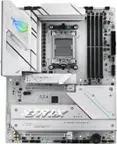
MAG X870E TOMAHAWK WIFI is designed for gamers with a stable, durable and DIY friendly foundation for their PC builds.
- Processor compatibility: Supports AMD Ryzen 9000/7000 Series Desktop Processor Socket AM5
- Speed (memory speed supported): 4 DIMMs, Dual Channel DDR5-8400+ MT/s (OC)
- Lightning USB 40G: Featuring a built-in USB 4 port, it offers a lightning-fast 40Gbps transmission speed.
- Wi-Fi 7: The latest wireless solution with a new 320MHz channel, achieving a maximum transmission speed of 5.8Gbps, which is 2.4 times faster than Wi-Fi 6/6E.
- Audio Boost 5: Isolated audio with a high quality audio processor for the most immersive gaming experience
Product Manuals
Q: What is the maximum transmission speed of the Wi-Fi on this motherboard?
A: This motherboard features Wi-Fi 7, which has a maximum transmission speed of 5.8Gbps.
Q: Which processor series is compatible with this motherboard?
A: This motherboard supports AMD Ryzen 9000/7000 Series Desktop Processors.
Q: Does this motherboard have a built-in USB 4 port?
A: Yes, the MAG X870E TOMAHAWK WIFI motherboard has a built-in USB 4 port.
Q: What is the maximum memory capacity supported by this motherboard?
A: The maximum memory capacity supported is 256 gigabytes.
Q: How many M.2 slots are there on this motherboard?
A: This motherboard has 4 M.2 slots.
Q: Will the ryzen 5 3600 work on this board
A: No. That CPU requires a socket 4. This board is socket 5.if you attempt to install the 3600 you will destroy the CPU and may damage the motherboard.
Q: Does this MB support Bifurcation? Can I use a Hyper M.2 Card with 4 drives?
A: Hello MrKnifeGuy - yes, this MB will support a Hyper M.2 Card.
Q: Does this motherboard have 3D V-cache technology.
A: Hello - this motherboard supports the AMD AM5 socket which supports many AMD CPU's that include the 3D V-Cache technology. For a full list of all of the supported CPUs, please use this link. https://www.msi.com/Motherboard/MAG-X870E-TOMAHAWK-WIFI/support#cpu
Compare similar products

MAG X870E TOMAHAWK WIFI is designed for gamers with a stable, durable and DIY friendly foundation for their PC builds.

The ASUS ROG STRIX X870E-H GAMING WIFI7 delivers a robust power solution with 16+2+1 power stages, DDR5 support with AEMP, Dynamic OC Switcher, Core Flex, Wi-Fi 7 with ASUS Q-Antenna, four M.2 slots with Q-Release, PCIe 5.0 x16 SafeSlots, dual USB4 ports, and a USB-C 10Gbps port with up to 30W fast charging.

Z790 GAMING PLUS WIFI is designed with tons of connectivity, flexible tools, and convenient Wi-Fi solution with DDR5 memory version for gamers who want all.
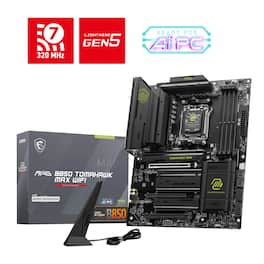
MAG B850 TOMAHAWK MAX WIFI is designed for gamers with a stable, durable and DIY friendly foundation for their PC builds.
| Pros for MSI - MAG X870E TOMAHAWK WIFI (Socket AM5) AMD X870 ATX DDR5 Wi-Fi 7 Motherboard - Black | |||
|---|---|---|---|
| There were no pros for this product— | There were no pros for this product— | Overall Performance, BIOS, Ease of use, Design, M.2 Slots | Overall Performance, BIOS, Ease of Use, Connectivity, Features |
Specs
Reviews
Customer Images
The vast majority of our reviews come from verified purchases. Reviews from customers may include My Best Buy members, employees, and Tech Insider Network members (as tagged). Select reviewers may receive discounted products, promotional considerations or entries into drawings for honest, helpful reviews.
- Rated 5 out of 5 stars
Excellent Performance and Reliability!
I've been thoroughly impressed with the MSI MAG 870E Tomahawk motherboard. It offers robust build quality, excellent performance, and a wide range of features that cater to both gamers and content creators. The BIOS is user-friendly, and I love the comprehensive connectivity options, including plenty of USB ports and high-speed networking. Overall, it’s a fantastic choice for anyone looking to build a high-performance PC at a great value.
This review is from MSI - MAG X870E TOMAHAWK WIFI (Socket AM5) AMD X870 ATX DDR5 Wi-Fi 7 Motherboard - Black
Posted by KevinP
- Rated 5 out of 5 stars
Great x870e Benefits ForCompetitive Price
Incredibly easy to set up and a great layout, especially for cases with the PSU behind the motherboard. Heatsinks are not placed in areas that may block certain coolers UEFI is very intuitive and settings are easier to find than most Asus boards. Grabbed this x870e rather than the x870 version or other x870e boards for the lack of confusing lane sharing and the 5 Gbe NIC that works great for the price. Error code LCD doubling as a CPU temp monitor out of the box is a great touch as well.
This review is from MSI - MAG X870E TOMAHAWK WIFI (Socket AM5) AMD X870 ATX DDR5 Wi-Fi 7 Motherboard - Black
Posted by AndrewP
- Rated 5 out of 5 stars
Solid platform for a new build.
I bought this after my AM4 mobo died and it would be too costly to do a 1 to 1 replacement of it. I went into this with a few things that I needed. -Alpha-numeric diagnostic code read out as well as lower placement of the readout to be lower then a AIO radiator and fans when top mounted. -Smart PCIE lane assignment -Plenty of I/O -Easy detach top slot for easier removal of the GPU. This was the best board that met the criteria and it was over $60 off when purchased at $329. Installation into the case was easy enough. Markings on the ram slots are easier to read then on ASUS boards. There are spots on the rear of the board that warn you of fragile spots that are very clearly marked. Once built out I found that the board came with a BIOS from January of 2025 which is recent enough to take the 9800X3D and train the RAM pretty quickly. SSD slots for days. A word of warning M.2 slot 2 will lane share or spilt the lane between the USB4 ports on the back and it. Samsung's 990 EVO plus does Gen 5 x2 which is exactly what the M.2 slot 2 reduces to with USB4 slots populated. My main gripe is the lack of documentation on the power connector at the bottom of the board. Turns out that it's supplemental power for the PCI-E slots so don't freak out if you cannot connect it.
This review is from MSI - MAG X870E TOMAHAWK WIFI (Socket AM5) AMD X870 ATX DDR5 Wi-Fi 7 Motherboard - Black
Posted by SeanC