A:AnswerI like the Roku the best. You can now get the YouTube channel on the Roku 1, which is cheaper than the 2 and 3. I've tried all of the streaming devices and Roku is easiest to use.
A:AnswerIt will do it. But the very limited options for adjusting time on screen and how you have to put them in all in one folder for a slideshow is not great. This is a weak area of this TV. It's USB won't support ANY video files and only some jpg files. You probably won't be thrilled with it's results unless one of the default settings you have to choose from and all your jpg files meets the software's needs. I have about 100,000 photos. They are organized by folders. It will do slideshows of one folder at a time only. The onscreen times are limited to 4/6/8 seconds.
A:AnswerThe tv remote is NOT going to work because you have to have TV and ROKU on 2 different Hdmi channels but you can download a FREE ROKU APP REMOTE FROM GOOGLE which works fantastic or use roku remote.
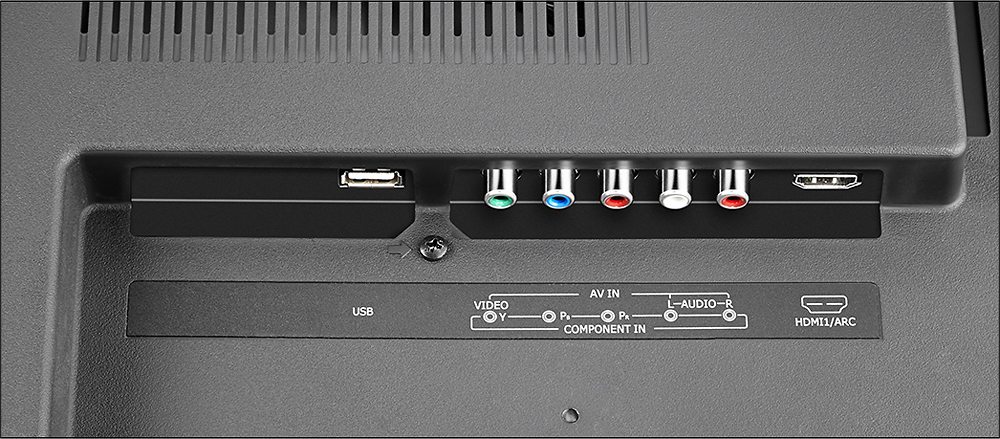
A:AnswerIf your computer has a HDMI output, then yes. Otherwise, you will need a converter to go from the VGA or DisplayPort of the PC to HDMI. You can buy these for about $40 online.
A:AnswerI couldn't find the lag numbers either, but I plugged my X-box One into it and have not issues. Then again I have 30mb of download on my interenet so that can play a factor too.