A:AnswerI have the same problem. Called their tech-support. They had me disconnect and re-connect everything in a specific sequence. Did not correct the problem. They said the device was not compatible with my (Yamaha) receiver.
A:AnswerI would think it should work. It’s just HDMI to HDMI. Mine would not work if I tried to come of my surround sound first. If you come off your cable box or satellite box then split the signal into your main tv or sound system it should work. That what I had to do to get it to work.
A:AnswerThere could be interference somewhere in the house. Digital signals are corrupted easily. It could be the distance is too far. It could be too many walls in the way. If a kitchen or bathroom is in the way, the electronics and plumbing cause more inference than a standard wall.
A:AnswerNot sure what an adaptor is. I use it because I only have cable in one room. I have another tv in a different room with no cable. The cable CO. Wanted to run a wire outside my house and drill a hole into the house. This allows me to transmit cable to my other tv. I can use the same cable remote for either tv to change channels
A:AnswerThe easiest way to deal with your sound is to run your source directly to your receiver first, then on to your projector. There are several ways to accomplish this - here are two of the easiest.
METHOD 1
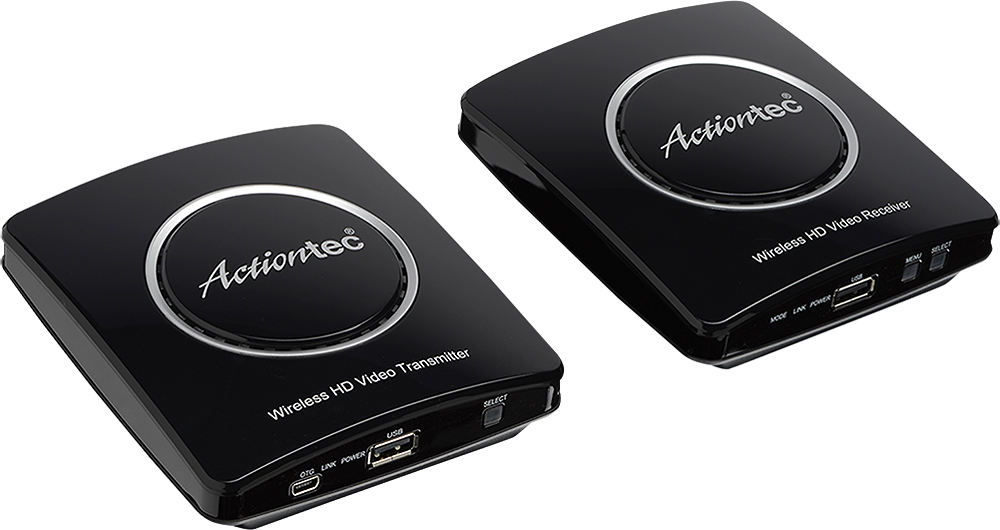
Let’s assume you have a DirecTV receiver. Run the HDMI cable from DirecTV to your receiver HDMI input for satellite TV (or pick whichever you want). Then run the HDMI output (most receivers only have 1 or 2; use the MAIN HDMI OUT) to your transmitter. At the projector end, attaché the receiver to your projector via HDMI. You’re in business!
METHOD 2
This only works with a single source. If you also have Roku, AppleTV, etc., METHOD 1 is your best option. Run a cable directly from the HDMI output of the DirecTV to the HDMI Transmitter. Attach the HDMI Receiver to to HDMI Input on the projector (as in METHOD 1). Now you’ll deal with the sound separately, either using an optical cable (best next to HDMI), or digital cable (also very high quality), or RCA connectors (vary greatly in quality & reliability). I assume you don’t have balanced inputs or outputs; most receivers don’t until you spend a bunch of money for high-end gear. Anyway, whichever cable you choose for sound may depend on matching your source features with the receiver’s features. In other words, if you want to use optical cables, make sure that both the DirecTV box and your receiver have those options. The rest is just finding a compatible input on your receiver, running the cable from DirecTV to receiver, and switching to that source when you want to watch DirecTV. The video will always be on DirecTV because it bypasses your receiver and goes directly from DirecTV to the projector.
There are many other ways to do this, but if you can locate all components EXCEPT for your projector together in a single space (like a cabinet), METHOD 1 is the best and simplest way to make this wireless video setup work to your advantage.
Above all, read your receiver manual thoroughly until you understand the important details, especially things like matching sound sources with video sources (ONLY USED IN THE EVENT THAT SOUND AND VIDEO ARE RUN SEPARATELY), fine tuning your receiver’s sound to match room acoustics, whether you want to use the video adjustments available in your receiver, or just your projector, or both, etc. The better you know the features of each piece of equipment AND HOW TO USE THEM, the more likely you will be very pleased with the finished results!
Cheers!
A:AnswerYou might be experiencing an HDCP issue. This is the built in copyright protection that is part of. the hdmi standard. It can cause issues with video or audio not passing through between devices.. Ther is no fix that I know of.
A:AnswerThere is a very slight delay with all of these types of products but it shouldn’t be very noticeable. Mine works better than my dish network Joey. I experience lag with it more often but a reboot generally fixes it for some time.