Black Friday is hereShop new DoorbustersShop now

Main Content

Questions & Answers

Your price for this item is $249.99
Page Showing 1-20 of 49 questions
  • QuestionIs this the version with ads ("with special features") or without?

    Asked by twh1972.

    • Answer Yes, this is the one with ads. You can pay to remove them for $20 after you purchase, or ask Amazon CS to remove them.

      Answered by Tristeza

  • Questionis there a cloud for books downloaded and/or expandable storage. curious on what the 8gb will really hold?

    Asked by me.

    • Answer Hi, Once books are purchased, you can keep all books in the cloud and then only download the ones you want to use offline. There is no option for expandable storage. But with the 8Gb of space, you can hold plenty of books when downloaded.

      Answered by Amazon Devices Customer Support

  • QuestionWill the Oasis E-Reader play audio books from a library

    Asked by Eck.

    • Answer No the Oasis will not play Audiobooks borrowed from a public library. The Oasis will only play “Audible” Audiobooks which are In Amazon’s propriety format and must be purchased from Amazon.

      Answered by TheRose

  • QuestionCan you use this as a way to check out books digitally from a library?

    Asked by Mandy.

    • Answer Hello Mandy, yes eligible library books are available in the United States through a digital service called OverDrive. Confirm whether your library branch participates and offers Kindle books. To start, get a library card and a PIN from your local library. Go to the website of your local public library and search for "Kindle books" or "eBooks." At checkout, sign in to your Amazon account and select the device to which you want to send the book. Connect your Kindle device to Wi-Fi and download to the title from the Archived Items or Cloud. Some titles may require USB transfer from your computer to your supported device.

      Answered by Amazon Devices Customer Support

  • QuestionIs this model Generation 10?

    Asked by Anonymous.

    • Answer Yes, 2019 10th generation

      Answered by T800

  • Question1)Is it international version? 2) does it support Hindi language books ? 3) Can I copy PDF to to this kindle and read it?

    Asked by Satyendra.

    • Answer Hi Satyendra, As long as you have the appropriate international charger, as well as Wifi (if you would like to be able to download books and content) this will work. The Kindle does have support e-books in Hindi. As far as PDF's, you can connect to a computer You can do this within your file browser by opening the Kindle icon/folder and then navigating to the “documents” folder. Drag and drop the PDF file from the original location to the Kindle “documents” folder.

      Answered by Amazon Devices Customer Support

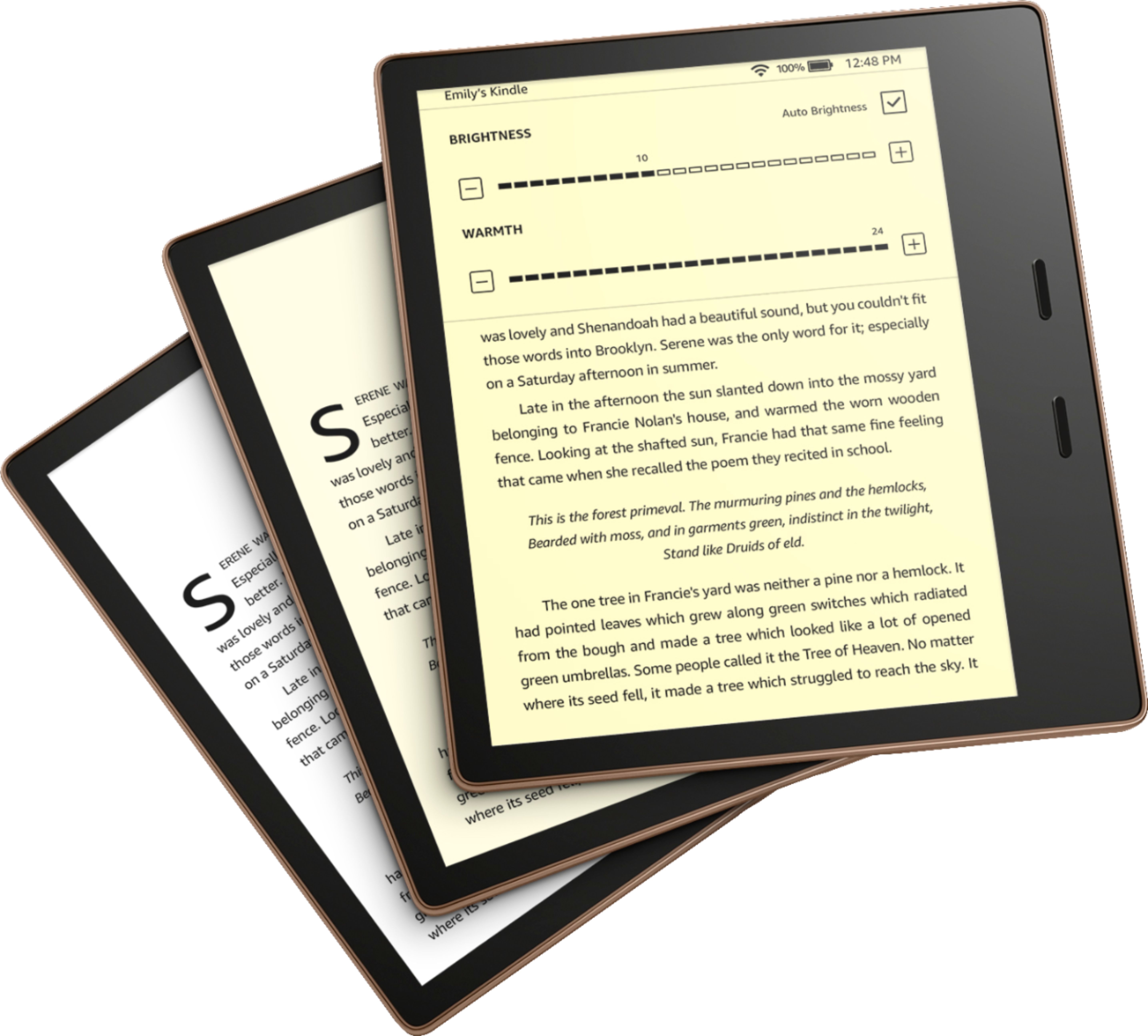
  • QuestionCan it be read in the dark

    Asked by Nick.


    • Answer Hi Nick, The Kindle Oasis has a built in front light. This light will allow you to read in the dark. It is adjustable to the room as well. Have a great day!

      Answered by Amazon Devices Customer Support

  • QuestionWhat is the size of the case on this Kindle?

    Asked by Bigreader.

    • Answer Hi, I did not buy a case, but a sleeve (see info below). Personal preference, it fits well and I use it only when travelling and I am throwing my kindle in my backpack. I still have my Gen1 Kindle, and for this one, I had a leather case, but the combo kindle+case was a bit heavy. Hope this helps. Sleeve details: WALNEW 7'' Kindle Sleeve for Kindle Oasis - Protective Insert Sleeve Case Cover Bag.

      Answered by Christof

  • QuestionI currently own a Kindle Paperwhite,and am thinking about upgrading to the Oasis..can I transfer my books from the paperwhite to the Oasis,don’t want to lose all my books from the paperwhite

    Asked by Luv2read.

    • Answer Hi Luv2read! All of your books that were purchased from Amazon will be linked to your Amazon account, and will be available immediately in your Library on the new device. If you've manually added books or PDFs to your device, you'd have to put them back on the same way you originally did. I hope that helps, have a great rest of your day!

      Answered by Amazon Devices Customer Support

  • QuestionIs it possible to add an app for ADHD(Highlight the first couple of letters of each word)?

    Asked by KW.

    • Answer Hi KW, thank you for your question. At this time the Kindle Oasis E-Reader does not have the ability to download additional apps. However, with all Kindle reading experiences, customers can adjust the font type, size, screen brightness, margins, and line spacing. Customers can save settings and quickly switch between reading themes. All current generation Kindle e-reader devices allow customers with light sensitivity to invert black and white on the display. And the large display option expands important parts of the display like the text on the home screen and library as well as the book icons to make it easier to read. Additionally, while only available via the Kindle app at this time, Kindle Reading Ruler helps improve a reader's concentration and focus while reading. Paired with the natural motion of Kindle’s Continuous Scrolling, and the flexibility to dynamically adjust with Kindle’s font and layout settings, Reading Ruler provides even more ways for readers to find their most comfortable reading environment. Hopefully this information is helpful. Have a wonderful day!
      Answered by Amazon Devices Customer Support

  • QuestionDoes the oasis e-reader have movies?

    Asked by Carol.

    • Answer No. e-readers with e-ink screens to not do movies.

      Answered by Devon

  • QuestionCan you hold the Kindle with one hand and advance pages at the same time?

    Asked by ADP.

    • Answer Yes.

      Answered by Joken

  • QuestionCan you read and listen to the King James Bible. Download it my mom doesn’t have wif having hard time to see.

    Asked by Anonymous.

    • Answer Hello, you want to know if you are able to read and listen to the King James Bible on the Amazon Kindle Oasis E-Reader (2019). The King James Bible is available for download in both formats onto the Amazon Kindle Oasis E-Reader (2019) for a fee for each. Please keep in mind you will need to have the Amazon Kindle Oasis E-Reader (2019) connected to external speakers or headphones for audio as it does not have an built in speaker. Hope this has answered your question. Have an amazing day!

      Answered by Amazon Devices Customer Support

  • Questionhi, does it support Arabic language books ?

    Asked by Anonymous.

    • Answer Hi there! The Kindle does support Arabic! You may want to check what is available, which you can do by searching in the Kindle eBooks category on Amazon. You can refine your search down to Arabic language books specifically as well, to help out. Hope that helps, have a great rest of your day!

      Answered by Amazon Devices Customer Support

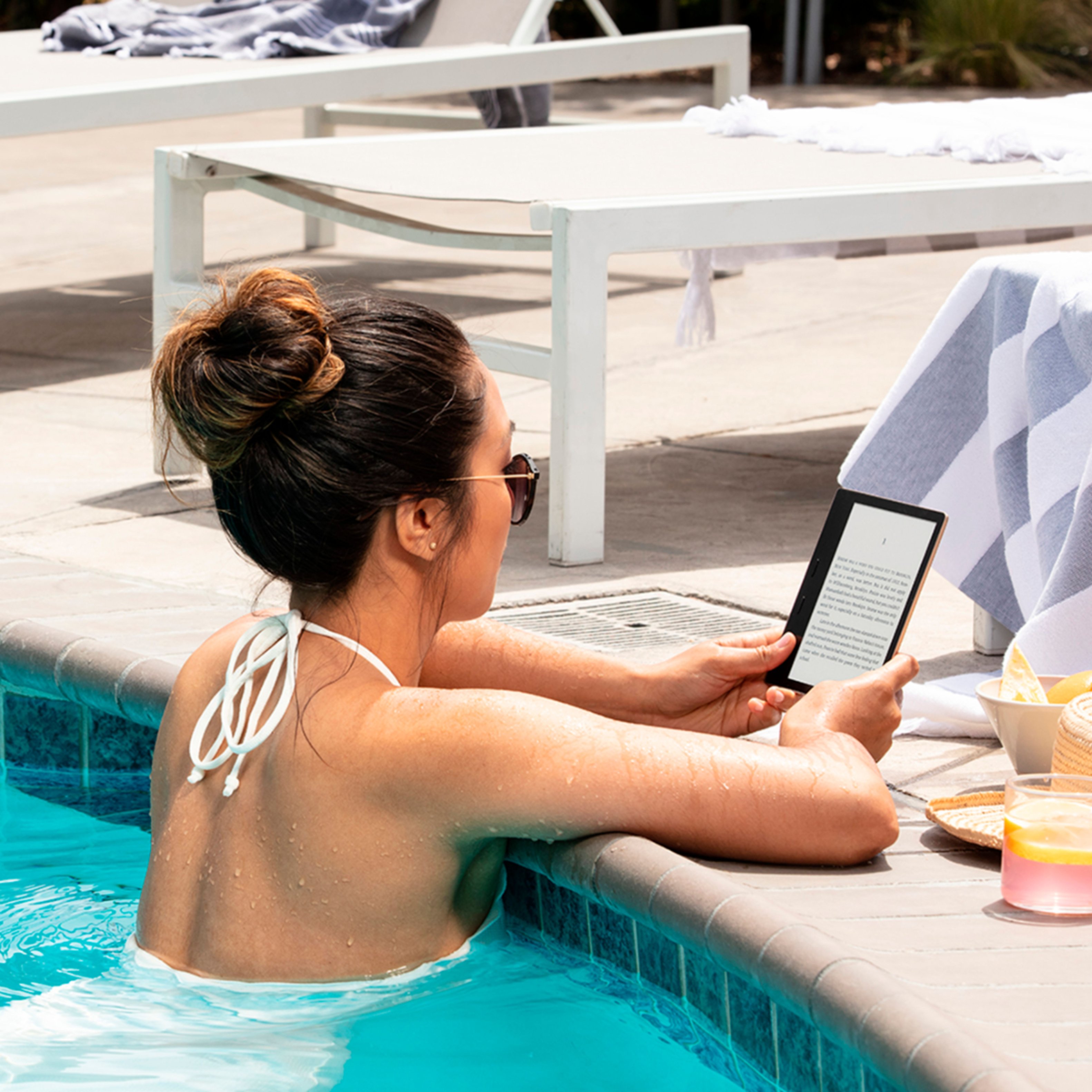
  • QuestionIs the version waterproof

    Asked by kindleoasis.

    • Answer Yes

      Answered by Macbook

  • QuestionHow did his work out in the sun

    Asked by Angie.

    • Answer There’s is no problem reading out side in sun. Absolutely no glare.

      Answered by Pattg

  • QuestionDoes this work with the e-reader apps that are on Facebook

    Asked by Clemy1234.

    • Answer This is locked to Amazon's Kindle service. It might be possible to unlock it and sideload apps, but likely not worth the hassle.

      Answered by docfuturity

  • QuestionCan you sideload books you own?

    Asked by Gloria.

    • Answer Hi Gloria, If you have purchased books previously on the Kindle App, then yes, they will be available on your Oasis. Automatically! If books you previously purchased were through Apple, then they will not be able to sideload since that's a different ecosystem. You can use apps to sideload books from the public domain onto your Kindle like Calibre. Hope that helps! Hope that helps!

      Answered by Amazon Devices Customer Support

  • QuestionCan I transfer my other books from my older kindle?

    Asked by Karen.

    • Answer You should be able to if you use the same Amazon account to link.

      Answered by Jaethejedi

  • QuestionMy Oasis 32 g says it has cellular however it will not connect to cellular. It will only connect to Wi-Fi?? Amazon pays for the cellular is my understanding due to the up charge of the oasis.

    Asked by Sugar.

    • Answer Hi Sandi, please make sure that you have airplane mode turned off. Tap the notification bar on any screen, and then swipe down. To access the mobile network, tap Mobile Network. By tapping the Mobile Network switch, you can toggle mobile data on and off. The Data Roaming switch can be used to turn on or off data roaming. I hope this answers your question. Thank you!

      Answered by Amazon Devices Customer Support