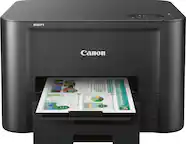
A:AnswerYes, the printer faxes, scans, copies and prints, but you must be sure to install all the specific drivers for those applications, plus a phone line for faxing.
A:AnswerYes, it prints really well & fast from an Android phone, but make sure to download/install the 2 Epson print apps for your phone. Epson Print Enabler & Epson iPrint are available in the app store. Epson Smart Panel is a new app that just became available from Epson's website that allows more features, control & editing directly from your Android or iPhone.
A:AnswerIn the menu select change print cartridges. Lift the printer open from the sides. The cartridge holder will position so you can access it. Lift them out individually from the tops.
A:AnswerI use the plastic quite frequently, and I use the standard plain paper setting. The printer will tell you that the setting is wrong, but I* use it anyway. It will work anyway.
A:AnswerYes, it absolutely can. You can connect the printer to the Wi-Fi in your home, the same Wi-Fi your computer is connected to and print wirelessly that way. Or you can buy the proper cord to hardwire the printer to your computer tower and print that way. Either way works.
A:AnswerYes, it will still print, but the colors may be muddy because the remaining ink will have to fill in where the missing ink would otherwise appear on your paper.