“My HP Pavilion 595-p0084 is two months old, I have had several overheating shut downs (with blue thermal shut down screen on re-boot) including when it is idling overnight. I found on the internet at least three other users having same issue.”
Answer This Question
1-4 of 4 Answers
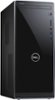
I like Best Buy Customer service and rewards program, From the symptoms you describe, please backup any data you may have and you have 2 main options You are still under warranty so do not waste time do it as Soon as possible. 1. with your receipt, Return said computer and let them know, the issues you are having with this model leaves you with a vote of no confidence in this model and you would like a replacement of "Like" Kind. meaning the same value of your purchase price. Currently It is slim pickings for Quality desktops but the 2 below are good even if they are Dell 2. You can have them fix it for you, take it to the geek squad. they may just reset it to factory default which will not solve the issue or decide it needs replacing, let them try I hope this was helpful Should you decide to stick with this model I suggest keeping an extended warranty on this product. (When we buy a product that we feel has value and quality; the expectation is that is should be a good product and work as it is advertised
I would recommend:
Sorry, there was a problem. Please try again later.I had the same problem .. truth be known if it was under the two weeks I would have brought it back.. ,, I did move the PC a little away from obstructions and it has worked fine since ..my next move would be to run a small fan nearby .. but its all good
Sorry, there was a problem. Please try again later.As I mentioned yesterday, It really varies based on your usage. If you believe you are having an issue you should reach out to the HP support team or your local Geek Squad to ensure that if there is a defect it can be noted, addressed and corrected.
Sorry, there was a problem. Please try again later.I updated the BIOS and that seemed to fix it.
Sorry, there was a problem. Please try again later.