Black Friday is hereShop new DoorbustersShop now

Main Content

Questions & Answers

Page Showing 61-74 of 74 questions
  • QuestionDoes this stylus work with the iPad 10th generation?

    Asked by JJ.

    • Answer Yes, I have this one. I actually bought it for this exact model.

      Answered by cliffbee2

  • QuestionCan this work with an Amazon Fire tablet 10 13th generation?

    Asked by Julz.

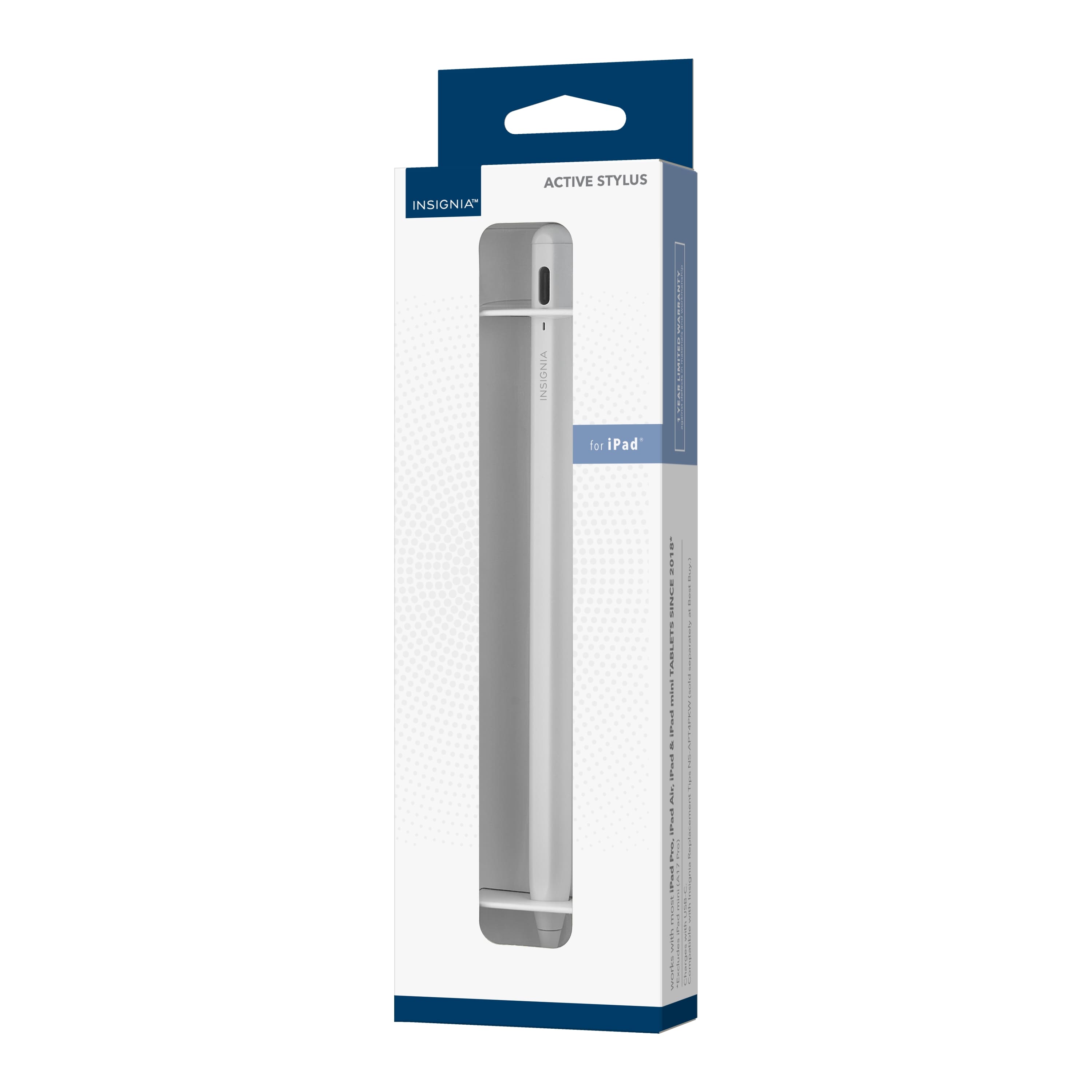
    • Answer Hi Julz thank you for the interest to our product, but the Insignia™ - Active Stylus is not compatible with the Amazon Fire tablet 10, 13th generation. To view the list of compatible devices for this product, please download the Quick Start Guide. We appreciate your understanding and hope you find the information helpful. If you have any further questions, feel free to reach out. Jeth | Insignia™ Support. https://www.bestbuy.com/site/insignia-active-stylus-for-ipad-ipad-pro-ipad-air-and-ipad-mini-white/6563773.p?skuId=6563773

      Answered by InsigniaCustomerSupport

  • QuestionDoes this Stylus work with iPad Pro 10.5 (A1709) ?

    Asked by Sri.

    • Answer Thank you for your inquiry! Yes, the Insignia™ Active Stylus is compatible with iPad models including the iPad Pro 10.5 (A1709). It's designed to work with various iPad models, providing precise control and functionality for tasks such as drawing, note-taking, and navigating your device's interface. Keith | Insignia Support https://www.bestbuy.com/site/insignia-active-stylus-for-ipad-ipad-pro-ipad-air-and-ipad-mini-white/6563773.p?skuId=6563773

      Answered by InsigniaCustomerSupport

  • QuestionI can’t get it to work

    Asked by Jaybird.

    • Answer Try double taping/lightly pressing the top and it should show a red l.e.d. Charging it for at least an hour before use and disregistering any old pencil or stylus devices. It connects automatically.

      Answered by Elisa

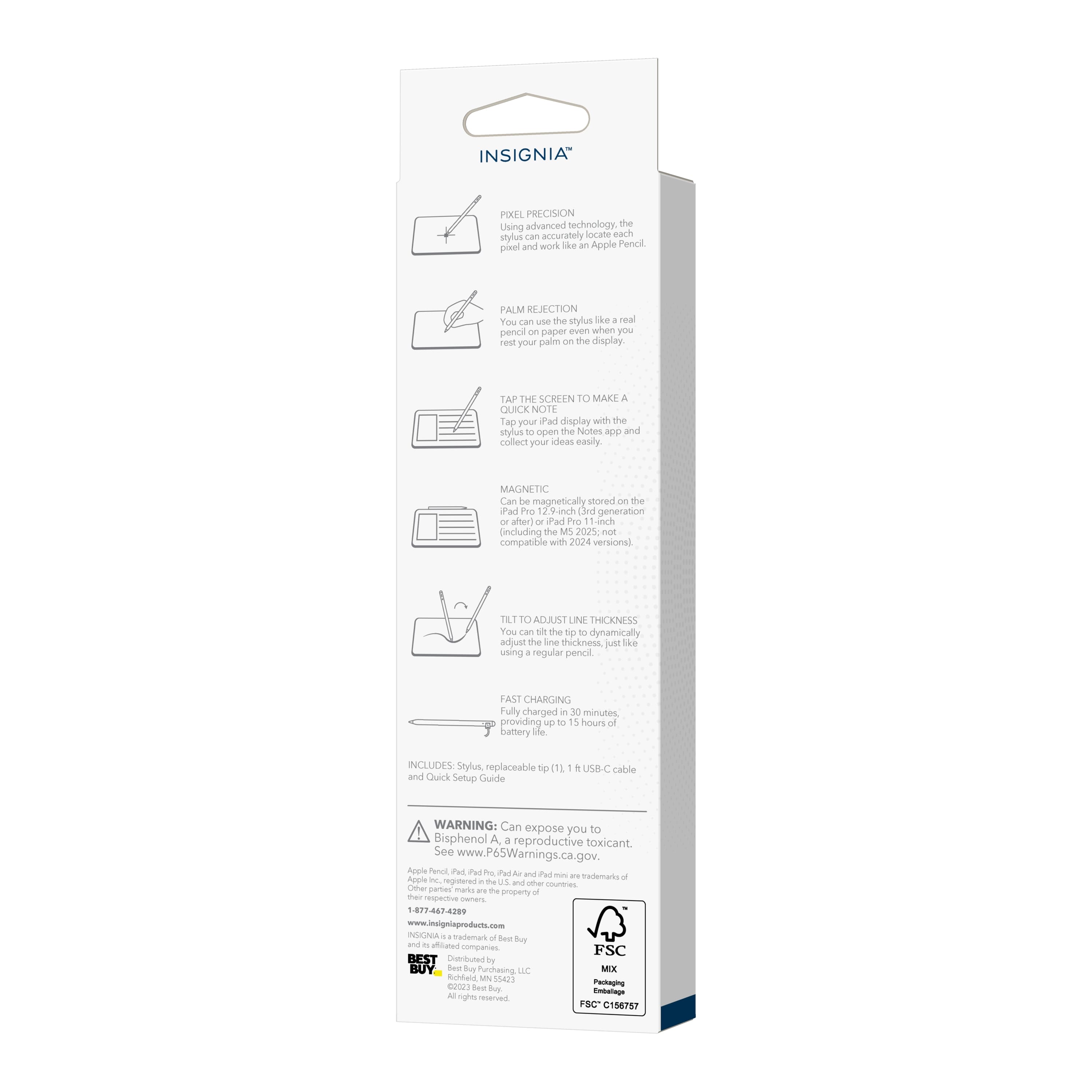
  • QuestionDoes it work as accurately as Apple pencil when using drawing applications like Procreate?

    Asked by Lillian.

    • Answer Not pressure sensitive, not compatible with Procreate, no idea why they're lying to you.

      Answered by Andrea

  • QuestionWill this work with a Kobo Elipsa 2E?

    Asked by Joe.

    • Answer Hi Joe! Thank you for your interest in our Insignia™ - Active Stylus for iPad, iPad Pro, iPad Air and iPad mini - White. Thus, this pencil will not work with your Kobo Elipsa 2E because this is only compatible in all iPad Models that is updated to iOS 12.2 or above. For more product information you can check the link below, go to features and download the quick start guide. |Angelica| Insignia Support| https://www.bestbuy.com/site/insignia-active-stylus-for-ipad-ipad-pro-ipad-air-and-ipad-mini-white/6563773.p?skuId=6563773

      Answered by InsigniaCustomerSupport

  • QuestionHow do I disconnect my pen from my iPad ? I want to connect it to my new iPad

    Asked by Ashly.

    • Answer Hi there. To use your Insignia™ Active Stylus with your new iPad, just turn off the stylus by double-clicking the power button, then turn it back on by double-clicking the button again. The stylus should now work with your new iPad without any additional steps. If you have any other questions, feel free to ask. Ivy | Insignia Support

      Answered by InsigniaCustomerSupport

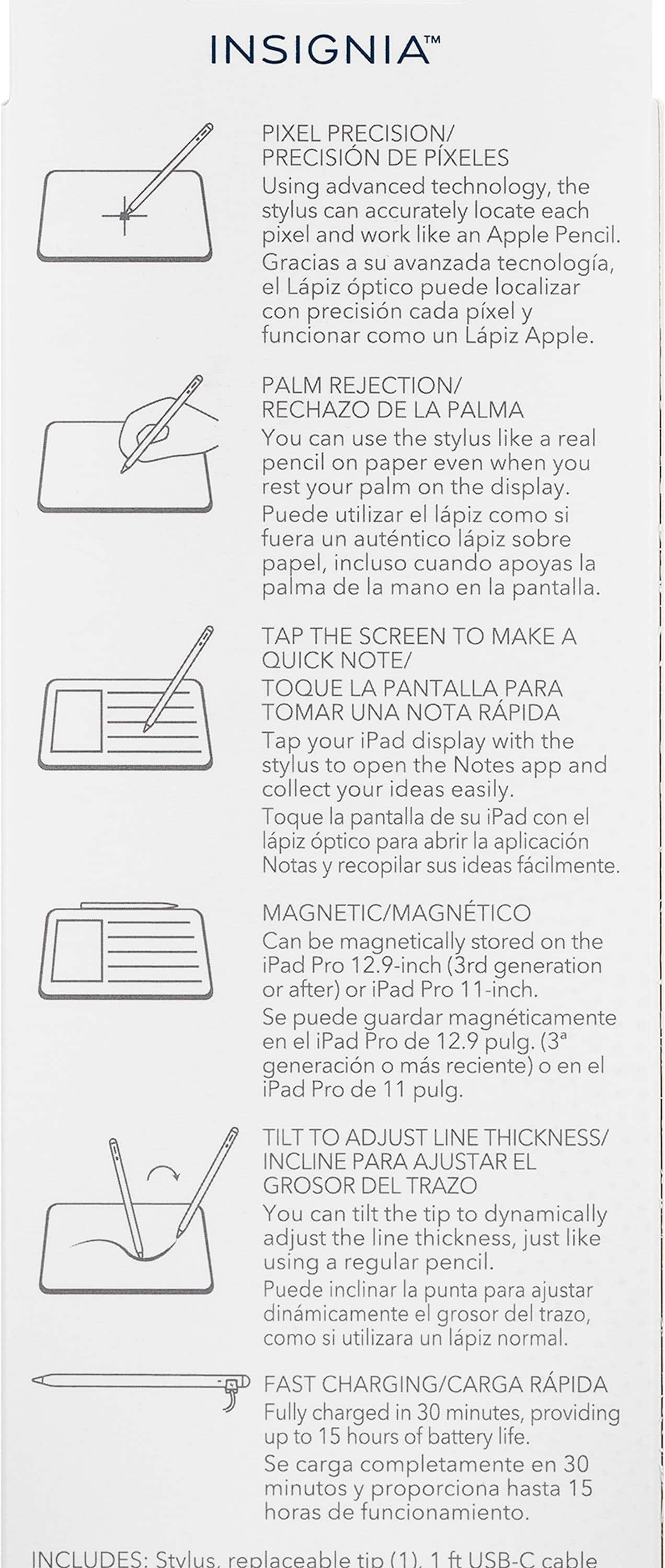
  • QuestionI got the pen to function but i cant seem to figure out how to use the tilt to change thickness of strokes feature, is it only supposed to work on specific apps or am i missing something?

    Asked by Marco.

    • Answer Great to hear that you got the pen working! The tilt-to-change-thickness feature of the Insignia™ Active Stylus should work similarly to the Apple Pencil, allowing you to adjust line thickness by tilting the stylus, just like a real pencil. However, this feature is typically supported only in certain apps that are designed to recognize tilt input. Popular apps that support this feature include Procreate, Adobe Fresco, and Notability. If you're using an app that doesn't support tilt sensitivity, you won't see any change in stroke thickness when you tilt the stylus. If you're using a compatible app and still experiencing issues, make sure your iPad's software is up to date and that the app itself is updated to the latest version. Sometimes, restarting the app or the iPad can also help resolve any glitches. If you have any other questions or need further assistance, feel free to ask!

      Answered by InsigniaCustomerSupport

  • QuestionDoes this have pressure sensitivity?

    Asked by Chrissy.

    • Answer Yes

      Answered by GeorgeS

  • QuestionWas told it works for iPad Air 2. But it does not unfortunately

    Asked by Chloe.

    • Answer Hi Chloe! Thank you for sharing your experience with the Insignia Active Stylus. I apologize that it didn't work as expected for you. I understand that the product was marketed as compatible with iPad Air 2, but it's unfortunate that it didn't meet your expectations. Jeth | Insignia Support. https://www.bestbuy.com/site/insignia-active-stylus-for-ipad-ipad-pro-ipad-air-and-ipad-mini-white/6563773.p?skuId=6563773

      Answered by InsigniaCustomerSupport

  • QuestionDoes the stylus work with Scribble on the 9th gen iPad? I need a stylus that will let me write notes and convert them to text. I want to confirm if Scribble is or isn’t exclusive to Apple Pencil. Any help is appreciated!

    Asked by Ashley.

    • Answer Hi Ashley, yes, Scribble on the 9th generation iPad should be compatible with the Insignia Active Stylus. You should be able to take notes with the stylus and turn them into text because Scribble is not just available with the Apple Pencil. If you have any questions or concerns, please let us know! Gly | Insignia Support | https://www.bestbuy.com/site/insignia-active-stylus-for-ipad-ipad-pro-ipad-air-and-ipad-mini-white/6563773.p?skuId=6563773

      Answered by InsigniaCustomerSupport

  • QuestionWill this work on iPhone as well?

    Asked by Tara.

    • Answer I believe it is not compatible with iPhones, although that may be different for the newest iPhone models.

      Answered by Anonymous

  • QuestionDoes this work with the new iPad a16?

    Asked by Ivy.

    • Answer Ivy, thank you for your question about the compatibility of our Insignia Active Stylus with the new iPad (A16). Unfortunately, without more specific information about the exact model name or year of the iPad with the model number A16, we cannot definitively confirm compatibility. iPad model numbers can sometimes be similar across different generations, and stylus compatibility often depends on the specific iPad model and its features. To ensure you get the correct information, we recommend contacting our Insignia customer support team (877-467-4289) directly. They will be able to assist you in determining if our stylus is compatible with your specific iPad model A16. They can provide the most accurate and up-to-date compatibility details. - Mae | Insignia Support

      Answered by InsigniaCustomerSupport

  • QuestionI do not find instructions for pairing. Stylus is fully charged.

    Asked by Mike.

    • Answer You have to tap it twice like regular pen and it will turn on, once the light goes on it should work.

      Answered by Maggie