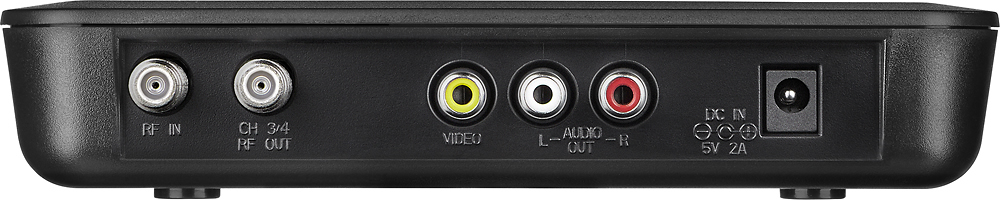
A:AnswerNo it just has cable wiring not the red white or yellow hook ups; however, I have an older model TV and the cords I received were appropriate for my older model TV.
A:Answerno HDMI outputs,this converter is for old analog (tube)tvs
your discription sounds like you have a digital tv and may just need a antenna.
converter box not necessary .
A:AnswerPlease contact our team for assistance with troubleshooting and warranty evaluation. They can be reached by email at http://www.insigniaproducts.com/contact-us.html or by phone at 1-877-467-4289 any day between 8am and 9pm CST.
A:AnswerNo, the provided power adapter connects to an AC outlets and converts the current to DC for the player. We do not recommend using any other power cable with the unit.
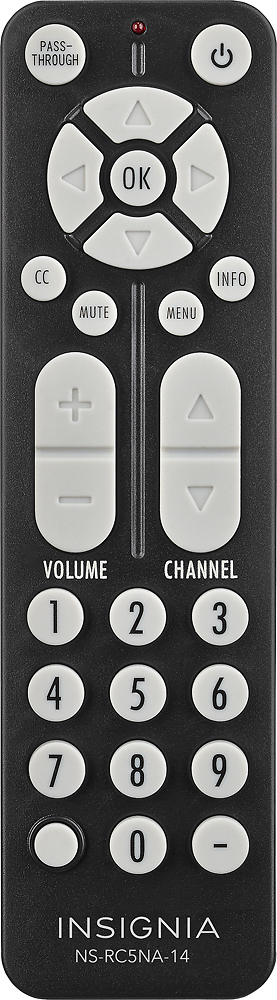
A:AnswerConnect an antenna to the antenna in. Connect one of the outputs to the TV. With batteries in the remote, press menu and select the function you need. Find add channels/scan/auto and do a scan.
A:AnswerCheck the menu to be sure the audio is not set to SAP channel. This is the Secondary Audio Channel and some stations put Spanish dialogue on it for some shows, but leave it silent on others. Other stations will put the English dialogue on it as well as the main channel.
A:AnswerYou can change the "Power" setting on this digital converter box.
Remote Control => "Menu" button ==> Select "Setting- Configuration" ==> Select "Power Saver - Turn off power automatically" - You have 4 different power selections. See Pixs.