“Would this be a good emulation machine? I don't wanna hook up my laptop to my tv every time so will this be good for MAME and anything under PS1?”
Answer This Question
1-3 of 3 Answers
We recommend you check with the software publisher and the game console manufacturer, for their compatibility with Windows 10 Home 32-bit operating system and the minimum/recommended hardware requirements (Is a Graphics card required, the processor speed and the minimum required system RAM) to run their program or the hardware console, then compare those requirements to this system's configuration.
Sorry, there was a problem. Please try again later.Yes very good product if you don't want to hook up a full Pac or Mac. Easy to use, easy set up, I would recommend.
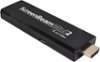
Sorry, there was a problem. Please try again later.As long as you use wireless controllers, preferably Bluetooth, you should be fine. You'd need a hub to use anything requiring a dongle outside of the first controller and/or KB+mouse combo, if not Bluetooth. Depending on the specs of your laptop, you could also consider just wirelessly mirroring your display and/or projecting a second screen using something like an Actiontec ScreenBeam Mini 2 (currently on sale for a decent price at a fraction of the price of this) or a Microsoft Wireless Display Adapter V2 Receiver. Works great for my similar needs when temporarily utilizing a larger/extra screen for my Windows machines. You wouldn't have to worry about performance or ports in that case, but there MAY be an issue with lag while gaming (button press vs display feedback on the second screen where it is transmitted). Just throwing out an option to try first to see if it suits your needs. If you feel you actually need a second full machine just for emulator playing, this basically is on par, performance-wise, with every entry-level 2-in-1 or slate Windows 10 tablet you'd see between $100-$300. This just packs that into a stick for a BYO Display version of the same thing as those 8-10" tablets.
I would recommend:
Sorry, there was a problem. Please try again later.