A:AnswerI have not used Outlook, but the Lenovo has worked well with any ONE app that I have tried, such as LibreOffice, a heavy duty Office replacement. When you have two or three apps running and five or six tabs open on the Edge browser, the computer will slow down or freeze up. The solution is: use only ONE or two apps at a time, and things run smoothly.
The exception would be graphics heavy programs and games. The 2gb of RAM memory and basic graphics chip are a poor match for Photoshop, a video editor, or fast action games with complex graphics.
A:AnswerBing is actually Microsoft's search engine, not an operating system. Since the machine comes with Windows 10 installed, Edge and Bing will be your default browser and search tool. However, I recommend using Google for any "serious" searching.
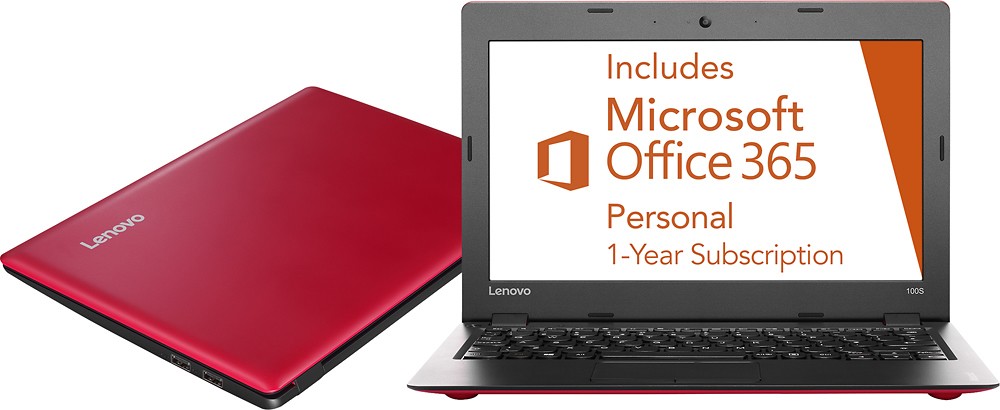
A:AnswerYou don't NEED an internet connection to use Microsoft Office, but it's helpful if you're using something like MS Word and want to save (or download) your file to/from OneDrive.
Hope this helps!
A:AnswerThis is a standard with plug-in adapters today. They typically operate from 100 Vac to 240 Vac as they use a switch mode type converter rather than a linear type in the old days. You will still need an adapter to change from US plug style to a foreign plug style but will not need voltage conversion.
A:AnswerThe power button will stay on if the system is still plugged in after you turn it off. If the power button stays on after shutdown and the system is not plugged in, try updating your system's drivers, including BIOS and power management drivers. Follow the link below to look for new driver updates for your specific system. As always, be sure to create a restore point on your system before you make any changes. Here is the link:
http://support.lenovo.com/us/en/products/Laptops-and-netbooks/100-series/100s-11iby/80R2/001FUS?query=&Shallow=1&Type=&OperatingSystems=&Component=&Symptom=&linkTrack=Caps%253ABody_SearchProduct&tabName=downloads&beta=false
A:AnswerYou will need to have a WiFi signal to connect to, either a WiFi router at home or a free WiFi hotspot available to the general public. There will be a small icon in the bottom right of the desktop screen on this device that you then will click on to be sure the system WiFi is turned on. This is the same for all Windows 10 systems.
A:AnswerWe recommend you check with the software publisher for their minimum/recommended requirements to run their software, then compare those requirements to this system's configuration.