



Black Friday is hereShop new DoorbustersShop now

Main Content

Questions & Answers

Your price for this item is $1,996.99
The comparable value price is $3,399.99
Page Showing 1-20 of 39 questions
  • QuestionWhat smart platform does this TV use?

    • Answer This TV uses the webOS smart platform.
    This question and answer was generated by AI based on customer and product data.
  • QuestionDoes this TV have built-in speakers?

    • Answer Yes, it has built-in downward-firing speakers.
    This question and answer was generated by AI based on customer and product data.
  • QuestionIs this LG TV compatible with G-SYNC?

    • Answer Yes, this TV is compatible with NVIDIA G-SYNC (Adaptive Sync).
    This question and answer was generated by AI based on customer and product data.
  • QuestionHow many HDMI inputs does this LG TV have?

    • Answer This TV has a total of 4 HDMI inputs.
    This question and answer was generated by AI based on customer and product data.
  • QuestionWhat is the refresh rate of this LG TV?

    • Answer The refresh rate is 120Hz.
    This question and answer was generated by AI based on customer and product data.
  • QuestionWhat type of HDR format does the LG TV support?

    • Answer This TV supports Dolby Vision HDR format.
    This question and answer was generated by AI based on customer and product data.

  • QuestionDoes this TV include a stand?

    • Answer No, a stand is not included but a wall mount is included with the TV.
    This question and answer was generated by AI based on customer and product data.
  • Questioncan i purchase a stand for this tv

    Asked by majestic61.

    • Answer You should be able to purchase a stand directly from LG; however, I recommend a stand from Sanus.

      Answered by Rick24C

  • QuestionDoes it Upscale OTA content?

    Asked by Charlie.

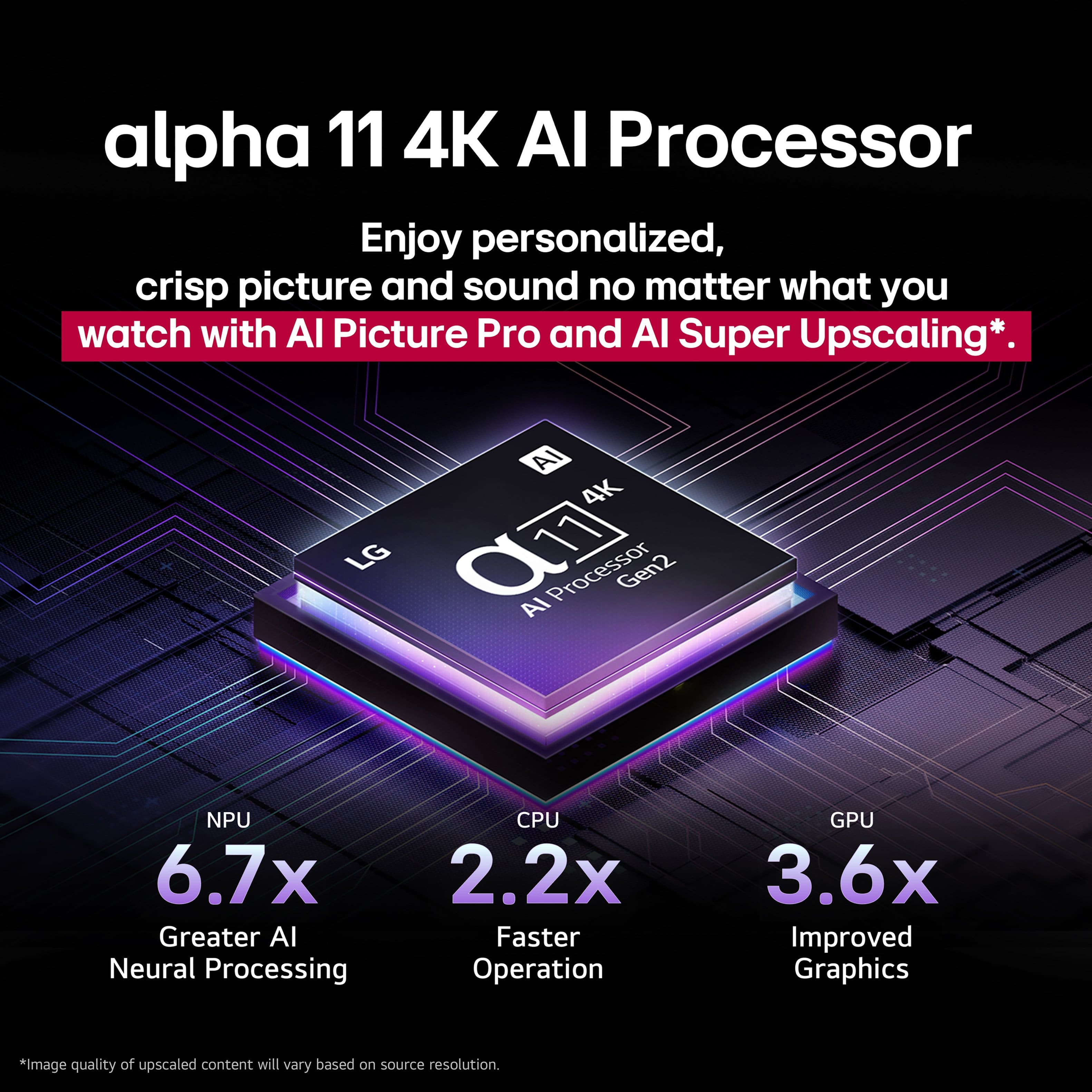
    • Answer The LG 65-inch Class LG OLED evo AI G5 4K Smart TV 2025 with Supplied Wall Mount, Model # OLED65G5WUA has a native 4K (3840 x 2160) resolution and it has a α11 AI Super Upscaling 4K that will upscale any incoming video signal to its native resolution, or as close as it can get the signal depending on how much data the signal has if the signal has a lower resolution, regardless of whether the signal is an OTA signal or from a cable set top box...^Ivan.

      Answered by LG Digital Customer Care

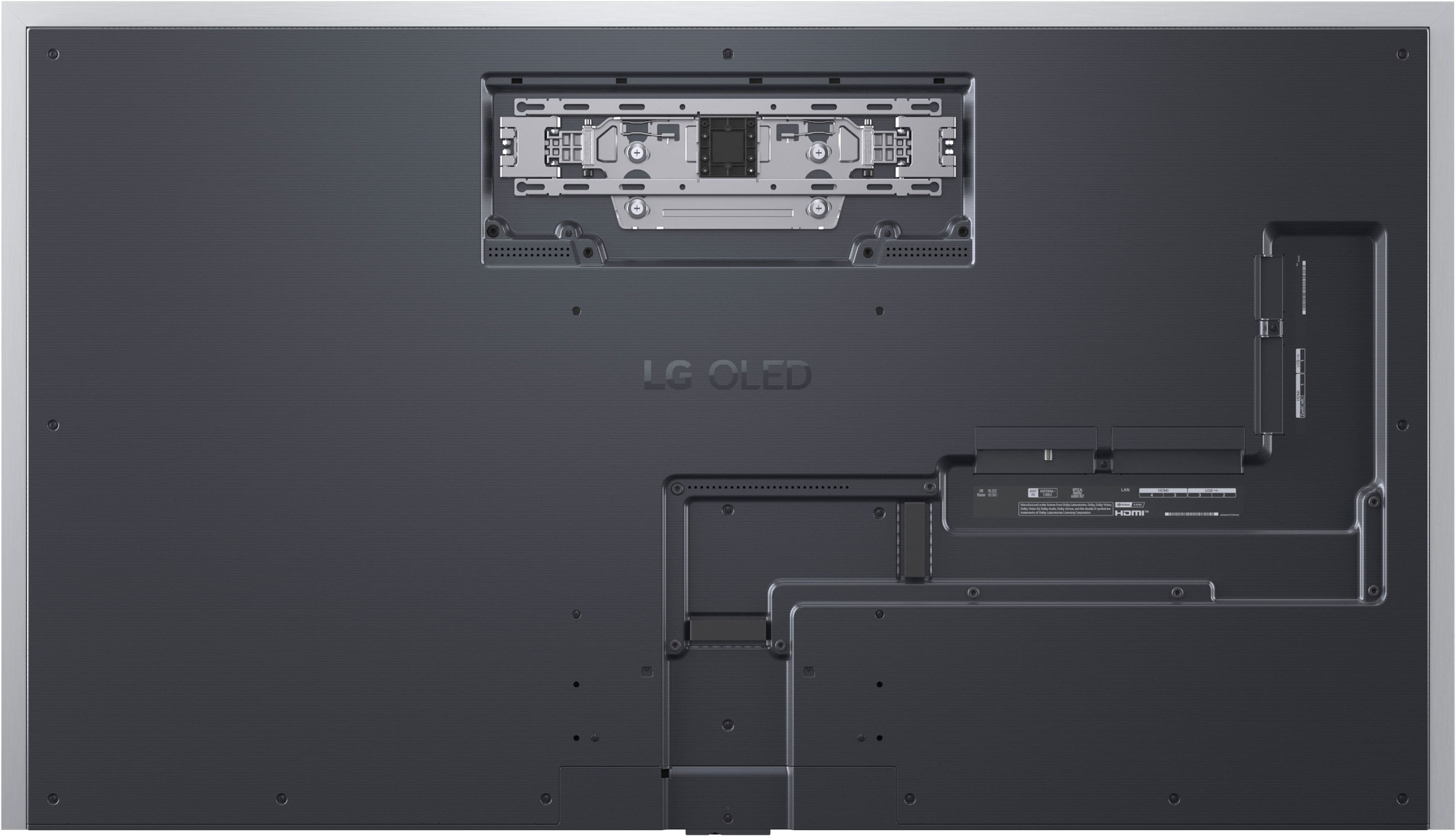
  • QuestionWhat does the plug look like on this TV? Is it a basic plug or is it "flat" so that it could be used in a standard outlet behind the TV without having the TV stick out from the wall too much?

    Asked by 10schick.

    • Answer Hello there. Thank you for reaching out to us with your inquiry about the OLED65G5WUA G5 Series TV's power plug design. We understand your inquiry, especially since this model features the "One Wall Design" for a flush mount. The power cable for the LG G5 Series, model OLED65G5WUA, is designed to support a near-zero gap installation. For this specific Gallery series model, the power cable's plug is designed as a flat, right-angle, or low-profile plug. This design is intentional and critical to ensuring the TV can sit flush against the wall using the included wall mount, without the plug preventing the unit from achieving that signature, seamless "One Wall" look. Additionally, the port section on the back of the TV is recessed to help manage cables, including the power cable, as efficiently as possible for a clean, flush-to-the-wall installation. https://www.bestbuy.com/product/lg-65-class-g5-series-oled-evo-ai-4k-uhd-smart-webos-tv-with-one-wall-design-2025/JJ8VPZW8F4 If you have any further questions about the "One Wall Design" installation or cable management, please send us a private message on Social Media @LGUSSupport, and our team will be more than happy to assist you. —Renzo

      Answered by LG Digital Customer Care

  • QuestionI'm planning on mounting this TV inside of a cabinet opening. Would it be possible to find out the location of the top VESA holes relative to the top of the TV or the bottom VESA holes relative to the bottom of the TV? Thank you

    Asked by Anonymous.

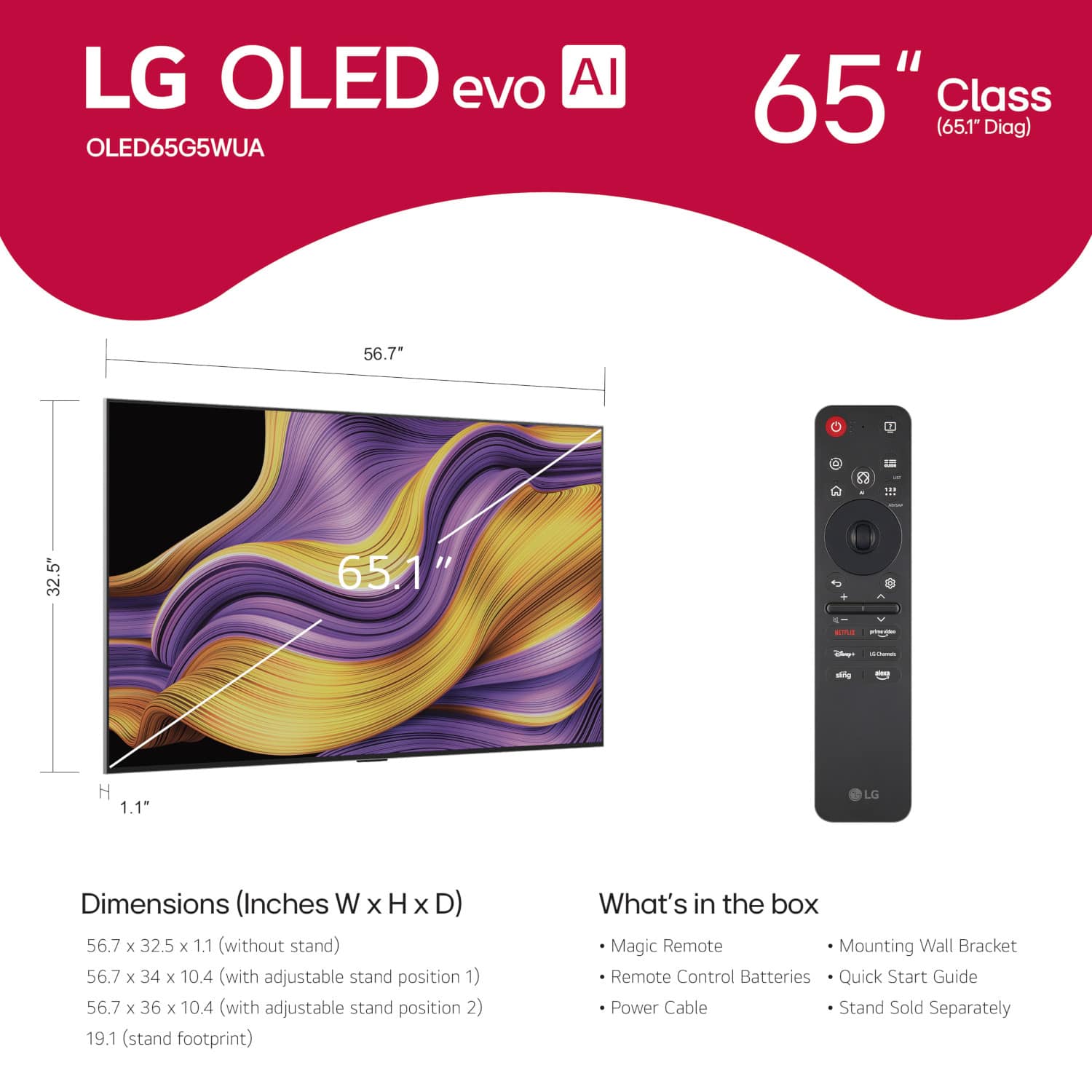
    • Answer The LG 65" Class G5 Series OLED evo AI 4K UHD Smart webOS TV with One Wall Design (2025), Model # OLED65G5WUA has two sets of wall mounting holes. The upper mounting holes are for the special flush mount that comes with the TV. The top row of VESA-Compliant Wall mount holes that can be used with third-party VESA-compliant wall mounts, is 307 mm (12.087") from the top of the panel, and 519 mm (20.43") from the bottom of the panel. The bottom row of VESA mount holes is 219 mm (8.62") from the bottom of the panel, and 6078 mm (23.898") from the top of the panel. For the mount holes for the special flush mount, the top row of mount holes is 150 mm (5.91") from the top of the panel, and 676 mm (26.61") from the bottom of the panel, and the bottom row of mount holes is 205 mm (8.07") from the top of the panel, and 621 mm (24.45") from the bottom of the panel...^Ivan.

      Answered by LG Digital Customer Care

  • QuestionIs there a tilting wall mount that works with this tv?

    Asked by Anonymous.

    • Answer There are a lot of generic wall mounts that tilts; I recommend Sanus.

      Answered by Rick24C

  • QuestionHow much does it cost for a TV stand for this TV?

    Asked by Rickc.

    • Answer Prices varies. I recommend Sanus SSTV2 which, cost approx. $120 (USD).

      Answered by Rick24C

  • QuestionHow do you stream and where’s the port for Roku stick

    Asked by Anonymous.

    • Answer Hello there. Thank you for sharing your inquiry with us. We understand your inquiry regarding streaming options and connecting your Roku device to the OLED65G5WUA. To stream content directly, this unit features the webOS 25 smart platform with built-in access to the App Store and popular services like Netflix, Disney+, and YouTube; you simply need to connect the TV to your home Wi-Fi or Ethernet. Regarding the Roku stick, you can plug it into any of the 4 HDMI inputs available on the TV to use your external streaming device. https://www.bestbuy.com/product/lg-65-class-g5-series-oled-evo-ai-4k-uhd-smart-webos-tv-with-one-wall-design-2025/JJ8VPZW8F4 If you have any further questions about its features or setup, please send us a private message on Social Media @LGUSSupport, and our team will be more than happy to assist you. —Renzo

      Answered by LG Digital Customer Care

  • Questiondoes this tv have protective film on the screen ?

    Asked by CuuNONNN.

    • Answer The LG 65" Class G5 Series OLED evo AI 4K UHD Smart webOS TV with One Wall Design (2025), Model # OLED65G5WUA, does not have a protective film on the screen. Unlike older models, which sometimes had a protective film during transport, modern LG OLED and LCD TVs do not include this feature...^Ivan.

      Answered by LG Digital Customer Care

  • QuestionI know this comes with a "Magic" remote, is it back-lit? If not, does LG make one that I can buy?

    Asked by Glad2badad.

    • Answer Magic means it works sometimes. I bought a small flashlight to see to remote. Wonderful add-on. Maybe LG will think to offer that someday.

      Answered by PatF

  • QuestionWhat is the size of t)2 box that it comes in?

    Asked by Anonymous.

    • Answer Hello there. Thank you for sharing your experience with us. We understand your inquiry regarding the packaging dimensions for the OLED65G5WUA. The packaging dimensions for the OLED65G5WUA are 65.1" x 37.8" x 7.12". https://www.bestbuy.com/product/lg-65-class-g5-series-oled-evo-ai-4k-uhd-smart-webos-tv-with-one-wall-design-2025/JJ8VPZW8F4 If you have any further questions about your unit, please send us a private message on Social Media @LGUSSupport, and our team will be more than happy to assist you. —Renzo

      Answered by LG Digital Customer Care

  • Questioncan i make the tv default to a specific hdmi input when turned on? i.e. go directly to my cable box.

    Asked by Hedge.

    • Answer Hi there, Hedge. Thank you for sharing your inquiry with us. We understand you're asking if your OLED65G5WUA TV can default to a specific HDMI input when turned on. Yes, you can set your LG TV to power on to a specific HDMI input. To do this, you would typically go into the TV's settings menu, navigate to "General," then "System," and look for an option related to "Power On Behavior" or "Input Settings." From there, you should be able to select your desired HDMI input as the default. https://www.bestbuy.com/product/lg-65-class-g5-series-oled-evo-ai-4k-uhd-smart-webos-tv-with-one-wall-design-2025/JJ8VPZW8F4 If you have any further questions or need assistance with navigating the settings, please send us a private message on Social Media @LGUSSupport, and our team will be more than happy to assist you. —Renzo

      Answered by LG Digital Customer Care

  • QuestionWhat artwork comes bundled with the LG G5 Gallery? Can I access and display the LG G5 Art Gallery from my Roku device or is it only accessible from the LG remote? Can I add third-party art collections to the LG G5?

    Asked by Cotopaxi.

    • Answer The Artwork for the LG 65-inch Class LG OLED evo AI G5 4K Smart TV 2025 with Supplied Wall Mount, Model # OLED65G5WUA, is the same for other OLED TV series and QNED TVs that support the LG Gallery+, which boasts a vast collection of fine art, cinematic moments, game-inspired scenes and photography, turning everyday screen time into a visually inspiring experience. Through partnerships with renowned cultural institutions, users can explore masterpieces from the National Gallery, London, such as Vincent van Gogh’s A Wheatfield, with Cypresses and Georges Seurat’s Bathers at Asnières. Meanwhile, fans of Ubisoft’s Assassin’s Creed Shadows and Rainbow Six Siege can immerse themselves in the expansive landscapes and high-stakes tactical action of their favorite gaming worlds. For personalized content that resonates with individual tastes, LG Gallery+ enables users to discover visuals and pair them with music to create the perfect mood – from relaxing with mellow indie and lo-fi beats to entertaining guests with warm melodies. Integration with Google Photos brings cherished memories to the screen, while Google Gemini generates AI-powered artwork based on users’ descriptions of themes or concepts. Built on our award-winning LG webOS platform, LG Gallery+ delivers broad access with a free light version available on 2025 LG TVs in more than 150 countries. The full version, offering enhanced features and premium content through a monthly subscription via webOS Pay, is available in 23 countries, including South Korea, the United States and across Europe, with further expansion planned. Through the webOS Re:New Program, eligible older models will also gain access later this year, bringing the experience to even more homes. With fresh content added monthly, LG Gallery+ offers endless inspiration to elevate living spaces with artistic imagination. As for accessing and displaying the Artwork from your Roku device on the LG Gallery +, you can display content from a USB port on the LG Gallery +. To do this, connect a USB drive containing the desired media files to the USB port on your LG TV. The LG TV will automatically recognize the USB drive and allow you to browse and play the media files stored on it. This feature is available on most LG TVs, including the LG Gallery + model...^Ivan.

      Answered by LG Digital Customer Care

  • QuestionI’m wondering if the tv will allow me to project on it what’s on my computer screen. Computer has wireless access. Thanks

    Asked by Nc.

    • Answer Hello there. Thank you for sharing your inquiry with us. We understand your question about screen sharing from your computer to your OLED65G5WUA TV. Yes, your LG OLED65G5WUA TV supports screen sharing from a wireless computer. Your TV is equipped with features like Works with Apple AirPlay 2 and Google Cast built-in, which allows you to project or cast content directly from a compatible PC, smartphone, or tablet wirelessly. https://www.bestbuy.com/product/lg-65-class-g5-series-oled-evo-ai-4k-uhd-smart-webos-tv-with-one-wall-design-2025/JJ8VPZW8F4 If you have any further questions about how to activate the AirPlay 2 or Google Cast feature on your TV, or need assistance with connecting your PC, please send us a private message on Social Media @LGUSSupport, and our team will be more than happy to assist you. —Renzo

      Answered by LG Digital Customer Care