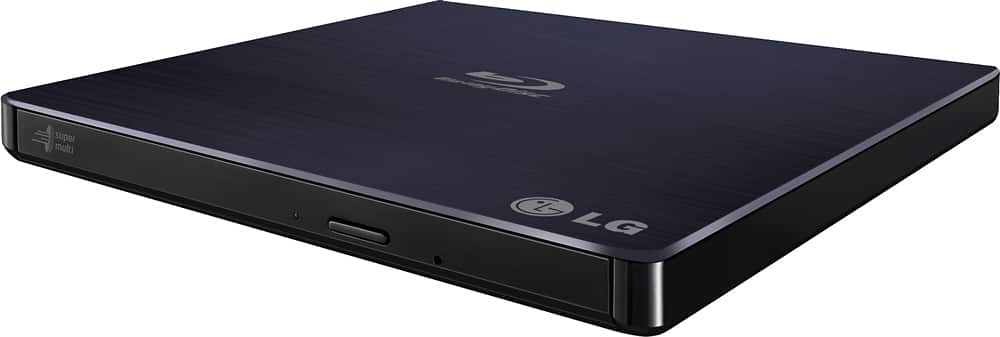
A:AnswerNo, no disc drives in the world can upscale the content of your discs.
The software that comes with the disc drive offers the ability to with an additional purchase.
A:AnswerI have two inexpensive PCs one for each zone. I get to use the cheap OEM software that comes with the LG. I buy DVDs from US, CA, UK, DE, and FR. I am looking at AU.
A:AnswerPlease reach out to our support team on Twitter via @LGUSSupport or on Facebook at https://www.facebook.com/LGUSA or call at 800-243-0000. ^Daphane
A:Answeryes you should be able to since the secondary usb cable is simply for power. Mine is plugged into my Mac Pro with USB 2.0 and performs well also.
A:AnswerI have made blu-ray dis that play on blu-ray players. And they replay on LG SUPER MULTI BLUE SLIM PORTABLE. I play a copy of 2001 A Space Odyssey on the LG and it play perfectly. I hope this answers your question.
A:AnswerCan you hookup a camera to a disc drive?
No. Not directly.
Can the media suite software that comes with the disc drive view my photos/video on my camera?
Yes.
A:AnswerThe disc drive can read those discs in that format.
The software that comes with the disc drive should be able to as well because I know it works for me. But if you're saying you hooked the drive up directly to your TVs USB port. I don't think your device even has drivers for the disc drive to be detected.
You need to use your pc or laptop.
A:AnswerAre you connecting this via USB to the TV or the DVD player? Please clarify your question so that I can provide an accurate and helpful response. Thank you. ^Daphane
A:AnswerIf you plug the disc drive in. Put a disc into your drive. And your disc drive not only shows up in file explorer but it shows the contents of that disc. Then yes, it can read the disc.
You're asking about software that doesn't come with the product therefore is offtopic for this product.
If your software works great. If not well the disc that comes with the drive I know supports windows computers.