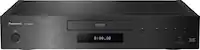
A:Answer You will need to buy the remote batteries separately, standard AA if I recall correctly. If not, AAA. For plugging it into your TV, you will need to buy a HDMI cable. They typically range from 10-80 dollars. However, there is no real discernible difference between the 10$ and the 80$, so grab the cheapest one you can find, you aren't going to miss out on anything. From there, it is simply a matter of plugging the HDMI cable into the player and the TV. A picture of the HDMI port is included. Be warned, older TVs (Earlier than 2005) will not have an HDMI port, as they predate the technology. The player, sadly, does not come with an alternate method for those older TVs.
From there, turn the TV on, and press the input button until it displays the name of the port you plugged the HDMI cable into. (HDMI 1, HDMI 2, etc.) If the player is running, it will display on the screen. The Blue-Ray player will function right from the start, but for the other features you will need to go into the settings menu and input your internet information.
I hope this helps.