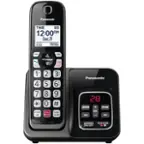
A:Answer Hello! Ringer tones cannot be assigned to individual numbers in the phonebook; only groups have this capability. To set a ringer tone for a group, please press the Phonebook button, then select Menu. After this, press the up and down arrows until you see ''Group'' and select it. Please select the desired group and the next step is to change the group name. Select the option ''Group name'' and then you will need to edit the name using 10 characters max. After this, it will be possible to set the group ringer tone. Press the up and down arrows to select the current setting of the ringer tone, press SELECT and then using the up and down arrows again, select the desired ringer tone and make sure to press the SAVE button and then the OFF button to exit the programming mode. Please note that if you selected Home, Cell 1 or Cell 2 as the desired group, you can scroll using the up and down arrows until you see the group ringer tone option, without choosing to edit the name of the group. Hope this information is useful! -C
![Panasonic Panasonic Panasonic Panasonic Bluetooth INTERCOM SELECT T 83 12:00A Dec.31 Livingroom CELL MENU C1 SMITH.JOE 1-222-333-4444 11:08A Nov 18 ERASE SELECT Intercom call [*]ALL [O]Base SELECT CALL BLOCK CALL BLOCK I CALL BLOCK FLASH POE FLASH w VOL COML 4 REDU CD OFF TALK OFF Panasonic AFC 3 i 1 2 E 3 I TD 820 12:00AM AM Panasonic Dec.31 SMITH.JOE CELL MENU 1-222-333-4444 TELE.BLK. CALL BLOCK OE FLASH DE VOL RCAL OD TALK OFF 1 2 3 4 5 6 7 8 9 0: # OE FLASH VOL. SO CD TALK OFF 1 2 3 - 4 5 6 D 7i 8 9 N *: 0t SAPHONE FLASH VOL. REDIAL CID TALK OFF 1 2 3 - 4 5 6 D 7i 8 9 N *: 0t SAPHONE FLASH VOL. REDIAL CID TALK OFF 1 2 3 - 4 5 6 D 7i 8 9 N *: 0t SAPHONE FLASH VOL. REDIAL CID TALK OFF 1 2 3 - 4 5 6 D 7i 8 9 N *: 0t SAPHONE FLASH VOL. REDIAL CID TALK OFF 1 2 3 - 4 5 6 D 7i 8 9 N *: 0t SAPHONE FLASH VOL. REDIAL CID TALK OFF 1 2 3 - 4 5 6 D](https://pisces.bbystatic.com/image2/BestBuy_US/images/products/2d118562-e82a-4042-8cd0-3582f37dba3f.jpg)