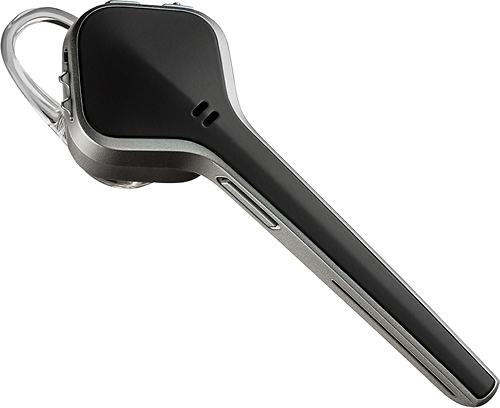
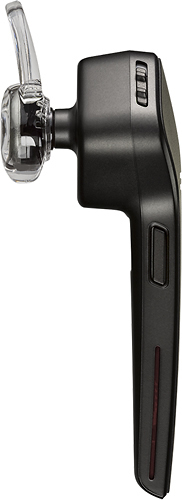
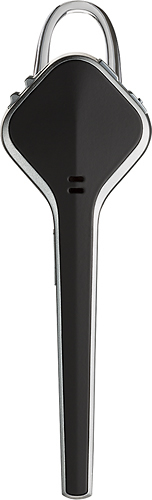
A:AnswerI have been able to successfully use the Voyager Edge Ear piece without an earhook. There is a loop on the ear bud that secures in the ear... I do choose to use the earhook for my own peace of mind... but it is not necessary unless you plan on headbanging or shaking your head "no" vigorously for an extended period of time. :)
A:AnswerHello- Sorry to hear that you're having trouble with your Voyager Edge. You may want to try updating the firmware on the headset (http://www.plantronics.com/us/product/myheadset-updater). After updating, you will want to reset the connection between your phone and the headset. To do this, first delete the headset from your cell phone's list of paired devices. Once deleted, make sure to power your phone completely off. Then power it back on. (This will reset the Bluetooth stack in the BT software on the phone). Then re-pair the headset with your phone. If the issue continues please contact Plantronics Technical Support directly (http://www.plantronics.com/support/) and we will be happy to help.
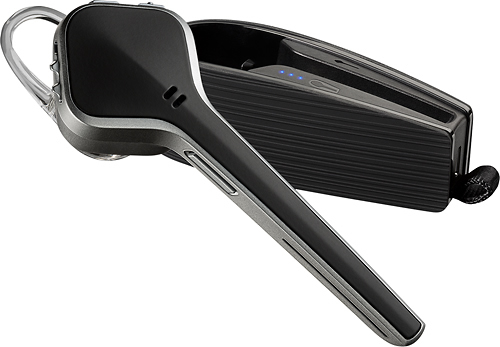
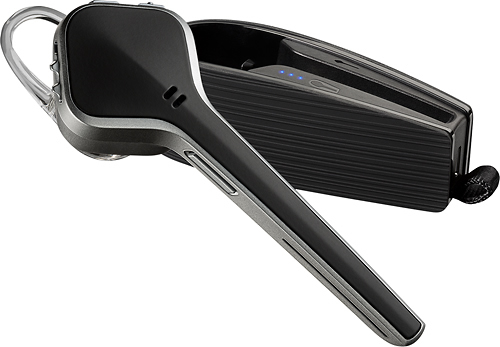
A:AnswerThe difference between the two is that if you wear glasses the Voyager ages for you because the legend fits behind the ear and gets in the way of all glasses also the Voyager edge has a much greater range it says its good for only 33 feet but I have used it at farther distances up to 60 they won't advertise that but I've done it the Voyager edges case has a built-in battery pack so if you're not using it at the time you just snap it into its case and it recharges for up to 6 hours of use again it is an incredible device if you tap the switch twice it will call back your last number and it ties into s voice or Google Voice on your phone for text messaging phone calling and looking up maps it is excellent it's the best Bluetooth device I've ever used hands down. And the way it attaches to your ear is comfortable and you won't even know it's there. No kidding you'll think you're going to lose it because you just don't feel it.
A:AnswerThe headset will only answer an incoming call when it's not worn and you place it on your ear, when you press the call control button as a call is coming in or when you say the "answer" voice prompt after the headset asks if you want to answer/ignore. If you would like for incoming calls to be answered automatically you will have to configure that behavior on your phone, most likely under call settings.
A:AnswerNo, this is just the standard Voyager Edge with charging case, it doesn't include the UC adapter (BT300). Our Voyager Edge UC-M is indeed Microsoft certified, but in case you already have this headset model and you just need the adapter for PC use you can find the BT300-M with part number 85117-01. Please don't hesitate to contact us at www.plantronics.com/support if you require assistance.
A:AnswerSpare ear gel kits are available in small, medium and large sizes with part numbers 201955-01, 201955-02 and 201955-03 (respectively). They are available directly through our official website and most of our authorized vendors: www.plantronics.com/us/where-to-buy/
A:AnswerThis headset does not feature track forward or backwards functionality, you can only play/pause media by holding the mute button for a couple of seconds.