Questions & Answers
- Model:
- STRDH590
- |
- SKU:
- 6187502
Highly rated by customers for: Sound Quality, Ease of use, Bluetooth
$449.99Your price for this item is $449.99
Page Showing 181-200 of 941 questions
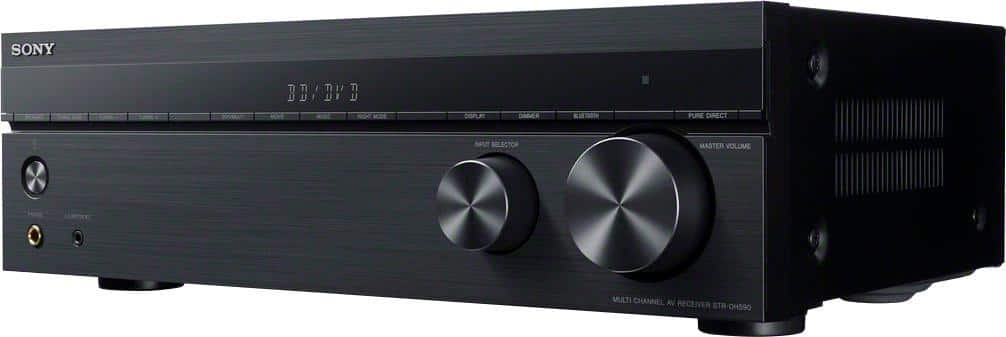
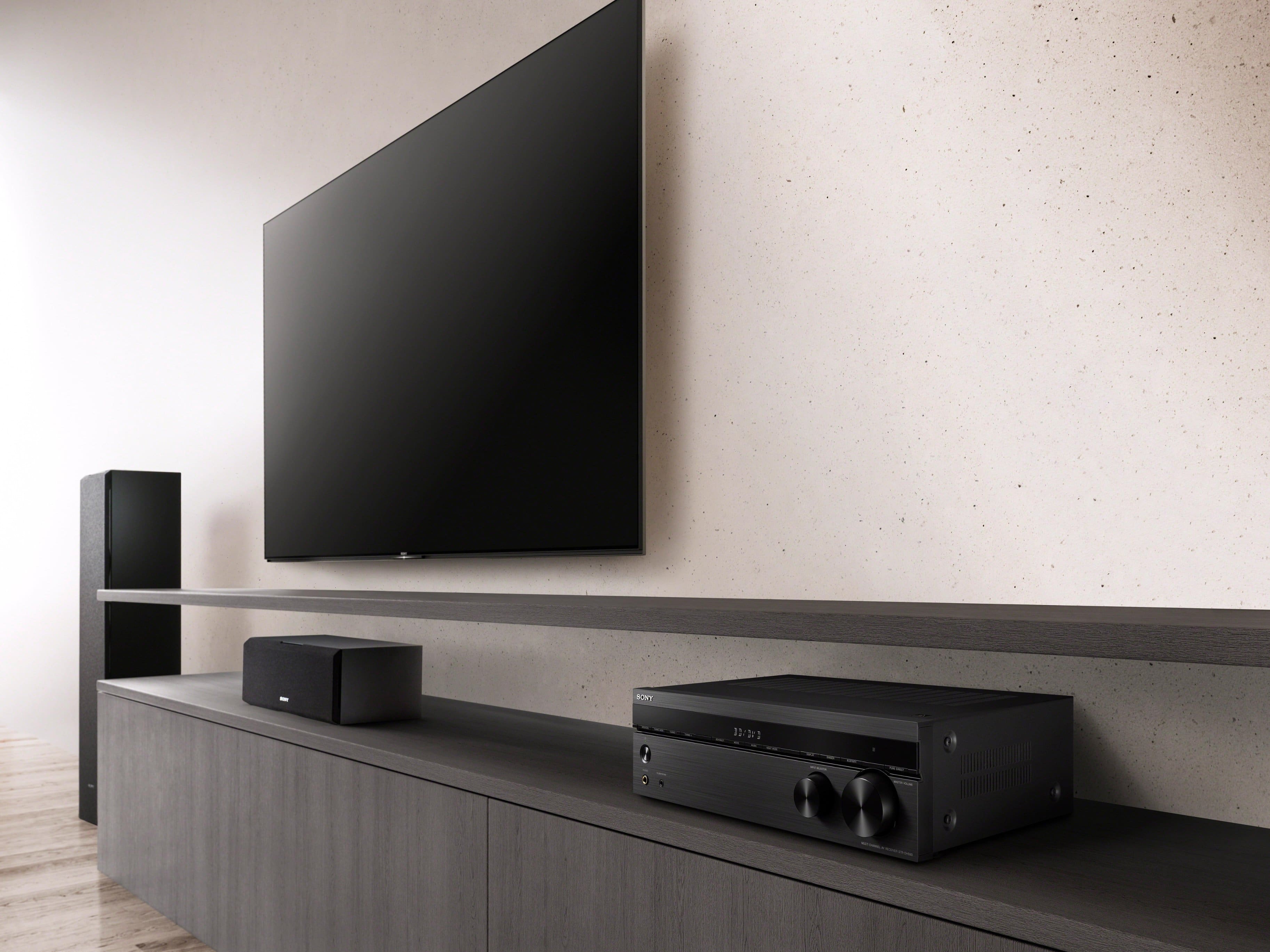
Q: QuestionCan you take the legs off the receiver so it fits better on an entertainment center?
Asked by Anonymous.
Q: Questioncan i have this unit in ...all channel stereo... when watching cable tv?
Asked by junior.
- A:Answer Yes. It can do stereo. Also stereo surround. Also full surround. It has all the technology.
Answered by ChristopherC
Q: QuestionDoes this reciever have the laqtest wifi and bluetooth standards?
Asked by Lynnie.
- A:Answer Yes!
Answered by JamesS
Q: QuestionCan I hook up a center speaker if I'm only using two front speakers and a subwoofer? Will this help with dialog?
Asked by Jimmy.
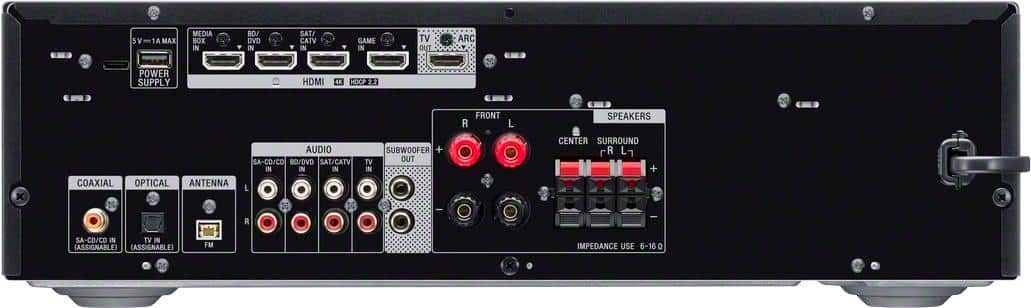
- A:Answer Hi Jimmy, Thank you for your question. Yes, you can hook up a center speaker to this AV receiver even if you're only using two front speakers and a subwoofer. Adding a center a speaker can significantly improve the clarity of dialogue in movies and TV shows. Connect speakers with a nominal impedance of 6 ohms to 16 ohms. You may select 3.1 on the speaker pattern so you will be able to use the center speaker. For more details, please visit the link below. https://www.sony.com/electronics/support/res/manuals/4726/55cd375e0f9e7103f2b6baa747ed9072/47269061M.pdf (page 38) Regards, Jess
Answered by SonyListens

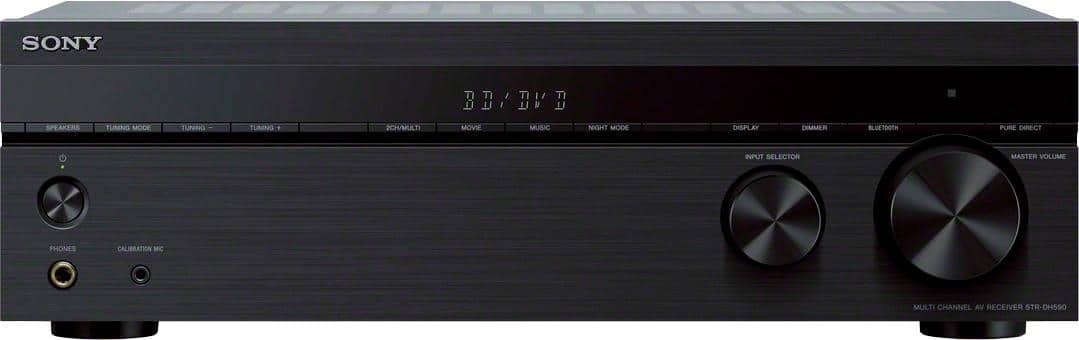
Q: QuestionDoes this Home Theater System play DVDS
Asked by Anonymous.
- A:Answer Hi there, Thanks for inquiring about the STR-DH590. The unit itself doesn't have a disc compartment/built-in DVD player although you can hook a DVD player to it. You may check the link below for more information about connecting Audio-Visual Devices. https://www.sony.com/electronics/support/res/manuals/4726/55cd375e0f9e7103f2b6baa747ed9072/47269061M.pdf (Refer to page 23) This receiver is equipped with 4 HDMI inputs so you can connect your HDMI capable devices. Plus, it works with the latest 4K TV’s and HDR sources, Bluetooth, and a host of advanced features, your new receiver is ready for whatever and wherever your content takes you. Regards, Jess
Answered by SonyListens

Q: Questiondoes this purchase come with professionally installation
Asked by T.
- A:Answer Hi T, Thanks for reaching out! To best assist you, please contact your dealer/Best Buy as they are best equipped to respond to your concern. In case you need technical assistance or information with our product, please feel free to contact us and we'll be more than happy to assist you. You may send us an email at [email protected] with the following: Name: Best Buy Username: Model Number: Issue: Telephone Number: Thank you so much for considering Sony! Regards, Jess
Answered by SonyListens

Q: QuestionWill I be able to hook up my new Fluance 85n turntable to this reciever or do I need a phono preamp to go between the turntable and receiver??
Asked by Todd.
- A:Answer Hi Todd, Thank you for your question. To connect a turntable to a receiver, the stereo system should have a PHONO input. Since the PHONO input is not available, the turntable must have a built-in amplifier or an in-line amplifier must be used to connect the turntable to another input on the stereo system. NOTE: Sony does not produce an in-line amplifier. If you are looking for a receiver that has a dedicated PHONO input jacks, we recommend the STRDH190. The STRDH590 receiver is designed to work with the latest 4K TV’s and HDR sources. Equipped with 4 HDMI inputs, Bluetooth and a host of advanced features, your new receiver is ready for whatever and wherever your content takes you. -Ralph
Answered by SonyListens

Q: QuestionDoes it have multi Zone , A, B and AB speaker selection ? To play music in two separate areas or both ?
Asked by TK421.
- A:Answer Only 1 Zone.
Answered by Anonymous
Q: QuestionThe protect light keeps coming on I’ve check the speakers n unplug it seems to continue to come help
Asked by Fred.
- A:Answer Hi Fred, Thank you for reaching out to us and we do apologize for the inconvenience. Please allow us to help you and turn this into a better experience. We appreciate the steps you've gone through to isolate the issue. There are few things that you can check moreover. If “PROTECT” appears on the display panel, the receiver will automatically turn off after a few seconds. Also, there may be an external speaker issue or connection issue that is triggering the protection circuit. If you haven't yet, try following these steps to resolve this issue: - There may be an electrical surge or power failure. Unplug the AC power cord (mains lead) and then plug in the cord again after 30 minutes. - The receiver may be covered and the ventilation holes are blocked. Remove the object covering the ventilation holes of the receiver. - Disconnect all of the speakers and subwoofer. - Check that the speaker wires are tightly twisted on both ends. - Connect the front speaker first, plug in the AC power cord (mains lead) and turn on the receiver. Increase the volume level and operate the receiver for at least 30 minutes until it completely warms up. Then, connect each additional speaker one by one and test each additional speaker until you detect which speaker is causing the protection error. For more information, please check the steps on this link to isolate the issue: https://www.sony.com/electronics/support/audio-components-receivers-amplifiers/str-dh590/articles/00025095 We want to make sure that you’re taken care of. If you need more information or technical assistance with your product, please feel free to contact us and we'll be more than happy to assist you. You may send us an email at [email protected] with the following: Name: Best Buy Username: Model Number: Issue: Telephone Number: We are sorry for the inconvenience and hope to speak to you to resolve this matter. Regards, Jess
Answered by SonyListens

Q: QuestionHow do you get rid of menu that pops up every time you turn tv on?
Asked by Max.
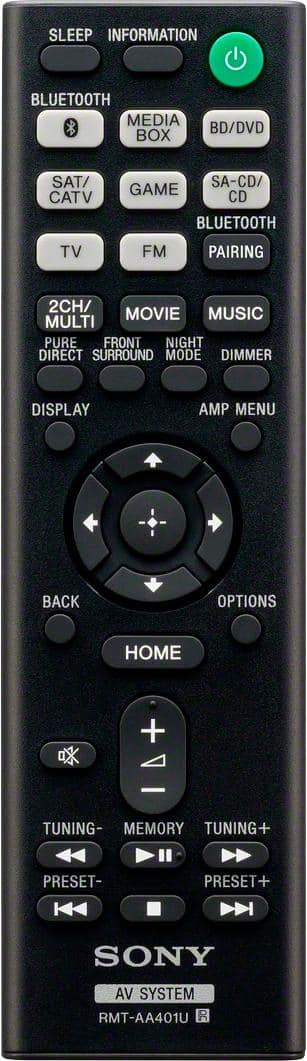
- A:Answer Hi Max, Thank you for posting your concern about your receiver. We also appreciate your feedback regarding your concern about the receiver. It is part of the normal operation to display the home menu of the receiver if it is connected to your TV via HDMI. Simply press the home button on the remote control to exit. Make sure that all HDMI devices connected have HDMI Control enabled. If power is turned on from a device (such as a Blu-ray Disc player), then the receiver and the TV turn on, and the TV switches to the proper input to view the menu or content. On the other hand, if all HDMI devices are connected to the TV and only the HDMI ARC/eARC port connects to the receiver, then the TV will both control and display all device menus and content. If you need more information or technical assistance with your product, please feel free to contact us and we'll be more than happy to assist you. You may send us an email at [email protected] with the following: Name: Best Buy Username: Model Number: Issue: Telephone Number: Regards, Jess
Answered by SonyListens

Q: QuestionSTRDH590: Can I connect a wired powered subwoofer and a bluetooth subwoofer to this receiver? Will this work fine? My speakers, front, back and center are all wired and I have one wired subwoofer powered but I don't know if a Bluetooth Sub will work.
Asked by John.
- A:Answer Won't work, turning on one, will cancel out the other!
Answered by Anonymous
Q: QuestionWill this work with a passove subwoofer?
Asked by Anonymous.
- A:Answer Hi there, Thanks for your inquiry. Unfortunately, no. Only an active subwoofer can be connected to the SUBWOOFER PRE OUT on the STR-DH590. Sony surround sound receivers are not capable of powering a passive subwoofer. Hope this helps. Regards, Jess
Answered by SonyListens

Q: QuestionWhat soundbar and speakers are recommended for this unit?
Asked by TiGEO.
- A:Answer Hi TiGEO, Thanks for your inquiry. The STR-DH590 5.2ch Home Theater AV Receiver doesn't support a soundbar connection. Typically, soundbars are designed to be connected directly to a TV to improve the TV's audio quality and are not commonly connected to AV receivers like the STR-DH790, as they serve a similar purpose in providing audio amplification and processing. We recommend connecting wired speakers with a nominal impedance of 6 ohms to 16 ohms. Here are some recommended Sony speakers that can be paired with the STR-DH590: • Sony SSCS3 3-Way Floor-Standing Speaker - These speakers have a powerful bass response and clear, detailed highs that make them ideal for use as front speakers in a home theater setup. • Sony SSCS5 3-Way Bookshelf Speaker - These compact speakers deliver big sound for their size, making them a great choice for use as rear speakers in a surround sound system. • Sony SSCS8 2-way 3-driver Center Channel Speaker - This speaker delivers an unprecedented and real audio experience, with a soundstage so expansive you can feel the energy and passion of the original performance. • Sony SSCSE Dolby Atmos Enabled Speakers - These speakers are designed to deliver immersive, three-dimensional sound, and can be used as height speakers in a Dolby Atmos setup. You may also want to consider checking this model, STR-DH190 Bluetooth stereo receiver which has an audio analog output for an active speaker or soundbar connection. I hope this helps! Regards, Jess
Answered by SonyListens

Q: QuestionMy system will power off when I turn it up above volume 36. Could I have connected my speaker wrong?
Asked by Basehead.
- A:Answer Hi Basehead, Thank you for bringing this to our attention, and we sincerely apologize for the inconvenience. We regret to know that you're having a power issue with your STR-DH590. There are several reasons why the receiver might be shutting down when you turn up the volume. For now, let's attempt to isolate and address it by following the troubleshooting steps on these articles to resolve this problem: https://www.sony.com/electronics/support/articles/00032091 https://helpguide.sony.net/ha/strdh59/v1/en/contents/TP0001553098.html We recommend connecting wired speakers with a nominal impedance of 6 ohms to 16 ohms. If your speakers have a lower impedance rating than the receiver is designed for, they can draw more power than the receiver can handle at high volumes, causing malfunctions and shutting down. Ensure the unit has proper ventilation. If the issue persists, please try to factory reset the unit, remove all the devices connected to the receiver, and observe it for a while to see if the issue reoccur. To factory reset the unit, press (power) to turn off the receiver. Press and hold (power) for 5 seconds.“CLEARING” appears on the display panel during initialization. When initialization is complete, “CLEARED ” appears on the display panel. If none of these things help, email us at [email protected] with the following details: Name: Best Buy Username: Model Number: Issue: Telephone Number: We value you, and thanks for choosing Sony. Sincerely, Jess
Answered by SonyListens

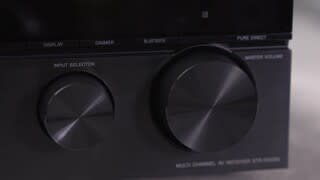
Q: QuestionI lost speakers the blue light above pairing is flashing but still no volume even after pairing what do I do
Asked by Anonymous.
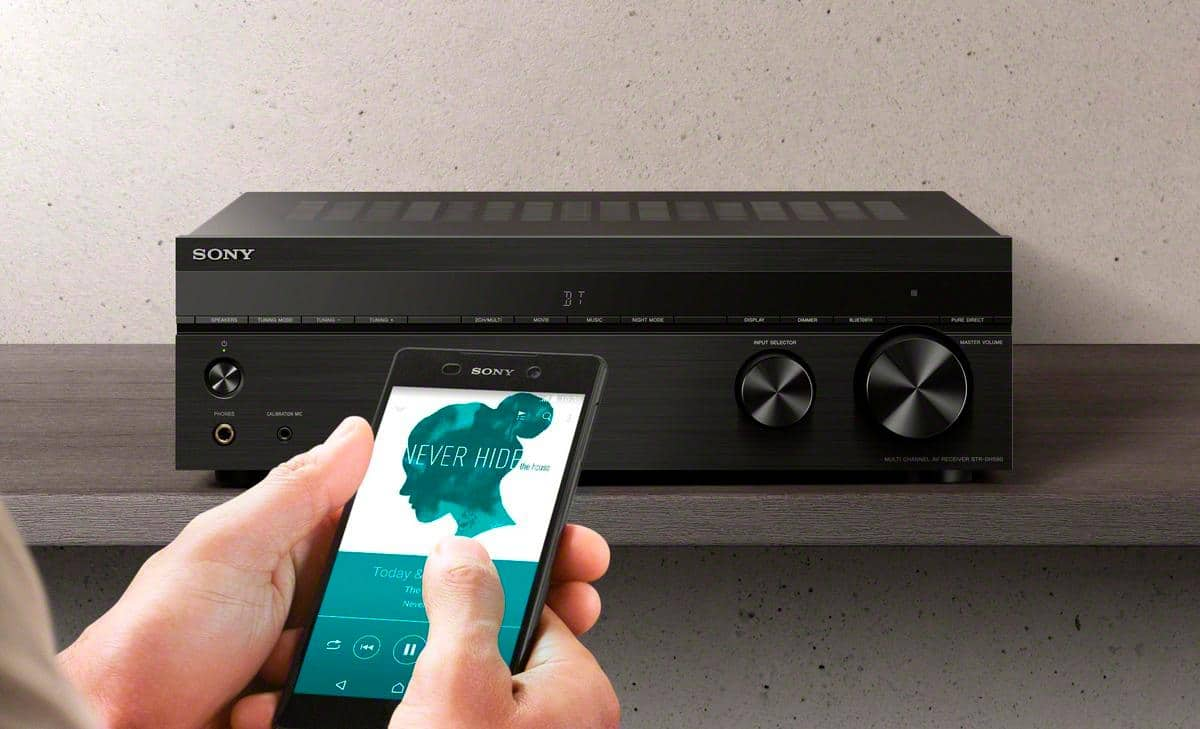
- A:Answer Hi there, Thank you reaching out to us with your concern and we're sorry you've been running into difficulty. The Bluetooth feature of the receiver doesn't support connection of Bluetooth headphone/speaker connections. You may only pair Bluetooth media devices such as WALKMAN, smartphone, or tablet with it to play music content on those devices wirelessly. The BLUETOOTH indicator above the BLUETOOTH button on the receiver lights up or flashes in blue to show the BLUETOOTH status. Please refer to the indicator status below. • The receiver is searching for a BLUETOOTH device to connect - Flashes slowly • BLUETOOTH pairing - Flashes quickly • BLUETOOTH connection is established - Lights up For more details, follow the steps on this link to pair the BLUETOOTH device and the receiver: https://helpguide.sony.net/ha/strdh59/v1/en/contents/TP0001555719.html For future reference, we can offer assistance on how to set up or operate the features and functions of your Sony Home audio system by visiting our Sony Support website to download the help guide and look for additional information about your product. Also, you can chat with one of our agents who would be glad to help or you may email us at [email protected] with the following details: Name: Best Buy Username: Model Number: Issue: Telephone Number: Regards, Jess
Answered by SonyListens

Q: QuestionHow can I buy a new remote? My dog chewed mine up.
Asked by Mizmelly.
- A:Answer Hi Mizmelly, Thank you for reaching out to us with your concern. We appreciate the opportunity to help you. You can get replacement remote through our authorized parts distributors. Should you need further help placing an order for a replacement remote, you may also contact our Product Support team. Unfortunately, due to the current Best Buy phishing protocol for your protection, we cannot provide a direct link, email or phone number for customer support as of now. Please find Sony Electronics' Support information: Go to our support website > click on “Support” > scroll down click on “Contact Support” > click on ”Electronics Product Support” > click on "Home Audio" and from there you'll see different ways to reach us. Regards, Jess
Answered by SonyListens

Q: QuestionI have older in great condition 140 watt technics speakers, can I play them really loud with this receiver?? I love it loud and clear! ;)
Asked by SuzyQ.
- A:Answer Hi SuzyQ, Thank you for your inquiry. The STRDH590 has a capable amplifier with a max wattage of 145 Watts and with minimal distortion. Thus, it gives high power and pure sound. To make sure that your Technics speakers will work, please connect speakers with a nominal impedance of 6 ohms to 16 ohms. Hope this helps. Regards, Jess
Answered by SonyListens

Best-selling receivers
- $199.99Your price for this item is $199.99$249.99The comparable value for this item is $249.99
- $429.00Your price for this item is $429.00$449.00The comparable value for this item is $449.00
- $719.00Your price for this item is $719.00$849.00The comparable value for this item is $849.00
- $449.00Your price for this item is $449.00
- $849.99Your price for this item is $849.99$1,049.99The comparable value for this item is $1,049.99
- $849.00Your price for this item is $849.00$949.00The comparable value for this item is $949.00
- $669.00Your price for this item is $669.00$749.00The comparable value for this item is $749.00
- $549.99Your price for this item is $549.99
- $219.95Your price for this item is $219.95
- $439.95Your price for this item is $439.95$549.95The comparable value for this item is $549.95
- $1,299.00Your price for this item is $1,299.00
- $359.99Your price for this item is $359.99$399.95The comparable value for this item is $399.95
- $499.95Your price for this item is $499.95$659.95The comparable value for this item is $659.95
- $689.99Your price for this item is $689.99$799.95The comparable value for this item is $799.95
- $969.90Your price for this item is $969.90$1,249.99The comparable value for this item is $1,249.99
- $1,799.00Your price for this item is $1,799.00
- $699.99Your price for this item is $699.99$849.99The comparable value for this item is $849.99
- $619.00Your price for this item is $619.00$649.00The comparable value for this item is $649.00
- $849.00Your price for this item is $849.00$1,399.00The comparable value for this item is $1,399.00
- $1,800.00Your price for this item is $1,800.00