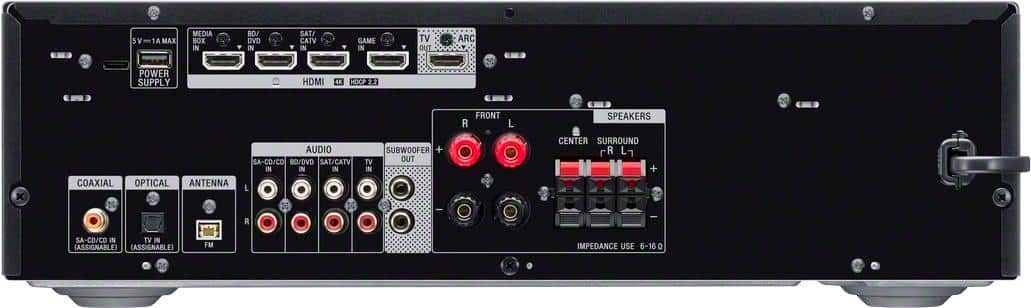
A:AnswerHi snugs, Yes, you can connect your turntable to one of the Audio IN ports of the receiver. However, to connect a turntable that only has a PHONO output jack, you need to connect a phono equalizer (not
supplied) between the turntable and this receiver. -Sam
A:AnswerJust noticed this was asked almost 3 months ago, so, it's probably already solved. However, sounds as though your TV digital output settings need to be set to something other than PCM or OFF, try something else like Dolby Digital, etc.
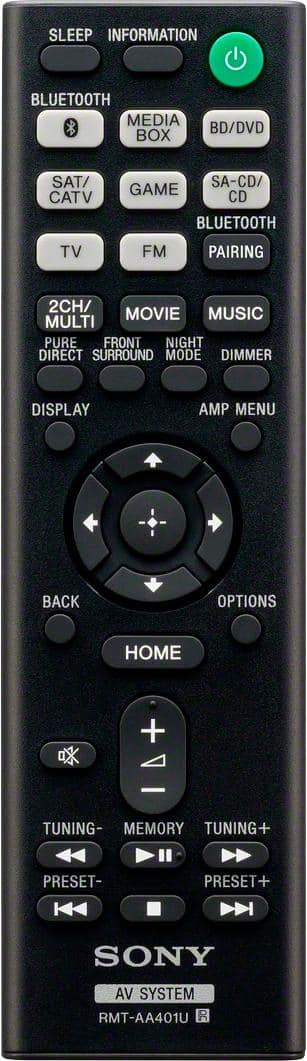
A:AnswerMine came with a remote. It was installed by Best Buy, so it's possible they provided it. But I think it's more likely that the "no" is just wrong.
A:AnswerThat is the expected behavior of the system. Any input to the receiver using HDMI will automatically turn on the receiver when the device comes on and it will switch to that active input. That is a convenience feature. If you connect the TV to the receiver through a non-HDMI means this will not happen. Just curious, why would you want your TV on without using the receiver for sound?
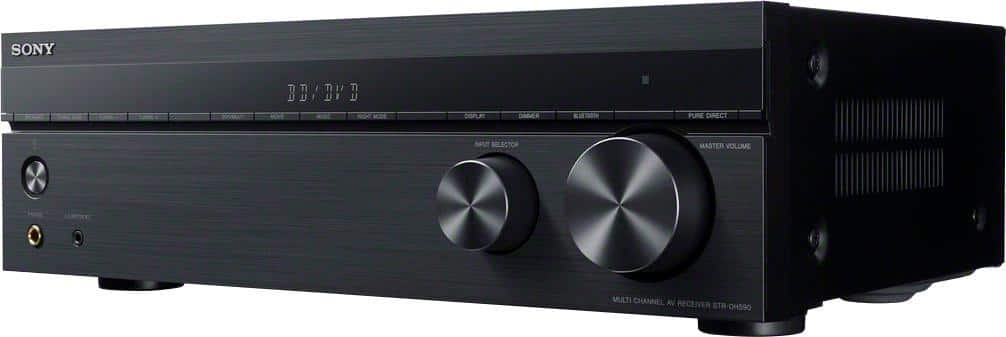
A:AnswerHi karaokemaniac, thank you so much for your inquiry! Unfortunately, no. A karaoke microphone can't be connected to your A/V receiver because the receiver doesn't have a microphone input. However, if you are using a karaoke device that supports RCA video and audio connections, please refer to the below:
The STRDH590 doesn't support multiple input playback. It can only play one input at a time. As a workaround, if your TV supports Video RCA input, you can connect the video out of your karaoke device to the TV input and connect its audio output to the receiver's audio input. Then, change the input of the receiver and TV accordingly.
Should you need more assistance, please email us at [email protected] with the following details so we can better assist you.
Name:
BestBuy Username:
Model Number:
Issue:
Telephone Number:
Thank you so much for choosing Sony!
Sincerely,
Romeo
Sony Social Support
A:AnswerHello Basalt,
Yes, you can connect this AV receiver with RCA and optical connection. See page 24 for the sample diagram.
https://www.sony.com/electronics/support/res/manuals/4726/55cd375e0f9e7103f2b6baa747ed9072/47269061M.pdf
Regards,
David
A:AnswerI have my PS4 pro plugged into it. You need two HDMI cords- make sure they are high quality cords capable of carrying 4K. One HDMI connects from the PS5 to the back of the receiver. The second HDMI connects from the receiver to the TV.
When you want to play your PS5, you must have the receiver on, and the TV must be on the HDMI input the receiver is plugged into. The receiver has it's own menu that displays on the TV, and from there you select which HDMI input you have the PS5 plugged into in the back of the receiver.
A:AnswerReceivers like this aren’t exactly designed to just be used with wireless speakers. You hook passive speakers up to be powered by the amplifier in the receiver—that’s part of the point of buying one of these. Being wired gives you control over the signal, which is also a reason why you would buy a receiver like this. If you have to have wireless, you’re better off going the soundbar route. The Sony HTZ9F comes with a wireless subwoofer and you can buy the SAZ9Rs for wireless rear. Depending on your budget, I’d rather save more and get a Sonos system at that price, but that’s just me.
A:AnswerAccording to the Klipsch RW 10 Manual, it appears the LFE input is the best option. (That bypasses the internal crossover, allowing the sony to config that. Be sure to run the auto-calibration.) You could also try the line-level inputs and manually adjust the Klipsch crossover. Be sure the Sony is set for a X.1 speaker pattern.