A:AnswerHello JAJGYK,
Thank you for reaching out to us with your question. This information is not immediately listed. Please contact a member of our support team and open a support ticket. We will get back to you with a response once available. Click on the blue box on the bottom right-hand corner to live chat with a technical support agent or contact us over the phone.
https://support.swann.com/hc/en-us
Please let us know how we may further assist you,
Thank you.
JV
Swann Customer Support
A:AnswerHi Amber. Recordings on a DVR system are stored on the hard drive which sits inside the DVR box. Data security and privacy is our highest priority and we regularly review and update our system security and apply the latest security solutions. Swann consumer data is stored according to GDPR requirements so that your data does not leave your country. We store the minimum data to ensure your system performs well and is secure. The third-party services we use are secure, reputable, and compliant with our strict policies. We do not combine your data with other sources. Data is not shared or sold externally. -SD, Swann team
A:AnswerDo you mean pre triggering where it begins recording 30 secs before a detection trigger? The system is caching and recording all the time but saves only a triggered event and the Pre triggering can be adjusted as usually the record length after a motion has stopped or triggering has stopped. The system uses a preset parameter of time that which will allow the overwriting of un-triggered data via a buffer cache or software routine, and if a trigger occurs it save the recorded data equal to what you set the pre-trigger setting to plus the data equal to the record length either set by you or preset.
A:AnswerDepending on the kit, this kit uses PoE Power over Ethernet which uses a digital Cat 5 ethernet cable using 568A or 568B wiring configurations which are standard.
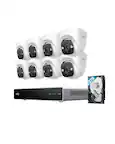
These Cameras use PoE and do not have batteries
A:AnswerNo. If you connect the DVR to a monitor or TV. It runs it own wireless connection to the cameras. You do need internet to access it through the app. Port forwarding on your router is NOT required and works over double nat.
A:AnswerHello Slyguy,
Thank you for reaching out to us. Yes, you can run a 50-foot HDMI cable to the recorder in another room.
Please let us know how we may further assist you,
Thank you.
JV
Swann Customer Support
A:AnswerDo you plan on using converters on the digital PoE ports to convert BNC type analog cameras to digital? This system uses Ethernet cables for digital Protocols and transmissions as do the the Camaras included in this kit. If so you will need to purchase the converters for each of the analog cameras. BNC cables may uses RG56
or RG59 coaxial cable, where RG56 provides a better signal over longer cable runs, is a bit more expensive and a bit larger in diameter and both have an option of shielding where RG56U or RG59U would have better shielding thus less interference from EMF or radio waves.
A:AnswerRecording time for playback has many variables that will alter how many hours of data can be saved before overwriting the oldest data 1st. You can prevent overwriting but sacrifice losing any new detections until you backup or delete recordings or re-enable overwrite.
Variables: Resolution Quality of picture (Amount of pixels to be displayed), Pixel configuration, the abilities and quality of cameras and type of media and codec, amount of triggers and length of events of a trigger, One or multiples of these factors combined can vary the playback time as well as how many cameras are set to record. Once you have configured a system to your needs then the average playback time can be determined.
A:AnswerHello BB,
Thank you for reaching out to us with your question. No, Ring cannot be paired with Swann devices. This kit will include 60 feet of cable per camera. The longest recommended run from the camera to record it is 300 feet. Additional cable is available and sold separately
Please let us know how we may further assist you,
Thank you.
JV
Swann Customer Support
A:AnswerThe cameras in this kit do not have a microphone and use a speaker for the alarm. The NVR has 4 RCA Audio Input ports and 1 RCA Audio Output port. Audio should be a setting in the software for the camara that may be selectable if a mic is connected to the port. You can purchase a mic designed for CCTV at a low cost and run a new cable, or if the camera or the system is not yet installed, you can purchase a 3 way cable which has a Video line, Power line and an Audio line, you may also need to purchase a power line splitter which allows you to power both the camera and the mic from the one power line at the camara end of the cable run. Or a 4 or 5 way combo cable. Of course the more ways, the higher the cost.
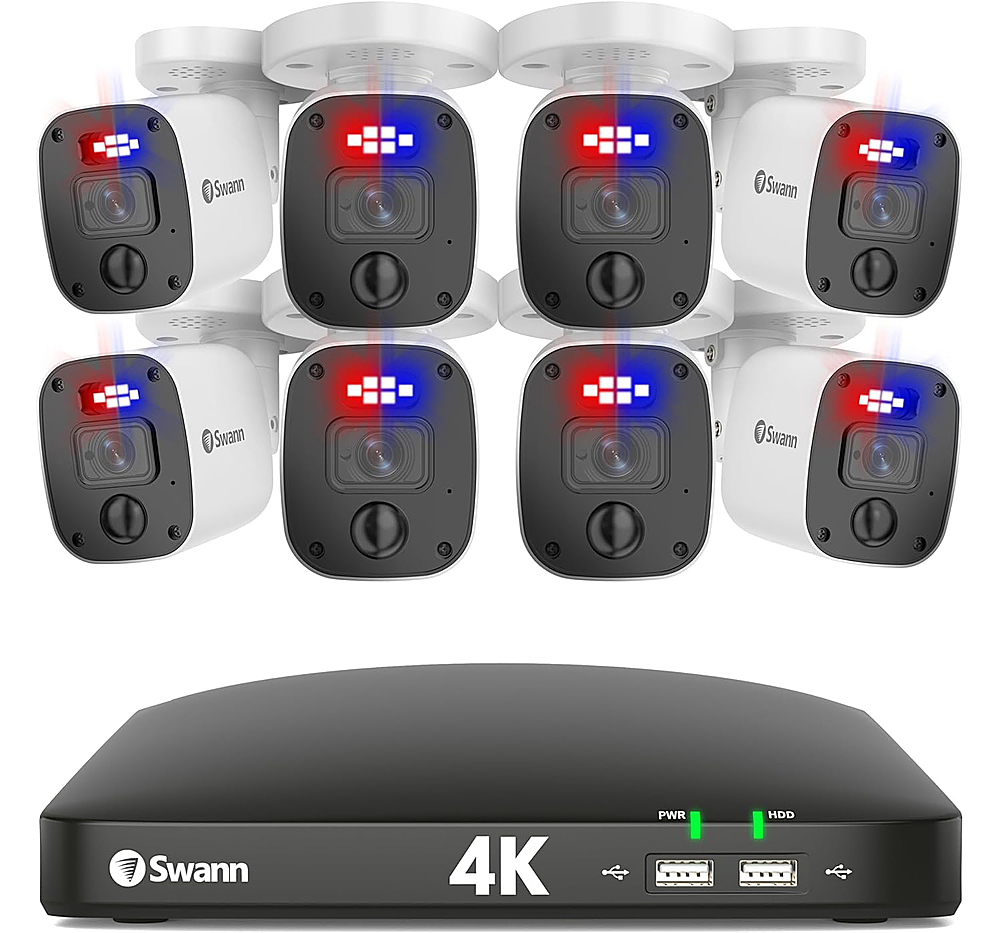
A:AnswerYes, there are two options: Perimeter Intrusion Detection and Line Crossing Detection. PID allows you to define an area and interval where motion will trigger recording/alarm. LCD allows you to set up a straight-line barrier that if crossed, triggers recording/alarm.
A:AnswerIt may require you to choose a detection type first, such as motion or facial or continuous, and or a day and time that actually has recorded data in that time frame. It may be that a setting is wrong in the record section so it may not be enabled and thus not recording. You should verify every camera setting and be sure to press save on each screen after setting an option or spec.
A:AnswerHello rayon100,
Thank you for reaching out to us with your question. The cameras included in this kit require a hardwired connection. We would recommend looking into our wireless NVR kits. If you need help finding a kit that better suits your needs, we would recommend reaching out to a member of our sales support team. We can be reached Monday - Friday 8:30 AM - 5 PM PST at 1-800-627-2799.
Please let us know how we may further assist you,
Thank you.
JV
Swann Customer Support