A:AnswerGood news! I have Spectrum and this is precisely the Router I purchased and use for it. Works like a charm. No need to 'rent' one from Spectrum. I have download speed of 94 Mbps and Upload of 12Mbps.
A:AnswerThis router is intended for use with an existing Internet source that is available via Ethernet cable (i.e. from a cable modem). Once connected to an existing Internet source via Ethernet cable, the router will provide Internet connectivity via WiFi for your home's WiFi devices.
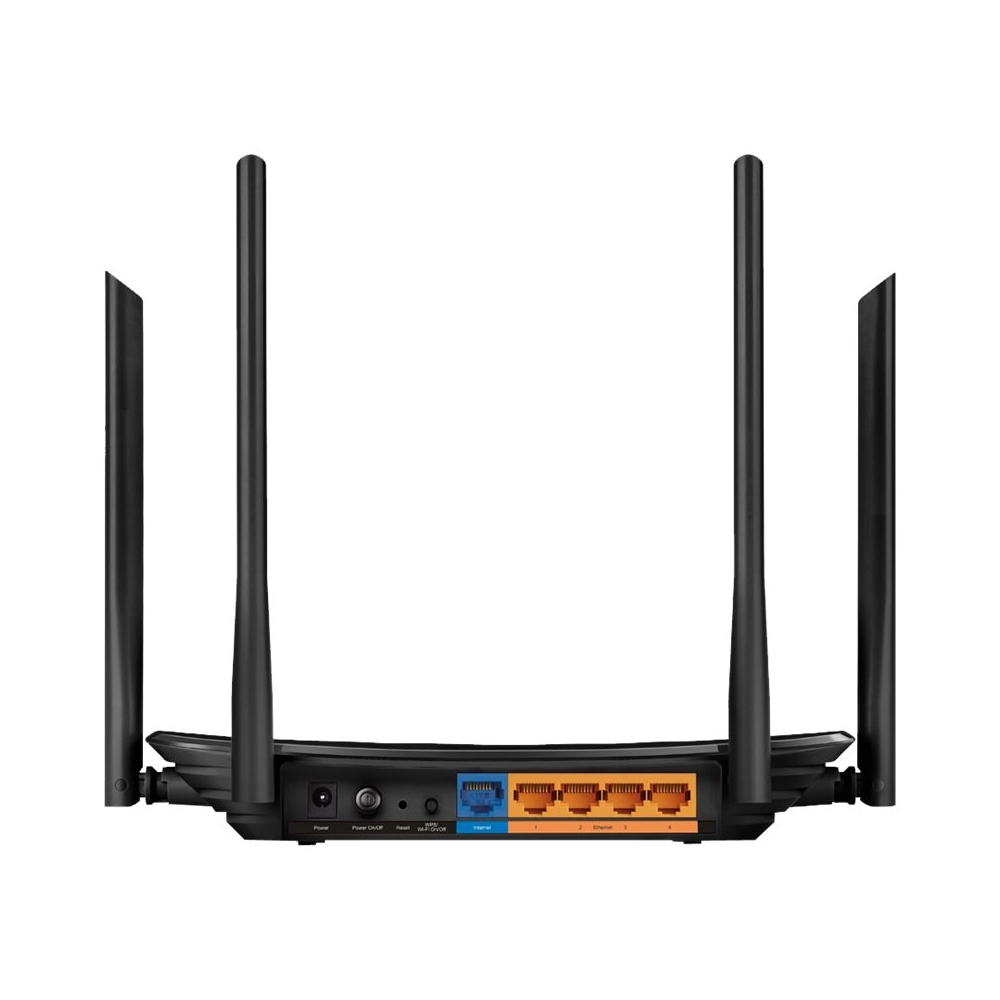
A:AnswerYes, simply connect your modem's Ethernet output cable into the router's Internet port, then follow the Quick Installation Guide, and you'll be ready to enjoy dual-band AC1200 WiFi within your home.
A:AnswerYou would need an internet provider. This would connect to a modem. The modem is what brings internet into your house and this router distributes it creating your wifi network.
A:AnswerThe Archer C6 is not a modem+router combination gateway; it is a dual-band AC1200 WiFi router only. If you have an existing Cable Modem that you already own, you can use it in conjunction with the Archer C6 to receive Internet from your ISP without renting their equipment.
A:AnswerNo, this router is not designed for 4G/LTE Internet source connectivity; it must be connected to the Internet source via Ethernet cable (i.e. connected to a modem).
Regards,
TP-Link Support
A:AnswerCurrently, the Archer C6 sold in the US market is V2, which supports OneMesh via firmware update, which you can obtain from our official website.
Regards,
TP-Link Support