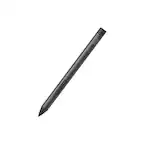
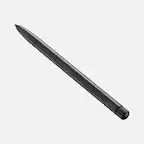
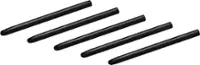
A:AnswerThank you for your question. The Bamboo Ink works on Windows devices with Wacom Active Electrostatic technology (AES) and/or Microsoft Pen Protocol (MPP). In general, the integration of the Bamboo Ink will vary slightly depending on your hardware configuration and system software installed. Best
A:AnswerThank you for your question. Bamboo Ink Plus works with all compatible pen-enabled devices that feature Wacom AES technology or Microsoft Pen Protocol. However, for devices using Wacom AES technology to use some of the unique features like pressure sensitivity in some programs or if there is cursor offset, you can calibrate by installing Wacom’s Tablet PC driver. Best.
A:AnswerIf your model contains Wacom AES or Microsoft Pen Protocol pen technology then it will likely work. You can view a list of tested devices at www.wacom.com/comp.
A:AnswerHello and thank you for this question about the Bambook Ink Smart Stylus compatibility and the HP Envy X360 2. Many laptops support the Microsoft Pen Protocol which the Bambook Ink Smart Stylus does as well. Using the Microsoft Pen Protocol settings the Bamboo Ink Smart Stylus should work. If you have any further questions I'd like to invite you to reach out to us on weekdays between 6 am and 6 pm PST to 855-MY-WACOM. Best
A:AnswerThe Bamboo Ink Smart Stylus uses the Microsoft Pen Protocol for many of the non-Wacom based tablets. Is Microsoft Pen Protocol is supported on the laptop you want to use it with, then it should work through the Microsoft Pen Protocol settings.
A:AnswerPlease check www.wacom.com/comp for a list of tested devices. The Wacom Ink will work with most devices that have Wacom AES or Microsoft Pen Protocol built in.
A:AnswerThank you for asking. This product works with 2-in-1 Windows devices that have built-in inside their hardware either Wacom Active ES protocol (AES) or Microsoft Pen Protocol (MPP). If you are not sure if yours has one of these technologies built-in, you can reach out to the manufacturer of your device to confirm this. Hope that helps! Best
A:AnswerYou can view a list of tested devices at www.wacom.com/comp. If your model has Wacom AES or Microsoft Pen Protocol pen technology built in then it may work. Devices that have pen digitizers are typically equipped with a surface that will resist scratching, as the expectation is that they will be used with a pen. This pen does not have actual 'ink', but rather a solid tip that interacts with compatible devices allowing for cursor control. Any 'inking' or drawing that occurs is displayed by the software being used.
A:AnswerIf your model includes Wacom AES or Microsoft Pen Protocol pen technology then it may work, you can view a list of tested devices at www.wacom.com/comp.
A:AnswerPlease check the list of tested devices at www.wacom.com/comp. If your particular model carries Wacom AES or Microsoft Pen Protocol pen technology then it may work.
A:AnswerIf your model has Wacom AES or Microsoft Pen Protocol pen technology then it may work. You can view a list of tested devices at www.wacom.com/comp.
A:AnswerIf your model has Wacom AES or Microsoft Pen Protocol pen technology then it may work. You can view a list of tested devices at www.wacom.com/comp.
A:AnswerNo, the Bamboo Ink is designed to work with Windows-based devices that have Wacom AES or Microsoft Pen Protocol pen technology built in. For a list of compatible devices see www.wacom.com/comp.
A:AnswerIf your model has Wacom AES or Microsoft Pen Protocol Pen Technology built in then it may work. You can view a list of tested devices at www.wacom.com/comp.
A:AnswerYou can view a list of tested devices at www.wacom.com/comp. If your device has Wacom AES or Microsoft Pen Protocol pen technology built in then it may be compatible.