Customer Ratings & Reviews



- Model:
- 914-000051
- SKU:
- 6452837
Rating by feature
- Value
Rating 4.5 out of 5 stars
- Quality
Rating 4.6 out of 5 stars
- Ease of Use
Rating 4.5 out of 5 stars
Customers are saying
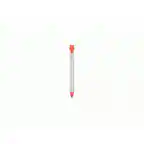
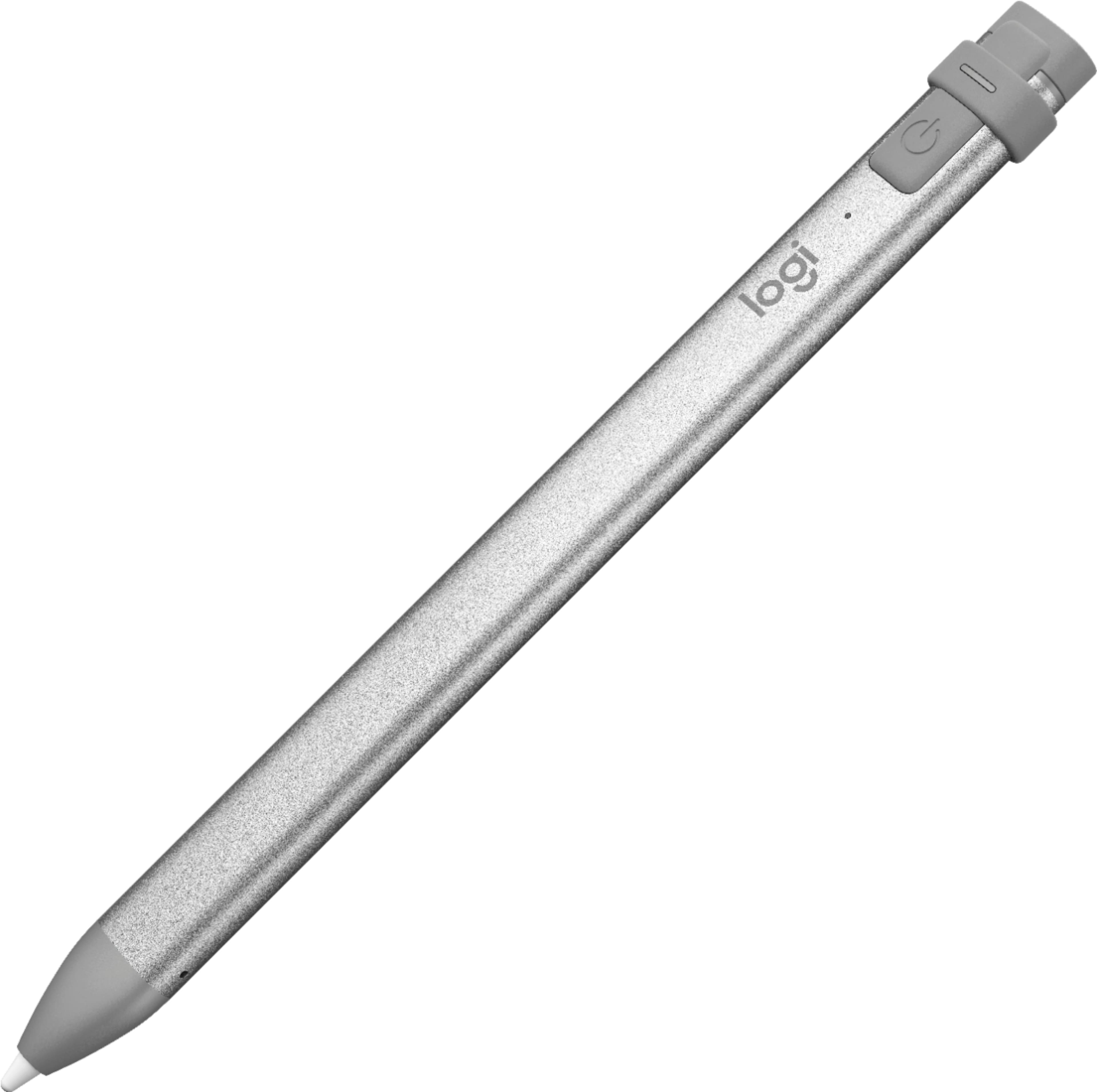
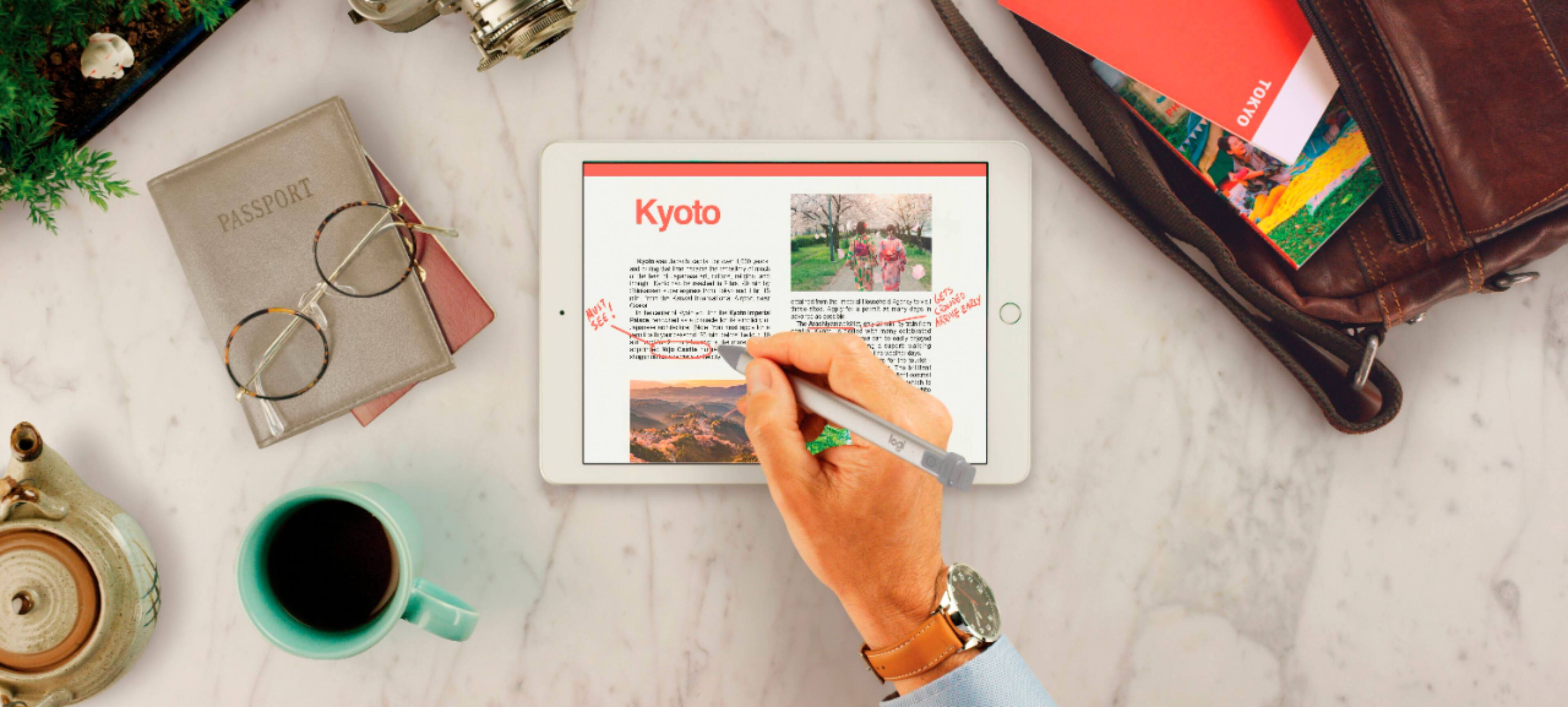
Customers commend the Crayon Digital Pencil for its ease of use, affordable price, and reliable performance, making it a great value for iPad users. Many appreciate its compatibility with various iPad models and find the battery life satisfactory. However, some users find the pencil's shape awkward, and a few note the limited pressure sensitivity. Additionally, a small number of users wish it had a magnetic attachment feature.
This summary was generated by AI based on customer reviews.
- Pros mentioned:Ease of use
Great pen
||Posted . Owned for 1 month when reviewed.This reviewer received promo considerations or sweepstakes entry for writing a review.Great pen easy to use and draw and sketch with on iPad.
I would recommend this to a friendBrand response from Logitech
Posted .It's wonderful to hear the Crayon is making drawing and sketching on your iPad so enjoyable. Feedback like yours helps us understand what works best. Thanks for sharing!

- Pros mentioned:Battery life
Great Christmas gift for my Grandson!
||Posted . Owned for 1 month when reviewed.This reviewer received promo considerations or sweepstakes entry for writing a review.This was a Christmas gift for an 8yo with an iPad. I charged the pen 2 days before Christmas and it worked perfectly out of the box on Christmas day. The grandson was thrilled! I couldn't be happier with the purchase and I would recommend this digital pencil for anyone with a compatible tablet.
I would recommend this to a friend - Cons mentioned:Pressure sensitivity
feels like a mouse
||Posted . Owned for 1 week when reviewed.This reviewer received promo considerations or sweepstakes entry for writing a review.I didn't want to spend the big dollars for the apple pencil 2, so I got this guy. It works well and now that I've used it for awhile, it feels as if it's my mouse replacement when working on the ipad pro. I'm not an artist so the pressure sensitivity and the double tap features didn't justify the extra money in getting the apple pencil 2. HOWEVER, this crayon has been separated from the ipad about 3 or 4 times and it's annoying to have to look for it instead of starting to work right away. Same thing goes with wanting to start working on the iPad but then the battery is low/dies. Annoying. I have an ipad case that dose have an elastic holder for the crayon but there are times where I just put the crayon on the table instead of meticulously shoving the crayon in the tight sleeve. This bugged me so much I even thought of adding a magnet to the crayon just so that it would attach to the iPad pro. Is it annoying enough to shell out an extra $70? Still on the fence.... (Was able to get a price adjustment on the crayon for the sale price of $50). Another way to put it is, that it's a great product, but it lacks the convenience of virtually having a battery that's always charged, and a stylus that will always travel with the ipad given the magnetic charging.
I would recommend this to a friend - Pros mentioned:Price
Easy to use
||Posted . Owned for 3 weeks when reviewed.This reviewer received promo considerations or sweepstakes entry for writing a review.I use it with iPad Air. Cheaper than the Apple Pencil but does the work. It’s like holding a real pencil.
I would recommend this to a friend - Pros mentioned:Ease of use, Price
Crayon is Cool
||Posted . Owned for 1 month when reviewed.This reviewer received promo considerations or sweepstakes entry for writing a review.I love tbus pencil, at a fraction of the cost it works as good as the Apple Pen.
I would recommend this to a friend - Pros mentioned:Ease of use
A good alternative for the price
||Posted . Owned for 1 month when reviewed.This reviewer received promo considerations or sweepstakes entry for writing a review.Works well, not as delicate as the Apple pencil, and needs a lightning charging cord (not included). For the most part I like it, it's kind of slippery and I'm not sure what kind of accessories are available for it. I was able to sqeeze a silicon sleeve for an apple pencil on it but was definitely not meant for it, lol.
I would recommend this to a friend - Pros mentioned:Ease of use, Price
Easy to use
||Posted . Owned for 1 month when reviewed.This reviewer received promo considerations or sweepstakes entry for writing a review.Very reliable and easy to use . It was a better option than the apple made product based in price
I would recommend this to a friend - Pros mentioned:Compatibility, Price
Great stylus
||Posted . Owned for 1 month when reviewed.This reviewer received promo considerations or sweepstakes entry for writing a review.Really like this stylus@ Thanks for this product. Universal. Works with iPad 6th generation. Good price.
I would recommend this to a friend - Pros mentioned:Ease of use
Mom
||Posted . Owned for 1 year when reviewed.This reviewer received promo considerations or sweepstakes entry for writing a review.Got it for my daughter for he college class it made it a lot easier for her to take notes
I would recommend this to a friendBrand response from Logitech
Posted .We're thrilled to hear that the Logitech Crayon has been such a valuable tool for your daughter in her college classes.
- Pros mentioned:Ease of use, Price
Pen
||Posted . Owned for 9 months when reviewed.This reviewer received promo considerations or sweepstakes entry for writing a review.This works great! And way cheaper than apples version. It gets the job done.
I would recommend this to a friend - Cons mentioned:Pressure sensitivity
Great for Kids!
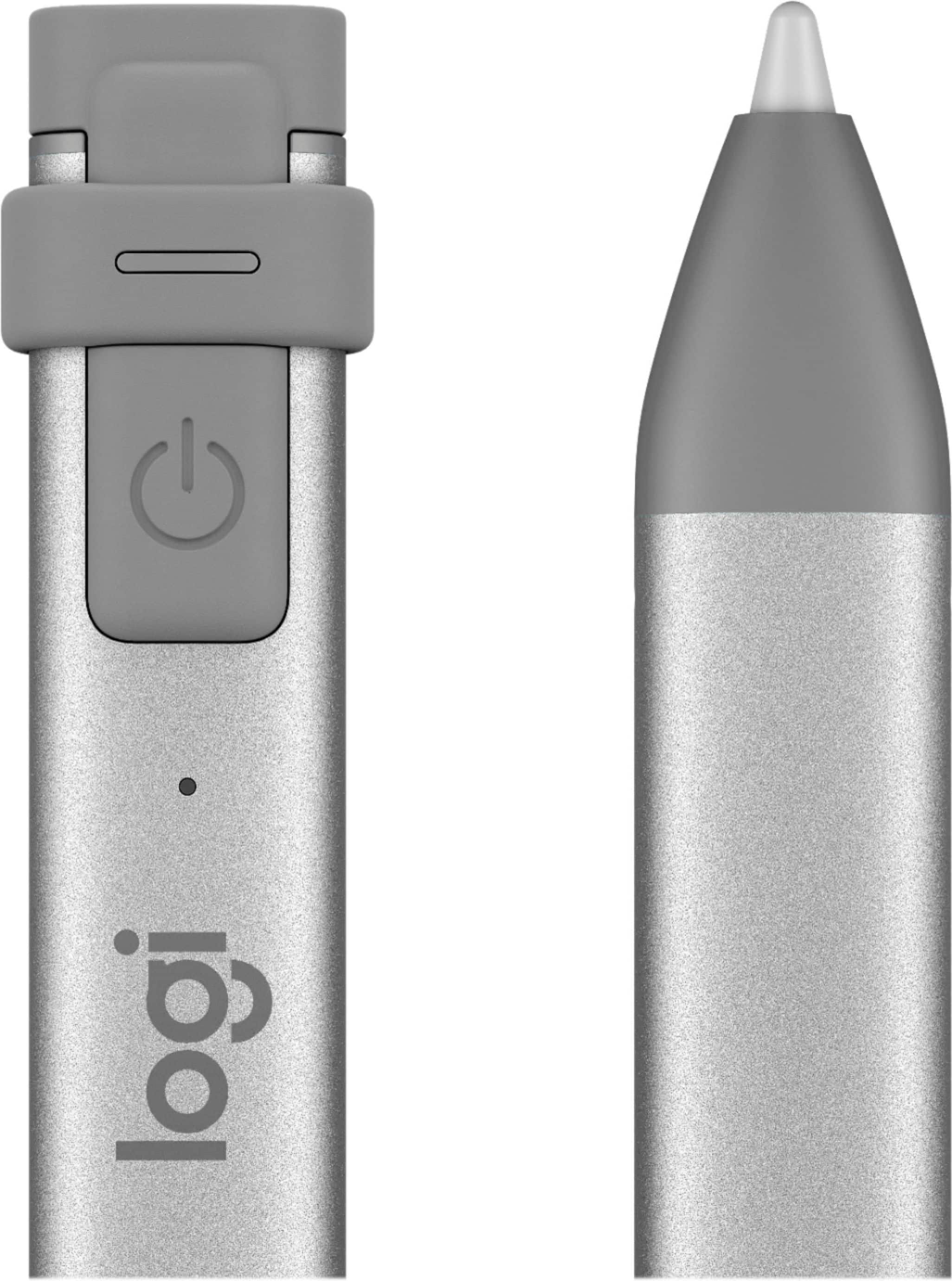
||Posted . Owned for 4 months when reviewed.This reviewer received promo considerations or sweepstakes entry for writing a review.I bought this for my six year old son’s iPad. He loves to draw and color, and this is way more kid friendly than the Apple Pencil. You can charge it by plugging a lightning cable under the top cap. No crazy adapters or having to stick it in the side of the iPad. It works really well, only missing the pressure sensitivity, but he could care less. Great product for the price just make sure you have the newest iPad or it won’t connect!
I would recommend this to a friend - Pros mentioned:Battery life, Ease of use
Pencil
||Posted . Owned for 3 weeks when reviewed.This reviewer received promo considerations or sweepstakes entry for writing a review.Great pen I use it with my iPad easy to use holds battery charge a long time
I would recommend this to a friend - Pros mentioned:Ease of use
Kids loved them
||Posted . Owned for 5 months when reviewed.This reviewer received promo considerations or sweepstakes entry for writing a review.Gifted them to my nephew and niece. They loved the ease of use with their iPads. The low price and iPad compatibility are a plus.
I would recommend this to a friendBrand response from Logitech
Posted .We're glad to hear that the Logitech Crayon Digital Pencil was a hit with your nephew and niece! Its ease of use with iPads and affordable price point make it a great choice for young users. Thank you for sharing your positive feedback.
- Pros mentioned:Battery life
Great Deal for Apple equivalent
||Posted . Owned for 1 year when reviewed.This reviewer received promo considerations or sweepstakes entry for writing a review.I purchased this on sale. While I am not a fan of orange, I wanted something that was cheaper than the Apple pencil because I knew I probably wouldn't use it often. I figured if I ever ended up using it a lot, this would be a good way to test it before paying more for the Apple version. I am happy with it and have no problems. It holds a charge for a long time. I hardly ever have to charge it.
I would recommend this to a friend - Pros mentioned:Price
Alernative Pen Option
||Posted . Owned for 3 weeks when reviewed.This reviewer received promo considerations or sweepstakes entry for writing a review.Great option at a cheaper price. Works well and won't disappoint.
I would recommend this to a friend - Pros mentioned:Price
Way batter then the apple pen!
||Posted . Owned for 2 weeks when reviewed.This reviewer received promo considerations or sweepstakes entry for writing a review.But this over the apple pen it works better price point and just works
I would recommend this to a friend - Pros mentioned:Ease of use
Great for kids
||Posted . Owned for 1 month when reviewed.This reviewer received promo considerations or sweepstakes entry for writing a review.Perfect for kids! Doesn’t roll because of the flat sides and is easy to use.
I would recommend this to a friend A must-have for notetaking
||Posted . Owned for 1 month when reviewed.This reviewer received promo considerations or sweepstakes entry for writing a review.This is my first experience with an ipad stylus and this logitech version works GREAT. I use this 100% for note-taking. I never have issues of it accidentally drawing when I use my fingers or when my hand slides on the page while writing. I can't imagine not having this. My only complaint is that I never remember to turn it off when I'm not using it (I think it's because there really isn't an indicator light to tell me that it's on) so I'm always running the battery low. I don't like the power button on the side, you have to press and hold to turn it on and off (and the act of pressing it blocks the indicator light). I wish it was a switch so I could easily tell if it was on or off.
I would recommend this to a friend- Pros mentioned:Ease of use
Made virtual learning 100x easier
||Posted . Owned for 10 months when reviewed.This reviewer received promo considerations or sweepstakes entry for writing a review.Absolutely love this tool. Bought it to make virtual learning easier and to conserve paper and it did exactly what it was supposed to. Now that virtual learning is over I’ve downloaded a handwriting app for my daughter to practice her cursive writing and she lovvvves it. Would definitely recommend this pencil and will replace it when it gives up on us.
I would recommend this to a friend - Pros mentioned:Ease of use
Works very well
||Posted . Owned for 3 weeks when reviewed.This reviewer received promo considerations or sweepstakes entry for writing a review.I use my iPad to enroll people into programs. This enables people to have somting that feels more like a pen when signing on the tablet. Unlike my Android setup, this pen is not picky about what angle you hold it. I do have to remember to charge it every few days. I don't need it to draw, so this is a much better option than spending extra for the Apple Pen.
I would recommend this to a friend