Customer Ratings & Reviews



- Model:
- 914-000051
- SKU:
- 6452837
Rating by feature
- Value
Rating 4.5 out of 5 stars
- Quality
Rating 4.6 out of 5 stars
- Ease of Use
Rating 4.5 out of 5 stars
Customers are saying
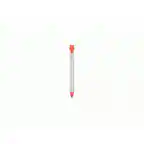
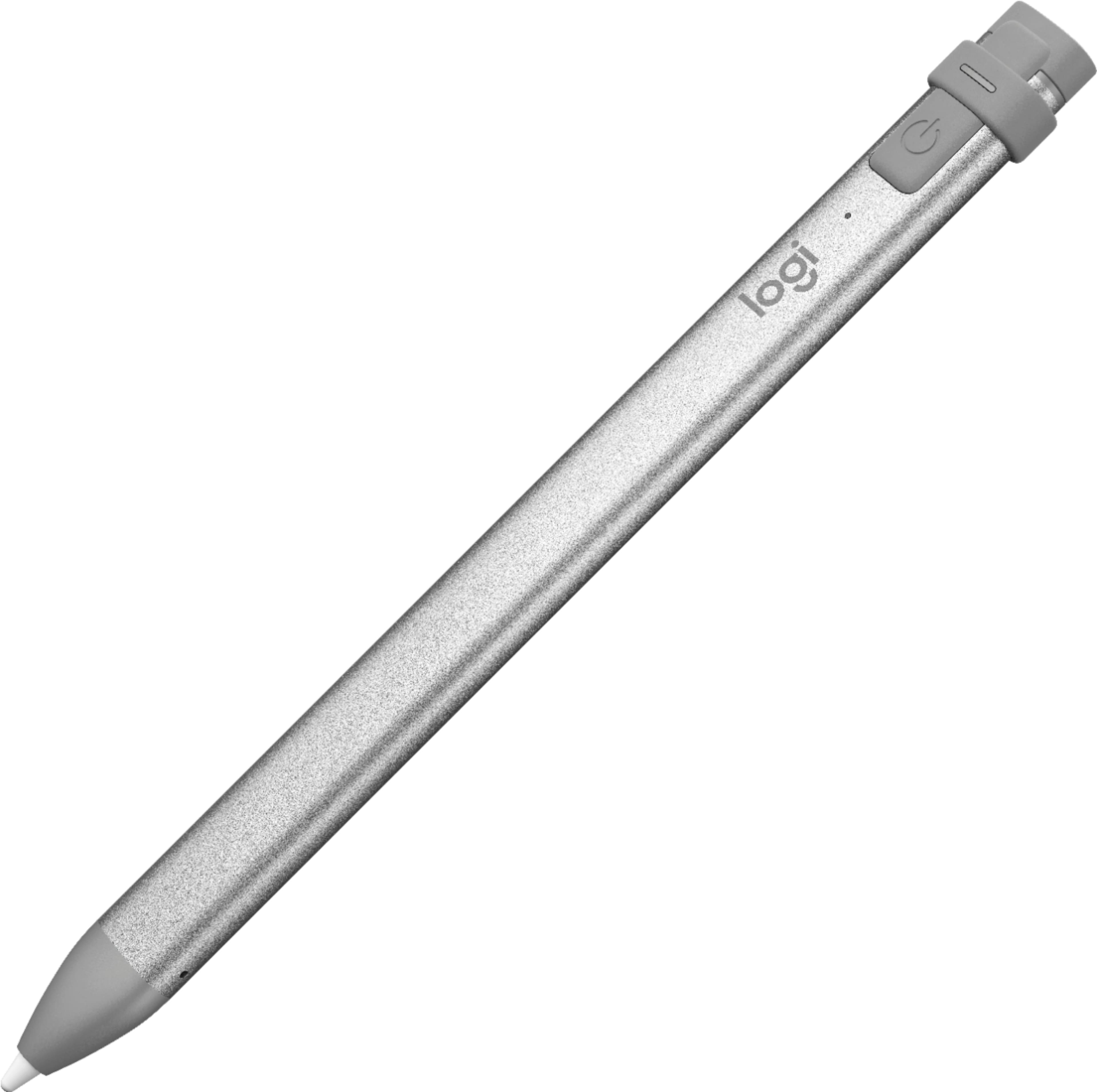
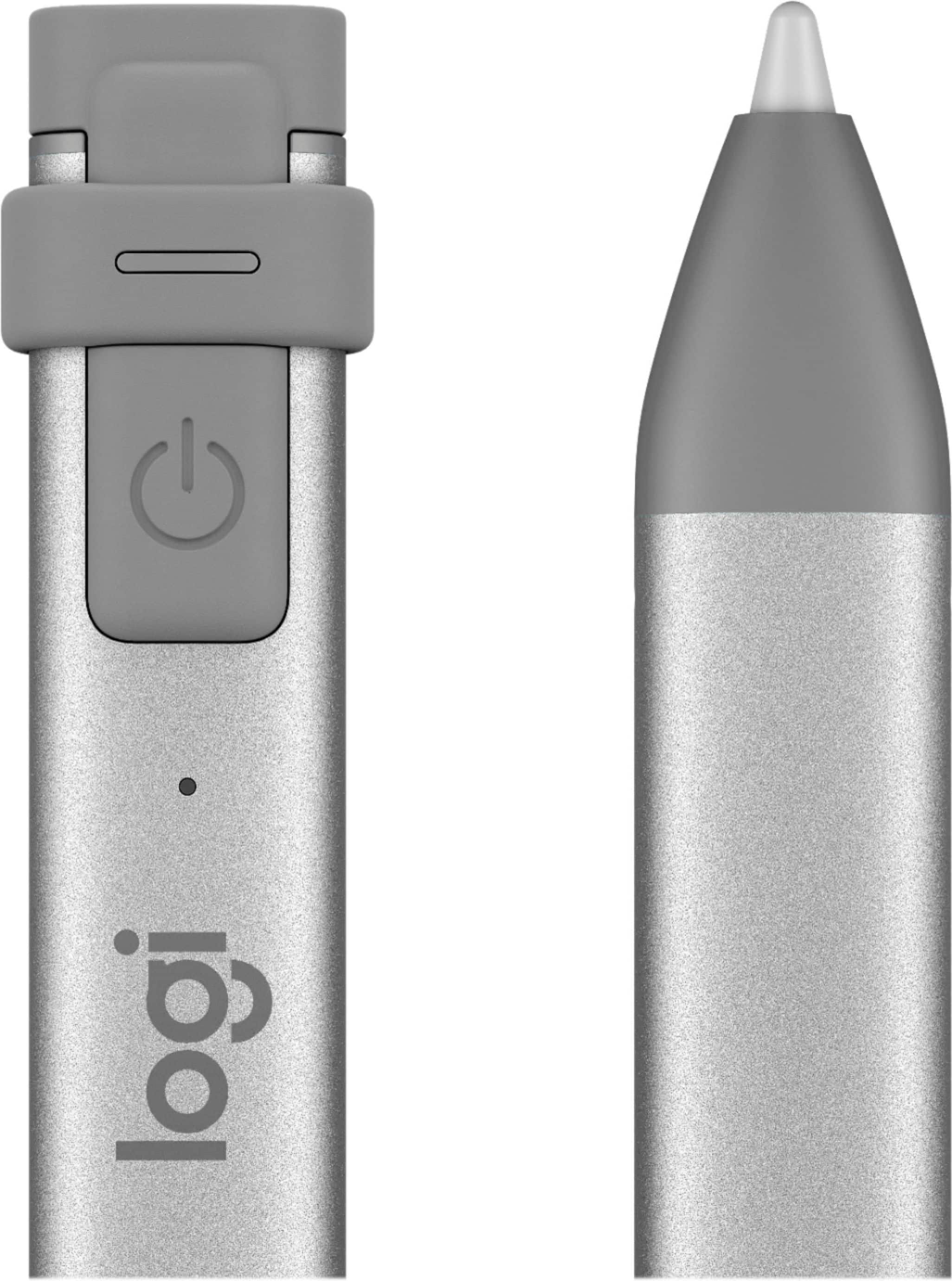
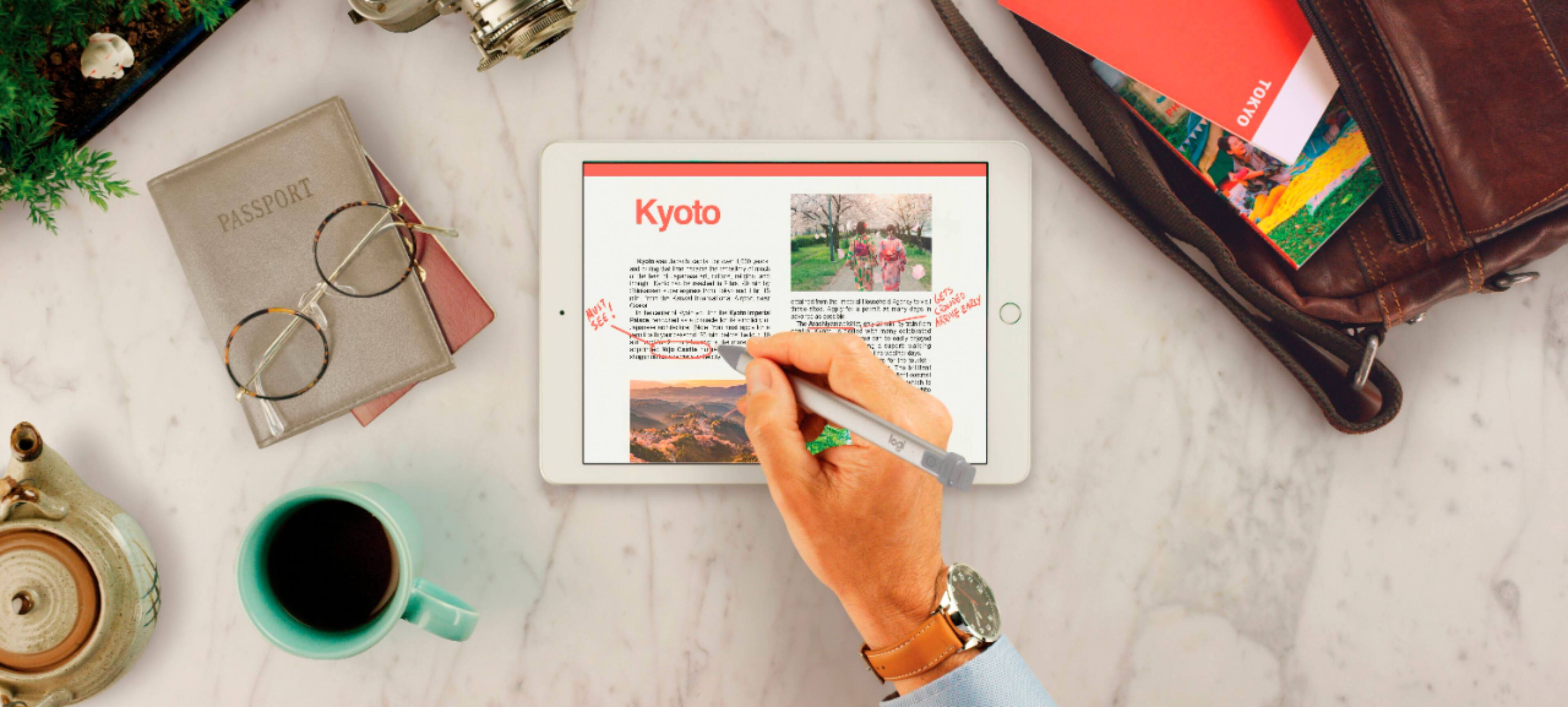
Customers commend the Crayon Digital Pencil for its ease of use, affordable price, and reliable performance, making it a great value for iPad users. Many appreciate its compatibility with various iPad models and find the battery life satisfactory. However, some users find the pencil's shape awkward, and a few note the limited pressure sensitivity. Additionally, a small number of users wish it had a magnetic attachment feature.
This summary was generated by AI based on customer reviews.
DIGITAL PEN
||Posted . Owned for 1 year when reviewed.This reviewer received promo considerations or sweepstakes entry for writing a review.Its a good pen to use on iPad no other apple products though…and battery life is not that great but manageable……
I would recommend this to a friendGreat stylus pen
||Posted . Owned for less than 1 week when reviewed.This reviewer received promo considerations or sweepstakes entry for writing a review.Got it as a gift for my wife. She loves it and it goes with the case I got her as well. Only thing it didn’t come with a charging cable.
I would recommend this to a friend- Cons mentioned:Pressure sensitivity

The pen for the rest of us
|Posted .This reviewer received promo considerations or sweepstakes entry for writing a review.The Logitech Crayon, while designed for the educational market, is really the apple pencil for the rest of us. By that I mean non-creative/drawing uses. Not that the Crayon can’t draw, it certainly can, and features tilt sensitivity, It does lack pressure sensitivity, which would be a deal breaker to any serious artist. If you can get past this limitation, in some ways it’s more Apple than the Pencil. So what sets the Crayon apart other than its lack of the pressure sensitivity feature? Well for one, the charging cover is attached (hurray!) so you won’t lose it. On that same note, the charger is a female lighting jack, so you aren’t forced to have it sticking out from your iPad in an awkward way (or feel like you'll break your lighting port on your iPad or the Pencil). I can’t imagine being in a scenario where the Pencil’s ability to plug directly into the iPad helps charge it on the go as between battery banks and lighting charging cables it's hard to be without a way to charge. The Crayon’s ability to just use any old lighting power cord is a god-send. Another great feature of its physical design is the material. Not only does the aluminum feel solid and welcome in your hand, but it also feel super sturdy, unlike the Pencil. I feel like the Pencil could easily be snapped, while the Crayon feels like it could handle some serious mayhem. Furthermore the fact the body isn’t a cylinder, but is more rectangular keeps it from rolling away. The color scheme might throw some off, but honestly I like the orange combo w/ the aluminum as it helps it stand out just enough without being gaudy. The top cover is a silicon and actually does come off (and is replaceable), but it does take some effort to remove. The tip is also replaceable, and requires a specific tool to remove the tip. This is a nod to its educational roots, where small hands might remove the tip and make it disappear. It actually is preferred in my use case as well, as my children would and have unscrewed my Pencil’s tip before. There is one button on the top that powers the Crayon on, and has an LED that shows the status. Another note: the Crayon auto powers off after 30 minutes. You’re supposed to be able to get 7 hours of usage out of it, and I doubt I’ll push that limit much and it's cinch to charge. Now how does it write? Quite well. It feels a lot like the Pencil in my ham hands with excellent tracking. Just like the Pencil, it works in the OS natively (swiping on the home screen, through web pages, and notating screen shots). Unfortunately I can confirm that it only works with the iPad 6th gen. My daughter’s 5th gen doesn’t work, and my iPad Pro 10.5” doesn’t work either. However the 6th gen iPad it works right away without any pairing. This is probably where the Crayon is most impressive, as it ‘just works’ as they say (I had a bad Pencil when I first got my Pro and it did not ‘just work’). Tilt sensitivity seems to be on point (pun intended), and allows basic sketches to turn out quite nice when using it for shading. I’m no artist, but I was able to draw relatively well with the Crayon. Unlike some other pens, it doesn’t have a native eraser feature or button, but neither does the Pencil, so no huge loss there. My primary use case besides just being curious about Logitech’s foray into near first party Apple accessory land is to give my small children a stylus they can really express themselves with. They’re both small, with my son pushing 4 and my daughter just 2. They both need supervision when using the Crayon, but I feel much better about them using this rather than my Pencil. They both enjoy drawing on the iPad - and I enjoy them not using actual crayons on the floor (which they still do, but a father can dream right?). I like that the Crayon just turns on and writes. The strong physically design makes me worry less about my son cracking the Pencil in half and potentially causing an injury. In my testing and writing though, I found myself actually enjoying the feel of the Crayon over the Pencil (it’s a bit more chunky), and wished it worked on the iPad Pro. If the next generation does indeed support this more passive pen, I may just sell my current pro and Pencil and get the Crayon. That said I’m no artistic professional, but I do annotate screenshots, documents, and draw some POCs. In these scenarios, I don’t miss the pressure sensitivity. Tracking was excellent, on par with my experience with the Surface Pen and Pencil on their respective devices. That said, again I’m no artist, but I am sensitive to lag, of which I did not detect. The only thing I found myself wanting was a pen clip, either to somehow secure it to the iPad or another surface. All in all the Crayon is an excellent stylus for the iPad 6th gen. I wish it worked on more iPad’s, but hopefully future iPad iterations will support it natively just like the 6th gen. I don’t think you can go wrong if you’re in the market for a stylus for the 6th gen iPad, as the Pencil is most likely overkill for you on the iPad (let’s be honest, if you’re buying an iPad for creative work, the Pro is definitely the better fit). Combine with the fact that it's cheaper, it's hard to make a case for the Pencil over the Crayon. This is an excellent product.
I would recommend this to a friend Better than expected!
||Posted . Owned for 3 weeks when reviewed.This reviewer received promo considerations or sweepstakes entry for writing a review.I bought the digital pencil for my mom to use in a digital color App. Just touching the numbers was hard for her at age 94. The pencil works great with just light pressure.
I would recommend this to a friendGreat pencil for most iPads
||Posted . Owned for 1 month when reviewed.This reviewer received promo considerations or sweepstakes entry for writing a review.Thought it would work for my daughters iPad mini. Found out it did not work for the older version iPads. So I bought her a new iPad instead of a new iPad and new I pencil.
I would recommend this to a friendGreat pen
||Posted .This reviewer received promo considerations or sweepstakes entry for writing a review.I like my pen. It connects quickly by just turning it on. It doesn’t roll off. Works great. I use it to write with, color with, and play games. I wish the battery lasted longer.
I would recommend this to a friendWorth the $
||Posted . Owned for 1 month when reviewed.This reviewer received promo considerations or sweepstakes entry for writing a review.You can unlock so many cool features on your ipad with this one little accessory! Definitely worth it
I would recommend this to a friendpencil
||Posted . Owned for 1 year when reviewed.This reviewer received promo considerations or sweepstakes entry for writing a review.love the pencil for ipad daughter uses it for school assignments and great customer service easy to find item still like new and works great
I would recommend this to a friendGood Product
||Posted . Owned for 7 months when reviewed.This reviewer received promo considerations or sweepstakes entry for writing a review.It worked well with my old iPad but when I switched to the 3rd Gen iPad Pro it didn't work as well, if you have a regular iPad though, it is recommended.
I would recommend this to a friendLogitech Crayon
||Posted . Owned for 3 weeks when reviewed.This reviewer received promo considerations or sweepstakes entry for writing a review.Love this! I am not an artist, so I am I cannot speak for that aspect, but it’s so nice for notes, just flows. Great for letters and other personalized writing. Much
I would recommend this to a friendBrand response from Logitech
Posted .We’re so pleased to hear that you’re enjoying your Logitech device. Your feedback is a big part of what helps us grow and continue to serve our users better. Thank you for choosing Logitech and for being part of our journey.

Chunkier pencil
||Posted . Owned for 1 year when reviewed.This reviewer received promo considerations or sweepstakes entry for writing a review.Not bad but not the same as Apple Pencil. More rugged feeling though.
I would recommend this to a friendBrand response from Logitech
Posted .Hello AmyP,
I am sorry that you are not loving your new Logitech Crayon Digital Pen. I agree that the Crayon has a very different feeling from the Apple pencil and has other features. I will record your product review and pass it on. Logitech appreciates your product review. - Leo from Logitech
Logitech CRAYON for iPad
||Posted . Owned for 1 month when reviewed.This reviewer received promo considerations or sweepstakes entry for writing a review.It works, but I really didn't need it as much as I thought I would. If you do a lot of detail work it's probably great, but I get by with my finger just as easily.
I would recommend this to a friendPerfect for my daughter
||Posted . Owned for 1 week when reviewed.This reviewer received promo considerations or sweepstakes entry for writing a review.My daughter loved this Logitech crayon. I was concerned with getting her the Apple Pencil and her loosing it so this was a great alternative.
I would recommend this to a friendNice Pen
||Posted . Owned for 11 months when reviewed.This reviewer received promo considerations or sweepstakes entry for writing a review.When our 10yr old waned the "apple pencil' we couldn't justify the cost. This one proved to be a great choice. Worked exactly as expected
I would recommend this to a friendworks great
||Posted . Owned for 7 months when reviewed.This reviewer received promo considerations or sweepstakes entry for writing a review.Does everything I need it to do and cost less than the apple pen would highly recommend to anyone looking for a stylus for their I-Pad
I would recommend this to a friendNice, but not necessary
||Posted . Owned for 8 months when reviewed.This reviewer received promo considerations or sweepstakes entry for writing a review.It's a nice digital pencil. Is it really necessary? not really unless you are an artist or someone who writes. It has some delay.
No, I would not recommend this to a friendGreat product
||Posted . Owned for 5 months when reviewed.This reviewer received promo considerations or sweepstakes entry for writing a review.Seemed like a great quality product! Had to return only because I had to have the features the apple pen and iPad have together.
I would recommend this to a friend- Pros mentioned:Price
not Bad
||Posted . Owned for 2 months when reviewed.This reviewer received promo considerations or sweepstakes entry for writing a review.had some issues with it connecting to work with our ipad. but when it is connect is works not bad for the price
I would recommend this to a friend Logitech Crayon No Choice
||Posted . Owned for 2 weeks when reviewed.This reviewer received promo considerations or sweepstakes entry for writing a review.Did my research and decided to get this crayon over the I pad pencil. The price was better and the quality is great.. No problems
I would recommend this to a friend- Pros mentioned:Ease of use
Decent
||Posted . Owned for 1 month when reviewed.This reviewer received promo considerations or sweepstakes entry for writing a review.Its alright, works well for what I need it for happy I got this instead of the Apple Pencil
I would recommend this to a friend