Customer Ratings & Reviews
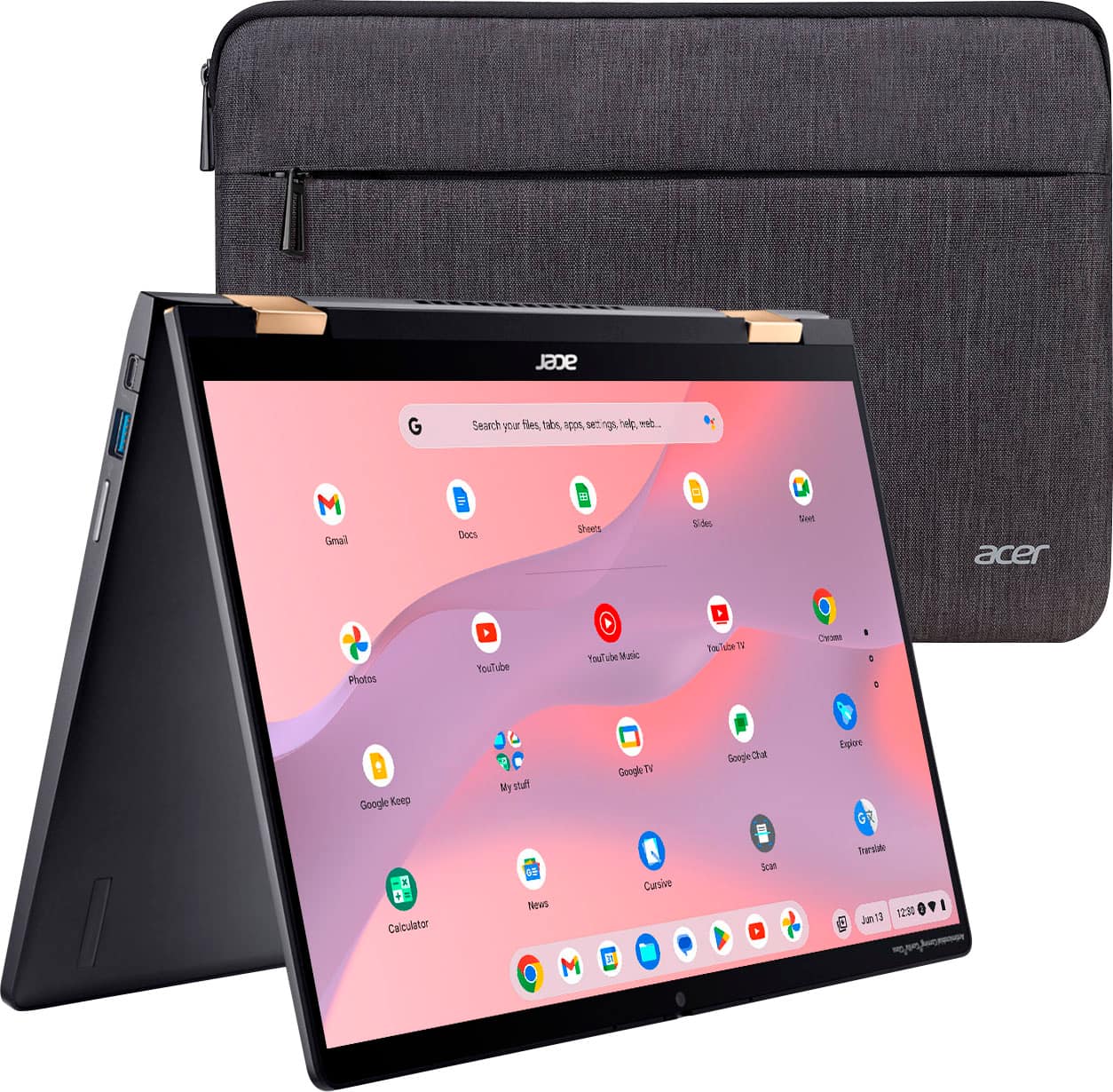
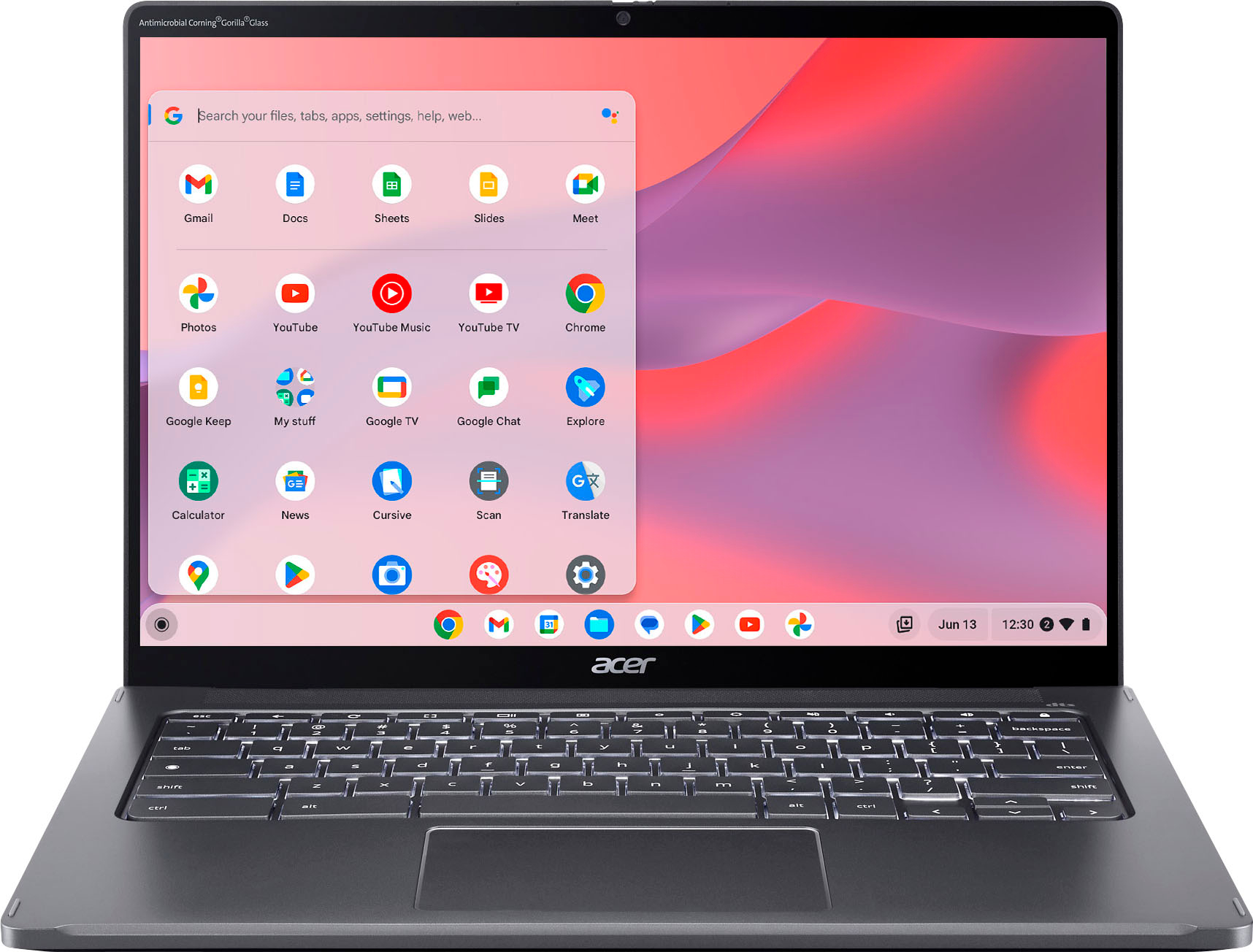
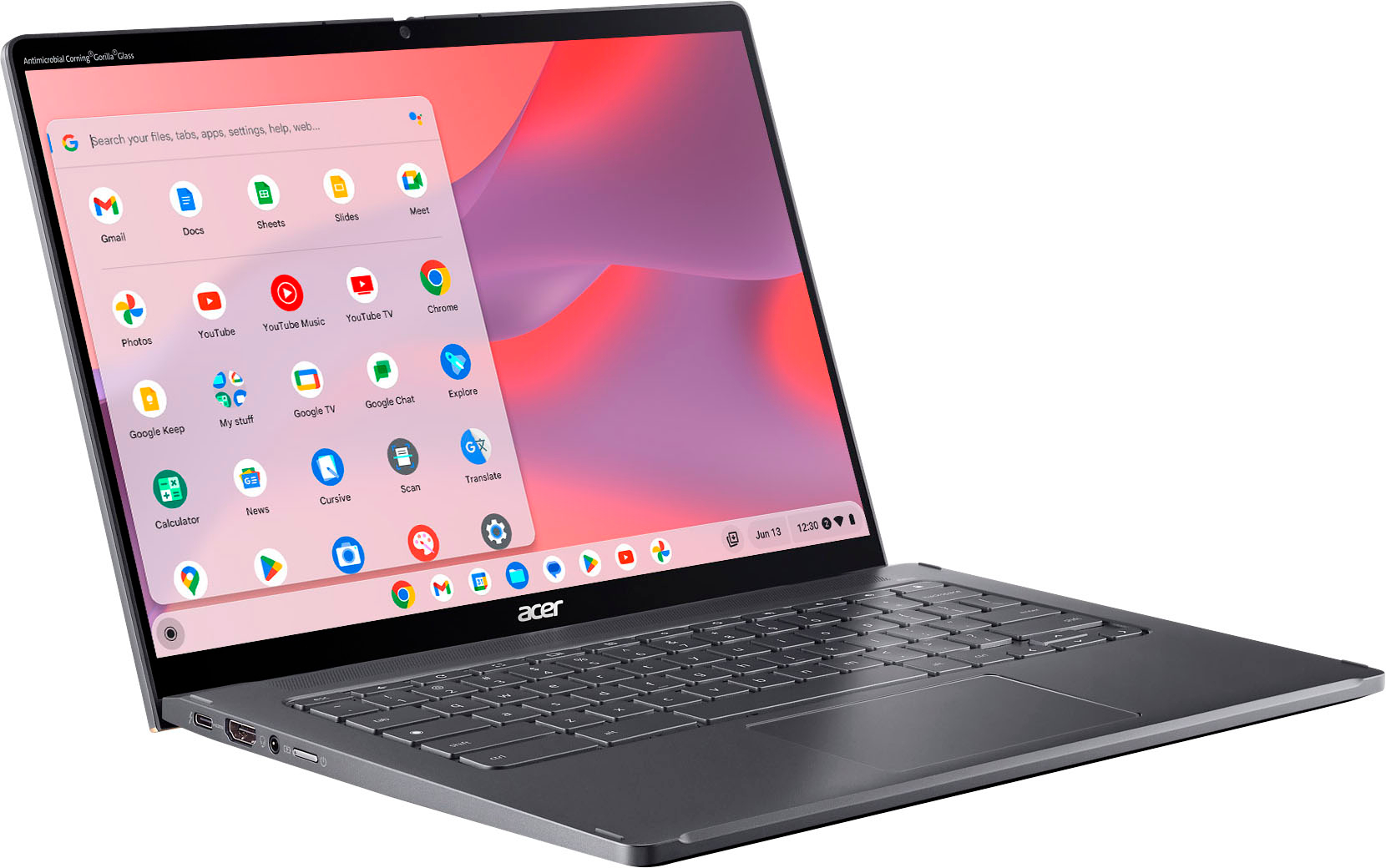
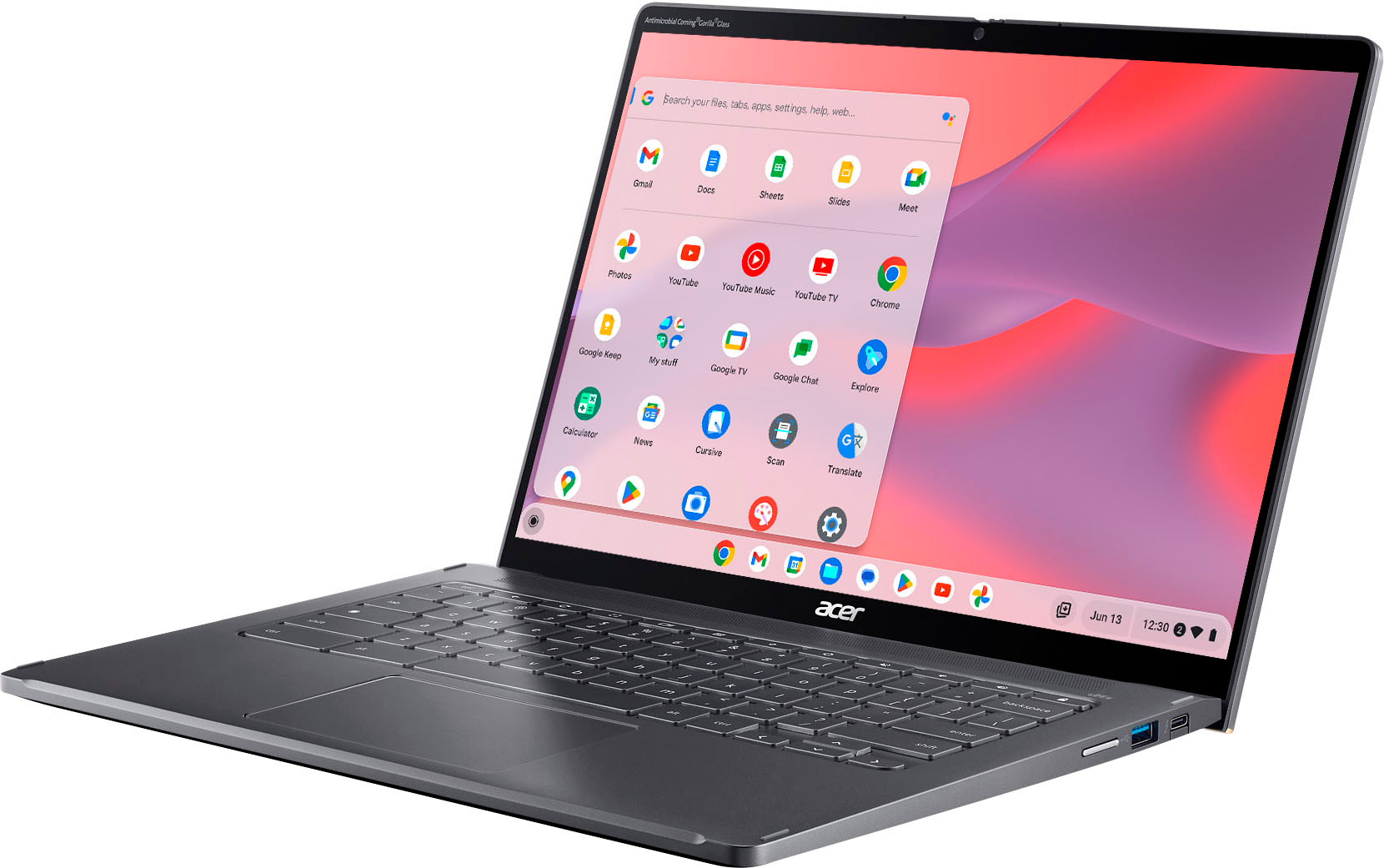
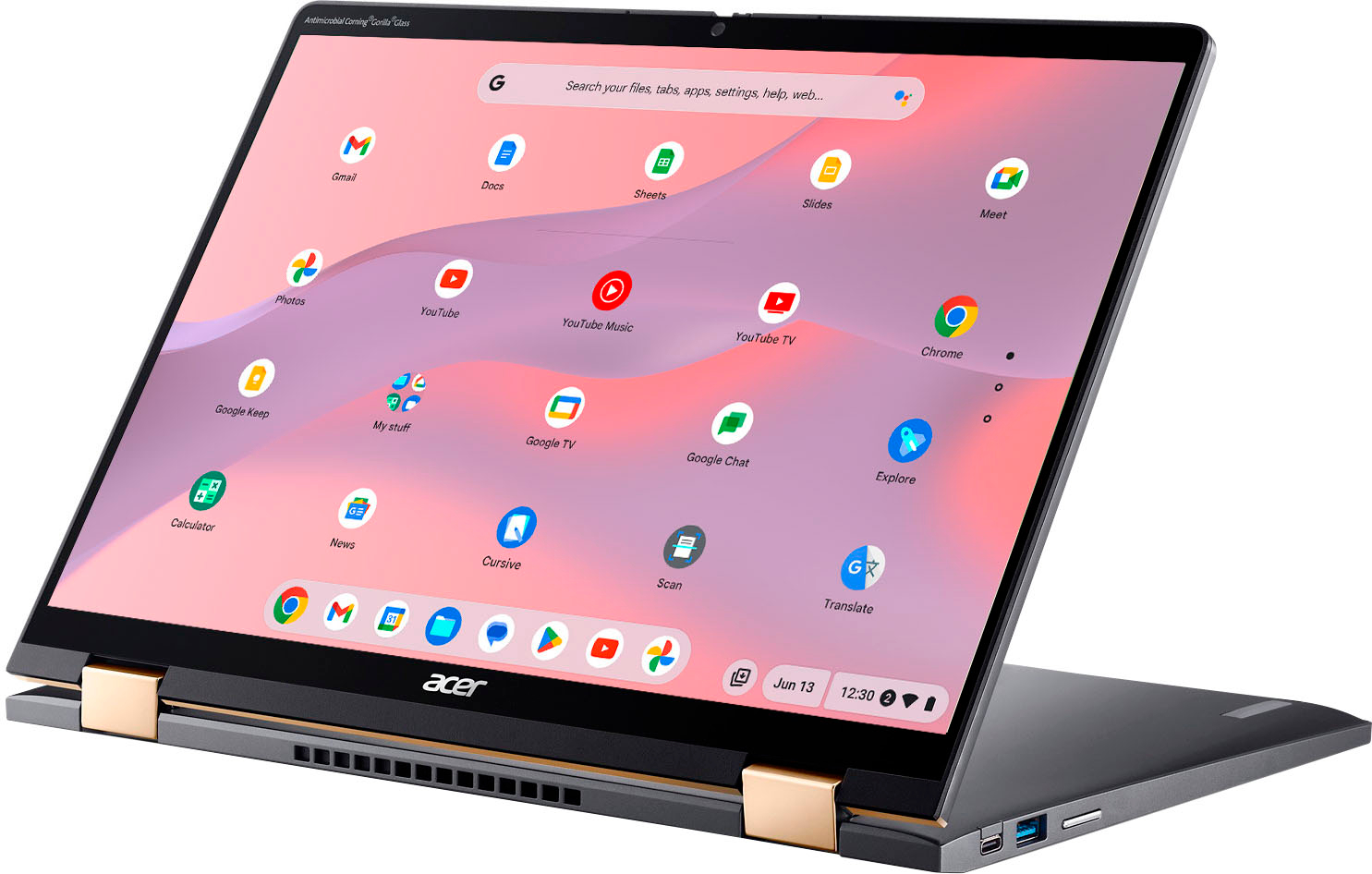


- Model:
- CP714-2W-56B2
- SKU:
- 6541841
Rating by feature
- Battery Life
Rating 4.6 out of 5 stars
- Speed
Rating 4.7 out of 5 stars
- Display
Rating 4.7 out of 5 stars
Customers are saying
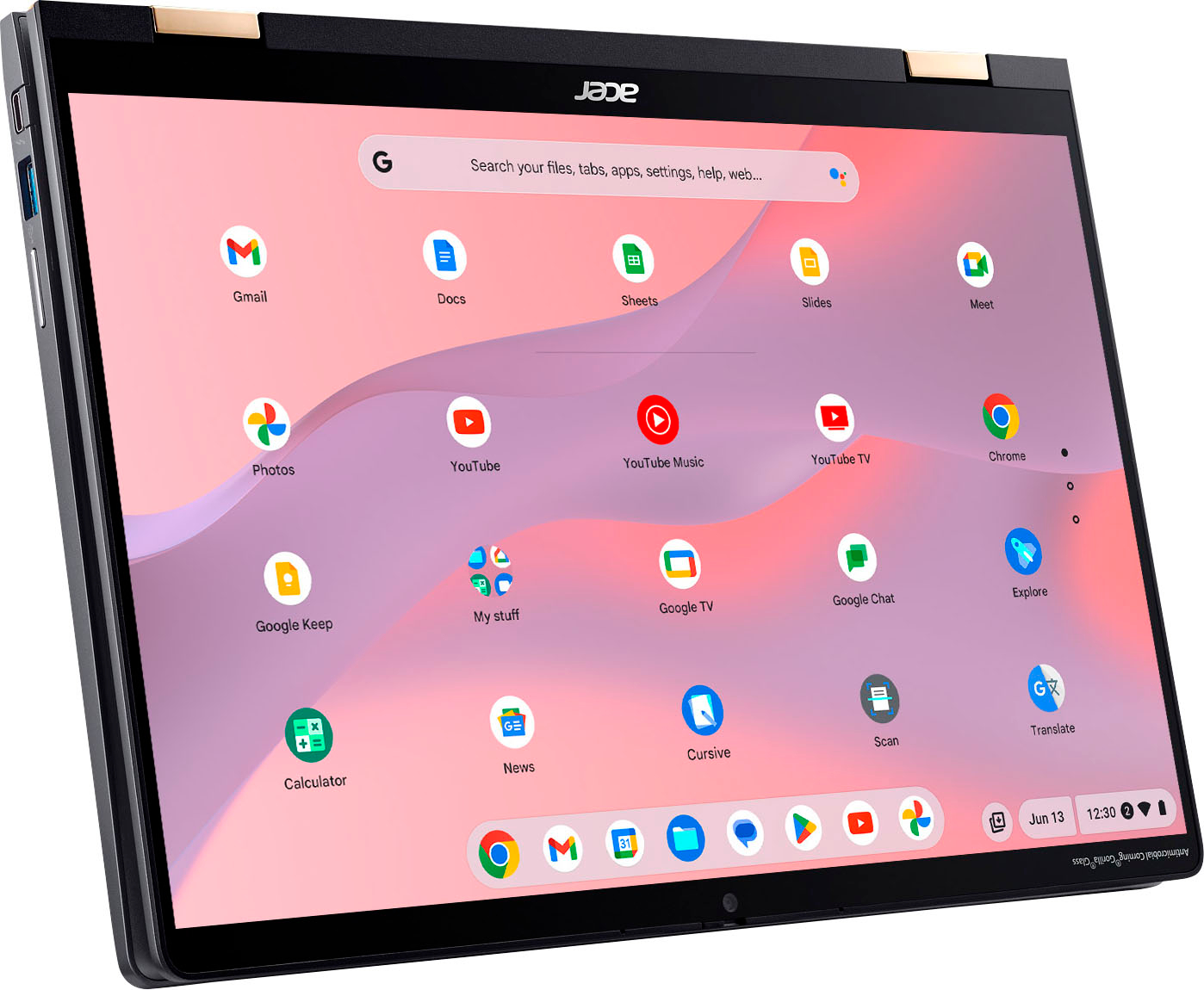
Customers express satisfaction with the Chromebook Plus Spin 714's responsive touchscreen, excellent battery life, and ease of use. Many appreciate its performance, lightweight design, and ample RAM. While some users found the speakers to be underwhelming, the positive feedback on other features outweighs this concern. The screen size is also frequently praised for its suitability.
This summary was generated by AI based on customer reviews.
- Pros mentioned:Battery life, Performance, Processor speed
Worth It! FAST, Premium Feel and a Joy to Use
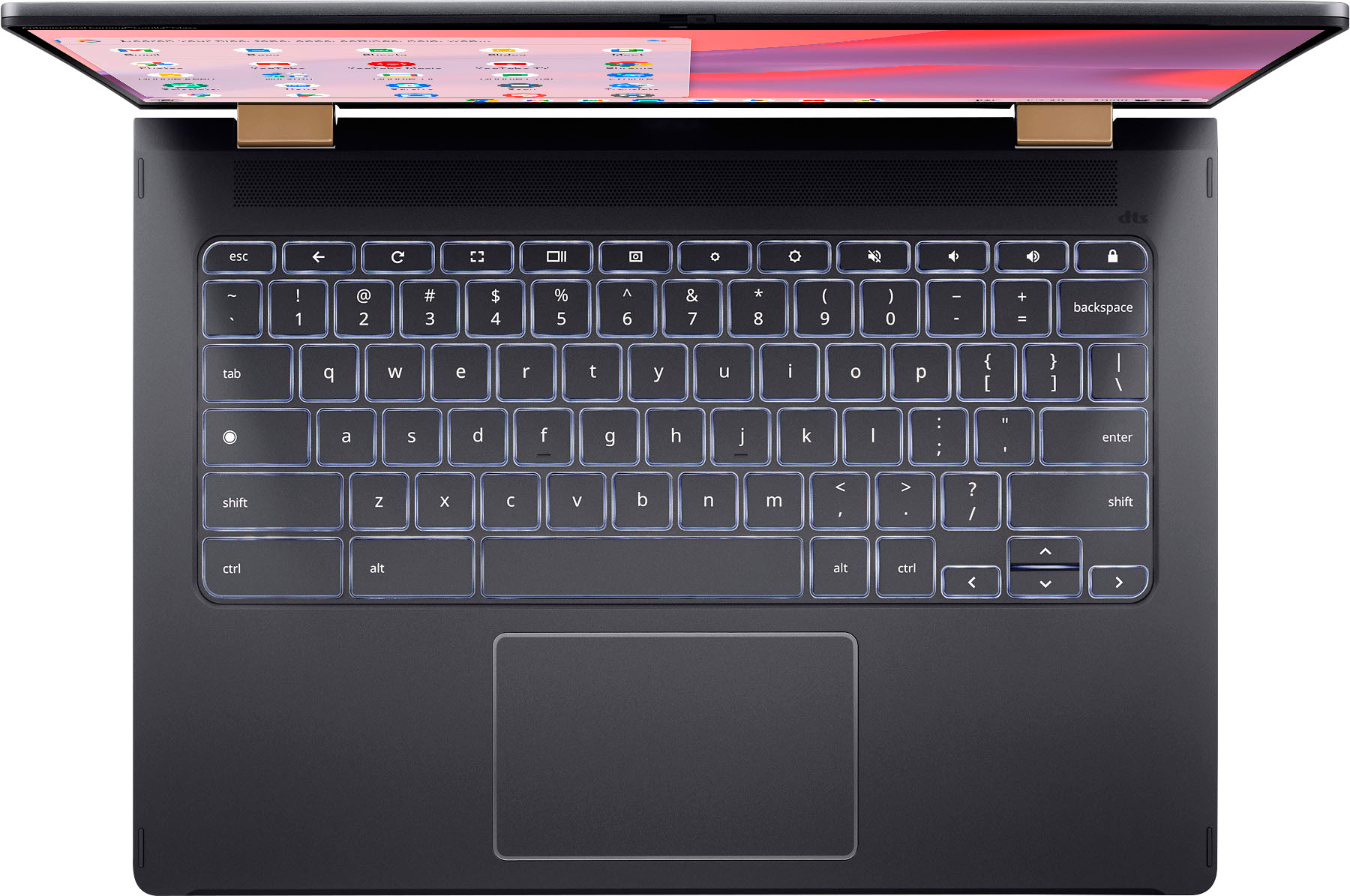
||Posted . Owned for 1 week when reviewed.This reviewer received promo considerations or sweepstakes entry for writing a review.This July 2023 version of the Spin 714 resolves all issues reported in the previous version. In fact, none of the expert reviews even tested this release. So, here's my take.... Get this! It's FAST, can handle many open tabs and has a premium feel much like a quality laptop. Battery life is long. The display looks fantastic and is bright. The backlit keyboard makes night usage a joy, and the keys make typing easy. The camera's 1080p resolution and shutter is a welcome upgrade. The glass trackpad is smooth, but requires presses closer to the center to make clicking easier. The speakers are sufficient, but not loud; they're not a substitute for listening to music via Bluetooth earbuds. While there's no garage storage for a stylus, it does work well with my own 3rd-party stylus or finger. The bottom line: This Chromebook 'does it all' and makes me smile when using it. It's a significant upgrade from my previous premium Chromebook.
I would recommend this to a friend - Pros mentioned:Battery life, Processor speed, Touchscreen
Not your average Chromebook.
||Posted . Owned for 2 months when reviewed.This reviewer received promo considerations or sweepstakes entry for writing a review.If you want something simple rather than Apple or Microsoft, this is the computer for you. And by simple I don't mean something bad it's very easy to navigate. But this Acer is definitely not your typical Chromebook, it well exceeds oh specs on other chrome books. The processor is 13 generation Intel and below the other CPU out of the water. Mine has 250 gigabytes SSD which is plenty because chrome is built off the cloud. You would think that eight gigs of ram is not enough, but the CPU lens hand to the GPU if needed. The screen quality is excellent vivid colors very clear and flows nicely and videos. The build quality is comparable to a Mac, and last but not least amazing battery life. This Chromebook is basically plug-and-play, I definitely recommend it and I did forget something comes with a case, and which all laptops should come with.
I would recommend this to a friend - Pros mentioned:Battery life, Processor speed, Touchscreen
Great Chromebook for me
||Posted .This reviewer received promo considerations or sweepstakes entry for writing a review.This is a great chromebook I've ever had before. Fast boot and no delay apps. Wifi is good. Battery time is a lot longer than my dell window laptop and charging really fast. The screen is clean and touch screen works great in every angle. Compare to my former chromebook and laptops, this one is the best.
I would recommend this to a friend 
Very performant. Easy to live with Chromebook.
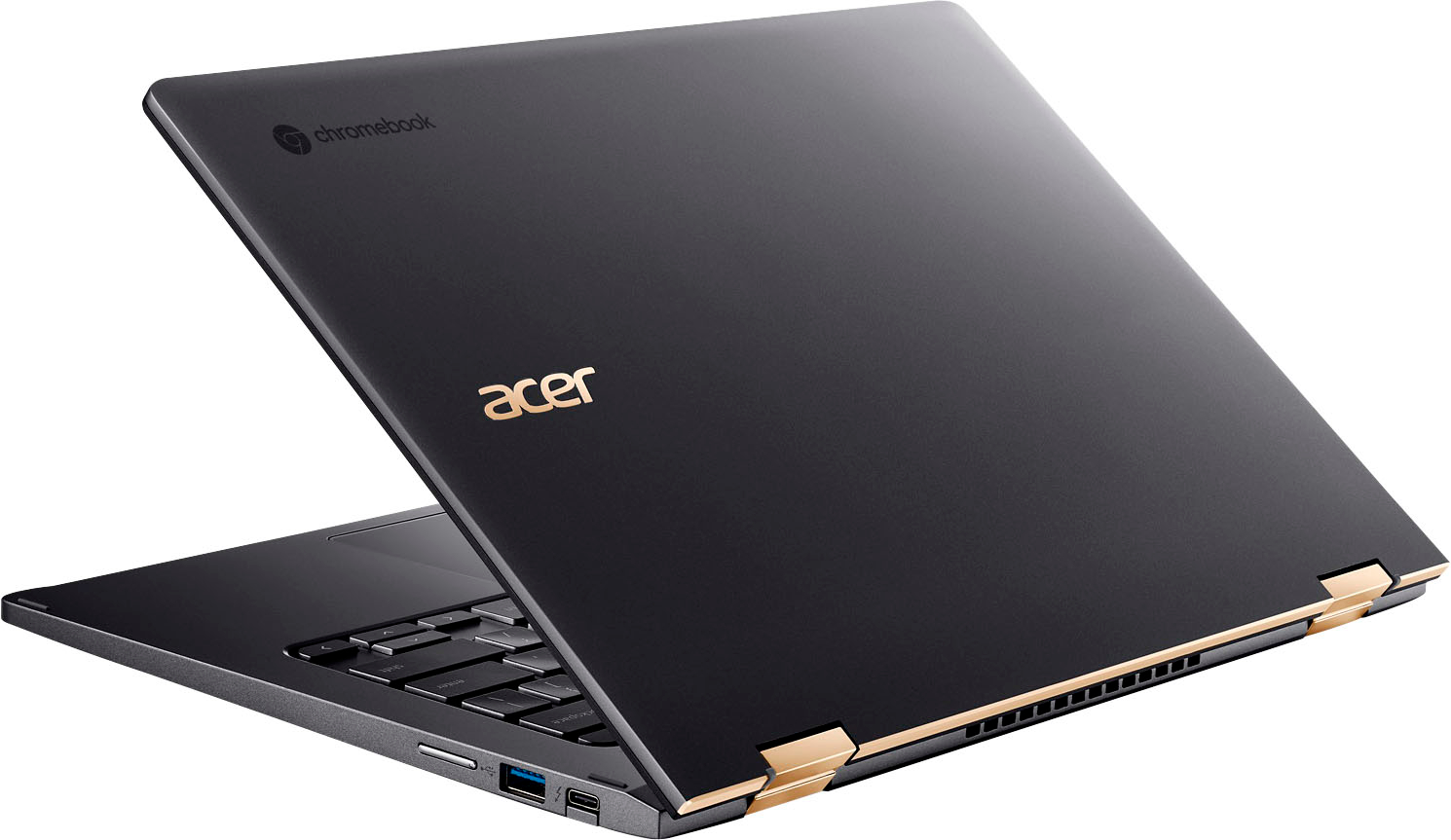
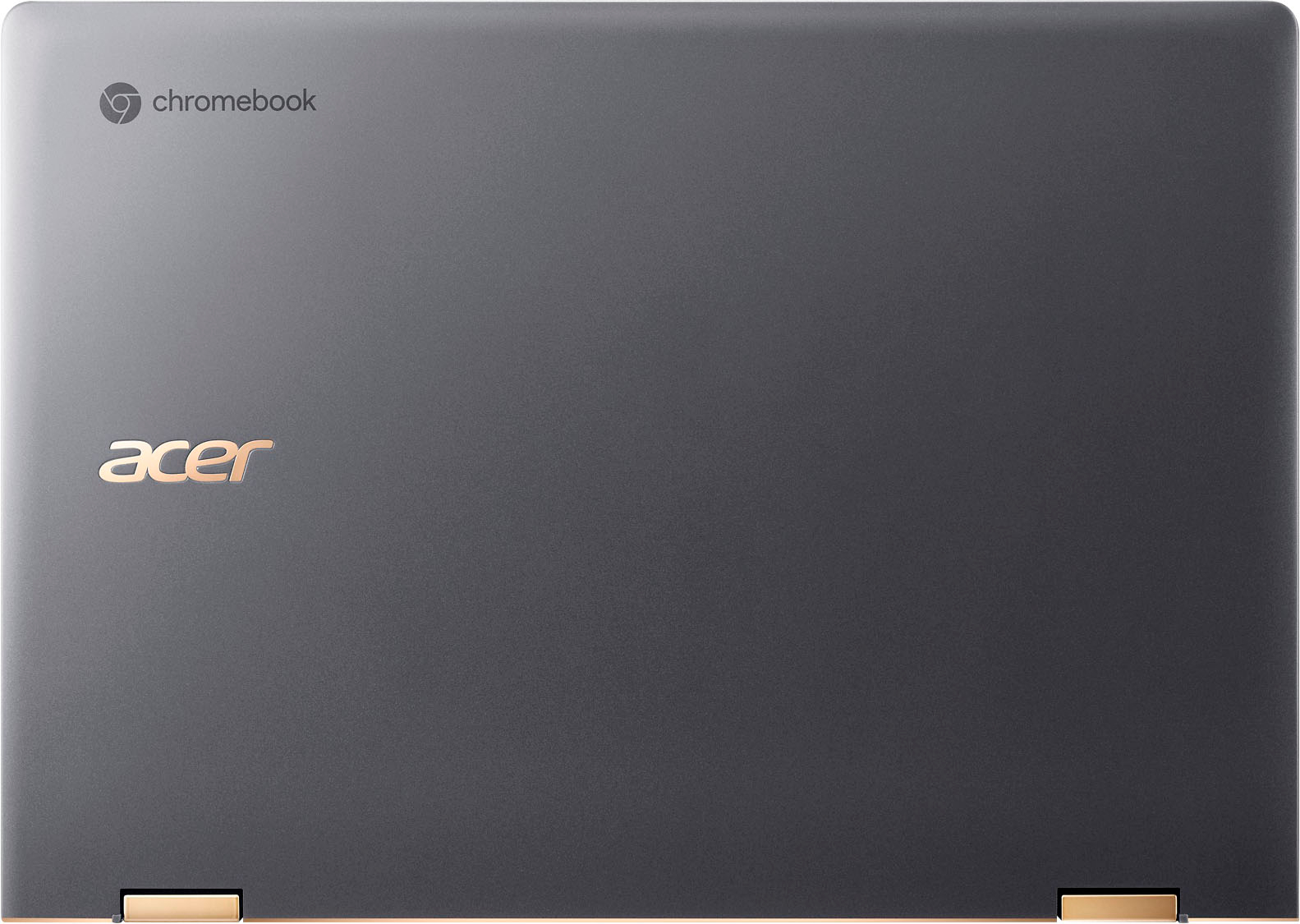
|Posted .This reviewer received promo considerations or sweepstakes entry for writing a review._____ *Pros: -Fast and snappy performance. -Bright and crisp display. -Tactile and very responsive keyboard and touchpad. -Nice selection of ports (USB-A, USB-C, HDMI, audio). -Lightweight. -Excellent battery life. -Comes with nice free perks (GeForce Now, Minecraft, Google storage, and more). _____ *Neutral: -The speakers aren’t very loud, and the range is very so-so. -The display’s auto-brightness feature doesn’t work well. _____ *Cons: -Still no custom touchpad gestures. My first experience with a Chromebook was with the 2018 HP Chromebook x2 which left a largely negative and disappointing impression on me. That Chromebook was horribly under-specced, under-powered, and terribly sluggish and slow. I still use it occasionally but only as a large tablet detached from the keyboard base. In 2019, I had a brief experience with the 15.6” Acer Chromebook 715, which overturned my bad impression of Chromebooks due to its fast performance and good build quality. It’s now 2023, and I decided to give Chromebooks another go with the 2023 Acer Chromebook Spin 714, and I’m glad I did so. The Spin 714 Chromebook is fast, has an excellent and comfortable keyboard, a responsive touchpad, and a bright and clear screen which makes it an easy laptop to use and live with. === Build Quality === My first impression of the Chromebook Spin 714 was that it looks and feels like an upper-low to middle-range Windows laptop in terms of build materials and quality. Almost the entire laptop is made of plastic, and it’s one of those plastic materials that very obviously feels like plastic when you run your finger across the surface. If you press down semi-hard on the keyboard deck, you can make it flex inward and even hear some creaking sound. Same for the lid cover and bottom panel. Acer coated the plastic with some metallic flake paint job which makes the laptop look metallic and prevents it from looking cheap and low-end. It’s a nice effect, and I’m okay with that. On the positive side, the predominant use of plastic makes the Spin 714 lightweight and very comfortable to carry around. My 8-yo daughter will be inheriting the Spin 714 from me when she begins third grade later this year, and she shouldn’t have difficulty carrying it around inside her backpack. The component choices and other design aspects of the Spin 714 get no major complaints from me. The 14” 1920x1200 display is evenly lit, bright, and very sharp. The display is touch-enabled, and thanks to the Corning Gorilla Glass, swiping and tapping on the display feels buttery smooth and pleasant. The keyboard keys are spaced just right, and the keys are tactile and accurate with nice resistance, quick uptake, and low noise. The backlit keys aren’t overly bright and offer good visibility in dark environments. I’m also happy with the display hinges – I can lift the lid with just one finger without supporting the base with my other hand, and when I rotate the display to tent mode, the actuation is smooth. The touchpad surface is plastic, but it’s quite smooth and I’m okay with it. Taps and swipes register accurately, and all the ChromeOS gesture shortcuts worked correctly. I like that the touchpad isn’t loud when you press down on it to select or right-click on items. There are only two things I would want more out of this touchpad – a larger surface area, and the ability to create custom three-finger and four-finger swipe gestures like you can on a Microsoft Precision touchpad found on many Windows laptops. I don’t know why Google still hasn’t made that option available to end users as it’s so convenient. Thankfully, the Spin 714 comes with a nice selection of ports – 2x USB-C (Thunderbolt), 1x USB-A, 1x HDMI, and 1x audio. This means I don’t have to use dongles, and I’m grateful for it. One thing that woefully stands out are the speakers. Despite turning it up to 100%, the volume simply doesn’t get very loud, and the range feels muted and lacking in soundstage detail. In other words, I did not really enjoy watching movies and listening to music on the Spin 714. Perhaps I’m being extra picky by being spoilt on high-end Windows laptops such as the Dell XPS 15 and HP Spectre x360. Even so, I feel Acer could’ve done a better job here. Moving on to the webcam, I was pleasantly surprised by its fidelity. The 1080p HD webcam is clear and offers natural colors and saturation, great for conference calls with Microsoft Teams or Zoom. There is a physical shutter above the camera you can slide to cover up the camera which is nice and appreciated. Overall, besides the underwhelming speakers and audio capability, I’m quite satisfied with the Spin 714 and I enjoy using it. === Performance === Despite packing a mid-range 13th-gen Core i5 CPU (10 cores, 12-threads), 8GB of LPDDR4X RAM, and a 256GB NVME drive, the Spin 714 pleasantly surprised me with its fast, snappy performance. It probably has to do with the lower system requirements of Chrome OS which isn’t as resource-hungry as Windows 10 or Windows 11. Whatever the case, the Spin 714 allows me to multi-task and do stuff just as well as on a Windows laptop with a Core i7 CPU with 16GB of RAM. My usual routine is to have the Chrome browser open with about 22 tabs, Microsoft Edge with about three tabs, and some music streaming in the background while I work on reports, edit videos and photos, and perform some spreadsheet functions. The Spin 714 handled all of them just fine without lag or sluggishness, which again, surprised me. It really made me realize that Google is truly serious about ChromeOS, and if the manufacturer puts in a decent CPU, memory and fast storage, like NVME, then a Chromebook can really be a viable alternative to a Windows laptop. === Using and Living with Chrome OS === Due to constant improvements and refinements made to ChromeOS over the years and my previous dabbling with a couple of Chromebooks, my transition back to a Chromebook from a Windows environment was smooth. Although many of my favorite Windows app don’t have identical counterparts on ChromeOS, viable alternatives can be found without too much time and effort. And a cool thing about Chromebooks is that you can run both Linux apps and Android apps on the same device without needing to dual-boot. I think once people get past the initial learning and adjustment period of getting used to slightly different keyboard layouts and shortcut functions, getting used to using the Cloud more for saving and backing up their data, then they’ll discover that ChromeOS is pretty decent and it’s a nice and good alternative to Windows machines. As a heavy PC gamer, however, I cannot see myself completely transitioning to a Chromebook in the near or far future – I would be missing out on too many great games. But for people who aren’t dedicated gamers that primarily use their laptops for web browsing and working on reports, spreadsheets, school stuff, Teams or Zoom meetings, and watching and listening to media, then I think a Chromebook will suffice just fine. === Battery Life === Acer promises up to 10 hours of battery life from the 3892mAh battery, and I would say it’s pretty accurate. Even though the battery is relatively small compared to the 86 Wh, 7167mAh battery inside my Dell XPS 15 laptop, the Spin 714 lasts longer and I don’t need to charge it up as often. For the stuff that I do, the Spin 714 lasts about 8.5 hours before needing a fill-up. It is always a good thing when a device can actually live up to its marketing claims. Good job, Acer~! === Is it worth the coin? === I say yes. For about seven Benjamins, you get a nicely equipped Chromebook with a very performant Intel CPU, 8GB of RAM, and fast NVME storage. The display is bright and crisp, the keyboard and touchpad are a pleasure to use, and the machine is fast and snappy. ChromeOS is constantly being worked on and refined, and the ability to install and use Linux and Android apps is pretty cool. The only glaring weakness for me is the subpar audio system, but I’m sure there are people out there that might not be bothered by it as much. The Spinbook 714 has no deal-breakers for me, and I truly enjoy using it.
I would recommend this to a friendPlenty of "horsepower," versatility, but no stylus
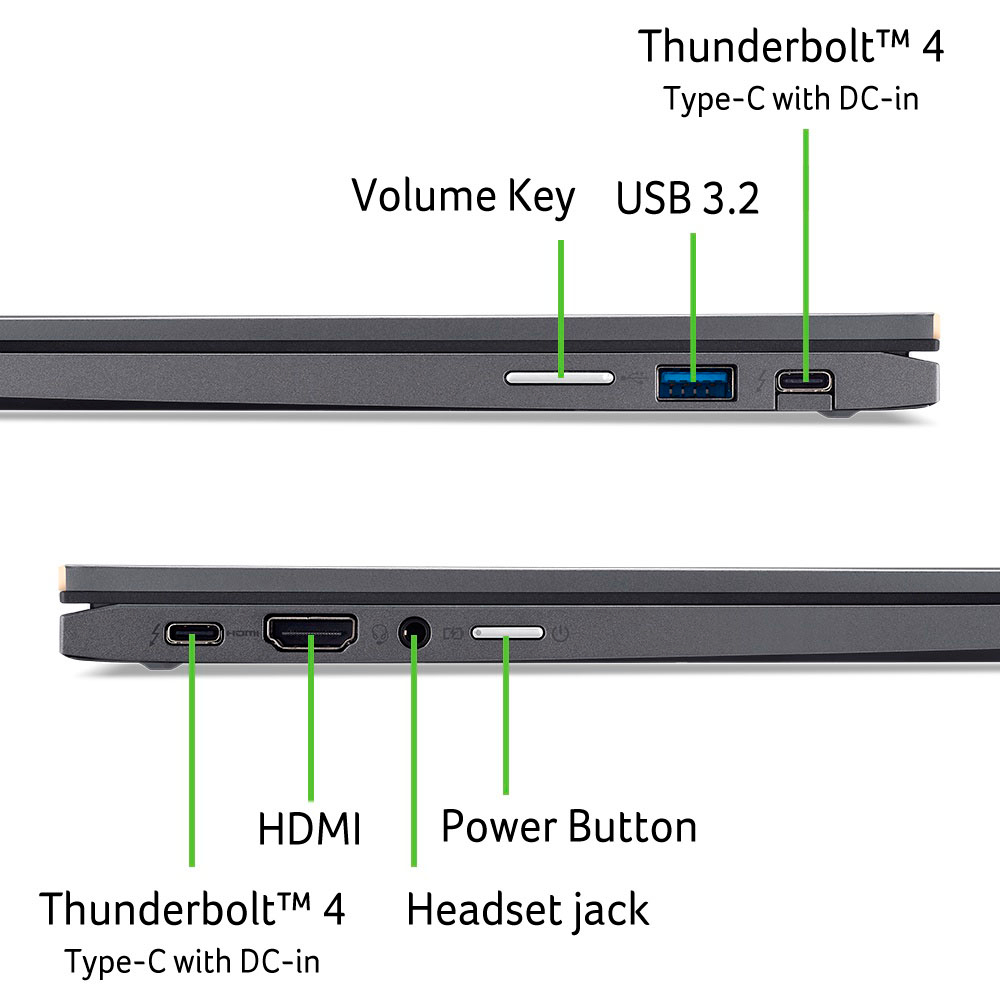
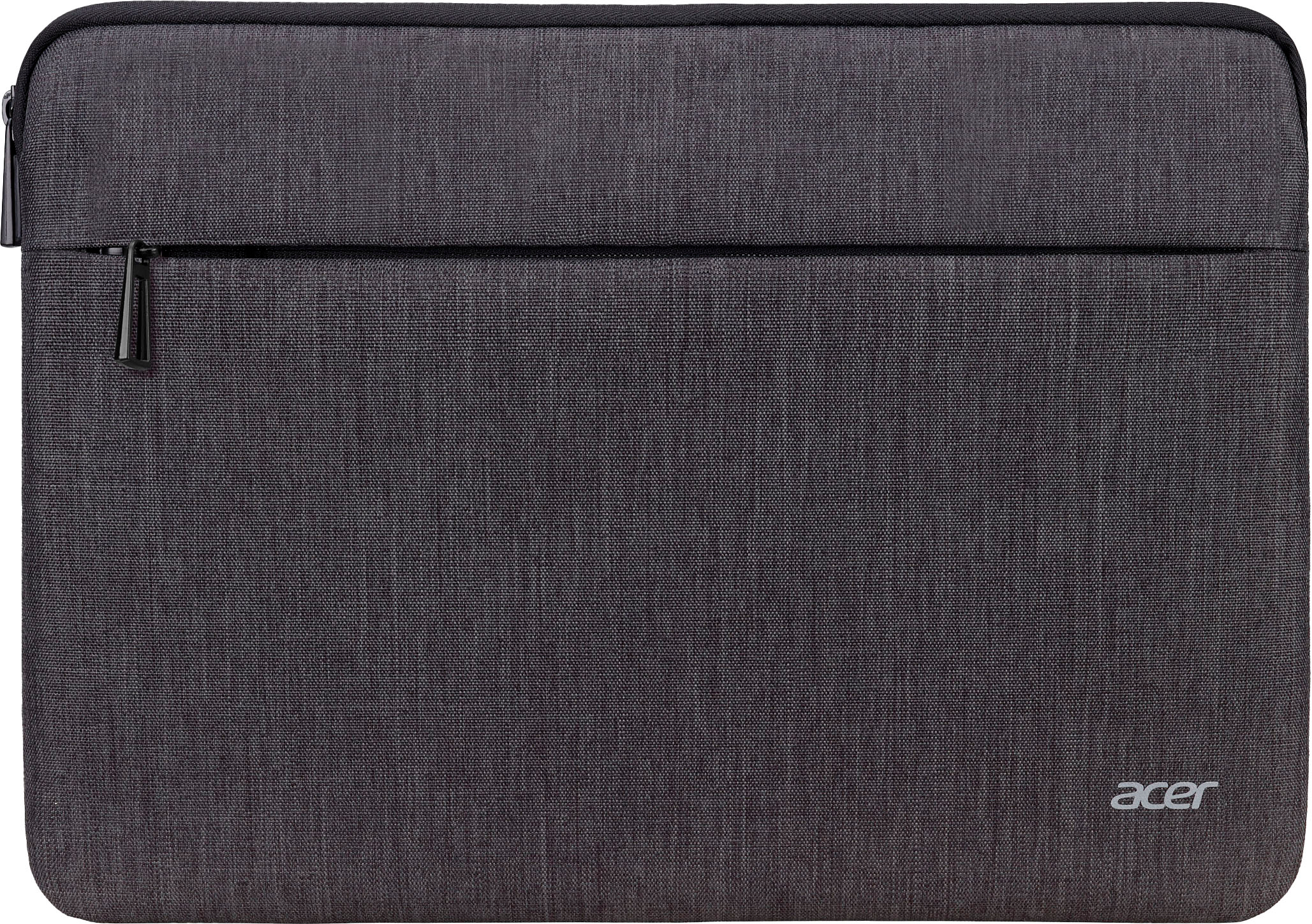
|Posted .This reviewer received promo considerations or sweepstakes entry for writing a review.The Spin 714 (model CP714-2W-5682 to be exact) boasts impressive specs for its price, but I have a few quibbles with some use aspects and when combined with missing features Acer seems to have removed from previous years models, I can’t say it’s 5-star great. I’ll outline the great, the bad, the missing of this model below, but upfront this is why I give it 4-stars. Most importantly though it does not lack “horsepower,” or I would have not even been tempted to try the Spin 714, having been frustrated using low powered “budget” Chromebooks in the past. The Spin 714 boasts an Intel i5 processor and, in my use so far, it tackles advanced applications like photo editing with ease. It’s ability to turn into an Android tablet also shares the spotlight with the i5. Hardware Basics Before I detail my Spin 714 experience, both as a laptop and a tablet, a few details on the hardware itself. While it’s all plastic, it has a good feel and heft to it. Some plastic devices feel “icky.” This isn’t one of those. The 14” 16:10 ratio screen is bright and sharp except with moderate scrolling. Resolution is a hair better than 1080p HD but if it was 2K or 4K I’m not sure I’d notice the difference here. Since the Spin 714 is a convertible the screen has 180 degrees of motion and can sit in any position in that range. Embedded in the screen, is a 2K webcam that delivers a professional-like picture on the other end – at least in my test using a MacBook Pro as the incoming device w/ 300Mbps broadband. The full-size keyboard is backlit, which, to me, it the sign of a “serious” work machine. When folded to a tablet the backlighting turns off to save battery. Touch typing has an acceptable feel but a tad more tactile feedback would be appreciated. It’s perfectly useable though. You can always connect your favorite keyboard if you want too – and I do when I have a lot of writing tasks. The trackpad, to me, is the weakest component. I’m spoiled with the big “real estate” trackpads these days. So even my small hands feel confined by the Spin 714’s 4.5” diagonal trackpad. I also don’t like that it only clicks from the bottom. The speakers, according to the screen printing below the grille, can pump out DTS audio. That is true, at least from my test of playing a DTS video on YouTube. The sound separation is very good. But for everyday audio things the sound was rather puny and lacking depth even at high volume. It’s even more lackluster when in tablet mode. For external connections, there is a USB-C port on either side, surprisingly with Thunderbolt 4 speed. I’m not sure why this kind of speed in necessary on a Chromebook, but it’s there if you can make use of it. You can use either of these ports to charge the Spin 714. On the left side there is also a full HDMI port, which, really, thank you Acer for not putting in a mini-HDMI port instead, along with a headphone jack and the power button. On the right side, in addition to the USB-C port, there is a USB-A port and a volume toggle which is convenient to have in tablet mode. Acer claims a 10-hour battery life. While I did not do a timed test here, I can say I have only needed to charge the battery at night before going to bed after using on and off during the day. Usually when I put it on the charger the battery still has about 20% or so power left. Saving the best for last, the guts of the Spin 714, which is quite hearty for a Chromebook. 8GB RAM, 256GB SSD, and the Intel i5 processor. For those wondering, ChromeOS uses 60.4GB of the 256GB and the pre-installed apps use about another 1GB. For an OS that mostly relies on Cloud storage that’s a decent amount of available internal storage. There isn’t much packed in the box. It’s just the Spin 714, a power adapter, and a carrying case. But a couple words on those. The power adapter, while USB-C, is an “old fashioned” brick plus a power cable. I was disappointed to see this in an upscale laptop rather than the modern USB-C travel charger and USB PD cable. Of course, you can use your own USB-C travel charger, but if you don’t own one, and don’t care for the supplied brick, that’s another expense. The carrying case is another odd duck, mostly because it’s fit for a 15” laptop so there is about 1” extra space on either size for the Spin 714 to slide around if stored vertically. But also, I think most people these days use backpack or messenger bags with dedicated laptop slots. So, for a lot of people this case is just a waste when something like a stylus would be more useful to more people (more on that in my impression as a tablet section). Use Impression As A Laptop Powering on the Spin 714 for the first time the user is asked to log into Google or set up a Google account. There is no way around this, and for good reason since ChromeOS is tightly integrated with Google apps. So once you log in all of the Google apps are ready to go. The Spin 714 is compatible with the Google Play stores so you can find other apps there. So, for example, I’m not a fan of Chrome so I downloaded Firefox. I also grabbed Adobe Lightroom to edit photos, Zoom for video conferencing, and DirecTV Stream for when I travel I only use a few Google apps – Gmail, Docs, Google Drive. No surprise these work fluidly and with no lagging or momentary freezing. This is really the heart of any Chromebook. I did tire of the Spin’s keyboard typing notes on Docs so I folded the screen tent style and brought out my Logitech Keys S keyboard and went to town. This is one advantage to a convertible laptop because it lets you get the internal keyboard out of the way. To put the put the Spin 714 to the test I launched Lightroom with a bunch of 20MB RAW photos. Here the Spin 714 simultaneously failed and succeeded. As a creature of habit, I went to put my SD card in the Spin 714 only to remember there isn’t one. I believe the previous model had a microSD slot, so I’m guessing a full-sized SD slot just wouldn’t fit. I can’t fault Acer too much there, though it would be a huge convenience. But the true “fail” here is that this particular version of the Spin 714 not only doesn’t include a stylus it doesn’t even have a dummy storage slot where you could store one if you bought it separately. This is just dumb since some versions of the Spin 714 do include the stylus. It seems Acer could use the same case for both and fill in the stylus slot for this model with a removeable cap. I’ll buy a stylus, but now I have to keep up with it rather than be able to store it in the laptop itself. That’s a bummer since I thought all Spin 714’s came with a stylus. Instead of using a stylus I use my finger for the time being. It’s actually a better experience than expected, though too tedious to be useful long term. But the accuracy of Lightroom’s controls w/ my finger were excellent. No lag or missed touches at all. I was also impressed how the changes I made were in real time or close to it. That says a lot about the Spin 714’s power and abilities. I’m also happy to report that, even when editing a decent size photo, the Spin 714 has never felt more than slightly warm and it’s always been pin-drop quiet. This is true in both laptop and tablet mode. Use Impression As A Tablet While I had Lightroom fired up I switched to tablet mode to experience the difference w/ the same app. The first thing I noticed though was that unlike a dedicated table, the backside is the keyboard. It feels a little weird and something to get use to but I think this is the nature of a 2-1 laptop. Back to Lightroom, the interface changed a bit to conform to a more mobile GUI. When I get a stylus I think this is how I will use Lightroom. Web browsing is great in tablet mode as well. It’s a little weird handholding a 14” screen, but yet it surprised me how manageable it was, especially with the bottom resting on my stomach so my hands didn’t have to carry the weight. Performance of Firefox was fast. Pages loaded as expected and scrolling is reasonably smooth though there is visible refresh of text even at moderate scroll rates. Watching videos is a good experience both in tablet and tent mode, but you may want to use headphones if watching in anything but a silent location. Since the screen is only HD there is no reason to load 4K streams. That will only bog things down. The Spin 714’s physical volume control is key here as well since it allows you to moderate the volume without interrupting the movie using the software controls.
I would recommend this to a friendNo Built in pen but it does support one
|Posted .This reviewer received promo considerations or sweepstakes entry for writing a review.If you like chrome, google docs and everything google, a chromebook is the perfect device. That is really the question you need to ask first. If you use Microsoft products I would stay away from chromebooks, unless you've only worked in the browser and you don't mind the limitation that provides you. There are a ton of advantages to Chrome OS from simplicity to just a lack of viruses that would make it very tempting to get my grandparents onto but at the end of the day getting them to not use word was a deal breaker as the word app gives you a notification that it is not optimized for this device every time you open it and you can't disable that. I say this because if you aren't willing to try new programs then no matter how good this or other chromebooks are, it will be a problem. So with that out of the way, onto the review. The very first thing I noticed is there is no right click on the mouse pad, this for me is the hardest thing to get used to, no chromebook I've used has this feature so maybe it is just an OS thing, but when I plug a mouse in I get right click ability so I find this feature hauntingly annoying. Physically the screen is big and nice and the physical port options are awesome. There is a full sized USB A, two USB Cs that both work for charging, an HDMI, and Aux port. For me this is the perfect set of ports. The touch screen works well and is compatible with USI pens, I bought a USI pen with an 'eraser' and the eraser works as advertised so that made me thrilled but I wasn't thrilled that the pen doesn't come in this 714 when several other models of 714s have it, so be aware that there isn't a built in stylus if your looking for that. The camera has a built in physical cover which i think all laptops should have most don't so that is awesome, more than that the camera is definitely better than most I've used. If quality video conferencing is important to you this camera has the specs. Moving onto speakers and mics; the mics work great for conference calls, I sat on the back porch with the AC running and did a conference call, the computer/mics/software/or combination thereof canceled out the noise of the AC consistently and well, since I knew it was an AC I could hear it but i'm not sure that I would have been able to recognize it otherwise and the other participants didn't notice anything when I asked. The speakers aren't great, but they do get loud. For video chats and meetings they work great but I can't say that I would love watching a good movie with them (a documentary or youtube videos are fine) , I'll go grab my headset instead. I've found using this as a traditional chromebooks it works extremely well and is competent, games work well as well. Where this chromebook has struggled is apps like drawboard pdf that won't seem to log when I download the app from the play store and instead only work well as an installed webapp. It has also struggled with apps downloaded with linux like Microsoft edge. If you use VMWare Horizon for work you'll be happy to know the pen does work with the app and it is responsive, however, it can only expand to two screens with a doc. Overall, if you use Google's system and you don't use OneNote or you don't mind getting the message that this app isn't optimized for this device every time you open the app this is a well built chrome book with an excellent typing experience. Squid is an alright note taking app instead and works great on Chromebook but the organization compared to OneNote is lacking, for drawing on pdfs, nothing compares to drawboard pdf in my mind and it is getting most of the capabilities of Squid and exceeds it when intermixing pen markups with typing markups, but still lacks the organization on OneNote. All this to say the device itself is a solid choice, I am happy with how well built this is but depending on your needs the OS might not be best for you. On the other hand, this laptop has a full browser which is almost the most important feature on a computer at this point, it starts up instantaneously, it has an excellent battery life and when it is sleeping the battery consumption goes to almost zero. Lastly it does have access to almost all of the apps available in the play store and you can customize your window to tablet, phone, or resizable to better play nice with app limitations. The reliability for the price point on Chromebooks is insane compared to other products out there. Pros: Battery Life USI pen compatibility Available ports Speakers get loud Web camera quality and cover USB C charging big nice screen touchscreen Wakes up instantly Cons: Some app compatibility issues from play store Linux programs seem to run a tad slower no built in pen Speaker cinematic quality isn't there power button on side No 'right click' on mouse pad (works with external mouse)
I would recommend this to a friend- Pros mentioned:Battery life, Processor speed, Touchscreen
Quality Chromebook
||Posted . Owned for 1 month when reviewed.This reviewer received promo considerations or sweepstakes entry for writing a review.I have found this Chromebook to be perfect for my current needs. I purchased this model to replace an older Spin 713 which had a failing battery. I elected not to replace the battery on the 713 when the Spin 714 went on sale. The new upgraded edition seemed like a great deal. It works perfectly with no glitches. Battery life is great and it is fast and easy to use. The only negative I have found is that it is on the heavy side, but I do not use it outside of the house so that is not a large factor for me. The sound is better than the 713 with top facing speakers and the screen looks great for streaming movies. I like that the USB-C inlets are on both sides of the unit instead of just one side like the 713. Charging is really fast as well. This is the best of the four Chromebooks I have owned.
I would recommend this to a friend A Solid, Flexible Chromebook
|Posted .This reviewer received promo considerations or sweepstakes entry for writing a review.I’m a Windows compatible girl from way back, ever since I found out that the Macs like my school used in Computers class was WAY too expensive for someone with a minimum wage job. (You can also tell my age by the fact that I use terms like “Windows Compatible”.) My children use Chromebooks in school; they provide them for the students to use for all classwork. Of course, they wanted Chromebooks for their home laptops as well. I purchased an Acer 315 for my oldest, and an Acer Spin 311 for my middle-schooler. The 311 was a replacement for an HP Chromebook that I purchased that the hinge fell apart with normal use. These are very durable laptops. The Acer Spin 714 is no exception. The display uses Corning Gorilla Glass. That is a big selling point for me. The body is a good size, easy to hold, and is sturdy. This is important if this is the laptop you take with you places as my children do. It comes with a basic laptop sleeve, which is nice. I purchased a Logitech Pebble mouse to use with it – it paired easily with the 714. There are USB-C ports on either side; this allows you to plug in the power cord in on whichever side is most convenient. I appreciate that it also an USB-A port, an HDMI port, and a standard headphone jack. It allows flexibility for those who would rather not Bluetooth everything. The display is clear. The audio, though, is lacking. It doesn’t get loud enough for me. As a student, you may want to use headphones more often, anyway, but if you want to use this for media, it’s not great. The ability to fold flat to use as a tablet is a great feature. It’s easier to use to sit and watch TV on it – you can use it in an A-shape to have the laptop sit in tablet mode for easier use. The touch screen is very responsive. It does not have a numeric keypad, but I don’t miss it for what I use the computer for. I would say that this is a solid choice for students and those who just want a flexible laptop that travels well and accommodates both old school ports and new school technology.
I would recommend this to a friendPremium Chromebook
|Posted .This reviewer received promo considerations or sweepstakes entry for writing a review.Specs details: This is a premium machine with state of the art specs, that happens to run Chrome OS: • The screen is a 16:10 HD: 1920 X 1200.touchscreen. Moving away from 16:9 (1080p) form-factor, which is much better for editing documents, and while watching movies, I appreciate the controls remain outside the viewing area. • Tablet mode: The 'Spin' in the name indicates this is a convertible laptop, so when folded with the screen on top, the keyboard becomes disabled, and one uses it via touchscreen. The screen has a gorilla glass (like phones) with a antimicrobial coating. • The keys are island style, backlit, with the ChromeOS distribution. It's very comfortable to type with. • Trackpad is large and responsive, with a smooth glass surface. Very nice to work with. • Ports: On the left: One Thunderbolt/USB-C 4, HDMI, headphone and power button. On the right: One Thunderbolt/USB-C 4, USB-3 and volume rocker. • The sound (With DTS label) comes from speakers above the keyboard next to the screen. • Charging is via one of the thunderbolt/USB-C ports. It comes with a typical laptop-size charger that has an USB-C port, and also worked by charging from an USB-C dock. • Wi-Fi: Supports the newer WiFi 6E. • Storage is via an M2 type SSD: 256 GB. • RAM is 8 GB. • Bluetooth 5.1. • The CPU is an 13th gen Intel Core i5, and is 'Evo' compliant: Evo is an approval mark by Intel for systems that support current state of the art specs like higher-end Intel embedded graphics, Thunderbolt 4 and WiFi 6E, with a rated 10 hours battery life. Because the ports are Thunderbolt, I was able to use both Thunderbolt and USB-C docks. The laptop also has a 2K web camera which has a built-in cover (An actual plastic piece covering the camera behind the glass. Activated though a notch on top of the screen. It also comes with a sleeve case to carry it in a backpack. Fit and finish: The case is all metal and the screen all glass. Hinges fold 360 degrees so it can work in tablet mode (ChomeOS switch to a tablet mode). It can also be set in a tent shape or with the keys pointing to the table when watching videos. The hinge, edges and Acer logo are finish in a subtle rose gold that look very tactful. Note that it also supports stylus made for Android/Chromebook (Those are different from Windows stylus or iPad ones). ChromeOS: Although initially it was basically a way to run the chrome web browser, within the last few years it can also run Android apps. Many android apps work well within a laptop screen, and with Intel 64-bit CPUs. And now in beta, it also runs Debian Linux within a Virtual Machine, which also supports complex GUI applications like Microsoft Visual Studio Code. This works by either using apt-get from the Linux console or by downloading a .deb package. So within Chrome apps, Android and Linux there isn't much it cannot do. ChromeOS is generally very secure, and is fairly straightforward to restore the laptop to like it came from the factory. Much of the system is 'read-only', and that makes it more resilient. Keep in mind that ChromeOS, for much of its functionality requires internet connectivity, although there's plenty that can also be done offline as well. Also keep in mind that Google collects plenty of data from Chrome. In return, a lot of what’s done on the device is backed up and synced into Google's cloud, so working on different devices or replacing a Chromebook is also a lot simpler. Overall, I'm very impressed with this laptop and how capable ChromeOS is while being very secure. The multiple-personality of the system running Chrome and web applications, Android and Linux is great but there are occasionally some rough areas in how these coexist, although it's been very good overall and it keeps improving. The hardware in this laptop is top of the line, comparable with a business laptop. Consider this if looking for a premium Chromebook or even considering a high-end Android tablet, as it also runs Android and Linux.
I would recommend this to a friend- Pros mentioned:Battery life, Performance, Touchscreen
Excellent Chromebook!
||Posted . Owned for 1 week when reviewed.This reviewer received promo considerations or sweepstakes entry for writing a review.I will start with saying that I am an avid chrome user. I have used various chromebook options since the inception of Chrome OS - and looked forward to using it even before that. I was so pleased when a premium device like the pixelbook came out and I loved using that over the last many years. However, it has begun to show its age and really struggled to run android apps. It was quite slow overall, so I knew it was time for an upgrade. I didn't feel like spending $1000, so I thought I'd go with this little guy after reading and watching the reviews over at chromeunboxed.com. I am so glad I did. I really love this little guy. Great screen, plenty of brightness. Convertible design and build in HDMI. Awesome battery life and snappy performance. Plenty of storage and metal chassis are all features I love. I am very pleased with this chromebook and anticipate that I'll be using it for many years to come. Definitely recommend.
I would recommend this to a friend Checks all the boxes
|Posted .This reviewer received promo considerations or sweepstakes entry for writing a review.The Acer Spin 714 (CP714-2W-56B2) comes well packaged in a small box. You get the laptop, case and the charging cord. The charging cord is USB-C which I LOVE! The cord is over 10 feet long which should reach from most outlets. I say this checks all the boxes of what I look for the following reasons: - fast processor. The i5 1335U is a solid and fast processor. 10 cores and 4.6 gigahertz. - small and light. This is 14" and 3.02 pounds. - sufficient RAM with a minimum of 8GB. This has 8GB of ram. The ram is DDR4. - sufficient storage of at least 256 GB. This has 256 GB PCIe 4.0. - touchscreen. This is a touchscreen. And the screen is Gorilla Glass. It is also a 2 in 1 so you can use it in tablet mode. I do not use this feature so it does not matter to me. - decent graphics. The screen is 1900 x 1200. It is an IPS LCD screen. The graphics processor is Intel Iris Xe. You are not going to be playing complicated games most likely. But video will be fine. I played lots of videos. - good connections. I like to have HDMI to connect my laptop to a TV or monitor. This has HDMI 2.1. There is also 1 USB-A and 2 USB-C. If you need more USB, there are lots of cheap hub options out there. - backlit keyboard. The keyboard is backlit. I like to be able to adjust the brightness of the backlight. This does not have that feature as far as I can tell. - great battery life. I played over 8 hours of video for a test and that left 6% of battery life. Normal usage should be at least 10 hours but I did not test this. I find the video test gives me a good indication of how long the battery will last. This should last all day with no problems. - decent sound. I found the laptop falls short here. The videos did not sound as good as they could. It was OK but not great. It could be better. It is DTS audio. - headphone jack. I use both wireless and wired headphones. Having a headphone jack is a definite plus. - decent video calling. I tried a video call and it was perfect. The front facing camera is clear. Per the Acer website "dual microphone array, and a built-in MIPI 2K webcam with a privacy shutter and temporal noise reduction technology". My call was outdoors and there were no complaints about hearing me speak clearly. - wireless connectivity options. There is Bluetooth. The Acer website indicates it supports 6E. I do not have a 6E router so cannot test this. But it it futureproof as 6E is the current fastest standard. Overall I rate this 4.5 out of 5 stars. I deduct one star as the audio was not up to my expectations. If that does not matter to you, then 5 stars would be appropriate.
I would recommend this to a friend- Pros mentioned:Performance, Touchscreen
Highly recommend - screen is perfect ratio 16:10
||Posted .This reviewer received promo considerations or sweepstakes entry for writing a review.Got this Acer Chromebook for my daughter and it's been great. The 16:10 screen ratio is awesome. It gives more room for reading and schoolwork. It runs smooth, looks impressive, and the touchpad works really well. Great value for the price !!
I would recommend this to a friend - Pros mentioned:Processor speed, Touchscreen
A GREAT CHROMEBOOK
||Posted .This reviewer received promo considerations or sweepstakes entry for writing a review.I needed a Chromebook for entertainment and business and once in a while for gaming. For business, this is an excellent laptop and is really fast using Intel's CPU very very well. The touchscreen is buttersmoothe but at times it struggles when you increase the screen size. Capacity wise, I would recommend to get the one with the most storage but having UBS-C ports help adding an external hardrive at super fast speeds. But, it would be nice having more ports. I went into the settings and unlocked the dev mode and made sure to unlock its true power and have pushed it to its full limit cinnecting multiple screens and playing high graphical games. And, I have to admit that it has not dissapointed. I pushed it to do things it was not meant to do and it delivered well. Well, as best as it could. This laptop is slick, powerful, does the job very well, and won't disappoint.
I would recommend this to a friend - Pros mentioned:Performance, Processor speed, Touchscreen
Pretty solid but does not justify the price
||Posted . Owned for 3 weeks when reviewed.This reviewer received promo considerations or sweepstakes entry for writing a review.Very good Chromebook. Amazing screen. 340 nits is very solid for brightness. Fast processor. I would have given it 5 stars if it had a fingerprint reader and louder speakers. Also be aware that it is a fingerprint magnet. At this price, not to have bio-metric login but to make you depend on Google Smart Lock like on a $159 Chromebook is not cool.
No, I would not recommend this to a friend - Pros mentioned:Processor speed
Solid Investment
||Posted . Owned for 1 month when reviewed.This reviewer received promo considerations or sweepstakes entry for writing a review.Been using this Chromebook for several weeks now, and I've thus far been impressed. I went with this over the HP X360 model for the extra ports and i5 chip. While I prefer the chassis of the HP, the screen, power, and keyboard on the Acer have all proven worthwhile. Everything boots super fast, it runs 30+ tabs of docs, YouTube pages, Google Classroom, etc. with no issues (my 2019 HP was sounding like a Boeing taking off with anything more strenuous than an Amazon page). Xbox cloud gaming runs reasonably well - played some Halo Infinite without much of an issue. Haven't had a chance to tackle any video editing yet, but it runs Canva and Adobe beautifully. While it's not labeled, this Acer DOES get the Chrombook Plus OS update, so if that is something you are looking for, rest assured it's all here. Only issue worth noting at this point is that the screen is more reflective than I would like when watching movies with a lot of black, but I didn't come across a screen at this price bracket that didn't share this issue.
I would recommend this to a friend - Pros mentioned:Battery life, Processor speed
Great product for the money!
||Posted . Owned for 10 months when reviewed.This reviewer received promo considerations or sweepstakes entry for writing a review.Overall, I've found this Chromebook to be able to do what I need it to do - run Google workplace suite (Sheets, Slides, Docs, etc.), scroll social/videos, etc., without any lag. It connects to wifi quickly and it's battery lasts a long time (I haven't tested it to see how long). The case feels very sturdy and it has the ports that I need (USB-A x1, USB-C x2, HDMI, audio aux). I do find the case a little difficult to open (def need two hands). The keyboard and touchpad also feel very solid and responsive. I wish I had a "Home" and "End" key, but because this is a smaller keyboard, I understand why they are not there. The carrying case is pretty good, and roomy enough to fit the laptop and charger.
I would recommend this to a friend - Pros mentioned:Ease of use, Processor speed, Touchscreen
Great Chromebook
||Posted . Owned for 3 weeks when reviewed.This reviewer received promo considerations or sweepstakes entry for writing a review.This Chromebook is great if you just need something for email, internet, and maybe taking advantage of Google's suite of apps. The Chromebook looks nice, it runs fast, setup was a breeze, and the ability to use it as a laptop or touchscreen tablet increases the versatility. This was my first Acer and I would buy another in a heartbeat.
I would recommend this to a friend Great Chromebook!
|Posted .This reviewer received promo considerations or sweepstakes entry for writing a review.This is an elegant Chromebook that keeps me productive at all times and is powered by the Intel Evo platform. It is a two-in-one device with a touch display that can be easily and conveniently converted between a laptop, tablet, or a tent at any angle between zero and 360 degrees. This has a 13th Gen Intel Core i5 processor, QHD webcam, and military-grade durability that makes it pretty robust. Not just this, the best part is the battery life of over 10 hours and gets up to 4 hours of battery with just 30 mins of charging. Due to the Evo platform, this charges fast, lasts longer, and wakes instantly. I immediately liked its stand-out color as soon as I opened the box. It comes with thousands of apps, built-in antivirus, and cloud backups. This OS is versatile, quick, up-to-date, and fast. The 14" display is crystal clear with vibrant and highly accurate colors. The device comes with dual upward-facing speakers, a dual microphone array, and a built-in QHD MIPI webcam with a privacy shutter and temporal noise reduction technology to provide ultra-clear high-quality audio and video, even when the surrounding light is extremely low. This Chromebook has multiple features to support high-quality productivity like Wi-Fi 6E, Bluetooth 5.1, Corning Gorilla Glass touchscreen & touchpad, backlit keyboard, HDMI port, USB 3.2 Gen 2, dual USB Type-C ports with the latest Thunderbolt 4 technology. I can't ask for more than what I am getting from this Chromebook. With 256GB PCIe Gen 4 SSD Storage, I get enough space to securely keep my data intact. With Solid State Drives I can start fast, stay fast, and quickly load apps with ease to play faster and sooner! All-in-all this lightweight, compact and good Chromebook to have!
I would recommend this to a friend- Pros mentioned:Processor speed, Touchscreen
Slick device
||Posted . Owned for 1 month when reviewed.This reviewer received promo considerations or sweepstakes entry for writing a review.Slick device, great screen, fast to setup. I enabled a Linux dev environment too. Lightweight but doesn't feel cheap. I feel confident about the number of USB ports and the HDMI. Also having Android apps on it makes it much easier to sync with my phone than a windows laptop would. I'm happy with it overall as a web developer who already lives in chrome and needs Linux support
I would recommend this to a friend - Pros mentioned:Performance
A high performance Chromebook!
||Posted . Owned for 1 month when reviewed.This reviewer received promo considerations or sweepstakes entry for writing a review.I am upgrading from an Acer 713 which had a generation 10 Intel i5. My primary reasons to upgrade is that the 713's battery was not holding up well, I wanted to try out the Chromebook Plus features of the 714 and the Black Friday Sale made the unit irresistible! The two devices are very similar and I will only mention a couple of differences. First, the 714 does not have a micro SD slot, which I do miss. On the 713 I kept pictures and a large music library on the SD card. Second, the 714 has a lower screen resolution than the 713. Surprisingly this is a benefit for the 714 as its 'native' resolution is more than adequate and it is cleaner and much easier to read. I use many Android and Linux apps on my Chromebook and am quite happy with their performance. I use Linux applications including GIMP, LibreOffice and Visual Studio Code. Most of the Android apps I use are games, like "The Walking Dead", "Dead Trigger" and "June's Journey", or Google productivity apps like Mail, Calendar, Keep and Drive. Performance has been just fine, even with large-ish numbers of apps and tabs open. I usually use the 714 plugged into a USB-C doc that is driving a widescreen monitor, has a mouse and keyboard connected and is plugged into a high quality DAC/Headphone app.
I would recommend this to a friend