Customer Ratings & Reviews

- Model:
- XV271 Z
- SKU:
- 6462577
Rating by feature
- Ease of Use
Rating 4.8 out of 5 stars
- Value
Rating 4.6 out of 5 stars
- Quality
Rating 4.7 out of 5 stars
Customers are saying
Customers enjoy the Nitro XV271 Zbmiiprx monitor's impressive refresh rate and excellent picture quality, frequently praising its vibrant colors and clarity. The adjustable stand and reasonable price point are also frequently highlighted as positive aspects. While some users noted minor ghosting, the overall consensus points to a positive user experience.
This summary was generated by AI based on customer reviews.
- Pros mentioned:Price
Excellent monitor for the prize
||Posted . Owned for 5 months when reviewed.This reviewer received promo considerations or sweepstakes entry for writing a review.This is a fantastic monitor and the price if very reasonable! Would absolutely recommend for gaming
I would recommend this to a friend Love love love it
||Posted . Owned for 1.5 years when reviewed.This reviewer received promo considerations or sweepstakes entry for writing a review.Absolutely love this monitor. I play games for college and I can tell you I’ve never had any problems with how clear everything looks. Absolutely beautiful. Definitely wanna get a second one.
I would recommend this to a friendAcer - Nitro XV271
||Posted . Owned for 1 week when reviewed.This reviewer received promo considerations or sweepstakes entry for writing a review.Purchased to future proof my older system as I will be upgrading sooner than later and needed a monitor that would be capable of running current titles. Impressed with its performance/capabilities even with a lesser capable machine.
I would recommend this to a friend- Pros mentioned:Adjustable stand, Refresh rateCons mentioned:Ips glow

Vibrant colors, super smooth gameplay
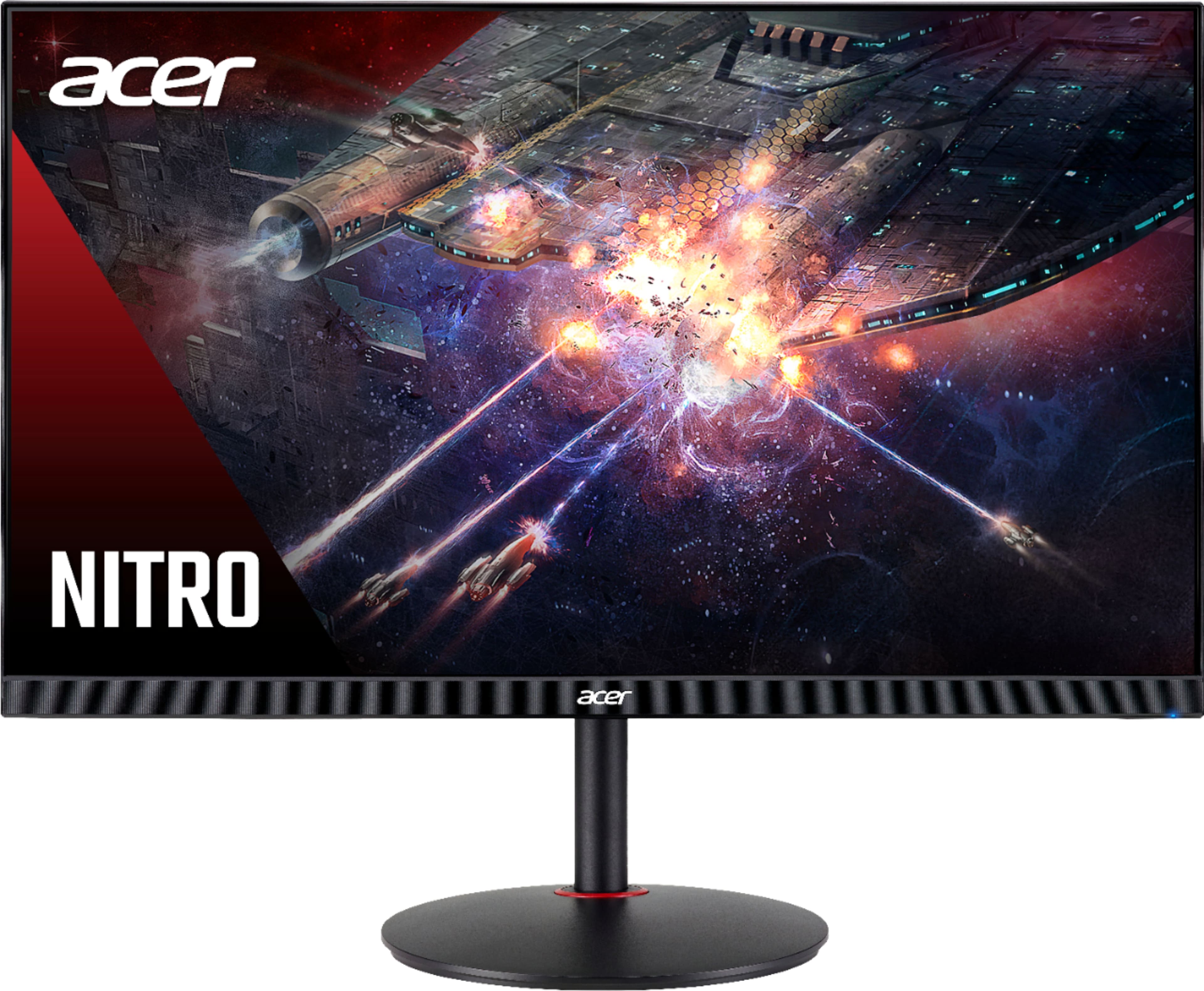
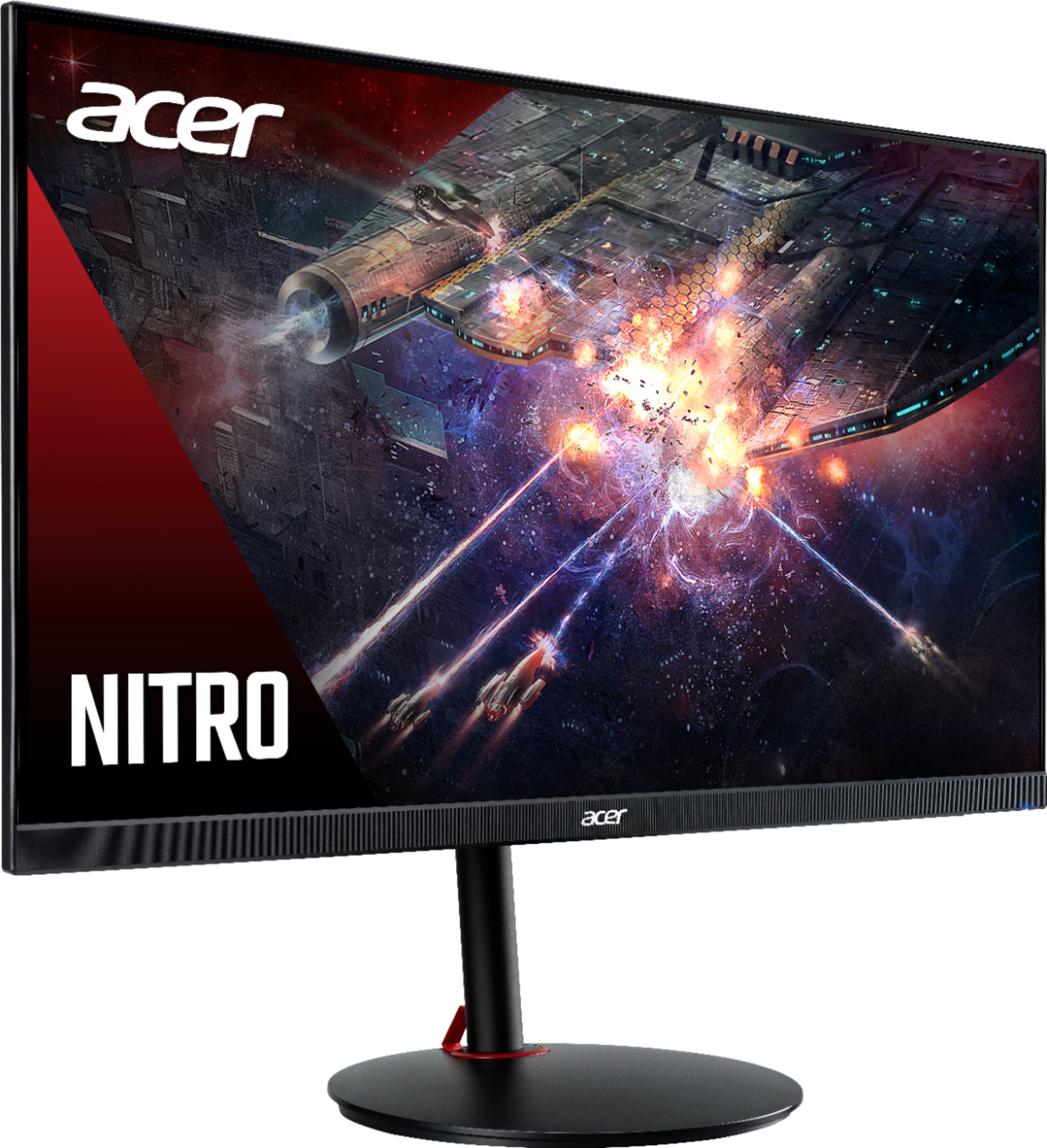
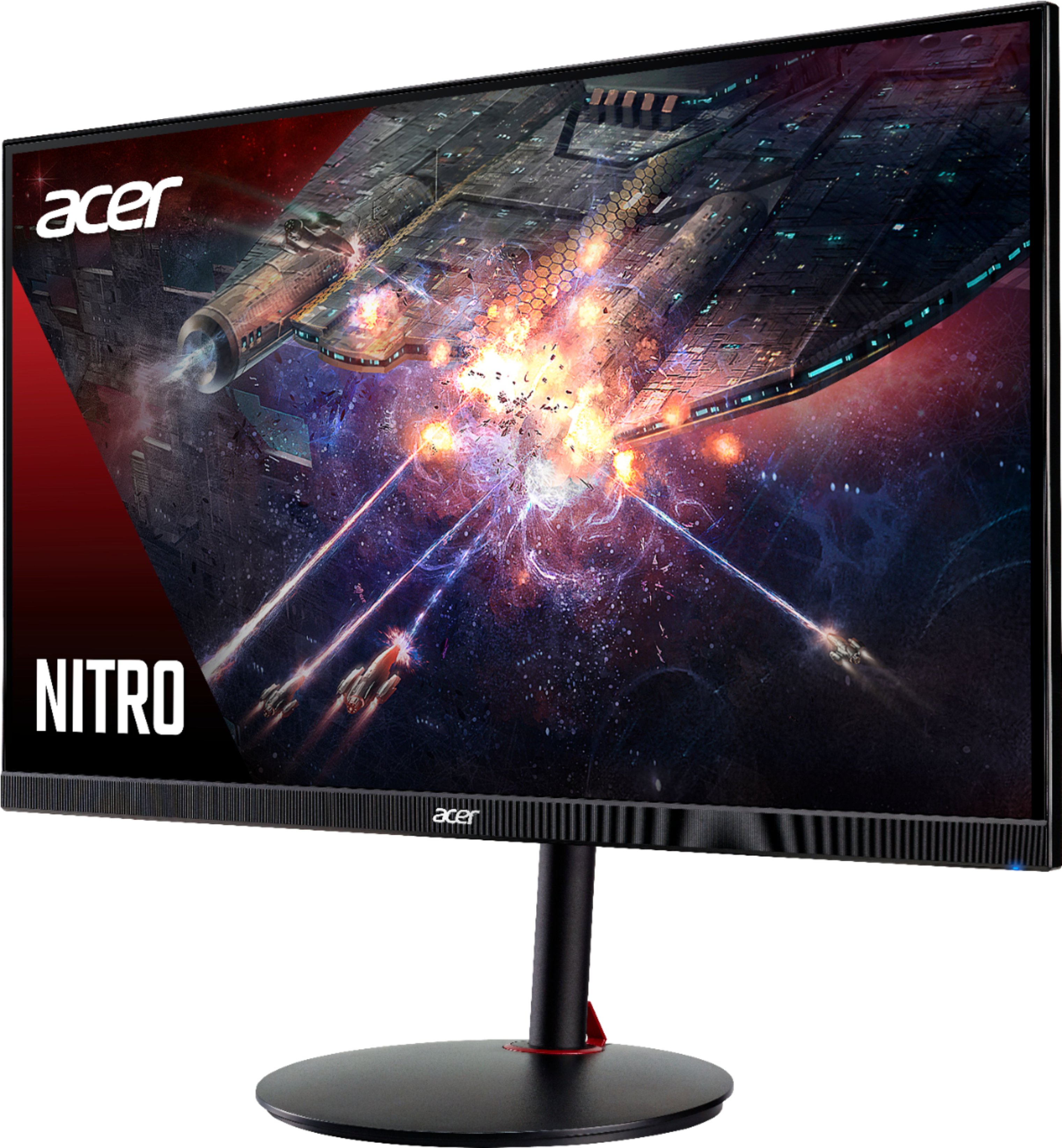
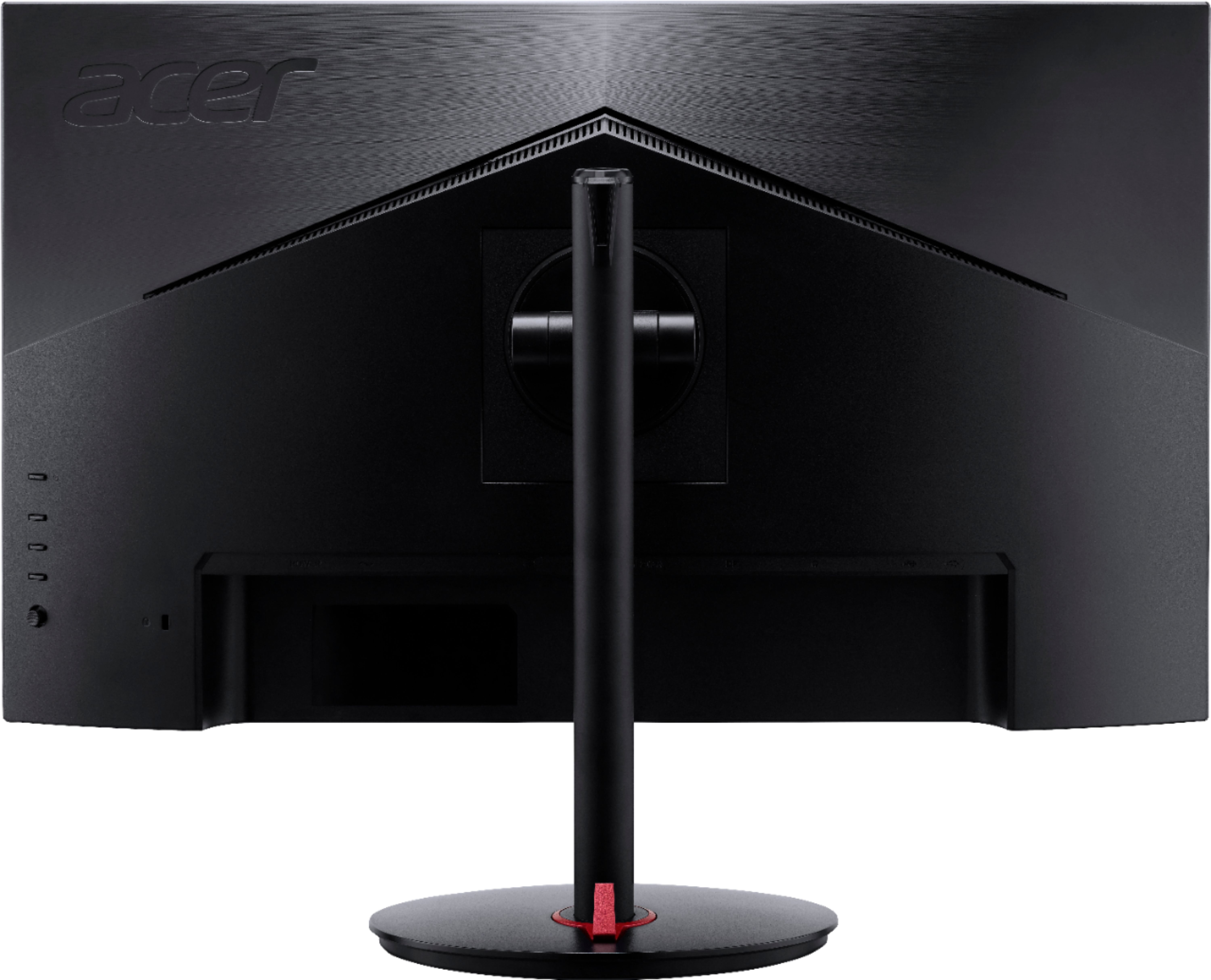
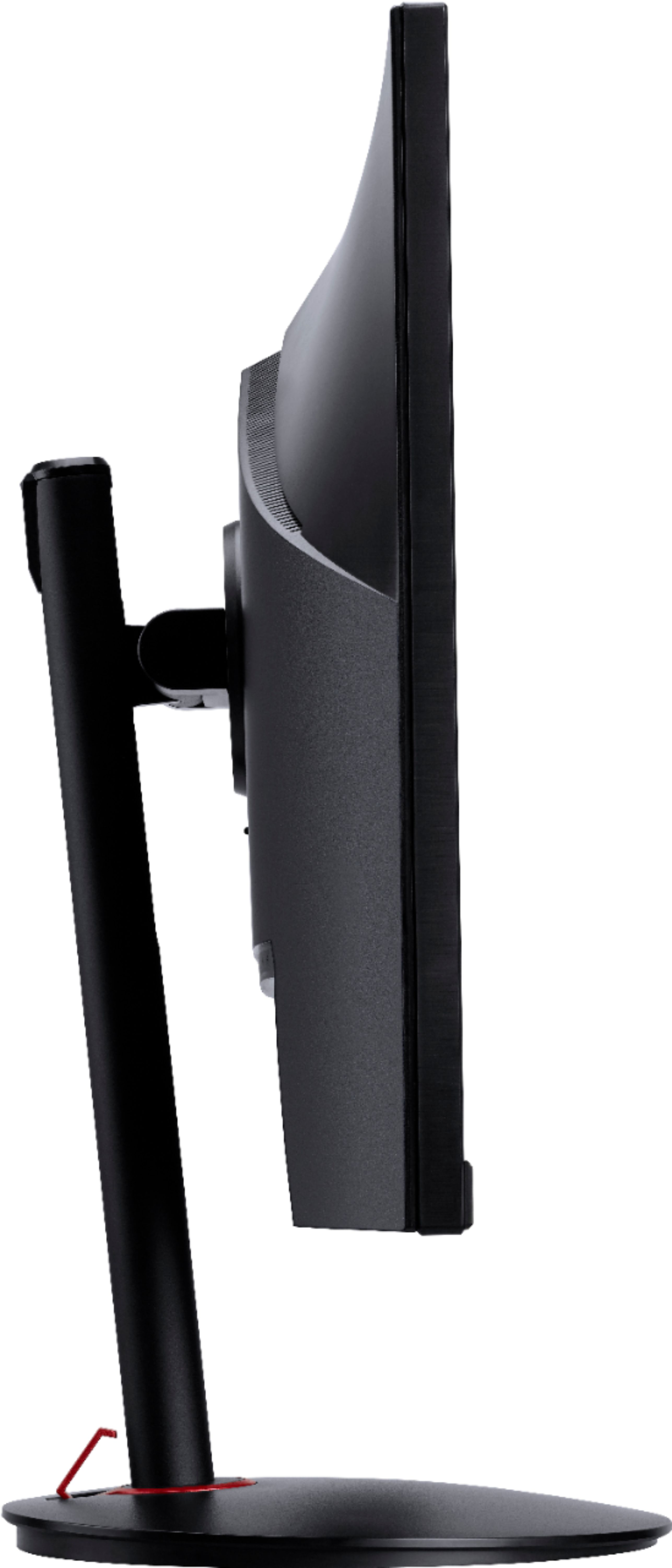
|Posted .This reviewer received promo considerations or sweepstakes entry for writing a review.The Acer Nitro XV271 Z gaming monitor paired amazingly well with my gaming laptop's NVIDIA GeForce RTX 3060 GPU, providing a smooth, stutter and tear-free gameplay experience across a number of genre games I played on it including racing games, FPS, and RPG/MPORG. The bezels on the monitor are pretty thin, around 1/16th of an inch, though keep in mind there is a pixel-less border along the top and sides of the screen, setting the viewable screen in about 1/4 inch from the outside edge of the monitor. The chin of the monitor is about 3/4 inch tall and has a single status LED in the bottom right-hand corner that cannot be disabled. On-screen display (OSD) controls for the monitor are on the back of the monitor and include a 5-function joystick and three programmable hot keys which you can customize to perform the adjustments you use most frequently. The monitor includes a blue light filter setting that reduces the amount of blue light emitted (by 50% or 60%) in order to protect your eyes from strain and overexposure, but note that this will give your screen a slightly yellowish tint. It's less noticeable, though, after your eyes adjust to the color offset and I did find that the filtered brightness was easier on the eyes over longer sessions in front of the screen. The Adaptive Contrast Management (ACM) setting utilizes a setting to automatically adjust brightness and contrast of the monitor, though personally I found the automatic settings to be too bright (without blue light filtering). There are default profiles in the OSD for Action, Racing, Sports, Standard, ECO, Graphics, and HDR, as well as a User profile that you can customize and save for quick access. Built into the monitor are two 2W speakers which, honestly, sounded better than I expected, and were decently capable although the sound quality won't be blowing anyone away. Thankfully the monitor also includes a headphone out port, so you can attach a set of external speakers or headphones for a better audio experience. Setup was plug-and-play using the included HDMI cable to both my laptop and gaming console, though I appreciate the inclusion of a DisplayPort 1.2 port and cable, as well, since that allowed me to connect it to my desktop rig. The monitor has a second HDMI 2.0 port for a total of 3 simultaneous inputs. Despite the monitor's size, it is surprisingly lightweight, even when attached to the included stand. The metal center column of the stand attaches to a weighted plastic base that swivels a full 360 degrees. The monitor can also be pivoted into portrait orientation in both directions and tilted about 20 degrees up/down. The height of the monitor is adjustable from about 1.5" from the tabletop to 6.5" and all positioning adjustments are quite smooth. If you prefer, the stand can be removed and the monitor is VESA mount compatible. Out of the box, I checked for dead pixels and found no issues with either whole pixels nor any sub pixels. This is a 1080p monitor and not 4K which, given the amount of screen real estate, I thought the resolution would be a bit low for this size monitor. However, text and object edges are still very crisp and clean at this pixel density. Since it is an IPS display, viewing angles at near parallel produced little to no variation in color or clarity of the image on the screen. The native resolution of the monitor is 1920 x 1080 and the refresh rate can be set up to 240 Hz, though it can be overclocked in the OSD to achieve up to 280Hz. Enabling FreeSync Premium with compatible AMD GPUs effectively eliminates tearing and stuttering, while Visual Response Boost (VRB) decreases blur in fast moving images to effectively achieve the equivalent of 1ms MPRT. This along with the 0.5ms GtG response time give this monitor ultra smooth, blur-free motion during gameplay. The color depth is 8-bit and the color space spec is 99% sRGB making this monitor suitable for digital video post-production and editing in addition to gaming. I did notice though, that in pitch dark conditions, there was some degree of IPS glow, manifesting as slightly orangey-brownish illumination along the edges and particularly in the corners of the screen. Despite this, I still feel the contrast of the monitor is very good in general. Since the brightness can go up to 400 nits with HDR enabled, I found it to be plenty bright in a well-lit room and bumped up the level of detail in dark scenes. Overall, this monitor performed well for me while gaming, doing creative work, and even watching movies. The high refresh rates and low latency have definitely improved my gaming experience, and the performance and visuals look great, even at 1080p.
I would recommend this to a friend - Pros mentioned:Graphics, Refresh rateCons mentioned:Resolution
A fantastic value for 1080P gaming
|Posted .This reviewer received promo considerations or sweepstakes entry for writing a review.As an owner of the 1440p Acer Predator 27" Monitor I had to decide what to get my wife who is rather new to PC gaming and so it was the Acer Nitro XV. Before I get started I must say that I cannot say enough good things about the Acer Predator monitor series. They look like a gamers monitor but also professional and not overly saturated and gaudy. When I got my Acer Predator I gave it 5 stars and that is also what I am giving this one, although I would not hesitate to say that I think my Predator monitor is better (but it's also more expensive so...). The monitor comes in a nice, very cool looking box and is very clear when you open it how to get everything out. Although me like a big dummy discovered this after I started pawing at the box and not able to get the thing out. For starters make sure you read what it says to open it right side up. Again, I did not so part of the difficulty I had was getting it right side up. Next, if you have a friend or significant other nearby it would be great if they could grab the box while you pull. Don't get me wrong, it's easy enough with one person but it takes way too long when you're excited and wanting to see your new monitor. So once I got it out of the two huge styrofoam blocks (it's VERY well protected folks) then it was unwrapping plastic, ties, you know the drill. 2 and a half hours later...just kidding, 5 minutes later, we had it out on the table. Congratulations, that was the hardest part of getting the monitor up and going. Actually putting it together is a piece of cake that took me just a few minutes. You put the stand into the base of the monitor, it locks. Then take the actual base on to the stand with a screw. Don't worry, no screwdriver is needed. They have a nice little piece of metal that pops up and allows you to turn the screw (seriously why can't all companies do this???) Once you get it tighened down it is just a matter of moving it up and down (which is quite easy mind you) and then you're ready to fire it up. Windows 10 immediately recognized it but did not install any special monitor driver. I used the PC for a bit without any issue so not sure there's any real need to do so but I did end up going to Acers website and getting the drivers there to install. Once installed I saw no difference but at least I know if there are issues it is not my drivers. I was hoping that the Nitro copied the Predators excellent joystick model and I was happy to see that it did. If you are really fearful of, or dread changing your monitor settings due to how difficult it is to navigate well don't worry here because using the small joystick makes things very easy to be whizzing around in settings and getting it all exactly how you like it. Pick color calibration, also pick what type of media you are going to be using: movies, sports, gaming, etc. Of course one great thing about this monitor is the overclocking and be aware it is not on by default. I believe out of the box the default is 120Hz but you can bump it up to the extreme, 280Hz, with the menu and I would suggest that you do this immediately. The monitor also ships to a default of warm 2 and you do not want to use this. Either switch to standard, self tune or do like I did and use Cool 2 setting which is a great look...but your mileage may vary. After you've chosen all of your settings its time to fire up a game and see how it all looks. Well first of all I can tell you this monitor is nice and bright and has a lot of WOW! factor in just displaying even the basic Windows 10 screen. Everything looks bright and vibrant and colorful (but not overly exaggerated like "torch mode" in stores where everything is bright and colorful enough to blind you. My first game is Doom Eternal. A game that now supports raytracing, DLSS and the new AMD Fidelity X Super Resolution. I got in and fired it up to Ultra Max (I have a Radeon 6800M on the just released AMD ROG STRIX G15 Advantage. What's this? An error message about how my new monitor does not support HDR? Ok, here's the part where you have to know if you haven't used HDR before that you have to enable it in Windows. Just connecting up an HDR monitor will not give you HDR. So I went and did that in Control Panel. Come back, try again, nope. Reboot, try again, nope. HDR works just fine in Windows but not this game? Well hopefully it was just this game. So off I go to boot up Ori, a game that sports fantastic HDR by the way, and yes HDR comes up just fine. After a couple of quick tests with other games I find it was just Doom Eternal that didn't see the HDR for some reason. Now some of you may be wondering how do you know if it's running in 60Hz, 120Hz, or 280Hz? Well simple, fire up the monitor settings, and in the settings you'll see a template overlay. This will tell you the Hz in Windows and then change over to game frames per second (FPS) in the actual game. This will help you to know that your monitor is doing everything you paid for it to do. Last but not least there are two ways to use the cable management clip that comes on the back of your monitor near the base. I know when you set this up you were wondering what in the world this is for? Well that's for cable management and there's a wrong way to do it (see pic) and there's a right way to do it (see pic after I redid it!) so be sure to get that kosher now and don't put it off, lest you have a friend come over and #cablemanagement you. So in the end I have to say this is an extraordinary, high quality, amazing looking, 27" monitor and what I would consider to be a value-version of the vaunted, many say the best, Acer Predator 27" monitor. And folks, you just can't say much better than that in my view. Be sure to take a look at the pics I've attached for more information related to this review. HIGHLY RECOMMENDED
I would recommend this to a friend - Pros mentioned:Refresh rate
Superb FHD Gaming Monitor
|Posted .This reviewer received promo considerations or sweepstakes entry for writing a review.Out of the box, and after a few tweaks in the OSD menu the Acer Nitro performed over my expectations in gaming. I changed the Color Temp (Warm by default) to Custom and did a couple of custom tweaks that fit my preference. Overall, for FHD content/gaming this screen is a beast. Packaging/Setup =============== Inside the sturdy box you get your Monitor, Arm, Base Stand, literature, Power Cord and an HDMI and DP cable. Setup is a breeze and should take a couple of minutes. The screen is non vesa mountable and must be on its stand. The base uses a tool less screw that connects to the arm and then you snap it into the rear of the screen. That's it. Super simple. Screen can rotate 360 degrees, tilt forward or backwards, adjustable height and can be used in landscape or portrait (90 degrees in either direction). Performance =============== Note the monitor has 3 inputs. 2x HDMI 2.0 and 1 DP port. You can use the HMDI connections to take advantage of the built in speakers if you lack headphones or a sound system or just plain connect consoles or anything else to the screen. Using DP, Windows 10 auto detected the monitor and set it to it's default of 240hz (which is still great), but I wanted to take advantage of the OC'd 280hz .5ms rate. To do this, you must go into the OSD Menu -> System -> Over Clock -> On. Once you do that, go into your display settings, under advanced display settings and change the Refresh Rate to 280. Played CS, BFV, CoD, and Apex and everything was buttery smooth. No tearing, no stuttering, nothing to make your experience unpleasant. Being FREESYNC you can also enable G-SYNC to it as well like I did. Your experience will vary depending on your settings and hardware. Other Thoughts =============== Not being overly gaming looking(?), if that is a thing, the screen is perfect for all applications. Whether it be in a game room or office setting, the screen fits in anywhere. No flashy lights in the back, just an Acer Logo behind the top right. Just make sure you have the desk space for this 27 inch monitor. Base leaves a very small footprint but just remember as I stated, you can't mount it. Screen is an IPS panel and has great viewing angels. HDR with great colors and up to 400 nits brightness (not great, but not bad at all). Color Gamut out of the box requires minor tweaking, but man, when set correctly, visuals look GREAT. Overall, if you want a super fast refresh rate competitive FHD gaming monitor, then Acer made this for you. Highly recommend with the only drawback being non-mountable.
I would recommend this to a friend - Pros mentioned:Refresh rate
Recomend for 1080 high fps
||Posted . Owned for 1 month when reviewed.This reviewer received promo considerations or sweepstakes entry for writing a review.Decent holds 280. pretty steady image on high setting.
I would recommend this to a friend - Pros mentioned:Refresh rateCons mentioned:Resolution
Optimal for FPS But Also Great PIcture Quality
|Posted .This reviewer received promo considerations or sweepstakes entry for writing a review.I will be sharing my thoughts on the Acer XV271z monitor and comparing it to past experiences ive had with other gaming monitors. Before i start my review i will start by explaining a few things about gaming monitors if you are new to this, if you are experienced you can skip this part First if you are looking to upgrade from a regular monitor (60hz or TV) to a gaming one, What is your budget?? do you want FPS and responsiveness over picture quality??? can your rig use the full potential of your monitor?? what type of games do you play?? are you going to be using this monitor for other things besides gaming?? If you are not sure i will get straight to the point. This monitor is mostly for games that require fast reaction time such as FPS shooters, Fighting Games, etc... It has great picture quality and colors, it is also bright, and has your basic ports DP, HDMI 2.0, and several gaming settings. BUT you will only game at 1080p and will probably not be as good for editing and content creation. So if you are trying to get those FPS and snappiness at Valorant, Apex, Guilty gear, etc... this is for you Anyways this is my TLDR Pros -27" IPS panel (great viewing angles) -2 DP ports, 1 HDMI, Audio Jack -HDR -A lot of gaming options in the settings -1ms or .5 if you do all the extra stuff -400 nits -240hz or 280hz with compatible DP -Built in power supply (no bulky external power bricks) -Vesa compatible -AMD Freesync Cons -Built in speakers are bad -pretty basic look nothing flashy -(personal opinion because i am used to 2k) 1080p resolution -No G sync Alright now i will be a little more specific Out of the box you get your basic cables, you get a DP cable, HDMI, and Power Cord. You also get your manual and warranty papers along with the stand and the monitor. The monitor is pretty easy to set up on the stand, you just tilt it and it snaps into place. The shell and design of the stand and monitor are pretty basic, they have a matte finish with a few red parts here and there. One can adjust the angle and the height of the monitor through the stand with easy, you can also twist it side to side but cannot be rotated vertically unless you mount it to a an arm. On the monitor you get 2 DP ports 1 HDMI 2.0 port and Audio Jack and your Power Cable Plug. Once everything is plugged in, you can just turn on your computer, change a few settings on your GPU control Panel, and then you can start gaming. If you decide you want to change some settings through the monitor settings you have 4 buttons and a little joystick to navigate on the bottom right of the back bezel. Honestly there is a lot of detailed settings, and i have not gone through since most of my past monitors dont have that many options. The only thing i did was lower the response time, turn on game settings and play with the HDR settings. HDR deffinetly makes an improvement if you are watching a videos or playing something like an RPG, But is not something that will mask the 1080p resolution. If you plan to make this you're do it all monitor for photoshoping, editing etc.. i would recommend calibrating the colors. I know a little bit of color calibration but most of the time i get my settings from reddit or other forums. Lastly the screen has really good viewing angles, no light bleed on the sides when looking at dark scenes and it has 400 nits of brightness which is pretty bright compared to like a VA panel. Here are my final thoughts. If you are upgrading from a 60hz 80hz or 100hz 1080p TN or VA monitor and can live without the RGB, I would recommend you this monitor if you are not trying to break the bank . I know you are trying to get all the frames when playing FPS meaning most of the time 1080p is optimal
I would recommend this to a friend Remarkable Gaming Monitor!
|Posted .This reviewer received promo considerations or sweepstakes entry for writing a review.Acer makes amazing monitors. After using this monitor for a couple of days, I can safely say this monitor is indeed an incredible one. This monitor includes many features that can improve your gaming experience. I will go into what these features are in this review as well as my thoughts while using them. First, the unboxing experience. This monitor is tightly packed into a box. I did struggle taking it out since the monitor was packed between two thick pieces of Styrofoam. Although tedious, I do like the amount of protection Acer included. But I do recommend you get some help when taking the monitor out of the box because I did have to aggressively pull it out. Set-up was as easy as putting a stick vacuum together. No extra tools were required and after a couple of minutes of set-up, I was ready to use the monitor. As soon as I turned on the monitor, I was confused about why the display was on the darker side. I had my brightness at max but the monitor still remained dark. Little did I know that I unknowingly passed over the “Max Brightness” setting in the monitor’s Picture Settings. I toggled this on and brightness was completely set to normal. After toggling this setting, I truly felt the wide array of vivid colors. This monitor is 1080P but certainly appears a slightly better resolution due to the HDR-enabled feature that improves the overall quality of the display using a broader range of colors. I did try out several games using this display on both PC and console. Honestly, I did not notice anything unusual while gaming. Everything performed well and smoothly. The display can overclock to a whopping 280Hz refresh rate. The monitor also offers a variety of different modes depending on what you are doing. My favorite modes that made games appear better were “Graphics” and “HDR.” I found that these modes provided the best “visuals” for the games I was playing. You can also manually adjust picture and colors through the monitor’s settings if you aren’t satisfied with the loaded modes. Here are some of my thoughts and more features: - I love how Acer added a Joystick to get around in the monitor’s settings. This should be a permanent physical feature in all modern monitors. - Minimal bezels are also a huge plus for this monitor. - IPS display does allow for amazing viewing angles. Great if you have a multi-monitor set-up. - The monitor is vertical and horizontally adjustable. - The monitor contains 2 HDMI 2.0 ports as well as 1 DisplayPort 1.2. - The monitor is not wall mountable. - Built-in speakers are surprisingly great. Most manufacturers cheap out on the speakers but Acer seriously did an excellent job with the speakers for this monitor. The speakers are some of the best I’ve heard in a monitor. Overall, this monitor is certainly remarkable. Beautiful visuals and crisp gameplay are some of the things this monitor has to offer. I have not run into any issues so far and am glad about how everything has turned out. If you require a gaming monitor, I do recommend you try this one out!
I would recommend this to a friend- Pros mentioned:Size
Worth the upgrade
|Posted .This reviewer received promo considerations or sweepstakes entry for writing a review.Right out of the box, you get a glimpse of how good of a size this 27 inch monitor is. 3/4 bezels are extremely thin and makes the monitor look really nice. I don't know if it is just me but there is a black frame within the display that sort of distracts the user to believe that the bezel is bigger than intended. Power cable, HDMI, and Display port cable are included. The mount is solid and the way you can move the screen around and rotate to portrait is a huge plus. Take note though that this is not wall mountable so if this is something you are looking for you need to look elsewhere. For a 1080p, 27", IPS, HDR, 240hz capable monitor, WITH INTERNAL SPEAKERS that don't suck, at this price point is a good deal. When gaming on this monitor, the display comes alive when you have a capable graphics card. Talk about smooth frame rates. Counter Strike and FIFA was buttery smooth while gaming on high settings. Again, the only limit if your graphics card! This is aimed for the young gamer/media user that is looking to upgrade from their included PC monitor or their aging standard IPS display. They want the best bang for their buck, look no further.
I would recommend this to a friend 5 star monitor with 3 star speakers
|Posted .This reviewer received promo considerations or sweepstakes entry for writing a review.The secure packaging and quick, simple, no-tools assembly left a great first impression before I ever turned on the monitor. After connecting to my Windows 10 PC via HDMI, my computer automatically mirrored the monitor and was ready to go. After a few display setting tweaks exploring the built-in display options, I was ready to jump into a game. Gameplay: I launched League of Legends and everything went smoothly until the match actually started. I immediately started experience horrendous lag and what looked like frame drops, despite my in-game fps settings telling me things were fine. I swapped to a different monitor to finish off the game and went exploring as to what may be happening. After some research on the Nvidia forums, I installed the latest GeForce update for my graphics card and launched League again. This time, everything ran smoothly with no frame drops and all the smoothness I expect out of a gaming monitor. The other titles I've played so far (ARK, Rust, Minecraft, Everquest 2) don't require quite the real time response as a MOBA like League, but the monitor performed as well as expected with other titles as well. Overall, after the graphics card update, I'm very happy with how the monitor performs. Sound: - I like that the monitor has built in speakers. I wouldn't be thrilled to stream an action movie or have it be my primary audio source for listening to music, but it's adequate for gaming. I wasn't expecting the monitor to have built-in speakers at all, and if it hadn't, this would probably be a 5 star review. However, I'm of the opinion that if you're going to add a feature to a product, you should match the quality of the rest of your product, and Acer definitely skimped on the speakers. If you're like most gamers and already use a headset or have other dedicated speakers, you can ignore this part and consider this a 5 star review. Assembly: The only thing that would have made assembly easier would have been to have it be completely put together when it arrived. I can tell significant thought went into the design of both the base and the monitor arm. Attaching the base to the monitor arm involved a single screw that had a built in metal piece to turn so I didn't even have to find a screwdriver (or a coin as in other models). The arm slid into the back of the monitor easily and securely with a spring mechanism, and has a pinch to release lever if I ever needed to remove it. Display: The display came preset on "Eco" mode, but has options to change between Action Racing, Sports, custom User settings, Standard, Graphics, and HDR. Since I primarily play RTS and MOBAs. I left it on the Action setting initially and from there tweaked a few brightness settings to get the display exactly where I wanted it. With minimal customization, I found display settings I was happy with. Closing: All in all, this monitor was very easy to assemble and setup, looks great and performs well. If you can overlook the built-in speaker inadequacy and make sure to update your graphics card before launching the game, this is definitely a monitor I would buy again.
I would recommend this to a friend- Pros mentioned:Refresh rate
Very nice!!
||Posted . Owned for 1 week when reviewed.This reviewer received promo considerations or sweepstakes entry for writing a review.This is probably one if the best 1080p monitors I’ve ever used. At 240hz native or 280hz boost this monitor will give you a hyper fast and clear veiw for that competitive edge! HDR on this monitor looks extremely good as well! 10 out 10 recommend if you need a fast display for shooters!
I would recommend this to a friend - Pros mentioned:Refresh rate
Solid Entry Level Concole Monitor
||Posted . Owned for 3 weeks when reviewed.This reviewer received promo considerations or sweepstakes entry for writing a review.I bought this for my son who is a console main. He had always played on TVs but has gotten into competitive FPS's. The controls are intuitive enough. Color is solid, refresh rate is excellent. All told, inexpensive and excellent.
I would recommend this to a friend - Pros mentioned:Price, Refresh rate
Awesome
||Posted . Owned for 1 month when reviewed.This reviewer received promo considerations or sweepstakes entry for writing a review.Best bang for buck. Hands down 1080p 280 refresh rate. IPS 0.5 seconds response time. $250. Can't be beat
I would recommend this to a friend - Pros mentioned:Refresh rate
Awesome monitor
||Posted . Owned for 3 weeks when reviewed.This reviewer received promo considerations or sweepstakes entry for writing a review.My first monitor with a high refresh rate. Gaming is extremely smooth
I would recommend this to a friend - Pros mentioned:Price
Acer nitro
||Posted . Owned for more than 2 years when reviewed.This reviewer received promo considerations or sweepstakes entry for writing a review.Haven't had any issues, works great it's been well over a year and still works like new. Well worth the price
I would recommend this to a friend Good, but breaks occasionally
||Posted . Owned for 1 year when reviewed.This reviewer received promo considerations or sweepstakes entry for writing a review.Great monitor, but I've had to buy another around 2 times now. These broke easily in my experience, they just don't work anymore, they go black for no reason. I think it was my fault once, as I was pressing the power button instead of another button I was intending to press on the monitor, but it's good once it works. Other than that, I've had basically no problems. I did get burn-in once, but that was an easy fix. I recommend it, it's not a terrible price for a monitor, but you could probably get a cheaper monitor for around the same specs. Looks great when using a gaming console with it aswell
I would recommend this to a friend- Pros mentioned:Refresh rate
Good value and great display
||Posted . Owned for 1 month when reviewed.This reviewer received promo considerations or sweepstakes entry for writing a review.Picked up Monitor for my sons gaming system. Previous monitor did not have the speed he wanted. He is very happy with how his games look and refresh.
I would recommend this to a friend - Pros mentioned:Refresh rate
Good but very wobbly.
||Posted . Owned for 1 month when reviewed.This reviewer received promo considerations or sweepstakes entry for writing a review.Visually its great. The biggest compliant i have is that wobbles so much! If i knew this I wouldn’t have bought it. 165Hz is great & resolution is nice
No, I would not recommend this to a friend - Pros mentioned:Price, Size
Best bang for your buck!!
||Posted . Owned for 1 month when reviewed.This reviewer received promo considerations or sweepstakes entry for writing a review.Great price , nice color and size for gaming & well it all , super sturdy .
I would recommend this to a friend