Customer Ratings & Reviews
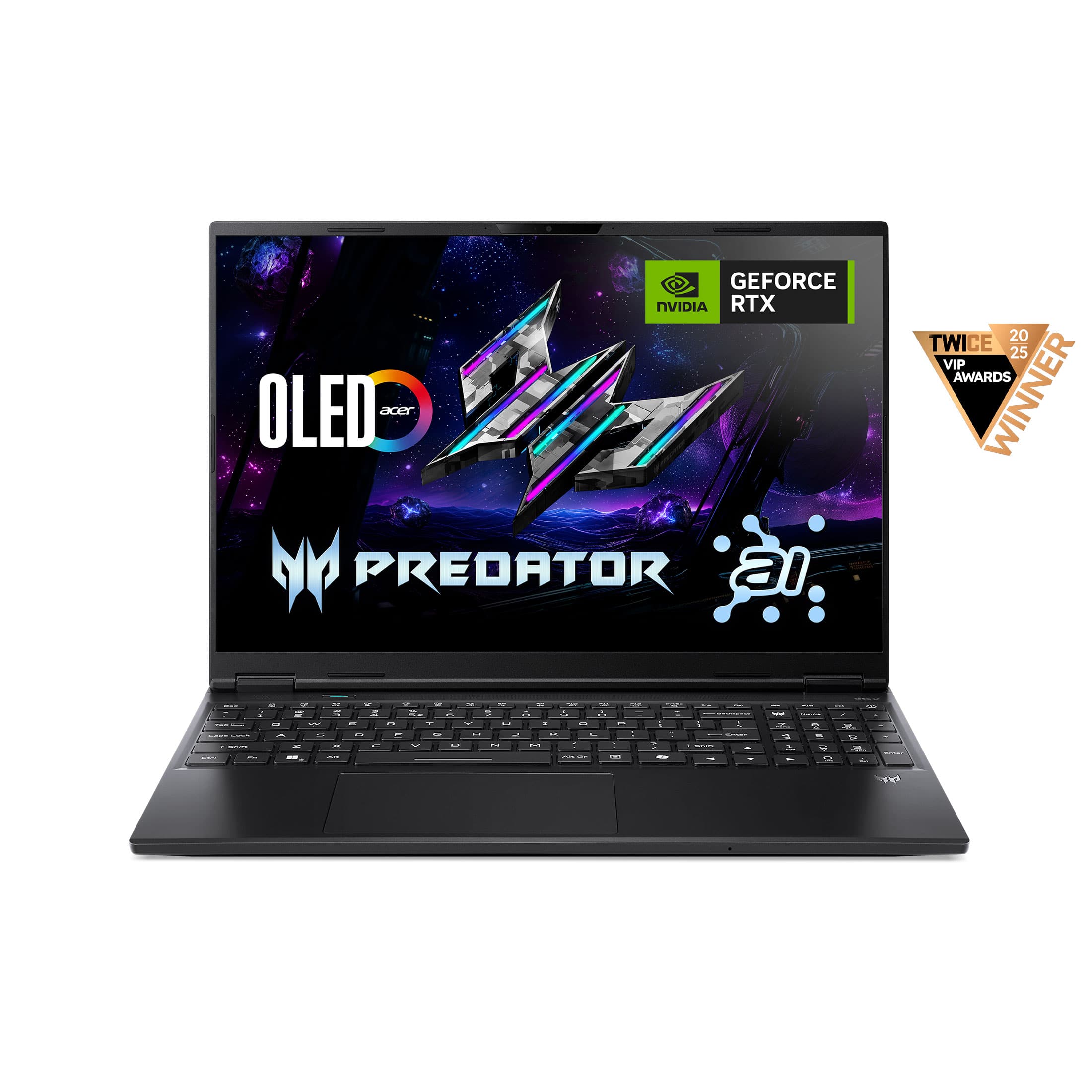
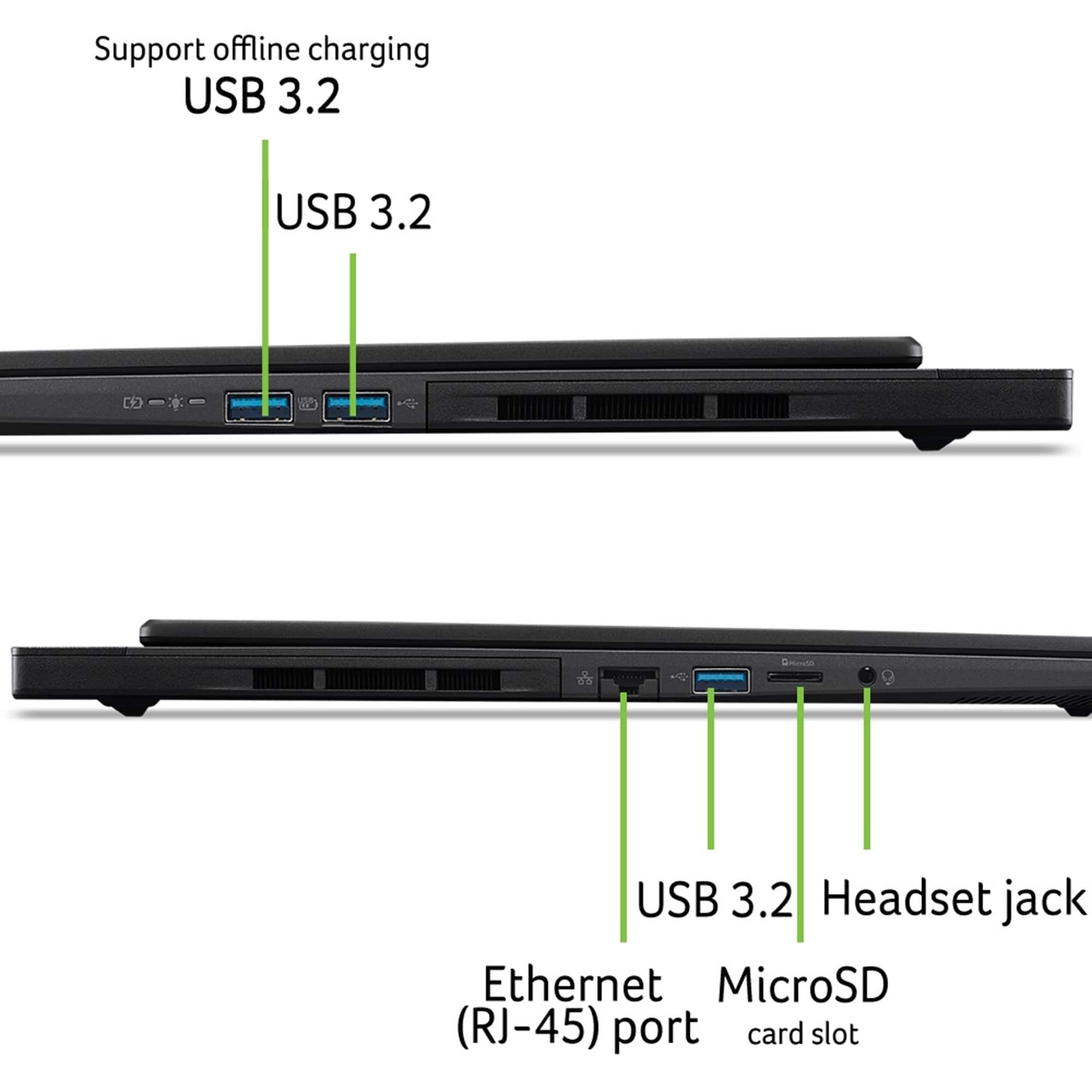
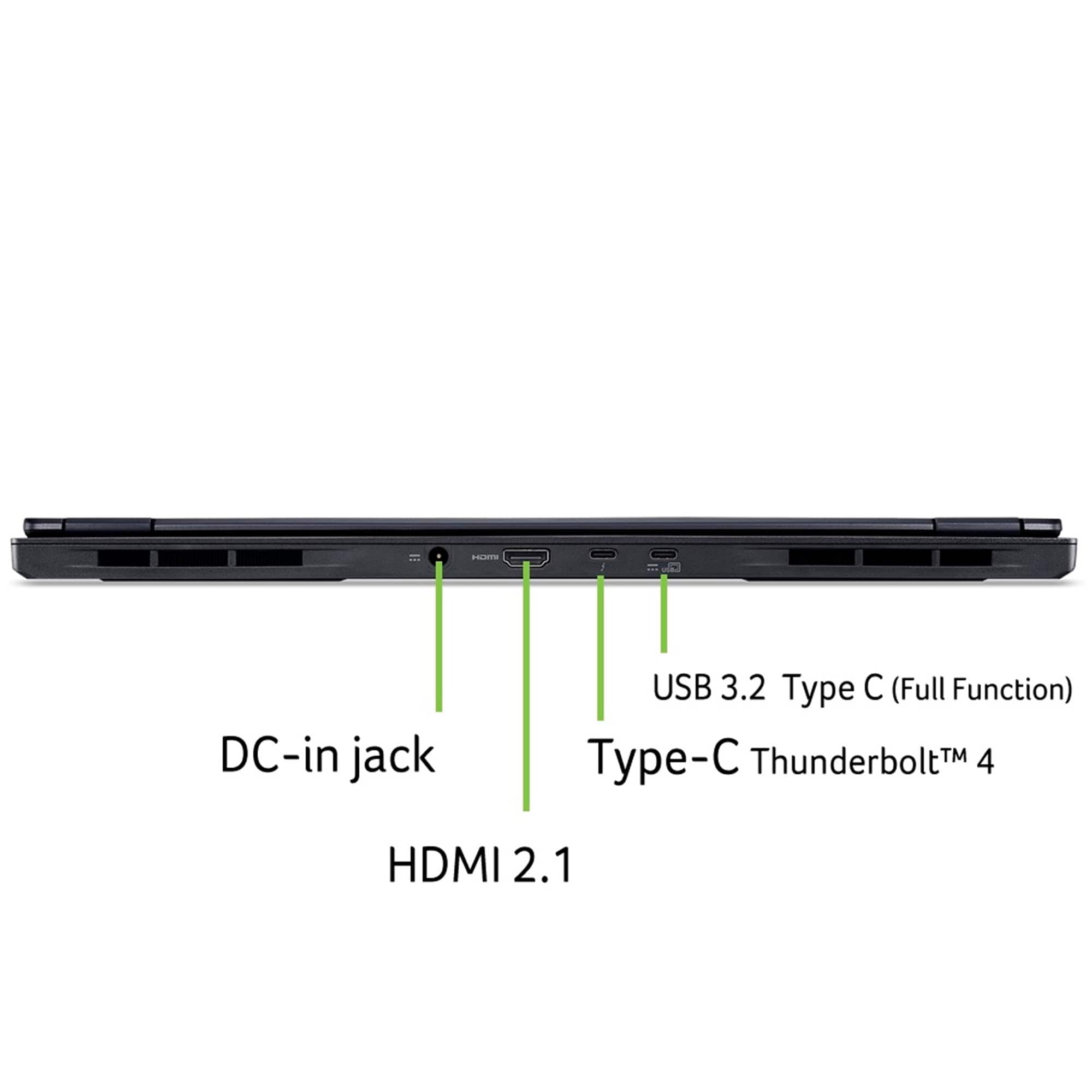

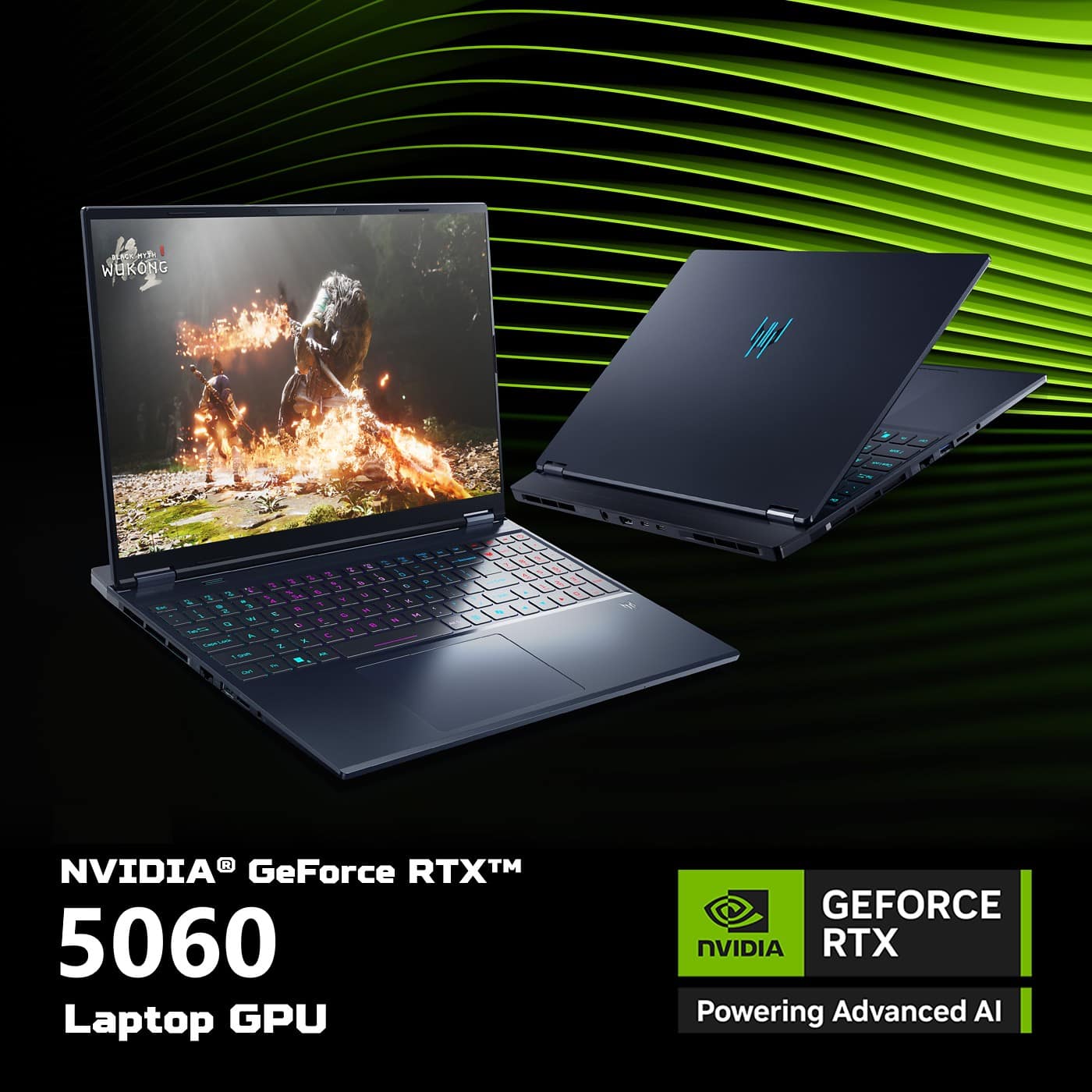



![OLEI Ht Fr dtsx Esc F1 & F2 F3 d F4 F5 F6 F7 D F8 Ctrl F9 F10 F11 F12 AN PrtSc t Ins Del H >/I H ~ ! 1 @ 2 # 3 $ 4 % 5 A 6 & 7 . 8 [ 9 ) O | - + = Backspace NumLk / Tab Q W E R T Y U I O P { [ ) ] I / 7 Home 8 A 9 Poll - Caps Lock A S D F G H J L : : - Enter 4 A 5 6 V + 1 Shift Z X V B N M < - > ? / t Shift 1 End 2 V 3 PgDn Enter Ctrl Fn Alt Alt Gr / O 3ne Det](https://pisces.bbystatic.com/image2/BestBuy_US/images/products/3ce70775-5e21-44c4-a483-c7b110b18d6b.jpg)









- Model:
- PHN16S-71-91AW
- |
- SKU:
- 11617918
Customer reviews
Rating 4.4 out of 5 stars with 81 reviews
(81 customer reviews)Rating by feature
- Battery Life4.0
Rating 4.0 out of 5 stars
- Speed4.7
Rating 4.7 out of 5 stars
- Display4.8
Rating 4.8 out of 5 stars
Rated 5 out of 5 stars
Keep you waiting uh?
||Posted . Owned for 2 weeks when reviewed.This reviewer received promo considerations or sweepstakes entry for writing a review.MGS pun intended, hahahaha, the laptops is pretty sick for the price, it performs better than expected, way better, the keys are nice, the rgb is sick, the screen! its oled, its superb for everyday job and gaming, it was a deal when i got it and still a deal today, go grab it mate, you deserve it!.
This review is from Acer - Predator Helios Neo 16S AI Gaming Laptop - 16" OLED 240Hz - Intel Core Ultra 9 - NVIDIA GeForce RTX 5060 – 16GB – 1TB - Obsidian Black
I would recommend this to a friendRated 5 out of 5 stars
A solid maching with solid potential.
||Posted . Owned for 3 months when reviewed.This reviewer received promo considerations or sweepstakes entry for writing a review.First and foremost, if you are getting the 16GB RAM model, upgrade to 32GB ASAP! If you are getting this for gaming purposes then you need more than the base amount. This model also has an extra M.2 storage slot that can take up to 2TB, which would be a good idea to do if you're upgrading the RAM anyway. Overall, the stock specs in those two categories leave a little to be desired. So if you have a bigger budget, I would go for the higher tier. But if you need something right away and plan on upgrading down the road, this is perfect.
This review is from Acer - Predator Helios Neo 16S AI Gaming Laptop - 16" OLED 240Hz - Intel Core Ultra 9 - NVIDIA GeForce RTX 5060 – 16GB – 1TB - Obsidian Black
I would recommend this to a friendRated 5 out of 5 stars
Works perfectly
||Posted . Owned for 3 weeks when reviewed.This reviewer received promo considerations or sweepstakes entry for writing a review.I've been using this device for about a week and I'm really impressed. The performance is fast, the battery life is solid, and the build quality feels premium. Setup was easy and everything works exactly as expected. Definitely worth the money. Would recommend!
This review is from Acer - Predator Helios Neo 16S AI Gaming Laptop - 16" OLED 240Hz - Intel Core Ultra 9 - NVIDIA GeForce RTX 5060 – 16GB – 1TB - Obsidian Black
I would recommend this to a friendRated 5 out of 5 stars
Best in this class, but beware
||Posted . Owned for 2 months when reviewed.This reviewer received promo considerations or sweepstakes entry for writing a review.Best display in the gaming laptop sector, but that 16 gigs of RAM and eight gigs of video RAM it’s just not acceptable but I understand you’re giving me a great display but when it comes down to ram is disappointment for future gaming possibilities other than that it worked great no issues here
This review is from Acer - Predator Helios Neo 16S AI Gaming Laptop - 16" OLED 240Hz - Intel Core Ultra 9 - NVIDIA GeForce RTX 5060 – 16GB – 1TB - Obsidian Black
No, I would not recommend this to a friendRated 5 out of 5 stars
Gaming monster
||Posted . Owned for 2 weeks when reviewed.This reviewer received promo considerations or sweepstakes entry for writing a review.I had no issues playing the games that I wanted to on this machine. It was absolutely amazing and I highly recommend it for anybody looking for gaming PC. Plenty of ram specs is off the chains. 1 TB drive just couldn't beat it for the price
This review is from Acer - Predator Helios Neo 16S AI Gaming Laptop - 16" OLED 240Hz - Intel Core Ultra 9 - NVIDIA GeForce RTX 5060 – 16GB – 1TB - Obsidian Black
I would recommend this to a friendRated 5 out of 5 stars
He loves his gaming laptop
||Posted . Owned for less than 1 week when reviewed.This reviewer received promo considerations or sweepstakes entry for writing a review.I purchased this laptop for my son for Christmas. He loves it. He's only 10 but very advanced tech-wise, so this was the most affordable gaming laptop that had all of the specs he needed. The OLED screen is very sensitive, so make sure that if it's for a child, they handle it with care.
This review is from Acer - Predator Helios Neo 16S AI Gaming Laptop - 16" OLED 240Hz - Intel Core Ultra 9 - NVIDIA GeForce RTX 5060 – 16GB – 1TB - Obsidian Black
I would recommend this to a friendRated 5 out of 5 stars
Acer Predator Review
||Posted . Owned for 3 weeks when reviewed.This reviewer received promo considerations or sweepstakes entry for writing a review.Works great. I had an issue with the GPU not communicating to the CPU properly but that turned out to be a windows update issue which has now been fixed.
This review is from Acer - Predator Helios Neo 16S AI Gaming Laptop - 16" OLED 240Hz - Intel Core Ultra 9 - NVIDIA GeForce RTX 5060 – 16GB – 1TB - Obsidian Black
I would recommend this to a friendRated 5 out of 5 stars
Absolutely love this beast of a gaming laptop
||Posted . Owned for 2 weeks when reviewed.This reviewer received promo considerations or sweepstakes entry for writing a review.I was a longtime PC FPS player before having my son. I’ve been scratching to getting back into gaming and came across the Asus Helios 16S. It’s sleek, snappy, and plays my favorite games which are currently battlefield 6 and Arc raiders. When I’m done, I simply pack it away. I highly recommend this machine to anyone who wants to play high end games at their highest quality settings.
This review is from Acer - Predator Helios Neo 16S AI Gaming Laptop - 16" OLED 240Hz - Intel Core Ultra 9 - NVIDIA GeForce RTX 5060 – 16GB – 1TB - Obsidian Black
I would recommend this to a friendRated 5 out of 5 stars
Powerful and smooth performance
||Posted . Owned for 1 month when reviewed.This reviewer received promo considerations or sweepstakes entry for writing a review.This laptop delivers excellent performance for gaming and everyday tasks. The screen is sharp, gameplay is smooth, and it handles multitasking very well. Build quality feels solid and reliable
This review is from Acer - Predator Helios Neo 16S AI Gaming Laptop - 16" OLED 240Hz - Intel Core Ultra 9 - NVIDIA GeForce RTX 5060 – 16GB – 1TB - Obsidian Black
I would recommend this to a friendRated 5 out of 5 stars
Sim's Conqueror
||Posted . Owned for 1 week when reviewed.This reviewer received promo considerations or sweepstakes entry for writing a review.I had a really old Lenovo laptop and this new Acer one completely blew my old PC out of the water. I play the Sim's mostly and this thing handles it like a beast.
This review is from Acer - Predator Helios Neo 16S AI Gaming Laptop - 16" OLED 240Hz - Intel Core Ultra 9 - NVIDIA GeForce RTX 5060 – 16GB – 1TB - Obsidian Black
I would recommend this to a friendRated 4 out of 5 stars
Pretty good
||Posted . Owned for 2 weeks when reviewed.This reviewer received promo considerations or sweepstakes entry for writing a review.Great gaming laptop. Runs smoothly, good graphics, and solid performance for the price. Definitely recommend.
This review is from Acer - Predator Helios Neo 16S AI Gaming Laptop - 16" OLED 240Hz - Intel Core Ultra 9 - NVIDIA GeForce RTX 5060 – 16GB – 1TB - Obsidian Black
I would recommend this to a friendRated 5 out of 5 stars
Acer Predator
||Posted . Owned for 1 week when reviewed.This reviewer received promo considerations or sweepstakes entry for writing a review.This laptop is a Terminator not a Predator haha.Is incredible,for gaming is a great machine.The OLED Screen looks amazing,really amazing.CPU and GPU works great,it has too much power!!
This review is from Acer - Predator Helios Neo 16S AI Gaming Laptop - 16" OLED 240Hz - Intel Core Ultra 9 - NVIDIA GeForce RTX 5060 – 16GB – 1TB - Obsidian Black
I would recommend this to a friendRated 5 out of 5 stars
Best Bang for the Buck
||Posted . Owned for 2 weeks when reviewed.This reviewer received promo considerations or sweepstakes entry for writing a review.Great laptop! I have been using it for battlefield 6 and Microsoft Flight Simulator and it runs very well. As long as you keep it on a desk and not in your lap, it will not overheat while playing games. Keep it plugged in for best performance.
This review is from Acer - Predator Helios Neo 16S AI Gaming Laptop - 16" OLED 240Hz - Intel Core Ultra 9 - NVIDIA GeForce RTX 5060 – 16GB – 1TB - Obsidian Black
I would recommend this to a friendRated 5 out of 5 stars
Killer machine
||Posted . Owned for 1 month when reviewed.This reviewer received promo considerations or sweepstakes entry for writing a review.If you’re in the market for a powerhouse laptop that eats demanding games for breakfast, the Acer Predator series is in a league of its own. These machines are built for gamers by gamers — offering high performance, killer display options, and rugged hardware, all wrapped in an edgy gaming aesthetic. Here’s what makes them stand out
This review is from Acer - Predator Helios Neo 16S AI Gaming Laptop - 16" OLED 240Hz - Intel Core Ultra 9 - NVIDIA GeForce RTX 5060 – 16GB – 1TB - Obsidian Black
I would recommend this to a friendRated 3 out of 5 stars
Predator Helios Review
||Posted . Owned for 3 weeks when reviewed.This reviewer received promo considerations or sweepstakes entry for writing a review.Pretty good and fast. It can run every single game I play. Its battery life is okay, but I don't use it off battery much. The OLED screen is beautiful. It has problems with chrome, and crashes often and is slow sometimes. Windows security doesn't work correctly, and securityhealth.dlll was installed incorrectly so I had to correctly install it.
This review is from Acer - Predator Helios Neo 16S AI Gaming Laptop - 16" OLED 240Hz - Intel Core Ultra 9 - NVIDIA GeForce RTX 5060 – 16GB – 1TB - Obsidian Black
I would recommend this to a friendRated 4 out of 5 stars
Fans run high
||Posted . Owned for 1 week when reviewed.This reviewer received promo considerations or sweepstakes entry for writing a review.I’m enjoying this gaming laptop. The fans run really high on most of the games I play so I have to adjust the setting but I’m assuming that’s expected with laptops. I enjoy that the system has an app to monitor what all my computer is doing.
This review is from Acer - Predator Helios Neo 16S AI Gaming Laptop - 16" OLED 240Hz - Intel Core Ultra 9 - NVIDIA GeForce RTX 5060 – 16GB – 1TB - Obsidian Black
I would recommend this to a friendRated 4 out of 5 stars
Great higher end gaming laptop!
||Posted . Owned for 2 weeks when reviewed.This reviewer received promo considerations or sweepstakes entry for writing a review.Only thing that I would like more of is RAM out of the box. Overall a VERY solid mid to higher end gaming laptop for any game!
This review is from Acer - Predator Helios Neo 16S AI Gaming Laptop - 16" OLED 240Hz - Intel Core Ultra 9 - NVIDIA GeForce RTX 5060 – 16GB – 1TB - Obsidian Black
I would recommend this to a friendRated 5 out of 5 stars
Predator helios 16neo
||Posted .This reviewer received promo considerations or sweepstakes entry for writing a review.It's a great laptop. Needed some updates for Windows 11 to run smoothly but overall good one for amazing price
This review is from Acer - Predator Helios Neo 16S AI Gaming Laptop - 16" OLED 240Hz - Intel Core Ultra 9 - NVIDIA GeForce RTX 5060 – 16GB – 1TB - Obsidian Black
I would recommend this to a friendRated 5 out of 5 stars
A perfect computer
||Posted . Owned for 2 months when reviewed.This reviewer received promo considerations or sweepstakes entry for writing a review.Very good computer, very fast, all the computer are good
This review is from Acer - Predator Helios Neo 16S AI Gaming Laptop - 16" OLED 240Hz - Intel Core Ultra 9 - NVIDIA GeForce RTX 5060 – 16GB – 1TB - Obsidian Black
I would recommend this to a friendRated 5 out of 5 stars
Phenomenal computer
||Posted . Owned for 2 months when reviewed.This reviewer received promo considerations or sweepstakes entry for writing a review.Fabulous computer, great capabilities, versatile, AMAZING for the whole family.
This review is from Acer - Predator Helios Neo 16S AI Gaming Laptop - 16" OLED 240Hz - Intel Core Ultra 9 - NVIDIA GeForce RTX 5060 – 16GB – 1TB - Obsidian Black
I would recommend this to a friend


















