Customer Ratings & Reviews

- Model:
- ADO951800F093
- SKU:
- 6067800
to a friend
Customers are saying
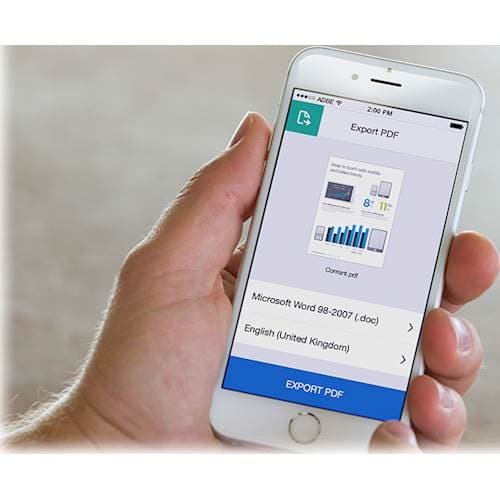
Customers frequently mention how Acrobat Pro DC (1-Year Subscription) allows them to easily edit, create, and manipulate PDF documents. They appreciate the cloud integration feature, which enables them to access and save files from anywhere. Additionally, customers find the software easy to use and particularly useful for creating fillable forms. However, some customers express dissatisfaction with the subscription-based pricing model, preferring a one-time payment option.
This summary was generated by AI based on customer reviews.

Indispensable Tool for Business Users
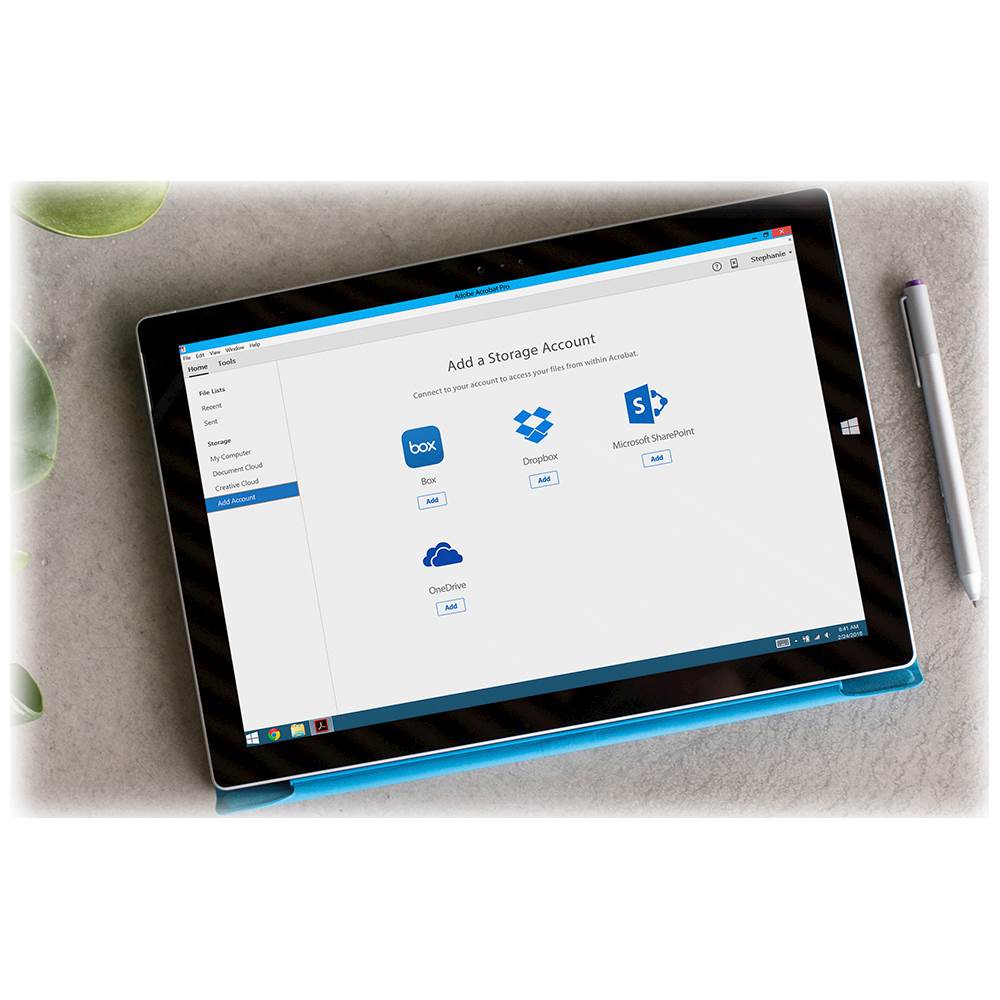
|Posted .This reviewer received promo considerations or sweepstakes entry for writing a review.If PDFs are a part of your daily work routine, you've more than likely used Adobe Acrobat (or the free Reader version) at some point. Having used all versions of Acrobat Pro since 8.0, it took me some time to adjust to adjust to the new layout of DC. But after having used it extensively for the past few months, I'm convinced that it's the best version yet. PROS: - Acrobat finally features a tabbed interface for navigating multiple PDFs simultaneously. Instead of multiple Acrobat windows opening at once, PDFs are organized neatly in the tab ribbon atop the program. If you need to view PDFs side-by-side, you can simply drag the tabs apart. - The new Tools section neatly organizes all of the functions of Acrobat into a single, easy-to-understand interface. This new interface has caused some controversy, but I like it. A Search Tools box lets you type the first few letters of the tool/function you need, and the tool then appears instantly. No more digging through confusing menus or enabling hidden options, as in previous Acrobat versions. You can easily add your most frequently used tools to the side bar for quick access. - Incredible editing abilities. Acrobat DC allows you to add or edit text using a document's original font, even if it's a scanned document and you don't have that font installed on your computer. Even if the document is a scan of an old, faded book, Acrobat DC will accurately mimic the faded font to make it appear as natural as possible. This is by far my favorite feature of the program. - Powerful OCR tools. As a legal professional, I rely on Acrobat's abilities to convert scanned documents into searchable text. With Acrobat DC, you can finally make corrections to words or phrases that the software did not correctly recognize. My only complaint is that there is no obvious way to go back and fix an error you might have made in typing out the OCR corrections. - Robust tool set for legal professionals. From Bates labeling to text/image redaction, no other PDF software offers such a comprehensive set of essential tools for those in the legal profession. - Convenient cloud-enabled features. I wasn't sure how often I would use the "Cloud" features of Acrobat DC, but I've found them to be very useful. PDFs that I open and edit on my desktop computer seamlessly appear on my laptop. You can even add accounts from Dropbox, OneDrive, and SharePoint to allow for easy collaboration with co-workers. - Great mobile app. With a subscription to Acrobat DC Pro, the Acrobat app for iOS enables many of the same powerful feature of the desktop app, including text editing, commenting, and reorganizing pages. CONS: - I'm not a huge fan of the software subscription model that Adobe has implemented with Acrobat Pro. I appreciate the regular updates and feature enhancements, but personally, I'd rather pay once for software and not have to worry about renewing a subscription every month or year. OVERALL: Acrobat Pro remains the standard-bearer for PDF editing and creation, and this new version adds powerful new features that are sure to delight business professionals. If you're skeptical of the new interface, I'd encourage you to give it a chance -- it quickly grew on me and I have no desire to go back to older versions. Highly recommended!
I would recommend this to a friendAcrobat on the Go - At a Cost
|Posted .This reviewer received promo considerations or sweepstakes entry for writing a review.I love the Adobe Acrobat products. I've used them for years to create training content, interactive forms, etc. I was a little hesitant to try out Acrobat DC though. In fact, the only reason I rated it 4 stars was due to Adobe's new subscription pricing model they've adopted with their apps. I guess I'm a dinosaur, but I like the idea of buying the software once - versus the idea of leasing it in order to have the most recent version. But here's the thing - Acrobat Pro 2017 costs you $450 to buy outright. At it's best, Acrobat DC costs you $180 a year. That means that you have 2 and a half years before DC starts costing you more than buying a standalone license. But by then, we'll be on Acrobat 2020 or something. Keep in mind that Acrobat 2017 is intact DC but purchased for a one-time fee versus a subscription. This can be a bit misleading since Adobe’s site compares it to Acrobat Pro XI. Here’s the current cancellation policy per Adobe’s site: Cancellation policies for Pay Up Front memberships: Subscriptions such as (Export PDF and PDF pack) are Pay Up Front (PUF) memberships and their cancellation policy is as follows: • If customers want to cancel within the first 14 days, we cancel the subscription and provide a full refund. • If customers want to cancel after the first 14 days, no refund is applicable. Cancellation stops the auto-renewal and customers can use the subscription until the next bill date Cancellation of Month-to-Month plans: • As per the new policy for Month-to-Month subscriptions, the customer is eligible for a refund within 14 Days of purchase. • Once a plan is cancelled, customers continue to have access to the service through the month they have paid for, and will no longer be charged for additional time periods.Customers will not be refunded for the month in which they cancel. • The updated cancellation policy only applies customers who sign up for month-to-month plans after December 15, 2016.The policy does not apply to customers who have annual contracts for Creative Cloud (either prepaid or with monthly payments). Cancel a subscription purchased through the Apple iTunes App Store Subscriptions that you purchase via Adobe Reader for iOS are paid through Apple's iTunes App Store. If you have questions about your subscription, contact Apple. Return a subscription or membership purchased from a reseller If you purchased your membership or subscription from any seller other than Adobe, contact the seller for assistance. My gripes about pricing aside, I have to say that I love the features that DC provides! In my office, we've started to make the transition from laptops to iPads and other tablets. Acrobat DC has the handy bonus of working on my Mac and my iPad with virtually the same functionality. DC also differentiates itself from previous versions by allowing integration with cloud services, such as OneDrive - which we use at work. This is nice because it allows for faster working with documents stored in the cloud versus having them on my desktop or other local folder. I’ve got Acrobat running on my iPad and my iPhone and it’s very cool to use some of the newer features, like tracking of PDFs and e-Signing of documents. We are in the process of moving from our reliance on paper signatures to soft copies and Acrobat DC is a key component of that strategy. DC also works as a comfortable companion to other Creative Cloud Apps - such as InDesign, Illustrator and Photoshop. You can take items you create in InDesign and effortlessly move them into PDF versions. As a Mac user, I also appreciate the added support for Office 2016. It’s nice to have access to quickly PDF a document from Word’s ribbon instead of going through the ‘Save As’ route. If you are a small business owner who deals with documents on the go, then Acrobat DC is a must-have for you. If you can pay for it outright, then the Pro 2017 version might be a better choice, but keep in mind that DC will cost you less unless you use the software for more than 2 and a half years. Do some break even comparisons in your shopping before clicking buy now.
I would recommend this to a friendAcrobat Pro DC is the Gold Standard for PDFs
|Posted .This reviewer received promo considerations or sweepstakes entry for writing a review.INTRODUCTION: Acrobat Pro DC (Document Cloud) opens up ALL of the possibilities and options of PDFs. You can create, change, add comments, sign your PDF files - and so much more. REVIEW: The new Acrobat DC version is cloud compatible. You can access, and make changes to any of their files from any location, whether using a desktop, or mobile. I like the fact that you no longer need to use ink signatures with the inconvenience of faxing back and forth. It works with Microsoft One Drive and Dropbox. Acrobat Pro DC seamlessly integrates with the Microsoft Office 2016 & 360. This is critical because it allows seamless operation & conversion from one document to another. LENGTHY, TEDIOUS INSTALLATION: 1- Entered Redemption Code. 2- Chose whether or not to enter credit card for automatic renewal. (I declined that option). 3- The window closed but the software did not download to my Mac Pro. 4- I called Adobe. Punched wrong phone options. Had to call again. 5- Helpful Adobe Technical Support directed me to an obscure website that downloaded & installed the software. 6- Set the default PDF opening to Acrobat Pro DC, rather than Preview. CONCLUSION: Acrobat Pro DC is the Gold Standard for PDFs. It is expensive, but is essential for the power user who would benefit from editing PDF's. You always have the latest version & options. This comes with a price of the annual or monthly fee. Acrobat Pro DC earns 4 Stars, losing 1 star because of the installation & the recurring subscription fee.
I would recommend this to a friendA must have for Real Estate Professionals!
|Posted .This reviewer received promo considerations or sweepstakes entry for writing a review.As most other reviewers point out - Adobe is the PDF Gold standard. I own several rental properties and work with leases, lease addendums and other documentation on a daily basis. Using the Adobe tool set has made this a breeze in recent years! Try out the Adobe Scan app for your mobile device - and now you can convert your photos to PDF with ease - place in a PDF document with Acrobat Pro all within minutes! Acrobat Pro makes it very easy to edit PDF documents when needed. Maybe you need to adjust a lease date and rent amount for the next year and resend for signatures - no problem with Acrobat DC! The ability to convert your existing office documents to fillable forms is also invaluable! Makes your lease docs a super simple! Better yet, have the tenant fill out and sign the lease right on your tables (I use a Microsoft Surface device). I combine my use of this software with Dropbox and OneDrive - which makes access to documentation super convenient and efficient! My only complaint is the subscription model - versus the one-time pay. However, everything is heading in that direction, so there's not much we can do about that! If you are a real estate professional - this software is on your must have list.
I would recommend this to a friendAdobe Acrobat Pro DC - Defacto PDF Tool
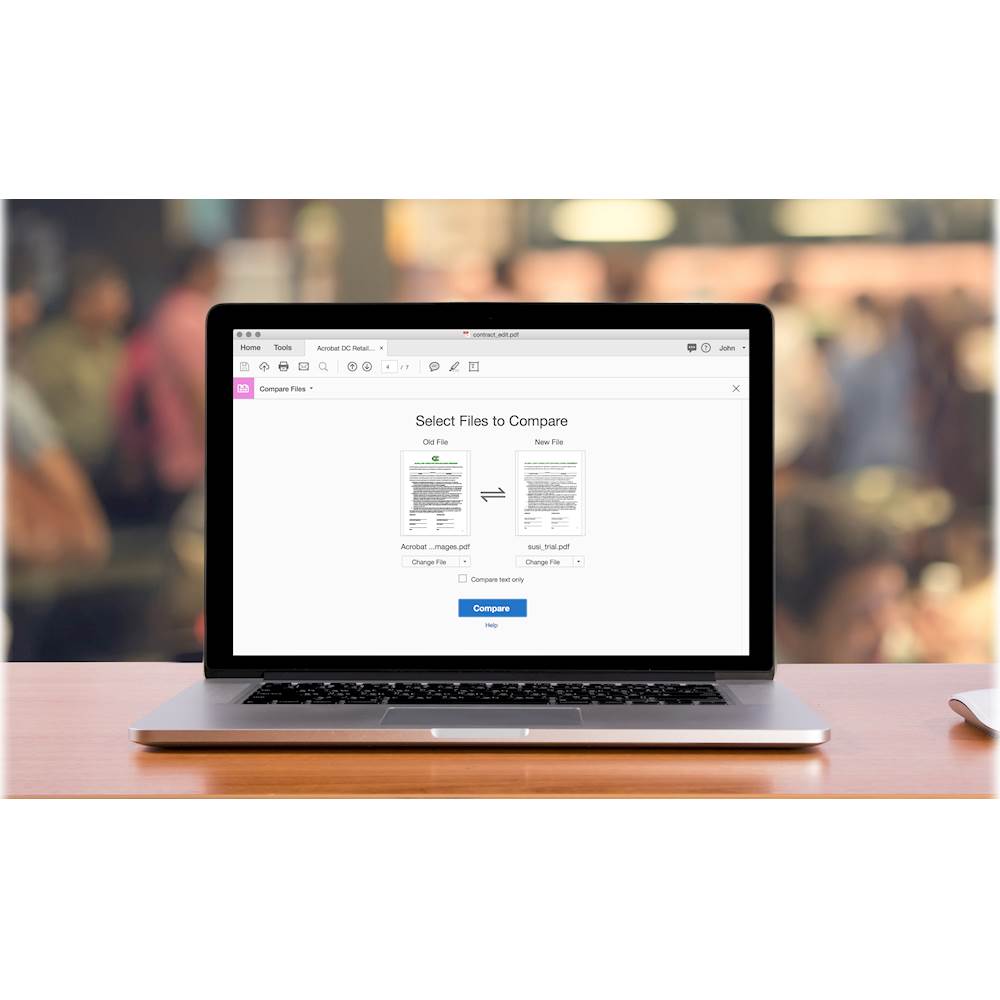
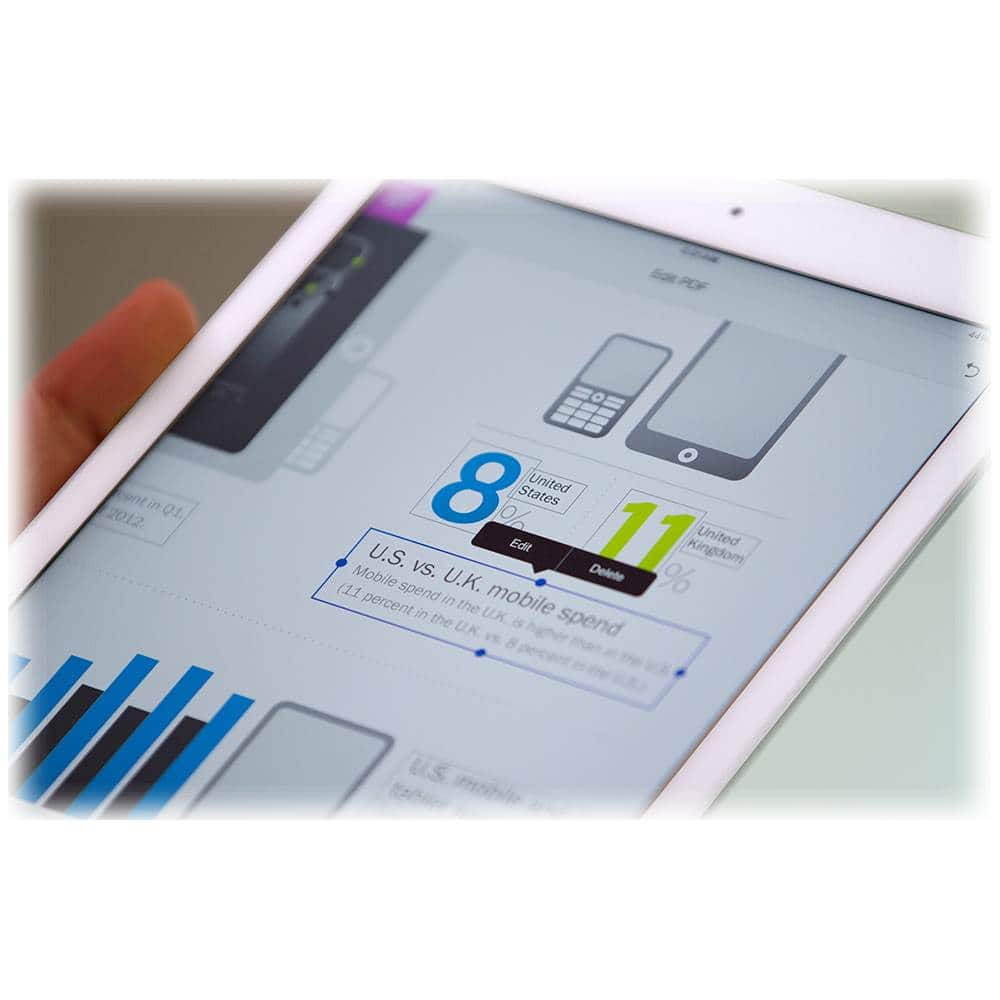
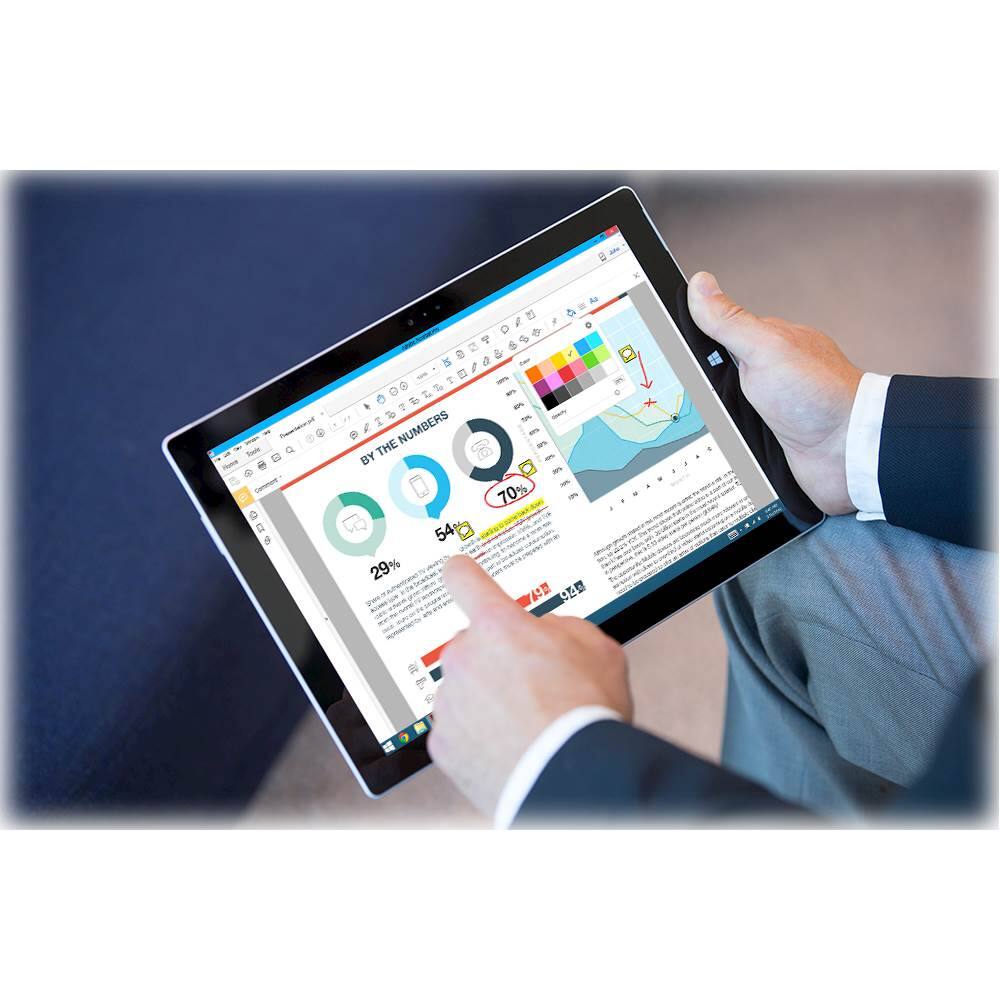
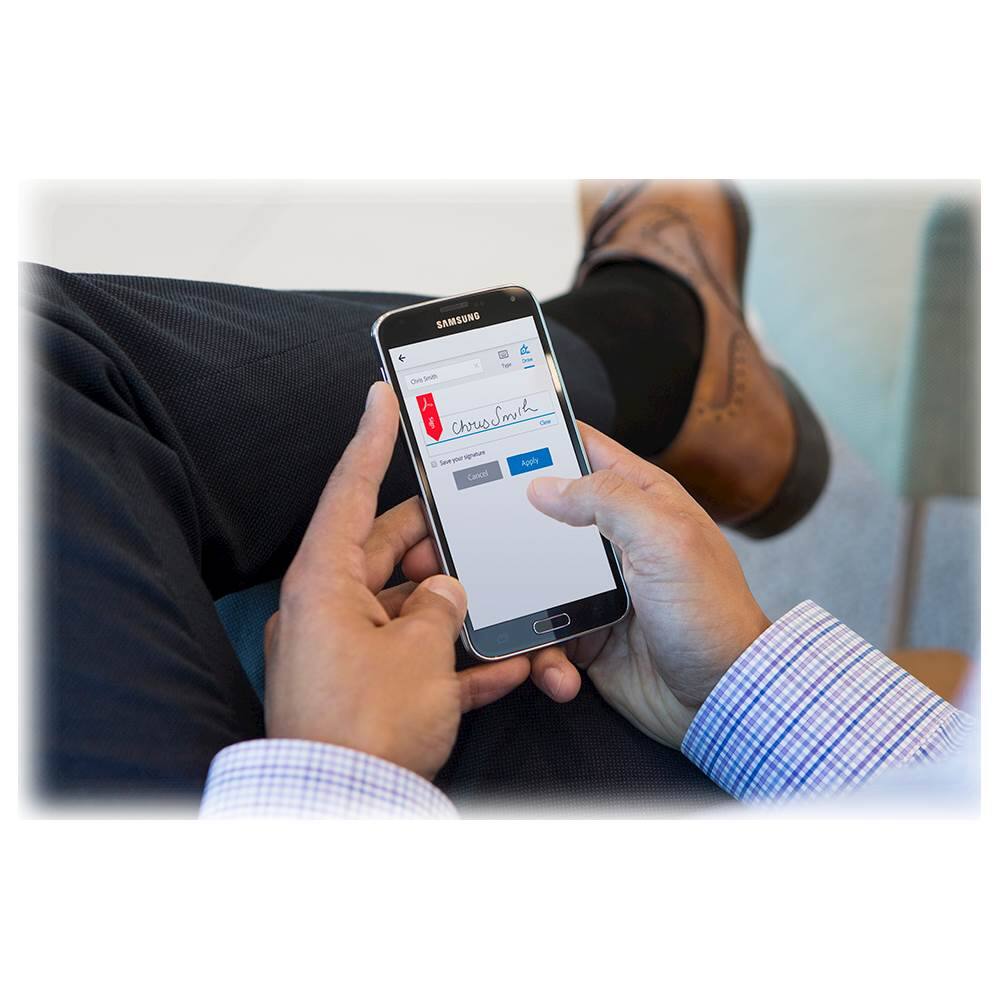
|Posted .This reviewer received promo considerations or sweepstakes entry for writing a review.I have been an Adobe Acrobat Pro user for years and the latest version is an incredible upgrade. As you can see in the screenshots, Adobe Acrobat Pro DC provides an extensive set of tools for creating and editing PDF documents. You can edit and annotate existing PDF documents, secure documents you create and sign documents you receive from others. Whether you would be reviewing and signing contracts, working on your college dissertation or thesis or simply reading and adding notes to eBooks in PDF, this is the tool for you! I personally find Adobe Acrobat Pro DC critical to my day to day work and believe that many others will find themselves also relying upon this incredible application.
I would recommend this to a friendWorth it
||Posted .This reviewer received promo considerations or sweepstakes entry for writing a review.I’ve used lots of pdf tools but this is by far the best. Also easy to use interface for the not so experts.
I would recommend this to a friendGreat way to edit PDF documents
||Posted .This reviewer received promo considerations or sweepstakes entry for writing a review.Adobe Acrobat Pro DC allows me to manipulate and edit PDF documents easily and professionally. I had previously tried a number of other solutions and found that they came bundled with adware and/or were immature. This one-year subscription to Adobe Acrobat Pro DC allowed me to install the software on my Mac computer and I was also able to use the same subscription to setup the complementary mobile applications. I found the integration between desktop and mobile by Adobe to be top-notch and have recommended this software to my friends who also have to manipulate PDF documents.
I would recommend this to a friendAdobe is lucky they sell through Best Buy
||Posted . Owned for 1 month when reviewed.This reviewer received promo considerations or sweepstakes entry for writing a review.Adobe is a good product that I've used at my office for years. Unfortunately, Adobe now works through Google and has developed a system whereby all the addresses you have under Google must be the same. Since much of my Google is professional, that means my office address. I wanted Adobe for home and Adobe wouldn't accept my personal credit card. Being able to buy online through Best Buy and pick up outside the store enabled me to buy this for home.
I would recommend this to a friendA must if you use your computer for work & school
||Posted . Owned for 1 month when reviewed.This reviewer received promo considerations or sweepstakes entry for writing a review.Adobe Acrobat Pro DC allows me the flexibility when traveling since it includes access to mobile apps. I like that BB routinely offers a $20 discount on this item. This is my second year renewal & wont be my last.
I would recommend this to a friendAdobe Acrobat Pro DC
||Posted . Owned for 3 weeks when reviewed.This reviewer received promo considerations or sweepstakes entry for writing a review.Adobe Acrobat Pro DC Is kinda of a must have. It’s only when you don’t own it is when you really need it. Bite the butler and have it ready all year instead of buying it at the last minute.
I would recommend this to a friendPerfect!
||Posted . Owned for 1 month when reviewed.This reviewer received promo considerations or sweepstakes entry for writing a review.I need this software for my health care management class. It is perfect for creating forms and being able to electronically sign them. Easy to use.
I would recommend this to a friendAdobe Acrobat is excellent
||Posted . Owned for 3 weeks when reviewed.This reviewer received promo considerations or sweepstakes entry for writing a review.This product allows for creating, modifying,and reviewing various documents and forms. We are satisfied with the user friendly interface.
I would recommend this to a friendPDF life
||Posted . Owned for 2 months when reviewed.This reviewer received promo considerations or sweepstakes entry for writing a review.If you do anything in PDF Adobe is a must. Cloud subscription is cool because doesn't seem to limit devices and you get online storage for your PDFs.
I would recommend this to a friendGood for at home worker.
||Posted .This reviewer received promo considerations or sweepstakes entry for writing a review.This product is amazing. Allowed me to snap pictures on my phone and upload documents. Wokred well with my HP computer. Allowed me to transfer documents and re-sign.
I would recommend this to a friendAcrobat
||Posted . Owned for 3 weeks when reviewed.This reviewer received promo considerations or sweepstakes entry for writing a review.This is a tool that all business owners should invest in. It is an invaluable tool that can save so much time and heartache.
I would recommend this to a friendAwesome Adobe
||Posted . Owned for 1 month when reviewed.This reviewer received promo considerations or sweepstakes entry for writing a review.Excellent and Reliable Program. Really helps supplement with my Teleworking requirements!!!... Thumps up!!!!
I would recommend this to a friendGood service Adobe solved my issue.
||Posted . Owned for 3 weeks when reviewed.This reviewer received promo considerations or sweepstakes entry for writing a review.The service was very good I called in the morning and was able to pick it up at the door at 12:30 in the afternoon.
I would recommend this to a friendGreat for editing
||Posted . Owned for 3 weeks when reviewed.This reviewer received promo considerations or sweepstakes entry for writing a review.Bought for working at home during Covid-19. Works well and is easy to use.
I would recommend this to a friendEasy & Simple to Install and Run's Smoothly.
||Posted . Owned for more than 2 years when reviewed.This reviewer received promo considerations or sweepstakes entry for writing a review.Easy & Simple to Install and Run's Smoothly. Quality Product.
I would recommend this to a friendAcrobat Pro
||Posted .This reviewer received promo considerations or sweepstakes entry for writing a review.First time I've every purchased Acrobat Pro and I now regret not having purchased it before as it has so many useful capabilities.
I would recommend this to a friend