Customer Ratings & Reviews
- Model:
- ADO951800F060
- SKU:
- 5438500
to a friend
Customers are saying
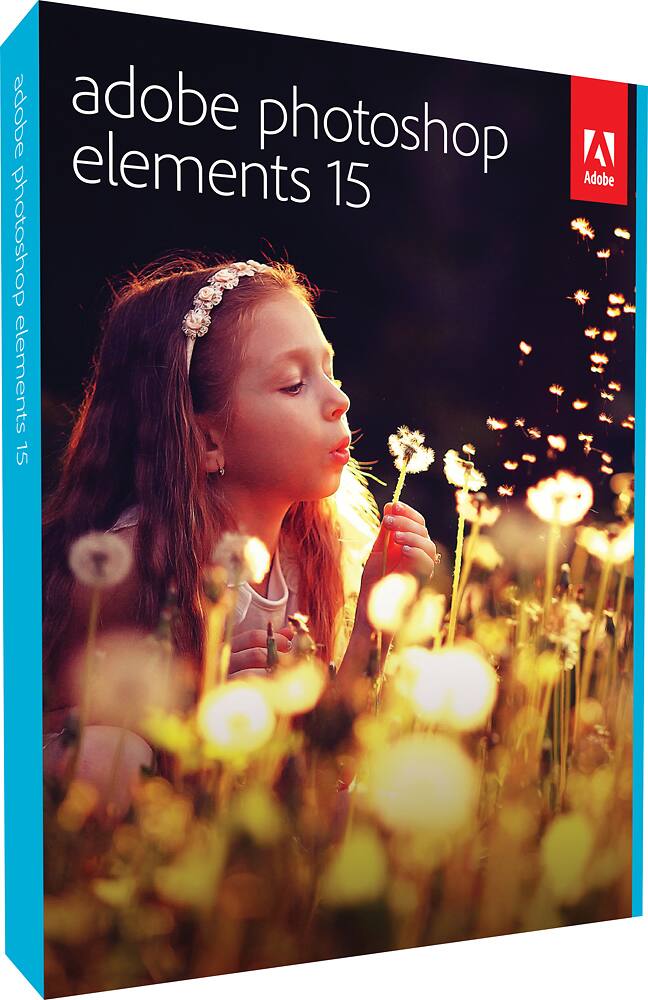
Customers express satisfaction with Photoshop Elements 15's photo editing capabilities, ease of use, and user-friendly interface. Many find it reasonably priced and appreciate the tutorials for beginners and the new features introduced in the latest update. However, some users mention a steep learning curve, slow import times, and installation issues.
This summary was generated by AI based on customer reviews.
- Cons mentioned:Performance

Pretty good piece of software.
|Posted .This reviewer received promo considerations or sweepstakes entry for writing a review.I will admit right off the bat that I have not used Photoshop in several years. As such, it took some getting used to to get the hang of things. Some things are similar to the past, but others are harder to find. Once I got the hang of it, I started to get rolling along. I am a VERY amateur photographer with a decent DSLR camera that I mostly use to take family photos. Every now and again, I go outside and take some nature shots or something. I am a novice when it comes to knowing how to set up my camera so I was excited to get Photoshop Elements to help me refine my photos. All in all, the software performs as advertised. I notice that it takes a little while to do perform certain operations and I have had an occasional crash here and there but nothing annoying or anger inducing. I have a son who likes to frown for his photos, and I now have a tool to combat his unruliness much to his chagrin!! Technology wins!!
I would recommend this to a friend - Pros mentioned:Ease of use, Features
Great for beginners!
|Posted .This reviewer received promo considerations or sweepstakes entry for writing a review.Elements 15 is an excellent option for those that are looking to get their feet wet with photo editing software. Elements 15 is a robust program that doesn't shy away from options and tools. Like with any software there is a learning curve. With a little patience, and a tutorial or two, you will be editing photos like a pro in no time!
I would recommend this to a friend Don't waste your time
||Posted .This reviewer received promo considerations or sweepstakes entry for writing a review.Unless you are buying an upgrade of this product, try something else. The learning curve is simply too steep.
No, I would not recommend this to a friendExcellent Choice for Easy Photo Editing
|Posted .This reviewer received promo considerations or sweepstakes entry for writing a review.If you've ever looked at Photoshop and thought that it was too complicated for your simple photo editing needs, then Photoshop Elements might fit the bill. Even seasoned photographers will find some great features in this affordable and easy-to-use software. Here's my take: PROS: - Simple, guided interface. A toolbar at the top pf the window offers nearly 45 "Guided Edits" with step-by-step instructions, allowing you to edit facial features, create a collage, add motion blur and paintbrush effects, and so much more. - Turn a frown upside down. The facial editing features in Photoshop Elements are second to none. You can turn frowns into smiles, open squinting eyes and make other quick tweaks to portraits with the help of simple sliders. Edits are applied in real-time. There's also a quick 'revert' button to correct any mistakes. As with most tools in Elements, it's easy and quick to use. - Easy photo organization. The "Organizer" tool lets you search and filter all of your photos by people, place, keyword tags, date, and more. You can even combine search criteria to narrow the results. Perhaps most impressively, there is a "Smart Tags" feature which automatically identifies what is in your photos: faces, landscapes, animals, trees, etc. It's frighteningly accurate. - Tons of advanced editing features and settings. For being a cheaper version of Photoshop, Adobe sure doesn't skimp on advanced features. There are simply too many settings and tools to list in this review. CONS: - Slow to import photos. Using the Organizer tool, it took Elements over an hour to import all of my photos (close to 2,000). I understand that it has to scan each photo for facial recognition, location data, etc., but it seems strange that Facebook and other online applications can do this instantly. - No automatic album creation. The Organizer tool will combine photos by place, date, people, and more, but it doesn't actually create albums automatically. It would be nice if it logically grouped photos from the same date and location into one album. OVERALL: Overall, this is a top-notch entry-level photo editor. It's incredibly easy to import, organize, and edit photos. It's feature set, especially with the guided instructions, is unmatched. At this price point, it's an easy recommendation.
I would recommend this to a friendThe Gold Standard in Photo Editing
|Posted .This reviewer received promo considerations or sweepstakes entry for writing a review.Adobe continues to evolve their flagship consumer photo editing and organization app with PS Elements 15. Installation was quick and simple. Included with the disc is a note that you can download the software if you don't have an optical drive. Simply use the serial number on the disc if you do so. I'm happy to see that Adobe still provides a physical copy. Some months I get close to my bandwidth limit with my ISP, so I prefer to use physical media whenever I can. This version comes with a number of new features, including one that removes camera shake blur (a welcome feature with my Nikon P900 superzoom!) and one that can add smiles to people in photos when they're not smiling. How it works is something akin to magic. It doesn't look unnatural at all. I have a huge digital photo library, and there are helpful features for organizing like facial recognition. If you need good consumer-grade photo editing features Photoshop Elements is really the only way to go!
I would recommend this to a friendNice Upgrade
|Posted .This reviewer received promo considerations or sweepstakes entry for writing a review.This is a nice upgrade with some new features from Photoshop Elements 14. Just like 14 it is very easy to do and has guided tours to help you get the most out of your photos. The new feature in 15 that I like is the ability to turn a form upside down, or at least a non-smile to a smile. It has some nice face editor and it works pretty well. They also added features where you can merge other pictures or multiple to get the best shot. I like that as I take more photos then I need looking for the right shot, so now I can merge them. It was also nice that they give you a choice to either use the included DVD or download the software. Setup was easy, though it doesn't uninstall the older version, I have 14 installed, so it was nice as I could switch between them to see the difference, but note if you have an older version installed you will have to uninstall yourself. I had no problems using the software. I like it, but I liked 14. The added features are nice and I think worth the upgrade. I've been having too much fun with this making minor edits to photos. This seems to be the perfect photo editor for me.
I would recommend this to a friend- Pros mentioned:Photo editing
Organize and edit photos and videos with Photoshop
|Posted .This reviewer received promo considerations or sweepstakes entry for writing a review.I've been a Photoshop Elements user for quite a while. Photos and videos easily get scattered across many different digital devices. Like the scrap books off the past, Photoshop Elements 15 helps bring those photos together for easier retrieval and viewing. I love the facial recognition feature. You can even mark faces not automatically found to help the software find a match later. Besides organizing your photos, you can back them up to your favorite cloud or NAS for safety. Photoshop , for me has always been my go to editor. Now, you can design calendars, photobooks, collages even print right from your desktop. Lastly, share with the built in connector of your favorite social media sites.
I would recommend this to a friend - Pros mentioned:Interface
Easy to use editing and sorting software
|Posted .This reviewer received promo considerations or sweepstakes entry for writing a review.This is my first Photoshop Elements product and I am quite impressed. Installation was a snap and my pictures were imported automatically and quickly. As a complete newbie the user interface felt clean and streamlined, if a bit clunky and confusing at first. However I found that after spending just a short time with the software the user interface started to feel quite natural and easy to navigate. For me one of the most important features is the ability to sort pictures well, and specifically to search pictures by person. Simply put, the price of this software is worth it for the great search tools. The software helps you identify the people in your pictures and from then on you can search for individuals in all your pics. It took a very long time for Elements to analyze all my pics (several hours on an i7 PC) but once it's done search is a breeze. Way to go Adobe!
I would recommend this to a friend FAKE
||Posted .This reviewer received promo considerations or sweepstakes entry for writing a review.Serial number never worked. Contacted Adobe and they said it's fake.
No, I would not recommend this to a friendRedemtion code issuse
||Posted .This reviewer received promo considerations or sweepstakes entry for writing a review.the process to redeem the code for serial number is not working
No, I would not recommend this to a friendA Good Photo Editing Software
|Posted .This reviewer received promo considerations or sweepstakes entry for writing a review.While the word PhotoShoped is used for an altered digital image, I dont really find this to be any better or worse than my Corel Paint Shop Pro. I think either would be a great choice for most users and would buy the one that I could get the best deal on at the time. Installation was smooth and glitch free with the Adobe product. The software is available to download if you dont have a DVD drive on your computer as some new ones dont have. Then you can put in the product code from the CD or just buy it Direct as a download from Adobe. RAW file format is easily handled as well as JPG and the other standard image file formats.
I would recommend this to a friend- Pros mentioned:Ease of use
One of the easiest to use Photo Editors
|Posted .This reviewer received promo considerations or sweepstakes entry for writing a review.Pros: Useful image-manipulation tools. Fun and exciting face- and geo-tagging capabilities. The best for beginner editor output options. Auto-tagging and search options. Assistance on navigation of the software making for a pleasant experience. Cons: Most editing software has a big foot print. The initial download was under a 1 GB but once you log on to your Adobe account and input your serial number add another 9 GB. Depending on your hard drive importing can be painfully long, recommend using an SSD. Overall this product is meant for the regular consumer which warrants any would be amuter editor's purchase.
I would recommend this to a friend - Pros mentioned:Features
Excellent Starter for future Photoshop users
|Posted .This reviewer received promo considerations or sweepstakes entry for writing a review.Elements is a scaled down version of the cornerstone softwares for editing photos: Adobe's Photoshop. Photoshop is THE best package on the market to manipulate images. The Elements line is Adobe's entry level nod; a cheaper version for someone who might not need the full power of Photoshop, but still has a need to work with images, occasionally. Adobe has obviously spent a lot of time trying to determine which features were absolutley essential and much be part of the Elements product, and they've hit the nail right on the head. Price point is excellent the features are abundant. Where the lining starts to show is when we install it (or if you have windows 10, try a few times before getting it installed) and then the fun begins. It feels very much like they started will full Photoshop and then removed advanced features they thought we didn't need, rather than being built for the Elements customer. They include three modes Easy, Guided, and Expert. If you find yourself seeking expert mode quite often, you're probably a candidate for full on Photoshop. The part that keeps this program from being 5 stars in my mind is how hard it is to find the tools or to use some of the functions that I know are in there sometimes. Because this is the gateway to Photoshop, they've named and placed almost everything where it exists in the non Elements version of the software. This is GREAT if you're someone who will eventually be using the full version of Photoshop. If you're not taking that plunge... it adds a layer of complexity that an increase frustration a little. Overall this Photoshop Elements is very good at what it does, includes some quite advanced features like turning a frown into a smile. It leans towards being almost too powerful, which isn't necessarily a bad thing, but makes it harder to use for a learner
I would recommend this to a friend Great software... not much of an update
|Posted .This reviewer received promo considerations or sweepstakes entry for writing a review.Installation was quick and easy. The software came as a CD, but the license key worked just fine with the downloaded version. I have been using Photoshop Elements (PSE) since version 9.0. It is an integral (albeit occasional) part of my photo-editing work flow. I use Light Room for raw image conversion and PSE to clean up unwanted artifacts and perform more elaborate image processing. I most commonly use the “content aware” healing brush. This is an amazing tool for getting rid of unwanted objects in your images. I do not normally use the PSE organizer, but I tried it in PSE15 and may use it going forward, primarily for facial recognition. Importing and detecting faces on 18,000 photos took a loooooong time. It was OK at detecting faces when they were not profiles and the subject was not wearing a hat. I still had to put a name to each face. It did OK associating similar faces with the correct names once they had been entered for another good front-on photo. However, the process still requires manual confirmation. I have not figured out how to use “smart tags”. My guess is that it is something like keyword suggestions in Light Room (and facial recognition in PSE15)… once you start adding tags, PSE15 is smart enough to suggest them again for similar images. There are a few new filters in v15, but they are mostly cosmetic (e.g. using a photo as input to text, collage processing, and some new frames). The most interesting new tool is “Adjust Facial Features” (in the Enhance menu). It might work better with young faces, but it was not very convincing with older ones in my catalog. There are a few new guided edits that newer users may find handy. Most have been available in “Expert” mode for a while. Bottom line… I would not recommend it for the experienced user of PSE14 (PSE15 doesn’t offer much in the way of an upgrade). I can heartily recommend it for new users. PSE is very useful and a great tool for image manipulation.
I would recommend this to a friend- Pros mentioned:Photo editing
Simple and Easy tool
|Posted .This reviewer received promo considerations or sweepstakes entry for writing a review.Adobe is known for their HIGH quality graphic tools, for the professional industry. This Photoshop Elements, is a great entry point for the person looking for a good tool for their photos. The CATALOG feature of the app, is extremely useful. You can sort all your pictures into Albums and folders, so you can find what you are looking for. The power of the editing tools, will allow you to bring the best out of your pictures.
I would recommend this to a friend - Pros mentioned:Ease of use
Great Photo Editor
|Posted .This reviewer received promo considerations or sweepstakes entry for writing a review.I am new to photo editing so there is a bit for me to learn but I'm sure this will come easily with just a little practice since the software seems fairly simple and instructive. I like the ability to easily keep track of all my photos and vids with the organizer that has smart tags to scroll easily by type such as, places, people, dates, folders and more! This will certainly help to make some impressive end results
I would recommend this to a friend A Happy Medium
|Posted .This reviewer received promo considerations or sweepstakes entry for writing a review.For years I have been settling on two photo editing freebies: Picasa by Google (which was easy to use but did not have much functionality), and GIMP (which has a ton of functionality but with a user interface that often seems prohibitively difficult). Picasa is gone now - replaced by some simpler tools for photos in Google Photos - tools which are not very useful and most of my photographs are saved elsewhere. And I still feel some anxiety every time I use GIMP (which is rarely). My personal photographs surely are not worthy of Photoshop CC’s extensive features and they’re certainly not worthy of its steep subscription price tag. But the condensed Photoshop Elements (15) is great. The simplest adjustments I used to do in Picasa are just as easy to do in the “Quick” edit mode of Elements. The more extensive edits that I would have gone to GIMP for can be done in an “Expert” edit mode (but the user interface in Elements is SO much more user-friendly and intuitive than the one for GIMP). So I think I got the tool I really needed. I love this application. The photos I have worked with look great - and the application shows functionality that goes way beyond anything I have ever considered - and it’s nice to know that I can think ahead with some new ideas. The interface is so intuitive that I wouldn’t even say there is much of a learning curve at all. The Elements package comes with separate installation DVDs for Windows and for MacOS. I’m using the Windows implementation and can’t speak for the MacOS version - but would presume they are the same. My Windows laptop doesn’t have an optical drive so I downloaded the installation file from Adobe and entered the installation codes from the DVD sleeves when prompted - everything worked perfectly. The DVDs (and the downloaded version) come with a trial version of “Premier Elements” which I did not install because I don’t do trials. “Premier Elements” would add video editing capabilities to the photo editing capabilities of Elements - that functionality can always be purchased as an add-on to Elements from the Photoshop application.
I would recommend this to a friendGood photo shop program for the price
|Posted .This reviewer received promo considerations or sweepstakes entry for writing a review.I've been using this program for several months now and mostly enjoy it, save for a few quirks here and there. It has a lot going for it: the basic set up makes it very easy to use, with simple walk-through videos and a fairly easy to understand interface (but you do have to watch the videos once or twice to really understand all the commands). There are a lot of nice options for making your pictures look great, which is really the bottom line. It's easy to correct color, light and even facial expressions. It also includes an organizer, which is expected from any photoshop these days. The "smart tags" feature is also really cool--it can sort pictures by person, trees, setting (beach, mountains, etc) or even animals in the pictures. That is probably the most unique thing I've seen in a photo organizer. There's not a lot of bad, but the few nitpicky things I found are that it's still a little complicated and could be even more user-friendly with a few tweaks. If you wait a bit between uses you'll find yourself "stuck" and wondering what to do next, then having to go back to watch a video....which is another drawback. I get that no one does "manuals" anymore, but it's still nice to have one to refer to from time-to-time, and there isn't one here, which makes it a little frustrating. The "import" also takes a VERY long time, particularly if you have a lot of pictures. Overall this is a great program that does the job for very little expense when compared to much more expensive programs.
I would recommend this to a friend- Pros mentioned:Ease of use
On the fence.
|Posted .This reviewer received promo considerations or sweepstakes entry for writing a review.First, kudos to Adobe for making this software accessible by disc, and by digital download. Due to my laptop not having a disc drive, the digital download was the only way i could use this without buying additional items. The most used feature is the picture sorter that separates all my pictures by who is in them, and where they were taken. and it makes it easy to share a group of pictures with the person that is in them.. There are so many tools you that help you edit a touch up a picture, and they make the picture look seamless in the process. The bad thing? The amount of space on your computer necessary for downloading and running the software is outrageous,, but hey, to some people its nothing compared to the benefits of this software
I would recommend this to a friend A great tool for non-professionals
|Posted .This reviewer received promo considerations or sweepstakes entry for writing a review.I used PhotoShop Elements (PSE) for many years on Windows, but I had avoided it after moving to the Mac 6 years ago. I received an offer for a free copy in exchange for an honest review and thought it would be a good way to check it out again. I am glad I did. PSE is a very capable photo editor and organizing tool. I haven't played with the organizer yet, but I have explored the photo editor and I was reminded why I liked Elements so much years ago. If you are new to PhotoShop Elements, it makes sense to run through a few tutorials to see what the tool can do before diving into it. Alternatively you can bring a photo into the tool with a specific task in mind and then get help on that specific task. It is pretty easy to use once you understand the basic concepts. I generally just use the automatic image enhancement to adjust image settings to make them just a bit better. I was also curious about adding a watermark to my images and found a great video tutorial on the Adobe site. One of my favorite uses of PSE is to merge a face from one image into a second image. Often a group photo will result in one or more people who have a less than flattering expression on his or her face. I have learned to take multiple shots of groups so that I have choices of expressions on the faces of each person in the photo. That way I can create one image with all of the best expressions. That alone is worth the price of the application for me. The only odd experience I had was with the Adobe Application Manager which updated PSE to a new version and then got stuck at 99% completion with no way to exit the app other than by killing it. That didn't seem to bother PSE, but is just a loose end that should be tracked down and remediated by Adobe.
I would recommend this to a friend