Customer Ratings & Reviews






- Model:
- ADO951800F232
- SKU:
- 6554537
to a friend
Customers are saying
Customers find value in Photoshop Elements 2024's ease of use and its enhanced photo editing capabilities, particularly the AI features and tools for background removal. Many appreciate the new creative features, such as stylized text and photo reel creation. However, some users experienced difficulties with code activation and product registration.
This summary was generated by AI based on customer reviews.

Not All That New
|Posted .This reviewer received promo considerations or sweepstakes entry for writing a review.The great news, on a MacBook Pro 2021, this program is incredibly fast. Of all the versions I have used (going back a very long time), this is by far the fastest version of Photoshop Elements I have ever used (including PC and Mac versions). Everything works at close to blink of an eye speed. Around 22,000 images were imported to the organizer in less than 2 minutes. Facial recognition on 1,000 images took about 5 minutes, and didn't bog my computer down. The guided edits for facial changes is a lot of fun to play with, and it really works. It is possible to recreate those phone filters for making somebody look really young - nothing close to reality. The problem, it really only works for making images to share on phones. It isn't a tool to use for fine printing or anything beyond novelty amusement. It has far more control than Apple's Photos. Elements requires you to actually save changes and set a line in the sand; Photos likes to just track everything you do and never really has lines in the sand for edits - it just automagically does everything. The parts that are just OK - Although the advertising is 'all new refreshed interface', honestly I can't see all that many changes. They didn't make this program easy to use - it's still super complicated, with a huge learning curve. Some things were added along the bottom of the screen. But generally, this is the same old same old. The bad, is mostly Adobe related. For Mac versions, a verifier is required to run the program. I had a three year old version that one day Adobe decided shouldn't work on my laptop. No way to run it. The answer, buy a new version. Adobe decides very quickly to not support or fix older versions for Mac. View this purchase more as a subscription per several years as opposed to something you can use for a long time. Help has remained the worst function in the world. Everything bounces back to Adobe's web support. The link back doesn't remember I'm working with Elements 2024, instead it gives me help for every Elements version ever made. Even the fancy tiled videos screen has help from 3 or 4 years ago. And searching Adobe help is virtually impossible - results are either far too generic (as in, you can add these cute emojis to your picture, with no guidance on how to do that), or far too technical that only incredibly experience users can understand. Importing photos into the organizer on a Mac is the worst. If you only want full image files from your hard drive, you have to pick each folder individually. Even if you choose the Pictures folder, the organizer scours deep and adds thumbnails that are normally hidden. If I look at my Pictures folder in the Finder, I have about 1,000 pictures. But the Organizer managed to find 12,000 (11,000 tiny thumbnails from shared iCloud accounts). The thing touted as one of the greatest achievements ever - content aware fill, removal, and replacement, hasn't actually changed at all (oh it makes great marketing to say it is AI based). If an object is well removed from other things - it can be removed completely and easily. If it touches or is very near another object you want to keep, it totally messes up the replacement. Not anywhere near as simple as the video shows.
I would recommend this to a friendmore than an incremental update
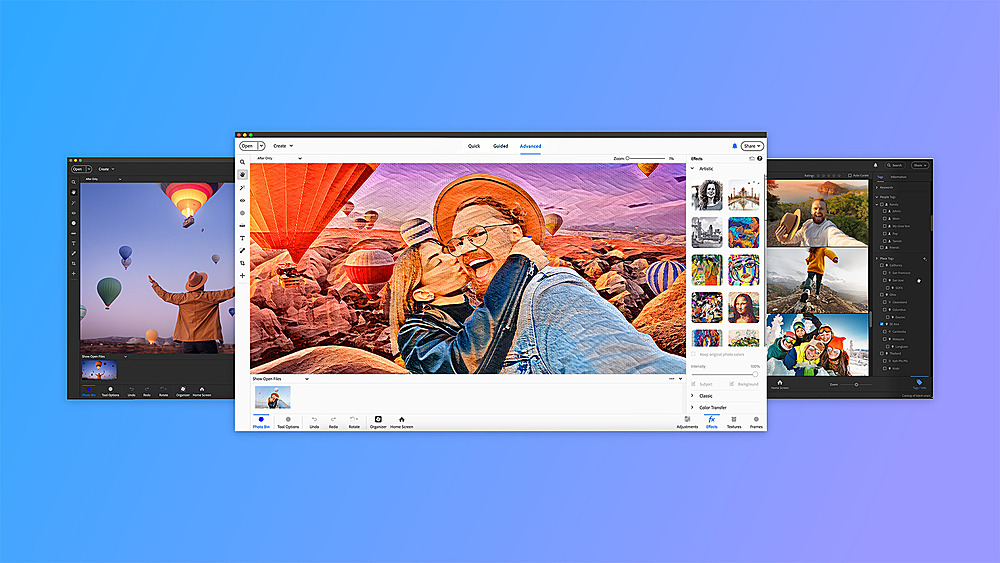
|Posted .This reviewer received promo considerations or sweepstakes entry for writing a review.I've been using Photoshop Elements for seven years now and I've updated it every year since 2018. It is full of great features especially the organizer and the photoshop editor. I prefer paying a one-time license for the software rather than paying monthly although there's a new version every year so I'm pretty much paying annually. So -- decide for yourself if the math works for you. The software has improved incrementally since the 2018 version. These improvements added up over time so there's a pretty big difference between 2018 and 2024, but do you need to upgrade every year? 2024 is a big upgrade from last year's version. There's been some modernization of the look and feel of the software, including support for light/dark PC themes and a slightly different layout for the organizer, incorporating more of the editor's tools. The organizer also "feels" more robust. I have over 38,000 pictures in my library and the organizer seems to handle that quantity of photos better than previous versions. Tagging pictures is also a lot quicker, but you still have to manually write tags to metadata if you want them to stick. There's a sync button, but that seems to be for the new Elements app or web-based viewing. I haven't tried those yet, so I can't comment. The editor seems pretty much the same with the quick/guided/advanced options for editing, which I really like. It does let you change the layout so that's handy. I tried to colorize a black-and-white photo and found that feature missing. When I searched help, I learned that I had to download and install that feature. It was free, but I wonder what other features need to be added that way. Overall -- if you have a previous version of elements, 2024 is a good year for an upgrade.
I would recommend this to a friendGreat alternative to full Photoshop for beginners
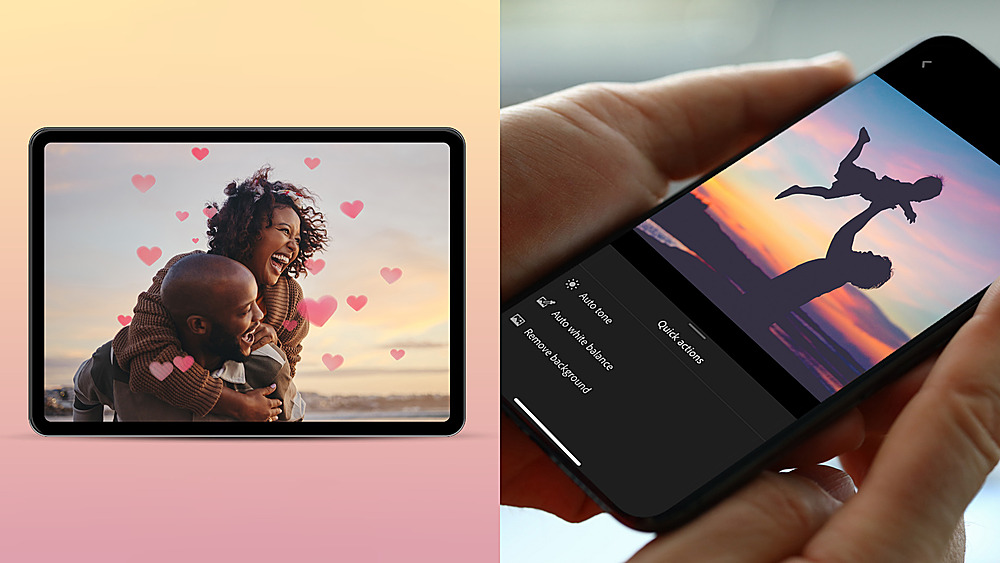
|Posted .This reviewer received promo considerations or sweepstakes entry for writing a review.Trying to keep an open mind from the beginning, and ignoring the "different" startup interface, I'm trying to look at Photoshop Elements with a fresh perspective. I've been using Photoshop for more than 20 years, so I needed to step back and evaluate Photoshop Elements for what it is. The initial program interface is different than I'm accustomed to, in that it doesn't dump you directly into the program with a bunch of tools you don't know how to use. There is plenty of information to help you learn about all the capabilities and how to use the tools. A GREAT bonus is there is now a mobile app. Having the ability to apply favorite treatments for different photos right on the phone is going to be the cat's pajamas. Once in the program, the tools are there, but there are also activity based choices with live previews of how it will look when applied. The included toolset is a wide range and I found the color and exposure adjustments to be every bit as useful as "full Photoshop". I only skimmed the top of the organizer and some of the other tools. I have zero complaints in how they work or what they do. The organizer will sync with your Adobe cloud, but there is also a checkbox front and forward that immediately comes up that allows you to never save to the cloud for those who may have concerns about privacy or security. I have no worries about Adobe's security, so I'll likely be using the service for product and car photos at a minimum. As a final test, I turned my wife loose on the program. She said she found it easy to use and said she learned a lot in under an hour. That alone is worthwhile to me.
I would recommend this to a friendIntuitive Photo Editing Meets AI
|Posted .This reviewer received promo considerations or sweepstakes entry for writing a review.Adobe Photoshop Elements 2024 brings intuitive editing of your photographs with an infusion of AI powered effects to take your photographs to the next level. Adobe Photoshop Elements is for everyone, whether you're editing photographs of friends and family or photographs from a recent vacation. It provides powerful features without the learning curve of its professional big brother, Adobe Photoshop. You'll learn quickly with 62 guided edits that walk you through the steps necessary to do everything from basic adjustments to creating effects that will have family and friends amazed at the results. Adobe Photoshop Elements 2024 doesn't require a subscription and so it's affordable for everyone. It is also available for Windows and macOS and there are even web and mobile apps that will take your editing on the road with you too. (note the web and mobile apps are currently in beta and are English-only). Adobe Photoshop Elements is definitely the right solution for anyone wanting to make their photographs look amazing!
I would recommend this to a friend- Pros mentioned:Ease of use
Adobe Elements
Posted .This reviewer received promo considerations or sweepstakes entry for writing a review.Powerful editing software. Adobe is the leader in that field. Easy to use for beginners.
I would recommend this to a friend Don’t Buy Software from Best Buy
Posted .This reviewer received promo considerations or sweepstakes entry for writing a review.I ordered a software package online and it did not work. First, I thought I ordered a disc to download. The package came without a disc instead a code. The code did not work. More importantly Best Buy does not refund, exchange or credit for the bad software.
No, I would not recommend this to a friend- Cons mentioned:Activation
Best Buy screwed up
Posted .This reviewer received promo considerations or sweepstakes entry for writing a review.I bought this at a Best Buy store. I went to install it, and I was told The store never activated it, so for now, it cannot be used.
I would recommend this to a friend Disapointed
Posted .This reviewer received promo considerations or sweepstakes entry for writing a review.So sad, the clerk who took care of me, said no return or credit, it was not sealed and it was empty, no passcode or barcode. We had to contact Adobe.
No, I would not recommend this to a friendSurprisingly disappointed
Posted .This reviewer received promo considerations or sweepstakes entry for writing a review.I purchased Adobe Photoshop to create a slide show, to begin with I found no good user manuals available. It is not an easy program to work with. I did use technical support from Adobe, and even their "technical experts" could not answer my questions. I gave them control of my PC to do a simple slide show and they could not create very simple slide show. Very disappointed
No, I would not recommend this to a friendAdobe Photoshop initial stream problem
Posted .This reviewer received promo considerations or sweepstakes entry for writing a review.The product did not work. You could not stream the software as directed. Best Buy did not know how to fix the problem and you can't reach Adobe customer support. I spent several hours and two return trips to Best buy trying to resolve. I finally was able to resolve the problem by using an Adobe chat line (hard to find). It was a manufacturer (Adobe) problem, but Best Buy is the retailer.
No, I would not recommend this to a friendPhoto
Posted .This reviewer received promo considerations or sweepstakes entry for writing a review.Ordered but was canceled & received box but tech couldn't get it to take cause it wasn't recorded for some reason.
I would recommend this to a friend