Customer Ratings & Reviews






- Model:
- ADO951800F234
- SKU:
- 6554542
to a friend
Customers are saying
Customers are enthusiastic about the ease of use and the AI features, praising the well-organized tools and automated editing options that speed up workflow. Many appreciate the addition of video editing capabilities and the improved object removal tools. However, some users experienced difficulties with the installation process and redemption codes.
This summary was generated by AI based on customer reviews.
- Pros mentioned:Ease of use
ADOBE
||Posted . Owned for 1 week when reviewed.This reviewer received promo considerations or sweepstakes entry for writing a review.VERY GREAT PROGRAM, EASY TO MANAGE; VERY HELPFUL HINTS.
I would recommend this to a friend - Pros mentioned:Ease of use
Great start
||Posted . Owned for 3 weeks when reviewed.This reviewer received promo considerations or sweepstakes entry for writing a review.Great buy easy to use and start off with my photo hobby
I would recommend this to a friend - Pros mentioned:Ease of use
Photoshop
||Posted . Owned for 3 weeks when reviewed.This reviewer received promo considerations or sweepstakes entry for writing a review.Great item installed quickly and very user freindly
I would recommend this to a friend - Pros mentioned:Video editing
Great product
||Posted . Owned for 1 month when reviewed.This reviewer received promo considerations or sweepstakes entry for writing a review.Great editing software for pictures and for movies
I would recommend this to a friend Ms
||Posted . Owned for 1 week when reviewed.This reviewer received promo considerations or sweepstakes entry for writing a review.Ok program............. .........................
I would recommend this to a friendOld standby
||Posted . Owned for 1 week when reviewed.This reviewer received promo considerations or sweepstakes entry for writing a review.I only replaced Photoshop 11 because it crashed my new computer. I don’t do tdicky things, but I do use RAW. I have no real idea what Elements premier is but probably don’t need it.
I would recommend this to a friendGood Upgrade
||Posted . Owned for 3 weeks when reviewed.This reviewer received promo considerations or sweepstakes entry for writing a review.I have used Adobe Elements for years and have never been disappointed. I am always happy to see the new things they introduce with each successive update. It's clear they listen to their customers and the results prove it.
I would recommend this to a friendExcellent buy to restore old photos
||Posted . Owned for 7 months when reviewed.This reviewer received promo considerations or sweepstakes entry for writing a review.I’ve used the tools to restore many old photos. The many options to remove scratches and add vibrancy of color have been tremendously useful.
I would recommend this to a friendAdobe Photoshop Premiere Elements
||Posted .This reviewer received promo considerations or sweepstakes entry for writing a review.The program is great and I would strongly recommend that you purchase the online download version rather than the physical copy sold in the stores.
I would recommend this to a friendPhotoshop
||Posted . Owned for 1 week when reviewed.This reviewer received promo considerations or sweepstakes entry for writing a review.Great product and easy download. In and outvof store quickly
I would recommend this to a friendAlright not great
||Posted . Owned for less than 1 week when reviewed.This reviewer received promo considerations or sweepstakes entry for writing a review.It’s alright just the basics not the pro versions.
No, I would not recommend this to a friendreviewing photoshop
||Posted . Owned for 1 week when reviewed.This reviewer received promo considerations or sweepstakes entry for writing a review.I found it to be an excellent proct. It is very easy to use.
I would recommend this to a friend- Pros mentioned:Ai features, Ease of use, Video editing

More improvements to solid apps
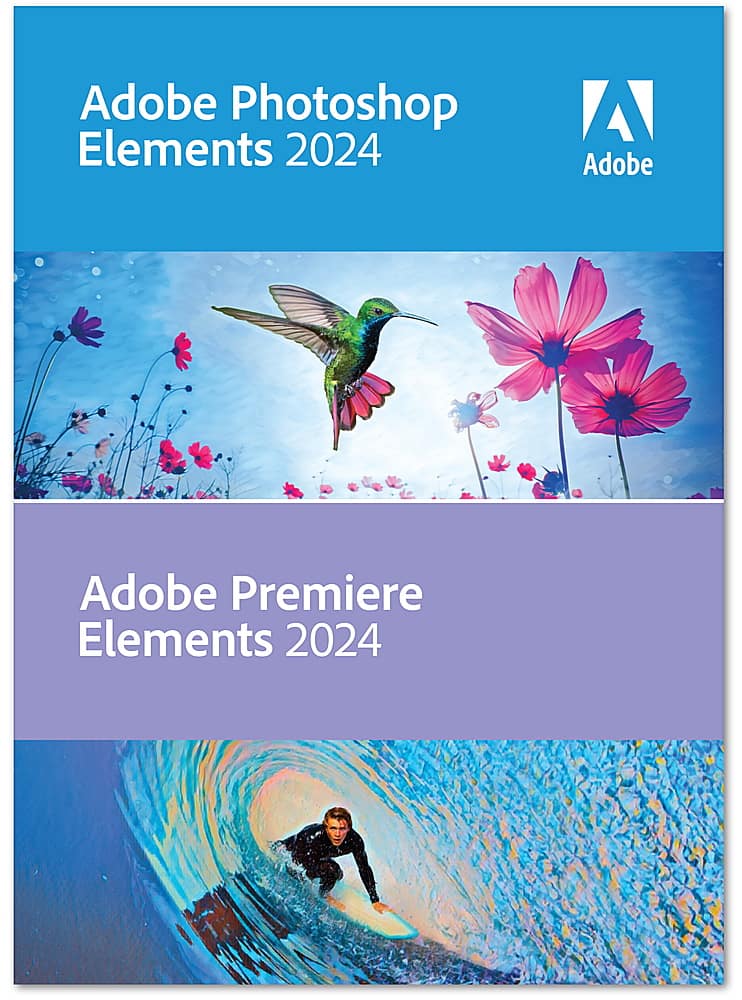
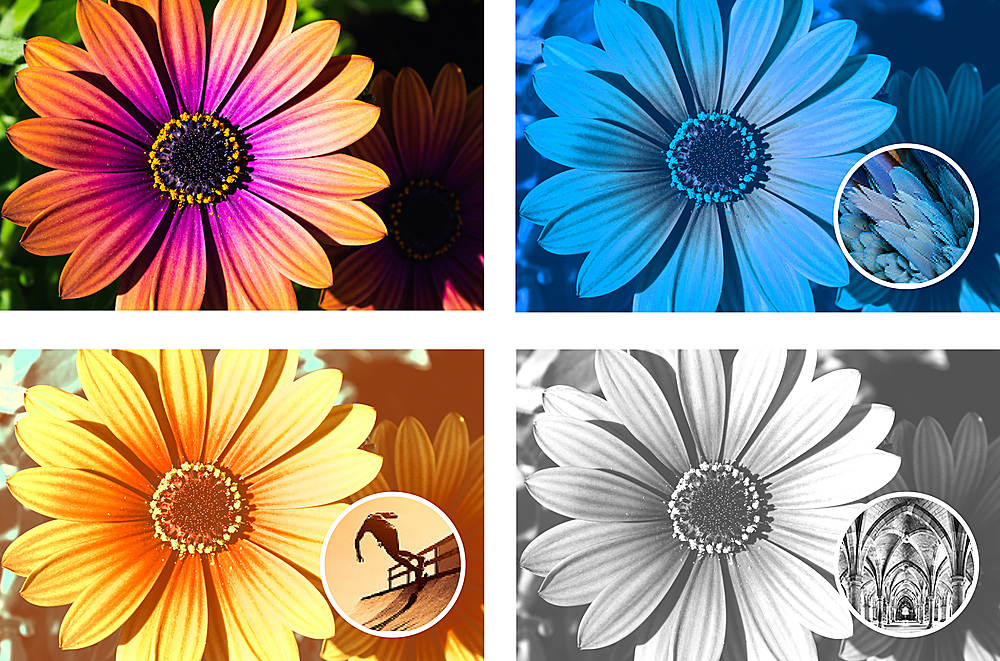
|Posted .This reviewer received promo considerations or sweepstakes entry for writing a review.As someone who has used Photoshop (Ps) since version 5, and tested Ps Elements 2022, I think the 2024 version is a worthwhile upgrade if you are coming from 2022 or earlier. The beauty of the Elements versions of Ps and Premiere (Pr) is that they are fairly simple to use for the beginner. You can use Quick for “quick” edits, Guided to teach you how to use the apps and Advanced for the most user control. Adobe is using AI to speed up and enhance certain functions. Ps Elements allows you to quickly create your typical photo fun stuff like calendars, greeting cards, photo collage and more. I did notice that business cards are missing. This is available under the Create button at the top left in all modes. There are plenty of presets for all kinds of different types of looks from vintage, to artistic, to black and white. You can do all the typical things you would expect like color matching, layers, resize, sharpen, raise shadows and suppress highlights. Even a basic version of Liquify. Compared to Photoshop CC, Lightroom and Camera Raw. Ps Elements is very stripped down in certain areas in my opinion. Some things are moved around. That is some features that you find in Camera Raw and Lr are in Ps Elements. Such as Dehaze. Other functions are extremely limited or missing. I’ll use layer style, drop shadow for example: you are limited to 1 drop shadow per layer with only 5 settings. With full blown Ps, you can have multiple drop shadows with many more options. Other Style features like bevel and stroke are limited in the same way and some are missing. There are many other things I could mention, but then this review would get very long and confusing. From what I can tell most functions will only work with 8 bit color files. There’s a long list of things Ps Elements will do like sky replacement, removing people and other things you might want gone. Red eye removal and skin polishing. Lot’s of 1 click auto functions. More than I’m going to go into. Adobe has a reputation for quality and that’s why all the pros use it. So, you can be confident that the app will provide quality output. So if you are looking for true Ps, Lr and Cr power at a lower cost, this isn’t it. Might as well get the basic photographers Ps CC package. CC means Adobe Creative Cloud. But for beginners and casual users, Ps Elements has plenty of features and options to get you started and may be all you ever need. I didn’t use Organizer because I have my photos stored how I want them and didn’t want to chance them getting copied all over the place or misplaced. Premiere Elements 2024 is about the same as 2022. It’s a solid basic / beginner video editor. I do not have the full blown version of Premiere to compare it to like I do Ps. I’ve been a stills photographer for decades, but over the last few years I’ve gotten into video a lot more. Last time I was big into video I was using SVHS and Sony Betacam. This is SO much easier than that stuff was. And one device does it all! I play keys in a cover band and my wife records video and takes photos. A lot of times the venues are dark. I use Ps for the photos and Pr Elements for videos. It does a good job editing the video clips. It has presets and adjustments for brightening, suppressing highlights and raising shadows as well color correction. You can also title videos with animated text.. Pan and scan photos in videos. Basic audio adjustments. You can switch between A and B roll and have more than 1 audio track. Plus all the usual stuff like trim and cut. I like to assemble a time lapse video from individual stills I take with my Sony action cam. This app will let you do it. However, it’s not very intuitive on how to set it up to play each photo at 1/30th of second instead of the 4 second default. Render options cover about every format for screen size and resolution out there. And you can select what kind of quality / file size the output will be and color options. Also most common file formats are available. You will need a reasonably fast PC to run these apps. A basic PC with an intel Core i3 or AMD with Ryzen 3 and 8 GB won’t cut it. I tested this version on a Dell laptop with an intel core i7 1260P, 16 GB, 2 GB Nvidia MX550 driving a 4k OLED screen. It was sluggish compared to the 2022 version on my Asus ROG with a Ryzen 9 5900HX, 16 GB Radian RX 6800M 12GB running a QHD display. This is a pretty easy recommendation. Especially if it’s on sale and as a bundle.
I would recommend this to a friend - Cons mentioned:Installation
Not so thilled
||Posted . Owned for 1 week when reviewed.This reviewer received promo considerations or sweepstakes entry for writing a review.Difficult to get loaded. Had t contact the manufacturer
I would recommend this to a friend Great product
||Posted . Owned for 3 months when reviewed.This reviewer received promo considerations or sweepstakes entry for writing a review.Great product just what I need for my project to be completed
I would recommend this to a friend- Pros mentioned:Ai features
Adobe Elements that make it almost too easy
|Posted .This reviewer received promo considerations or sweepstakes entry for writing a review.I recently upgraded to Adobe Premiere Elements 2024 and Adobe Photoshop Elements 2024 from an older version, and I can confidently say that the enhancements in these new versions have made my photo and video editing experiences more exceptional and streamlined with just as much simplicity. As an amateur content creator and family journalist, I rely on these tools to bring my ideas and recorded memories or keepsakes to life, and the latest features have not disappointed. One of the most convenient additions in both applications is the integration of AI Sensei. With AI becoming more and more the norm, it was only a matter of time before Adobe integrated it into their Elements software. The AI-powered features have transformed the editing process making it almost too easy to put together creative ideas and make the perfect edits. Whether it's auto-correcting color balance, improving the clarity of a photo, or suggesting creative effects for my videos, the AI capabilities are a welcomed addition. It not only speeds up my workflow but also ensures that my final content looks its best. Quick actions have made my editing process more efficient. The ability to perform common tasks with a single click saves time and ensures I can focus on the creative aspects of my work. These shortcuts have streamlined the editing process and made it more user-friendly. Automatic highlight reels are another feature that has saved me countless hours. These AI-driven highlight reels pick out the best moments from my videos and create captivating compilations. It's like having a personal editor that knows exactly what I want to see. The introduction of a dark mode design is a refreshing change. It's not just about aesthetics; it's about reducing eye strain during those long editing sessions. The dark interface is not only easier on the eyes but also sets a professional and immersive tone for my editing environment. I have transitioned to dark mode in almost all my applications, both mobile and desktop and I am happy to see every developer offering the ability to customize the display interface. The option to share photo reels in a social media format is a fantastic addition. In today's world, where social media content is king, being able to create content that's perfectly formatted for different platforms is a significant advantage. This feature has simplified the process of creating content that's not only engaging but also optimized for the various social media channels. The companion apps and inclusion of free Adobe Stock footage are a valuable addition to the Adobe Elements suite. Being able to access and edit my content on the go through my mobile device is fun and allows me to capture inspiration as it strikes and stay productive even when I'm not at my computer. The Adobe Stock footage provides access to a vast library of high-quality video clips and images that can take my projects to the next level. Having this resource readily available within the software has expanded the creative possibilities. Lastly, if I ever find myself in a bind or mind block, there several step by step guided tours or edits that can refresh my memory and even teach me new tricks of the trade. Also, having a dedicated software that I own without the stress and hassle of a monthly or annual subscription adds to the joy of having Adobe Elements. In conclusion, Adobe Premiere Elements 2024 and Adobe Photoshop Elements 2024 are more than just updates; they are powerful enhancements that have significantly improved my content creation process. The integration of AI, the dark mode design, quick actions, social media formatting, automatic highlight reels, companion apps, and free Adobe Stock footage all contribute to a more efficient, creative, and professional editing experience. If you're serious about your content creation, these tools are a must-have. Adobe continues to impress with each new version, and the 2024 editions are no exception.
I would recommend this to a friend Photoshop
||Posted . Owned for 1 week when reviewed.This reviewer received promo considerations or sweepstakes entry for writing a review.It’s a gift haven’t used it yet but very excited to download it and use it
I would recommend this to a friendPhotoshop Elements. 2024
||Posted . Owned for 3 weeks when reviewed.This reviewer received promo considerations or sweepstakes entry for writing a review.Seems to be very similar to Photoshop Elements 2020.
I would recommend this to a friend- Cons mentioned:Redemption code
Didn't work.
||Posted . Owned for 1 week when reviewed.This reviewer received promo considerations or sweepstakes entry for writing a review.Had to return it because my redemption code didn't work. Adobe blamed Best Buy and Best Buy blamed Adobe so I decided to get another type software.
No, I would not recommend this to a friend Business owner
||Posted . Owned for 1 month when reviewed.This reviewer received promo considerations or sweepstakes entry for writing a review.Adobe is always a great product to buy for many applications
I would recommend this to a friend