Customer Ratings & Reviews







- Model:
- ADO951800F234
- SKU:
- 6554542
to a friend
Customers are saying
Customers are enthusiastic about the ease of use and the AI features, praising the well-organized tools and automated editing options that speed up workflow. Many appreciate the addition of video editing capabilities and the improved object removal tools. However, some users experienced difficulties with the installation process and redemption codes.
This summary was generated by AI based on customer reviews.
Good for beginners
||Posted . Owned for 1 week when reviewed.This reviewer received promo considerations or sweepstakes entry for writing a review.Very user friendly for beginners and easy learning
I would recommend this to a friendReally poor customer service
||Posted . Owned for 3 weeks when reviewed.This reviewer received promo considerations or sweepstakes entry for writing a review.Holy moly what a headache this was. I ordered a hard copy of this software. When received it was digital and the key would not work. I contact customer support via chat. She started a ticket but could not help me. She told me to call the next day so I did, only to be transferred 4 times because no one could help me with an invalid key. I tried entering it a number of times every which way and kept receiving same message, that key was not valid and to contact Best Buy. So I spent $160 on a program I cannot use because of a defective key and no one from Best Buy can help me. What a waste.
No, I would not recommend this to a friendBe sure your cpu can handle it
||Posted . Owned for 3 weeks when reviewed.This reviewer received promo considerations or sweepstakes entry for writing a review.It didn't work on my computer... cpu not new enough
I would recommend this to a friendGreat software poor sales experience.
||Posted . Owned for 2 months when reviewed.This reviewer received promo considerations or sweepstakes entry for writing a review.Nothing wrong with the software just wasted hours of my time after purchase getting it to sucessfully activate. Cant call store only help desk that didnt have a way to fix the issue finally had to contact adobe directly
I would recommend this to a friend- Cons mentioned:Redemption code
Do NOT buy
||Posted . Owned for less than 1 week when reviewed.This reviewer received promo considerations or sweepstakes entry for writing a review.Purchased this in store and redemption code does not work .. dont waste your time at best buy ..
No, I would not recommend this to a friend Best Buy can’t activate
||Posted . Owned for less than 1 week when reviewed.This reviewer received promo considerations or sweepstakes entry for writing a review.Product not activated, and therefore, does not work. Purchased on sale but product not activated. Returned to Best Buy, and they were unable to activate it. They did exchange it, but due to the exchange, I had to pay difference between sale and purchase price. New ne not activated either, so I have now paid $149 for absolutely nothing. If I could go back in time, I would have never bought this. Need to return again and see what Best Buy can do for me.
No, I would not recommend this to a friend- Cons mentioned:Redemption code
Highly Disappointed
||Posted . Owned for 1 week when reviewed.This reviewer received promo considerations or sweepstakes entry for writing a review.The redemption code included was invalid. Exchanged it and the redemption code in the new one is invalid too
No, I would not recommend this to a friend Best Buy customer service failure
||Posted . Owned for 1 week when reviewed.This reviewer received promo considerations or sweepstakes entry for writing a review.Adobe elements is great. Best Buy was a terrible experience. Best Buy failed to register the software when i bought it which caused me to waste over 2 hours with Adobe customer service folks. DO NOT BUY SOFTWARE FROM BEST BUY.
I would recommend this to a friendupset
||Posted . Owned for 3 weeks when reviewed.This reviewer received promo considerations or sweepstakes entry for writing a review.I cannot review this item because it will not allow to do so. been back to best buy and said they cannot help me. when I tried to download it say has not been release. I going to contract my credit card account not to clear it until someone talk to me.
No, I would not recommend this to a friendNot what you Expect
||Posted . Owned for 1 week when reviewed.This reviewer received promo considerations or sweepstakes entry for writing a review.I was expecting a CD/DVD or even USB stick - all I got was a piece of paper with a code - which did not Work --- ( not activated by BB ? ) I had to contact Adobe support to get a working KEY
No, I would not recommend this to a friendStill doesn't work.
||Posted . Owned for 3 months when reviewed.This reviewer received promo considerations or sweepstakes entry for writing a review.Still can't get it to authenticate. Best Buy says that they registered it. Still doesn't work. First software that I purchased from them that has been a problem. I get the impression that Adobe thinks that it is stolen.
No, I would not recommend this to a friend- Pros mentioned:Ai features, Ease of use

Quick to Advanced, and Everything in Between!
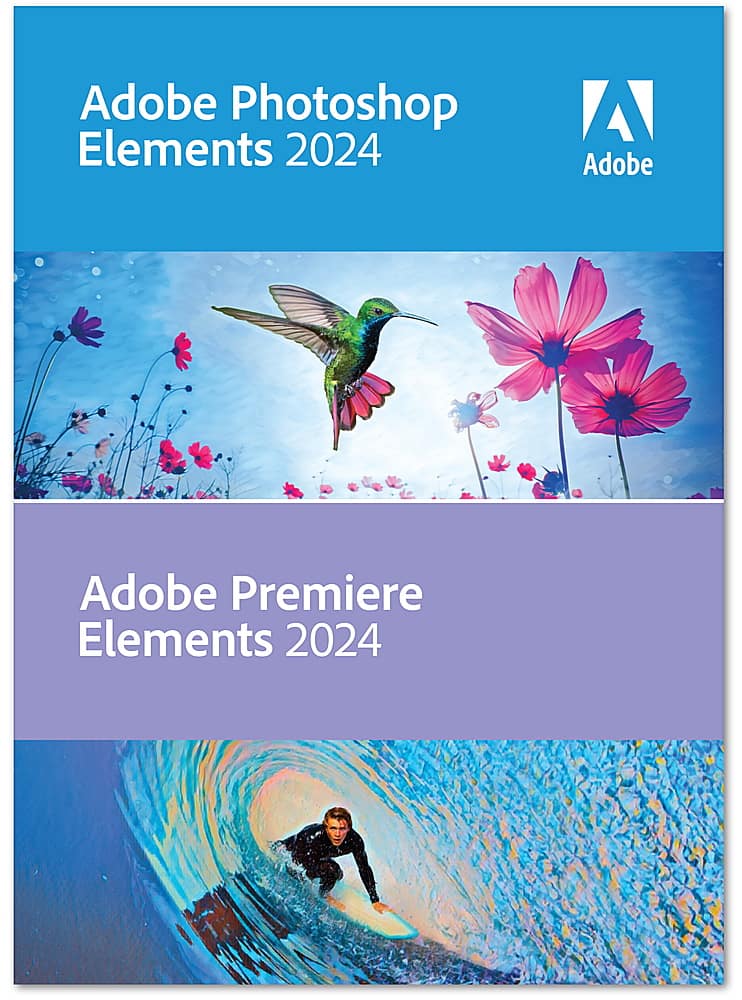
|Posted .This reviewer received promo considerations or sweepstakes entry for writing a review.Being a newbie content creator, I’m always looking for way to step up my game. Adobe Photoshop Elements and Premiere Elements is like a 10-foot tall ladder helping me take some big steps up! I’ve used several free tools over the past couple of years and was excited to finally take the plunge and start using Photoshop. It’s a non-subscription purchase and can be done as a digital or physical purchase. With the digital purchase, license keys are provided via email and downloading, and setup took about 10 minutes to complete. I’m not going to lie, when you first open the applications, there are so many options to choose from it can be a little daunting. However, Adobe has done a great job of making Elements and Premiere Elements very easy to start using. First there is the Elements Organizer that assists with importing and managing photos or videos to edit. Personally, I have about 20,000 photos, so this tool is a must have. Once images and videos are imported, it’s time to jump into Elements and Premiere Elements depending on whether you are working with photos or videos. The piece that really sticks out is Adobe’s use of “Quick, Guided and Advanced” modes that provide basic up through complete control over editing layers and tools. Based on skill level or familiarity with Photoshop, you can choose Quick features that include Smart Fix, Exposure, Lighting, Color, Balance and Sharpen. This is a great option when looking for basic “quick” fixes to photos (or videos). Guided provides more options to choose from and the app guides the user through the different enhancement options. The options here are Basic, Color, B&W, Fun Edits, Special Edits and Photo Merge. Each set then features subsets for even more guided options. There are somewhere around 80 “guided” options available! The last option is “Advanced”, and this is a no-holds barred editing area. As a newbie, I don’t fully appreciate all the editing options available, but with time I’m learning how to use the vast array of tools and continuing to improve my skills. One other feature that I really appreciated is the software’s attention to creating content that is easily shared on social media. From choosing output aspect rations that match Facebook, Instagram, etc. to creating videos for YouTube, Elements and Premiere Elements provide so many options for the online content creator space. Pros: - Use of Adobe AI for automating editing options - Ease of creating photos and reels for social media - Quick, Guided and Advanced editing options for any requirement - Elements Organizer for importing and managing photos and videos - Ease of use for a newbie but feature-rich for the power user - Great for creating video reels, photo collages and slide shows - Non-subscription pricing model Cons: - Does not seem to be an option for importing straight out of Photos on my Mac Overall, Photoshop Elements and Premiere Elements provide a vast range of editing tools for the newbie, experienced photographer and everyone in between.
I would recommend this to a friend - Pros mentioned:Ease of use, Object removal
Photoshop and Premier for the rest of us
|Posted .This reviewer received promo considerations or sweepstakes entry for writing a review.I really appreciate Adobe making a consumer level package for photos and videos that comes with a decent price point, many pro-level features, and an interface that seems to be designed to be approachable to average enthusiasts that don't have professional level editing in mind. Both Photoshop Elements and Premier Elements have been products over the years that have sought to achieve this, so that you don't have to get the full scale Photoshop and Premier necessarily, and deal with a level of intimidation that for me was what ultimately made me stay away. 2024 of these products seem to continue the tradition of brining some cool editing features, like object removal, macro-type editing selections (think doing multiple exposure changes with one selection rather than tweaking several sliders to do it). You also have sliders that will allow you to more finely apply changes, but I think this macro change approach is very new user friendly. I have used Photoshop Elements more than Premier Elements so far, but have tried both and it seems the interface is very similar for both. Premier Elements has a timeline interface that allows you to splice in clips and provide a very straightforward approach for putting together a video similar to the professional level tools, but again with a user friendly, macro approach. I think these applications are really great. The one thing I continue to be frustrated with, and this is for most Adobe products, is the file handling. I would prefer to use my own approach to file management, say via OneDrive or iCloud, but Adobe only really allows you to import in files and then is optimized to use their own organizer. I can't find an option to work around this. So it's not as streamlined as I would like. Other than this, I would consider both of these applications to be the definitive amateur tools for photo and video editing. They give you professional level editing but in a very everyday approach.
I would recommend this to a friend Not usable on an average computer system.
||Posted . Owned for 3 weeks when reviewed.This reviewer received promo considerations or sweepstakes entry for writing a review.Was not able to use the product as it's system requirements exceed the average computer.
No, I would not recommend this to a friend- Pros mentioned:Ease of use, Object removal, Video editing
Complete Package
|Posted .This reviewer received promo considerations or sweepstakes entry for writing a review.Adobe still sets the bar for image manipulation and video editing. The great thing with both programs is you can do it as easy as you like with the auto buttons or presets. You can also make it as in depth as you need to for fine tweaks on images and videos. Picture restoration is my favorite feature. I have used this to recover damaged photos that have been passed down from generation to generation. I have even used it to repair some printed images we had damaged in a flood some years back. The video editing is top notch and allows you to create personal movies that look like professionally created works. Part of this is having good camera work to start from, but both these programs will allow you to make up for some missteps along the way. You can remove people and object from photos like magic. Have a great picture ruined by an ex being in the shot...click click gone!!! Great picture! Ever wonder what it is like to have a twin? Done! All in all, this is a very powerful set of tools that allows you to manipulate and create. Adobe has another winner on its hands and it just keeps getting better with each release.
I would recommend this to a friend - Pros mentioned:Ai features, Video editing
Impressive, Feature Packed, but Some Growing Pains
|Posted .This reviewer received promo considerations or sweepstakes entry for writing a review.Summary: I struggled with my star rating with this product but in the end I went with 5 stars. If I could have, I would have given 4.5 because of some learning curve challenges and file organization, but due to the features and power of this software, and decent value proposition, I went with five. I am a long-term user of another photo editing program, and I experienced a bit of a learning curve and had some challenges getting started - especially with the limited guidance provided. I actually checked out a "Dummies" book for this program and it was very instructive and helpful. After getting off the ground however, I realized this is a very powerful program and does photo/video editing extremely well - thus the 5. Details: - Getting started was fine although somewhat cumbersome. It is not hard, but there were some extra steps to go through which I thought were unnecessary. I had to create an Adobe Account. Then I had to use a redemption code just to get my serial numbers for the program. Downloading the software was fine. Then after starting the program, I had to "jump out" of the program to enter serial numbers in the Adobe account before returning to the program. Again, not hard, but it just seemed that it was not elegant. - Initially, I found the Home Screen layout complex. I prefer a simple easy to navigate interface with tasks logically organized. However, the Home Page is loaded with a task search bar, try this/what's new/explore cards that you have to scroll through, auto creations, a list of recent files, and an application launcher for Organizer, Photo Editor, and Video Editor icons. The array of options was complex and made it challenging to master the program despite my prior experience. I have worked in and with software development teams throughout my career and sometimes developers "over-engineer" the human/machine interface screens to try to make them more user friendly. However, more often than not, it just adds complexity. I think that is the case here. - Having said the above, once I found the Photo Editor workspace and learned more about that and the tools panel, I began to understand how feature-rich Photoshop Elements is and had an easier time navigating the program. My suggestion is to take time to explore the menu and the drop down boxes. Doing so oriented me to the power of the program. This is the huge strength of the program. - Photoshop Elements has two separate components (Organizer to manage photos and Photo Editor to correct photos), I spent the bulk of my time in Photo Editor. The main Editor window contains three editing options: Quick, Guided, and Advanced. Using each of the editing options, I was able to easily adjust photos for brightness, contrast, and color. And there is so much more you can do. I was happy with the adjustments AI made. This is the feature rich portion of the program and there are an impressive array of tools, functions and features. This is what the program is all about and it does these things extremely well. This is why I went with 5 stars. - On the downside, I found it cumbersome to toggle between various tasks in the Guided mode. And maybe I just haven't learned it well enough yet, but I think the file management aspects of the program are not as good as my previous photo editor. However, despite being disruptive to my workflow, the available options were worth the effort. - I really have only scratched the surface of the basic features available in Photoshop Elements. I look forward to jumping into more advanced tasks. I especially liked the remove objections selection. It was easy to use and effectively cleaned up my photos. - I have not spent as much time with the Premier video editor, but look forward to doing that. It also seems very full featured and has more than enough tools that an amateur photo and video enthusiast like me could ever want. - You are allowed to load this program on two different machines - although Adobe states you are not allowed to use them simultaneously. I am reluctant to say this is a positive since that should be standard. However, I suppose it is a positive in this day and age of restrictions, and worse, subscription/annual fees - which this does not require. If this had required a subscription, I would not have gone with it. Bottom Line: If you are already somewhat familiar with Photoshop Elements you will probably love this and its AI features right away. If you are a newbie, there is a learning curve and you will have to get used to the file management and organizer. Nevertheless, it isn't hard to get started, and the feature set and impressive functions warrant a purchase.
I would recommend this to a friend - Pros mentioned:Ai features, Ease of use
Fun & creative photo and video editing from Adobe
|Posted .This reviewer received promo considerations or sweepstakes entry for writing a review.Adobe Photoshop Elements and Premiere Elements 2024 are a great way to handle all your digital media processing from still photography to video. Unlike the subscription model of Adobe’s full-blown Photoshop, Lightroom, and Premiere Pro, the Elements Suite of products is a perpetual license which means you own the software with no additional monthly costs. This makes it very affordable, especially if you own previous versions and qualify for the upgrade price. Photoshop Elements and Premier Elements share the same opening window, while it also includes a third “Elements” application called Organizer for...you guessed it, organizing all your digital photos and video files both on your drive and in the cloud. Once organized, it can perform useful database searches based on facial recognition to search all photos by someone’s name after some quick and easy configuration. This alone can be a real timesaver. While not as fully featured as the Adobe Photoshop subscription version, there are several new cutting edge AI features in Photoshop Elements that have been incorporated into this latest version. These include improved selection and masking tools, effects like depth-of-field blur, and sky and background replacement, just to name a few. In fact, one could easily spend several hours just going through its multitude of features. Thankfully for beginners and experienced users alike, Adobe provides access to a comprehensive list of tutorials with step-by-step easy-to-follow instructions when you need them. The software also uses optional Windows notifications to alert you to creative suggestions to enhance your images, including several special effects. While the initial installation does not include the Adobe Camera Raw processor, it is available as a free download and a few other features are included in similar fashion. Premiere Elements is more specifically geared towards enhancing your digital video files. It features tools to not only correct and enhance things like lighting and color balance, but also to physically trim and arrange clips, add transitions, adjust audio, just to name a few. Just like it’s Photoshop Elements counterpart, Premiere Elements provides tons of effects and editing tools to give your videos a more polished and professional look. Given that Elements is geared towards the beginner to intermediate user, it only works in 8-bit mode, somewhat limiting the number of color values that can be displayed and adjusted. In most cases this is probably not a big issue as 8-bit mode is fine for most users for which this software is intended. Also, I was also unable to find support for editing using dual monitors, something I wish was included. As a user of Adobe’s subscription model of Photoshop, I am still drawn to the artistic creativity that the Photoshop Elements suite offers. It has a ton of fun features geared towards results that will surely make your photographs and videos stand out from the rest.
I would recommend this to a friend - Pros mentioned:Ease of use, Object removal
Create pretty much any project with ease
|Posted .This reviewer received promo considerations or sweepstakes entry for writing a review.I have been using the version from a few years earlier for some time now and really liked it. There are some nice changes and improvements. I am just amazed at everything I can do and how much easier it is to work on some projects with both programs. This still offers 3 modes to choose from Quick, Guided, and Advanced depending on what you need or how much time you have to spend. When I first started using Photoshop a few years back, I mostly used the quick or guided mode but now for most of my projects I use the advanced mode. I like it because once you know what you want, all the tools are right there and can create simple or complex projects. Whether you are new or experienced, you can start where you are and it grows with you. It has all the basics you would expect, plus many more features and tools. We have one family member in particular, who for whatever reason, usually closes his eyes in photos. I was excited to try the closed eye correction tool and it did not disappoint. Once I had the picture with the eyes closed that I wanted open, I chose a couple photos that his eyes were open in and the tool did it’s thing! I wish I could show it so you can see the difference, but he declined. We all took a double take because it doesn’t look like it’s been edited at all. No one could tell, until I showed them the original. This offers so many additional tools that you can pretty much create whatever you need. The color match is beyond amazing and it works with editing the video too. The object removal seems much better in this version. Depending on what I removed, I still had to slightly edit using the stamp or the clone tool. But within minutes, it was perfect. I am just amazed at how great it all works. I wasn’t sure about teeth whitening tool but it also did the job and you can choose how light you want it. I love the guided edit for videos since I’m still learning so much, the voice over, adding music, being able to trim from anywhere in the video. Both programs works great together.
- Pros mentioned:Object removal
An indispensable piece of software
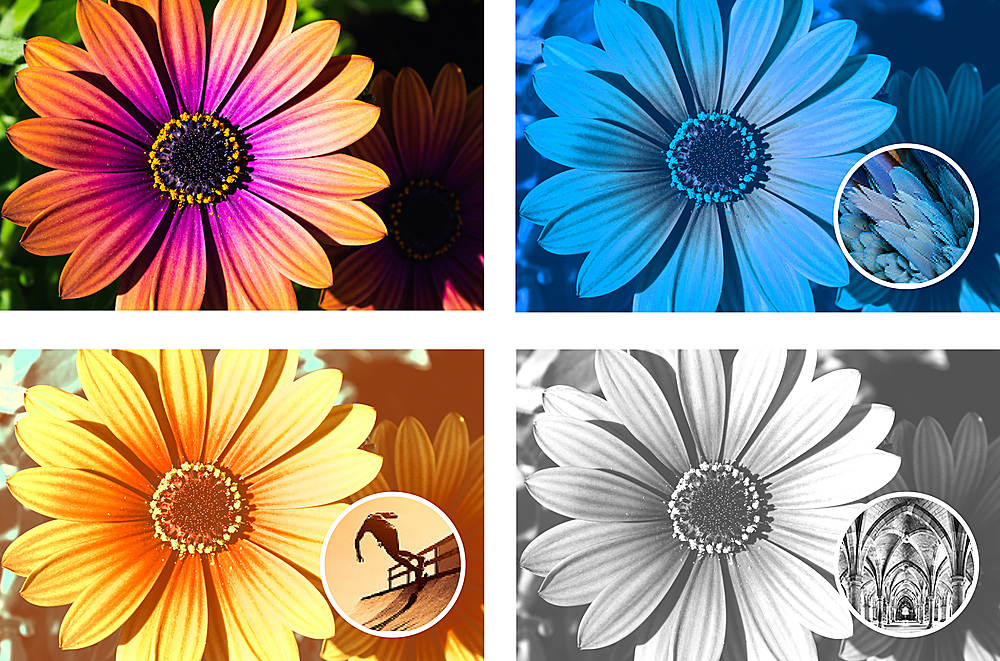
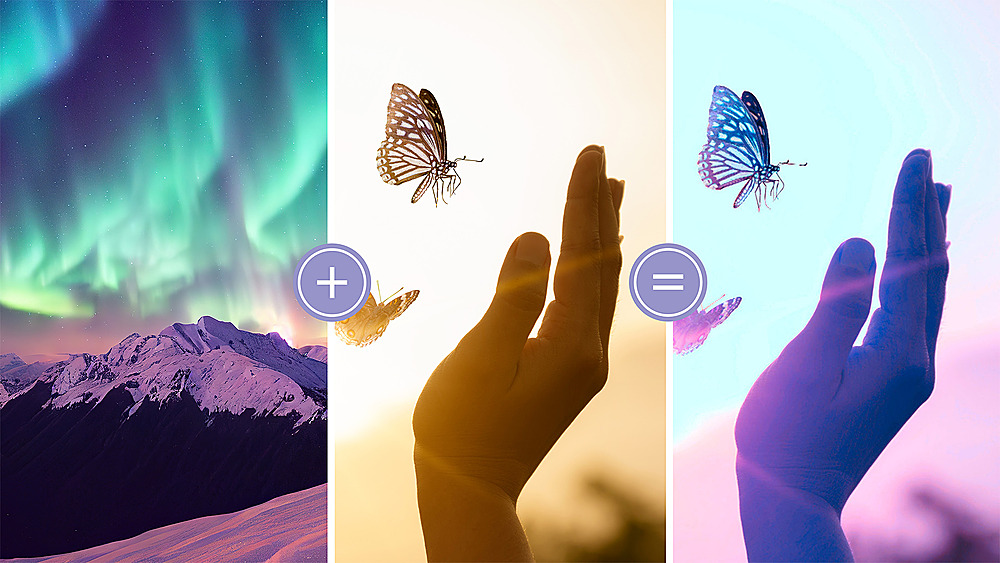
|Posted .This reviewer received promo considerations or sweepstakes entry for writing a review.I’ve used Adobe Photoshop Elements for quite a few years. It seems that every year brings enhancements that make it worth upgrading to the newest version, and the 2024 edition continues this tradition. So, what’s new for 2024? A lot. First, there’s Color Matching. Using your own image or a preset template, with just a click you can apply a new color palette to an existing image. Once applied, you can adjust the color, tone, and brightness to your desired levels. Find a setting that you really like, and save it back as a new template. Next up for me is the ability to replace backgrounds with a single click. Powered by Adobe Sensei AI, this feature allows you to automatically separate foreground objects from background objects, easily replacing either or applying new patterns. Have an image of the sky that works better in this photo than the original? With just a few clicks you can replace it. There is also the ability to add graphic text to images, and many features that previously took multiple steps are now done with in a single pass. Carried over from Elements 2023, the Sensei AI technology allows you to update foreground images as well. Like the photo of the birthday party but wish you’d worn a different shirt? Not a problem, just have Photoshop select the area and replace it with the pattern and color you want. Unwanted objects in the image? Draw a rough outline around the area, and let Photoshop fill the area in based on the surrounding background. Want to make the photo move to say, simulate a moving vehicle? Simple. Want to just make a part of an image appear to be in motion? Again, it just takes a couple of clicks. When you add these advanced features to the class-leading capabilities of Photoshop, it’s easy to see why Photoshop is such a standard that it became a verb. This is a must-have program for anyone who needs to edit their images, from minor tweaks to major overhauls. I can’t recommend this strongly enough.
I would recommend this to a friend Great photo editing, just good video editing
|Posted .This reviewer received promo considerations or sweepstakes entry for writing a review.It’s been a good while since I’ve used an Adobe graphics program… I think the last time I used it, it was called Adobe Master Collection. This was about 15 years ago. This review will cover both the Photoshop Elements (Photo editing) and Premiere Elements (Video editing) When I launched Elements, it has all the familiar looks of a Photoshop program. You can import your media files to begin the editing endeavor. I used a photo of a forest and a sky captured on my drone as my file. You can approach this from a beginner’s or advanced user’s point of view. At the top you have three shortcut categories to choose from. You have a “Quick, Guided, and an Advanced” options. The quick is a simple way to jump in and “quick” edit a photo. To the right you have six quick actions to choose from. Some of them are pretty handy; such as color correction. The other one that’s completely new to me was the AI edits. It seemed intriguing until I tried it… I chose add a blue sky to my photo that currently has a blue sky, and it inserted a generic looking blue sky that’s not even blended in, just inserted. So the jury is still out on how useful this can be. With the guided section, you’re given mini tutorials on how to accomplish some intermediate level effects. With most photos there’s always an opportunity to change the brightness and contrast, shadows, highlights, etc. There are a good number of tutorials to hone your skills. Advanced is where the fun is in my opinion. You’re given a tool bar on quick and advanced. On quick you’re given 10 tools. In advanced, you’re given 25 tools. You’re also given the use of layers. This is extremely important in maintaining total control. You can keep adding more layers to make the photo or edits more complex. It’s also easy to remove a layer in the event of an error rather than closing the photo, or keep using undo. All in all, it’s a great program for any photo taker at any level. With any great video editing program you want to see one thing upon launch; and that’s lots of tracks so that you can include lots of transitions and options. I’m happy to say that you have 3 video tracks, 3 audio tracks, a voice over track, and a soundtrack. You get a lot of different preset effects that you can choose from. You get color change options, gamma corrections, and lighting. Just like with a photo, being able to alter the color and lighting can change the video and improve it by leaps and bounds. Using the program is pretty straight forward. Once you’ve imported the video file, you get to see the video as you’re changing it. You can splice and rearrange the video how you want. The only real downside are the transitions. The transitions look like they came out of a video editing program from 20 years ago. I think being able to create a transition would have been a great option. All in all, it’s a nice video editing program. It’s sort of basic to intermediate for me. Some nice features, but there are definitely some better ones out in the market. So the photo editing program got a 5 and the video editing program got a 3... averaging a 4.
I would recommend this to a friend