Customer Ratings & Reviews

- Model:
- ADO951800F250
- SKU:
- 6593828
to a friend
Customers are saying
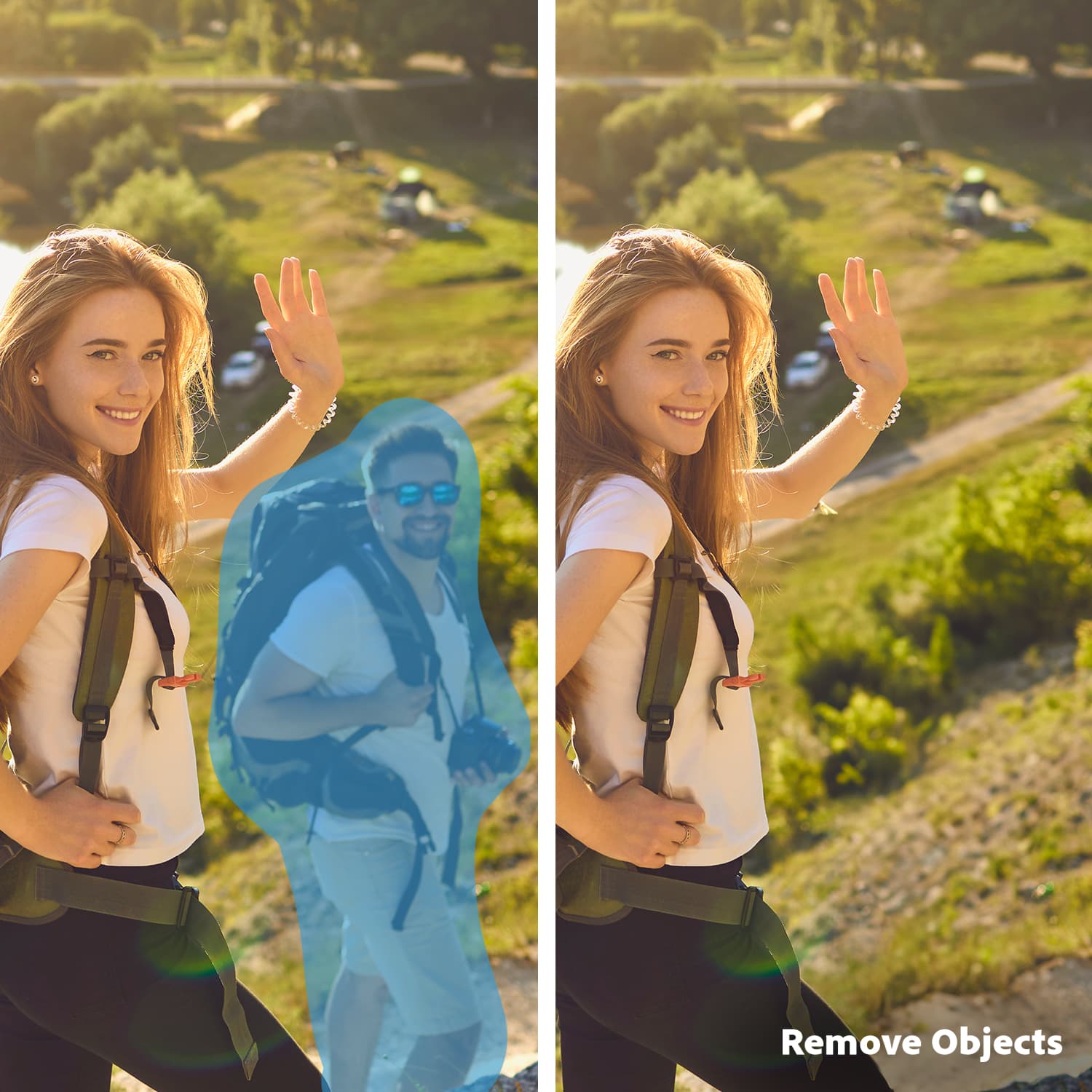
Customers are positive about the ease of use, AI features, and video editing capabilities of Photoshop Elements 2025 & Premiere Elements 2025. Many appreciate the AI-powered object removal and color correction tools, finding them effective and time-saving. The streamlined installation process also received praise. However, some customers expressed dissatisfaction with the three-year license term.
This summary was generated by AI based on customer reviews.
- Pros mentioned:Ease of use, Video editing

Like Majic
|Posted .This reviewer received promo considerations or sweepstakes entry for writing a review.The Adobe Photoshop Elements 2025 & Premier Elements 2025 is a very useful tool for your creations. The software makes it simple to add your project and start editing. It does take a bit to get used to it, however once you have it done it will be much simpler to use. The main thing is to make sure your system is compatible but other than that it is a simple download, install and get to explore. The features that is has make video editing a breeze. You are able to add title and overlays to your videos. The photoshop is very similar to other years and makes photo editing simple and straight to the point. After downloading i do have to say I had a bit of an issue trying to figure out where to go. That would be my only con for this product that the layout could be more simple and easier to figure out. The home screen looks like it has a bunch of adds but it is useful information but can be confused with the actual software you are trying to find. Other than that, the rest is positive notes and would highly recommend to anyone that likes to edit their videos and photos.
I would recommend this to a friend - Pros mentioned:Ai
Photoshop Elements 2025 & Premiere Elements 2025
|Posted .This reviewer received promo considerations or sweepstakes entry for writing a review.Okay as someone who in their late 60's as I am this is a program that is not for the faint at heart if you have kept up with Adobe Photoshop over the year then yes I recommend it 100% the reason why I gave it 4 star and not 5 is the fact that I haven't kept up with it at all. I used to use this program way back in the late 90's early 2000's almost everyday but I quit using it when I lost a lot of things to Katrina when it hit and I moved to where I live now I have always loved doctoring up photos and making Avitars with photoshop for people in the old type of chat rooms but those days are long gone now, it's mimes and this program from what I know and have read up on is one of the best ones out there. As I said if you have kept up with it through the years it's not a hard program but for those who are just starting out or trying to get back to using it like I am it's a learning process and by that I mean that you will have to find out where things are also you might want to go the the Adobe website to see if there's a manual that you can download and read which is helpful as this is something huge with the AI side of it to learn. Other than it being a new edition of Photoshop with the AI which is supposed to help make it easier it's still a leaning process and worth it. The only Con that I did find with it is that my 60+ year old brain is going to get a work out with it which will be fun and will help keep it active. Pros are once you learn how to use it you can do a lot of things with it. I highly recommend it to everyone including those who have kept up with everything going on
I would recommend this to a friend I'm working at it
|Posted .This reviewer received promo considerations or sweepstakes entry for writing a review.I wanted to try this software because I need to do more to make my social media posts more eye catching. I'm a prolific reader and I like to review the books that I read and post about them. I'm nearly 60 and I'm not technically inept but it hasn't ever been something that I have done a lot with. I want to make up collages of book covers and other items relative to the story to make a post of. I have tried Canva but I thought these Adobe products might be worth a try. Photoshop Elements works with photos and Premier Elements works with videos. I also have thousands of genealogy pictures that I have been scanning in that need to be organized and some need retouching. I got the software downloaded. It was a little confusing to set up but I think that I have the hang of it now. The software works with Mac and Windows and comes with a Beta version for my mobile device. That come in super handy. It seems as if I can share pictures between my laptop or tablet via a share option or by using the cloud. I was able to quickly download all of my genealogy pictures. Currently, it is analyzing faces. I'm not exactly sure what this means. When playing around the first day I downloaded the software, I found examples to use to make collages for my social media posts. So far, I'm finding it a little confusing but I think that this is more of a user issue than a software problem. I'm willing to keep working at it though. I don't feel like it has beaten me yet.
I would recommend this to a friend- Pros mentioned:Ease of use
All the fun, none of the hassle
|Posted .This reviewer received promo considerations or sweepstakes entry for writing a review.Adobe’s Photoshop Elements and Premier Elements 2025 brings the fun use of Artificial Intelligence to every day users. As someone who enjoys tweaking photos and videos, adobe’s lighter version of photo and video editing really gives me an approachable feeling of being control over my editing. The Artificial Intelligence is learning over time to how automatically enhance your photos colors and subject and even create completely new backgrounds with a tap of a button. The results are always fantastic. The mobile version is still in a beta program but I imagine how incredible this entire package will be as soon as the mobile app launches. It will make editing your cell phone photos so much easier. Overall, it’s a fun subscription to have, you get access to the full power of adobe photoshop and premiere, without all the complicated settings in the way. Creativity shouldn’t be hard to accomplish and adobe has done a great job and putting a world class photo and video editor into more hands.
I would recommend this to a friend 3-year limit & Premiere has no HEVC or AV1 support
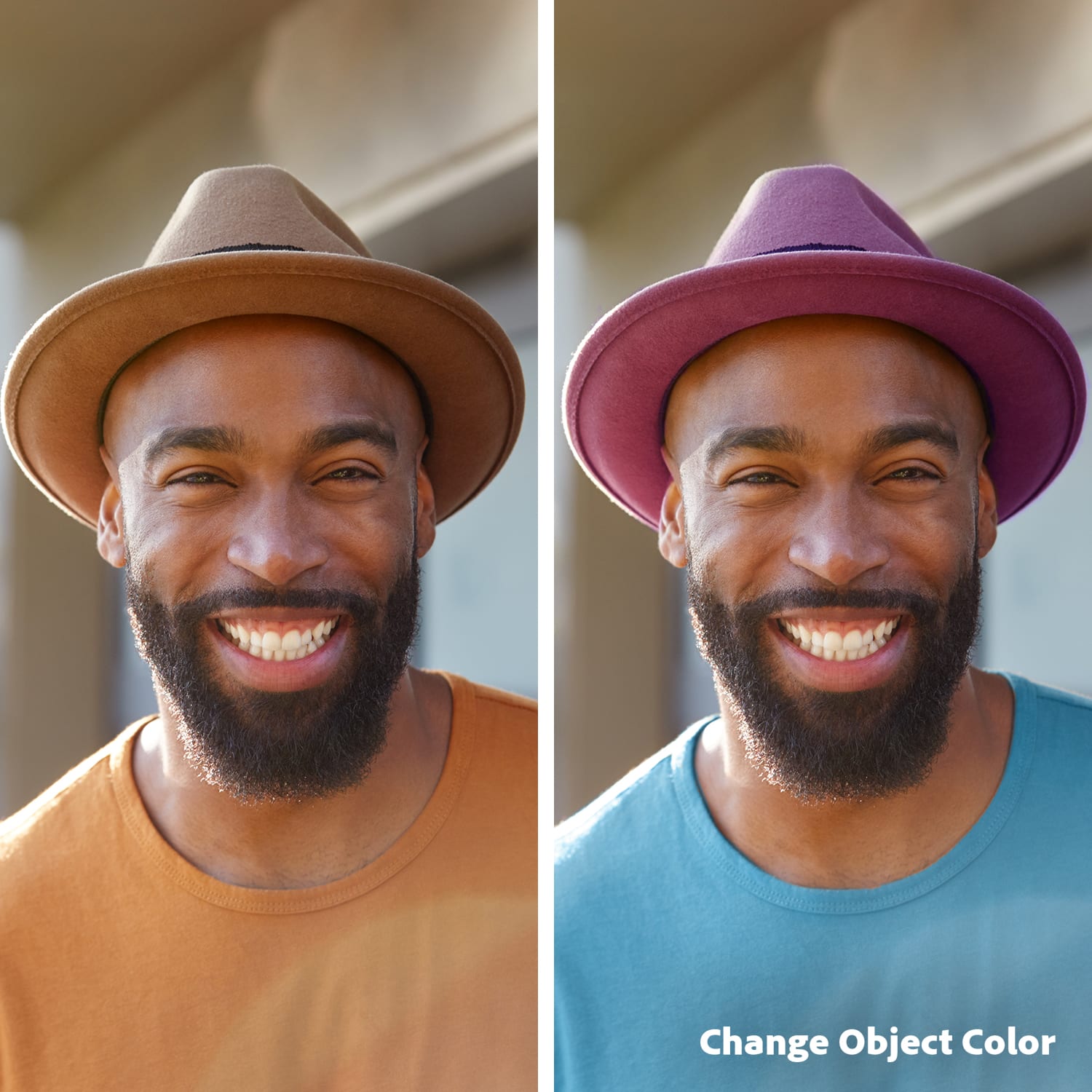
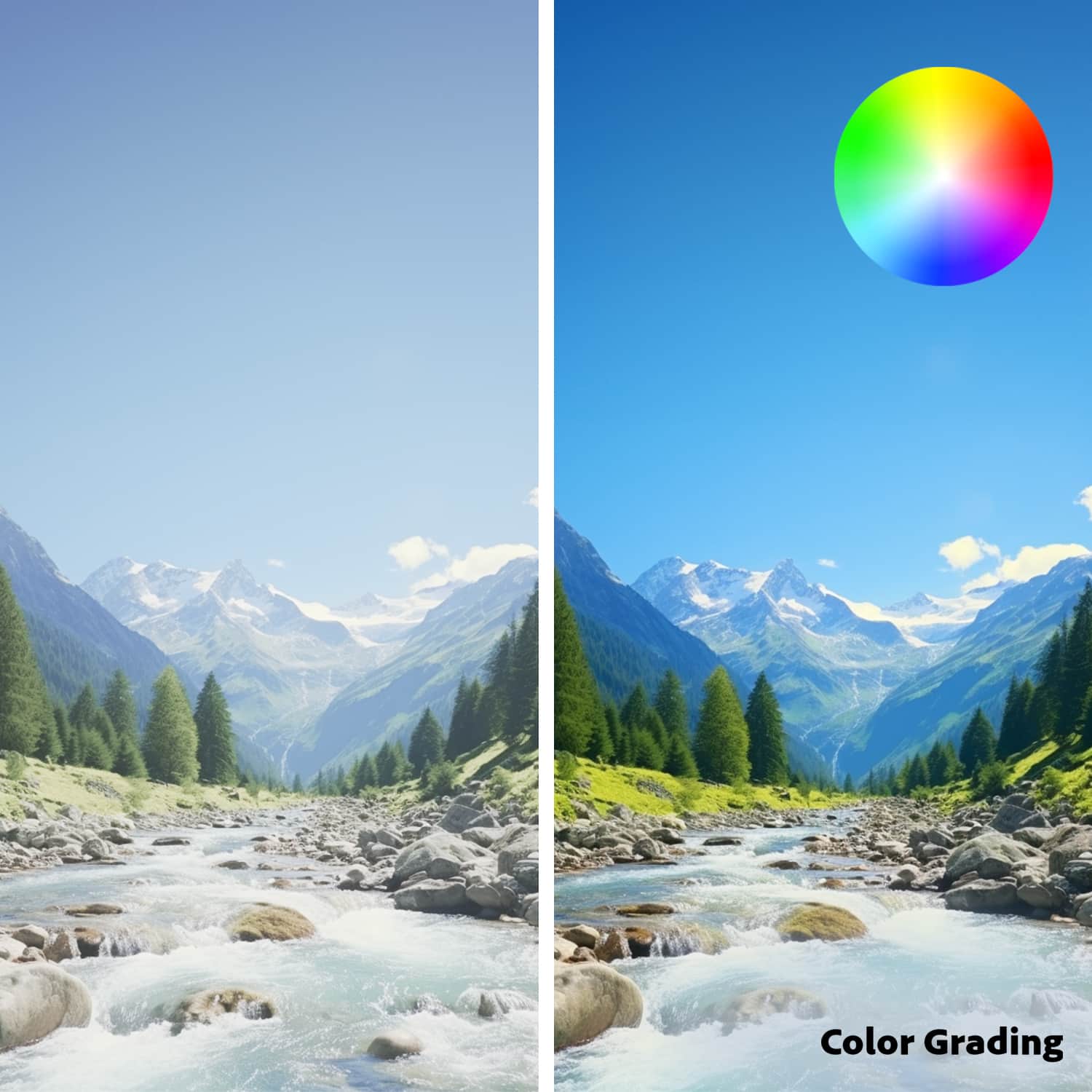
|Posted .This reviewer received promo considerations or sweepstakes entry for writing a review.GOOD - Retains the most used functions and brushes of the full Photoshop - Much lower price than normal Photoshop and Premiere - Access to Adobe's stock photo library - New features and automatic effects over older Elements for common image manipulation BAD - Three-year license - Premiere is very lacking in support for current video formats and output TLDR Adobe has turned their popular Elements package into a forced three-year pre-paid subscription, which is a big disappointment to the hobbyist image/video user. While the Photoshop side has received good updates, Premiere still has no output support for H.265/HEVC or AV1. If you have an older but recent version of Elements, there's likely no reason to upgrade to this and force yourself into a limited time license. DETAILS The "Elements" version of Adobe's software has been a great option for people who want basic photo and video editing software, but didn't want to pay Adobe's steep subscriptions costs for their other software. There's really not much to say on the Photoshop side except, "It's Photoshop." Yes, it's the Elements version, meaning it's slightly stripped down from the full version, but it still has enough features and functions for 95% of what normal people want to do when touching up their family photos, creating memes, or making photo collages. The 2025 version has a few new automated features and tricks, like color changing brushes Adobe stock photos, which are good for people who don't know how to use the advanced options for the brushes, filters, and tools. However, the Premiere side is a big let down. Like Photoshop, you have some new tools for color grading and access to some stock video and templates, but most of it is the same it's been for years. This means all the same disappointments as before regarding support for current video formats and output settings. While Premiere can use H.265/HEVC for input and a project asset, it still can't export a video using the codec. It has no support for AV1 at all, either input or output. The output encoder settings still don't support any kind of constant quality setting; instead you have to mess around with the VBR bandwidth settings. Also, you can't import Matroska (MKV) files even though the software says you should be able to ( perhaps it's a bug that will get fixed later ). If Adobe wants to force all their users into the software-as-a-service environment, even the casual hobbyists, then I would expect to see serious improvements to warrant the idea of continually paying to use the software. Right now, the limitations with Premiere make this a big no for me.
No, I would not recommend this to a friendAdobe Misses the Mark
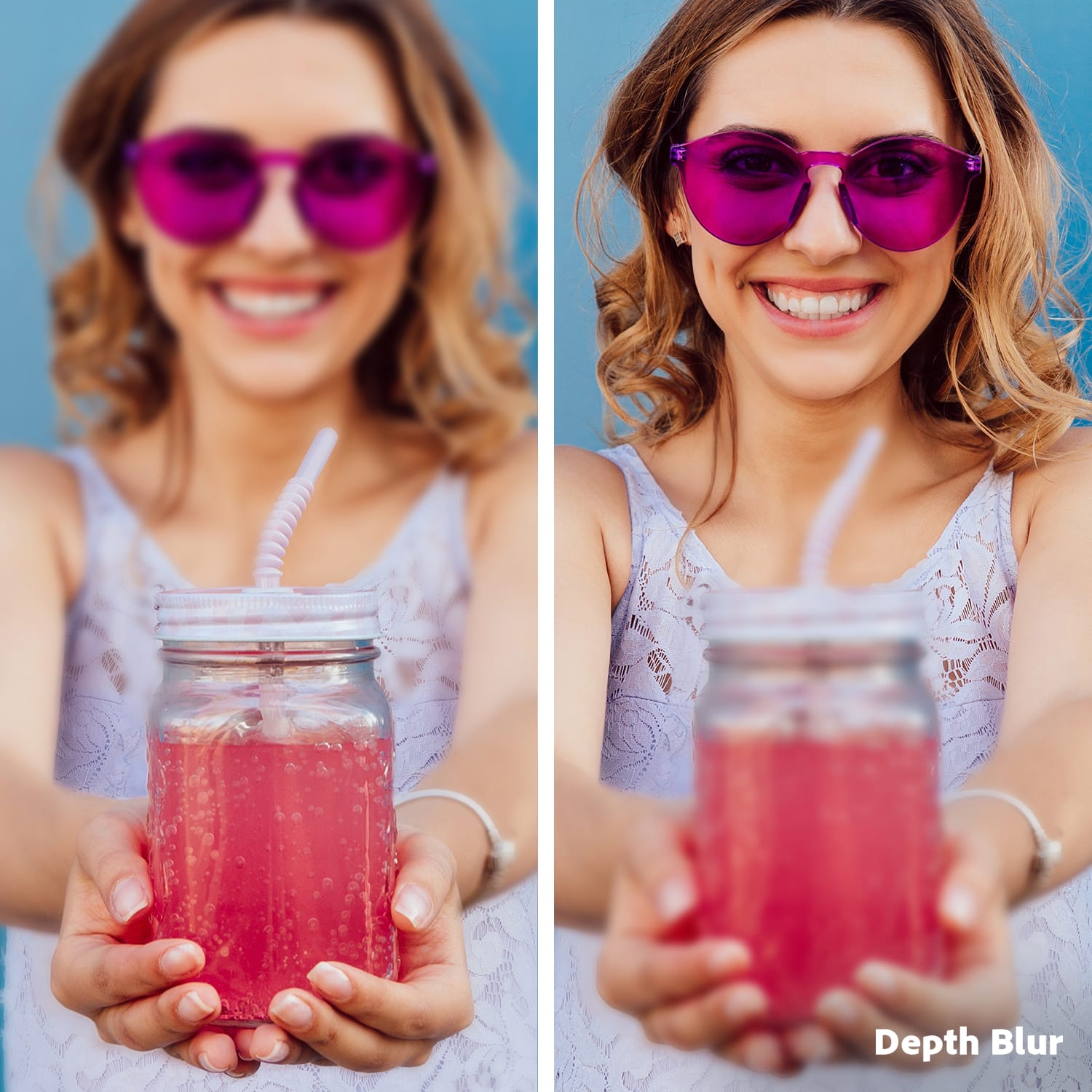
|Posted .This reviewer received promo considerations or sweepstakes entry for writing a review.Adobe has bundled Adobe Premier elements and Photoshop Elements into one Convientent bundle and a lower price than purchasing each seperatly. The bundle with Premiere Elements and Photoshop Elements is $149.99 with a three year licence. I guess this is ok as I tend to get a new version every 2 to 3 years as new features get added. Adobe's Premiere Elements video editor has a new interface more like Premiere Pro in creative cloud. Photoshop elements has maintined the style of the older versions. With Premiere elements They have left a stripped down version of the previous edition as a front end but removed a lot of good features from the basic and guided areas. I don’t feel this is good for beginning video editors. For modaerately advanced non pro users the best way to use the programs is in the advanced mode. Photoshop elements has some great quick edits and guided elements even adding some AI features but it is very confusing as some features are only avalible in the advanced mode and work differently from the tools in the quided edit tab. Both programs seem to run much slower than other compeating products even though they are a little faster than previous versions. With Photoshop elements in particular the free version of Lightroom is much less confusing and more powerful for improving the look and quality of your photos quickly. The UI is very disjointed with many different ways to get to the same tools . All the modes need to be scrapped and combined into one program, the launcher just add unnneded and confusing options in my opinion. Photoshop has some fun edits but I really wont use these as a serious home photo enthusiast These are more suited as a social media add on. In addition Photoshop elements does not import RAW files unless you download and intall a Free Adobe Camra Raw add on and even then it does not allow full editing of the Raw files. To Adobes credit the organizer program will prompt you to download and install the add on but why is it not installed in the first place. Speaking of add ins Adobe limits the preinstalled guided edits but does allow downloading more to limit the size of the initial download. The guided edit mode is now much less beginner friendly, the actions no longer overlay the video being edited, you only get a video of how to do the action you want to complete now. This is a big step backwards. The programs take forever to install and the time to get premiere or photoshop express to open is excruciating long. I have a well equipped windows 11 machine with 32gb memory and a Nvidia 3080 Ti with 12 gb vram that runs every other third party Video and Photoediting tools with no delay so Adobes offerings with elements are not my go to at this time. The acutual tools are pretty good but it is so slow that there are only very specific use cases for me. I will only use the Advanced mode as it makes the most sense. The guided mode has been cut back too much, I did like it better in the 2020 and 2021 versions. The software runs on Microsoft Windows 10 (version 22H2, 64-bit) or 11 (version 23H2 or later) and macOS 13 or later. memory you need at least 8GB of RAM,16GB for 1080p or 4k media A large fast hard drive is best as space is needed for scratch files and media storage at least 10GB of free hard drive space is reccomended. You need at least a 6th Generation Intel or AMD processor with SSE4.1 and AVX support, Windows your CPU needs to support SSE2 A 1,280-by-800 resolution monitor is the absolute minimum but I suggest a 4k monitor if you are serious about getting good results. If you work at high resolutions with photos or 4k video a powerful GPU really helps. As low as 4gb of VRAM is supported but a dedicated GPU from Nvidia with RTX or AMD with 12 to 24 gb is better for complex editing and will speed encoding and redering, DirectX 12 support is required for Windows users. I used Premiere elements to help me restore captured 8mm film, this type of media benefits from the auto correction of color that premiere offers, the cropping tool works well as well. The cool optical flow mode of Shake reduction (ie Stabilization) uses AI to synthesize edges during stabilization. Even though I knew this was a feature it took me a while to find it as Adobe does not link it to the word stabilize from the search to the tool that stabilizes video for an unknown reason instead having to search for Shake. The home screen is quick to open but Premiere Elements is slow to start up and during standard video editing procedures. When it comes to the final rendering of your video editing project, is faster than previous programs but not as fast as Premiere pro or Davinci resolve. If you have older Elements versions you will notice it is faster. During my testing , the program crashed unexpectedly during Stabilization of a large 4k H264 MP4 video file and the Highlight Reels feature would not complete on the same file. The Stabilize tool with the Synthesize edges is very slow , I was finally able to get it to run but aborted the stabilization due to the expected compleation time of about 29 hours for 4k media 18 gb file. I have to say I find the entire advanced interface poorly designed and very confusing. Adobe should consolidate all the tools and pannels togther on the left and put many more guided edits in the program in an toggled overly fasion or at the very least add links to full video explanations on how to complete more complicated edits. I am still unable to figure out how to use masking and tracking even though I use it in Davinci Resolve with no problem. I feel this program is crippled by its poor UI not it’s tools and Adobe has some serious work to do to bring it up to date. Right now it feels like a jumble of ok tools thrown together in a difficult to use disorganized way. The program is slower than competitors and crashes occasionally with some of the tools. This should have been fixed during beta testing. I used Photoshop elements to clean up some 4k photos from my phone. You can add text, replace colors, change the depth of focus and remove unwanted objects the tools worked well enough for me to continue using them. Again, the Advanced interface is the fastest way to use this program. Use the guided edits as training then use the advanced mode after that. The guided interface is clunky and not efficient to use even though it will get the job done. The Organizer works sort of, I have a lot of media files, some appeared right away, some have still not appeared. I left the organizer running for 2 days and it fillaly stopped responding. I do have files on 3 separate NAS boxes, 4 drives with a mix of SSD and standard hardisks. The built in windows Photos app found and displays all the photos with ease. search by People, Places, Dates, Keywords, Albums, Folders, Media Types, and Star Ratings, and automatic AI-generated Smart Tags. You can combine search types, looking up, for example, pictures of Joe Smith taken in New York City in September. Automatic object tagging and people tagging work with video content as well. I got it to work with one drive but not all my media drives, it may be great but I have not been able to get the organizer to complete indexing all the files, maybe it will complete over the next week?? After using the programs, you can get some seblence of functionality and use the tools fo improve your photos or videos but I woud not recommend this suite at all. You can no longer master DVD or Blu-ray disks right from the program and instead have to use 3rd party software. Premiere elements is Ok if you stick to the Advanced interface but then you should just spring for Premiere Pro for more capabilities and better performance. In my opinion the Free version of Davinci resolve is more powerful and, in my hands, easier to understand and use. If you want a more coherent interface with better affects you will have to pay for Premiere Pro or Davinci Resolve Studio. Adobe does say that more features will roll out over time with no mention what they will be, over the three-year licence period they could add quite a bit, pretty please Adobe. I do like the quick mode for simple edits you can join video clips, as well as add titles, transitions, image corrections, soundtracks, and effects. You get a timeline with two video tracks and one Audio track. You can alter the speed , cut up your clips and add text. You can add music, from the included library. You are able to remove exsisting audio from clips. You can change the Aspect ratios and choose the point of focus for each clip with Auto Reframe for social media. These fast edits are easy in this mode. Another bonus is the Elements mobile app beta for photos and video. It has several tools to edit your media, you also get 2gb cloud storage to use as you wish from Adobe. You can create slidshows with a choice of soundtracks from photos or videos or a collage from selected photos. A QR code can be generated for sharing your completed projects. In summary there are some good tools in the Adobe Premiere and Photoshop bundle. Is it worth upgrading, I would say no, keep the older version and use other free tools Adobe and others offer. If you want advanced tools then there are Adobe and other third party paid options that are much better.
No, I would not recommend this to a friendNot for people who are serious about photography
|Posted .This reviewer received promo considerations or sweepstakes entry for writing a review.What I thought I was getting was a pared-down version of Photoshop, maybe a little less unwieldy and easier to learn. What I got instead was a simple package of photo editing gimmicks with no ability to fine tune edits or tweak photos to improve them. I honestly get more out of the built-in editing tools on my computer than I do out of this overpriced product. I would be willing to bet you could do most of what's available here with free phone apps, though maybe not all bundled in one place. To offset the bare-bones nature of the product, Adobe decided to make extremely difficult to download. You can't just click on the redemption code and download it. When you enter the redemption code, you are instead transferred to page prompting you to create an account. Once you create the account, the download does not start. You are not taken to a download page. In fact, you can't even find the product on their website. Clicking on the redemption code again will just take you to page telling you that the code has already been redeemed. Instead, you have to search for the product name, then scroll down through half a dozen results before you finally get to the link to the download page. And of course, the code that includes a license for both products does not lead to a download of the bundled products. You have to search for them separately, download, and install them separately. Then you get two program icons and two programs that both open the same application with the bundled product. Don't waste your money or your time on this.
No, I would not recommend this to a friend