Customer Ratings & Reviews

- Model:
- AWAUR12-7979WHT-PUS
- SKU:
- 6455826
Rating by feature
- Value
Rating 3.4 out of 5 stars
- Quality
Rating 3.5 out of 5 stars
- Ease of Use
Rating 3.8 out of 5 stars
Customers are saying
Customers are impressed with the Aurora R12's performance and powerful GPU, finding it delivers a great gaming experience at a reasonable price. However, many customers express concerns regarding the cooling system's inadequacy and the limitations of the RAM configuration. Some also mention noise issues related to the fans.
This summary was generated by AI based on customer reviews.
- Pros mentioned:Gpu, Performance
R12
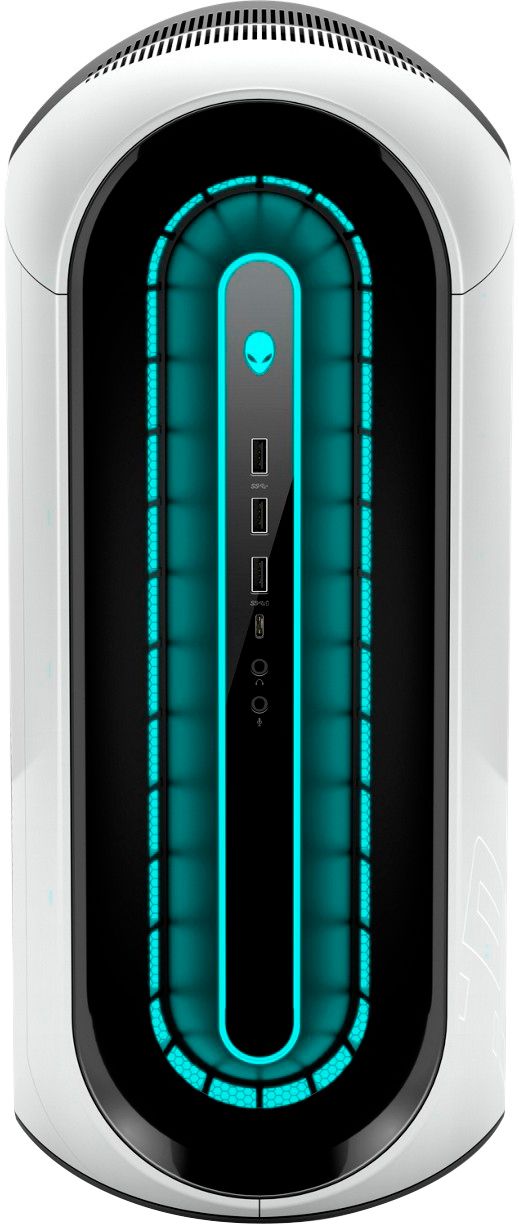
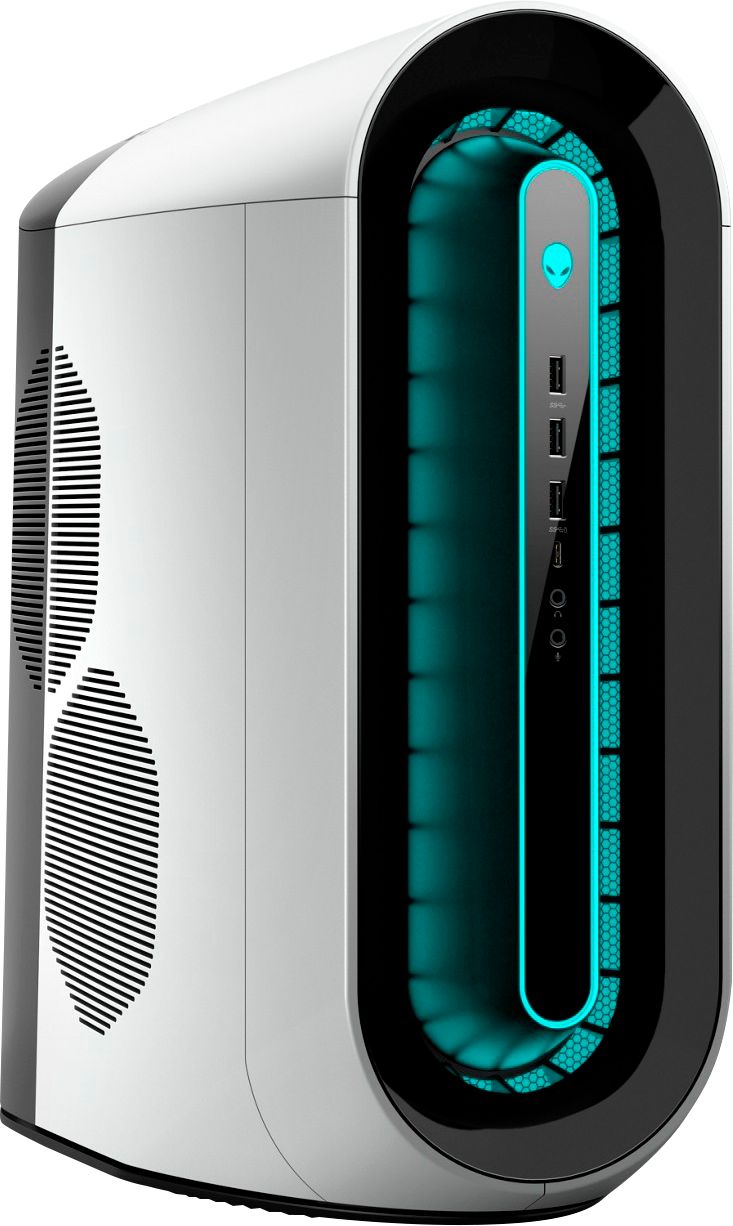
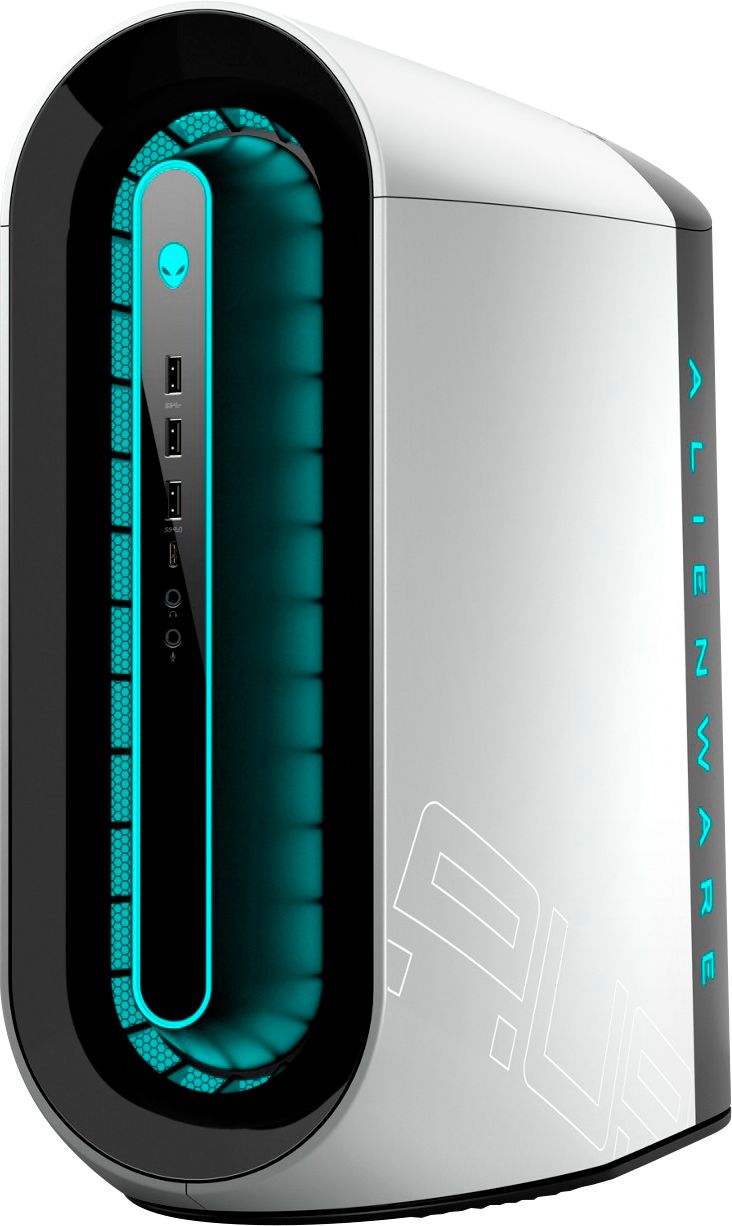
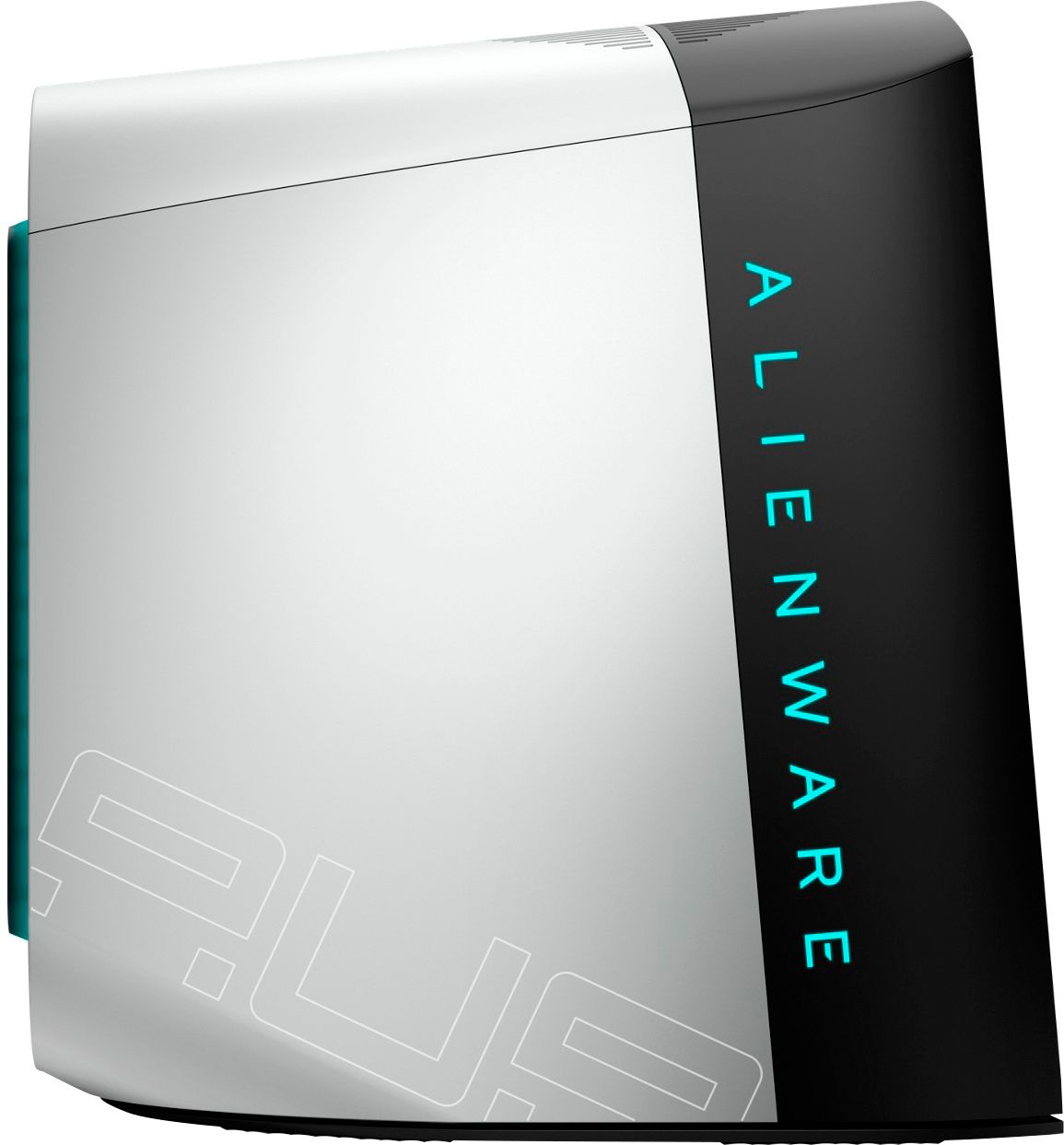
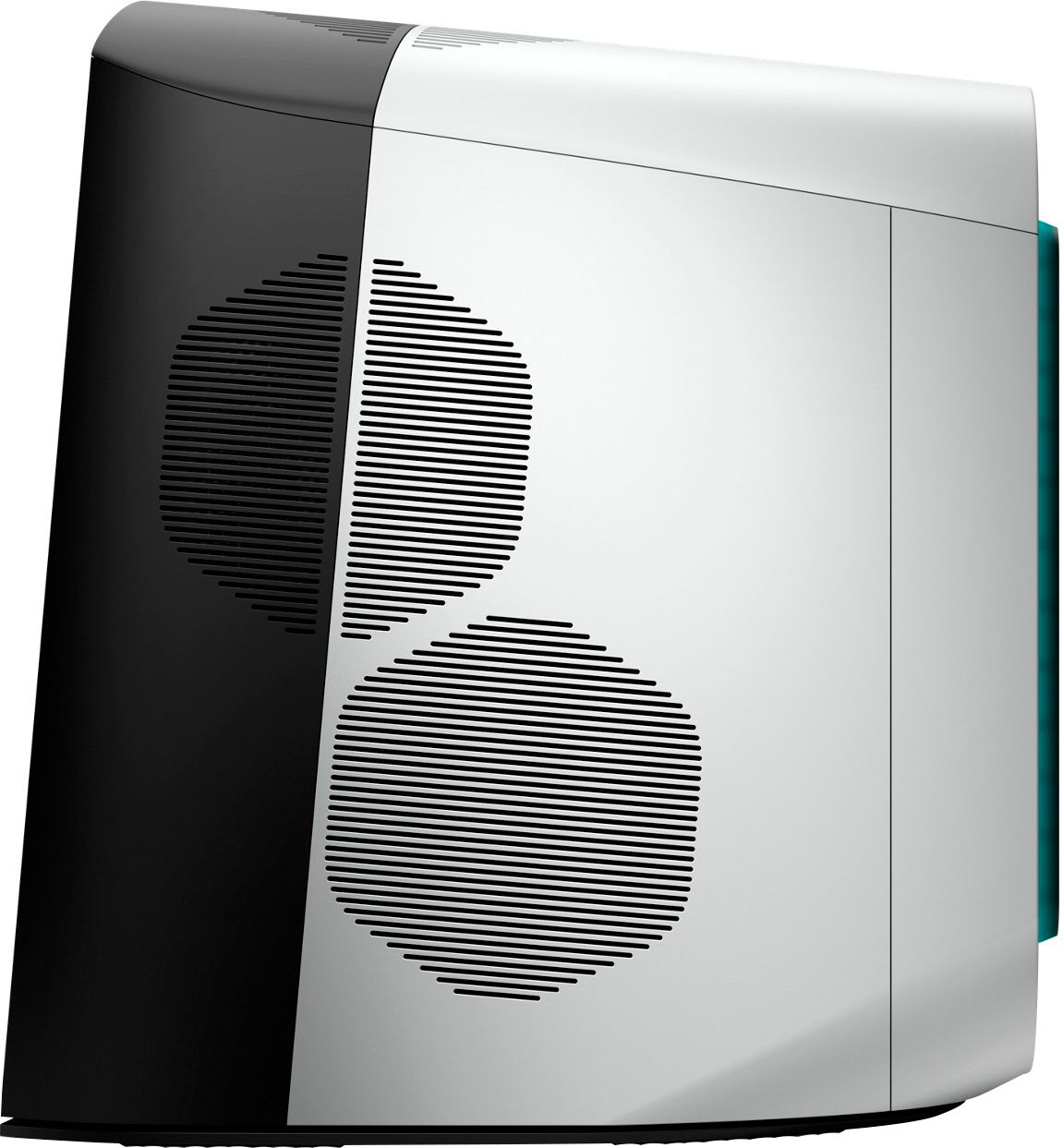
||Posted . Owned for 5 months when reviewed.This reviewer received promo considerations or sweepstakes entry for writing a review.As many PC gamers understand, getting your hands on an nVidia RTX video card has been next-to-impossible or extremely costly. I discovered the only way to reliably and affordably get one was to order a pre-built system and include an RTX card in the build. While researching many of the better-known pre-built offerings, I took a look at Alienware's line-up. I was surprised to find I could get an Aurora R12, equipped with a GTX 3080 (or 3090, if I had wanted to go that crazy!) and other cutting-edge components (CPU, RAM, etc.) for a lower price than ANY other provider. In fact, I ended up getting a BETTER CPU, a level-up on the video card I was looking at (a 3080 instead of a 3070), faster RAM, and a beefier power supply for SEVERAL HUNDRED DOLLARS LESS than the nearest competitor. Needless to say, I pulled the trigger. Not only did the system ship SOONER than estimated (another pleasant surprise), but it arrived in a pristinely-packed box, protecting my investment. Although I have always built my own systems, I have to admit the Aurora R12 looks pretty nice and discrete sitting on my desk. When I powered it on and worked through the setup process, I found the built-in Alienware apps to actually be useful (imagine that), with a great UX/design. Using the system now for over a week, I've been thoroughly impressed by the performance - no hitches yet! Excellent air flow and overclocking controls via the Alienware apps. Overall, an excellent way to get into a new RTX card, with a faster build-out and shipping time and at a more affordable price than anywhere else I could find. This is a highly recommended route to take if you're looking for an RTX card that isn't priced at some multiple of the MSRP, and you're willing and able to consider an entirely new build
I would recommend this to a friend - Pros mentioned:PerformanceCons mentioned:Ram
Not bad not great with a few problems
||Posted . Owned for 1 month when reviewed.This reviewer received promo considerations or sweepstakes entry for writing a review.Not a bad system if you are willing to purchase a second hyperx ddr4 3466 16gb dimm that is odd and hard to find for $115 to correct the single channel ram and can live with the clunky case that seems out of place on a $2000 purchase. It works fine and is reasonably fast but also need to ditch the 256gb nvme for something larger and who in this day uses a 1tb hard drive
No, I would not recommend this to a friendBrand response from YourDellTeam
Posted .Hello Nick,
Thank you for your thorough review on our Aurora R12. We're glad to learn that you're enjoying your desktop. Your feedback is incredibly valuable as we build current and future products. if you have any additional questions or concerns, please visit the Support Page of your Alienware.
Best Regards,
Wendy C.
https://bit.ly/DellSupportTeam.
Phone number to Dell: 1-800-264-9896.
- Pros mentioned:Performance
Great running machine
||Posted .This reviewer received promo considerations or sweepstakes entry for writing a review.I really like this computer. I read the prior reviews before ordering and went ahead and got everything to liquid cool it when i bought it. Cost me all of 45 dollars on ebay for original alienware liquid cooler and brackets to install it. Also managed to score another 16gb of ram for 40 bucks . Took less than 20 minutes to install and that was being extra careful. Runs great. I play metro and warzone on high settings with raytracing enabled in 2k and this computer has no issues keeping either running smooth. Lowest fps ive seen is 93 on metro exodus (keep in mind this is in 2k). I would definitely recommend this computer to anyone looking for a great machine with a 3070 in it, on grounds that they liquid cool it.
I would recommend this to a friend - Pros mentioned:Performance
Alienware Aurora
||Posted . Owned for 1 week when reviewed.This reviewer received promo considerations or sweepstakes entry for writing a review.so far so good....great machine ...i was impressed with this even though it is a reay made tower from Alienware....i wanted a cyberpower cabinet but was all sold out this was all that was available...so the best buy associate gave me 5% off since it wasnt exactly what i wanted....i do have to say this thing is powerful and fullfills all my needs for gaming with warzone...the video card is a beast...the only thing is i wish it had a bigger SSD but i can always upgrade that....definitely i would recommend to a friend
I would recommend this to a friend Instant Alienware fan!
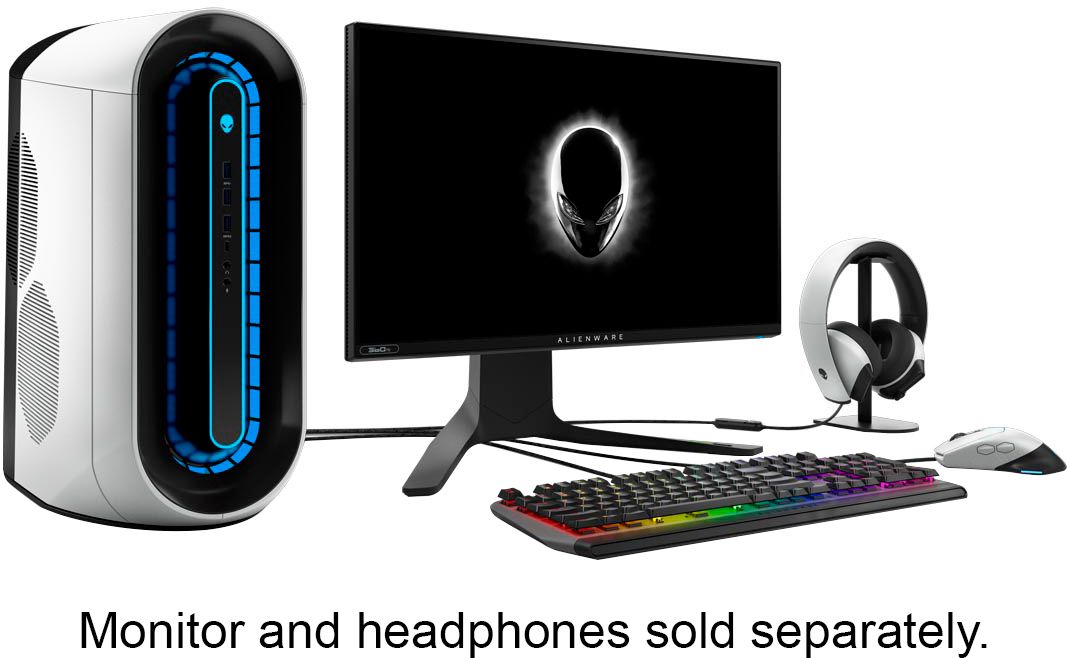
||Posted . Owned for 3 weeks when reviewed.This reviewer received promo considerations or sweepstakes entry for writing a review.As a new gamer/computer "builder" there was one of these Alienware Aurora 12 with the RTX 3070 at my local Best Buy. It was "Open-Box" so a few dollars cheaper. I was weary of both the "open box" condition and the Alienware product, as their cases are so compact and the heat could be a problem. Nonetheless, I purchased this product anyway. So far...I AM A HUGE ALIENWARE FAN!!!! First - the cosmetics of their cases are wild! Second - the lighting is amazing! You can change the outer ring, side lighting and alien face to all different colors independently. Third - the Alienware overclocking software is excellent, even better than MSI Afterburner, as far as I'm concerned! Forth - the computer has run flawless! ***The only drawback is that you "really need" to get the Corsair single-pump/single fan CPU cooler for this. The case is too small to allow anything else. I did purchase and install one and, since then, have overclocked and never gone above 65 degrees C. Awesome product that I feel you can trust! Would definitely recommend!
I would recommend this to a friendNot a high quality build
||Posted .This reviewer received promo considerations or sweepstakes entry for writing a review.The build died t have a liquid cooler system which is fine. The Dan, however, doesn’t look like they even fit it in right. The cable management looks like it came from the 90’s and really doesn’t feel like it is too if the line. I got it and ended up taking the graphics card out and putting it into my other build. That card is basically why this machine is not back as a refund as of yet. I’d stay away, otherwise.
No, I would not recommend this to a friendBrand response from YourDellTeam
Posted .Hello TheVrakAttack,
Thank you for your review. We are sorry to learn that your Alienware isn't quite meeting expectations. We really do appreciate your feedback and will use it to help improve our current and future products. If you come across any further questions, issues or concerns, please visit the Support Page of your product.
Best regards,
Wendy C.
For further assistance, you can contact Dell directly with the information below Chat or Call:
https://bit.ly/DellSupportTeam.
Phone number to Dell: 1-800-264-9896.
- Cons mentioned:Cooling, Fans, Ram
WARNING MODIFICATIONS NEEDED
||Posted . Owned for 1 month when reviewed.This reviewer received promo considerations or sweepstakes entry for writing a review.I don't care what DELL is saying but please stop selling air cooled Alienware desktops. The power supply is right over the mother board and liquid cooling is a basic requirement. DO NOT SELL THE AIR COOLED MODELS ANYMORE. You are just selling people products that will break in the near future and for 2k thats not cool. I had to buy an aftermarket liquid cooler and a vram heatsink to make sure that this thing would last longer than a couple of years without crashing. Not only that but when I boot up I get an error message because I didn't use their OEM liquid cooler because they don't sell it after market. The error message goes away and I've been doing fine with thermals so far. There is no details on the package or website what kind of power supply is in here so im hoping that its a decent WATTAGE although I might as well replace it eventually. Also please put dual channel ram in your machines. The layman isn't going to know that their computer is lagging because there's one stick of ram in their system. The fans themselves are low quality but im putting up with them until I can get replacements. DO NOT BUY THIS COMPUTER UNLESS YOU CAN MODIFY IT....because you will have a bad time. Just because dell thinks that the computer is fine at high temperatures does not mean that it is fine. The case is very small inside so there is absolutely no excuse for them to put a 10 dollar OEM heatsink that might barely cool a Celeron processor from 2004. Other than that DELL actually did a good job with their version of the RTX 3070 im honestly surprised they got that right. They have not redesigned this system for about ten years so only the outside has changed and the processors which have been putting out high temps lately. I should have just got the 3,000 dollar version although the i9 processor is total overkill and not worth the money for me to buy. Honestly I would have gone with an i5. Please if you are reading this reach out to DELL Best Buy. Only a bigger company like you can make the difference and request them to spec the system properly before selling it to someone who knows nothing about computers. Luckily I can read so I knew something was fishy when my cpu reached over 100 Celsius.......
No, I would not recommend this to a friendBrand response from YourDellTeam
Posted .ChrisH,
Thanks for your review and we're sorry to hear about the overheating that you've been experiencing with your new R12 computer. We'd recommend the following article to help with your computer's settings: https://dell.to/3ua9rAv.
Best,
Bryan@Dell
If you require further assistance, you can contact Dell directly with the information below
Chat or Call:
https://bit.ly/DellSupportTeam
Phone number to Dell: 1-800-624-9896
- Pros mentioned:Gpu, Performance, PriceCons mentioned:Ram
How to get an NVIDIA RTX 3070 GPU.
||Posted . Owned for 3 weeks when reviewed.This reviewer received promo considerations or sweepstakes entry for writing a review.This is you plan B for getting and NVIDIA RTX 3000 series graphics card. Out of the box this is an all around good worker. It's slightly less expensive than the builds that ship directly from Dell and it's less of a wait if Best Buy has it in stock because the lead times from Dell are some times weeks to months. There are some nice things about the Best Buy builds of the R12's, the RTX cards, the RTX cards, and the RTX cards. If you have to get a world class video card this is your ticket. The other parts in this machine are sub par. There's also a single bank of RAM where a 2 banks is needed. The CPU fan is almost an after thought. The case is pretty and so is that RTX 3070.
I would recommend this to a friendBrand response from YourDellTeam
Posted .Hello bc2020,
Thank you for your review. We really value your feedback. and will use it to help improve our current and future products. We are sorry to hear that the RAM availability and fan of your Alienware did not quite meet expectations. If fan noise is of concern, we would recommend checking to ensure that the latest BIOS is installed on your system. There was a BIOS update for this series and you can download the update here - https:https://dell.to/2Rv3AXC.
If needed in the future, here is a full article for upgrading the RAM of your Alienware: https://dell.to/3ejBUxL.
Best regards,
Wendy C.
For further assistance, you can contact Dell directly with the information below Chat or Call:
https://bit.ly/DellSupportTeam.
Phone number to Dell: 1-800-264-9896.
- Pros mentioned:GpuCons mentioned:Cooling, Ram
Almost got it...
||Posted . Owned for 3 months when reviewed.This reviewer received promo considerations or sweepstakes entry for writing a review.If you want to plug and play and not push limits, this pc will work for you. If you are bothered by thermal throttling and the dip in performance that causes, build your own. The GPU is a beast (OEM, but it's a 3070), the CPU is a great chip but it is let down by the poor thermals and cramped conditions inside. 1 stick of RAM also hinders it, so be prepared to buy another stick and hope you can get it to match or a dual channel kit ready to go (it's picky about RAM). MOBO is Dell OEM, nothing great but nothing terrible. If this case was bigger or had decent CPU cooling (water) it would be 5 stars. Single channel RAM (it's 2021) and a CPU that gets punished for doing its job well brings it down. The storage element you can figure out, but the 256GB SSD is eaten quickly and the 1TB is a mechanical one that also blocks airflow.
No, I would not recommend this to a friendBrand response from YourDellTeam
Posted .Hello Erby,
Thank you for taking the time to share your thorough review on our Aurora R12. Your feedback is incredibly valuable as we build current and future products. We are extremely sorry to hear that your system thermals are affecting your desktop's performance, and we would love to help as soon as possible. One option it to prioritize cooling by opening the Alienware Command Center application and select the 'Cool' thermal profile.
Last, we would recommend checking to ensure that the latest BIOS is installed on your system. An out-of-date BIOS can cause thermal's issues. You can download the update here - https://dell.to/3CRasBs.
We recommend following the instructions above to resolve your system thermals and performance issues. If the issues persist, please contact our support team here: https://bit.ly/DellSupportTeam.
Sincerely,
Wendy C.
https://bit.ly/DellSupportTeam.
Phone number to Dell: 1-800-264-9896.
- Pros mentioned:GpuCons mentioned:Cooling
Always wanted an Alienware, glad I got one
||Posted . Owned for less than 1 week when reviewed.This reviewer received promo considerations or sweepstakes entry for writing a review.This is an amazing computer! I don't get the negative reviews. Of course the case could be better from a thermal perspective but you aren't getting it if you want the best thermals, you are getting it because it's an Alienware. Now with that being said, the thermal's are good for standard gaming. If you are overclocking, mining, etc then its prob not the computer for you. I will say that on the negative side of things - the power supply is not the best (swapped that out), the processor cooler is VERY basic but seems to do the job, and the fans could be better quality although again, they do the job and are not loud like everyone else has said (beyond any other air cooled case I have had). Now the biggest negative - the size for a video card. I had a 3080 I was going to swap in to this case and sell the 3070 it came with but it was a NO GO! Only a very shallow blower type card will work in this case (which actually wouldn't be a bad fit for the case). I am going to stick with the 3070 for now and when things calm down a bit look in to a blower style 3080 that fits. Really, the only way to fit a standard size card (the Alienware cards are custom and smaller) is to remove the case fan or replace with a slim 15mm one which I wouldn't recommend (and there really isn't another place to put the case fan). Oh yea and the 256GB SSD - its fast as hell, but 256GB come on! And then a mechanical 1TB HD in addition? NO WAY! I swapped that out too for a SSD slimline drive (there are two trays) and tossed that mechanical in the trash. Anyway - right now this is the best way to get a 3000 series card. And it looks fantastic!
I would recommend this to a friend - Cons mentioned:Cooling, Ram
My Alienware R5 from 2012 runs better.
||Posted .This reviewer received promo considerations or sweepstakes entry for writing a review.Alienware needs to change the type of board they use the cable managment and cooling they use it's 2021 Dell please stop using a single boot drive and a sata configuration most modern boards have multiple nvme drives the parts of today get hot and are loud and using stock cpu coolers and please please put more than a 550 watt power supply in this thing with a 3070 in it Single Channel Ram at 2667 mzht the amount of money you are asking is way above the labor costs and part costs of any pre built.
No, I would not recommend this to a friendBrand response from YourDellTeam
Posted .Hello Gumi,
Thank you for your thorough review on your Aurora R12. We really value our customers feedback. We will forward these issues you stated onto our product team to improve ourselves for the future. We invite you to review the product Support Page if any other concerns arise.
Sincerely,
Wendy C.
https://bit.ly/DellSupportTeam.
Phone number to Dell: 1-800-264-9896.
- Pros mentioned:GpuCons mentioned:Cooling
Great PC with some tweaks!
||Posted . Owned for 1 week when reviewed.This reviewer received promo considerations or sweepstakes entry for writing a review.Lots of people are trashing this PC, but I think it's a good one and here's why. I've had several Alienware products over the years and like the build quality. I'm also one of the few who actually likes the Alienware Command Center. So I picked this up to use as my main desktop. There are a few things you need to upgrade: the RAM and the storage. I replaced the 16gb single stick with 2 sticks of 16gb--totalling 32gb. I also removed the hard drive and replaced it with a 2.5" SSD in the same place (held to the blue bracket with tape). In addition, I replace the 256gb ssd with a 1TB ssd. Lots of people say to get the liquid cooler for the CPU. But it is not needed. Just go into Alienware Command Center and put it on "performance". That's it. It will increase the speed of the 3 fans inside. I have noticed no problems with gaming or any other tasks since doing this. The only downside I see is that the power supply is only 550 and that means you can't safely replace the 3070 with a 3080 if needed in the future. You would also have to replace the power supply. But the 3070 is enough for almost anyone. It is also much quieter than the 3080. The upgrades will run $300+/-. It will turn this into an amazing machine.
I would recommend this to a friend - Cons mentioned:Cooling, Ram
Duel Channel Ram would do it wonders
||Posted .This reviewer received promo considerations or sweepstakes entry for writing a review.Caved and bought a prebuilt due to the supply of parts.. a few areas they went cheap was Ram.. it has 1 stick of 16gb ram and if you want the same ram dell charges a premium. also it could be the cooling but the i7-11700 scored 23% lower then my ryzen 7 3700 And the 3070 inside scored 5-8% lower then founders edition Will be switching out ram and benchmarking again.
No, I would not recommend this to a friendBrand response from YourDellTeam
Posted .Hello Failnet,
Thank you for sharing your review. We are sorry to learn that your Aurora 12 isn't quite meeting expectations. Your feedback is sincerely sincerely appreciated and will surely be taken into consideration when designing future products. If you have any questions or concerns about upgrading the RAM of your Aurora 12, feel free to visit this link: https://dell.to/3ejBUxL.
Best regards,
Wendy C.
For further assistance, you can contact Dell directly with the information below Chat or Call:
https://bit.ly/DellSupportTeam.
Phone number to Dell: 1-800-264-9896.
- Pros mentioned:GpuCons mentioned:Ram
Needed a lot of work
||Posted . Owned for 2 months when reviewed.This reviewer received promo considerations or sweepstakes entry for writing a review.Bought this because it was the only way to get a decent graphics card. Here is the money that I had to spend to get it running properly: $60 - Corsair H60 Water Cooling. The original pics of this had a water cooled R11, they have since removed the pics. That was funny but when I threatened to return it the store manager gave me a retroactive discount. $40 - VRM heatsink from Ebay - The heatsink that comes on the machine covers the CPU and VRM. When you switch to water cooling, you have to buy a separate heatsink for the VRM. Dell said they were out of the part for months, so I had to procure one on ebay and pay a premium. $90 - Three Corsair Pro 120MM Fans - One to add above the H60 Radiator for a push/pull configuration, one to replace the front fan, and one to put where the HDD was, as that had to be replaced for airflow, plus who wants an HDD in a gaming build? $10 - Two fan splitter cables to install said fans $230 - 2TB Crucial SATA SSD to replace the lost space from removing the HDD. $230 - 32 GB Crucial RAM kit. The unit comes with one stick of single channel 3466mhz RAM that Dell doesnt even sell on their website, the only way you can match it is finding someone on ebay who bought the same machine. It took me 3 kits to get one that actually worked as Dell machines are very finicky with RAM. In addition, the ram is BIOS locked into gear 2 which leaves it with extremely high latency. Dell might or might not be working on a bios fix. There is a 50-page thread on the Alienware forum regarding the issue. So after spending an additonal $750+ and a decent amount of time doing the upgrades to get it running properly, I have a decent machine. Temps on CPU stay around 60 while gaming and GPU around 70, so not too bad. I can push the limits of the 3070, it does 4k 60FPS or 1440p 144FPS on AAA games pretty easily. I am not sure if the RAM latency issue is really affecting my performance that much.
No, I would not recommend this to a friendBrand response from YourDellTeam
Posted .Hello,
Thank you for your thorough review on your Alienware. Your feedback about upgrading your system is incredibly valuable as we build current and future products. We apologize for the latency issue you're experiencing. To make sure we can help in the future, here is a link to ensure that you're running the latest Bios to maximize your gaming experience: https://dell.to/3y6irY7. We hope this helps and if you have any questions, please visit the Support Page of your product.
Best regards,
Wendy C.
https://bit.ly/DellSupportTeam.
Phone number to Dell: 1-800-264-9896.
- Cons mentioned:Cooling, Ram, Upgradability
Avoid at all costs
||Posted . Owned for 1 week when reviewed.This reviewer received promo considerations or sweepstakes entry for writing a review.I thought I finally scored a good deal but I was wrong. After purchasing, I went home and did the usual setup. Downloaded latest updates, Steam, Origin, etc. I went to play my games like BFV and Warzone and this build was struggling all around. Huge drops that turned it into a slideshow on ground war, etc. I'll list all of the issues. 1. Not as advertised from the pictures: There is no water cooling. There is a dinky air cooler that can barely keep up with this processor. 2. The case looks decent but it seriously starved for air. The temps were ridiculous in this case. CPU was hitting 90C and GPU was around 95-100C. 3. I called the help line but kept getting told to do things like "update the BIOS" and Windows which didn't help. I called a tech savy friend and he had so much to say about this. 1. Cooling is really bad. The computer is "thermal throttling." This means the components are getting so hot that they are purposely slowing down to avoid damage. CPU and GPU 2. One only stick of memory. Supposedly "dual channel" greatly helps with gaming. He recommended getting a new case, power supply, extra fans, quality CPU cooler, and dual channel memory that would easily add a few hundred to the cost and still limit my future upgrades due to something about the motherboard not being standard. I should have taken some time to read the reviews before I purchased. Luckily BB has a great return policy. Will give it back and purchase a better quality build from another company.
No, I would not recommend this to a friendBrand response from YourDellTeam
Posted .Hello Rohan,
Thank you for your review. We are sorry to hear that your Alienware is running a little warmer than you would like. Your feedback is sincerely appreciated. We would recommend checking to ensure that the latest BIOS is installed on your system. There was a BIOS update for this series and you can download the update here - https://dell.to/3tAQ4PI. We hope this helps with any overheating issues that you are experiencing.
Best regards,
Wendy C.
For further assistance, you can contact Dell directly with the information below Chat or Call:
https://bit.ly/DellSupportTeam.
Phone number to Dell: 1-800-264-9896.
- Cons mentioned:Cooling, Fans, Ram
Should be ashamed BB!
||Posted . Owned for less than 1 week when reviewed.This reviewer received promo considerations or sweepstakes entry for writing a review.Whoever at BB configured this should lose their job, you can hire me, hell you could hire a monkey! First, memory? For real? Single Channel in 2021? Second, Cooling? For real? Low grade CPU cooling in 2021? Third, PCIe in not x16, its by x8...This in 2021? (That's not a BB issue that's a Dell issue) Fourth, fans...Jesus the fans...why can't we just replace them with anyone's we want? Nope, can't do that! In 2021 a "Gaming" company doesn't understand its demographic? You see all these one stars BB, there's a reason for that! This isn't 1999 and our parents aren't buying these computers, this is 2021 and gamers know what's in their PC's. You should all be ashamed to sell this....Returning my ASAP for a refund.
No, I would not recommend this to a friendBrand response from YourDellTeam
Posted .Hello Jeremy123,
Thank you for your review. We're sorry about the trouble you have encountered with the performance of your PC. Your feedback is sincerely appreciated. We would recommend checking to ensure that the latest BIOS is installed on your system. There was a BIOS update for this series and you can download the update here - https://dell.to/3tAQ4PI. We hope this helps with any overheating and fan noise issues that you are experiencing.
Best regards,
Wendy C.
For further assistance, you can contact Dell directly with the information below Chat or Call:
https://bit.ly/DellSupportTeam.
Phone number to Dell: 1-800-264-9896.
- Pros mentioned:PerformanceCons mentioned:Cooling
Awesome PC - Just needs an AIO.
||Posted . Owned for less than 1 week when reviewed.This reviewer received promo considerations or sweepstakes entry for writing a review.Let me start by saying this PC should not be getting all the hate. Could it be better from the factory? Yes. But if you look at PC prices today good luck finding a system with a 30 series GPU for under $2800. Out of the box, the pc was running rough and struggling to play games. I will admit that. BUT once you log onto the Dell support website it automatically recognizes your PC and downloads all the drivers for you. I had one driver that was not installing for some reason. I contacted Dell and they remoted into my PC and installed it for me. Since then the PC is running night at day difference. I agree that water cooling is a must on this PC. It sucks that it didn’t ship with an AIO seeing as the outside of the box states it water-cooled. But I quickly found out that Dell is out of stock on the AIO’s so that explains that. I ordered a Corsair AIO for this PC it will only fit 120mm and it runs like a dream. I play Overwatch on Ultra setting easily at 144 frames… Matches my refresh rate so that is what I have the game capped at. It also runs Escape from Tarkov on high settings easily at 80 frames. Warzone easily at 144 on high as well. Without adding the AIO I run about 80 degrees on the CPU and 60’s on the GPU only when playing AAA titles. This is still fine as Intel CPUs won’t start Thermal Throttling until 100 degrees (wouldn’t recommend running it this hot). Once I installed the AIO I barely break 65. I would recommend this PC If you are willing to swap to an AIO. Super easy to do with tons of videos on Youtube to guide you through the install.
I would recommend this to a friend - Cons mentioned:Cooling, Noise
Nice machine
||Posted . Owned for 2 weeks when reviewed.This reviewer received promo considerations or sweepstakes entry for writing a review.I love this computer but you will have to do some upgrades. 1. You need to water cool it if it is air cooled. 2. You need to upgrade fans to quieter fans. 3. Please upgrade it to 32to 64 gigs of ram to enjoy the powerful cpu 4. If you upgrade it with after market parts be sure to hit f10 or f12 after a restart to run hardware test so you can get it off the black screen to be able to get into the computer otherwise you will think the computer is no good but dell don’t want aftermarket parts but you can bypass by running the diagnostics. The computer does get very hot and uses a lot of power but with those upgrades you will be fine and will cost less if you upgrade it yourself after purchase.
I would recommend this to a friend - Pros mentioned:GpuCons mentioned:Cooling
Small footprint gaming desktop
||Posted . Owned for 1 month when reviewed.This reviewer received promo considerations or sweepstakes entry for writing a review.Excellent middle-sized gaming rig, with cooling issues. Alienware has its own command center which allows you to overclock your CPU and GPU. The problem with the smaller form factor is that there is not any space for larger graphics cards that are non-OEM and lack of air movement can cause issues with keeping the rig cool. My matching cane with a fan-cooled CPU and no heatsink on the VRAM chips (which tend to overheat). I changed that out for a Corsair H-60 water cooler and added Corsair ML120 Pro fans as a replacement for the factory fans, plus bought some mini heat sinks for the VRAM. If you are going to do anything high-end on this machine, then I would recommend buying a pre-build with a water-cooled CPU as a start
I would recommend this to a friend - Cons mentioned:Cooling, Noise, Ram
Okay
||Posted . Owned for 2 months when reviewed.This reviewer received promo considerations or sweepstakes entry for writing a review.Single channel ram, terrible cooling, and really loud. It’s not great
No, I would not recommend this to a friendBrand response from YourDellTeam
Posted .Hello Dame,
Thanks for your review. We are sorry to hear that your Alienware is running a little warmer than you would like. We apologize for the issues you have with fan noise. Your feedback on the single channel RAM is sincerely appreciated. If system thermals and loud fan are of concern, we would recommend checking to ensure that the latest BIOS is installed on your system. You can install it here: https://dell.to/374rFZw.
Also, you can prioritize cooling by opening the Alienware Command Center application and select the 'Cool' thermal profile. If the issue persists after updating the software and drivers, please contact Dell Support at your earliest convenience at 1-800-264-9896.
Best,
Wendy C.
https://bit.ly/DellSupportTeam.
Phone number to Dell: 1-800-264-9896.