Customer Ratings & Reviews






- Model:
- AWX14R1-7679WHT-PUS
- SKU:
- 6502624
Rating by feature
- Battery Life
Rating 3.9 out of 5 stars
- Speed
Rating 4.7 out of 5 stars
- Display
Rating 4.7 out of 5 stars
Customers are saying
Customers love the x14 R1's performance, build quality, and compact size, frequently praising its portability and comfortable keyboard. However, some users express concerns regarding battery life, fan noise, and the device's tendency to get warm. The small SSD storage capacity and high price point are also mentioned as drawbacks. Overall, the positive feedback on performance and design is balanced by negative comments about certain aspects of the user experience.
This summary was generated by AI based on customer reviews.
great buy
||Posted . Owned for 2 weeks when reviewed.This reviewer received promo considerations or sweepstakes entry for writing a review.great laptop its in line with my macbook 14 in……..
I would recommend this to a friendWorst laptop ever
||Posted . Owned for 1.5 years when reviewed.This reviewer received promo considerations or sweepstakes entry for writing a review.Worst laptop every give black screen always.………….…
No, I would not recommend this to a friendAlienware x14
||Posted . Owned for 1 month when reviewed.This reviewer received promo considerations or sweepstakes entry for writing a review.Good looking laptop that provides what you expected
I would recommend this to a friend- Pros mentioned:Build quality, Speed

Alienware Does It Again!!!
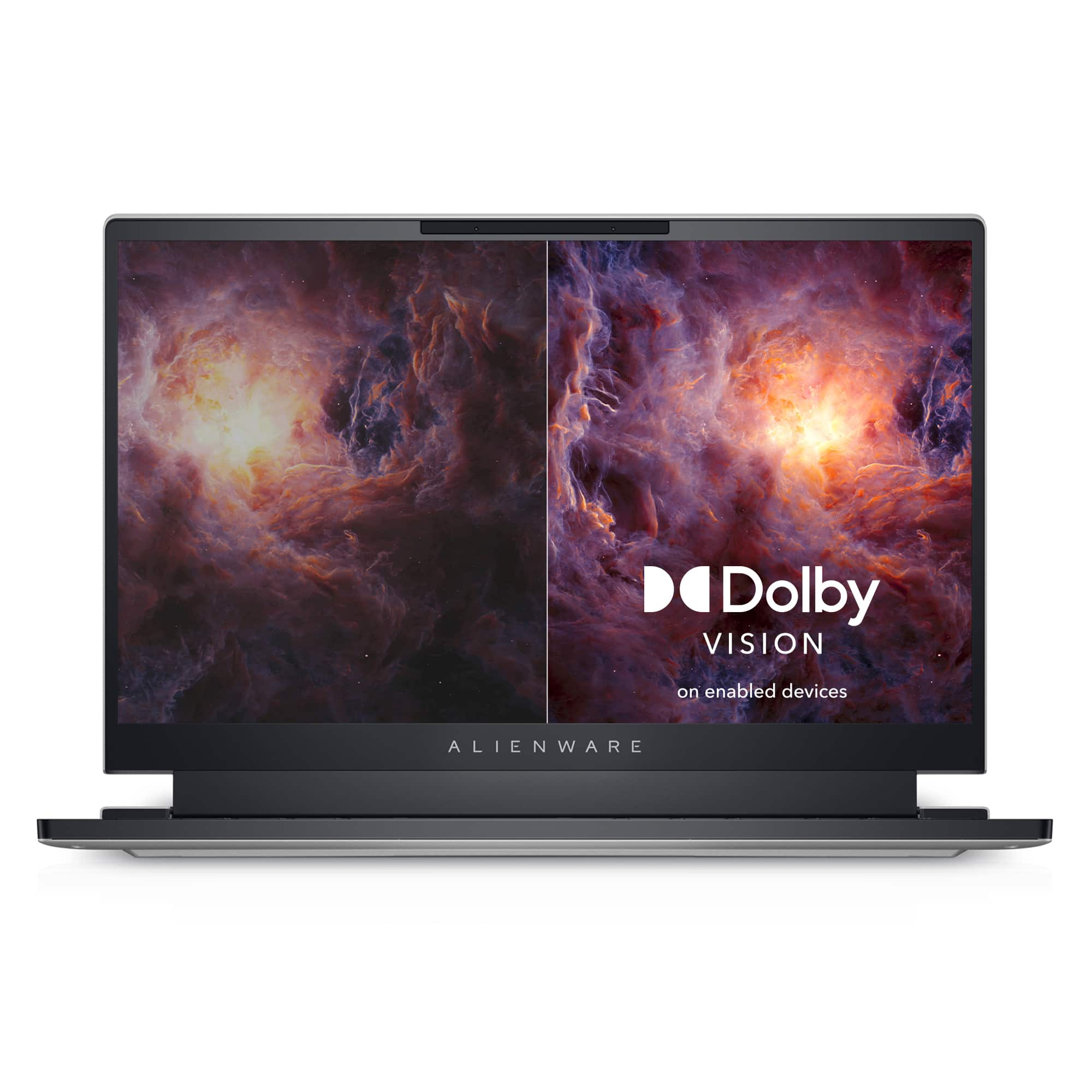
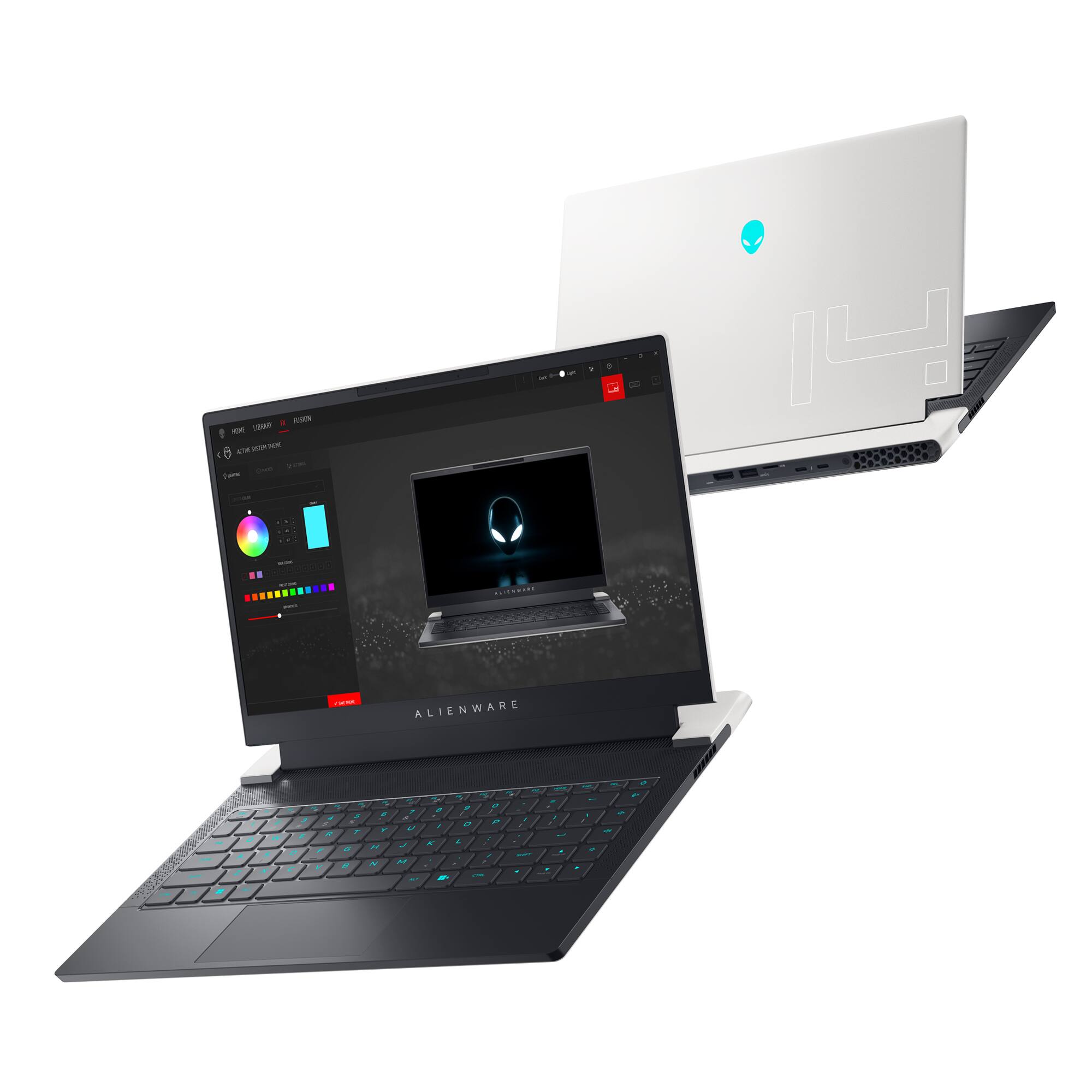
|Posted .This reviewer received promo considerations or sweepstakes entry for writing a review.Currently using this laptop as a gaming/office pc for when I'm traveling for work and still want to get some gaming in during my free time. Not only does the Alienware x14 R1 meet my needs, but I have to say that it actually exceeded my expectations as a gaming laptop. The build quality is impressive. It arrived all nice and snug in it's box, which was undamaged (big ups to FedEx). Machine has a nice weight to it. Not too heavy but not a feather weight like some of these PCs are now. Feels pretty durable. The screen quality is amazing. I've had HDTVs that haven't looked this good. The colors on this thing are beautiful making every background come to life. My only complaint about the screen is I wish it was bigger! If you're a fan of a light show, look no further. The Alienware x14 R1 has what you're looking for. The RGB on this thing is nice. Not only is the whole keyboard done, but it has the signature Alienware head on the back of the lid that lights up as well. Still playing with the settings to get a color scheme that I really like. The initial setup was straightforward and pretty typical to other machines I've setup. After all of the Alienware stuff completed, I started the painful task of getting Windows Update happy with itself. Just a lot of downloading, installing and restarting. Once that was done, I began loading software. As for an office computer, it's complete overkill: 16GB of RAM, 512GB SSD and the 12th Gen Intel Core i7 perfect for gaming or checking my Outlook calendar. The specs are far better than any PC I use while in the office. Then again, I just use those so I can remote to my servers and really get to work. Loaded it with a few things: MS Office, Adobe Acrobat Pro, iTunes(need my music) and a few other favorites and it's the best office laptop ever. Now for the gaming, I currently split my PC gaming between a Alienware M17 gaming laptop and my big rig is a HP Omen 880-xxx desktop with all the fixings. Both of which have served me well. So this is not my first rodeo when it comes to Alienware machines. Currently running FFXIV and I have to say, everything looks gorgeous. The game ran smoothly without any stuttering. Load times were lightening fast. Rendering was perfect. The NVIDIA GeForce RTX 3060 is more than capable of running my games at max settings and delivering gorgeous gameplay. It just didn't feel like I was playing on a 14 inch laptop. Connected my DS4 controller to give the game that familiar PlayStation feel and it operated beautifully. When I say, "I'd recommend this to a friend" I mean I actually let a friend (more like a brother) play on it for a few days (we both play FFXIV) and now he doesn't want to play on his laptop anymore. He noticed that much of a difference. As far as sound is concerned, nothing spectacular but not a disappointment either. The speakers on this laptop serve their purpose. While gaming and watching videos, primarily on YouTube, I was able to enjoy uninterrupted sound that, as far as my ears are concerned, was what I would expect from laptop speakers. Haven't had the chance to really test the battery life yet. The longest this thing has been unplugged is when it's shut down and not being used. I prefer running off the cord when possible and lately all times have been possible. One of the biggest questions about gaming laptops, the cooling. I can report that this machine does a good job at that. Temps on the CPU and GPU stayed around 80ish and the unit itself never felt like it was getting too warm. I usually use a laptop cooler, force of habit, even when I don't require it. I figure the more air moving around, the better. I will admit, I played the first few days without it and felt that I really didn't need it, so that was nice. Overall, I'm impressed with Alienware x14 R1. If you're looking for a gaming laptop and don't want to break the bank, Alienware has something for you.
I would recommend this to a friend “Open box condition”
||Posted . Owned for 2 months when reviewed.This reviewer received promo considerations or sweepstakes entry for writing a review.I’m very disappointed. Best Buy had labeled this laptop in “Open box” condition, but when I open it back up, there is part that is damaged
No, I would not recommend this to a friend- Pros mentioned:Build quality, Size
Beautiful, fast and compact,loaded with features
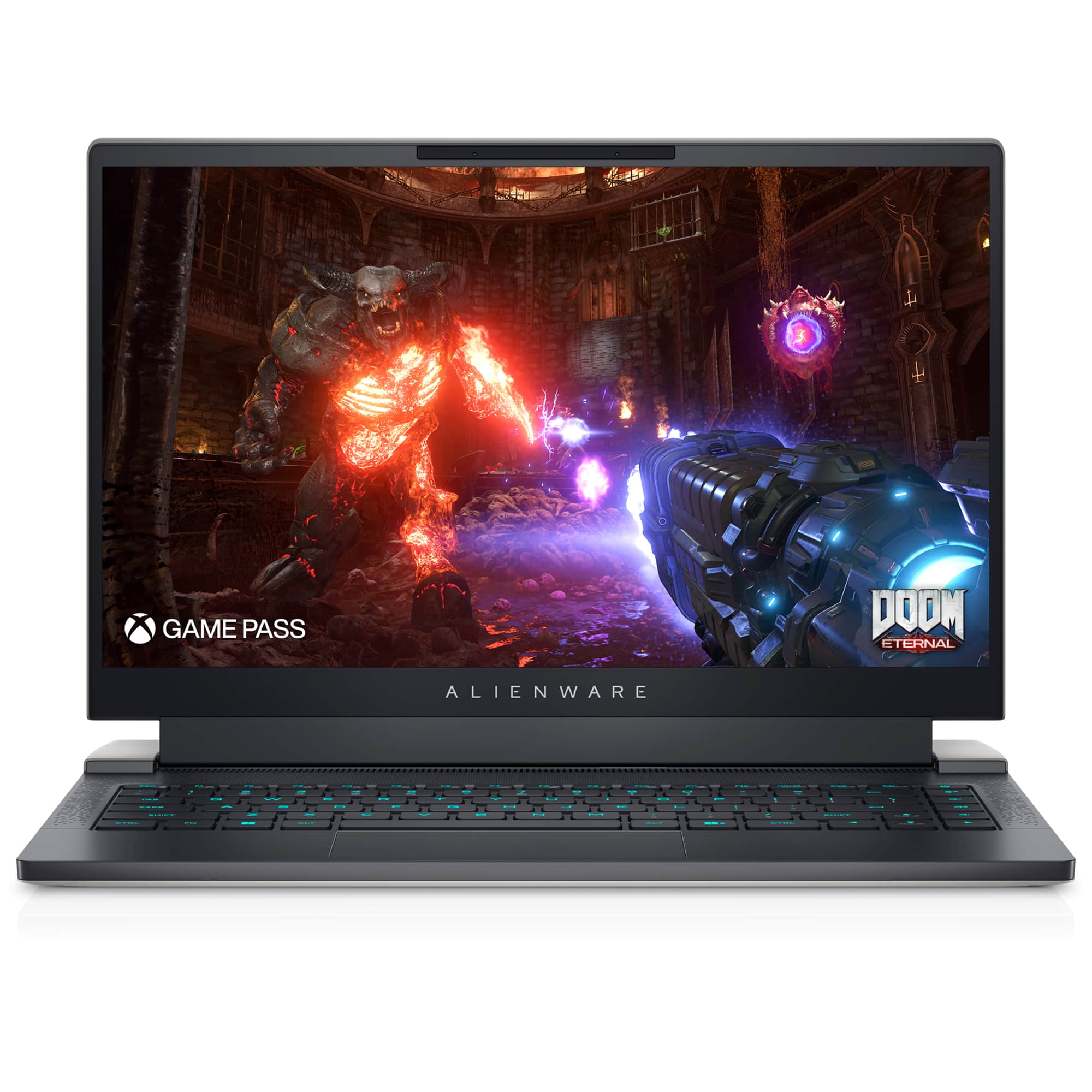
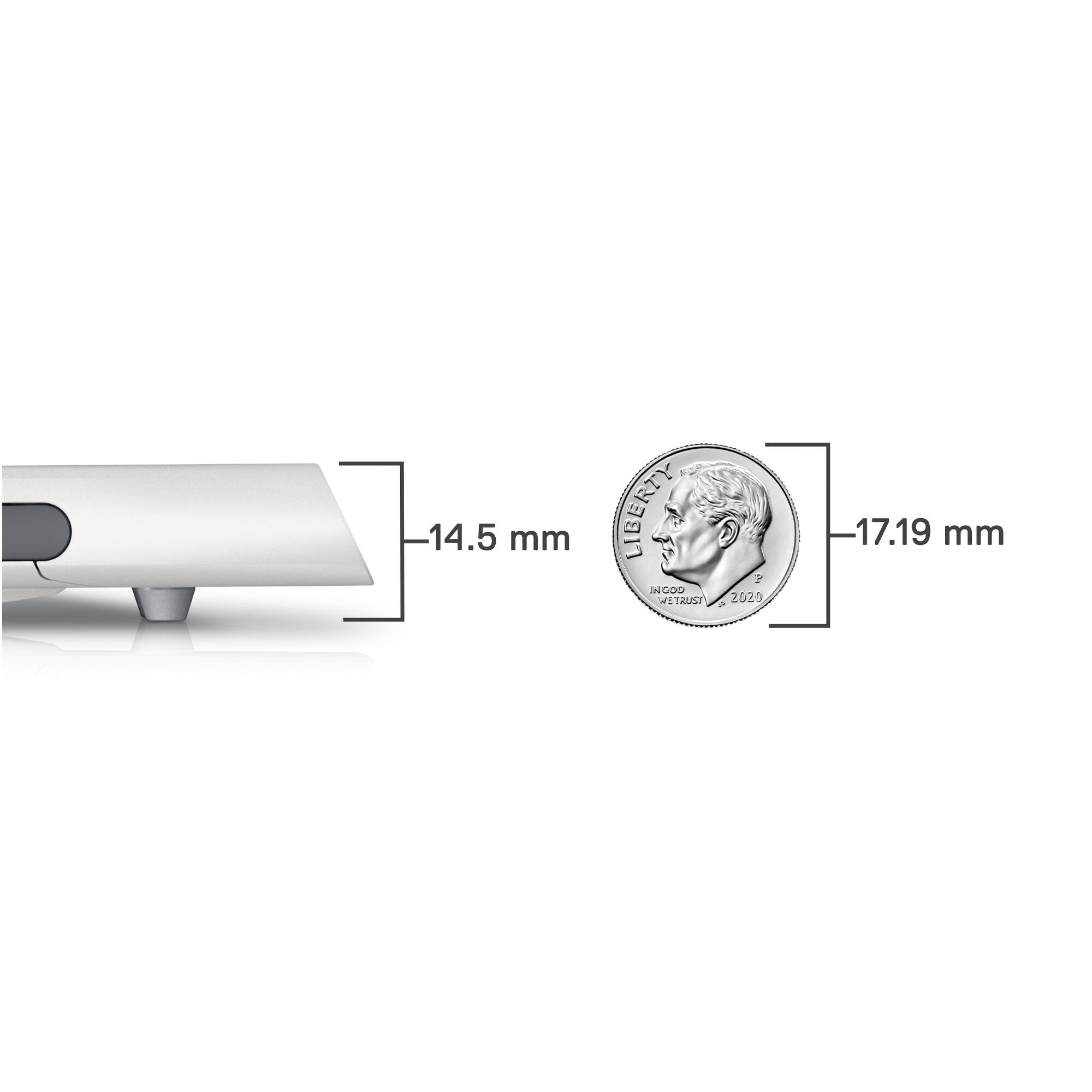
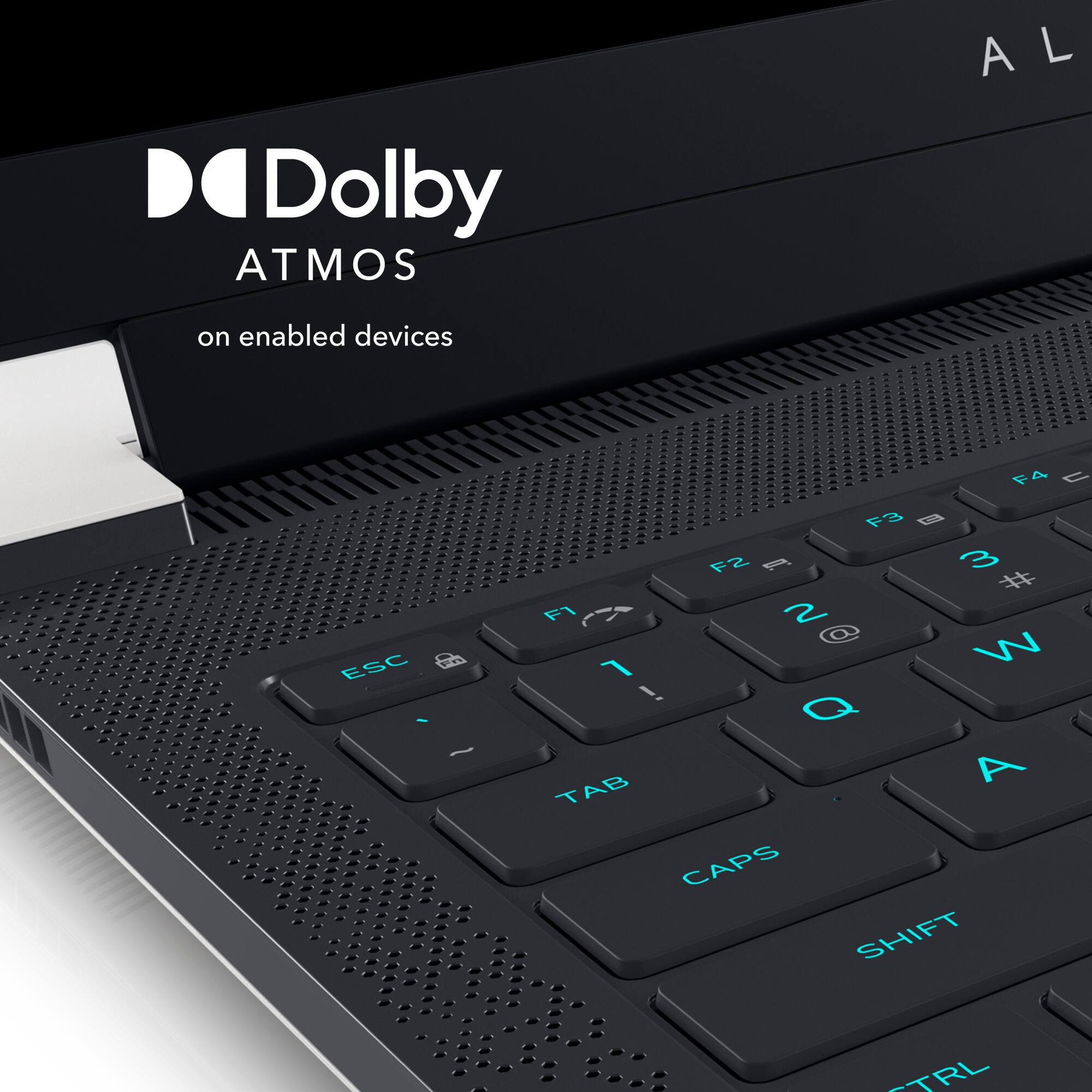
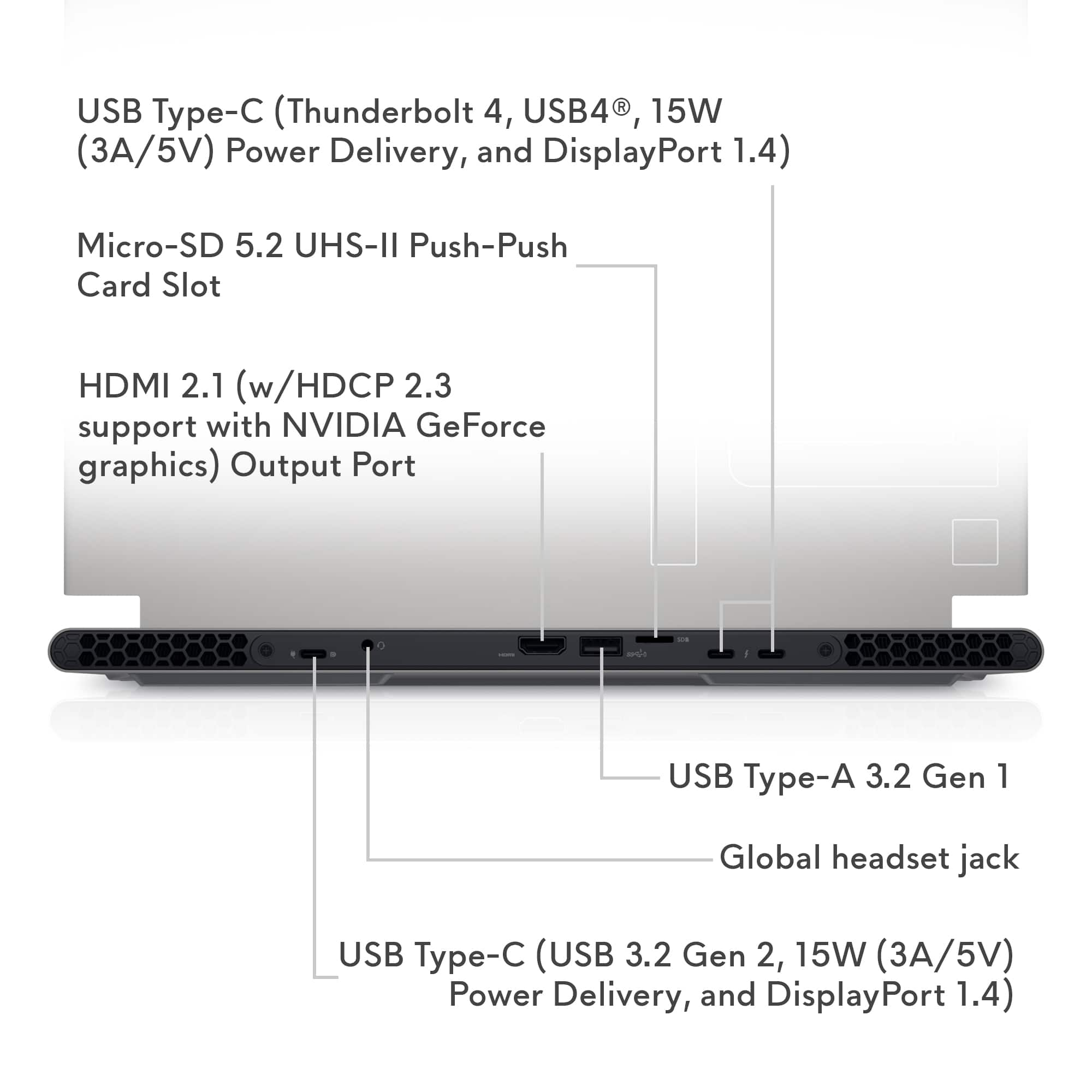
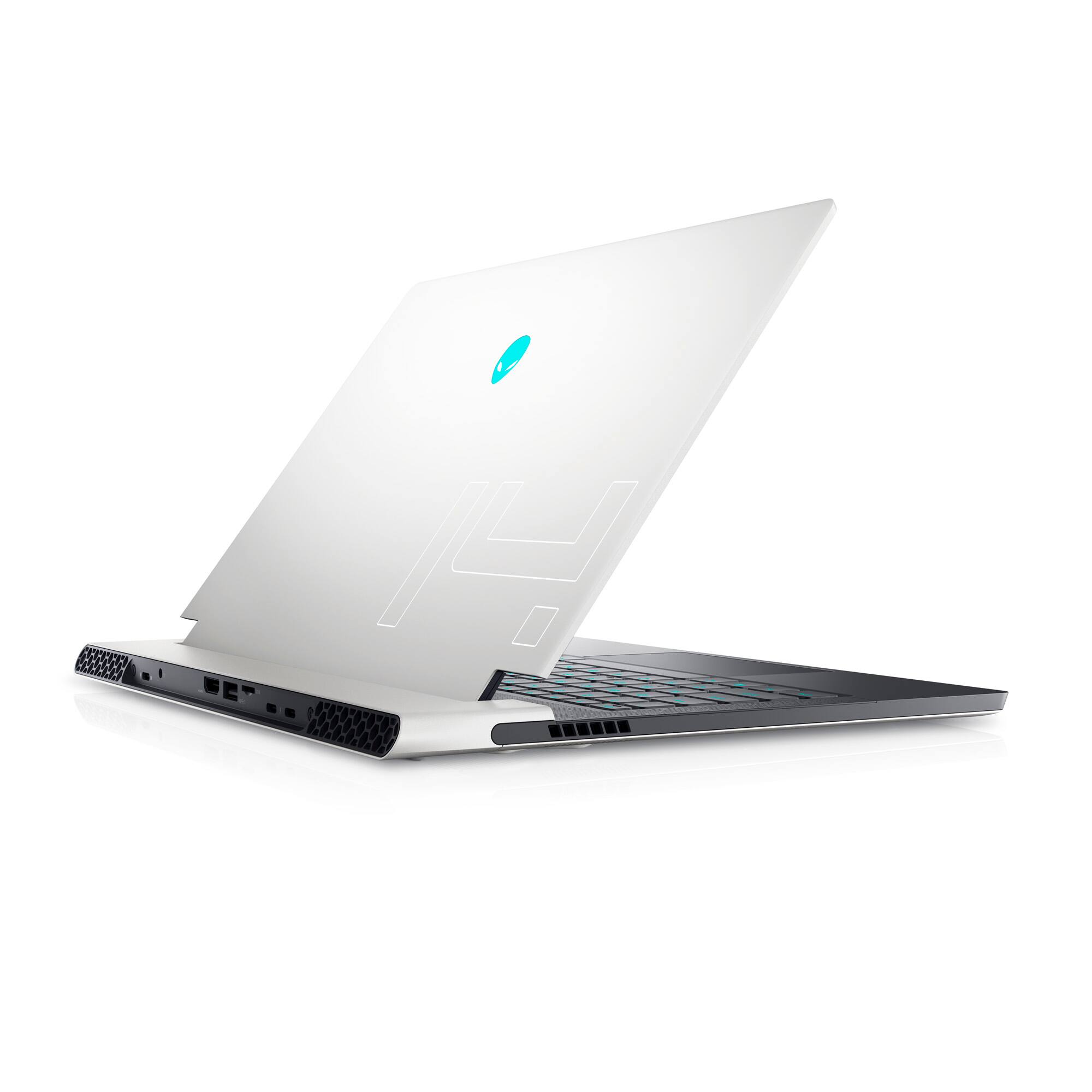
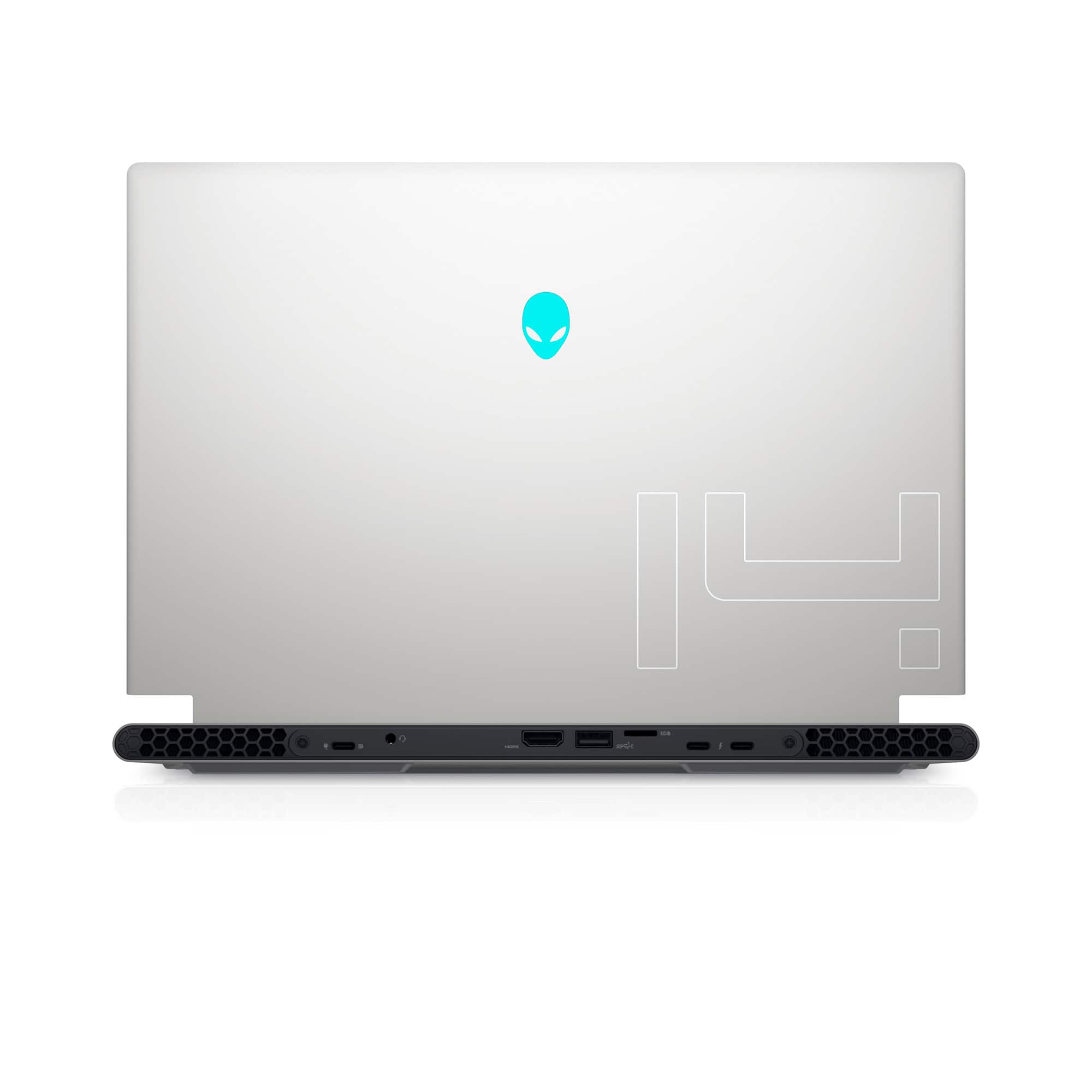
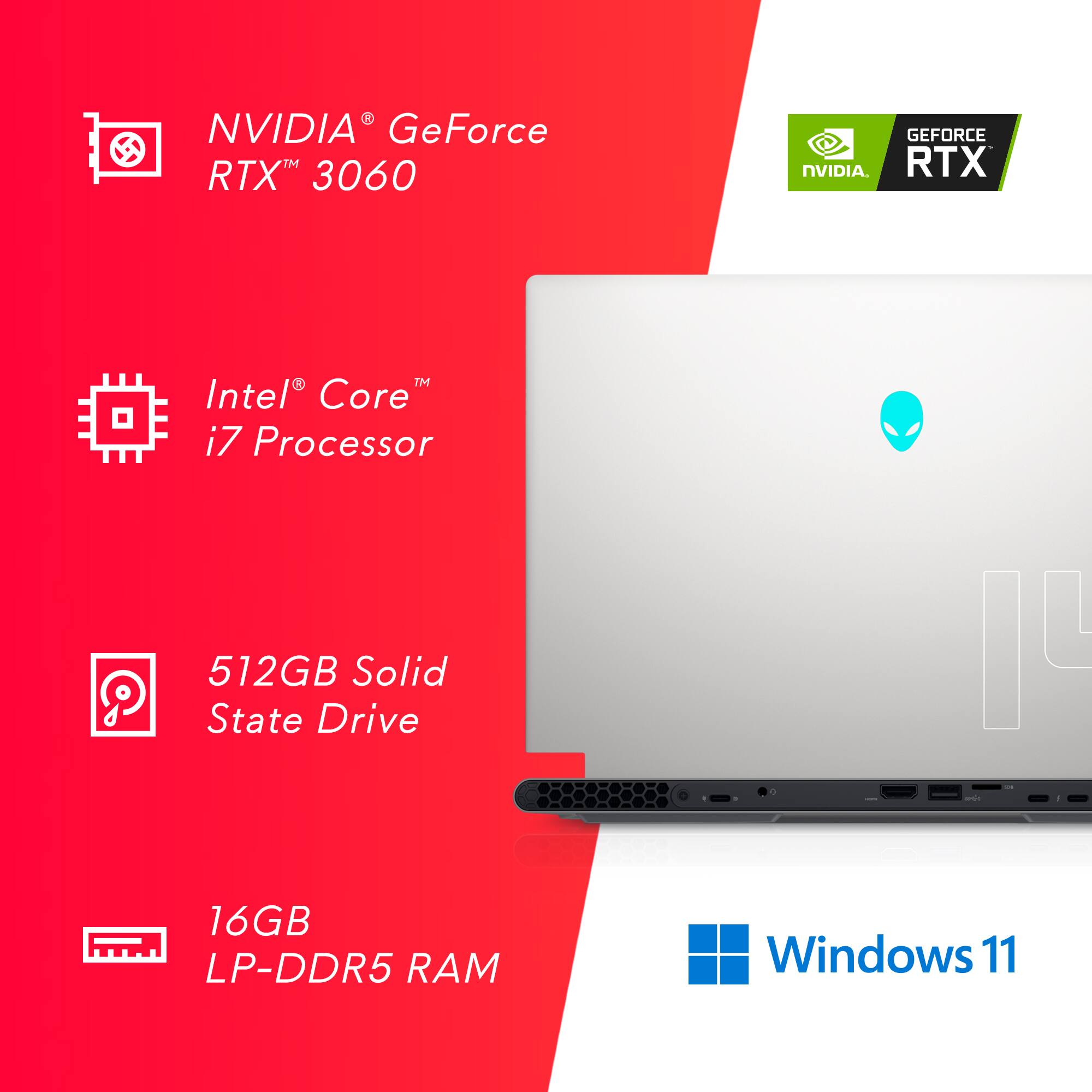
|Posted .This reviewer received promo considerations or sweepstakes entry for writing a review.Dell - Alienware x14 R1 14.0" 144Hz FHD Gaming Laptop - Intel Core i7 - 16GB Memory - NVIDIA GeForce RTX 3060 - 512GB SSD - Lunar Light I had the Alienware m15 R4 Gaming laptop, and, boy, was it sweet. However, I like the x14 R1 even better! The Alienware x14 R1 Gaming Laptop is sculpted in metal and is only 0.57” in height (14.5 mm) and weighs 4 lbs. You may think that’s hefty, but NOT for a true gaming laptop – Alienware has mostly metal construction with high-end components used throughout, so it’s going to weigh more than your plastic encased office laptop. It offers a small footprint, so it’s made for desktop use or carrying around with you whether you game and/or run CAD programs, video/photo editing etc. It feels solid and its construction and finish are first rate. The track-pad is smooth as glass and precise. The keyboard is easy and quiet when typing and is backlit offering different intensities and RGB colors. There’s plenty of space between keys as well. Air for cooling is pulled through the bottom grill at the back and vented out the back panel on either side. It runs very quietly but picks up more sound when running full tilt while gaming. However, even then, it isn’t as loud as some I’ve heard and didn’t bother me a bit when gaming. Dolby Atmos Surround Sound is standard and sounds clear and loud. There are no ports on the sides. All of them are on the back panel and include one HDMI 2.1 output, one USB-A 3.2 port, one USB-C 3.2 port that is a power port and DP combined, two USB-C Thunderbolt 4 ports, audio port, and microSD card reader port. The power supply is 130 watts with a USB-C plug. You may charge the x14 through any of the USB-C ports. Memory (RAM) is 16GB (GDDR 5) and there is an additional 6GB (GDDR 6) on the NVIDIA GeForce RTX 3060 GPU. The screen is 14” 1920 x1080 (Full HD) at 144Hz and is sharp and clear with excellent color. Of course, you have the webcam and mics with Windows Hello as well. I gamed on it for a while and didn’t mind the 14” screen. I downloaded 7 Days to Die Alpha 20.5 and started a new game. I had my 27” Samsung Odyssey Gaming Monitor running G-Sync through the HDMI port to compliment the x14’s 12th generation Intel I-7 and RTX 3060 GPU. After game installation, it ran flawlessly…except it was only running at 30 FPS, and I couldn’t figure out why. Then it dawned on me that I was running on battery power alone! I plugged in the power cable and instantly the FPS jumped and ran between 60 FPS and 110 FPS with all the game setting on the Ultra setting. It handled the game like butter – smooth and fluid, and I played for hours with increasing character and zombie difficulty. Even in the thickest horde battles, there were no hesitations or slowdowns (for those of you familiar with the game I was running a mod that allowed for random hordes rather than just those showing up on horde night – random horde numbers went up to 30 or more zombies at once descending on me while out somewhere looking for loot). The bottom of the laptop case has 6 screws holding it in place and allows you to swap out the 512 GB PCIe SSD should you want one larger. All-in-all, this is one beautiful, compact work of art. It runs like a whippet being chased by a clown with a bloody knife! Love this thing. You will, too, if you try it out.
I would recommend this to a friend Doesnt work
||Posted . Owned for 1 week when reviewed.This reviewer received promo considerations or sweepstakes entry for writing a review.Will be returning audio jack doesnt work, doesnt connect to 5g wifi, also came hardware banned since it was an open box
No, I would not recommend this to a friendDon’t buy open box
||Posted . Owned for 3 weeks when reviewed.This reviewer received promo considerations or sweepstakes entry for writing a review.Horrible open box experience. Keyboard doesn’t work
No, I would not recommend this to a friend- Pros mentioned:Build quality, Size
Nice and fast portable gaming laptop
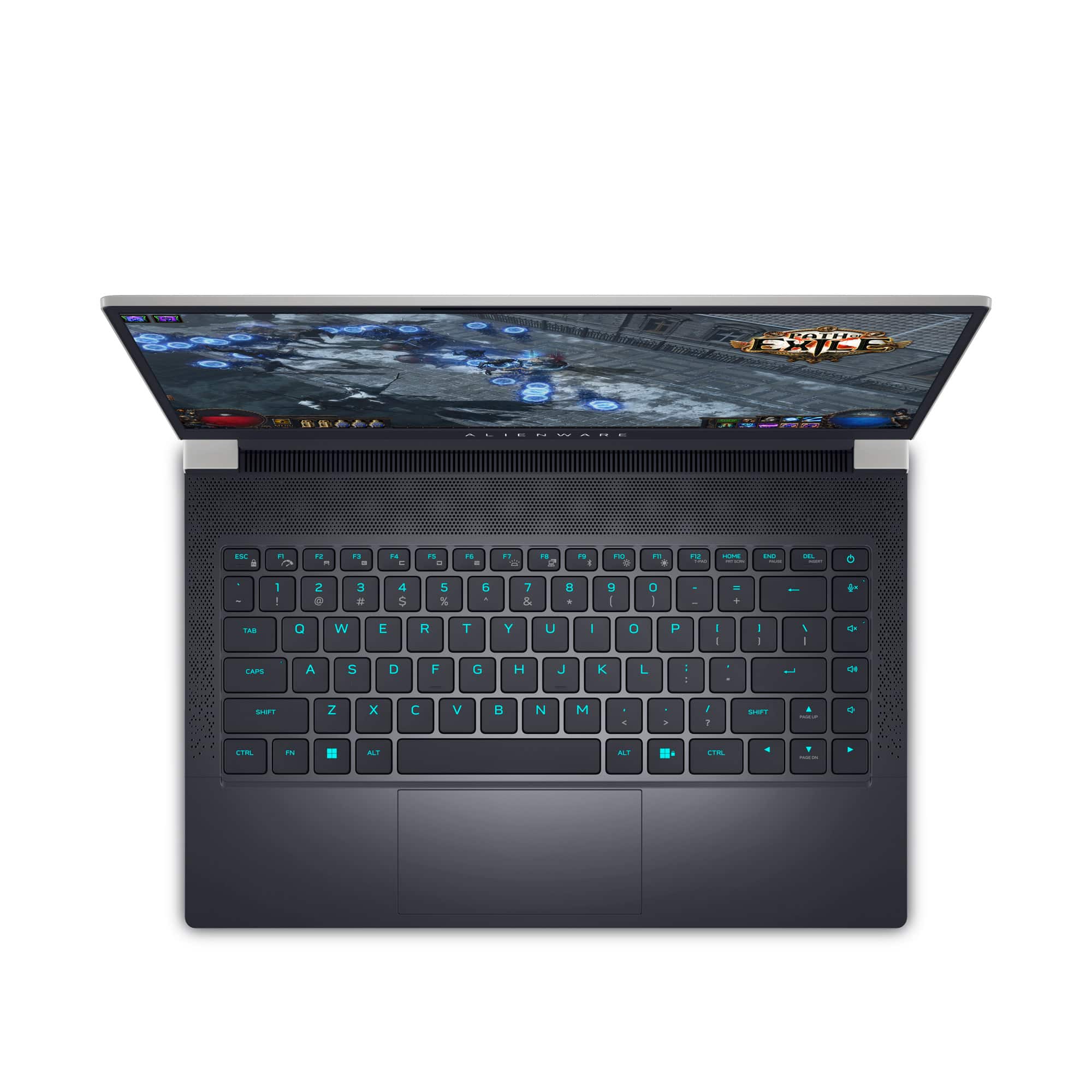
|Posted .This reviewer received promo considerations or sweepstakes entry for writing a review.The Dell Alienware x14 gaming laptop is an extremely portable gaming computer. When I received this laptop, I was really looking for something that I could use as a work laptop and use in the evenings as a light gaming computer. I wanted something that had a decent battery life and was light enough and small enough to place in a portfolio to take to meetings. The Dell x14 really does a good job filling all of the requirements that I had. The 14 inch screen is plenty large enough to do work and play games on. The colors are bright and the 144 hz refresh rate is very nice. I believe this screen is a 1080P screen, but at 14 inches and all of the other pluses, you would really never notice it wasn't HD. As far as overall size. The one thing you will notice is that this computer is a bit deeper from front edge to rear edge. This is due to having all of the connections in the rear of the computer and the way the screen is hinged to the body. What Dell has done is really interesting and I like it a lot, but if you have a shallow case you would like to use, you may want to take a look at how deep this unit is. The only other thing I see with the size of this computer overall is that the front of the laptop where your wrists rest as you type is narrow. Some people may need to place a rest in front of the laptop. I have not had any real issues with this, but I can tell it is much narrower than my other laptops. The keys have a very good feel and for the most part are standard size with the exception of the function keys on the top row which are, I guess, half keys. As far as performance, I am not a heavy gamer, but I do like to play various types of games and the 12th gen CPU along with the Nvidia 3060 GPU seem to be able to handle about any current game with acceptable frame rates. The Intel CPU seems to be the star, however, making everyday computing tasks seem like child's play. Even video rendering is fast and smoot on this laptop. Battery life is good. 4 hours or better with work related tasks, much less with heavy gaming, but better than other laptops I use for the same purpose. One nice thing with this unit is that it charges via USB C, so you can top off the battery using other commonly available charging units besides just the brick included with the laptop. There are ample ports available which are all located in the back of the machine. Ports include USB C, USB A, HDMI, Thunderbolt 4 and micro SD card reader. There are more than 1 of some of these ports. If you are in the market for a workhorse that can double as a work laptop during the day and a very capable gaming unit in the evening, easy to transport with good battery performance, then the alienware x14 may just be what you have been looking for. I think it would be worth your time to add it to your list of laptops to consider.
I would recommend this to a friend Loud, good CPU, lacking GPU.
||Posted . Owned for 2 weeks when reviewed.This reviewer received promo considerations or sweepstakes entry for writing a review.Calling this a gaming lapgop and stamping Aloenware on it does s disservice to potential consumers attempting to use this device. This device is far underpowered for the amount of noise tou get. This not even mentioning how terible the battery is. If you really want an on the go device fhat can game, best wait for Zen3 apus
No, I would not recommend this to a friendBrand response from YourDellTeam
Posted .Hey There Robert,
We want to thank you for taking the time to leave us a review of your Alienware x14 Gaming Laptop. We are sorry to hear that you are experiencing an issue with system noise and your battery life not meeting your expectations. That is not the type of feedback we like to hear from our customers. We have noted the details of your statements and will use them to help improve current and future products. Below I have provided steps to troubleshoot your fan noise and also a link for improving your battery performance.
Here are the steps to help resolve your fan noise issue:
1. Check and clean air vents.
2. Provide proper ventilation.
3. Run a hardware diagnostic test.
4. Update the BIOS and device drivers.
5. Download and install Microsoft Windows Updates.
6. Run optimize my computer using Dell Support Assist.
7. Limit startup programs.
8. Scan your computer for malware.
How to Troubleshoot Fan Issues: https://dell.to/33NYLLE
How to Improve the Performance of a Dell Laptop Battery: http://dell.to/2vfXWf4
Should you need further assistance; we recommend that you contact Dell directly with the information below.
Chat or call: https://bit.ly/DellSupportTeam
Phone number to Dell: 1-800-624-9896.
Best Regards,
Summer@Dell
- Pros mentioned:PerformanceCons mentioned:Ssd
Alienware gaming laptop is quality as expected
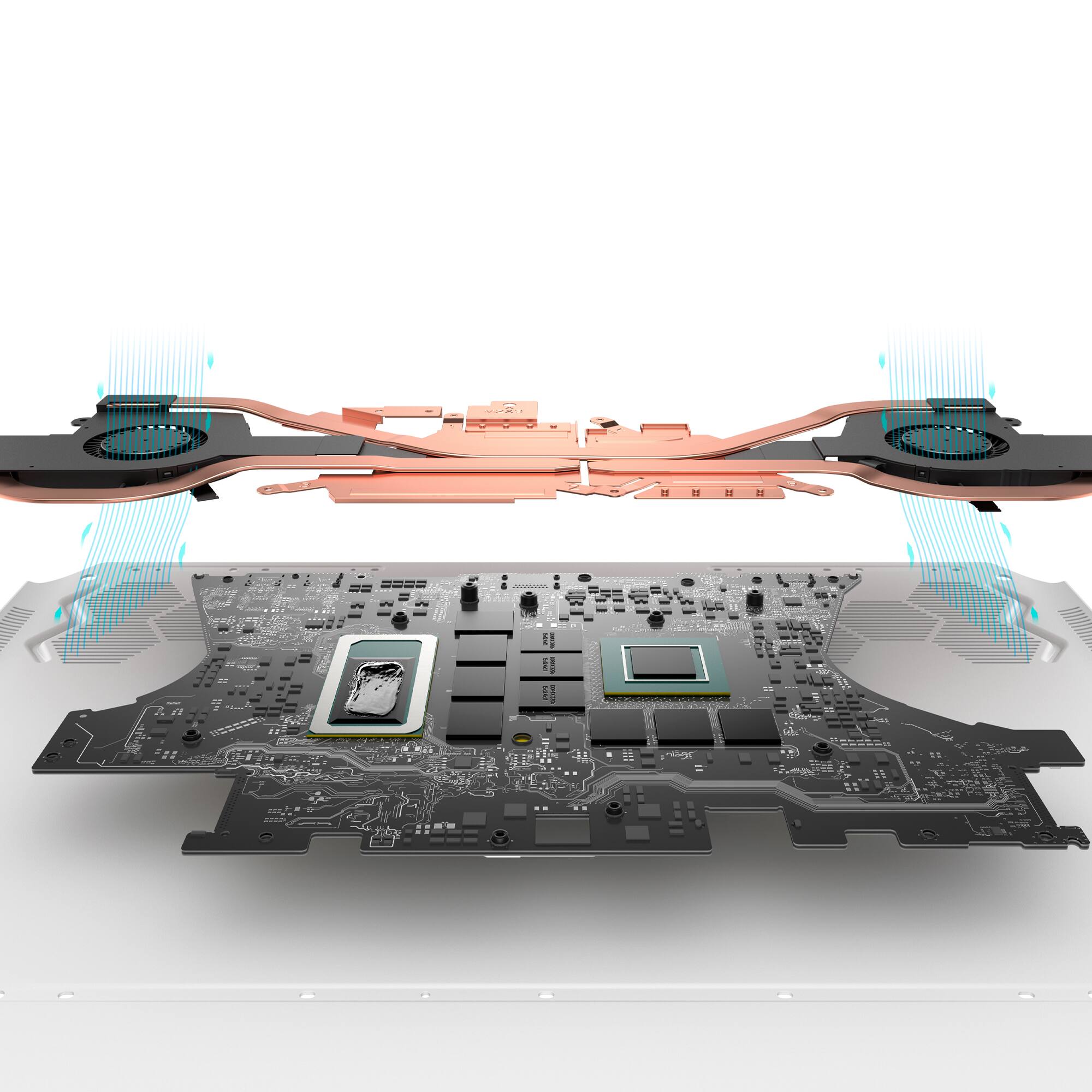
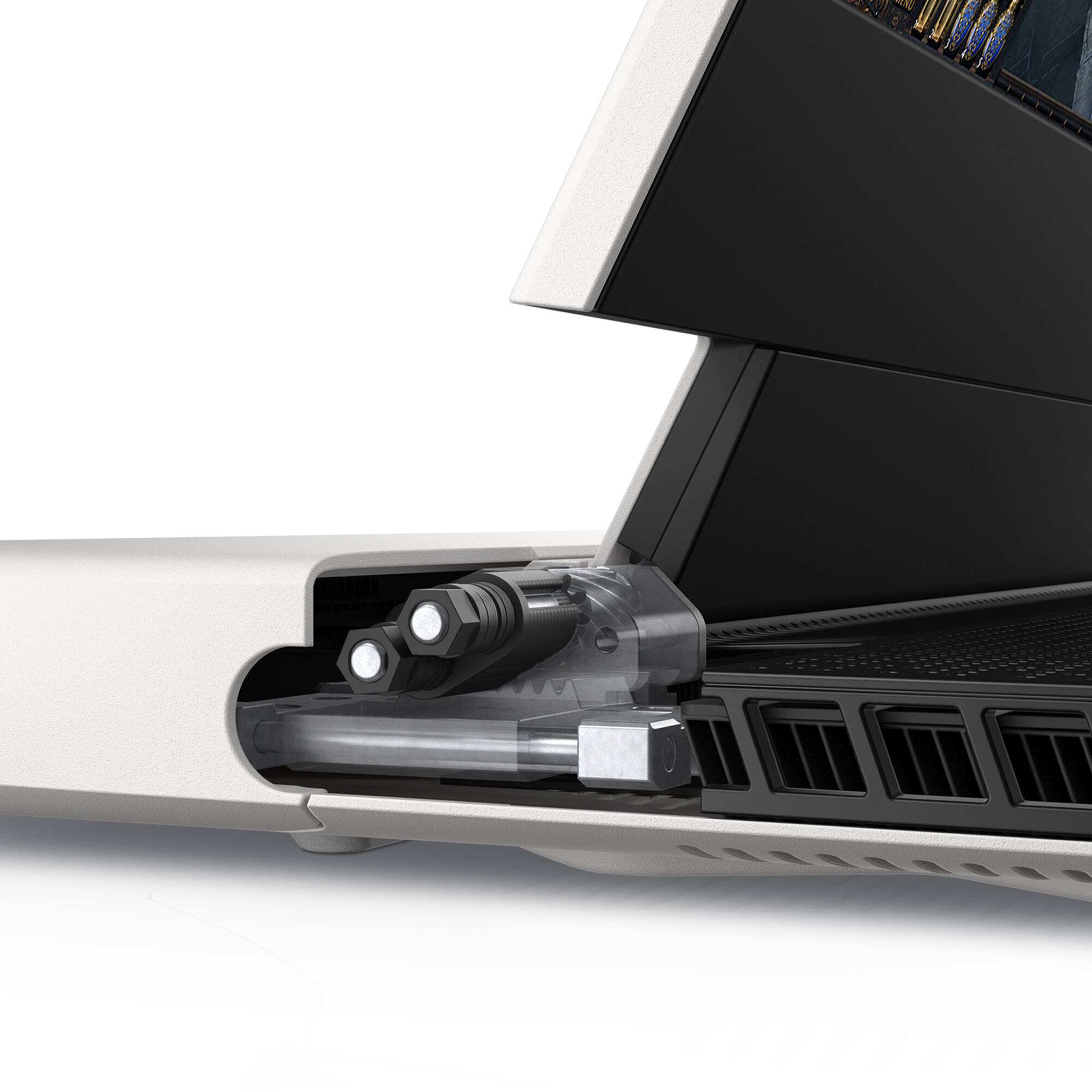
|Posted .This reviewer received promo considerations or sweepstakes entry for writing a review.Quality: The laptop is uniquely designed with the kind of aesthetics you would expect from Dell and Alienware. The rgb customization options are a nice feature, and the design decision to have most airflow move from the back hinge is a great design choice. The hinge also has all of the peripheral connections making them easy to organize and setup for connecting to a desk monitor or TV setup. The airflow system is very efficient, but as with anything using higher end hardware, it is not silent. Performance: I tested several different games that have released in the past few years specifically looking for performance around resolution and ray tracing. This laptop performs about as well as an average priced built desktop PC. I was unable to get stable high framerates in games with ray tracing enabled above 1080p. With Ray tracing disabled this laptop will run 1440p games well and even some 4k games at stable frame rates Hardware: The processor and GPU combo make this a great mid-range gaming PC. The only negative I’d say is the screen is only 1080p but has a high refresh rate. The speaker setup is much better compared to most integrated speakers I have heard. You may want to look at upgrading the storage as the 512 GB nvme will fill up quickly as you start installing games. Overall: If you don’t mind shelling out the extra cash for the brand name and want a solid 1080p gaming laptop, this is an excellent choice. I’d recommend using an external monitor with it.
I would recommend this to a friend First Alienware Experience
||Posted . Owned for 1 week when reviewed.This reviewer received promo considerations or sweepstakes entry for writing a review.I am having problems about the gpu, updated it but still the screen randomly goes white every now and then. This has been the case ever since I received it. Overall, this is a good laptop but there are some issues that I do not like such as, but not limited to, keystrokes, driver errors, and noise.
No, I would not recommend this to a friendBrand response from YourDellTeam
Posted .Greetings kibouu77,
Thank you for taking the time to leave us a review of your Alienware x14 Gaming laptop. We are sorry to hear that you are experiencing an issue with your screen and fan noise. That is not the type of product Dell intends to deliver. Below I have provided steps to help with fan noise and a troubleshooting link to help resolve your issue.
1. Restart your Dell PC.
2. When the Dell logo appears, press F12 key to enter One-time Boot Menu.
3. Use the arrow keys to select Diagnostics and press Enter key on the keyboard.
4. Follow the on-screen prompts and respond appropriately to complete the diagnostics.
5. If the test fails, ensure to write down the error code and validation code.
If your issue with fan noise continues this article can be used to further assist: http://dell.to/38XbfCV
Screen Troubleshooting Link: https://dell.to/3YL359E
Should you need further assistance; we recommend that you contact Dell directly with the information below.
Chat or call: https://bit.ly/DellSupportTeam
Phone number to Dell: 1-800-624-9896.
Regards,
Summer@Dell
- Pros mentioned:PerformanceCons mentioned:Battery life, Ssd
Mostly reliable, Alienware software sucks
Posted .This reviewer received promo considerations or sweepstakes entry for writing a review.Decent but have had many issues with the alienware command center (fans not working, performance mode isssues, etc). Used for school and games, and battery life is down to about 30 minutes after 2 years. Performance/processing speed is usually good, but can be glitchy. Maxed out on 500gb, 1tb is probably worth it.
No, I would not recommend this to a friend Buy it if you want headaches
||Posted . Owned for 1 month when reviewed.This reviewer received promo considerations or sweepstakes entry for writing a review.Buyer beware. Worst Alienware machine ever. Worst service ever. I’ve had nothing but problems since I’ve got this thing from the beginning with the video card fan dying and still not being repaired cause Alienware stood me up an entire day with their “premium service”. Absolutely nuts. I pay more for the same specs on these Alienware machines cause they’re supposed to be the best. They’ve turned me into a razer aficionado at this point. Skip this machine I guarantee you there are better options worth less headaches.
No, I would not recommend this to a friendBrand response from YourDellTeam
Posted .Greetings Chungstyle,
Thank you for taking the time to leave a review of your Alienware x14 Gaming Laptop. We are sorry to hear that you did not receive the support from our team that you were expecting. That is not the type of feedback we like to hear from our customers. We have noted the details of your statement and will use them to improve current and future products. If you need further assistance we recommend reaching out to our support team with the chat link or toll-free number below.
Should you need further assistance; we recommend that you contact Dell directly with the information below.
Chat or call: https://bit.ly/DellSupportTeam
Phone number to Dell: 1-800-624-9896.
Best Regards,
Summer@Dell
Build Quality
||Posted . Owned for 2 weeks when reviewed.This reviewer received promo considerations or sweepstakes entry for writing a review.Bought this computer only to find that when I returned home and opened the box the screen was not properly secured to the body and was coming off at the sides. I did some research only to find that it is a common problem when the makers and installing the screen. For the price, expected nothing but the best build quality. Traded it in for an ASUS and havent looked back.
No, I would not recommend this to a friendBrand response from YourDellTeam
Posted .Dear BTGS,
Thank you for your review and providing feedback on your Alienware X14 Gaming Laptop. We are sorry to hear that you were not completely satisfied with the build quality of your device and made the decision to return it. That is not the type of feedback we like to hear from our customers. We have noted the details of your statement and will use them to help improve our current and future products. In the meantime, if you need further assistance we recommend reaching out to our support team with the toll-free number or chat link below.
Should you need further assistance; we recommend that you contact Dell directly with the information below.
Chat or call: https://bit.ly/DellSupportTeam
Phone number to Dell: 1-800-624-9896.
Regards,
Summer@Dell
- Pros mentioned:Size
My New Go-To Gaming Laptop. Will Be Yours Too.
|Posted .This reviewer received promo considerations or sweepstakes entry for writing a review.Alienware has led the way with a premium gaming machine for years. If you didn’t have the time or electrical wherewithal to DIY, you could rely on Alienware having the best of the best tech. I was excited to try out the Alienware x14 R1… the form factor on Alienware x-series is a mix of futuristic angles and slick grids. It looks distinctly different and sturdy while also being lighter than most of the gaming laptops I’ve explored this year. It’s crazy thin. When the screen is open, the base is about as thick as an iPad or Kindle with the case on. The screen is easily adjustable and gives the feeling of stability. The bezels are thin enough. You can fully customize the exterior Alienware light and the keyboard lights as well with a full LED color spectrum, patterns, and programmable macros. The fan is actually quiet comparative to other gaming laptops - placement is optimal for not burning yourself and all the ports are on the back, making it ideal for keeping all your peripherals out of the way, but here’s the neat part: the power button can be programmed to alert you to statuses (like charging/charged/low battery/etc). I don’t like having gaming laptops disconnected from power, but I didn’t notice a huge diminishment in terms of output on my normal games when running on battery. The power management in this case seems really efficient. In terms of performance: complex rendering with intricate details like MechWarrior: Online or multiplayer action via Halo - no lag, crazy fast load times, and no extended-duration play lag (e.g. heat lag). My experience was just as good in hour two and three as it was in minute two and three with no big difference between fan noise. I was able to jump games quickly, load massive games quickly (compliments of the speedy SSD and the 16gb of memory), and record my screen with minimal fuss. Live-streaming to Twitch with OBS was no big deal; though I did max out the ports doing so (external camera - USB-C, external mic - USB-C, Xbox controller with USB-A cord). The built-in dolby audio is actually really good, though I don’t imagine you’d use it very often, you could, easily. The webcam is… 720p, so it’s sub-par in terms of what I need to stream, but ultimately not a dealbreaker. The nature of the fan with a gaming laptop typically means you can’t use the built-in microphone for almost anything, so while it does render decent audio, it’s another one of those “nice to have for when you have to use your Gaming laptop to jump into a zoom meeting” things. Every computer company has been leaning heavily into the gaming space, and rightfully so, but the results are often mixed and include a myriad of custom “gaming management” software that comes along with that. HP has the Omen software, Predator Alienware has their own suite, Acer has the Predator series… while you do want some insight onto how your machine is performing (and maybe some fine-tuning), these software suites are ultimately a distraction. Alienware’s software suite doesn’t have any of the bloat (just a simple update and support connector - you can install additional components as you wish to do the machine performance metrics). Most gamers on PCs will exist in one of two hubs: Steam and Xbox App, so the extra bloat isn’t helpful, toss Discord on there, maybe OBS for Twitch and you’re sorted. Alienware seems to get this and keeps those functions to a minimum- if you want them, you can install ‘em, but they aren’t forced on you by default along with a full-on social network. I have exactly ONE gripe about the laptop: rather than expand the delete/backspace/return and shift keys a bit and adding a second “specialty button” row at the top, Alienware made the curious decision to stick volume control buttons on the right-hand side. I accidentally muted myself (or the game) more than once, but that’s a trainable thing. All in all, I’m *really* pleased with the Alienware x14. Rather than a clunky, loud, hot, heavy, awkward gaming laptop, it’s elegant, light, thoughtful, and clean. It’s my new go-to gaming laptop.
I would recommend this to a friend Not the best decision
||Posted . Owned for 3 weeks when reviewed.This reviewer received promo considerations or sweepstakes entry for writing a review.Kept on turning off. Wouldn't load the windows correctly. Sounds wasn't good. Fan was too loud to hear when gaming. Needs to kept plugged in, doesn't have good battery life.
No, I would not recommend this to a friendBrand response from YourDellTeam
Posted .Hi Milo,
Thank you for taking the time to leave a review of your Alienware x14 Gaming Laptop. We are sorry to hear that you are experiencing an issue with fan noise and the performance of your battery. Below I have provided troubleshooting steps to help resolve the issue with your fan noise and a troubleshooting link to assist in helping the performance of your battery.
Here are the steps to help resolve your fan noise issue:
1. Check and clean air vents.
2. Provide proper ventilation.
3. Run a hardware diagnostic test.
4. Update the BIOS and device drivers.
5. Download and install Microsoft Windows Updates.
6. Run optimize my computer using Dell Support Assist.
7. Limit startup programs.
8. Scan your computer for malware.
How to Troubleshoot Fan Issues: https://dell.to/33NYLLE
How to Improve the Performance of a Dell Laptop Battery: http://dell.to/2vfXWf4
How to Improve the Performance of a Dell Laptop Battery: http://dell.to/2vfXWf4
Should you need further assistance; we recommend that you contact Dell directly with the information below.
Chat or call: https://bit.ly/DellSupportTeam
Phone number to Dell: 1-800-624-9896.
Best,
Summer@Dell
- Pros mentioned:Performance, PortabilityCons mentioned:Fan noise
very good
Posted .This reviewer received promo considerations or sweepstakes entry for writing a review.awesome portability, decent battery life, great performance, the fan is quite loud, but can be covered by wearing headphones
I would recommend this to a friend Sleek design but the windows interface is horrible
||Posted . Owned for 1 week when reviewed.This reviewer received promo considerations or sweepstakes entry for writing a review.I bought this laptop and returned it within a week. The microsoft interface was filled with ads. I consider myself somewhat tech savy but this interface was not user friendly. Think i will try my luck with apple after this experience.
No, I would not recommend this to a friendBrand response from YourDellTeam
Posted .Hey There Jay19,
We appreciate you taking the time to leave a review of your Alienware X14 R1 Gaming Laptop. We are sorry to hear that you did not find your device user friendly and made the decision to return it. That is not the type of product Dell intends to deliver or the type of feedback we like to hear from our customers. We have noted the details of your statement and will use them to improve current and future products.
Should you need further assistance; we recommend that you contact Dell directly with the information below.
Chat or call: https://bit.ly/DellSupportTeam
Phone number to Dell: 1-800-624-9896.
Regards,
Summer@Dell
buyatrisk
||Posted .This reviewer received promo considerations or sweepstakes entry for writing a review.very poor. I recived a laptop with many issues.. Dell warranty replaced the motherboard, then messed it up. Replaced the motherboard again, still same issues. issues: Blue screen, System crashes, lag etc. nvida container errors.
No, I would not recommend this to a friendBrand response from YourDellTeam
Posted .Hello There buyatrisk,
Thank you for taking the time to leave us your review. We're sorry to hear that you experienced issues with your Alienware x14 R1 Gaming Laptop. This is certainly not the experience we like to hear from our customers. We would like to help resolve this issue after obtaining a little more information. Please take a moment to call or chat with a Dell Support Representative at your earliest convenience so that they can help you with your concerns: https://bit.ly/DellSupportTeam.
Best,
Danielle@Dell