Customer Ratings & Reviews


- Model:
- B08MQZXN1X
- |
- SKU:
- 6479724
Customer reviews
Rating 4.8 out of 5 stars with 5713 reviews
(5,713 customer reviews)Rating by feature
- Value4.8
Rating 4.8 out of 5 stars
- Quality4.8
Rating 4.8 out of 5 stars
- Ease of Use4.8
Rating 4.8 out of 5 stars
Customers are saying
Customers are delighted by the Fire TV Stick 4K Max's ease of use, excellent picture quality, and fast performance. Many appreciate its affordable price and seamless streaming capabilities, along with the improved remote control. While some users mention storage limitations and occasional battery drain issues with the remote, the positive feedback on performance and ease of use outweighs these concerns.
This summary was generated by AI based on customer reviews.
Rated 5 out of 5 stars
Amazon Firestick
||Posted . Owned for less than 1 week when reviewed.This reviewer received promo considerations or sweepstakes entry for writing a review.Great product, comes in handy when you want to watch more than one application.
I would recommend this to a friendRated 5 out of 5 stars
FireStick
||Posted . Owned for 3 weeks when reviewed.This reviewer received promo considerations or sweepstakes entry for writing a review.Works Great!! Everyone should buy one I’m suggesting all my friends to get one.
I would recommend this to a friendRated 5 out of 5 stars
The Amazon - Fire stick remote
||Posted . Owned for 1 month when reviewed.This reviewer received promo considerations or sweepstakes entry for writing a review.I’m loving how the Amazon - Fire TV stick Remote and it works well for me
I would recommend this to a friendRated 5 out of 5 stars
Great, Watching FIFA at 4K UHD
||Posted . Owned for 2 weeks when reviewed.This reviewer received promo considerations or sweepstakes entry for writing a review.Its 4k video support so i am watch all movie everytime at 4K Max
I would recommend this to a friendRated 5 out of 5 stars
Highly preferred !!!!!!!!!!!!!!!!!!!!!!!!!!!!!!!!!
||Posted . Owned for 3 weeks when reviewed.This reviewer received promo considerations or sweepstakes entry for writing a review.Highly preferred !!!!!!!!!!!!!!!!!!!!!!!!!!!!!!!!!!!!!!!!!
I would recommend this to a friendRated 5 out of 5 stars
Firestick magnificent
||Posted . Owned for 3 weeks when reviewed.This reviewer received promo considerations or sweepstakes entry for writing a review.Responds Quickly. Locates what you tell it to look for!
I would recommend this to a friendRated 4 out of 5 stars
Firestick
||Posted . Owned for 2 months when reviewed.This reviewer received promo considerations or sweepstakes entry for writing a review.Free stuff with a fire stick what else is it for. Best buy proce matched the sale price too
I would recommend this to a friend- Pros mentioned:Ease of use, Performance, Picture quality
Rated 5 out of 5 stars
Great buy!
||Posted . Owned for 1 month when reviewed.This reviewer received promo considerations or sweepstakes entry for writing a review.This fire stick is fast, durable, and delivers! Clear pictures, smooth performance, and great convenienece make it suitable for any buyer. Though it is affordable, you benefit even more when you can get it on sale. It's a win-win. For best performance, ensure your internet speed is up to par to handle multiple devices if this is your main source of streaming or television viewing on the tvs in your home.
I would recommend this to a friend - Pros mentioned:Ease of use, Price
Rated 5 out of 5 stars
Great alternative to expensive cable
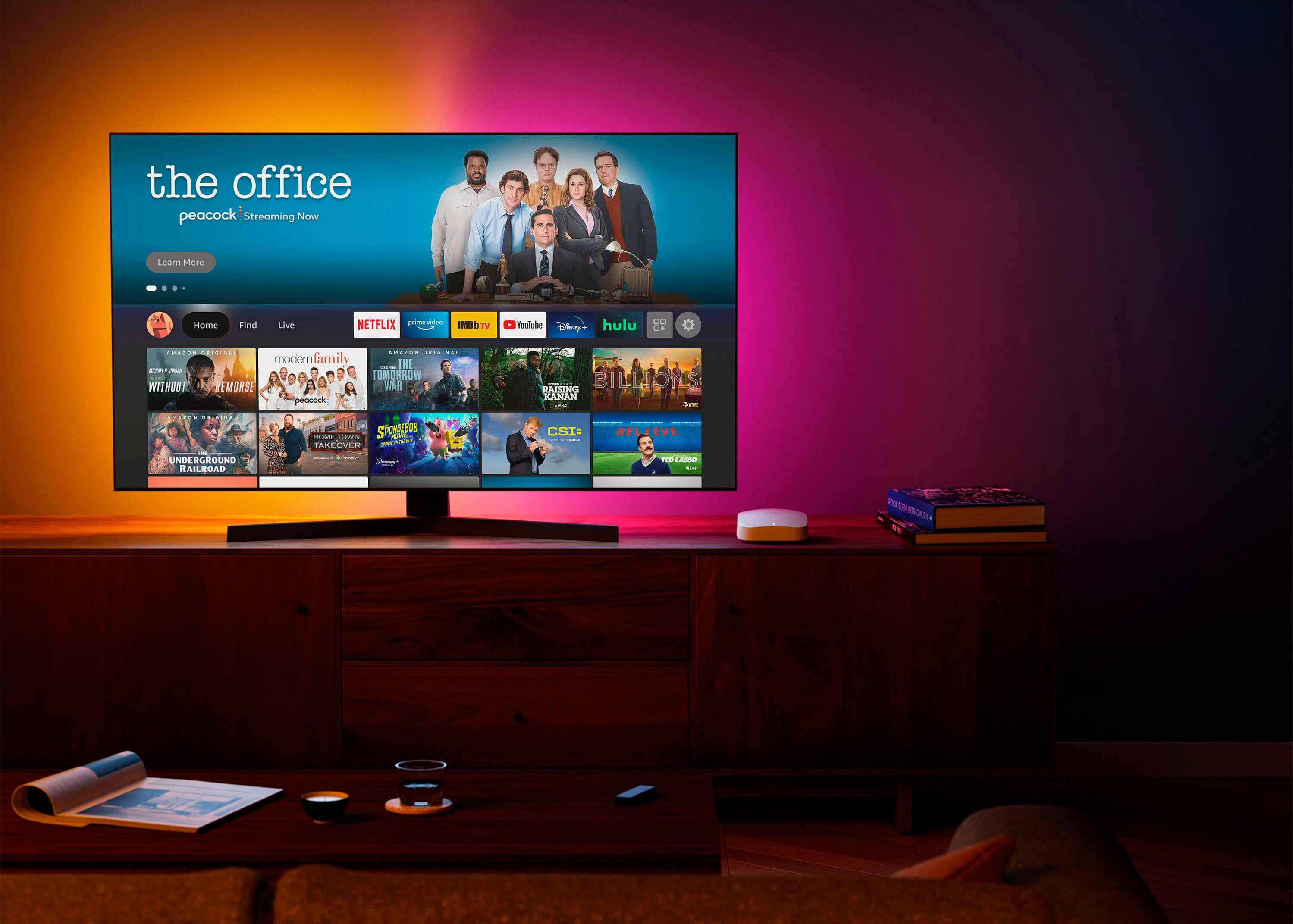
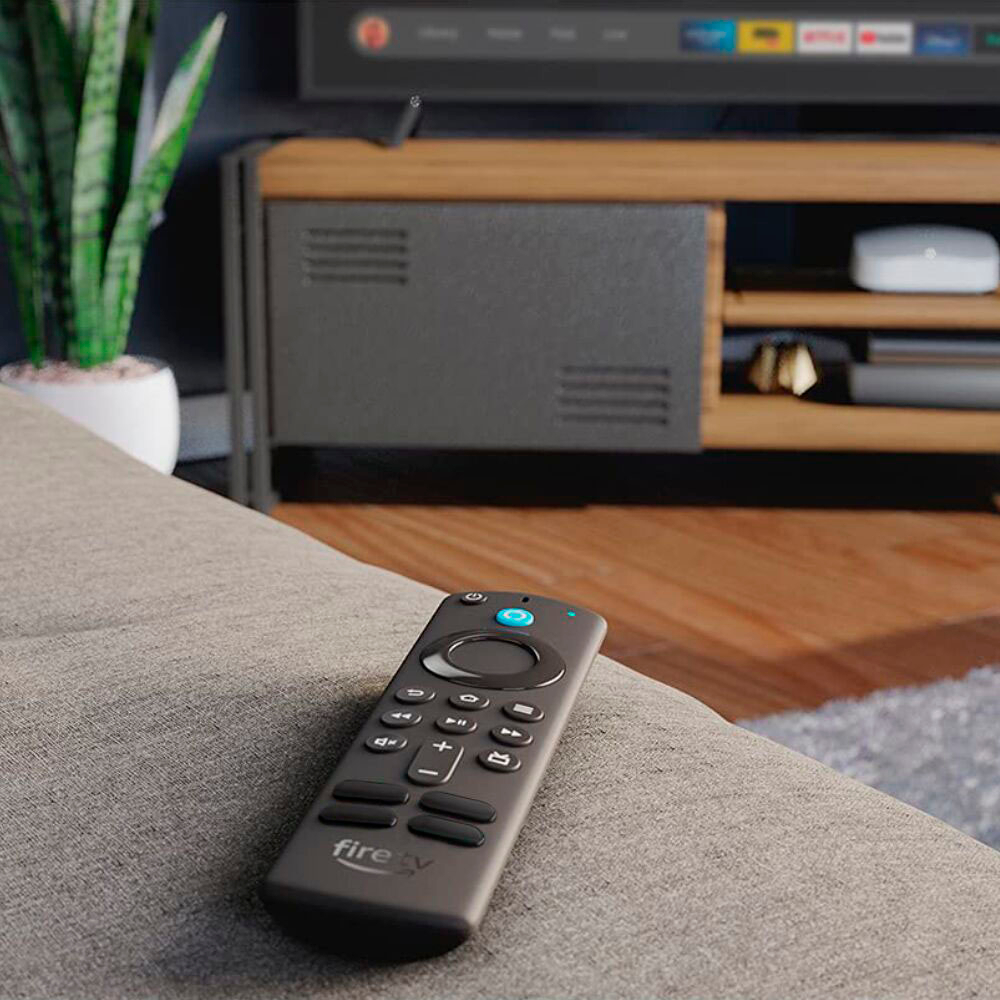
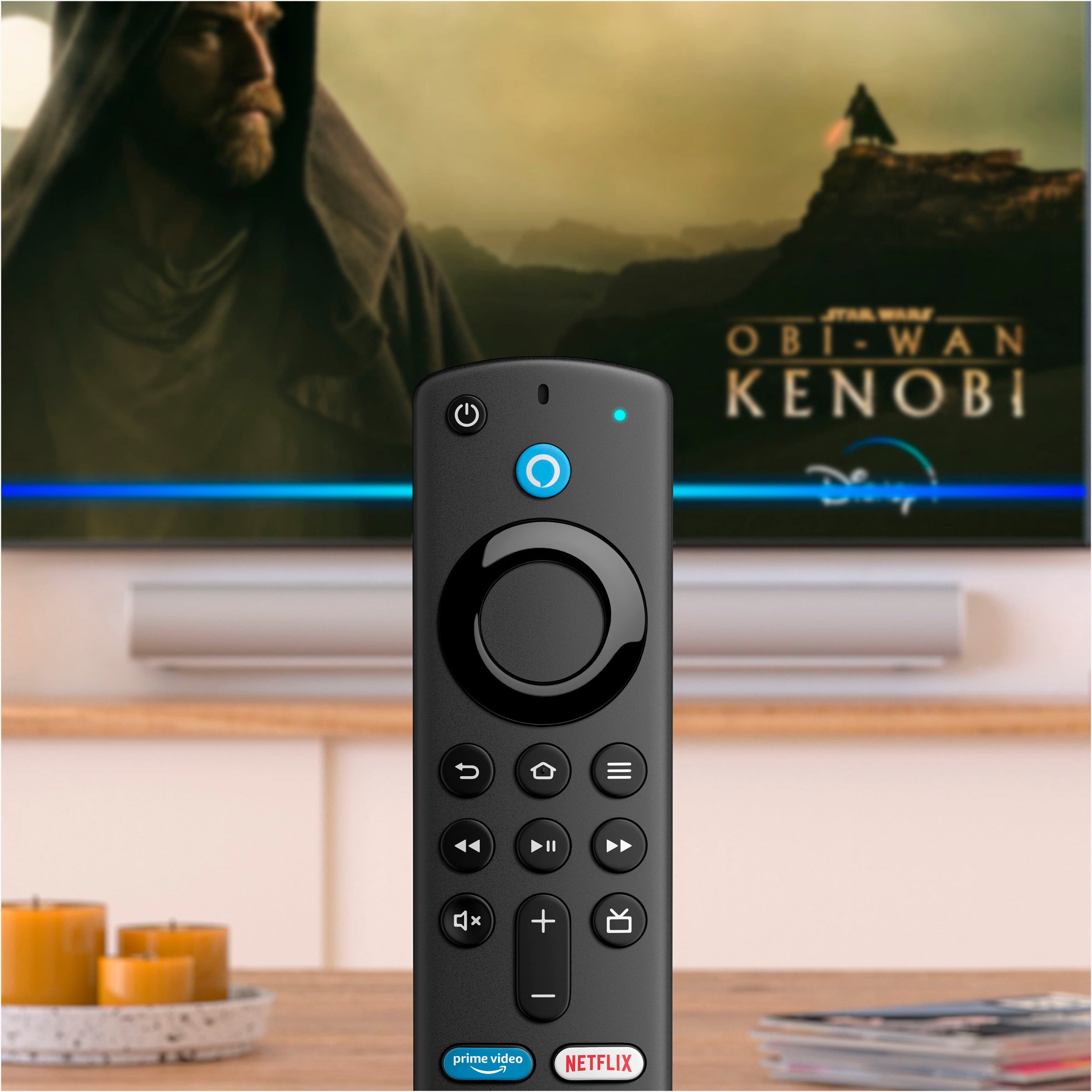
||Posted . Owned for 1 month when reviewed.This reviewer received promo considerations or sweepstakes entry for writing a review.Like many people these days, I was looking for a good alternative to cable, and opted for a Fire Stick. As a bonus, the 4K version of this product was on offer at BestBuy. Installing the stick was extremely easy. All you need to do is locate a power outlet for the cable and an HDMI slot on the TV. After turning on the TV, the installation process was very easy to complete, and it only took a few minutes, including connecting the stick to my internet box. The remote also linked to the TV, which means I can turn it on and off without using the original TV remote. All you need to do is hit the power button, or the Home button on the Fire Stick remote and you’re ready to watch. The Alexa button on the remote is not only an easy option to switch everything on, but can be used for commands and spelling when searching for apps, shows, or whatever you’re looking for. There are also privacy setting options if you don’t want to be tracked all the time. The most recently watched or used channels, programs, or apps are shown on the home page, and you can pause a show and pick up from there the next time you are ready to watch. The Fire Stick has allowed me to select only those in-purchase channel apps that I want to pay for, without paying high cable fees for channels I never use. It also enables you to connect to Apple TV without having to purchase the Apple TV device if you have an Apple TV subscription. So, everything I need is possible with just the one device. If you’re still looking for a very reasonable priced device to cut cable and, like me, don’t have good reception through an antenna, I can strongly recommend the Fire Stick. You don’t even need a Prime subscription to still watch shows and movies. The stick offers Freevee, Pluto, Joyn, and a number of other apps for free TV viewing. You only need to pay if there are specific local channels you really want to watch, but these can be cancelled monthly again if necessary. So far, there is nothing negative I have found or experienced with this device.
I would recommend this to a friend - Pros mentioned:Picture quality
Rated 5 out of 5 stars
Fire TV Stick 4K Max: A Solid Choice for Streaming
||Posted . Owned for 8 months when reviewed.This reviewer received promo considerations or sweepstakes entry for writing a review.Alright, let's dive into this. I recently got my hands on the Fire TV Stick 4K Max, and honestly, it's a pretty solid piece of tech. First off, the setup was a breeze. We're talking plug-and-play level of easy. You don't need to be a tech wizard to get this thing up and running. The remote? It's got Alexa built in, which is super handy. Just a quick shout out, and you've got your shows, music, or whatever you need. Plus, it controls the TV too, so that's one less remote to lose in the couch cushions. The voice control feature is pretty responsive – a nice touch that gives it a bit of a futuristic vibe. Streaming quality is on point. HD, 4K – you name it, it delivers. I've binged a few series, and the picture quality is crisp, colors pop nicely, and I haven't had any annoying buffering issues. It's like everything's smoother and more vibrant. Now, it's branded as an Amazon product, but it's pretty accommodating with Apple products, which is a big plus in my book. No compatibility drama. In terms of apps and channels, there's a ton to choose from. Whether you're into movies, sports, or niche documentaries, it's got you covered. And the interface is intuitive, so you're not spending hours trying to figure out where everything is. Overall, the Fire TV Stick 4K Max does exactly what you need it to do – stream shows and movies without a fuss. It's not about reinventing the wheel; it's about doing the basics really well, and that's exactly what this device does. Solid choice for anyone looking to upgrade their streaming game.
I would recommend this to a friend - Cons mentioned:Storage
Rated 5 out of 5 stars
Works great, but here are a few helpful hints...
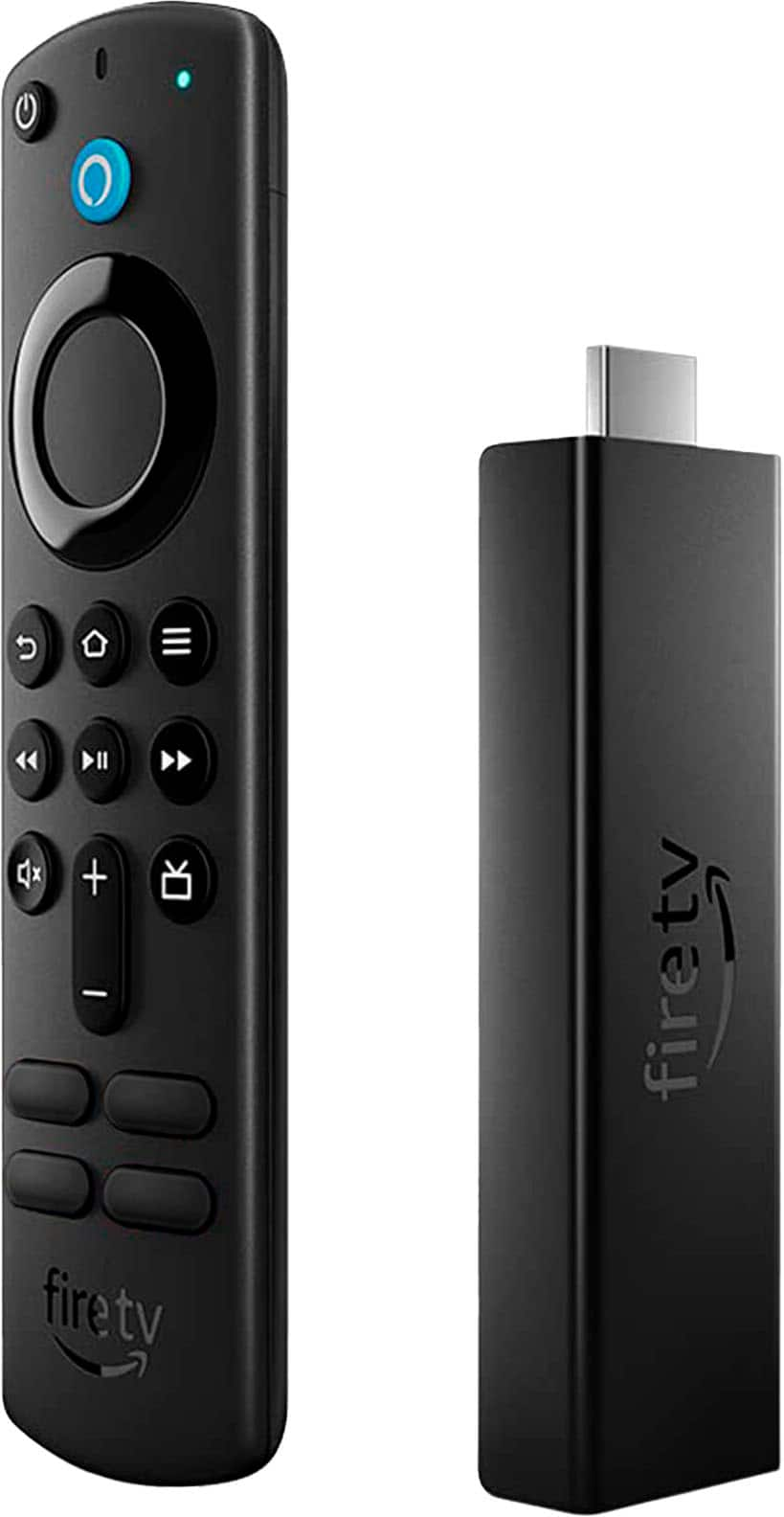
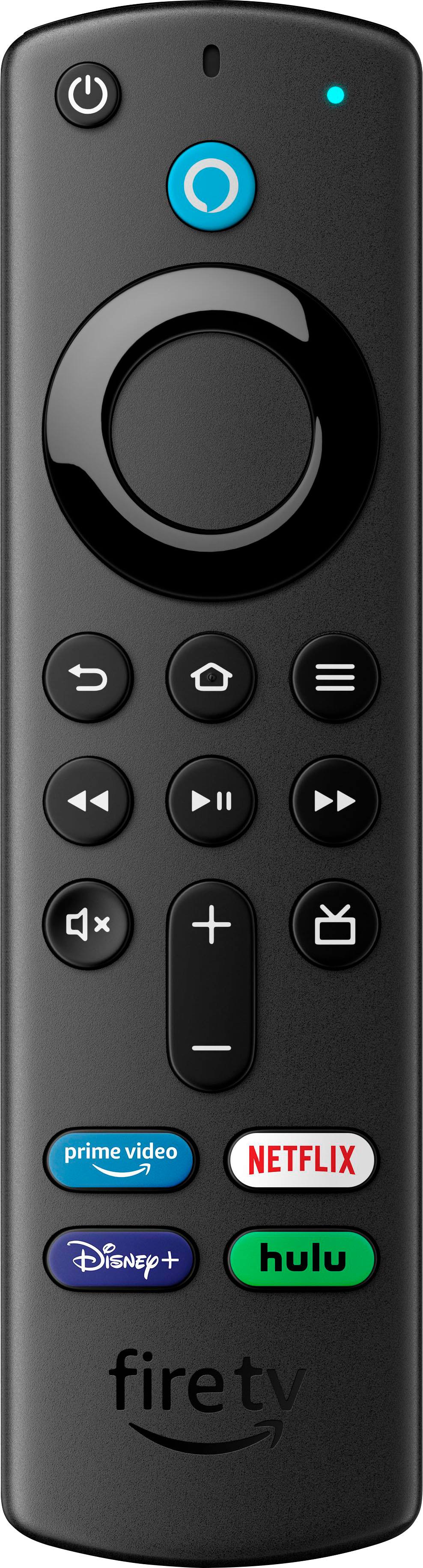
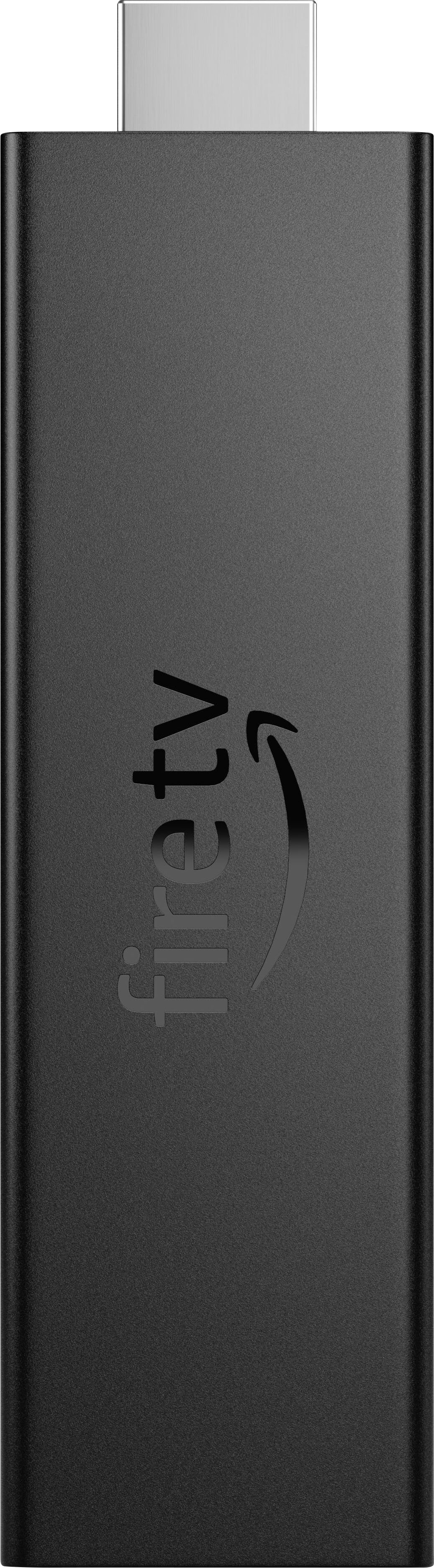
Posted .This reviewer received promo considerations or sweepstakes entry for writing a review.Works great for HULU. I just bought 3 of these so I could cut the cable and get rid of Dish, which kept going up in price. I was disappointed that the ones i bought did NOT have a Hulu button as pictured on the Best Buy website. It still works, though. You just need an HDMI port on your TV to plug it in to. Take note of which HDMI port it's plugged into because you need to use your TV's remote or buttons to switch the input to that HDMI input to get it to work. Takes about 10 minutes to set up, but it's not too hard. It will probably do several s/w updates as you install it and just follow the screen instructions and the remote will control your TV's on/off, mute, and volume. You can pause the video and rewind/fast forward, but it won't let you FF through commercials unfortunately. The way it works is once you install the Fire Stick, you then download apps like Hulu that you can select from the Fire Stick home screen. So you're always starting with a Fire Stick home screen, then you choose the app you want to run like Hulu, Disney+, ESPN+ or whatever. That brings you to their home screen where you can set up your preferences (favorite shows, movies, networks) and any other personal settings. I got the Hulu+ package and had trouble getting Disney+ to work (which was part of the package). What I had to do was go to the Disney website on my computer and log in with my Hulu email/password, then all of a sudden it worked on my TV. Prior to that it would crash every time i tried to launch Disney+ despite having already logged in on my TV. Hulu and Disney need to get their act together on pass through authentication. Now it works fine since I logged in on the Disney website. When you first turn on the TV you get the Fire Stick home screen. If you scroll down you should see apps like Hulu and Disney+ in your Recent Apps if you've already used them. Otherwise you have to go to your Applications page and select it there after downloading and installing it. The Fire Stick 4K Max will give you nice video quality as long as you have at least 25MBS download speed for your internet. Comes with 2 AAA batteries and another cord that plugs into the side of the Fire Stick that you plug into the supplied power block that you'll plug into your outlet to power the Fire Stick, It also has a microphone (the blue button) where you can just say "Play Hulu" from the Fire Stick home screen to get right to Hulu quickly (or anything else you want to wtach). This is probably the most inexpensive way to update your old TV to streaming capability. There are cheaper ones out there ~$16 that don't work very well. Bad reviews for them. Do yourself a favor and just buy the Fire Stick.
I would recommend this to a friend Rated 1 out of 5 stars
Not Impressed
||Posted .This reviewer received promo considerations or sweepstakes entry for writing a review.Buggy. App freezes on Hulu. Older model did not have these problems. Switches from Hulu to Prime accounts out of the blue. The experience is not what I anticipated for 4K Max. Considering a return if this continues. Also, I have to keep pairing my remote just for Hulu to work.
No, I would not recommend this to a friend- Pros mentioned:Ease of use, Picture quality
Rated 5 out of 5 stars
It's the best on the market right now.
||Posted . Owned for 1 month when reviewed.This reviewer received promo considerations or sweepstakes entry for writing a review.The Amazon Fire Stick is a fantastic streaming device that offers a wide range of entertainment options. It's incredibly easy to set up and use, making it perfect for tech-savvy individuals and novices alike. The interface is user-friendly and intuitive, allowing you to navigate through various apps and channels effortlessly. The picture quality is excellent, providing crisp and clear visuals. Additionally, the voice control feature is a game-changer, allowing you to search for content or control playback with just your voice.. Overall, I highly recommend the Amazon Fire Stick for anyone looking to enhance their entertainment experience.
I would recommend this to a friend - Pros mentioned:PriceCons mentioned:Interface
Rated 5 out of 5 stars
A Solid Upgrade At A Solid Price
||Posted . Owned for 3 weeks when reviewed.This reviewer received promo considerations or sweepstakes entry for writing a review.I paid $35 for this and it is excellent. Works well, menu is smooth, navigation is easy, setup was simple and controlling the TV it's connected to is a breeze. I mostly use it for streaming content from YouTube, watching movies and playing games through Amazon Luna with the Luna controller. I do wish Amazon wouldn't advertise so heavily on their product as it takes away from the well thought out UI and gets irritating, but it wouldn't stop me buying another one. If you need a device to extend the life of an old TV, get a better user experience on a new one, or just have Amazon / Alexa and want to make it easier to use your devices, this fits the bill.
I would recommend this to a friend - Pros mentioned:Ease of use, Picture quality
Rated 5 out of 5 stars
Impressive streaming for the money.
||Posted . Owned for 1 month when reviewed.This reviewer received promo considerations or sweepstakes entry for writing a review.I upgraded from the light version of fire stick to this fire stick. The 1080p that my TV can handle, run so much smoother on this stick than the light stick. Just like the original fire stick that I had it's very easy to use and I love the fact that I have volume control and mute on this fire stick for my television. I do not use Alexis, so that feature is unimportant to me. If you've used the fire stick light and looking to upgrade, this is definitely worth the money and I recommend it. If this is your first time and your TV and those 1040p - 4K streaming then this is the fire stick you want.
I would recommend this to a friend - Pros mentioned:Picture quality
Rated 5 out of 5 stars
Just get it.
Posted .This reviewer received promo considerations or sweepstakes entry for writing a review.It really does enhance 4k. Remote is a bit improved (I got the pink cover on Amazon). I noticed a difference as soon as I got it started. Much crisper picture. My old Firestick gave up on me. This was a much welcomed upgrade.
I would recommend this to a friend - Pros mentioned:SpeedCons mentioned:Interface
Rated 5 out of 5 stars
The fastest streamer in town
||Posted . Owned for 1 month when reviewed.This reviewer received promo considerations or sweepstakes entry for writing a review.The Fire TV 4k MAX is a streaming device that offers a lot of features for its price point. It's a great choice for those who want to stream content in 4k resolution with high dynamic range (HDR) and Dolby Vision support. One of the best features of the Fire TV 4k MAX is its speed. It is noticeably faster than its predecessor, the Fire TV Stick 4k, thanks to its improved processor and extra RAM. This means that you can launch apps and navigate menus quickly and smoothly. Another great feature is the inclusion of Alexa voice control. You can use your voice to search for content, control playback, and even control smart home devices. The device also comes with a remote that has dedicated buttons for popular streaming services like Netflix, Prime Video, and Disney+. In terms of content, the Fire TV 4k MAX offers a wide range of options, including access to popular streaming services like Netflix, Prime Video, Hulu, and Disney+. You can also access live TV through services like Sling TV, Hulu + Live TV, and YouTube TV. However, one downside to the Fire TV 4k MAX is the user interface. While it's easy to navigate, the home screen can feel cluttered and overwhelming, especially if you have a lot of apps installed. The device also heavily promotes Amazon's own content, which may be frustrating for some users. Overall, the Fire TV 4k MAX is a great streaming device with fast performance and a lot of features for its price. Its user interface could be improved, but its speed and Alexa integration make it a solid choice for anyone looking to upgrade their streaming setup.
I would recommend this to a friend - Pros mentioned:Picture quality, Speed
Rated 5 out of 5 stars
Maxed-Out Entertainment
||Posted . Owned for 3 months when reviewed.This reviewer received promo considerations or sweepstakes entry for writing a review.The Fire TV Stick 4K Max is an absolute beast in streaming! The streaming quality in HD is absolutely top-notch, and the Alexa Voice Remote with TV controls makes everything so much easier. It's lightning-fast and completely revolutionizes the way you access entertainment. This sleek, black gem is like having a mini cinema at your fingertips.
I would recommend this to a friend - Pros mentioned:Price, Speed
Rated 5 out of 5 stars
Fast, sleek, and affordable - although ad-heavy
||Posted . Owned for 1 year when reviewed.This reviewer received promo considerations or sweepstakes entry for writing a review.This Fire Stick has been great! Needed something to revive my old Roku TV. This streamer breathed new life into it and is used daily in my kids toy room. It is fast, the remote is great, and was a great value for price (got it on sale for a steal!). My only complaints are Amazon’s ad-heavy homepage and I find myself sometimes needing to restart the device as it can get laggy if it goes too long on sleep mode. Overall, for the money it is a fantastic streamer if you don’t mind ads taking over the homepage. Would recommend!
I would recommend this to a friend - Pros mentioned:Ease of use, Picture quality
Rated 5 out of 5 stars
Best streaming stick for the money
||Posted . Owned for 1.5 years when reviewed.This reviewer received promo considerations or sweepstakes entry for writing a review.Excellent! The most cost effective streaming stick on the market. It has all the apps you could want and the remote is easy to use. Picture quality is excellent, it's easy to navigate from app to app and installation is a snap. There's even "Bob Ross" and "sad crying baby" icons to add a level of fun! Biggest thing is that the shortcuts on the remote are kind of a tease. If you have the apps, great, otherwise you'd have to surf for the app you want. This should no be limited to the special Fire TV remote. Even if it's just one or two special keys that can be programmed. But no matter: this isn't Apple TV, but to me for bang for the buck you can't beat it. And since I bought this there's even better Fire Sticks out there. Like most Amazon hardware, from a value and quality standpoint, it can't be beat.
I would recommend this to a friend
People also viewed
- $39.99Your price for this item is $39.99$59.99The comparable value for this item is $59.99
- $29.99Your price for this item is $29.99$49.99The comparable value for this item is $49.99
- $64.99Your price for this item is $64.99$99.99The comparable value for this item is $99.99
- $21.99Your price for this item is $21.99$39.99The comparable value for this item is $39.99
- $39.95Your price for this item is $39.95$49.99The comparable value for this item is $49.99
- $19.99Your price for this item is $19.99$34.99The comparable value for this item is $34.99
- $29.99Your price for this item is $29.99
- $109.99Your price for this item is $109.99$139.99The comparable value for this item is $139.99
- $129.99Your price for this item is $129.99
- $39.99Your price for this item is $39.99
- $29.99Your price for this item is $29.99
- $25.99Your price for this item is $25.99
- $149.99Your price for this item is $149.99
- $79.99Your price for this item is $79.99$99.99The comparable value for this item is $99.99
- $199.99Your price for this item is $199.99
- $99.99Your price for this item is $99.99