Customer Ratings & Reviews


- Model:
- MX2D3AM/A
- |
- SKU:
- 11021444
Customer reviews
Rating 4.8 out of 5 stars with 4271 reviews
(4,271 customer reviews)Rating by feature
- Value4.6
Rating 4.6 out of 5 stars
- Quality4.8
Rating 4.8 out of 5 stars
- Ease of Use4.8
Rating 4.8 out of 5 stars
- Pros mentioned:Connectivity, Ease of use
Rated 5 out of 5 stars
Works well and cheaper
||Posted . Owned for 1 month when reviewed.This reviewer received promo considerations or sweepstakes entry for writing a review.It works just like the previous Apple pencils. Easy to charge it. I only use it to write with, so no idea about its artistic value. But dependable and I have already dropped it but it still works just fine. Also, very easy to connect to iPad.
This review is from Apple - Pencil Pro - White
I would recommend this to a friend Rated 5 out of 5 stars
Smooth operator
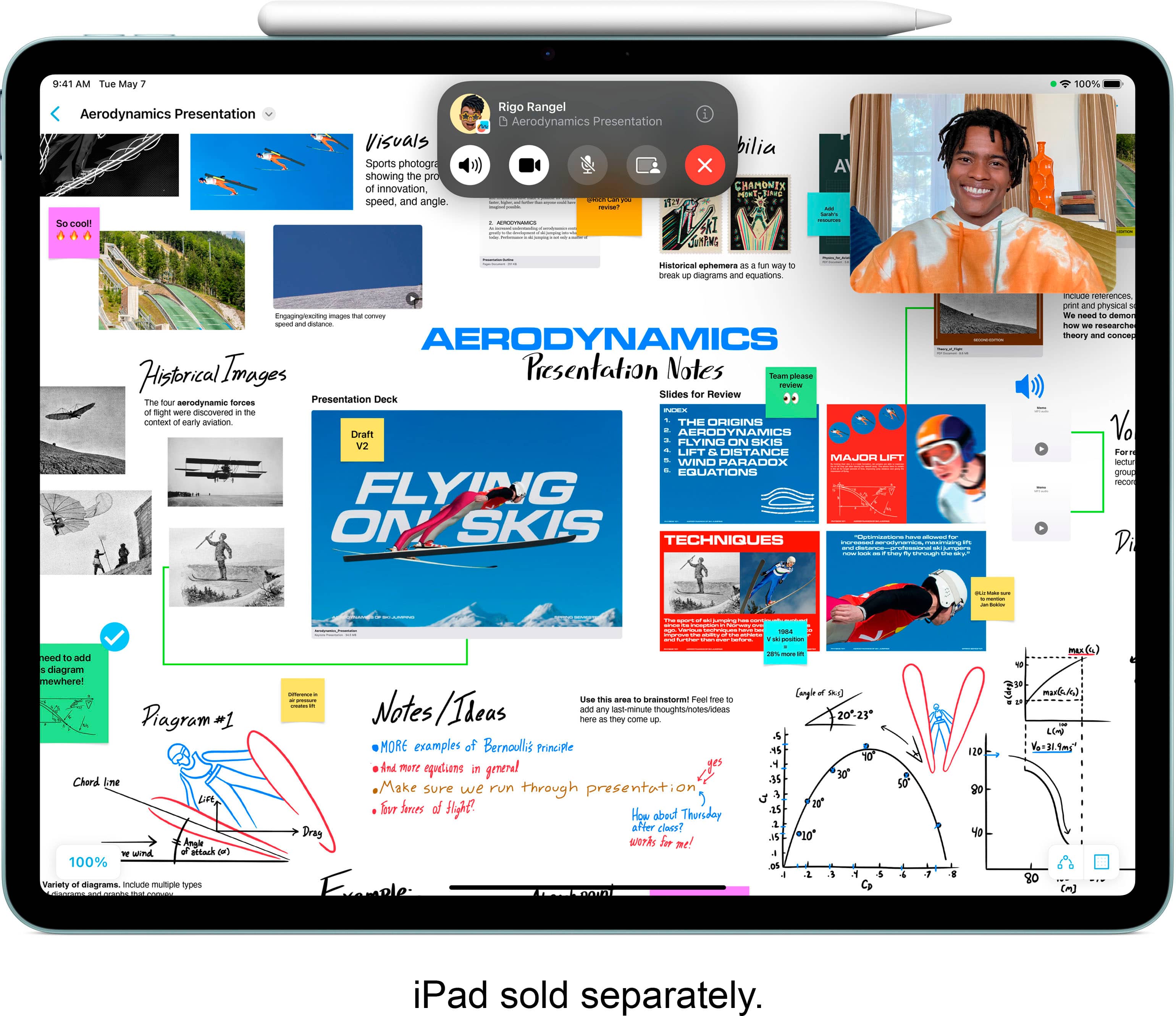
||Posted . Owned for 1 week when reviewed.This reviewer received promo considerations or sweepstakes entry for writing a review.This pencil pro is amazing. I love how it charges just by being attached to the iPad. It is smooth and writes great!
This review is from Apple - Pencil Pro - White
I would recommend this to a friendRated 4 out of 5 stars
Awesome
||Posted . Owned for 1 month when reviewed.This reviewer received promo considerations or sweepstakes entry for writing a review.I never knew how limited I was until I picked up the Apple Pencil. It’s more than a stylus—it’s a key that unlocks a whole new dimension of creativity. Whether I’m sketching, jotting down ideas, or editing photos, the precision and fluidity make it feel like an extension of my hand—only better. What really makes it stand out is the freedom it gives me. I no longer have to pinch, tap, and swipe with my fingers like I’m trying to paint a masterpiece with mittens on. The Apple Pencil brings control, detail, and style to every swipe. It’s sleek, it’s smart, and honestly? It makes me feel like a pro.i work with cars also so it makes it nice to be able to use the pen when my hands are dirty instead of touching the i pad This isn’t just a tool. It’s an upgrade to your entire creative flow. And it makes me feel like i can do more and keep learning
This review is from Apple - Pencil Pro - White
I would recommend this to a friend- Pros mentioned:Overall performance
Rated 5 out of 5 stars
Awesome iPad tool
||Posted . Owned for 1 month when reviewed.This reviewer received promo considerations or sweepstakes entry for writing a review.Apple Pencil is perfect addition to my new iPad! Perfect for my creative moments with drawing or taking notes!
This review is from Apple - Pencil Pro - White
I would recommend this to a friend - Pros mentioned:Overall performance
Rated 5 out of 5 stars
iPad Review
||Posted .This reviewer received promo considerations or sweepstakes entry for writing a review.Wonderful tablet I love it!I highly recommend purchasing one for yourself :-)
This review is from Apple - Pencil Pro - White
I would recommend this to a friend - Pros mentioned:Overall performance
Rated 5 out of 5 stars
Apple does it again!
||Posted . Owned for 3 weeks when reviewed.This reviewer received promo considerations or sweepstakes entry for writing a review.The new Apple Pencil pro is a step up and has an indicator dot when you’re signing documents. Really love it!
This review is from Apple - Pencil Pro - White
I would recommend this to a friend - Pros mentioned:Connectivity
Rated 5 out of 5 stars
Great pen.
||Posted .This reviewer received promo considerations or sweepstakes entry for writing a review.Purchased for the wife and she loves it. She uses it non-stop. Sync’s right up and the iPad charges it.
This review is from Apple - Pencil Pro - White
I would recommend this to a friend Rated 5 out of 5 stars
Apple Pen for the Win!
||Posted . Owned for 1 month when reviewed.This reviewer received promo considerations or sweepstakes entry for writing a review.The apple pen pro was an excellent gift for my kid. Its used non stop for drawing apps, writing notes and precision sketches. 10/10
This review is from Apple - Pencil Pro - White
I would recommend this to a friend- Pros mentioned:Connectivity, Ease of use
Rated 5 out of 5 stars
Great Accessory
||Posted . Owned for 1 week when reviewed.This reviewer received promo considerations or sweepstakes entry for writing a review.this product is easy to use and attaches to the side of my ipad
This review is from Apple - Pencil Pro - White
I would recommend this to a friend - Pros mentioned:Ease of use
Rated 5 out of 5 stars
Apple Pen
||Posted . Owned for 3 months when reviewed.This reviewer received promo considerations or sweepstakes entry for writing a review.Purchased an iPad 14 Pro and the Apple pen makes a great addition to use with it! I love that you can download templates and fill them out with the pin and also erase and change the font and all kinds of different things! My daughter loves using it for taking notes in class and she has said it has been a lifesaver and made it a lot more enjoyable when taking notes. I highly recommend anybody that has an iPad take advantage of the pen! Another great thing you can do with it is color! It has apps where you can use your iPad as a coloring book and choose colors and erase and do all kinds of fun things with the pen as well!
This review is from Apple - Pencil Pro - White
I would recommend this to a friend - Pros mentioned:Battery life
Rated 5 out of 5 stars
Apple Pencil Pro
||Posted .This reviewer received promo considerations or sweepstakes entry for writing a review.Love my Apple Pencil pro it’s nice to use and it doesn’t take me long too switch from pencil to easer and the battery is amazing on it. I could listen to an entire class and not charge it and it would still be 95% charged
This review is from Apple - Pencil Pro - White
I would recommend this to a friend - Pros mentioned:Overall performance
Rated 5 out of 5 stars
Worth it
||Posted . Owned for 1 month when reviewed.This reviewer received promo considerations or sweepstakes entry for writing a review.Really comfortable to use and fast. No scratches on the screen when using it.
This review is from Apple - Pencil Pro - White
I would recommend this to a friend - Pros mentioned:Features
Rated 5 out of 5 stars
its pro!
||Posted . Owned for 3 weeks when reviewed.This reviewer received promo considerations or sweepstakes entry for writing a review.Very nice, ive had a gen 2 and its great as well but i love being able to do more with art easily with thenew features
This review is from Apple - Pencil Pro - White
I would recommend this to a friend - Pros mentioned:Overall performance
Rated 5 out of 5 stars
Great Pen!!
||Posted .This reviewer received promo considerations or sweepstakes entry for writing a review.Pen works great when drawing or designing stuff to print for many DIY’s Easier than having to use your finger to correct minor details. Used frequently along with the Cricut.
This review is from Apple - Pencil Pro - White
I would recommend this to a friend Rated 5 out of 5 stars
Works great
||Posted . Owned for 3 weeks when reviewed.This reviewer received promo considerations or sweepstakes entry for writing a review.I had the Apple Pencil-c, this works pretty much the same except I can charge it right on my iPad. This is very convenient so you don’t have to dink around with plugging it into a charger. There is a few extra features to this version but overall the main difference is the capability to charge from iPad.
This review is from Apple - Pencil Pro - White
I would recommend this to a friend- Pros mentioned:Overall performance
Rated 5 out of 5 stars
Next day
||Posted . Owned for 2 weeks when reviewed.This reviewer received promo considerations or sweepstakes entry for writing a review.Great Experience all around .Arrived quick and well shipped .Works perfect
This review is from Apple - Pencil Pro - White
I would recommend this to a friend Rated 5 out of 5 stars
Greate product
||Posted . Owned for 1 year when reviewed.This reviewer received promo considerations or sweepstakes entry for writing a review.Excellent accessory. Very precise and responsive, making it perfect for drawing, note-taking, and editing.
This review is from Apple - Pencil Pro - White
I would recommend this to a friendRated 5 out of 5 stars
A Necessary Evil with the new M4 IPad Pro
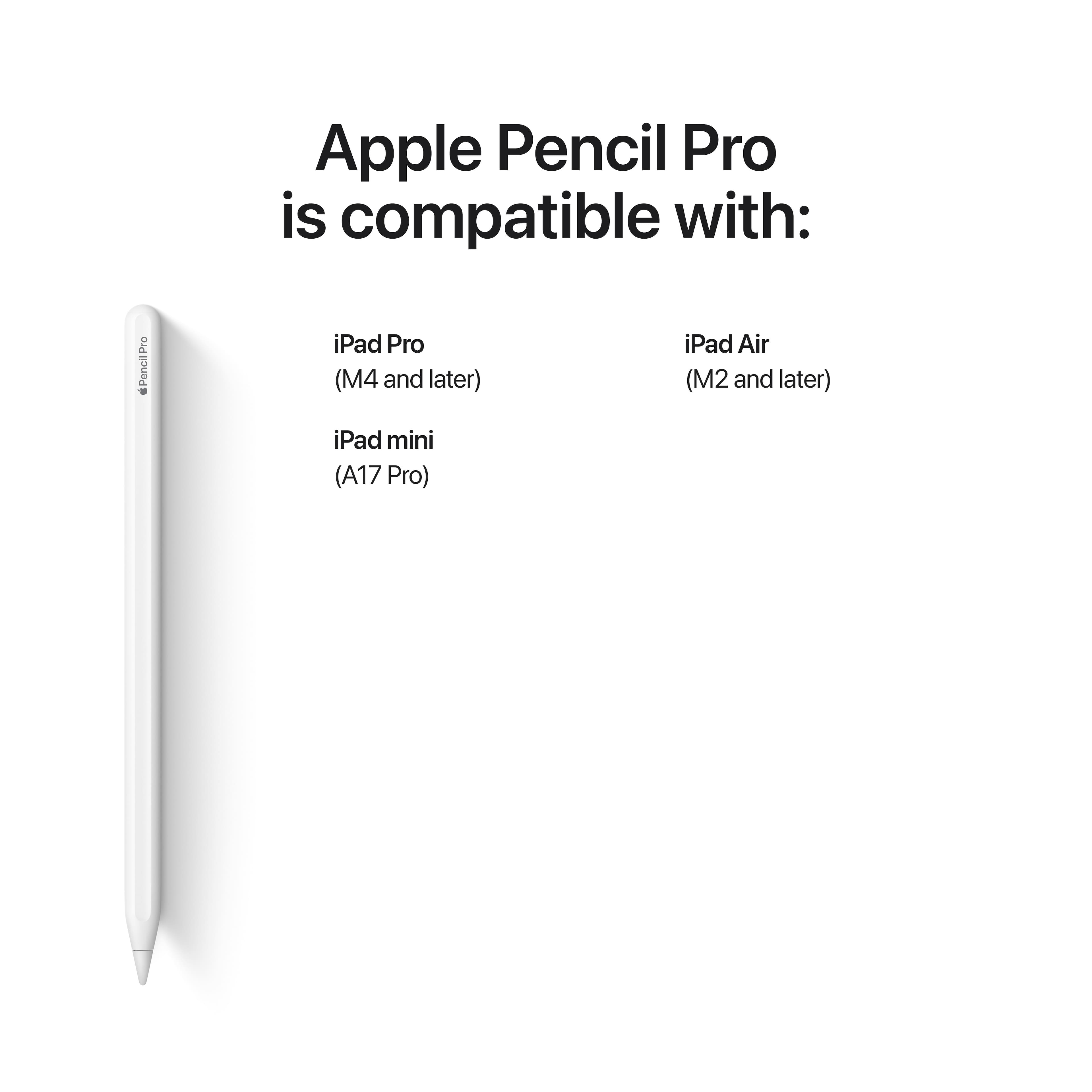
||Posted . Owned for less than 1 week when reviewed.This reviewer received promo considerations or sweepstakes entry for writing a review.This is my 3rd official Apple Pencil after buying the OG one back in 2017 which still works great and the 2nd Gen one that is used on my M1 iPad Pro. With Apple having moved the forward facing camera to the top center vs on the left if the table is held in landscape orientation, the magnets for the Apple Pencil had to be relocated making the 2nd Gen one incompatible. The new Haptic Engine feature is wild and quite nice feedback. The Barrel Row feature is quite useful. Is it necessary? No. But it sure is a nice "quality of Life" improvement when it comes to signing documents, taking an occasional note and for when I want to doodle in a drawing app.
This review is from Apple - Pencil Pro - White
I would recommend this to a friend- Pros mentioned:Overall performance
Rated 5 out of 5 stars
Amazing
||Posted . Owned for 1 month when reviewed.This reviewer received promo considerations or sweepstakes entry for writing a review.Best pencil for the iPad Air m13. Makes things way easier to do, especially for the art
This review is from Apple - Pencil Pro - White
I would recommend this to a friend - Pros mentioned:Overall performance
Rated 5 out of 5 stars
Excellent
||Posted . Owned for 1 month when reviewed.This reviewer received promo considerations or sweepstakes entry for writing a review.Excellent for drawing, writing, and video editing. Worth the money if you fully use all its features and benefits.
This review is from Apple - Pencil Pro - White
I would recommend this to a friend