Customer Ratings & Reviews
- Model:
- VMC3081-100NAS
- SKU:
- 6642637
Rating by feature
- Value
Rating 5.0 out of 5 stars
- Quality
Rating 4.9 out of 5 stars
- Ease of Use
Rating 4.9 out of 5 stars
Customers are saying
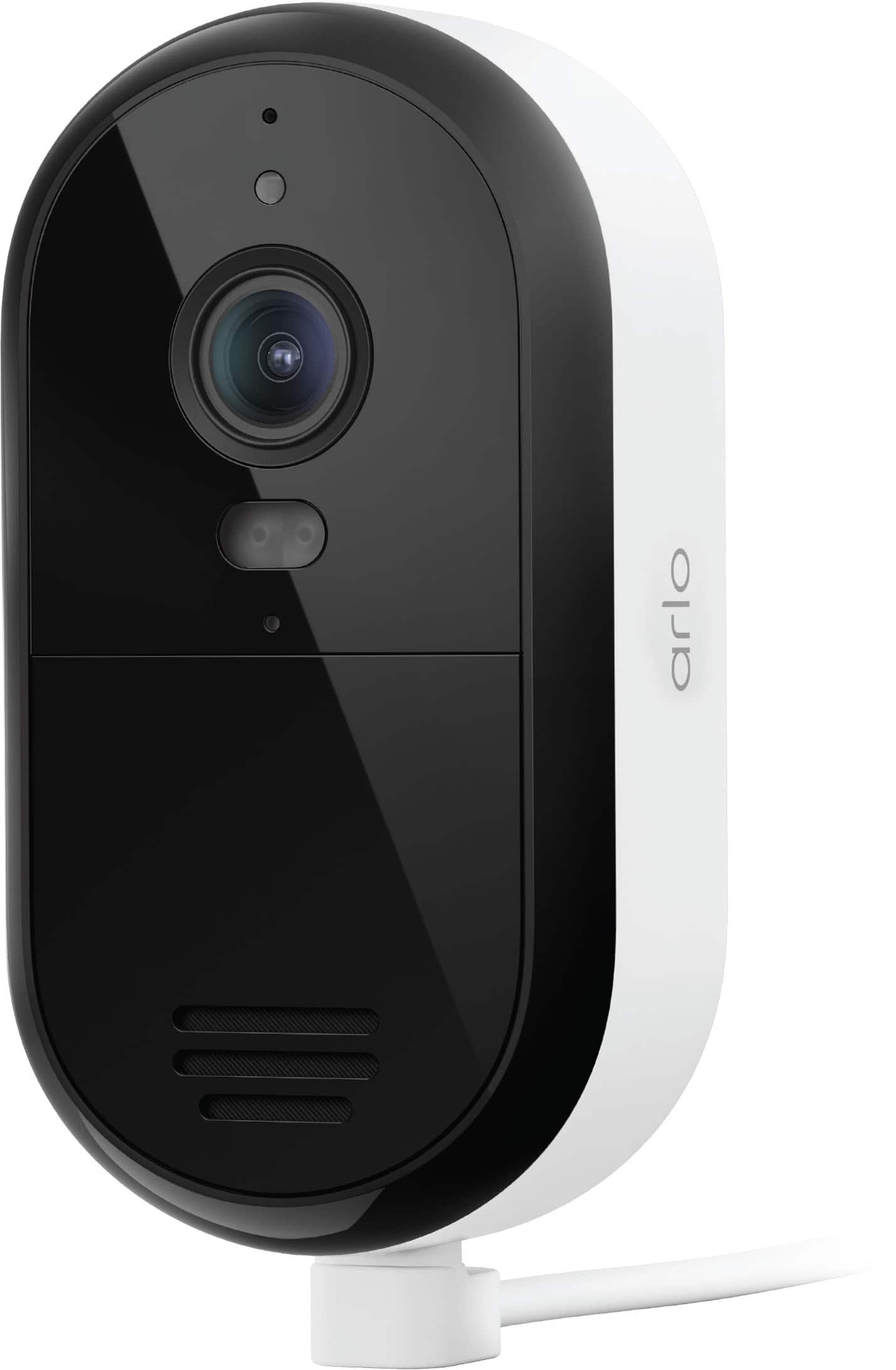
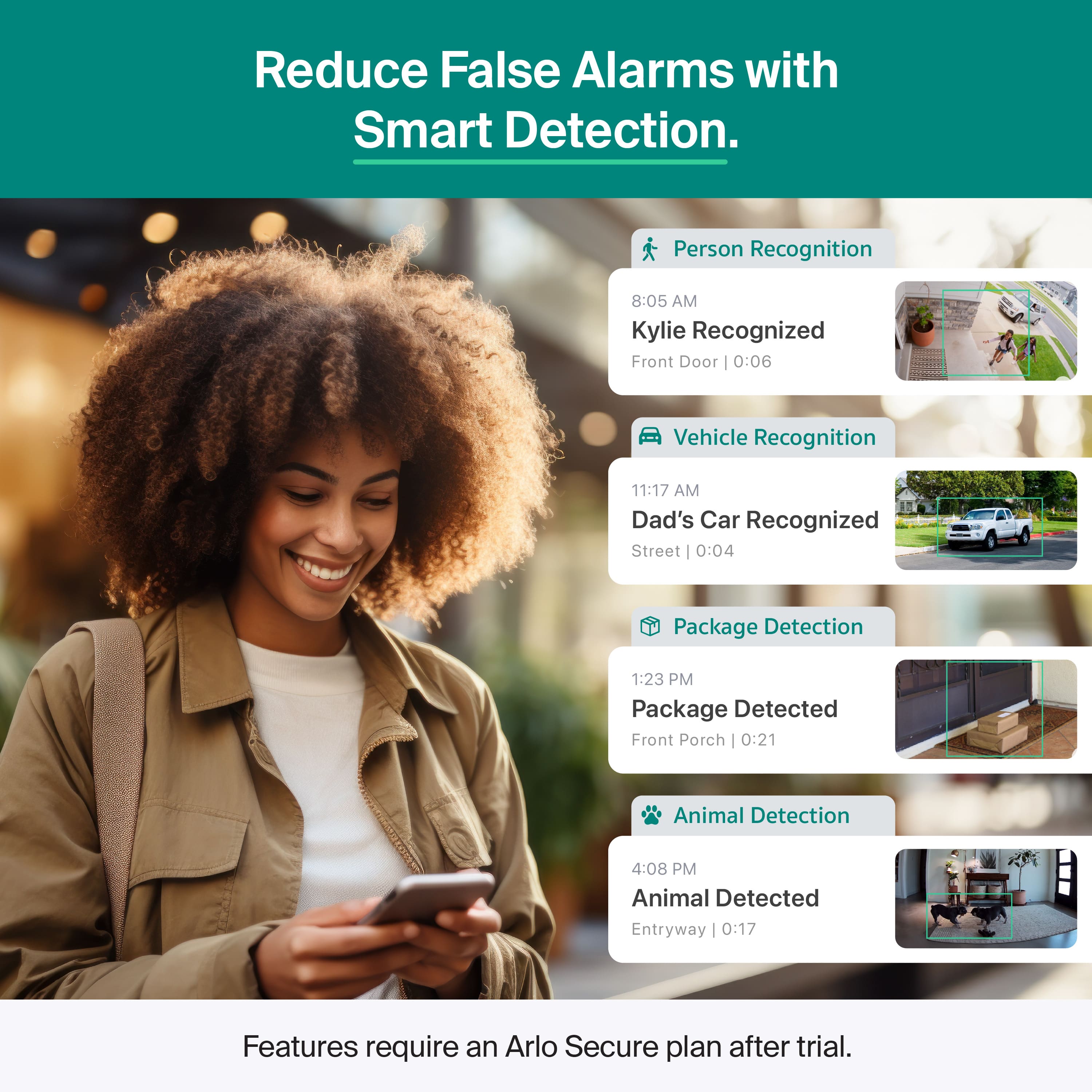
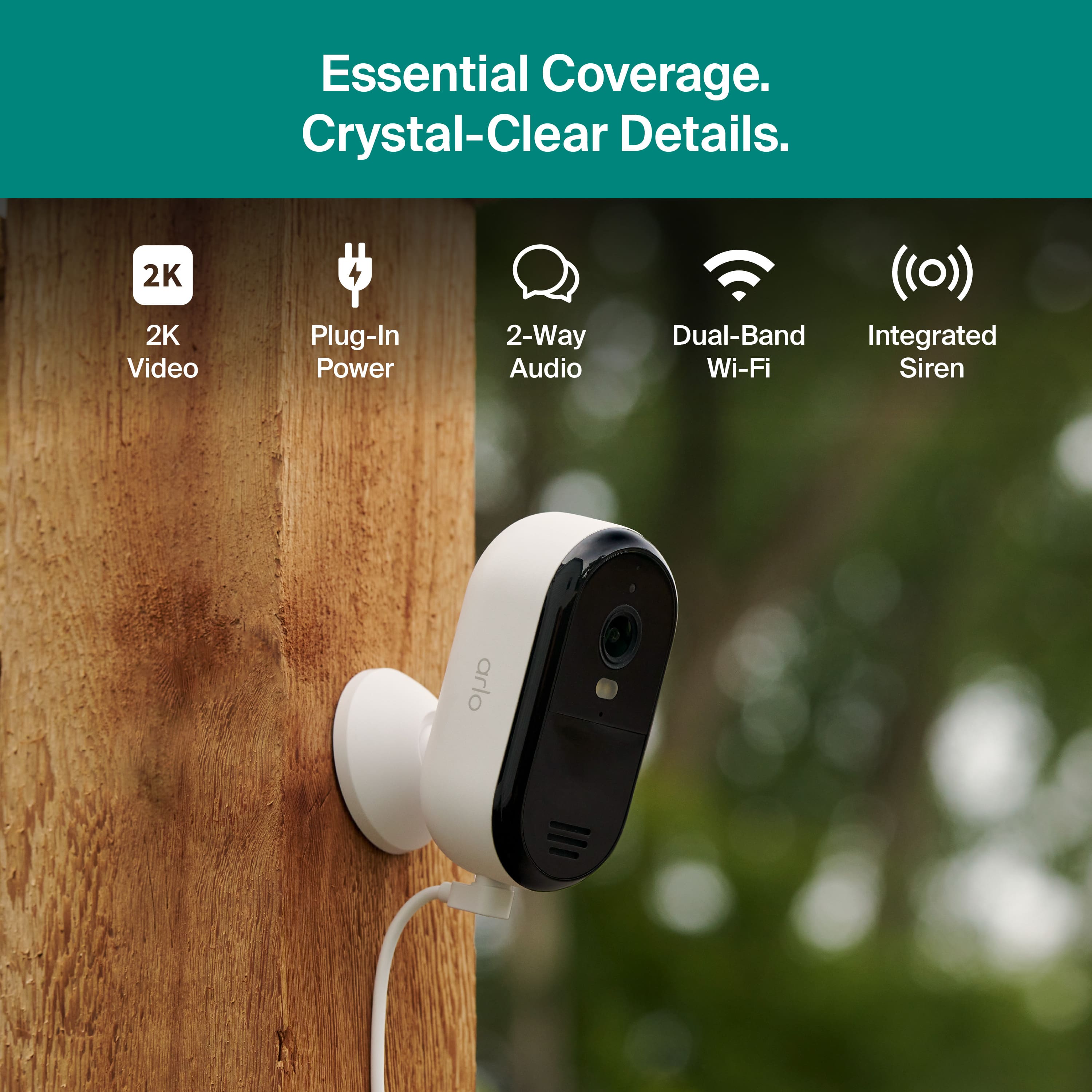
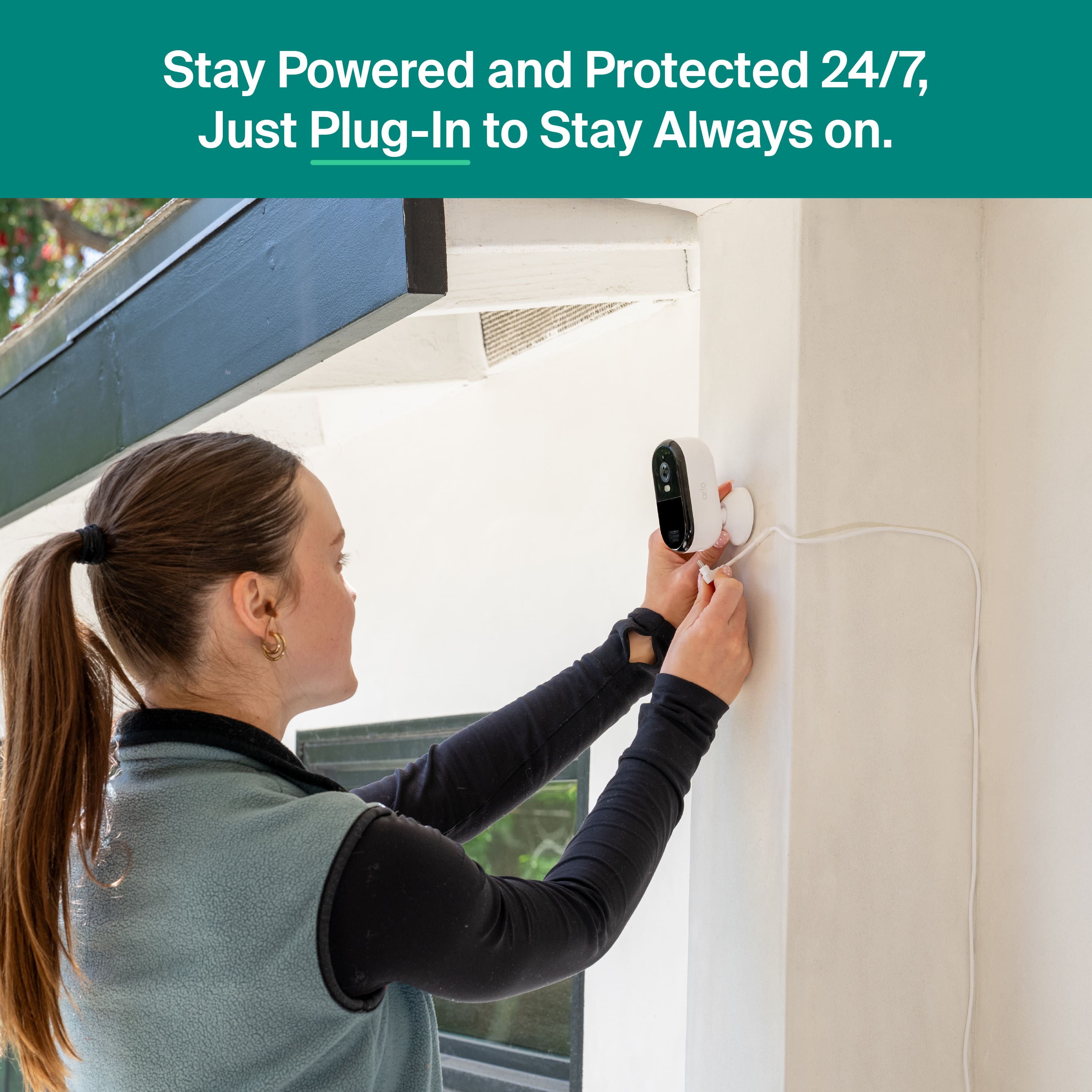
Customers admire the Essential Outdoor Security Camera 2K for its incredibly sharp image quality and easy setup process. The camera's wired connectivity is appreciated, along with its clear night vision and effective motion detection. Users also value the wide 160-degree field of view, plug-in power source, and modern design.
This summary was generated by AI based on customer reviews.
- Pros mentioned:Connectivity, Image quality, Motion detection
Great Value Outdoor Camera
||Posted . Owned for 2 weeks when reviewed.This reviewer received promo considerations or sweepstakes entry for writing a review.I’m very happy with this camera. The video quality is clear and sharp, both during the day and at night. Setup was quick and easy, and the wired connection makes it very reliable. Motion detection works well and notifications are accurate. For the price, this camera offers great performance and peace of mind. I would definitely recommend it for outdoor home security.
I would recommend this to a friend - Pros mentioned:Image quality, Night vision
Reliable outdoor security camera with great featur
||Posted . Owned for 2 weeks when reviewed.This reviewer received promo considerations or sweepstakes entry for writing a review.This camera works exactly as expected and provides very clear 2K video quality. The pan and tilt feature is very helpful for covering a wider outdoor area, and the night vision works well. Installation was simple, and the app is easy to use. Since it is plug-in powered, there is no need to worry about charging batteries, which makes it very convenient for everyday use. Overall, it feels well-built and reliable, and I’m very satisfied with the performance. I would definitely recommend this camera for anyone looking for a dependable outdoor security solution.
I would recommend this to a friend Great security camera for peace of mind
||Posted . Owned for 3 weeks when reviewed.This reviewer received promo considerations or sweepstakes entry for writing a review.I’ve been using this Arlo camera for a while now and I’m honestly very impressed. The video quality is clear both during the day and at night, and the motion detection is very accurate. I love that I get instant alerts on my phone whenever there’s movement, which gives me peace of mind, especially when I’m not home. The setup was super easy and didn’t take long at all. The battery life is also really good, and the app is simple to navigate. I can easily check live footage and review past recordings without any issues. Overall, this is a great security camera and definitely worth the money. I would recommend it to anyone looking for a reliable and easy-to-use home security camera.
I would recommend this to a friend- Pros mentioned:Image quality
Good quality
||Posted . Owned for 2 weeks when reviewed.This reviewer received promo considerations or sweepstakes entry for writing a review.It’s an amazing product. Easy to assemble, the camera has a really good quality, the app is easy to use. Exactly what I was looking for!
I would recommend this to a friend - Pros mentioned:Image quality
Great security camera
||Posted .This reviewer received promo considerations or sweepstakes entry for writing a review.Sleek and modern design, easy to install. Good picture quality.
I would recommend this to a friend Affordable & Reliable
||Posted . Owned for 3 weeks when reviewed.This reviewer received promo considerations or sweepstakes entry for writing a review.If you’re looking to secure whether the inside or the outside of your home and that you’re on a budget, this is a great way to go. This camera provides 2K video as well as motion detection. It doesn’t only work great during the day but at night as well with the night vision and the spotlight combo you’re able to see what’s going on during the day or the night.
I would recommend this to a friendGreat Camera, Easy Setup
||Posted .This reviewer received promo considerations or sweepstakes entry for writing a review.Great quality camera with very clear video. Setup was quick and easy, and the picture quality is sharp both day and night. Motion detection works well, and I like that it sends instant alerts to my phone. The wired connection makes it stable and reliable. Overall, a solid security camera for home use. I’m happy with this purchase.
I would recommend this to a friendEasy to Install
||Posted . Owned for 3 weeks when reviewed.This reviewer received promo considerations or sweepstakes entry for writing a review.I’m honestly impressed with this Arlo. The 2K clarity is the best part, no more blurry, grainy footage. I personally love that it’s a plug-in because I’m terrible at remembering to charge batteries. It’s super easy to set up and comes with the mount and everything you need in the box
I would recommend this to a friendGood camera
||Posted . Owned for 3 weeks when reviewed.This reviewer received promo considerations or sweepstakes entry for writing a review.Great camera, wired so is always on, doesn’t need to be charged. Great video quality, clear night vision.
I would recommend this to a friend- Pros mentioned:Connectivity, Image quality, Night vision

Great image, performance, and easy-to-use camera.
|Posted .This reviewer received promo considerations or sweepstakes entry for writing a review.Arlo - Essential 1-Camera 2K Security Camera, Wired Plug-In Powered. From the box to the mount on the wall and viewing the image on my camera was accomplished in a half hour. I am adding the Arlo to my existing account, but creating the Arlo account isn’t a chore in any way. Arlo keeps it simple. This camera is very lightweight, so the (16ft) power cord and plastic mounting plate allow decent flexibility for placement. The menu of features is just as comprehensive as any other camera in the Arlo lineup, which means you can set up on either 2.4 GHz or 5.0 GHz bands, enable Smart Detection, create zones, establish routines, subscribe to security plans, and use a comprehensive app to manage it all. SECURITY CAMERA CATEGORY: Wi-Fi Access required 2.4GHz & 5GHz, NOT wired by Ethernet. No Battery. Powered using 5V USB cable (5V) and plug (included); no POE I do not add or subtract “stars” when reviewing security cameras based on the PRESENCE of these features. These simply represent different design objectives. I do try to determine how successful these features are implemented. It may be very important to another buyer to know how connectivity and power are addressed, but my opinion is not in the score. Other camera types might work better for you. SETUP: If you already own an Arlo, simply plug in this Essential 1-Camera 2K Security Camera where you want it, open the Arlo app, find the "+" sign to add a device, and press the button embedded in the top of the camera. A live image will show up in your app along with any other Arlo cameras you might have. Use the “GEAR” to manage the complete array of settings that Arlo provides. ARLO’s security camera includes an array of settings that alert me to people (who can be named if they are frequent visitors or family), pets, vehicles (also specifically identified), and packages. I can even create a unique alert for the open garage or sprinklers. For each Arlo camera in my system, I can independently enable what motion initiates an alert. SUMMARY: I’m not sure whether I will claim the image is the star here or the feature-rich app management. The Arlo Essential 1 Camera 2K is very satisfying because of its clarity, night vision effectiveness, responsiveness, and easy management. However, I am dependent on the subscription to view recordings or to take advantage of the security support. Because ARLO gives no onboard memory storage, the full feature set is only useful if you subscribe to one of their plans. Without the subscription, even continuous monitoring with just a connected camera will prove frustrating because the Wi-Fi link will eventually drop, and you will be forced to regularly reconnect. I like the Arlo, and it fits into my intended use. A prospective buyer needs to weigh the benefits of the Arlo’s subscription model or the limitations of the camera without a subscription.
I would recommend this to a friend - Pros mentioned:Connectivity, Image quality
Sleek and Easy!
|Posted .This reviewer received promo considerations or sweepstakes entry for writing a review.The Arlo Essential 2K security camera delivers crisp resolution, smart features, and flexible connectivity—but its reliance on cloud subscriptions may be a drawback for some users. Nearly everything is done via cloud subscriptions now, so if you stick to one brand and buy their Unlimited Package (like the Arlo Plus Unlimited) subscription, adding more/new cameras shouldn't be an issue. FEATURES and USABILITY - 2K Video Resolution (2560x1440)**: The camera captures sharp, detailed footage with accurate color and contrast across lighting conditions. This is a noticeable upgrade from standard 1080p models, especially for identifying faces or license plates. - 130° Field of View: Offers a wide-angle perspective ideal for monitoring large areas like driveways, porches, or living rooms without distortion. - Dual-Band WiFi (2.4GHz & 5GHz): Improves connectivity and reduces lag or interference, especially in homes with multiple smart devices. - 2-Way Audio: Enables real-time communication with visitors or intruders. Audio clarity is solid, though ambient noise can affect performance. - Smart Detection (with Arlo Secure): Includes motion zones, person detection, and vehicle alerts. - Advanced features like facial recognition and package detection are available—but only with a paid subscription. - Cloud-First Storage: Arlo emphasizes cloud recording, which means local storage options are limited unless you invest in additional hardware. Subscription plans start at $17.99/month for multiple cameras. - Voice Assistant Integration**: Compatible with Alexa and Google Assistant for hands-free control and automation. INSTALLATION - The camera is compact and lightweight, making it easy to mount indoors or outdoors. However, some users report that the included mounting hardware feels flimsy. - App Experience: The Arlo app is intuitive, offering live view, playback, and customization of alerts. Geofencing and scheduling features add convenience for daily use. - Battery Life: This is a plug-in model - so no more worries about battery charging! PROS - High-resolution 2K video - Wide 130° field of view - Dual-band WiFi for stable connection - Smart detection and voice control CONS - Subscription required for full features - Limited local storage - Higher price point than competitors - Confusing product lineup (which makes you really know what product you have purchased when you add it to your app - you have to select the model, etc). This is the reason for 4 stars vs 5. If you're looking for a sleek, high-performance camera with smart features and strong video quality, the Arlo Essential 2K is a solid choice—especially if you're already invested in Arlo's ecosystem. Just be prepared to pay for the subscription to unlock its full potential. Want help comparing it to other models or building a visual setup map for your home? I’d be glad to assist.
I would recommend this to a friend - Pros mentioned:Image quality
2K Plug-In Security Camera Exceeds Expectations
|Posted .This reviewer received promo considerations or sweepstakes entry for writing a review.Arlo, a world renowned manufacturer of battery powered & plug-in security cameras & wireless doorbells, introduced a new Essential 1-Camera 2K. The video is transmitted wirelessly to the Arlo app on your phone, and the power is provided by an included USB-C to USB-A cable. This camera is built for indoor or outdoor use with operating temperature -4.0 degrees to 113 degrees Fahrenheit. It works with Amazon Alexa, SmartThings, and Google Home. The video camera resolution is 2K (1440p). The still camera resolution is 2304 x 1296. The clarity & sharpness is stunning. The 2K CMOS sensor produces much brighter images with bolder colors than the previous generation camera. It has a wide 130 degree field of view, so you can see a person from head to toe. The color night vision is effective up to 25 feet. Set-up is very easy using the Arlo app. The camera will send the signal via 2.4 GHz, or 5.0 GHz to your phone. CONCLUSION: This camera exceeds expectations, with fast response & detection that identifies people, vehicles & packages. It earns my highest recommendation.
I would recommend this to a friend - Pros mentioned:Image quality
Good camera - had some issues connecting
|Posted .This reviewer received promo considerations or sweepstakes entry for writing a review.The Arlo Essential cameras arrived well-packaged, with a clearly written instruction booklet that made the initial setup feel promising. The wireless camera itself feels like a step up in build quality compared to earlier Arlo models I’ve used. Unfortunately, the setup process through the app was frustrating. While the app’s interface is clean and intuitive, the onboarding was confusing. After selecting the device type and model, I was asked to choose between four subtypes—none of which matched my camera exactly, especially since the power button placement didn’t align with the options shown. Eventually, I held the power button for three seconds, saw the blue light, and the app found the camera—great. But after entering my network credentials, I ran into repeated connection errors. I tried rebooting, factory resets, reinstalling the app, and even waited through multiple failed attempts. After a dozen tries and a 35-minute support call (plus a callback), I was told the camera required a 2.4GHz network and WPA2 security. Support even suggested I contact my internet provider to switch from WPA3 to WPA2, but it turned out my network was already set to WPA2-Personal. Despite what the documentation claimed, I ultimately connected successfully using my 5GHz network. Even after receiving a replacement wired Essential camera, I encountered the same issues. I decided to dig into the app settings and, on a hunch, deleted my home location and re-added it from scratch. Surprisingly, that simple change resolved the connection problem for both cameras instantly. It’s surprising that support didn’t suggest this earlier. Once installed, both cameras were mounted about four feet from the front and back doors. The wired camera has proven more reliable, consistently connecting to the live feed and recording clips ranging from 19 seconds to a full minute. The wireless camera, despite being placed at an equal distance, struggles with lag and only records brief clips—sometimes just two seconds. I suspect this is due to network performance even though both camera indicate full strength, and I plan to test alternate placements. Image quality on both cameras is excellent, with up to 8x zoom during playback to capture fine details. However, the monthly subscription is pricey compared to other systems I’ve used, and without a plan, you can’t access recorded footage at all. In summary, the Arlo Essential cameras themselves are well-built and deliver impressive video quality. The app is functional, but the setup experience—especially for wireless models—was unnecessarily complicated. Once connected, the wired version offers better reliability, while the wireless camera may require some trial and error to optimize performance. If Arlo can streamline the setup process and improve wireless performance, this system would be much easier to recommend. I still gave a 4 star rating since they do have good notification options and a high quality image and some of the connection issues may have been due to me previously having an Arlo account.
I would recommend this to a friend - Pros mentioned:Image quality
Solid Entry Level Wireless Camera - Great Image
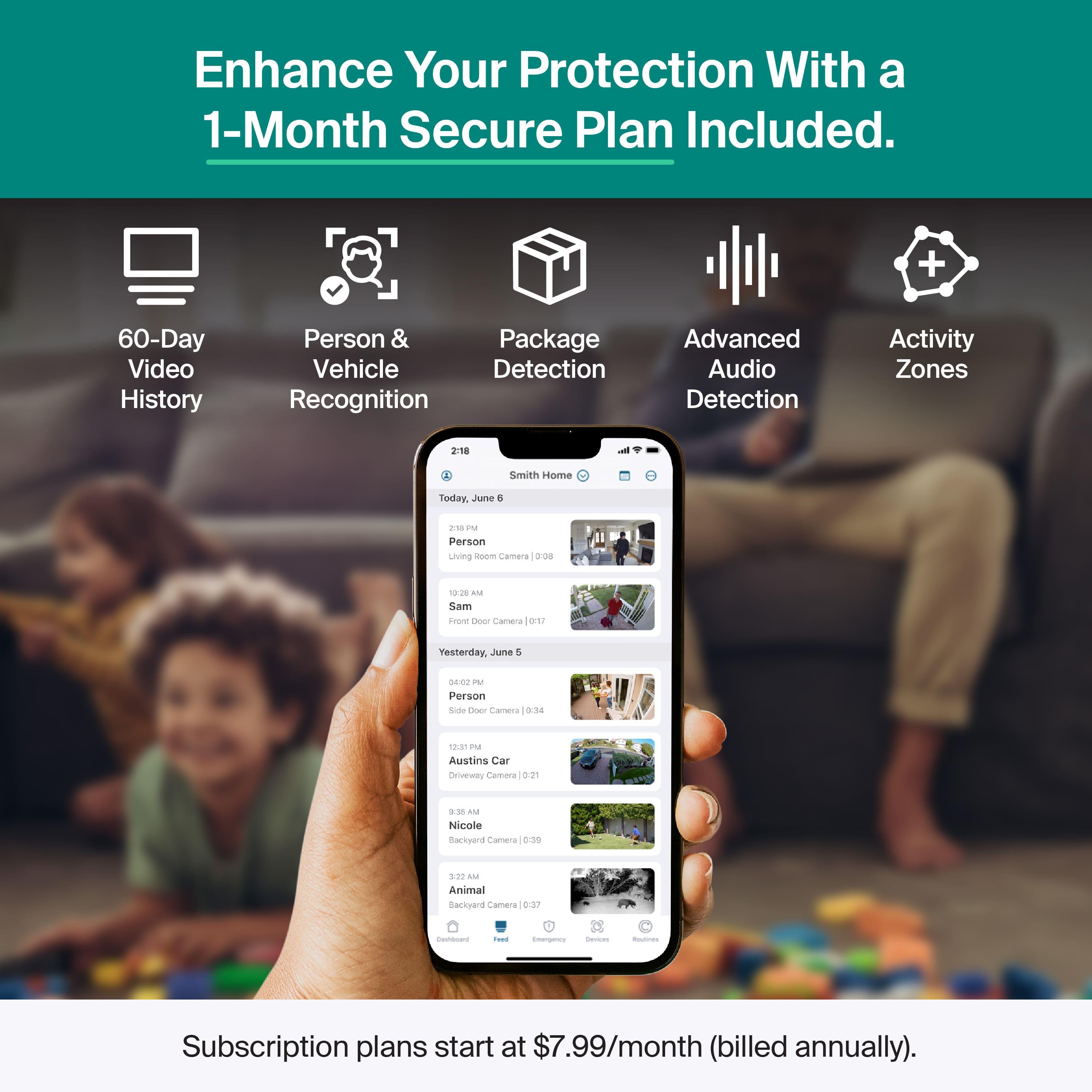
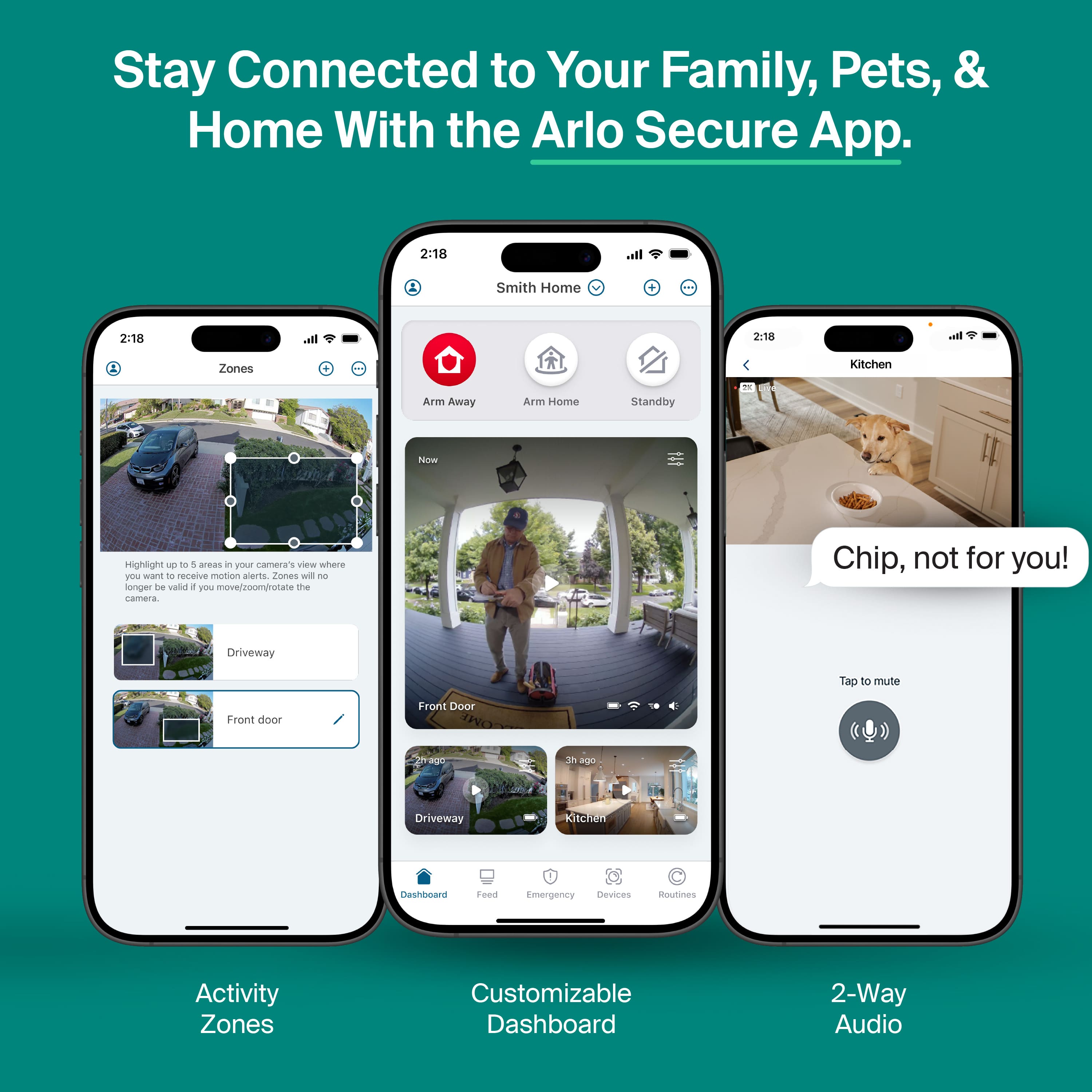
|Posted .This reviewer received promo considerations or sweepstakes entry for writing a review.I’ve been an Arlo user for several years now through the use of my wireless Ultra 2 4K cameras. Those cameras have always resided on the outside of my house, so it was nice to see a more affordable option for indoors. I tested this camera out alongside its indoor fully wired counterpart. The camera comes with a month trial of Arlo Secure, which is Arlo’s cloud based detection and alert service. The cloud service includes motion detection filtering, and package detection. I have let my wireless cams go off-plan for a bit in the past, and it was rough to filter through all of the false movement alerts. I ran the camera with and without the trial, and safe to say the it does cut down significantly on the extra alerts. The Essential line of cameras is Arlo’s entry-level offer tier. However, these cameras have pretty good specs that make them easy to live with. It comes with a 2K (2304x1296) resolution, 2-way full duplex audio, color nightvision, and a wide 130° field of view. The camera is rated for indoor/outdoor usage with a bottom temp range of -4°F (my Ultra 2 4K cameras have the same rating and have operated just fine down to -15). The camera comes with a rear attached mount, which uses a mounting plate to attach to the wall. The plate uses 2 screws, so no keyhole mounting option. The camera comes with a 16ft power cable which may or may not be long enough if you plan to mount outdoors, but that’s what extension cords are for. Image quality on the camera is solid. Roughly 1440p @ 24fps provides good image/video quality sharpness and clarity. Movement isn’t choppy, and I am able to zoom in a bit before things pixelate too much. The nightvision mode is pretty good as well. I like the color nightvision way more than just old the black and white infrared. The area the camera is recording has to be pretty dark before the color mode switches to B&W. In the event you need to see better at night you can pop on the spotlight, which is pretty bright. It is more than bright enough to light up a room and deliver a better image. Sound quality is better than I expected. The microphone pics up sound from a good distance away and is fairly sensitive, so it picks up quieter sounds. The speaker is fairly loud as well. I felt like I could talk normally on my phone and the camera did a good job of amplifying my voice. My biggest gripe with some cameras is how choppy I sound when speaking through the camera. I really don’t get that impression with the Arlo cameras, and voice reproduction has been better than most cameras I have used. Accessing the camera is done through the app. The Arlo app is pretty well laid out, and it doesn’t take much to get familiar with it. You can adjust video settings, audio, add alert zones, and adjust the motion sensitivity. For this camera I dialed down the sensitivity so I wouldn’t get bombarded by notifications, but you can also cut down unwanted notifications by setting up an alert zone for the camera to watch. The motion detection is sensitive enough to inundate you with notifications, so make sure to fiddle with that setting to get it right for your needs. The notifications show up fairly quick – within 1-2 seconds of the event actually starting. If you already have the app open it only takes another second or 2 to start viewing the event or switch to live viewing. If the app isn’t open it does take decently longer because you need to login/thumbprint unlock. I also connected the camera to my Google Home, and can display its feed on my Hub. Recorded events are stored in Arlo’s cloud, which you will have access to if you continue the trial. Single camera trials are $8/month, but if you have multiple cameras Arlo offers other options with unlimited cameras. I have had a few connectivity issues within the app that have required a power cycling of the camera. The camera functioned fine for a 5 days without issue, but in the last 2 days has frozen up on me. I don’t know if it’s a software bug, but I am hopeful it will work itself out. The indoor version I am also using has not had any uptime issues, so I don’t see a clear reason for the issue. Overall, the Essential Wireless 2K Camera is a nice addition to my home security. Image quality is good, audio is better than expected, and it’s rated for outdoor service. I have relied on Arlo for years to keep an eye on my house, and it has done a very good job so far. If you already have Arlo cameras I think this is a pretty good option to take a look at.
I would recommend this to a friend - Pros mentioned:Connectivity, Image quality
Only thing missing is local recording
|Posted .This reviewer received promo considerations or sweepstakes entry for writing a review.Video: 4/5 Audio: 3/5 App:5/5 AI: 5/5 Value: 5/5 Subscription: 1/5 The Arlo essentials line is one of if not the best budget security camera line out there. The Essential 1 camera is your normal Arlo camera, it excels in a lot of things and gets most things right. Camera: When it comes to video quality the Essential 1 camera does a great job, its not as good as the Pan and Tilt from the same essential line but still does a really good job with colors and contrast. I noticed that having it facing the sun without any coverage create a small tint to the video, the videos are still clear they would just be better if the camera is under some type of coverage. App: The Arlo app is one of the best, everything is laid out so its easy to see/understand and navigate too. I love the fact that you can turn on the siren or call emergency help from the push notifications, this is a great quality of life function. Adding the camera to my app and other camera was a breeze and anyone can do it. Notifications: The Essential 1 sends notifications quickly, from the moment it detects motion it takes about 2 to 3 seconds. This is average for motion based cameras, I did find that the Arlo take about 2 to 3 seconds to notice motion however which was a bit slow when comparing to other WiFi based cameras. I did not expect device to take so long to detect motion as the camera is always powered, unless battery powered ones which go into low power mode. I recieved no false alerts or any missed notifications during my testing, this is huge as with older motion cameras there was at least 15 to 35 percent false alerts. AI: The AI features on the Arlo Essential 1 works great. The camera not only can tell you who is showing up and at what time, but also details out cars (color/make/model). They even identify what is happening in the video for example I got a notification that a child was running across the yard with a blue scooter which they later started riding at the end of a drive way. The Essential 1 camera even told me I was adjusting another camera on my roof even though the secondary camera wasn’t in sight. Connectivity: The camera connects to your WiFi so where you can put it depends on your WiFi signal. Now it does use both 2.4 and 5 Ghz so you can stream in high def if you need and being a plug in camera you don’t need to worry about battery lose if streaming in 2k. There was no issue connecting to WiFi nor did I have any disconnects. The Arlo is using WiFi 4 which is a bit older and this could be an issue with congestion if you in a area where there is a lot of people of a lot of things on your WiFi. Detections: The Essential 1 does great with detections, it recognizes humans at 20 feet away at medium sensitivity. I didn’t miss any detections when it came to people unless the person was right underneath the camera or out of its sensor view. Keep in mind all motion detection cameras work best when motion is going across, not straight towards them. Audio: The audio recordings are good for the Eseential camera but that can’t be said about the 2 way talk. When talking through the camera the voice is always choppy and the voice sounds robotic. While mostly everything about the Essential 1 has been positive the one bad thing I have to bring up is that everything is cloud based. You need a subscription to do anything with this camera, otherwise its a 2 way intercom as nothing can be recorded/saved to device. None of the processing happens on device, this means everything is sent to the cloud. During my testing I noticed that daily data usage was about 700 megabytes, this is a HUGE number as over 30 days you are looking to use anywhere from 25+ gig a month. Overall the Essential 1 is amazing for AI detections with a solid image quality. With the subscription plan this is a full fledged security system on a budget.
I would recommend this to a friendBrand response from Arlo Team
Posted .Hello Jay,
Thank you for your review. Arlo cameras can use local storage. Arlo offers the option to store video recordings locally through the Arlo SmartHub or Base Station (sold separately). For more details on local storage, see this article: https://kb.arlo.com/000062818.
Best regards,
Arlo Team
- Pros mentioned:Image quality, Motion detection, Setup ease
Sharp image quality and simple setup
||Posted . Owned for 2 weeks when reviewed.This reviewer received promo considerations or sweepstakes entry for writing a review.The Arlo Essential 2K security camera delivers clear, detailed video and performs reliably both indoors and outdoors. Setup is quick and straightforward—from unboxing to mounting and viewing live video in the app takes very little time. The camera is lightweight, and the wired plug-in design means you don’t have to worry about battery life. Video quality is crisp, even at night, and motion alerts are responsive and easy to customize through the Arlo app. Features like person detection and smart notifications add an extra layer of convenience, though some advanced options do require a subscription. Overall, it’s a sleek, easy-to-use camera that offers solid performance and peace of mind for everyday home monitoring.
I would recommend this to a friend - Pros mentioned:Motion detection
Good Camera, Good App with some issues
|Posted .This reviewer received promo considerations or sweepstakes entry for writing a review.The Arlo Essential Security Camera is a standalone, plug-in security camera that works very well at a very reasonable price. One advantage of this camera is there is no base station to worry about. It connects directly to your Wi-Fi. Another is there are no batteries to worry about. The Camera: The camera is light weight and plastic. The power connector on the camera is USB-C. At the other end of the cable is a fairly small AC adaptor block. This is a fixed camera that does an excellent job recognizing movement and recording until it stops. To connect the camera, you first need to download the app to your cell phone, set up your account, go to devices, tap the plus icon, select your camera and press the Pairing button on the Camera. The app recognizes the camera, helps you connect it to the local Wi-Fi, installs updates and asks you to name the camera. After that, you just need to mount the camera. I mounted this one to a door frame on my garage. The App: Once the camera is mounted, you can go into the app. Along the bottom of the home screen are 5 icons – Dashboard (Home Screen), Feed, Emergency, Devices, and Routines. The Dashboard allows you to quickly arm or disarm the cameras based on the routines you set up under the Routines section. The feed is where you go to see the recordings that the cameras have taken, the Emergency icon allows you to quickly contact first responders in the event of an Emergency (Premium subscription required) The Devices screen is where you add/remove cameras, adjust settings, view live video and interact with visitors thru the cameras. The first thing I did was adjust the sensitivity of the camera and create detection zones to reduce the number of alerts I was receiving from cars driving by and people walking on the sidewalks. I get the alerts fairly quickly. I do have other cameras that are quicker to send alerts, but this one is not bad. One thing that has been bad is the amount of time it takes to download the videos to view. Sometimes I sit there for minutes on end waiting to view the videos I was just alerted to. This has been the worst part of the Arlo system so far. It takes way too long to view the uploaded videos. I have fast internet at home and at work and I don’t have this issue with my other camera systems. I have a feeling this issue is caused by Arlo’s servers being slow to feed the videos. To get the most out of the camera, you need to get one of Arlo’s subscription plans. Without one, you can get alerts, view the camera live feeds and speak/listen through the cameras. With the Plus subscription, you get cloud storage to save recorded video, and your notifications can identify motion (person, animal, packages, cars, etc). You can save and share clips from the cloud. You also get discounts on future equipment purchases as well as extended warranties and priority support. If you get the Premium Plan, you also get 24/7 Professional Monitoring and the Emergency Response function in the apps. You also get a few other perks. This is a very good Arlo camera. The affordability and function can’t be beat if you have an outlet you can connect it to. If they can fix the lag in the controls and the video downloads, it would be just about perfect…
I would recommend this to a friend - Pros mentioned:Night vision
Good camera but not the best mounting options
|Posted .This reviewer received promo considerations or sweepstakes entry for writing a review.Arlo makes good responsive security cameras and the mobile app is very easy to use however I found the mount for this camera to be slightly problematic since it can only be mounted from the back. Overall I think it’s a good option especially for someone who has already bought into the Arlo subscription services as long as the mounting options work for them. Pros: - 2k resolution with up to 130 degrees field of view - Motion alerts with Spotlight, Alarm and 2 way audio - Night vision - Extremely long cable included Cons: - Cannot be mounted from the top or bottom, only from the back - Most features require a subscription which isn’t cheap - No Local Storage Video Quality: I am using this camera in my garage next to my garage door opener so having an outlet near by was not an issue. The camera has a 2k resolution with 130 degrees of field of view so I can clearly see the areas around the cars and also see a good part of my driveway when the door is open. The night vision is clear but its not the most colorful without adding extra light. With the motion detection on I now get alerts when the garage door goes up so I know when someone is coming or leaving. Setup: I already had some Arlo cameras so adding this one to the app was very simple. The app is very intuitive and once it finds the new camera it walks you through the steps of adding it to your app and mounting it. The camera has a swivel base that attaches to the back of the camera. This is nice if you are connecting it to a wall but it doesn’t work for an overhang or ceiling mount. Originally I wanted to mount this to the ceiling of my garage but the mount just doesn’t support the angles I needed for the camera. Luckily there was a ledge in the ceiling that allowed me to wall mount it. I highly recommend thinking through the placement prior to buying this camera.
I would recommend this to a friend - Pros mentioned:Image quality
Arlo solid choice.
|Posted .This reviewer received promo considerations or sweepstakes entry for writing a review.I have had the pleasure to own many security camera systems. Arlo ranks pretty high up there in my list of likes. Let's start with setup. Setup takes a little bit of planning as it requires a hardwired electrical outlet. So keep that in mind when you purchase and place this wired camera. After you figure that out, you need to plan the mounting position and aim taking into account the focal point etc. After you have mounted the camera and plug it in you just need to download and install the app. Stepping through the process took about 10 mins. That included a firmware update I already have an Arlo account so that is needed to to have full access and function use. So operating the camera for just under week and seeing how it performs with AI recognition of animal, human, vehicle determining what is good to video and what isn't is pretty good. Main issue that is with all of the cameras like this is that from initial detection to stopping recording it completely dependent on the algorithm. There is or are some instances where the video did not capture it at the right time and only captured mid way. Going through the video feed is easy to view and click through. Other than that. Great wired camera. Both day and night vision resolution is good. Distance for focal point is pretty good as well.
I would recommend this to a friend Excellent pictures, excellent features
|Posted .This reviewer received promo considerations or sweepstakes entry for writing a review.Over the years, these home security cameras have matured alot. And these new generation cameras are very competitive. To start, the cameras are very easy to set up. Out of the box, you download the app, and follow the instructions on adding device --> camera. Done. During the set up, there's a video that gives you an easy to follow instructions on how to mount it on a wall. Clear, to the point, thank you. No ridiculous cut scenes or ads. There's a brief software update after you get things set up, takes about 4 minutes. Total installation time with mounting, I'd say 10 minutes if you know your way around how to mount things on a wall. Then once it's set up, the software is still a little difficult to navigate relative to other types of software, but once you know where everything is it's pretty straight forward. There's a few things where you may have to look around for. Video settings is picture quality brightness only, and motion detection is under Default Mode Settings. Not sure why it's labeled this way but it is what it is. The picture is sharp, clear. However that's pretty much only at the default settings. Changing the brightness starts to wash out the image, so I pretty much just let it at the default. In exchange, the night vision was better than expected. I'll take that trade off any day. Of course there's the microphone/speaker features so you have a 2 way communication. As with most security cameras, there's an expected slight delay, and it's can be static/unclear at times depending on your connection. But this is probably as good as it gets relative to all the other camera's I've tried. Overall, very nice next gen. There is a subscription for advanced features, such as cloud saving, or AI face / features, but you can use it as a basic camera without the subscription. Would recommend
I would recommend this to a friend