Customer Ratings & Reviews





- Model:
- GA503QR-211.ZG15
- SKU:
- 6448848
Rating by feature
- Battery Life
Rating 4.2 out of 5 stars
- Speed
Rating 4.6 out of 5 stars
- Display
Rating 4.4 out of 5 stars
Customers are saying
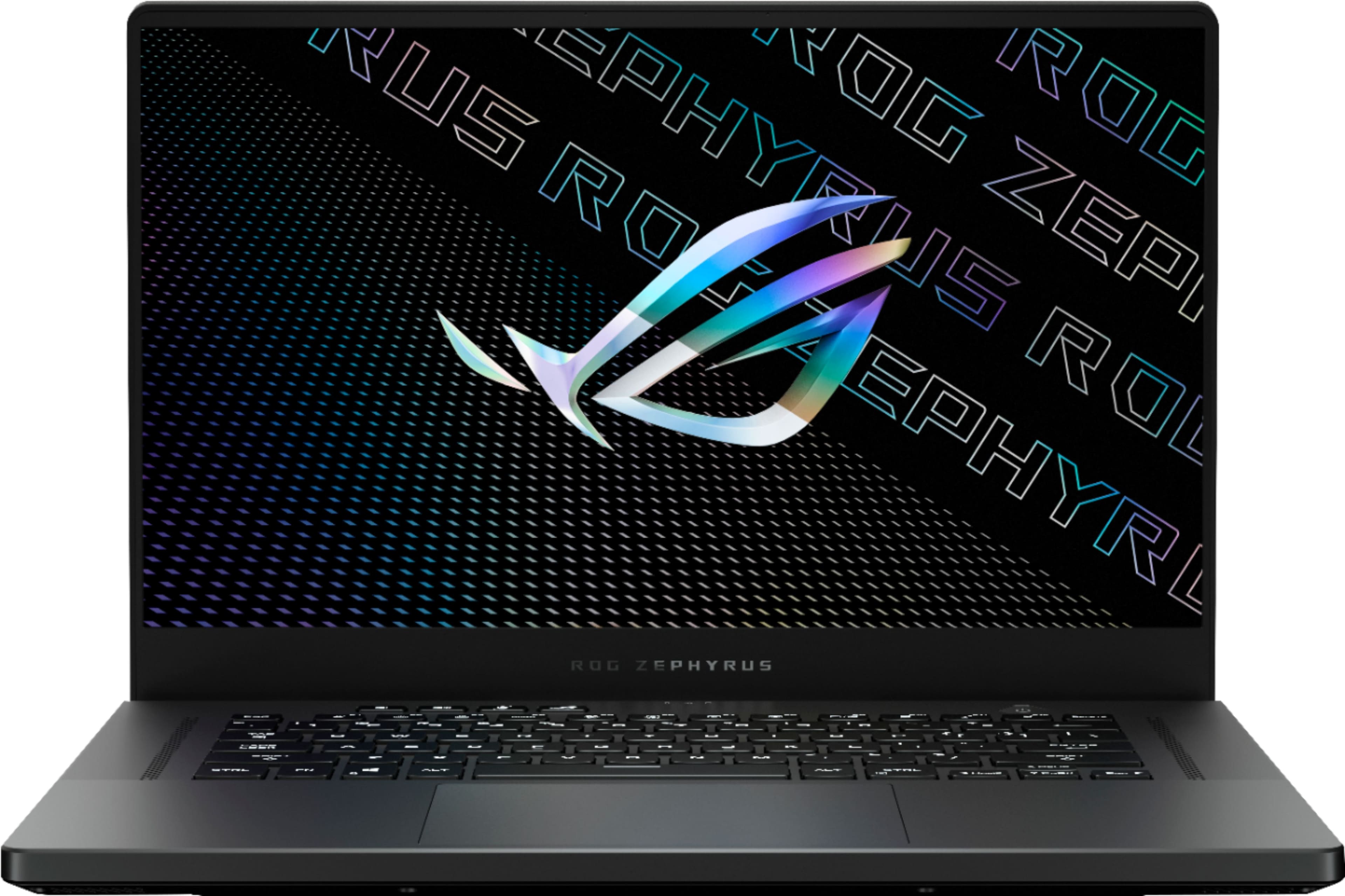
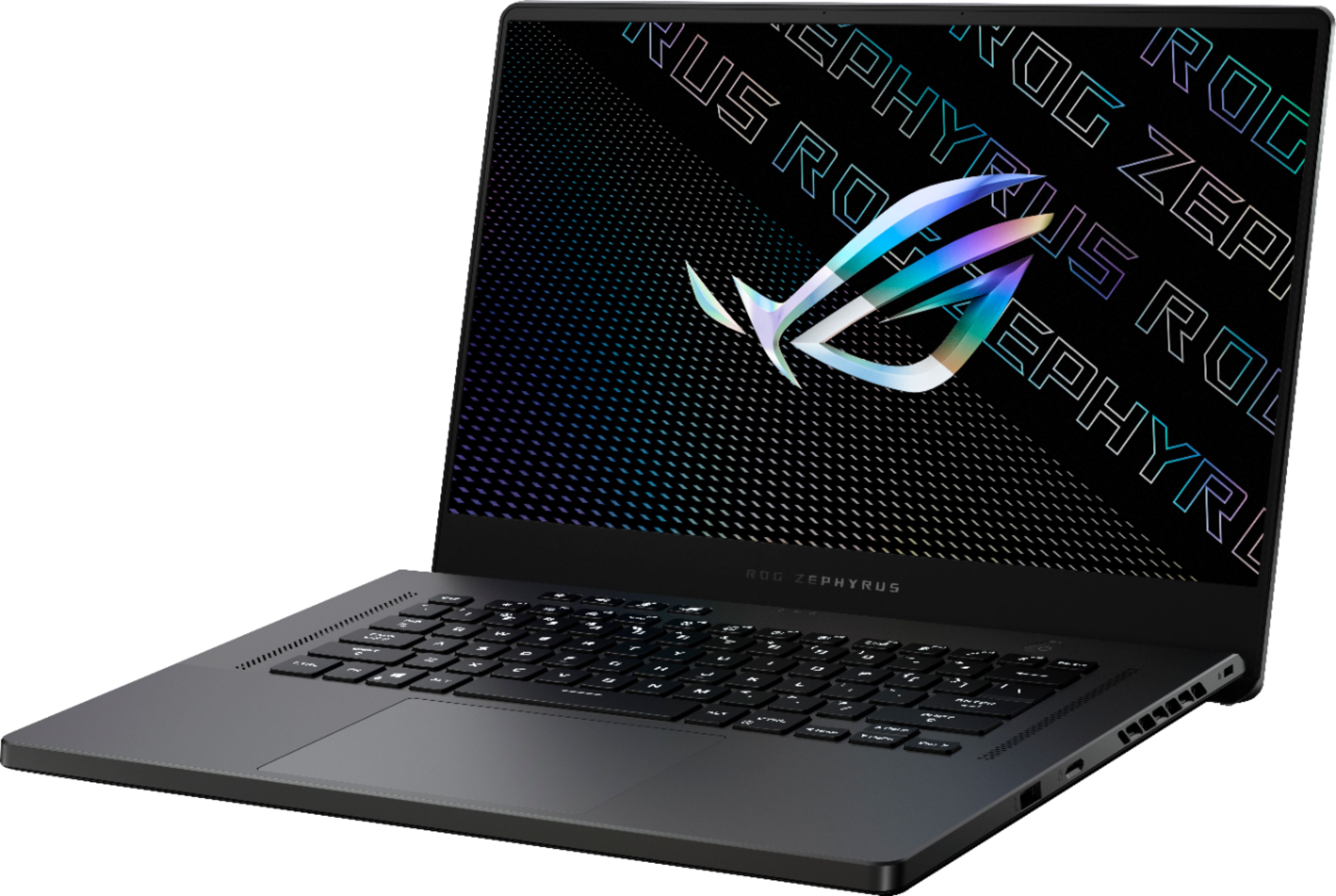
Customers often highlight the excellent performance, impressive build quality, and long battery life of the ROG Zephyrus 15.6" QHD Gaming Laptop. Many also praise its powerful GPU, lightweight design, and vibrant display, along with the keyboard. However, some users mention that the laptop can get hot, and the fan noise can be noticeable. Other criticisms include the soldered RAM, less-than-stellar speakers, and the absence of a built-in webcam.
This summary was generated by AI based on customer reviews.
- Pros mentioned:Battery life, PerformanceCons mentioned:Ram, Speakers, Webcam
It's like your first love. Mixed feelings around.
||Posted . Owned for less than 1 week when reviewed.This reviewer received promo considerations or sweepstakes entry for writing a review.This laptop is a great example of a balance between a portable laptop on the go and a great powerful beast for gaming/ heavy workloads. The thing it isn't perfect with possible major flaws. Like your first love in school with your girlfriend/boyfriend, you may find great things but uncover the bad after being deeply together after a while. Ill list the Pros and Cons since there is a lot to cover. Pros: 1. The design is good with a great metal feel on the lid and a trackpad that is similar to the Microsoft Surface. The device is very portable and the charger is really compact with not a lot of weight. I usually carry my laptop to worksites once a week and it is barely noticeable. 2. Great battery life. Able to get around 6 hours on ASUS silent mode with mix office work and Teams conferencing. 3. Great gaming performance all around. Time Spy hits average 9723 while Firestrike hits 22359 benchmark score. These scores in comparison is about 12% slower than an RTX 2080 desktop with an i9. For gaming with an external monitor I was able to get 90 FPS average on Ultra 1080P with GTA 5, COD Warzone at max setting 1080P no raytracing was averaging about 80 FPS, FF15 with hairworks off on ultra 1080P was getting about 88 FPS average. That is great results for a 4 lbs. laptop as most laptops can't even come close to these results. 4. The built in 2k screen is fast and colors are almost as accurate as my external 4k monitor. Still needs to be calibrated for actual color work related tasks but for most gamers this should be a fine great panel. 5. Low power draw is something that people really don't mention since I guess people just don't pay for electricity? This laptop has an average power draw of about 130 Watts when gaming which makes it very attractive for people who don't want to spend a lot on utilities for people who want to be more environmentally conscious. Could also be a good option for hash mining if you live in an area that has low electric costs but I can't confirm since I don't mine. Cons: 1. When using it as a workstation connected to 2 monitors with the lid closed, the device will go to Sleep when pushing the CPU/GPU which indicates an overheat. The temps seem to be fine when I monitor (hits around 87 C on CPU and 82 on GPU) but it seems that there is something that is baking inside that forces it to sleep. I was able to remedy this issue by using a cooling pad and adjusting the laptop fan curve to be a lot higher that what it supposed to be. This is a disappointing one since with the Dell and HP I used to own, I would just have to use a cooling pad in the workstation area and it would work with no issues. 2. Speakers are alright. It has good sound but sometimes on bass, it will have a very light pop noise. Kind of annoying for an expensive laptop of this caliber. 3. I know this doesn't have a webcam but it is annoying to lug a webcam around to when using it for Teams conferencing. Yes I know most laptop webcams suck but it's better than no webcam and ASUS could have change the game by adding a good webcam similar to my work loaned Microsoft Surface. The kicker is that ASUS feature their "amazing noise canceling" mic which is decent but not a replacement for a dedicated mic. What's the point of adding a mic to the laptop if there's no webcam..... 4. Minor issue of one 8 RAM module being soldered to the mainboard which means max upgrade is 24 GB of RAM (16 GB dual channel + 8 GB single channel). For an enthusiast gaming laptop, this is slightly disappointing and will dissuade some customers who need 32 GB of dual channel RAM for heavy workloads. Overall this is a good portable laptop with great performance in which to be honest will fit with the majority of people use case. There is a much darker picture I have to paint though. Questionable QC is my concern since I actually exchanged the laptop with the same model. The previous laptop had random blue screen issues when on battery power and had a really bad blown out right speaker that would pop and scratch during certain noises. Since this laptop is a new design for ASUS, I would recommend to test every feature of this laptop since there is a chance of possible defects. Since I tested what I could on this second laptop and seems to be fine, I will be keeping this for many years to come.
I would recommend this to a friend - Pros mentioned:SpeedCons mentioned:Webcam
Just a great laptop
||Posted . Owned for more than 2 years when reviewed.This reviewer received promo considerations or sweepstakes entry for writing a review.This is an amazing laptop. AMD processor wors perfect, super fast, can render in 3dmax, work on cad, photoshop, anything. I thought about taking a star out for the quality of the case (all plastic) but after using for a while I realized I like it much more then my hp spectre high end metal construcion, looks and feels good but waaay to heavy, the light plastic is much better on this Asus. The other bad point is the lack of a webcam, but I personally like it like that , more private, no need to worry, if I want a camera I can connect it on the usb. It is one of the best laptops I've ever had, had it for over 2 years now and still works great, amazing performance, great value, you pay for the actual components, not for brand, unlike other apple trash I got in the past . AMD is def the way to go. Also upgraded the memory and storage, very easy and unexpensive upgrade.
I would recommend this to a friend - Pros mentioned:GpuCons mentioned:Webcam
Big wow factor
||Posted .This reviewer received promo considerations or sweepstakes entry for writing a review.I'm sure there will be plenty of in depth breakdowns of this laptop and its variants in the coming days. I wanted to address reasons why I chose this laptop over any of the others in the 30 series laptop launch, more expensive models and the previous gen. In my personal experience it's hard to get this kind of performance for the price in any package. The AMD chipset was a hard requirement for me. AMD has been blowing up the CPU market and to go for a rtx 30 series GPU with an Intel series CPU would have just been leaving performance on the table for lost money. Passmark with no changes to the laptop (performance, turbo mode, etc) are attached. Can you squeeze more performance out of this? Absolutely, but a standard benchmark is more useful as this is the barebones you should expect when comparing to others. The CPU and GPU were amazing, and those are the ones to pay attention to. I wasn't looking for anything spectacular from the RAM or the HDD and since they are both replaceable, if you REALLY NEED TO UPGRADE, then you can. The 165hz WQHD screen is great. I am not a content creator so I have no need of a Pantone validated screen for color correction or the like but the screen is very pleasant to look at. I came from a Macbook Air-esque thin laptop with 350-nit brightness and a glass touchscreen. This screen is matte and not as bright by a long shot, but with a drastically reduced glare, that extra brightness isn't missed. I have a portable monitor that connects via usb-c and while it doesn't work on my desktop (that is also an AMD processor) I was worried without thunderbolt, it would not work. Rest assured this cheap USB-C portable monitor purchased from Amazon worked no problem. The keyboard took some getting used to as I tap the capslock key too often finding the home key. I think this is in part because I wear a wristwatch and I dont want to scratch the laptop and put my hand in different positions than I would on my previous laptop where the keyboard isnt as 'deep'. I am really pleasantly surprised at the size of the laptop. The 5900HS and 3070 are a powerhouse team and to fit that in a "slim" gaming laptop is hard to believe but they did it. I played a few minutes of Star Wars: Squadrons and the thermals did not go over 70*C on the GPU. If you are interested in mining, I was able to reach 51MH with 1300+ memory clock at 102W (80W TDP plus the 20W boost when the CPU doesn't need it). This is compared to a desktop 3070 at 120W for 56MHs. Thats pretty incredible, although it will run 73+C and if you dont provide alternative cooling (or prop the bottom up for better airflow) it *could* eventually cause premature wear and tear. Am I worried about that? No. I am a student exclusively online and the lack of a webcam would be a tick off the review if it was as impossible to get a webcam as it was desktop GPUs right now. But it's not. If you really need a webcam, one can be had for as little as $30 dollars. Again the price to performance ratio here is insane. You don't gain that much going to a 3080 version of this but that easily pushes the price over 2200 with tax. The visuals are about as muted as you could get for a gaming laptop. I can bring this to work and the grey laptop blends in with the other workstations if I set the keyboard RGB to white. Honestly the asthetic of the other 30 series laptops is a bit over the top and I appreciate how subtle this one remains. If you're on the fence, the only other comparable laptop would be the MSI Thin for the specs and price, but again no AMD cpu and it wont release for another several weeks. TLDR: Great buy, what there is to complain about is just trivial stuff at this value.
I would recommend this to a friend - Pros mentioned:PerformanceCons mentioned:Heat
Great at gaming, but struggles at multitasking?
||Posted . Owned for 2 weeks when reviewed.This reviewer received promo considerations or sweepstakes entry for writing a review.Pros: This laptop is a beast coming from my MacBook Pro 2015 Retina 13”. It can run GTA V at 80+ and Apex at 120+ Both on Ultra Settings. It runs Osu at 440 FPS but I think that the display caps at 165 so it’s kind of overkill. I have ZERO complaints about it gaming. I don’t hear the fans because I’m wearing some good headphones and using the inline mic/3.5mm port. Ehhhs: I was concerned how the vents blow the hottest air right onto the display but if ASUS thought it wasn’t of concern I guess it’s ok. I also wouldn’t recommend anyone to touch the middle part just in front of the screen where the system monitoring lights are (between the two vents) but that’s easily avoidable. Cons: My only concern is a multitasking issue. I have updated all my drivers and updated the BIOS using the MyASUS app. When I am on a Zoom call, which is when I need it work the most reliably, if I have another application such as Chrome running with Zoom on the same desktop or a separate one, Zoom will hang and freeze, and I will lose connection to the Zoom call. This is a huge issue, something I hadn’t experienced before on even my 5 year old MacBook. I hope ASUS fixes this in a future update because until that time I have to stare blankly at people’s faces with no way to browse Reddit in the background at the risk of losing connection. Just a super small issue: the RGB keyboard is great, the first one I’ve owned in my life, but why does the down arrow key/Page Down key have the light a different hue? Like the whole keyboard will be white backlit, but the down arrow is tinged different. Please see my pictures.
I would recommend this to a friend - Pros mentioned:Battery life, Build quality, Performance
Great laptop.
||Posted . Owned for 1.5 years when reviewed.This reviewer received promo considerations or sweepstakes entry for writing a review.Great laptop. My first higher priced quality laptop. Well built in a metallic casing. Fast and has very good high performance Nvidia graphics card built in. Long battery life. Lightweight, slim design. Very pleased with it.
I would recommend this to a friend - Pros mentioned:Build quality, PerformanceCons mentioned:Fan noise
Really Great Overall Laptop, Minor Quirks
||Posted . Owned for 1 week when reviewed.This reviewer received promo considerations or sweepstakes entry for writing a review.Great overall laptop. Beautiful build quality, light and very portable but powerful specs, beautiful screen, best laptop speakers I've ever heard. From what I've read, they put higher quality parts in this than other major brands use in more expensive laptops. Minimal bloatware. Very snappy. Relatively quiet fans (other brands have way louder fans). Downsides: No MUX switch (but has direct GPU output via USB-C), ports are in a weird order and all cluttered on the left side with not much on the right. Fans blow towards screen which is a long term concern. Not perfect due to minor quirks but very good, and I think it's the best 3070 out there as of November 2021.
I would recommend this to a friend - Pros mentioned:GpuCons mentioned:Webcam
The Best Of The Best!
||Posted . Owned for 2 months when reviewed.This reviewer received promo considerations or sweepstakes entry for writing a review.The 2021 15" ROG Zephyrus is one of the best laptops of 2021 so far and there's good reason for this statement. For one, it is available now and has extensively reviewed positively by many mainstream tech reviewers. This is actually one reason why I jumped on it when I did. The RTX 3070 model seems to be the best value model in my opinion. The GPU is very powerful for a laptop of this size but the price is still sub $2000. I was able to pull of impressive scores on popular benchmarks such as Timespy and the laptop remains quite cool with the 3070 pinned (unlike perhaps the 3080 model). Game performance is solid on the 3070. I can run most games on ultra 1440p (resolution of the screen) with relative ease. The best component of this device is in fact the Ryzen 5900HS CPU which is blazingly fast and multitasking on this device isn't an issue regardless of the tasks involved. The CPU is so good that it actually outperforms many desktop CPUS whilst using 1/5th of the power... RAM is partially upgradeable but 16gb is fine for most tasks and especially gaming, The SSD is very fast and most users will be fine using the 1TB drive included. In terms of build quality, the laptop is no Macbook Pro but the trackpad is second best in market in my opinion. The keyboard is simple and effective and the backlighting is a nice touch (reminds you that you are using a gaming laptop). Port selection is good for AMD (no thunderbolt but two Type-C). The network card is blazing fast and can pickup even the weakest of wifi signals if you choose to use the device wirelessly (great for remote locations or coffee shops). My biggest complaints are the ventilation which blows into the screen. If you are plugging into an external monitor (I use a 1440p 34" wide panel display) to take advantage of optimus bypass, you'll want to use a USB Type-C to display port cable and open up the laptop lid all the way back to allow the air to escape more easily (IE you are in Turbo mode). When using the laptop portably, just stay in performance mode and it shouldn't be a big deal. The lack of a webcam is annoying but it's not hard to find an external one. Hope this Helps!
I would recommend this to a friend - Pros mentioned:Battery life, Performance
Not bad
||Posted . Owned for 1 month when reviewed.This reviewer received promo considerations or sweepstakes entry for writing a review.good all rounder laptop but is not perfect. Price It's good, $1800 is perfectly reasonable, it's just not the best considering the Asus Strix is like slightly faster in everyway (since both the CPU and GPU both get higher wattage) and is the same price. However, the fact the GPU is still comparable to previous gen 2070 supers which cost much more, the price is justifiable. Quality Seems kind of hit or miss. My unit has some issues like the fact the B and N key are slightly slanted. Pretty much unnoticeable when using the laptop flat, but when the thing is on a stand, the RGB backlight that shines though makes it very obvious. I also notice a problem where the plastic that lines the interior of the display seems to be like delaminating. I'm not sure if that's just my unit or if it's a design flaw, having the plastic that act like a heat shield for the display seems like a mistake since that thing will expand and contract a lot more. A lot of people also seems to have problem with the speaker popping at high volumes, but that is one issue I don't have. The speakers sound brilliant on this thing, it might not be as good as a Dell XPS 15 but for a gaming laptop, it is way above average. Although, I'm not sure how I feel about that considering this is a gaming laptop and like all other high preforming laptops, it gets loud underload and most people will use headphones anyways, would much rather have a webcam instead of the high end speakers. At least the microphone is very good and the AI is good at filtering out fan noise. The 1440P display is also very good with good color accuracy. Chassis I think is magnesium alloy which is more than stiff enough. RGB backlight is not the brightest but is perfectly serviceable. Performance As expected, this thing is fast. The Ryzen 9 and 3070 (80W) is great for both gaming and productive workloads like video editing and CAD. Adobe Premier and SolidWorks both runs smoothly, and I can get 120 FPS in destiny 2 with 1440p and high settings using the laptop display. War Thunder maxes out at the screens refresh rate, and can maintain 60fps even in silent mode which is impressive. When I game I manually turn on max fans and use a stand, and the CPU rarely get much above 80C and the GPU rarely get above 65C even when playing for hours. Throttling is not an issue, but again I use stand and max fan, turbo and flat on table the CPU will hit over 80 but it will usually stay below 90. However, since this laptop has Nvidia optimus, the performance is not as good as it could be, with CPU bound games getting bottlenecked quite a bit. The good thing is hooking up an external display to the dGPU will solve the issue. Although it is annoying that Asus decided to make the HDMI port hook to the iGPU, so you're forced to use DisplayPort to bypass optimus. Everyday Use If you're competent with using computers you should be fine. The software definitely is not what I would call a finalize product as I still get weird issues like screen flashing when using programs like zoom and obs, which is annoying. The device also seems to hate going to sleep which is weird, every time I manually tell it to go to sleep the thing will go dark for like two seconds then just return to the login screen. I have all the latest updates installed, and even in manual mode the GPU seems to be switching which is not supposed to happen. That said I'm sure the issues will be fixed eventually, all new devices will have this issue, and considering this is the first year high end AMD and Nvidia are combined, there seems to be more bugs to fix. The battery can last 8 hours in light use, though I only tested that once so I'm not sure how reliable that figure is, but since this thing has usb c charging, you can just hook a phone charger on when times get desperate. Track pad is huge and works well, but everyone who get's a laptop like this should have a mouse 99% of the time anyways so not the most important feature. Smaller issues There is no webcam, so you'll have to use an external one or just use your phone and obs ninja or something, which should give better video quality anyways over a built in one. While the lid looks really good with the reflective dots, the lid is a finger print magnet which is kind of annoying. You can't see the dots reflect when under direct light so you have to view it from an angle, and when you do the light will also reflect finger prints. TL;DR if you know how to use computers and need a laptop for work or school that can play games on the side, this is not a bad device, if you only play games there are other laptops that has better gaming performance for the same price or slightly more, and if you only need a work computer, there are better options. This is a good jack of all trades middle ground.
I would recommend this to a friend - Pros mentioned:Battery life
Great design, light and snappy
||Posted . Owned for 1 year when reviewed.This reviewer received promo considerations or sweepstakes entry for writing a review.Great gaming laptop, good RAM with spacious SSD HD. The Asus software allows to set the battery max capacity beyond which it won't charge. No fear of overcharging! Great design on the lid, with a glimmer effect and, still, does not make it garish. RTX performance is great in games without lags unless run at extreme levels. QHD display is superb with crisp colors, only that the red colors looked a bit brighter, but it could be adjusted, i guess. Lightweight, so can be carried easily anywhere when moving around.
I would recommend this to a friend - Pros mentioned:Battery life, Gpu, Performance
PHENOMENAL!!
||Posted . Owned for 10 months when reviewed.This reviewer received promo considerations or sweepstakes entry for writing a review.This laptop is is amazing. The power is perfect. I love the look. Everything about this laptop feels premium. I love how Asus' Armory Crate has shortcuts that allow me to launch a game just from right clicking on the desktop. Never need to open up steam or any other gaming service. It also has a balanced mode that will turn off the discrete graphics and run on the integrated graphics when you're not doing anything demanding to help save on battery life. I've had this laptop for about a year now and I'm just as happy with it as the day I got it.
I would recommend this to a friend - Pros mentioned:Battery lifeCons mentioned:Heat
Its got some issues.
||Posted . Owned for 1 month when reviewed.This reviewer received promo considerations or sweepstakes entry for writing a review.As people have stated in previous reviews, it is a very good all-around laptop, but it isn't a gaming machine (obviously), and when playing games for longer than an hour at a time begins to perform very average. Also when performing average tasks like surfing the web, and watching a video, or listening to music this thing still tends to heat up quite a bit. I'm not sure what the direct cause could be, but I am certain it gets unbearably hot after an hour of gaming or prolonged use. (I know laptops usually share this trend but this thing gets abnormally hot, so hot you can even leave your finger on the keyboard without severe discomfort) Unless it is sitting on a table or you have something to separate it from your legs, the heat from it makes it literally unbearable to use on your lap. (This doesn't matter as much, but I would like to mention the power pack also gets just as hot, if not hotter than the pc) The fans can also get quite loud when it runs this hot, but personally, I've never minded fan noise. I also want to mention the keys. A week after purchase I started to notice some of the keys (space bar, shift, ESC, and a few other letter keys) will not detect an input when pressed, this happened about 3/10 times I would press the keys. Now aside from these issues, the battery life and display is very good, and as I said, in that first hour (or inside of a freezer) it is quite fast, basically a well-performing laptop in a near-perfect scenario, but I am concerned that over time the heat and key issues will lead to larger performance and hardware problems. The laptop looks amazing and I love the lighting under the keys, however, For the price tag, I would have to say look around at some other laptops before you dedicate such a large amount of money to a product with so many issues. Thanks for reading!
No, I would not recommend this to a friend - Pros mentioned:Build quality, Performance
Perfect for students and hardcore gamers
||Posted . Owned for 2 weeks when reviewed.This reviewer received promo considerations or sweepstakes entry for writing a review.This laptop is hands down amazing. I use it mostly for school but play triple A games on it every weekend. The performance for both uses is incredible. I recently played The Witcher 3 on ultra settings at the screen's native resolution with no problems at all. Silky smooth gameplay and the colors on the screen are fantastic. No need to go for a 4K screen as most laptops won't be able to handle a game at 4K. Benchmarks show the 3070 mobile to be about equivalent to the 2060 desktop but that doesn't seem like the case and if it does, the 2060 desktop is a beast. I just traded in my 4K Razer Laptop with a 2070 mobile max-q and this laptop outperforms it for sure. When this laptop is plugged in, it plays almost all games at ultra (not cyberpunk probably but don't buy that game anyway). When it's not plugged in, you'll have to adjust the settings down quite a bit. Still plays great on the go though. The case itself is beautiful, thin, and durable. The paint coat they put on near the keyboard part feels nice I touch it all the time while on the laptop. Only downside is no webcam but they replaced that with a fingerprint reader.
I would recommend this to a friend - Cons mentioned:Ram
Slim Beast that doesn’t like to be touched.
||Posted . Owned for 1 month when reviewed.This reviewer received promo considerations or sweepstakes entry for writing a review.Powerful, slim laptop with a gorgeous display. The cons that everyone knows or speaks about is the RAM soldered to the board, making it unable to be swapped. Issues I’ve had where i found a remedy are the touch sensor (placed in power button for those who don’t know) doesn’t work as intended, and the laptop randomly shutting off when fullt closed, connected to s monitor. The fixes are simple and can be seen in the pics. 1. Touch sensor, gently, i mean very gently, no pressing, lay your finger horizontally across the power button, it will unlock instantly (hopefully). Works 9/10 times for me without asking for PIN. 2. When gaming connected to a monitor, the laptop randomly shuts off fully. FYI heat is not the issue, as its dones so when temps haven’t passed a mild 75°. Looking up the issue, I haven’t found anyone to pinpoint why it shuts off, but keeping the laptop open seems to fix the issue. Cyberpunk, the Division as pictured ran for hours with no shutdown as long as screen was open. PS. I went thru ALL settings to make to turn off any sleep, rest, or shut off features while laptop is plugged in. It still would randomly shut off if lid was closed.
I would recommend this to a friend - Pros mentioned:Gpu, PerformanceCons mentioned:Ram
Great Processor performance and Gaming is Ok!
||Posted .This reviewer received promo considerations or sweepstakes entry for writing a review.The best cost-benefit on the market for performance. For those looking for excellent processing power, Ryzen is the best choice. I compared a lot with other options like Razer Blade 14 (Ryzen too) and 15, and Intel of 15" can't even be equal to Ryzen (The 14 I discarded because of the impossibility of upgrading that I would like.). As for RTX 3070, Zephyrus does not provide a great TDP power, it will hardly exceed 100W. So my tip is, if you're looking for power and at the same time a visually more discreet notebook, this is an excellent option. If you are looking for even better graphics power, I recommend a 3070 with 120W or more, as is the case with the Alienware M15 R4. I will not mention 3080 as it is already in another price range (and 3080 for this model it is not worth it, precisely because of the TDP limit). A detail is that this model sold here, despite coming with 16gb, it comes with 8gb soldered and a 8gb memory. And not with 16gb soldered like other GA503 series.
I would recommend this to a friend - Pros mentioned:Gpu, SpeedCons mentioned:Heat
Asus rog G15
||Posted . Owned for 3 weeks when reviewed.This reviewer received promo considerations or sweepstakes entry for writing a review.Its a solid gaming laptop the problem is its design the vents are blowing hot air to the Screen. Heat can destroy anything so i dont think this laptop will be good for the long run. But overall the speed and graphics im speechless i got mine without a screen backlight bleed. I dont know why rog made such a design like this that can destroy your screen in the long run
I would recommend this to a friend - Pros mentioned:Performance
Beast gaming laptop. better than last years M15...
||Posted . Owned for 1 week when reviewed.This reviewer received promo considerations or sweepstakes entry for writing a review.I was skeptical about performance boost from last year 2070 max-q model and this one but it's exceeded my expectations. My old Zephyrus M15 would have great thermals during long time gaming but this one is even cooler. My GPU rarely hits 80c and CPU maybe low 80c. Running both m15 and g15 fans at max, this one is quieter. It also benchmarked much higher than I thought it would. M15 timespy was about 7200. This one can easily reached 10k (pic). The stock m.2 ssd is writes and reads better than my SN750 which is surprising. Typically stock SSD are cheap. At home, i connect to two 27inch 1440p monitors using type-c and it handles them with no problem. What else can I say about this laptop that others reviewers havent said. Screen is top notch, keyboard is solid, touchpad is big. Tip: The 2nd sdd drive screw is extremely thigh. very careful when removing since the board flexes as bit.
I would recommend this to a friend - Cons mentioned:Speakers, Webcam
Best I've ever had
||Posted . Owned for 2 weeks when reviewed.This reviewer received promo considerations or sweepstakes entry for writing a review.If can live without the webcam and the weird occasional speaker pop(which I hope can be fixed with software), this is the one the best laptop this year. The design is g14 on a 15.6 inches which I liked . It's light enough to carry around and port is covered assuming you're not to invested in thunderbolt. I can easily recommend this machine.
I would recommend this to a friend - Pros mentioned:PerformanceCons mentioned:Fan noise
Amazing laptop, with a beautiful screen but bad QC
||Posted . Owned for 1 week when reviewed.This reviewer received promo considerations or sweepstakes entry for writing a review.This is such a beautiful laptop, with Bad QC. loved the screen so bright, and it’s a joy to edit video and photos on it. But it has such terrible light bleeding, I had to take it back and get a replacement hopefully the new one is much better. The specs are really good if you edit videos and photos it’s a joy to use, editing 6k raw and Sony A7S III footage handles it well chugs sometimes but for the most part is really good. Gaming it’s so nice the you get good frame rate, I like to play when I can and it gets it done. The fans get loud tho, louder than I’m used to for a laptop, I don’t mind it since I always wear headphones for editing but if noise is an issue this might not be the laptop for you. But the temperatures stay very cool for a laptop this size so I’ll take that with the louder fans. Overall as a content creator I’m happy with this laptop, just wish asus had better Quality Control. The screen is a huge plus and I’m glad at least for me I went with this one over the amd version with smaller screen.
I would recommend this to a friend A powerhouse for gaming and more!
||Posted . Owned for more than 2 years when reviewed.This reviewer received promo considerations or sweepstakes entry for writing a review.I’ve been using this particularASUS ROG Zephyrus Gaming Laptop for a while now, and I can confidently say that it’s a beast of a machine. As someone who dives into the most demanding next-gen AAA titles, this laptop has exceeded all my expectations. I’ve played games like Modern Warfare 3, Counter-Strike 2, Battlefield 2042, and Cyberpunk 2077, all without a hitch. The AMD Ryzen 9 processor paired with the NVIDIA GeForce RTX 3070 makes everything run buttery smooth, even at the highest settings. The QHD display is stunning, with crisp visuals and vibrant colors that really make every game come alive. Whether I’m navigating the neon-lit streets of Night City in Cyberpunk or immersed in the intense action of Battlefield, the experience is nothing short of immersive. What’s even more impressive is how well this laptop handles heat. Despite long gaming sessions, the cooling system keeps everything running cool and quiet. The build quality feels premium, and the 1TB SSD provides ample storage for all my games and media. Overall, the ASUS ROG Zephyrus has proven to be a reliable and powerful gaming laptop that can handle anything I throw at it. Whether you’re a hardcore gamer or someone who needs a high-performance machine for other demanding tasks, this laptop is definitely worth considering.
I would recommend this to a friend- Pros mentioned:Battery life, Build qualityCons mentioned:Fan noise, Webcam

The Total Package: Unmatched Value & Performance
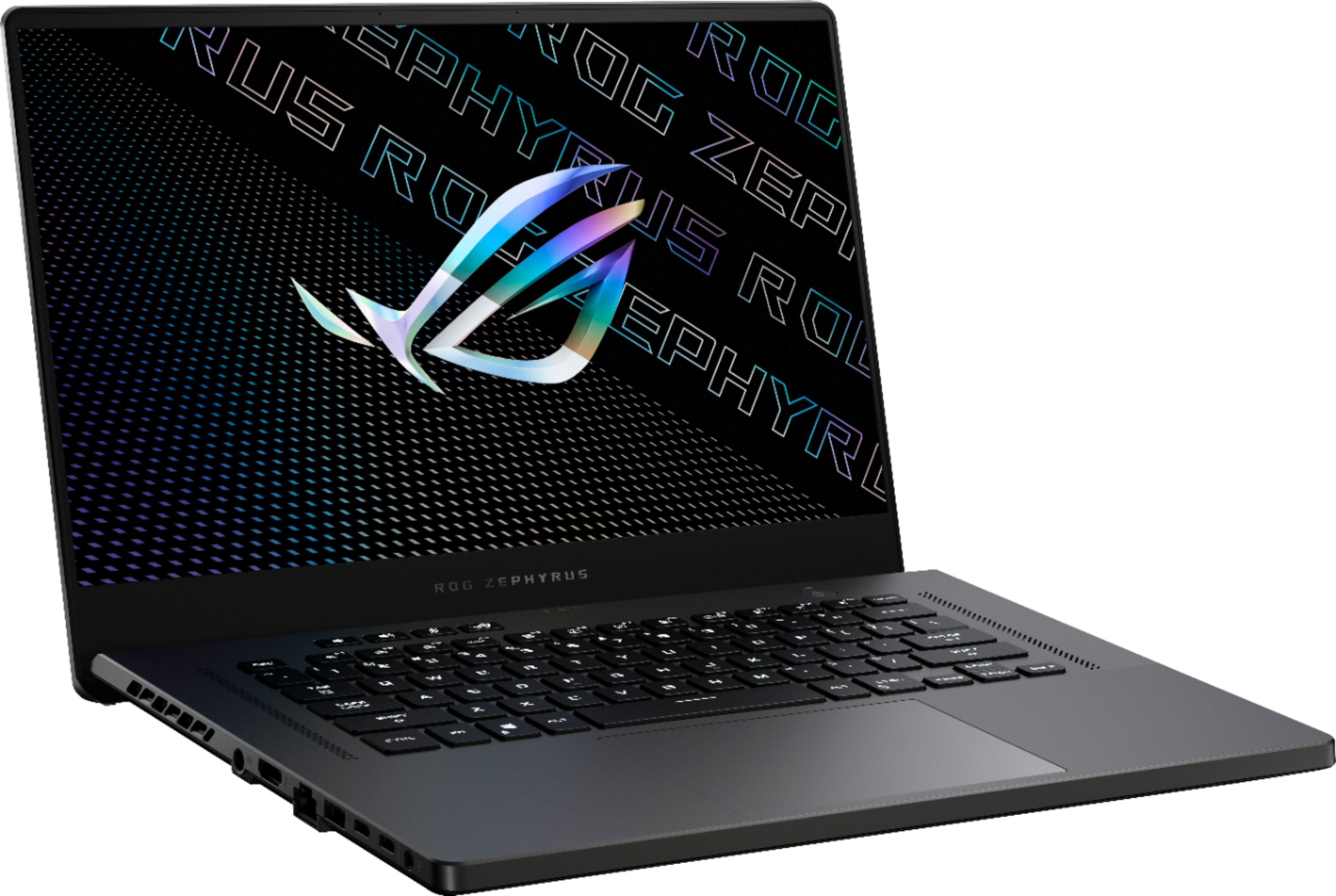
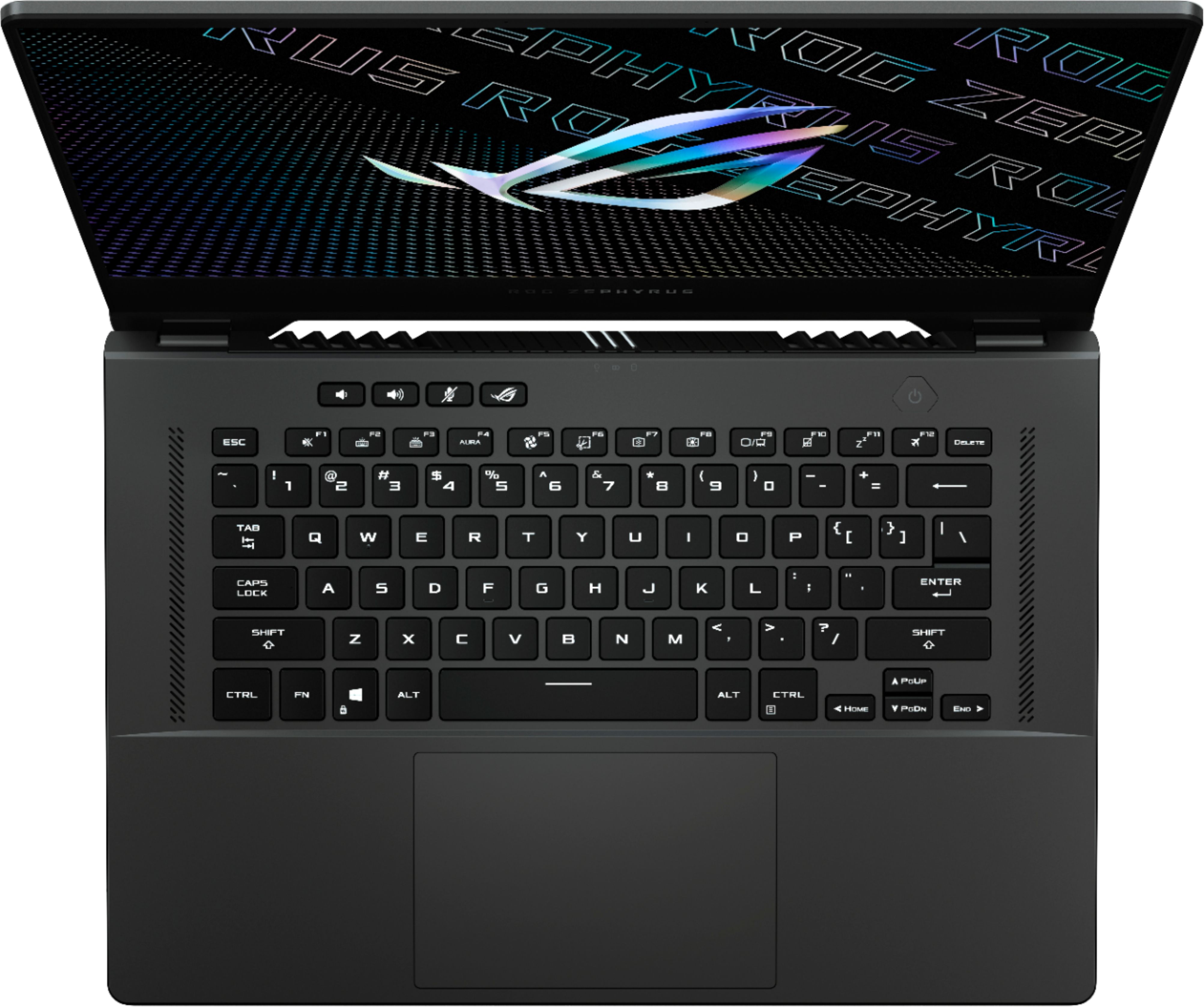
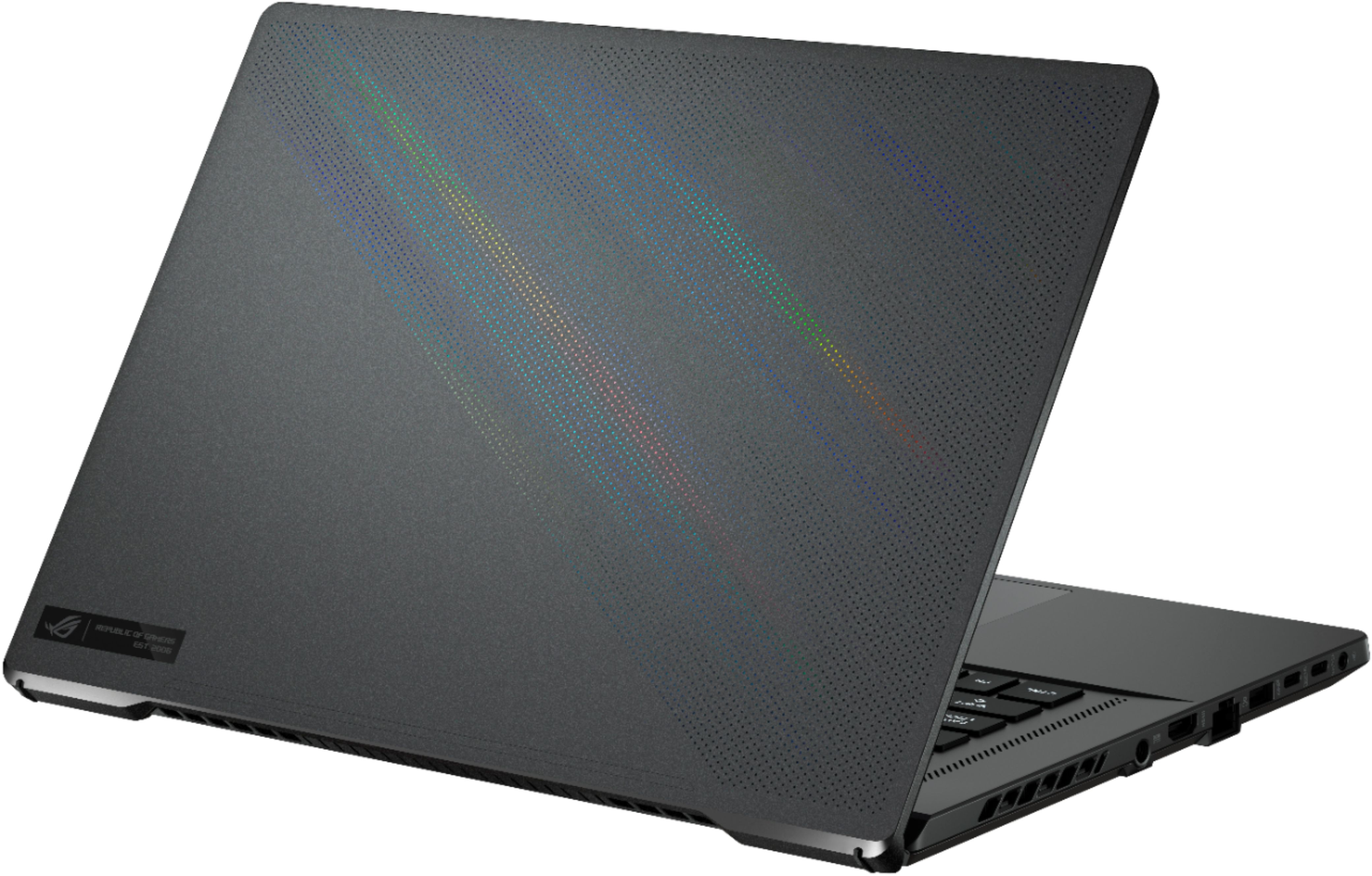
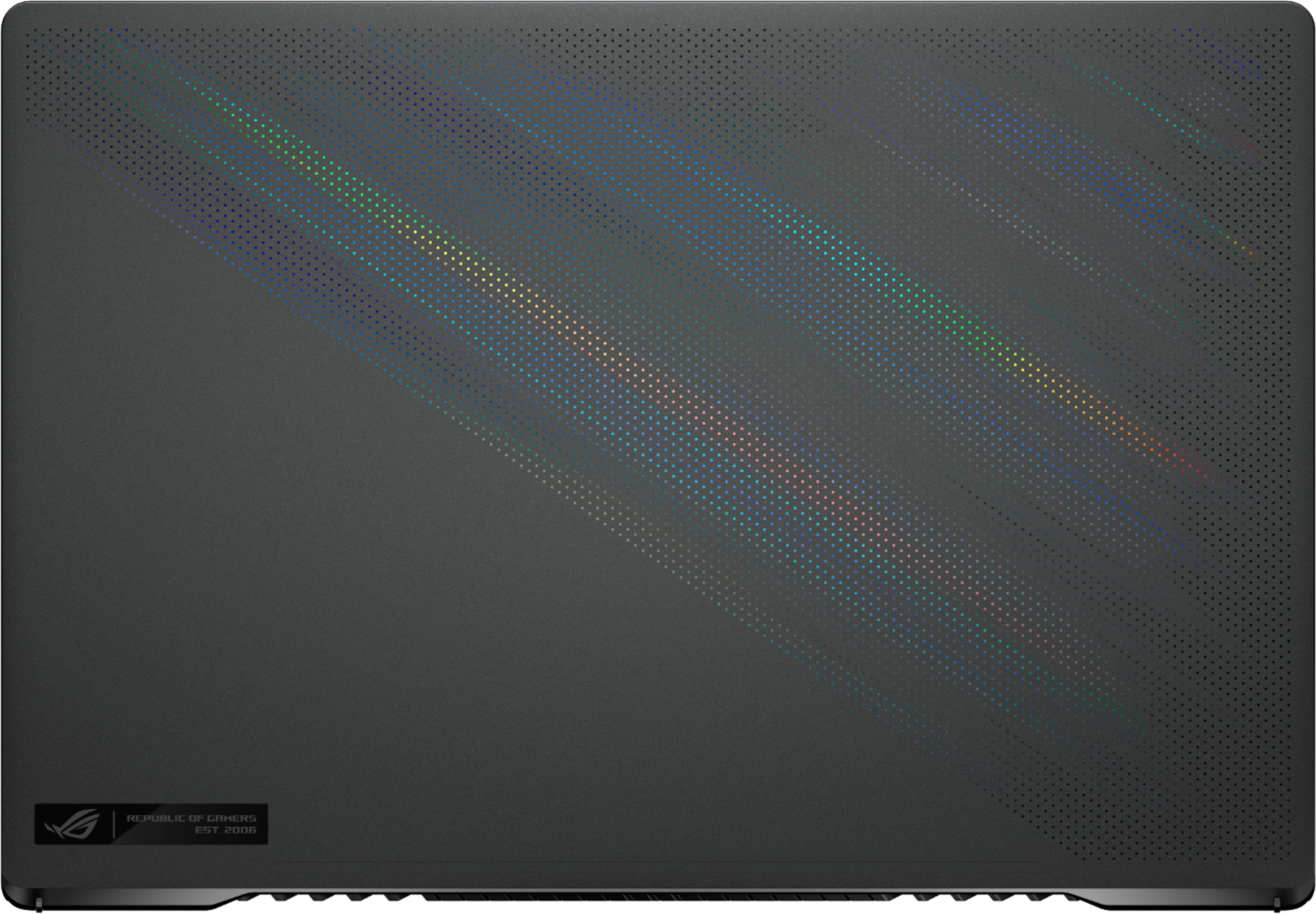
|Posted .This reviewer received promo considerations or sweepstakes entry for writing a review.I've owned a few gaming laptops over the years and the new Zephyrus G15 comes closest to hitting that perfect balance of performance, design, and portability. The model as reviewed here foregoes some high-end upgrades and has a few small quirks, but the design is eye-catching and the overall package is essentially unmatched by any other laptop. Nvidia's new 30-series GPUs offer incredible performance and value, but there are certainly some trade-offs to be aware of with the 3070 in such a small machine. Likewise, you'll want to temper your expectations if you're upgrading from a laptop with a 20-series GPU. === DESIGN === - This particular configuration is only available in the Eclipse Grey color, which I actually prefer over white. The color maintains a sleek, professional look allowing you to use the laptop in any setting without attracting too much attention. The holographic microdots on the laptop's lid add just enough flare so as to not be over-the-top. - When closed, the laptop measures 14" wide by 9.6" deep, and less than 1" thick. At just over 4 pounds, it is very portable and should fit in most backpacks and travel bags. - There are a decent amount of ports available, though I would have preferred more. On the left, there's the power port, an HDMI port, an Ethernet port, one USB Type-A port, two USB Type-C ports, and a headphone jack. On the right, there's one USB Type-A port, a microSD card slot, and a Kensington lock slot. - The power port on the left side is oddly placed right in the center of the laptop rather than towards the back. As a result, the power cord runs along the length of the laptop, which looks awkward and sometimes covers the left exhaust vent. - The power brick is surprisingly compact for a gaming laptop. You will need it for the laptop to run at full power, but the machine can also be charged via USB-C with any 100w adapter. Just be aware that the CPU and GPU will not run at full speed when the laptop is being powered via USB-C. - Build quality is excellent, with minimal flex and no squeaking. Most of the machine is a soft-touch plastic, which is great for keeping weight to a minimum. The hinge is very smooth and can be lifted with one hand. As you raise the display, the base of the laptop begins to raise at a slight angle to improve airflow. I haven't noticed any significant wobble with the display raised. - Overall: The Eclipse Grey color is great and I appreciate the understated yet modern design of the laptop. The power port positioning is an awkward choice, and I wish there were a couple of additional USB-C ports especially on the right side. Build quality seems top-notch and I'm confident it will last a long time. === DISPLAY, KEYBOARD, TRACKPAD, & AUDIO === - A key selling point for me was the 165Hz 1440p (QHD) display, which ASUS claims covers 100% of the DCI-P3 -- meaning it can show a ton of colors and display them very accurately. I absolutely love the resolution and pixel density of this display, and colors are indeed rich and vibrant. I find that contrast is a bit lacking and there is some visible wash-out as you tilt the display very far back. There is also a bit of light bleed along the top edge of my display, but it's hardly noticeable except on black loading screens. The 165Hz refresh rate means that games look incredibly smooth with no tearing or choppiness. - The keyboard is very spacious and comfortable. It has a nice amount of travel and it takes a satisfying amount of force to depress the keys. It has just the right amount of "clickiness" that you would expect in a gaming keyboard. Given the 15.6" form factor, I'm glad ASUS omitted the 10-key pad. The keyboard is RGB-lit, though the entire keyboard can only display one color at a time (there are not multiple RGB zones to control). The RGB brightness is sufficient, though I've certainly seen brighter RGB keyboards. - The trackpad is a joy to use. It is very large, soft, and easy to click. It works perfectly with gestures and is extremely responsive. - The speakers on the G15 really surprised me. MacBook speakers aside, these could be the best sounding speakers I've heard on a Windows laptop. I usually expect to hear a lot of distortion at medium and high volumes on laptop speakers, but not with the G15. Mids and highs are well balanced with a nice amount of "oomph" in the lows. The included Dolby Access app provides some pretty good preset audio profiles as well as an equalizer for custom settings. - Overall: Minor gripes aside, ASUS has nailed the basic aspects of a 15-inch gaming laptop with arguably the best display available in the segment. The keyboard, trackpad, and speakers also live up to the hype. === PERFORMANCE, COOLING, & UPGRADES === - Long story short: you won't have any problems playing modern AAA games on this laptop. The graphics performance in this machine rivals that of a high-end desktop with a 2080 from just a couple of years ago. Just don't buy this laptop -- or ANY gaming laptop -- expecting to get the same performance from the 3070 Laptop GPU that you would get from the full-powered desktop 3070. Due to thermal restrictions and the laws of physics, the 30-series GPUs in laptops use a LOT less power than their desktop counterparts, so performance will never be equal. Regardless, the most impressive aspect of the 3070 in the G15 is its value. Just a couple of years ago, a laptop with this type of performance would have cost much more money. - Time Spy benchmark: 9408. Cinebench R23 multicore: 11548. Cyberpunk 2077 (Ray Tracing Medium, DLSS Balanced, 1440p): 50 fps average. Gears 5 (Ultra preset, 1440p): 80 fps average. Red Dead Redemption 2 (High preset, 1440p): 45 fps average. Shadow of the Tomb Raider (High preset, DLSS enabled, 1440p): 65 fps average. You get the idea. This laptop can handle these demanding games quite easily, and the performance only gets better if you're willing to fine-tune each game's settings. - Reducing the resolution in games to 1080p results in noticeable performance gains, but you obviously sacrifice a bit of clarity. That is one drawback to the 1440p display: it looks brilliant, but it requires a lot of GPU power to process such a high resolution. - So much of your performance will be dependent on the settings you choose in the ASUS Armoury Crate program. There are presets for Silent, Performance, and Turbo. "Turbo" gives you the best performance and cooling, but the fans get obnoxiously loud if you're not wearing headphones. "Performance" is a good middle-ground with less fan noise, but you will sacrifice a bit of CPU and GPU power (the clock speeds of the GPU will not boost as high as quickly). You will have to spend some time in this program to tweak the performance settings to your liking. - The laptop stays surprisingly cool, but that definitely comes at a cost of loud fans during intense gameplay. Luckily, the fans are hardly noticeable when using the laptop for routine work and web browsing. On Turbo mode, most games push the GPU temp to about 67 to 70°C, and the CPU to over 80°C. - Battery life is pretty great lasting over 8 hours with standard web browsing and day-to-day tasks (screen at half brightness). Obviously, gaming is going to result in much shorter battery life. - There is an extra M.2 NVMe slot to add an additional SSD for more storage. 8GB of RAM are soldered onto the board, with another 8GB SODIMM in the memory slot. You can swap out that 8GB DIMM for 16GB (for a total of 24GB of RAM), but that's the most RAM you can get. - Overall: Performance out of the box is outstanding and should satisfy most gamers looking for a portable gaming laptop. Just do your research and know what you're buying. Cooling is great, but it comes at the cost of loud fans that will have to be closely monitored through the ASUS software. === SOFTWARE AND OTHER THOUGHTS === - A fingerprint reader is built into the power button for logon via Windows Hello, but the reader is very unreliable. I'd say it fails to scan my fingerprint at least half the time, prompting me to enter my PIN or password. - There is no webcam on this laptop, which seems like poor timing on the part of ASUS given how the world has changed over the past year. - The ASUS Armoury Crate software is essential for tweaking the performance and cooling of this laptop, but it is very clunky and confusing to use. Luckily there is a button above the keyboard that you can use to switch between your cooling/performance presets. === OVERALL === From a cost/performance/value perspective, the ASUS ROG Zephyrus G15 checks all of the boxes -- especially this particular configuration. ASUS offers the laptop with a beefier GPU (the 3080) and some additional RAM for hundreds of dollars more, but in my opinion, this model with the 3070 is the sweet spot. Gamers just need to manage their expectations and understand that they are not getting a full-fledged, desktop-class 3070 in this laptop. Those upgrading from a laptop with a 10-series GPU will be blown away. Those coming from a 20-series laptop might not see as big of a jump, but you are getting a lot more performance for your money this generation. A few minor gripes aside, this is likely THE gaming to get right now. With the beautiful display and raw performance offered, nothing else seems to come close to matching its value.
I would recommend this to a friend