Customer Ratings & Reviews
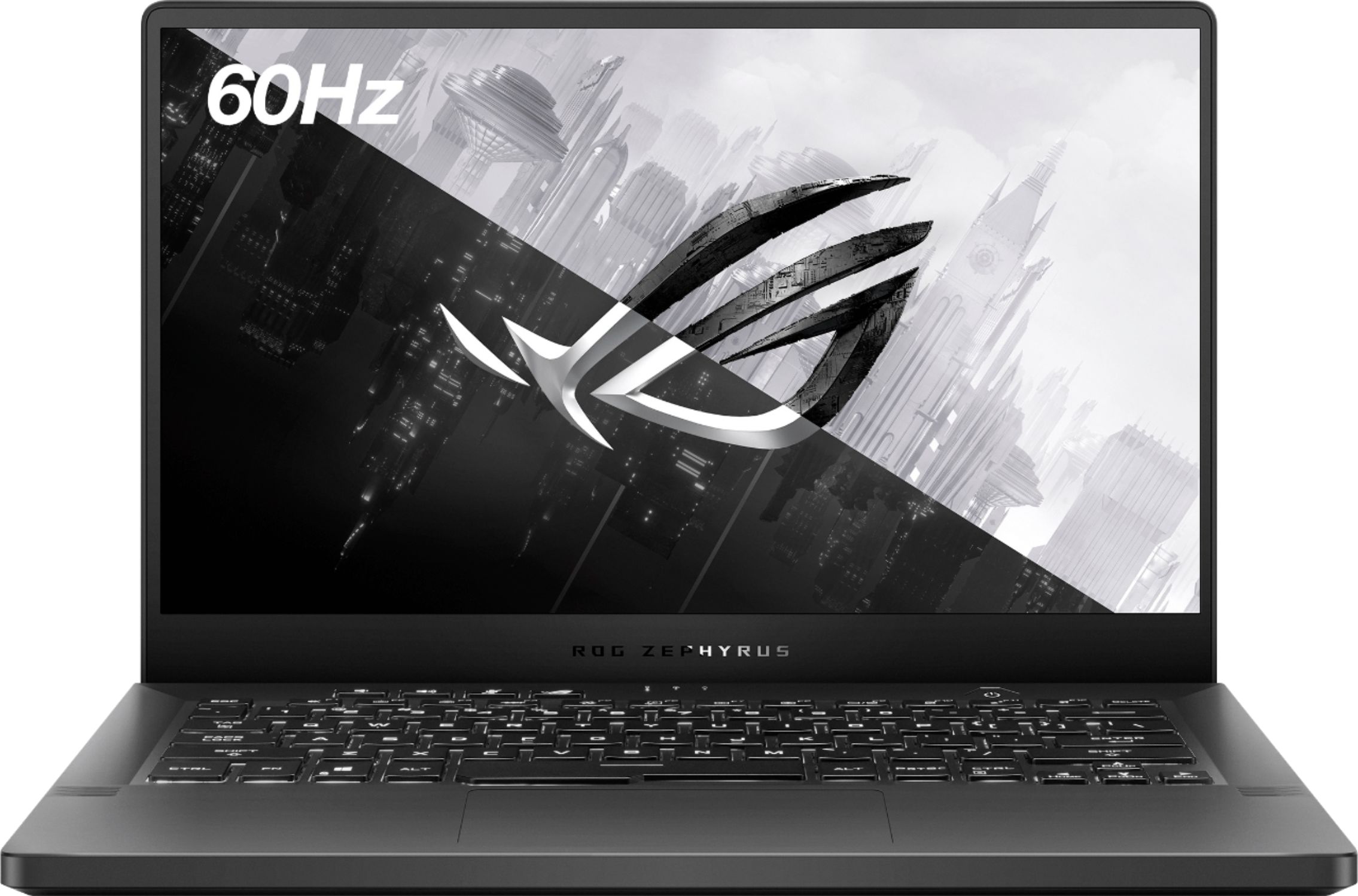
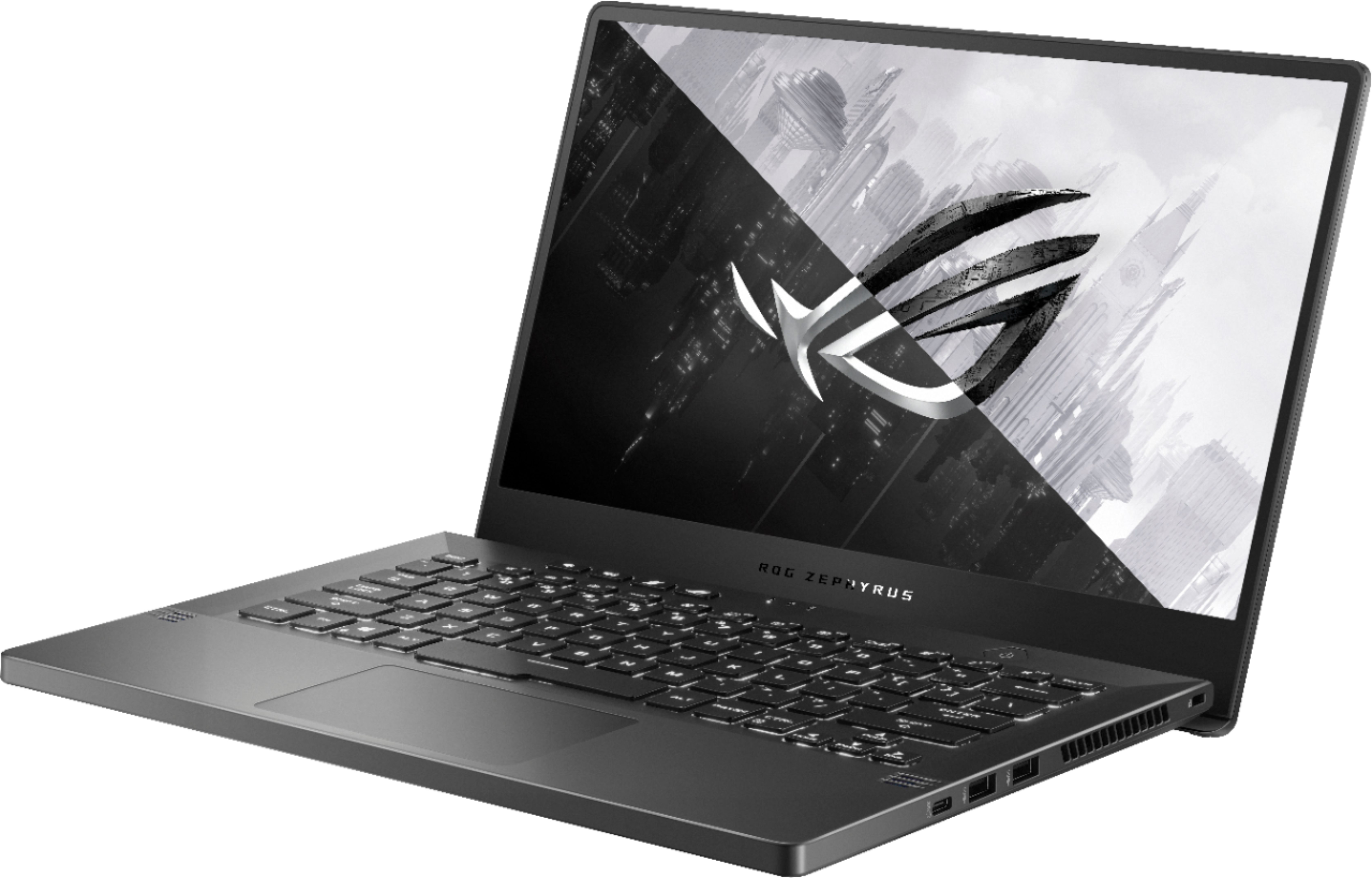

- Model:
- GA401QH-211.ZG14BL
- SKU:
- 6466255
Rating by feature
- Battery Life
Rating 4.4 out of 5 stars
- Speed
Rating 4.7 out of 5 stars
- Display
Rating 4.5 out of 5 stars
Customers are saying
Customers recognize the ROG Zephyrus G14's impressive performance and excellent battery life as major strengths. Its lightweight and portable design, along with the ample RAM, also receive positive feedback. However, some users point to the lack of a built-in camera and occasional high temperatures as drawbacks. The fan noise and display brightness also received mixed reviews.
This summary was generated by AI based on customer reviews.
- Pros mentioned:PerformanceCons mentioned:Fan noise
Surprisingly powerful.
||Posted . Owned for 1.5 years when reviewed.This reviewer received promo considerations or sweepstakes entry for writing a review.This little guy seriously surprised me in how much power it has. It runs games better than my pc, though it can be pretty loud.
I would recommend this to a friend - Pros mentioned:Performance, Portability
Great performance for a great price
||Posted . Owned for less than 1 week when reviewed.This reviewer received promo considerations or sweepstakes entry for writing a review.I really love this laptop , great performance , great price , and very portable Perfect for coding , gaming in Mid level , and for work with adobe suit it’s really a nice product .
I would recommend this to a friend Good price for high quality, lighter gaming
||Posted . Owned for 1.5 years when reviewed.This reviewer received promo considerations or sweepstakes entry for writing a review.Had this for a year and now upgrading. For the price, I would say it's a great laptop for someone who doesn't do extremely heavy gaming like I do. My games and mods take up a lot of space and unfortunately I ran out of room and had to buy an external drive. Outside of that, it ran anything I wanted to run at the highest setting and didn't make much noise, especially with a stand. The only other downsides are the battery life and screen size, you maybe get an hour or 2 out of it unplugged but I never unplugged it enough to notice. And honestly that's to be expected if you're playing games. The smaller screen size can be a bit of an annoyance when it comes to gaming or just going online and not being large enough to show all of the screen, text and ui gets cut off sometimes. Overall a great gaming laptop I would recommend to most people though! The upsides definitely outweigh the downsides.
I would recommend this to a friend- Cons mentioned:Display
great laptop
||Posted . Owned for 3 weeks when reviewed.This reviewer received promo considerations or sweepstakes entry for writing a review.I loved my laptop, i got it open box and it was in excellent condition as advertised. the only thing is that I wish the screen wasn’t so bright in a dark room
I would recommend this to a friend - Pros mentioned:Speed
the price is favorable
||Posted . Owned for 3 weeks when reviewed.This reviewer received promo considerations or sweepstakes entry for writing a review.you get what you pay.... This laptop is enough for me. I just use it to Internet research and sending emails, so fast. But I occasionally do some video editing, the problem of insufficient graphics card is fine. people who do not often edit video recommend. Mainly the price is favorable.
I would recommend this to a friend - Cons mentioned:Camera
Compact Gaming Laptop
||Posted . Owned for less than 1 week when reviewed.This reviewer received promo considerations or sweepstakes entry for writing a review.Good Packing , so light in weight , very quick response , screen quality is so good but lack of camera and they also mentioned that they aren't providing camera overall experience was good fast charging as well picture and sound quality was medium
I would recommend this to a friend - Pros mentioned:Battery life, Design, PerformanceCons mentioned:Camera

Good casual gaming rig, plus everyday laptop
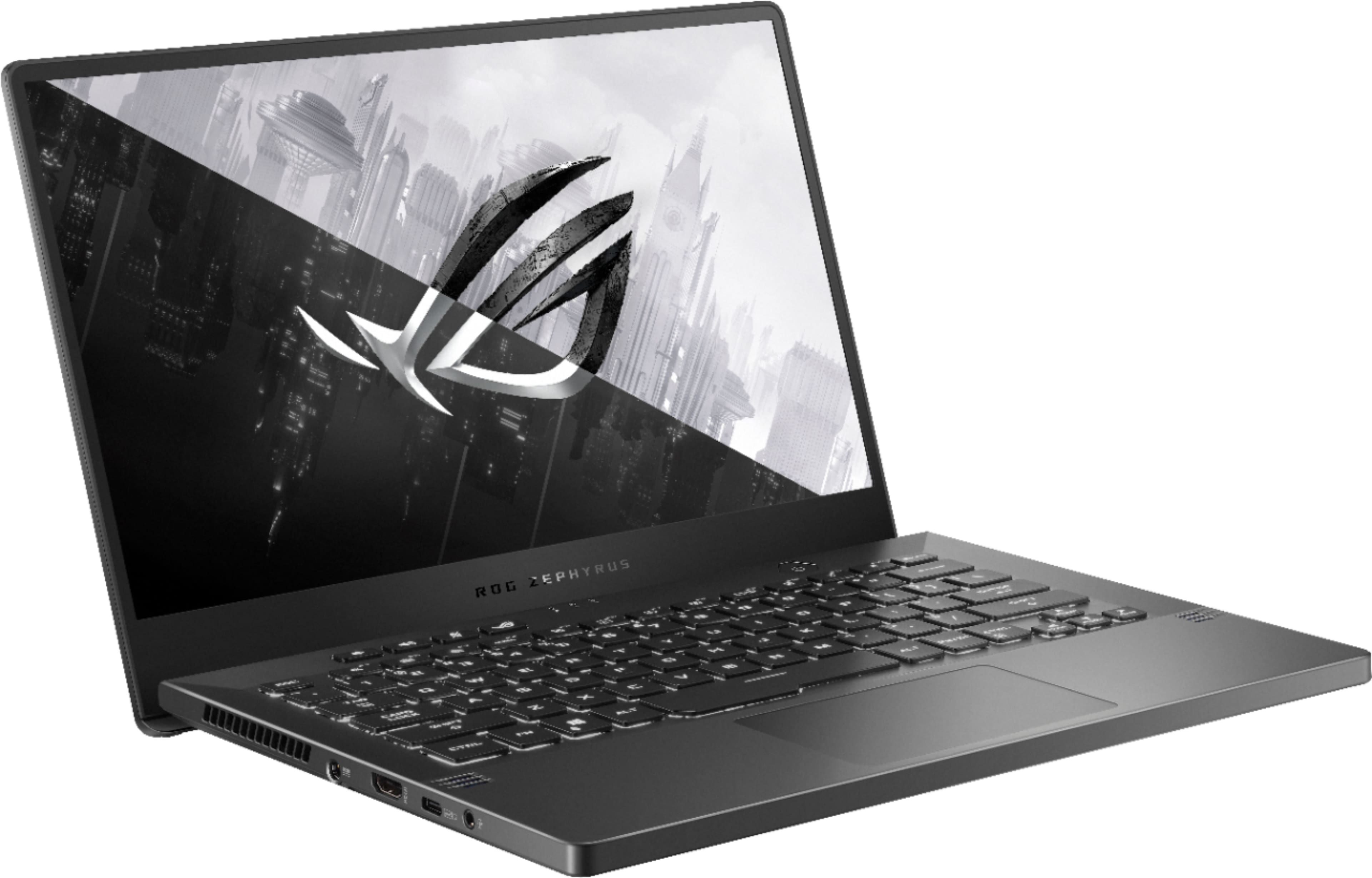
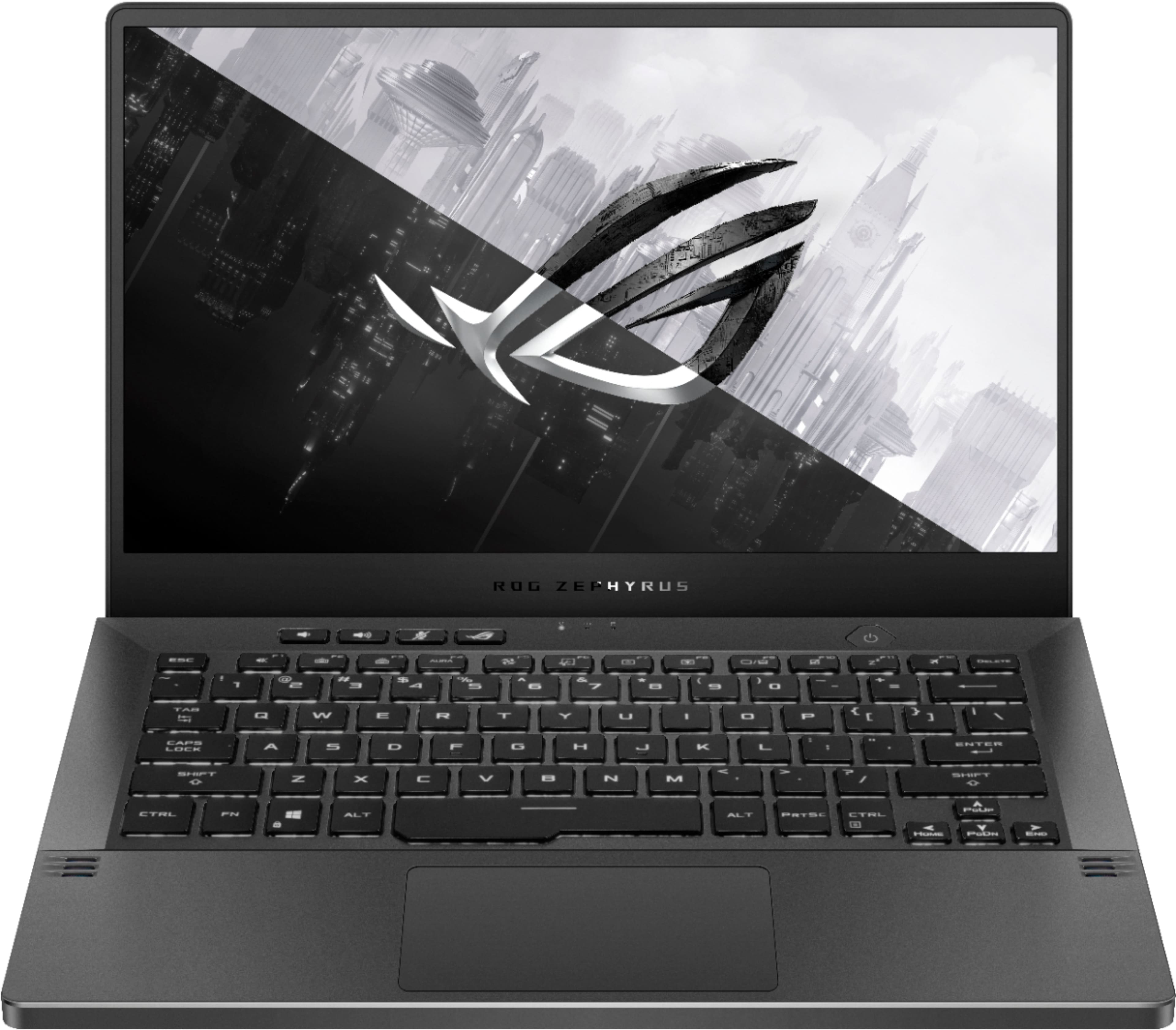
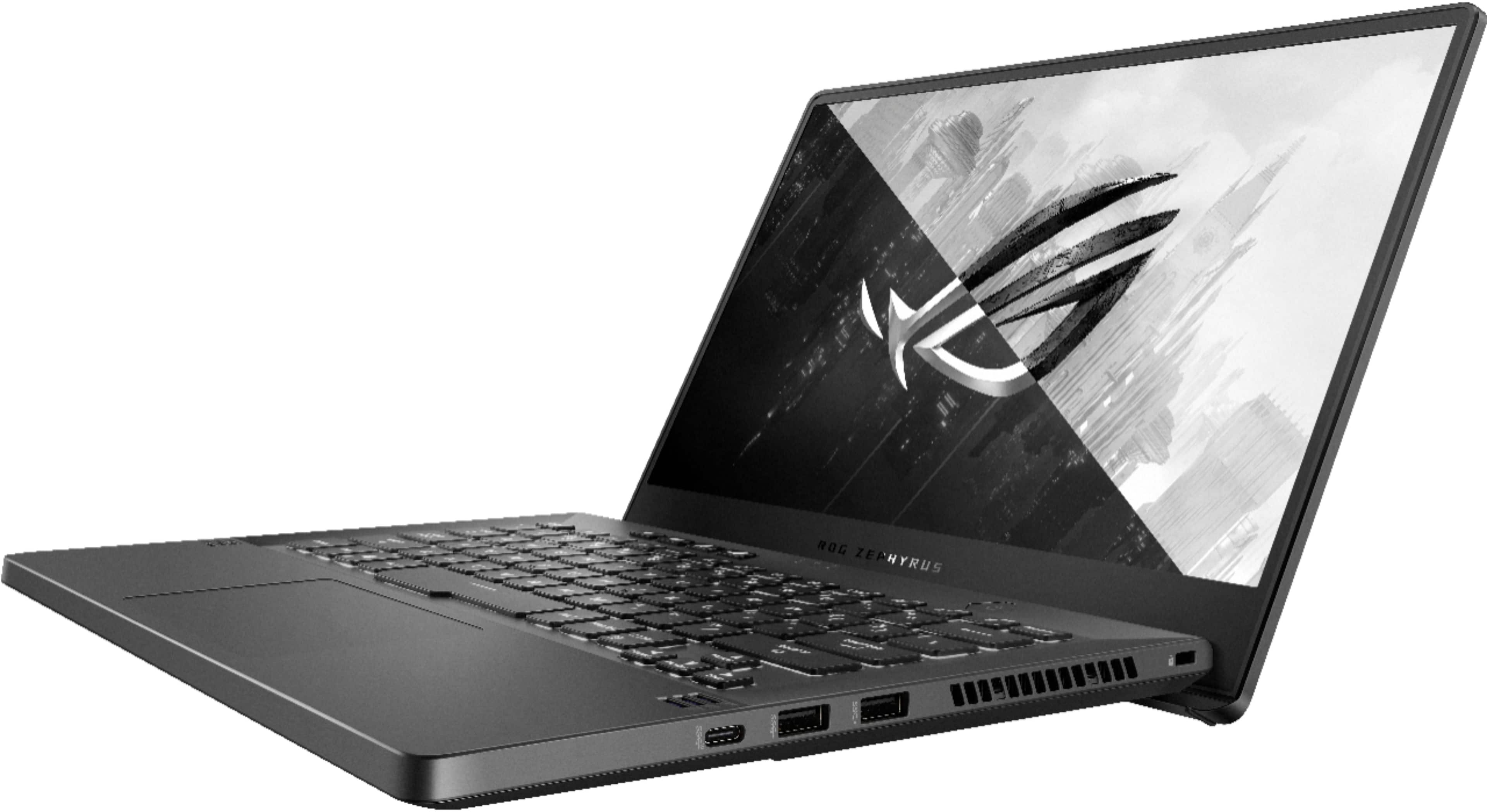
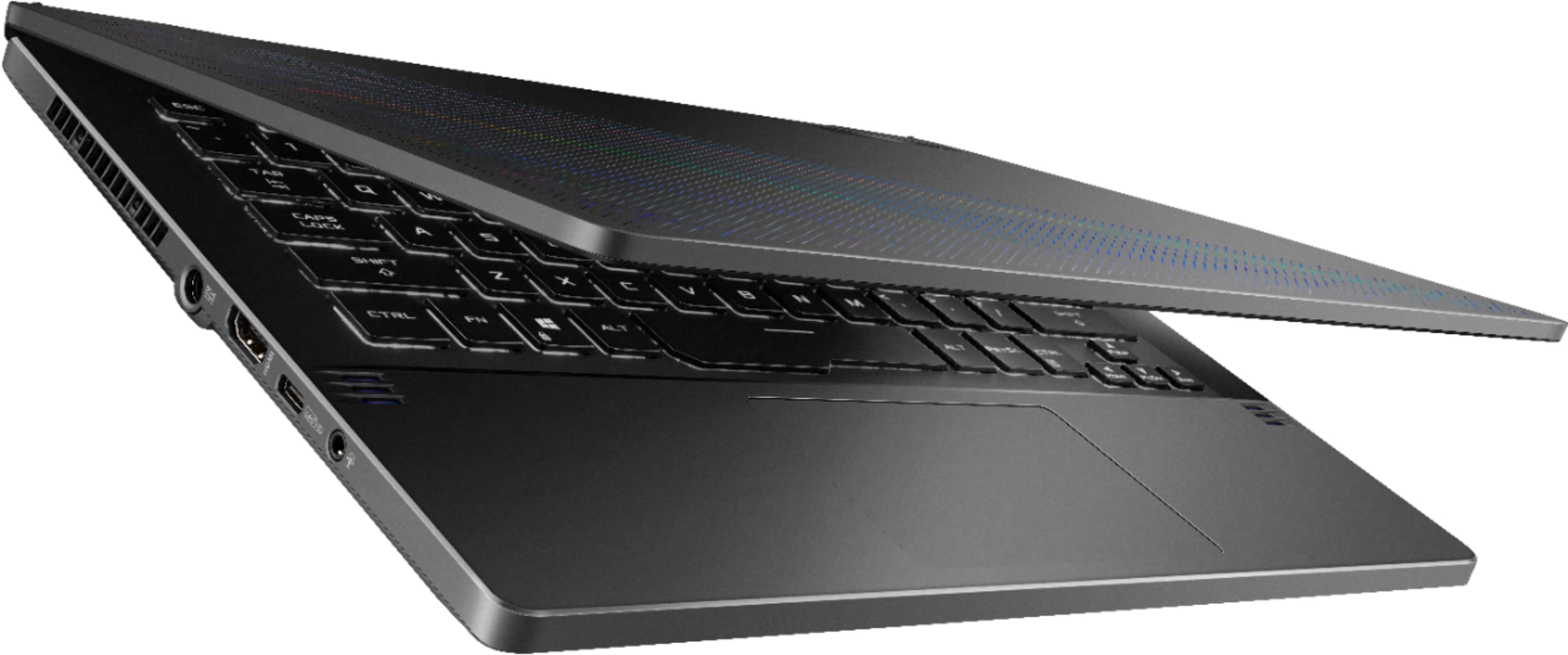
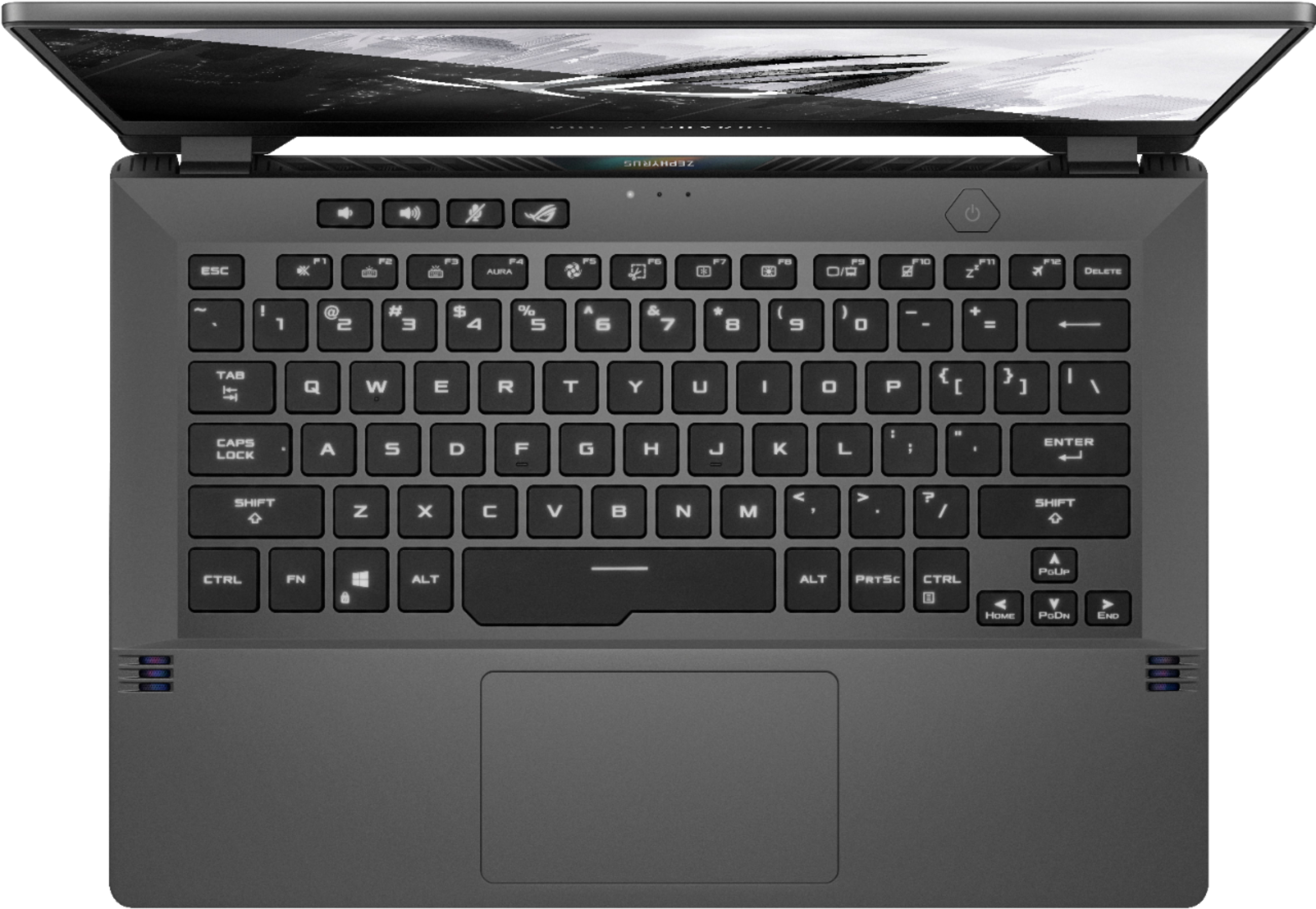
|Posted .This reviewer received promo considerations or sweepstakes entry for writing a review.This ASUS ROG Zephyrus G14 Model GA401QH-211.ZG14BL provides solid everyday casual gaming performance and everyday “normal” use performance for students and adults, whether at home, in a dorm or in the office. Its combination of high performance processor, NVIDIA graphics, memory, storage and form factor are a winning combination for which ASUS has garnered high marks. Its AMD Ryzen 7 processor with 8 cores and 16 threads specs powers through games without delay or performance hits. Equipped with GeForce GTX 1650 graphics 4GB of dedicated video memory, users will experience smooth sailing through whatever tasks are required. It has all the power needed for everyday office use as well. 16 GB of DDR4 3200Mhz RAM instead of a minimal 8 adds to the high performance. Having a 512 GB SSD should allow for enough storage for most users. The 14-inch screen is the right size for most gamers and multitaskers, and with a bright 1080P Full HD IPS panel, the visuals are quite pleasing. The keyboard has a good feel to this reviewer. As with other ROG laptops, it has a just-the-right stiffness hinge that props up the back when fully opened. In so doing, the keyboard is tipped forward at a comfortable angle of approach so pleasing to this reviewer. The lift also allows cooling by keeping the laptop from remaining flat on a surface. The key pitch is another positive point whether for gaming or for any use. Adjustable keyboard backlighting is a must for gamers. ASUS knows this and delivers. Backlighting is easily adjusted and muted for those who prefer a more business-like presentation when needed. Backlighting is pleasantly relegated to white instead of a dancing cacophony of colors. Sound is quite good with four speakers and Dolby Atmos virtual surround technology. It is very effective! The two-way AI noise cancelation with 3D microphone array is remarkably effective at rejecting unwanted noise. As a result, voice communication is much clearer than without this technology. Kudos to Asus. Ports include: 1 Type C USB 3.2 Gen 2 with Power Delivery, Display Port and G-Sync 1 USB 3.2 Gen 2 Type-C 2 USB 3.2 Gen 1 Type-A 1 3.5mm Combo Audio Jack ASUS ROG gaming laptops that have the ability to pump up the power by pressing the processor through various settings in the Armoury Grate app can tend to become both noisy and from warm to hot on the bottom. The AMD Ryzen 7 processor, even when taxed to the max and with fans doing their best to cool the CPU remains within comfortable temperature levels and the fan noise does not become too loud under heavy gaming load. Do expect some heat under load to be emitted from the side exhaust vents. The trackpad is responsive as should be expected, and is customizable for the user’s gestures and clicks. The 150 Watt power supply keeps the 76 Wh battery topped up. While on battery power this reviewer registered about 9 hours of non-gaming use. Be sure to plug in to power while gaming. At just 3.64 pounds, this is not a heavyweight by any means, hitting the right balance of performance without added bulk. With the latest Wi-Fi 6 dual-band technology, connectivity is as reliable as it gets. Users will appreciate the responsiveness and lack of delay while gaming. **WHAT’S IN THE BOX** • ASUS ROG Zephyrus G14 14-inch laptop • Power supply • Documentation with warranty **THE SETUP** Charge it up, set it up. Personal settings include the Armoury Crate app where users can select the best performance balance for the task at hand. Let it loaf along at minimal processor demands for everyday use or ramp up performance for CPU-taxing gaming. With setup completes, it is time to put it to the test . . . **PUT TO THE TEST** • Gaming with Doom is my standard go-to. Passed all my tests for smooth, delay-free, pleasing play. • Non-gaming use was without complaint. Microsoft office apps, streaming videos, keeping several tabs open and in use and general hard-driving multitasking were all performed flawlessly. **WHAT IS MISSING?** Missing, but not essential this reviewer are touch screen and webcam. Fortunately, webcams are readily available at a reasonable cost. **CONCLUSION** This is a good choice for the casual gamer and general user. The 14-inch size is the sweet spot for most users. The dual-duty and high performance with good battery life that this ROG G14 offers and its reasonable cost make this laptop a good choice for a wide group of users. Add the good sound system for an even stronger recommendation. **WARRANTY** Comes with one year parts & labor manufacturer’s warranty
I would recommend this to a friend Solid laptop.
||Posted . Owned for 9 months when reviewed.This reviewer received promo considerations or sweepstakes entry for writing a review.Solid laptop. Excellent build. One soldered ram slot is kind of limiting, but upgradeable. Works well as a mobile rig for audio post work. Screen resolution upscales alot. Running at 3200x1800. I run 4k monitors in My studio. I'm not disappointed in the least on this screen.
I would recommend this to a friend- Pros mentioned:Battery life, Design, Performance
Across-The-Board Performance
|Posted .This reviewer received promo considerations or sweepstakes entry for writing a review.The Rog Zephurus G14 offers grade A performance in a compact form factor with clean and attractive style. Media on the full HD resolution screen is crisp with vibrant colors and laptop out of the box has decent specs. People who multitask, run intensive programs and casually game will benefit the most from this thin and light model. GAMING PEFOMANCE (All games tested are in 1080p) Destiny 2 -High- 60 AVG FPS No Man’s Sky -High- 56 AVG FPS Surviving Mars -High- 60 AVG FPS Frostpunk – Very High- 58 AVG FPS GeForce Game Ready Driver Ver 471.68 08/10/2021 with GeForce optimal settings used (All games played smooth with no tearing) BENCHMARKS Geekbench 5 (Single-Core) 1405 Geekbench 5 (Multi-Core) 7206 Pcmarks 10 6076 The conservative style of the laptop is modern without screaming that it's a gaming with branding or flamboyant colors. I partially like this since you bring it into a professional office environment. The laptop has a high-quality feel to it and in a form factor that is easy to carry or dropped into a bag. Laptop LCD lid has a slight flex with sturdy hinges and on the rest of the body there is no flex at all. Very light weight, thin and portable at 3.64 lbs which makes this a go to device for work or play. Performance is more than enough for regular users, thanks to a powerful Ryzen 7 (R7-5800HS) CPU, fast SSD (M2) & dual channel 16GB DDR4 3200MHZ ram. I’m a bit of power user doing the with more than 25 tabs open on the browser, light video and picture editing for presentations, multiple spread sheets/documents open at the same time with everything quick and snappy. Multitasking with apps and casual gaming will not be a problem on this unit. The LCD screen top is slightly longer and when you open the laptop, it props the keyboard upwards. This causes the keyboard to tilt which in turns improves the typing and allowing more air flow to the laptop on a flat surface. Typing on it is comfortable to use with no flex while depressing keys, travel is reasonable with a mushy feedback feel to it but responsive. Keyboard’s adjustable backlight is ok, but I do wish it was a little brighter on its highest setting. The touchpad is small but precise and smooth with Windows Precision drivers; two scrolling and gestures are good. Laptop’s screen is a IPS matte 14-inch, 157 PPI, 1920x1080, 60HZ. 16:9, 320 nits in brightness, display has 97% sRGB & Adobe RGB profile 75.3%. The screen has a wide color gamut that is accurate which is a factor why media viewing & gaming looks good on this bright screen. Sound volume is loud enough at 80% and quality wise, not bad for thin ultra-book speakers but don’t expect deep bass. Ports: 1x Type C USB 3.2 Gen 2 with Power Delivery, Display Port and G-Sync / 1x USB 3.2 Gen 2 Type-C / 2x USB 3.2 Gen 1 Type A / 1x 3.5mm Combo Audio Jack. Thermals are good with CPU temp at 56C during general browsing and YouTube, fan running were quiet, and bottom of laptop got warm with spots by the top exhaust on the keyboard being slightly hot. During gaming CPU got to 79C. Laptop bottom heat is not unbearable during long play sessions and fan noise is not too loud on load. Battery life on the 76 Wh battery was 7.20 hrs which is above average when compared to other gaming laptops. You will definitely get through a full work/school day with this laptop.
I would recommend this to a friend Great gaming laptop
||Posted . Owned for 1 year when reviewed.This reviewer received promo considerations or sweepstakes entry for writing a review.I’ve had this laptop for over a year now and can fully say I made the right purchase. It’s fast, has a good amount of storage, and looks good. Came packaged great. Can’t think of any downside.
I would recommend this to a friendGreat Laptop for a Great Price
||Posted . Owned for 3 weeks when reviewed.This reviewer received promo considerations or sweepstakes entry for writing a review.Great laptop for a great price. With the specs it comes with, you can't beat the price. Aside from price though, it lives up to the expectations.
I would recommend this to a friendWell built for the price
||Posted . Owned for 6 months when reviewed.This reviewer received promo considerations or sweepstakes entry for writing a review.Keep laptop on hard surface to ensure it cools properly. Battery life very little but expected due to hardware. Great for my work!
I would recommend this to a friend- Pros mentioned:PerformanceCons mentioned:Camera
Came For The Gaming...Stayed For the Everything!
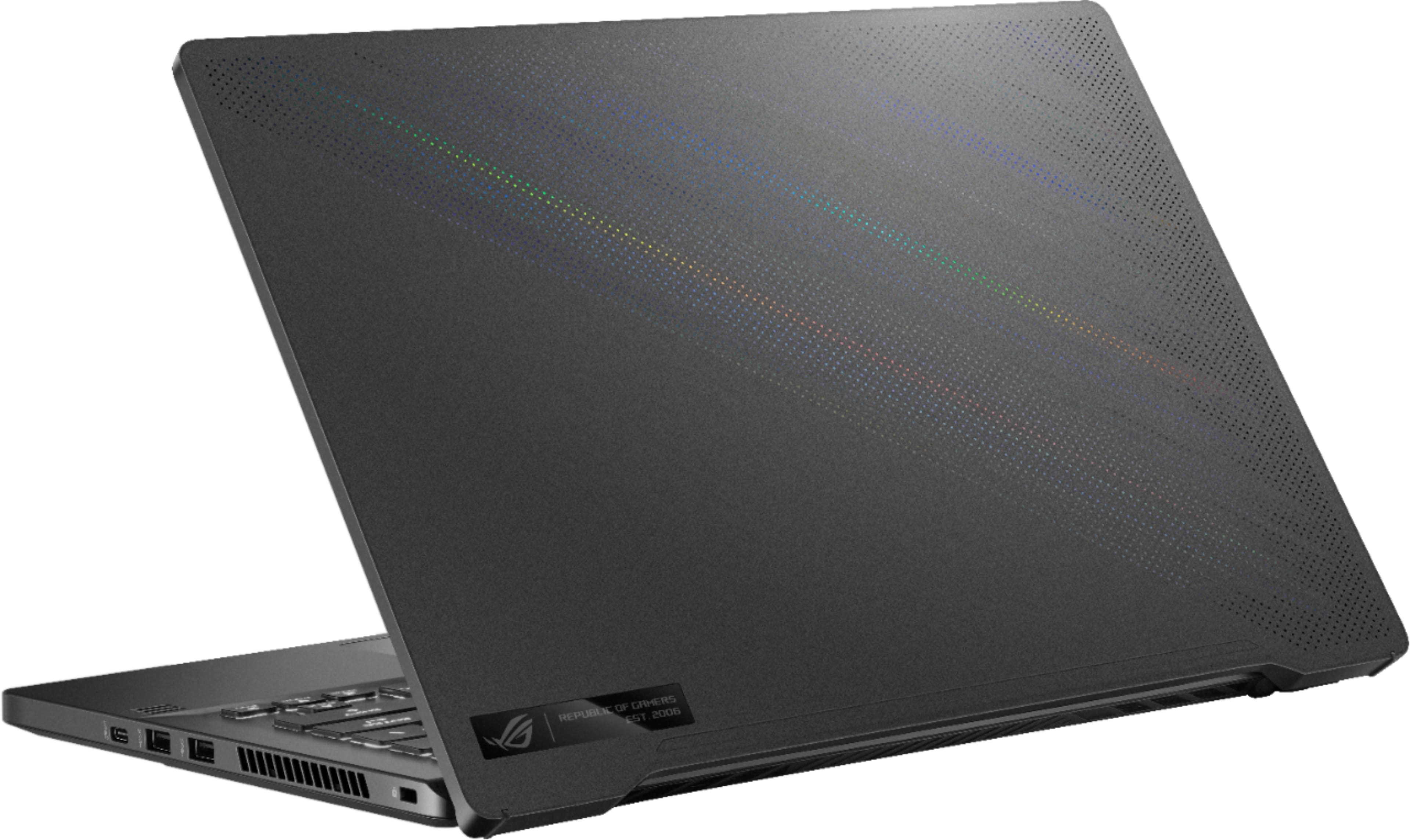
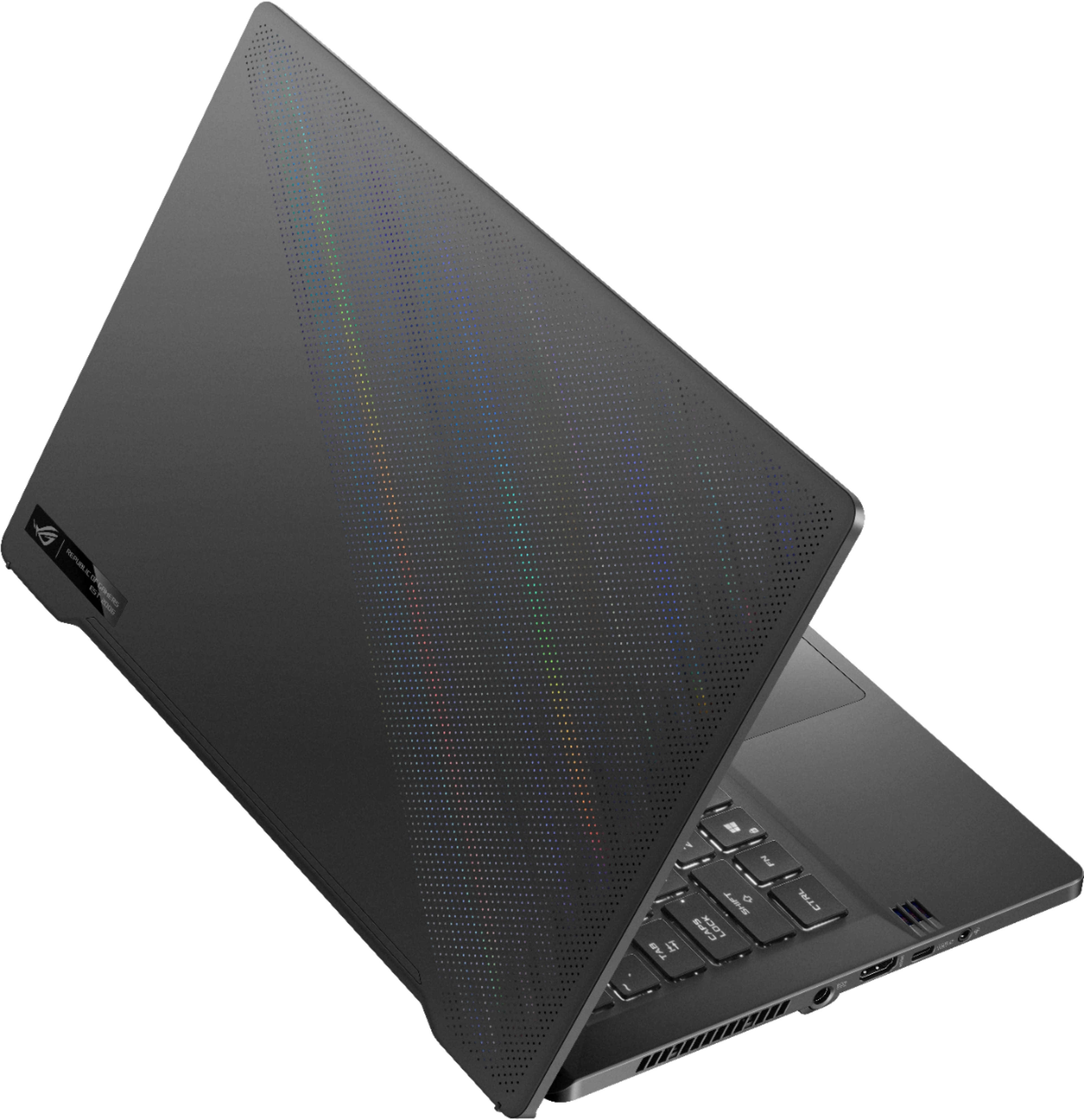
|Posted .This reviewer received promo considerations or sweepstakes entry for writing a review.As I found myself gaming more frequently on PC when I travel I wanted to try AMD with a bigger hard drive than I was currently using so I was exited to try out the new ROG Zephrus G14 Unboxing: I admit - I'm a geek when it comes to the unboxing experience, and ASUS does it right! I love how the laptop sits on a platform that raises up when you open the lid almost lid - almost like it's presenting itself to you. Physical Appearance: Light and solid - that's the best way to describe it. A battery of presses and squeezes could produce no squeaks or creaks. Very impressive. The composite case material is not my favorite - it's not cheap looking, but it doesn't exude premium. I do enjoy the perforations on the outside of the lid - but I was bummed that this model did not include the AniMe Matrix LED display. Overall a solid looking PC built very well. Not ultrabook thin, but certainly no one would look at you using this and think - wow that's bulky. Gaming: Of course I was excited to play a couple of my favorite games of late. I was blown away with how smooth the gameplay was on Madden 22. The FPS was generally 105-119 during plays and everything looked great on the FHD display. Generally I don't like anti-glare displays but this one didn't soften the image at all! Similar story for Star Wars Squadron. On my other PC some of the game play lags from time to time and so far about 2 hours in I haven't noticed any of that. Some of the cut scenes showed super high FPS but I'm not sure I trust those readings. I will recommend that you use some headphones when you play even though the speakers are actually quite good. The fans are pretty loud and they were on pretty much non-stop as I was playing. Playing Madden it didn't really bother me, but when playing a story based game it was a noticeable distraction during the cut scenes. I found myself pulling up work emails and doing some basic Office tasks in between gaming sessions and I was surprised by how much I LOVE the keyboard. It's well spaced and feels great typing that I found myself picking it up to do more work this afternoon. Unfortunately, there's no webcam so I'll need to keep my other laptop at the ready for Zoom calls, but that's OK - I wasn't planning on doing any real work on this laptop anyway. Benchmarks put this in the 99th percentile compared to other PC's in this class so needless to say I am quite pleased with pretty much everything. I'm still not a ban of barrel power adapters and I would love to see ASUS and other PC manufactures use USB-C for faster charging. It does work with the USB-C port but a message pops up and lets me know that charging this method will be slower and may not keep up with actual use. Conclusion - If you're looking for a gaming PC that's solid and portable then this is a great option and should be under consideration!
I would recommend this to a friend - Cons mentioned:Camera
MVP...Just Not That Kind
|Posted .This reviewer received promo considerations or sweepstakes entry for writing a review.I keep going back and forth on how to write this review. Is it a good gaming laptop? Yes, it can play whatever you throw at it...may get a little noisy...but headphones cover over that. And its very near ultraportable specs for size...not so much weight though. Is the screen vibrant and have good colors? Yes, for an IPS, Matte screen, it is really nice. I’m used to a 2-in-1 and I realize now how much easier on the eyes a matte screen is. Can it output to a bigger screen? Yes...no issues there either. It ran 4K HDR no issues on my Vizio M55Q7. I did set to 2nd screen only to offload any demand on running the laptop screen. So why the dilemma? For the current costs, is it enough? That is where I am struggling especially when I am looking at the other laptop that just found its way into our home, an ASUS TUF Gaming 17.3 with a nearly $300 lower cost, 144hz screen (a dream), 8GB RAM (1 Bay open), 512GB M.2, but with a 2nd M.2 bay available, i5 1135G7 and an NVIDIA RTX3050, plus built in RGB Keyboard and a WebCam. The build quality of TUF 17 is pretty cheap feeling when it comes to the palm rest and keys ability to hold on to oil. The chassis is sturdy, but just not made of high quality materials, but at the price ASUS had to cut corners somewhere...thankfully just not on the hardware. Again, that’s where the The Zephyrus 14 is hard to review. While it has 16GB RAM, 512GB storage, and a RTX1060, the backlit keyboard is white only and...NO WebCam! The build quality is definitely more premium and solid and the plastic used for the palm rest and keys does not attract oils from the hands (however only on the right side keys are they experiencing a scratching affect when I type. Never experienced this on any other keyboard before and I have very trim, short nails. The screen lid feels aluminum, but I cannot confirm that on the ASUS product listing. What you do see on the ASUS product listing page is even more of what this laptop doesn’t have from the same product line...mostly way more control over the lighting and an integrated LED panel on the screen lid that can be customized greatly (which lends to the reality that the lid is aluminum). The Ryzen 7 5800HS vs the i5-1135G7 are nearly apples to apples. On paper the Ryzen 7 has it beat in some areas 8 vs 4 cores, 7nm vs 10nm (better for lower power computing equaling longer battery life), but max clock speeds are 4.4GHz vs 4.20Ghz. Real world performance is going to be minimal difference, possibly in some video editing you may eek out a minute or two less on the rendering. But all-in-all its going to be similar experience. I cannot fault the Zephyrus on performance...this is a portable gaming laptop and it does do that but knowing they could have put a 1TB M.2 drive in since games are going to eat up a lot of space, it would not eaten much into their profit margin and a WebCam. Really that last one is a no brainer. My guess is because the higher-end models from this line have the LED lights in the screen lid there wasn’t room for the camera. So the lesser versions it just looks like a huge omittance on ASUS part. Of course, you can run Zoom or whatever else off your smartphone, but this is a gaming machine, what about those live streams you want to cast? You can turn your phone into a capable web streamer hooked up to the laptop, but now you need a dock or mount to get it just right. With 4 dedicated mics built-in to the chassis, ASUS knew chatting was going to be a must have feature, and it works really well as do the speakers. But for game immersion...headphones make the experience even better especially when they already have a mic built-in. So it feels like ASUS had a formula for the build of this laptop and said here is the build price it has to be at given what the top-end model would cost to build. I feel like this particular product build will be very niche in who it attracts and at that I think it will really only interest someone who doesn’t want a larger laptop and looking in the ultraportable range and gaming is a casual need/want, but can still run some quality games and not have lag issues. 2-in-1’s are out of the question here unless you are playing some really old retro games or 2D games. If that is the case a 2-in-1 has way more features (less ease of upgrade though) that may fit your school needs and some touch features that may come in handy when editing documents. So, I’m not sure where I leave this review. Does it work as ASUS designed for gaming...again, yes. Is that all it is good for? No, it can handle all tasks just fine. My only complaints are the keyboard keys marking up when I type and the fingerprint reader is a little unreliable. Outside of that it is a fine functioning small laptop.j Plenty of ports for your needs and the keyboard has great tactile feedback and not too noisy like a gaming keyboard. It’s just the value for me that is called into question, knowing that you can go cheaper in price, get more terms of hardware specs and are only sacrificing size and build materials. I would say fingerprint reader too but since this one has issues, it wouldn’t be missed. And it is also knowing that the design of this laptop was meant for something more and to get that more...you have to pay more. So this is sort of an MVP in the business world...Minimal Viable Product. It works, does what it is supposed to, but doesn’t have all the features of what the final product will. Can I recommend it yes...just know exactly what you are buying when you do. My 4 stars are based on does it work? And yes, minus the fingerprint reader issue and key scratching. I don't feel value can factor in the star ratings.
I would recommend this to a friend - Cons mentioned:Camera
Terrible purchase
||Posted . Owned for 1 year when reviewed.This reviewer received promo considerations or sweepstakes entry for writing a review.Almost $2000 dollars for this laptop and it has NO camera installed. Ridiculous. Not impressed with this laptop and very disappointed. Regret purchasing it.
No, I would not recommend this to a friendBrand response from ASUS Answers
Posted .Dear elGato99,
We do understand the inconvenience this may have caused.
The laptop was advertised not having a built-in camera. If camera is necessary, a USB or a wireless camera can be used.
Should you need further assistance with the product, please email me at [email protected] and I would be more than happy to help. Or, you are most welcome to call Product Support Hotline at: 1(888) 678-3688. Also, you can chat with an ASUS live support agent at: http://bit.ly/AsusLiveChat.
Thank you for choosing an ASUS product.
Regards,
Rodel
ASUS Customer Loyalty
Great value
||Posted . Owned for 9 months when reviewed.This reviewer received promo considerations or sweepstakes entry for writing a review.Exactly what I wanted at a great price. Perfect to play games when I travel and plug into a monitor at home.
I would recommend this to a friend- Cons mentioned:Heat
This is so 2019!
|Posted .This reviewer received promo considerations or sweepstakes entry for writing a review.I really like ASUS products and have a number of ASUS Republic of Gamer (ROG) computers and laptops. But, this one feels like a new model that has been left behind for 2 years. I know technology moves fast in the tech industry, but typically when tech gets older, it gets cheaper. Not this one, it seems to remain at its same price range while ASUS puts out newer updated, 2021 tech in the other laptops at the same price point. This is not to say this computer is bad or not capable, but the fact that this has a video card from 2019 while their other 2021 products are practically the same price just makes this one seem outdated despite the new AMD processor. For a small 14” computer this has some power to it to play most games at medium to low settings. It is fast and snappy with the NVMe 512GB harddrive and 16GB of RAM. However, only one RAM slot is accessible (8GB on board, 8GB removable), in which you can upgrade to 16GB for a total of 24GB and there is only one M.2 slot. So, you either replace the main drive or use external storage for further expansion. There are two USB-C 3.2 Gen 2 ports with one having Display port and power delivery, but not Thunderbolt. There are also two USB 3.2 Gen 1 Type-A ports, HDMI 2.0b and a 3.5mm headphone/mic port. The odd thing is the placement of the power plug in the middle of the left side. There is also no webcam like most laptops, while they are usually all low grade anyways, but does have a microphone for Cortana voice commands. Also took me a second, but the fingerprint scanner is the power button. The screen is bright and colorful, low reflection, but low viewing angles making everything fade if you don’t angle it straight at you. The hinge is different too as it actually lifts the laptop up as it is tilted back. This is neat as it gives more air flow underneath and better angle for keyboard usage, but don’t know how long that tension will hold. The design of the hinge and back side also lends to the heat rolling up on the front side of the screen. Running stress tests it was running around 75°C pretty constant with 20-25FPS on the test. Sound quality on this little thing is better than most laptops I have seen recently. It actually has four speakers with two facing up and two facing down. While on a hard surface, like a desk, this actually gives a decent range of high and lows with a surround effect. The keyboard is a solid white backlight in which you can adjust brightness, but an annoying default setting when it goes to sleep had to be disabled for me. When it goes into sleep mode, it is like a restless sleep mode, where the keyboard will dim then blink twice and repeat every few seconds. In the Armoury Crate app, simply activated with unique button beside , under System > Lighting >Settings you can turn Sleep “off”. Overall, this is a fair multitasking laptop that will play games. But, the video card is the bottleneck and ASUS has other laptops at the same price point with more to them. I hate to say that I wouldn’t recommend this to a friend, but I would probably recommend something with a newer video card if they were focused on gaming.
No, I would not recommend this to a friend Really nice gaming laptop in a sleeper case
|Posted .This reviewer received promo considerations or sweepstakes entry for writing a review.First impression of the Asus – ROG Zephyrus G14 is, very attractive box. I like the design and that it can be used for storage or safekeeping as the lid just folds down/up and is held in place by the plastic handle. Cutting the security tape and then opening the box I find the laptop, a power brick, and a 110v cord. The laptop is protected in a clear plastic sleeve with a felt pad over the keyboard. I press the power button, but as expected, it’s dead. I plug in the power brick and cord, give it a chance to get a bit of a charge, and try again. It comes to life and starts the usual Windows 10 start-up. I go through the step and get it online. That’s when the fun begins. Notifications are popping up that it needs updates done in both Windows and Asus. I knew it was coming, but this is quite a bit. I run Windows update and it prompts for a restart. I click restart and instead of restarting, I go into upgrading firmware. So, I let that finish and get to the login screen. It doesn’t like my fingerprint, so I use my pin (glad I set that up). I open user login settings and redo my fingerprint. Asus or Microsoft made that super simple. Just delete the current fingerprint and it prompts you to do it again. Now it works every time. I fire up Windows update and there’s another one. Get that installed and reboot. Fingertip login works and I’m good…right. Nope, I open MyAsus, and it too wants an update. I get that done, reboot and then I get to test out this laptop. The first thing I do is install Microsoft office. It installs with no problem and is rather fast in my opinion. Nice! I run Word, Excel, and PowerPoint and they’re all snappy. I see no lag or hesitation from a user’s point of view. Then I install the Epic Games app and a few of the games I own on my desktop. I test out Sonic Mania and it plays just like the old Genesis. Using an Xbox controller works great, but I had to do the Steam trick to get the controller to work. There’s a bunch of videos that show you how to add Epic to Steam. Next, I check just to see if it has Thunderbolt 3/4, but having an AMD GPU, it pops the warning that the hub I plugged in will probably be limited. I then see what ports it has, and I find USB 3.2 c (2), USB 3.2 a (2), full HDMI, and 3.5 phone jack, so plenty of ports. The backlit keyboard is in white and can be set at static, strobe, or breathing. I tried to see if the color could be changed, but it seems to need Aura Creator. I downloaded it, but this laptop isn’t on the recognized list. If this is how to change the color and the laptop can do so, I hope Asus will add it to the accepted models. Also, the intensity of the white can be turned off or raised. By default, it is set at 33%. Then I tested sound. I started with YouTube and the audio was clean but low. I had it at 100% and it was too low for me. I checked audio settings and the Realtek app, but there wasn’t anything there. Then I opened Dolby Access and tried those settings. Woohoo, I set it at Dynamic and it must have used Atmos settings. The volume wasn’t a huge change, but it was enough for me to clearly enjoy the sound across the den, about 15 feet. I thought maybe it was just YouTube because uploaders all seem to have different audio levels, so I tried Spotify. Same result, both ways. It sounds good and clear with Dolby Access set at Dynamic or in Custom 1,2, or 3. Hum, what else? The 14” screen. It looks great and has great clarity and color, at least according to these old eyes. The 16Gb of ram is more than enough for what I do, but I can see where hardcore gamers or videographers might need 32GB. From what I’ve read, one of the 8Gb sticks is soldered to the mobo, but the other is removable. I do wish it had a larger SSD, but that can be swapped out if need be. Lastly, I just tried to sync my Android phone up with the PC. I was successful in connecting it to Wi-Fi and/or Bluetooth, but I was having trouble getting the laptop to use the phone as a camera. I may have gone the wrong route, but Armoury Crate started asking for permissions and I gave up for now. Maybe later I’ll figure it out or there will be more (better) videos on YouTube, but for now, I have a few USB cameras that’ll work just fine. I’d recommend this to gamers or anyone needing a laptop that can handle intense resource usage. I can see using it for video editing, Photoshop, and the latest games. It’s a sleeper and looks like any mid-range laptop, but this one packs a punch under the hood. Sorry, last thing for sure. I went to take a few pics of the laptop and wanted to see how to light up the dot matrix lid. In Armoury Crate, there is an option for AniMe Matrix if your model supports it. This one sadly does not. It looks like it should as it has the dots and shimmers when held up to the light, but if the model doesn’t say supports AniMe…it doesn’t. That’s all ☹
I would recommend this to a friend- Pros mentioned:Battery lifeCons mentioned:Camera
Powerful and affordable laptop for design student
||Posted . Owned for 3 weeks when reviewed.This reviewer received promo considerations or sweepstakes entry for writing a review.I've had this computer for about 3 weeks. I'm a graphic design student, and my courses also cover animation, digital illustration and video editing, so I'm using Adobe programs pretty on the daily. My model has 16 gigs of memory, and so far so good, I'm still considering upgrading to 24gb just to give my computer some leeway while I'm working with multiple programs open. The ryzen 7 5800HS has proven to be a great CPU, and I don't regret not getting a higher tier processor like the ryzen 9. Photoshop, Illustrator, After Effects, they all open within seconds and run very good. If I have only say Photoshop open, it runs like a dream, while having multiple programs running can eat up most of the RAM, but I haven't experienced any significant delays. What do I really like about as a student? - It's light. This thing can be on my back all day and feel like it's not there. - The display is very nice. This one is 1080p, could be better, but honestly I'd rather have more battery power than a slightly more detailed screen. - The keyboard is wonderful. The backlight is non offending and the characters on the keys are visible. I had to get used to the font of the characters on the keyboard - that took me a few days - but now it's fine and perfectly legible for me. - This is just me, but I love a laptop that can be opened with one hand. - The battery life is decent. I'm reading up on how to improve it, but in the mean time I've mostly been at home with it connected to the adapter, so we'll see how well it fairs for a full day of no charging. - I'll be running chrome with maybe 6-7 tabs open, Ps with 30+ layers, Ai, itunes, notion, mail, and file explorer and I won't feel it for the most part, depending on how heavy my layers are in Ps. - The connectivity is good. I have all the types of ports I need. This computer has no ethernet port, so if that's something you need, consider buying a hub or docking station. What do I like less? - As much as I like the selection of ports, there are only two usb-a ports, and both are already occupied by my mouse and my screen tablet. I'm going to have to purchase a usb hub or docking station - which is another expense. - No webcam. Yes, I knew this well before purchasing the machine and made the decision to purchase it because the pros outweighed the cons, but this is definitely a con. A web cam doesn't cost too much and honestly isn't that huge of a deal, but it's one more thing and I will definitely need a usb hub in order to connect a webcam, mouse, screen tablet, external ssd and such. All in all, this thing has taken pretty much everything I've thrown at it. Working on Photoshop to illustrate or motion designing on After Effects has been 98% bump free and I'm very very satisfied. I bought this one instead of the more amped up Ryzen 9/3060 model, mostly because I needed to compromise on the price and save some money, and I'm happy as a clam to work on my new g14 and finally have a computer that just does what I ask it to when I ask it to, while also having pretty reflective detailing on the back of the panel!
I would recommend this to a friend - Pros mentioned:Battery life, Design, SpeedCons mentioned:Camera, Display
Best Bang-for-your-Buck Gaming Laptop
||Posted . Owned for 3 weeks when reviewed.This reviewer received promo considerations or sweepstakes entry for writing a review.This is my first time purchasing an Asus product and I'm happy with my choice. I bought this on sale for $950 and it beats anything in its price range. Pros: -Ryzen 7 is blazing fast compared to my old laptop with an Intel i-7. -Battery life is incredible and gives me a full day of work on a single charge. -The bottom of the screen has feet that keep the bottom of the laptop elevated for better cooling. -Sleek design that doesn't look tacky like most gaming laptops. -Metal body feels very durable -16GB of ram should be plenty, but also can be easily upgraded up to 32GB Cons: Overall I love this laptop and these are mostly nit-picks: -Lack of webcam could be a problem for people who are constantly video-conferencing (there are apps that allow you to use your smartphone as a webcam with your pc as a work-around) -Heavier than most modern laptops -Fingerprint scanner can be inconsistent -Even at max brightness, the screen never seems to get quite bright enough
I would recommend this to a friend